Get 50% OFF All Premium 3D & STL Models!

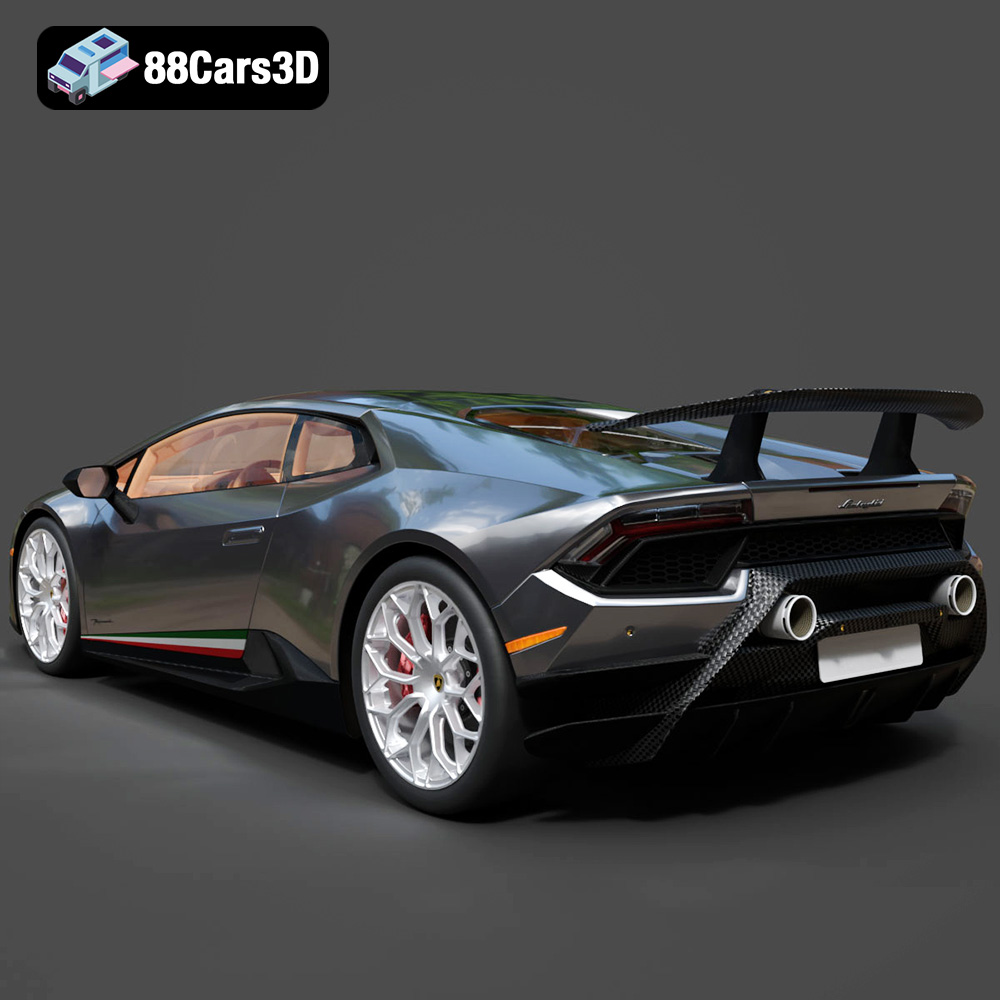
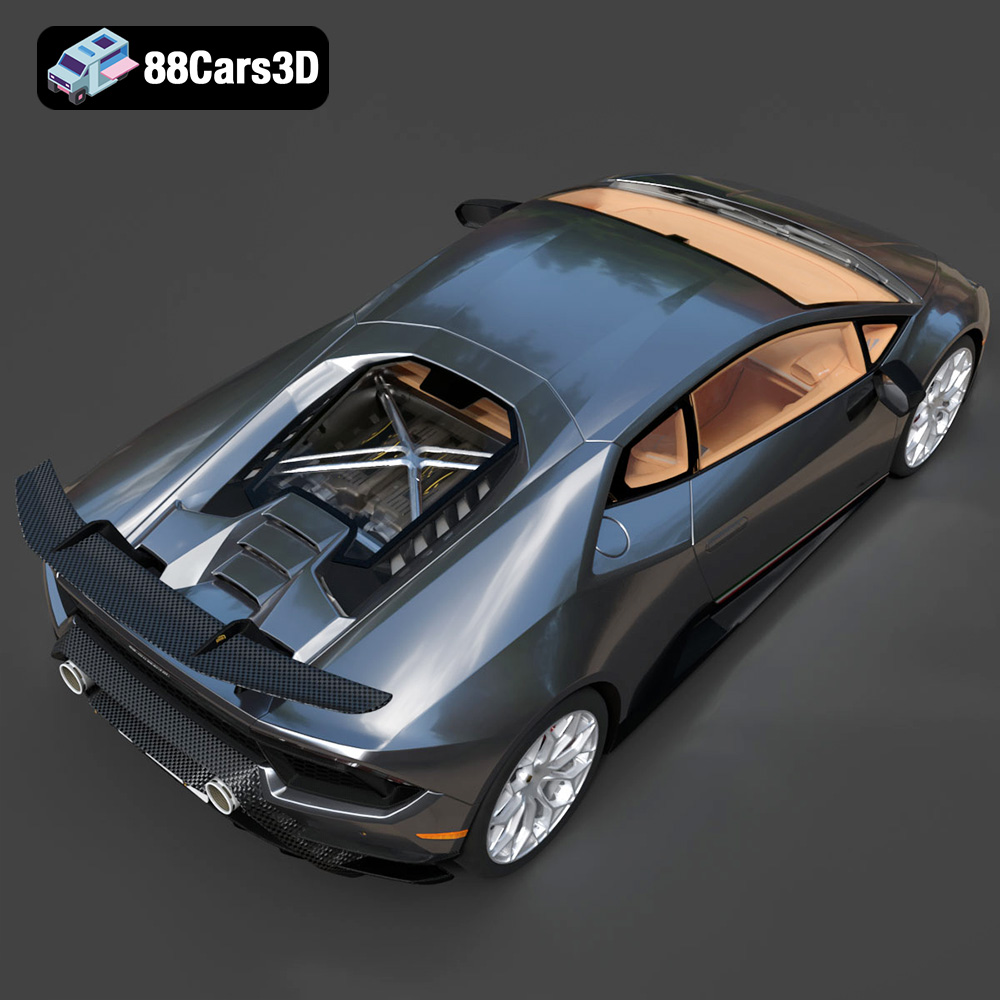
The Lamborghini Huracán Performante LP 640-4 2017 is a machine built for speed and precision. Now, thanks to advancements in 3D printing, you can bring a piece of this automotive excellence into your own home. This blog post will guide you through the process of 3D printing a high-quality replica of this iconic supercar, focusing on the specific challenges and opportunities presented by the 3D model available at 88cars3d.com. We’ll cover everything from choosing the right materials and printer settings to post-processing techniques that will make your 3D printed Huracán Performante a true showstopper. Get ready to experience the thrill of additive manufacturing as we recreate this stunning vehicle!
Selecting the appropriate 3D printing technology is the first critical step in successfully recreating the Lamborghini Huracán Performante. Two main technologies are commonly used for detailed models: Fused Deposition Modeling (FDM) and Stereolithography (SLA) or Resin printing. Each has its own set of advantages and disadvantages.
FDM printing, which uses materials like PLA, ABS, or PETG, is generally more affordable. This makes it a great starting point, but can struggle to reproduce the fine details of the Huracán Performante without significant post-processing. Layer lines will be visible, especially on curved surfaces, so be prepared for sanding and smoothing. Larger scales (1:18 or even 1:12) are recommended with FDM to minimize the visual impact of layer lines.
Resin printing (SLA or DLP) excels at capturing intricate details and achieving smoother surface finishes. As the product description notes, resin printing is highly recommended for this model, particularly to capture the sharp aero edges, wing pylons, and intricate wheel spokes of the Huracán Performante. However, resin printers tend to have smaller build volumes and resins can be more expensive. Handle resin with care and ensure proper ventilation.
* **PLA:** A good starting point for FDM, easy to print, but less durable and heat-resistant.
* **ABS:** Stronger and more heat-resistant than PLA, but requires a heated bed and enclosed printer.
* **PETG:** Combines the best of both worlds – relatively easy to print, durable, and heat-resistant.
* **Resin:** Offers exceptional detail, but requires specific safety precautions and post-curing.
Choosing the right file format is crucial for a successful 3D printing experience. The Lamborghini Huracán Performante LP 640-4 2017 3D model from 88cars3d.com includes several file formats, each with its own strengths and weaknesses. Here’s a breakdown of the most relevant ones for 3D printing:
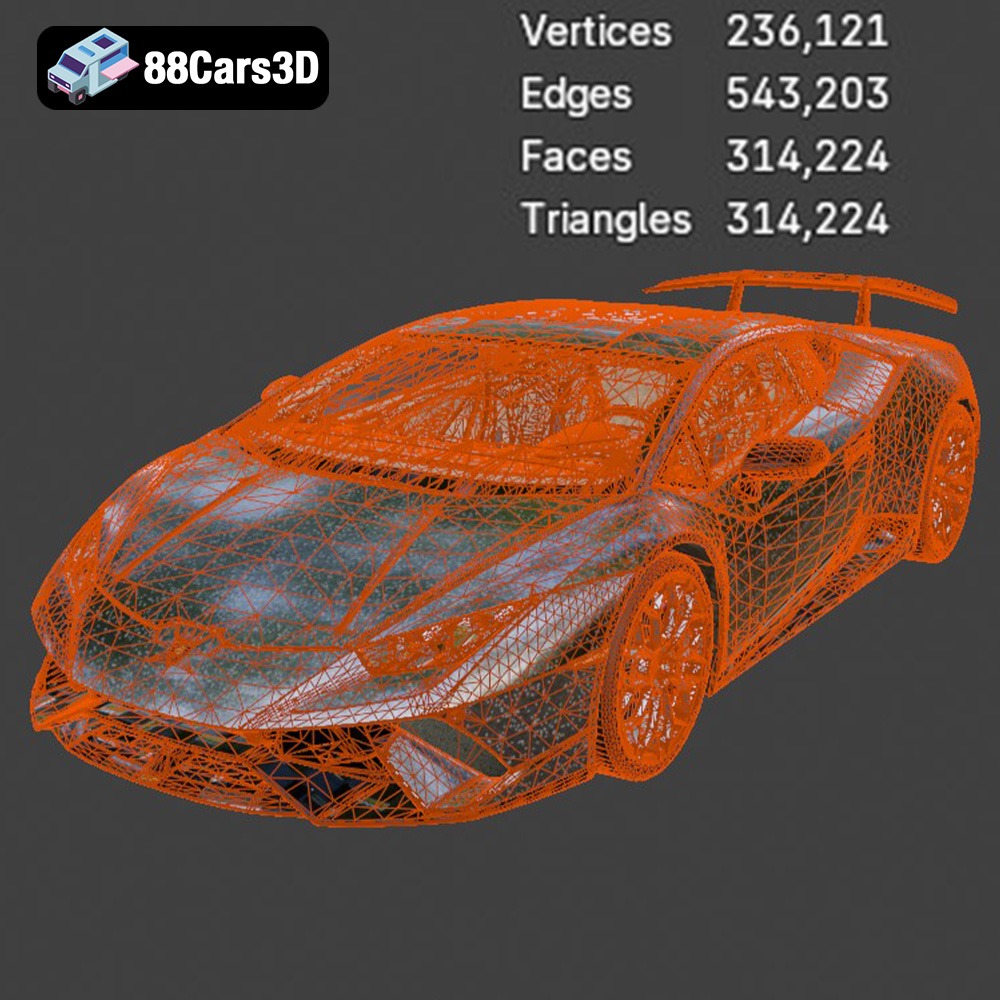
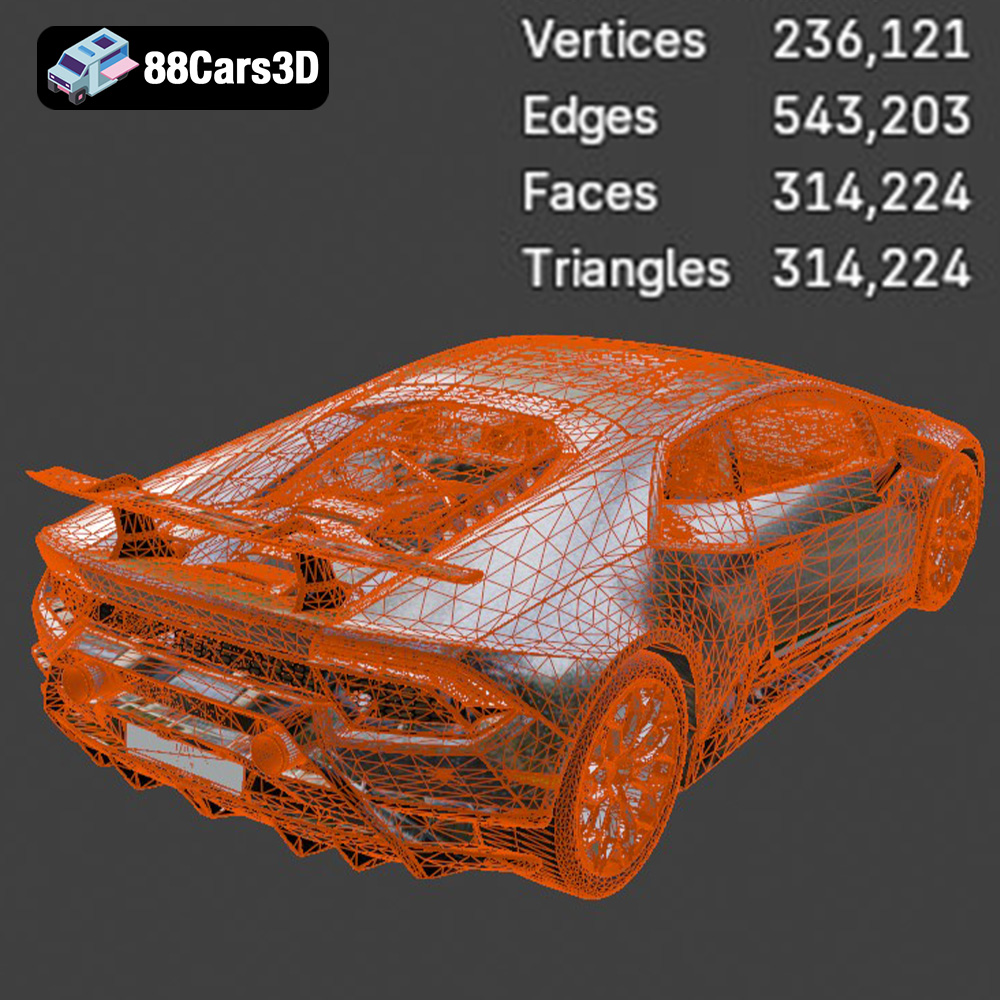
The .stl (Stereolithography) file format is the industry standard for 3D printing. It represents the surface geometry of a 3D object as a collection of triangles. While simple and widely compatible, .stl files only store mesh data – no color, textures, or material information. This means that the 3D printed result will be a single color, and any surface details will need to be added during post-processing. The quality of an .stl file depends heavily on the number of triangles used to define the object’s surface. More triangles result in a smoother, more accurate representation, but also a larger file size. When exporting to .stl, ensure your settings are optimized for the desired level of detail. For complex models like the Huracán Performante, a higher resolution .stl export is recommended to preserve the fine details of the bodywork, aerodynamic elements, and wheels. Slicing software is universally compatible with .stl files.
.obj (Object) files are another common 3D model format. Unlike .stl, .obj files can store color and texture information, making them suitable for multi-color 3D printing (if your printer supports it). However, .obj files are generally larger than .stl files and can be more complex to work with.
The .ply (Polygon File Format) is designed to store 3D data obtained from 3D scanners. It’s capable of representing both surface geometry and color/texture information with high precision. This makes it a good choice for replicating scanned objects in 3D printing, but it’s not as universally supported by slicing software as .stl.
The remaining formats (.blend, .fbx, .glb, and .max) serve different purposes:
* **.blend:** This is the native file format for Blender, a popular open-source 3D modeling software. It contains the entire Blender scene, including the model, materials, lighting, and animation data. It’s ideal if you want to modify the model before 3D printing.
* **.fbx:** This is a widely used format for exchanging 3D data between different applications. It can store geometry, textures, materials, and animation data. It’s useful for importing the model into slicing software that supports material information.
* **.glb:** This is a binary file format that is used for storing 3D models in a compact and efficient manner. It is commonly used for displaying 3D models on the web and in AR/VR applications.
* **.max:** This is the native file format for 3ds Max, a professional 3D modeling, animation, and rendering software. Similar to .blend, it contains the entire 3ds Max project.
For 3D printing, the .stl format is almost always the best choice. It’s simple, widely supported, and specifically designed for additive manufacturing. However, if you plan to modify the model or experiment with multi-color printing, the other formats might be useful. Always ensure your mesh quality is high enough in any format you choose to use.
Once you’ve chosen your printing technology and material, the next step is preparing the 3D model for printing. This involves using slicing software to convert the 3D model into a set of instructions that the printer can understand. It also involves optimizing the model for printability.
Slicing software like Cura, PrusaSlicer, Simplify3D, or Chitubox (for resin printers) takes your .stl file and divides it into thin layers. You then configure the software with specific parameters like layer height, infill density, support settings, and printing speed. These settings directly impact the final quality, strength, and printing time of your model.
The orientation of the model on the print bed is crucial. For the Lamborghini Huracán Performante, printing the body at an angle (as suggested in the product description) can minimize the need for supports on the exterior surfaces, resulting in a smoother finish. However, this may require more supports internally.
Support structures are necessary to hold up overhanging parts of the model during printing. For the Huracán Performante, you’ll likely need supports for the side mirrors, the aggressive front splitter, and the ALA rear wing. Experiment with different support settings in your slicing software to find the optimal balance between support strength, ease of removal, and surface finish.
The product description suggests scales of 1:24, 1:18, or 1:12. The smaller the scale, the more challenging it will be to capture fine details. If you’re using FDM printing, a larger scale is generally recommended to minimize the visibility of layer lines. Resin printing can handle smaller scales with greater detail.
Before slicing, it’s essential to check the model for any errors or imperfections. Software like Meshmixer or Netfabb can help you identify and repair issues like non-manifold geometry, holes in the mesh, or intersecting faces. These issues can cause printing problems or result in a flawed final product. 88cars3d.com generally ensures models are ready, but verification is always a good practice.
Achieving a high-quality 3D printed Lamborghini Huracán Performante requires fine-tuning your printer settings. Here are some recommended settings based on the product description and general 3D printing best practices:
The product description recommends a layer height of 0.04–0.12 mm. Lower layer heights result in smoother surfaces and finer details, but also increase printing time. Resin printing can handle lower layer heights than FDM. For FDM, start with 0.1 mm and experiment from there. For resin, try 0.05 mm.
The recommended infill density is 15–25%. This provides sufficient internal support without adding excessive weight or material. For a display model, lower infill is acceptable. If you plan to handle the model frequently, consider increasing the infill for added durability.
The product description suggests a wall thickness of 1.2–2.0 mm. This ensures that the walls of the model are strong enough to withstand stress and prevent warping. For FDM printing, use at least three perimeters to achieve this thickness.
Printing speed affects both print quality and printing time. Slower speeds generally result in smoother surfaces and fewer errors. However, they also increase printing time. Experiment with different speeds to find the optimal balance for your printer and material. For FDM, start with 40-50 mm/s. For resin, follow the resin manufacturer’s recommendations.
Once the printing is complete, the real work begins! Post-processing is essential for transforming a raw 3D print into a polished, professional-looking replica of the Lamborghini Huracán Performante.
Carefully remove the support structures using pliers, cutters, or a sharp knife. Be patient and avoid damaging the delicate parts of the model. For resin prints, soaking the model in warm water can soften the supports and make them easier to remove.
Sanding is crucial for eliminating layer lines and creating a smooth surface finish. Start with coarse sandpaper (e.g., 220 grit) and gradually move to finer grits (e.g., 400, 600, 800 grit). For FDM prints, consider using filler primer to fill in any remaining imperfections.
Painting is where you can truly customize your 3D printed Huracán Performante. Prime the model with a suitable primer before applying the base coat. Consider using automotive-grade paints for a durable and realistic finish. The product description suggests striking Lamborghini colors like Verde Mantis, Arancio Anthais, or Giallo Inti, paired with matte black/forged carbon details.
The 3D model from 88cars3d.com includes separate wheels, steering components, and doors. This allows for realistic animation and rigging in digital environments, but it also means you’ll need to assemble these parts after printing. Use super glue or epoxy to attach the parts securely.
Even with careful preparation, 3D printing can sometimes be challenging. Here are some common issues and their solutions:
Warping occurs when the corners of the model lift from the print bed during printing. This is more common with ABS than with PLA or PETG. To prevent warping, ensure your print bed is level and heated to the correct temperature. Use a bed adhesion aid like glue stick or hairspray.
Stringing occurs when the printer nozzle oozes material while moving between different parts of the model. To reduce stringing, decrease the printing temperature, increase retraction distance, and reduce travel speed.
Layer shifting occurs when the printer head suddenly shifts position during printing, resulting in misaligned layers. This can be caused by loose belts, stepper motor issues, or vibrations. Check your printer’s hardware and ensure it’s properly calibrated.
Elephant’s foot is a common issue where the first few layers of a print are wider than the rest, creating a flared-out base. Lowering the initial layer temperature and reducing the initial layer flow can help alleviate this problem.
The Lamborghini Huracán Performante LP 640-4 2017 3D model available on 88cars3d.com is a fantastic opportunity to create a stunning replica of this iconic supercar. With careful planning, optimized printer settings, and meticulous post-processing, you can achieve results that will impress even the most discerning automotive enthusiasts.
The Lamborghini Huracán Performante LP 640-4 (2017) 3D Model is a meticulously optimized digital recreation of the track-focused Italian supercar. Born to dominate the Nürburgring, the Performante takes the dramatic styling of the standard Huracán and injects it with aggressive, motorsport-derived aerodynamics, most notably the revolutionary ALA (Aerodinamica Lamborghini Attiva) system and widespread use of forged carbon fiber.
$9.99
.automotive
.blend
.fbx
.huracan
.lamborghini
.rendering
.sports car
.stl
.supercar
.v10
3D Print Model
3D Printable
and modern Volvo factory colors (like Sage Green
Automotive Collectible
Car Prototype
car-3d-model
Digital Manufacture
FDM Ready
game-ready
Glacier Silver
lp640-4
Manifold Geometry.
mid-poly
Miniature Car
or Crystal White) paired with a gloss black roof.3D Printing
performante
Physical Asset
primer
Resin Print
Scale Model
SLA
Tabletop Display
track-car
VR/AR
wheel arches