Get 50% OFF All Premium 3D & STL Models!

In the dynamic world of 3D visualization, game development, and immersive experiences, the demand for highly detailed and technically sound 3D models is relentless. Whether you’re crafting a hyper-realistic automotive rendering, designing a cutting-edge video game, or developing an intricate military simulation, the quality of your foundational assets can make or break a project. Achieving unparalleled realism and seamless integration requires more than just artistic flair; it demands a deep understanding of geometry, materials, optimization, and file format compatibility.
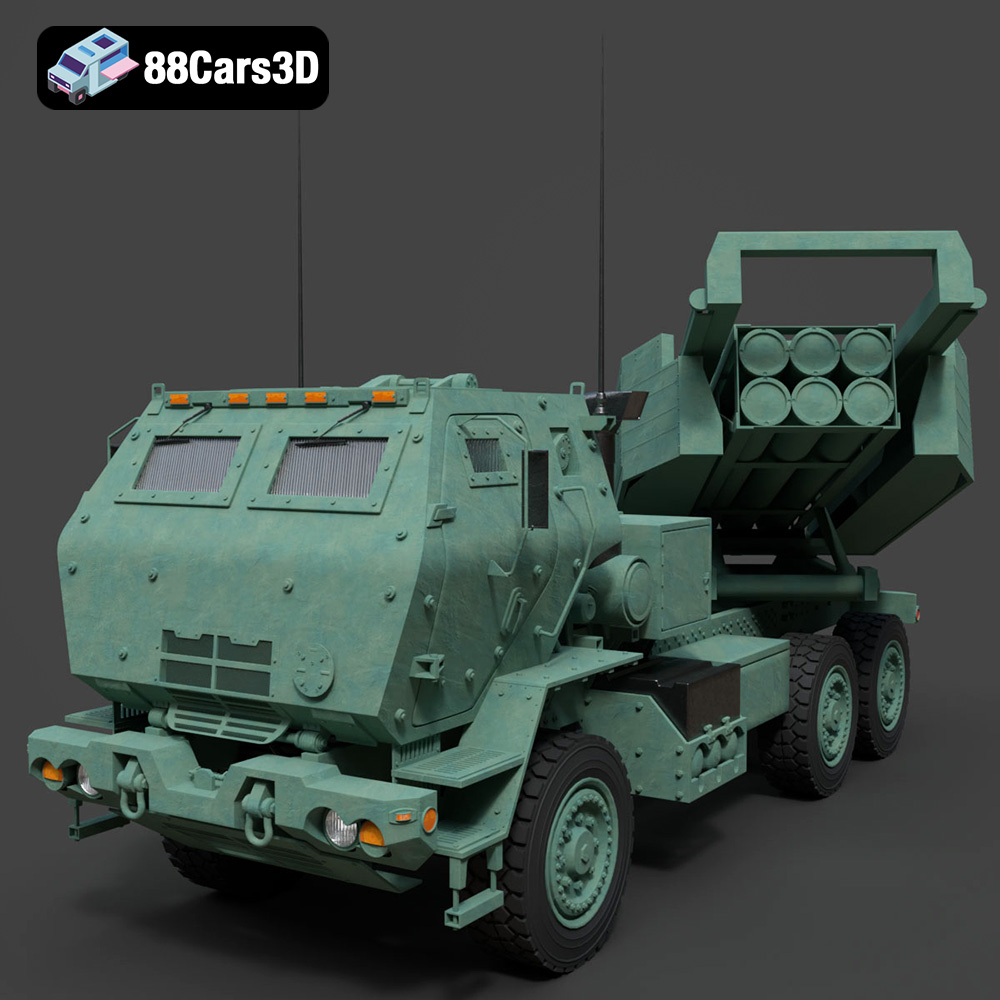
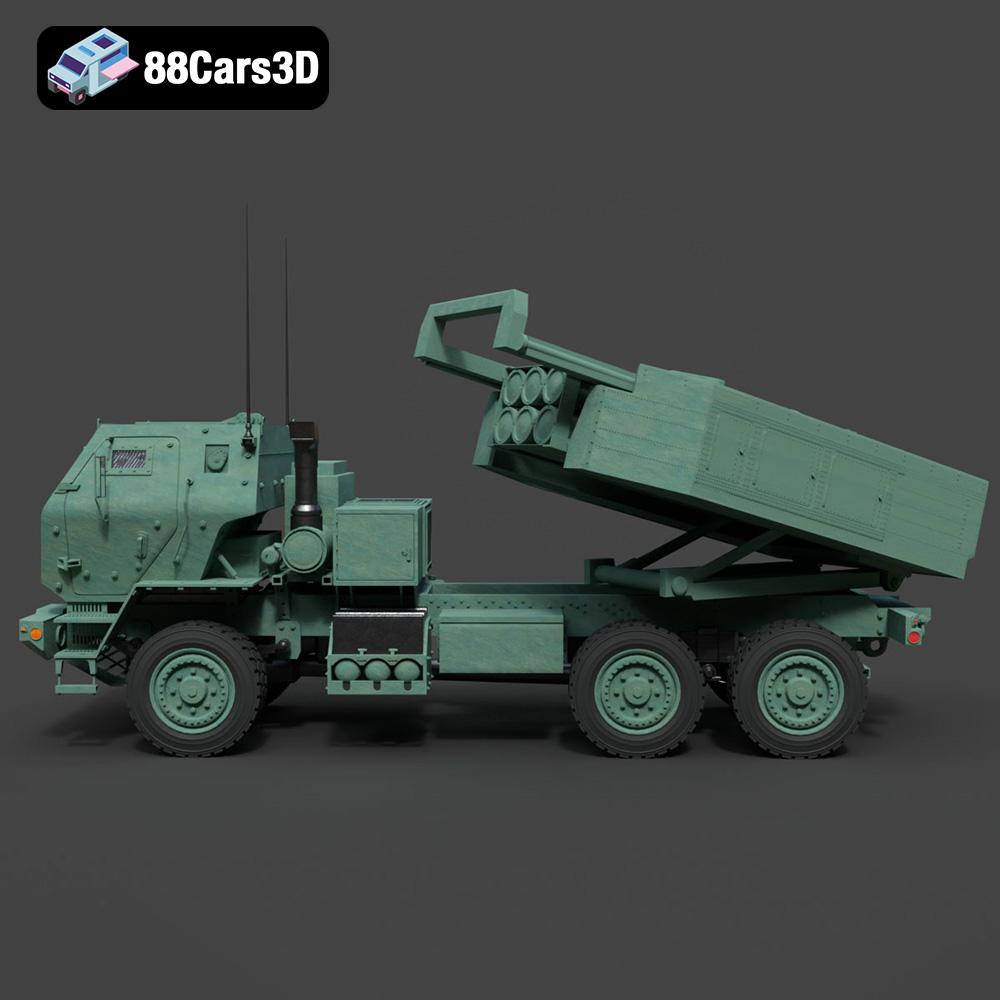
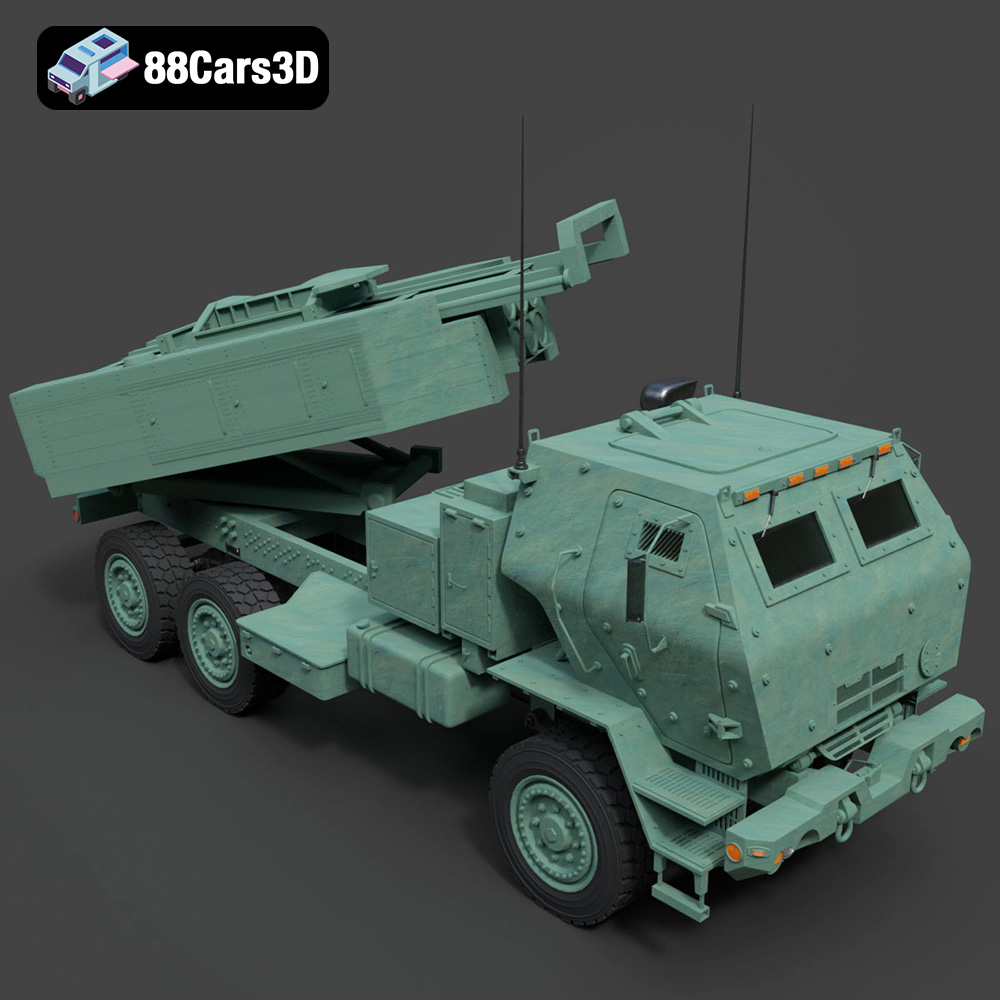
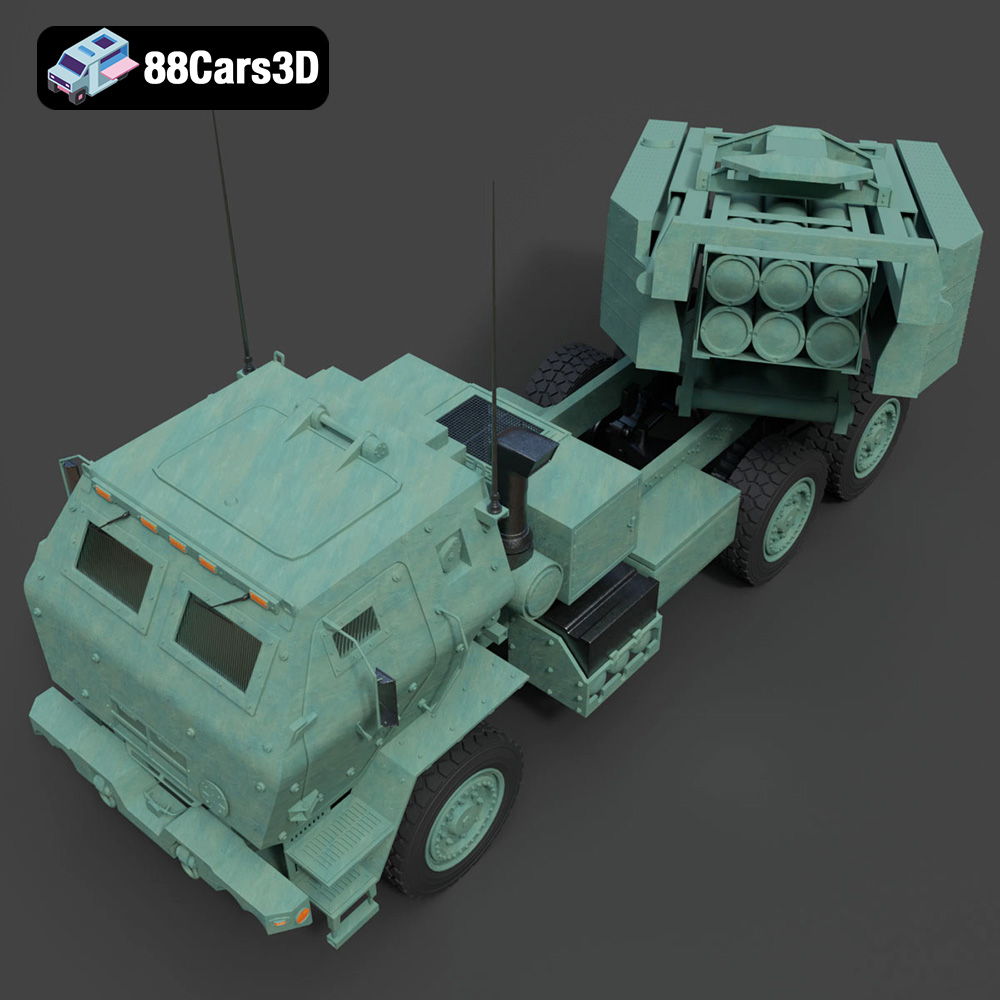
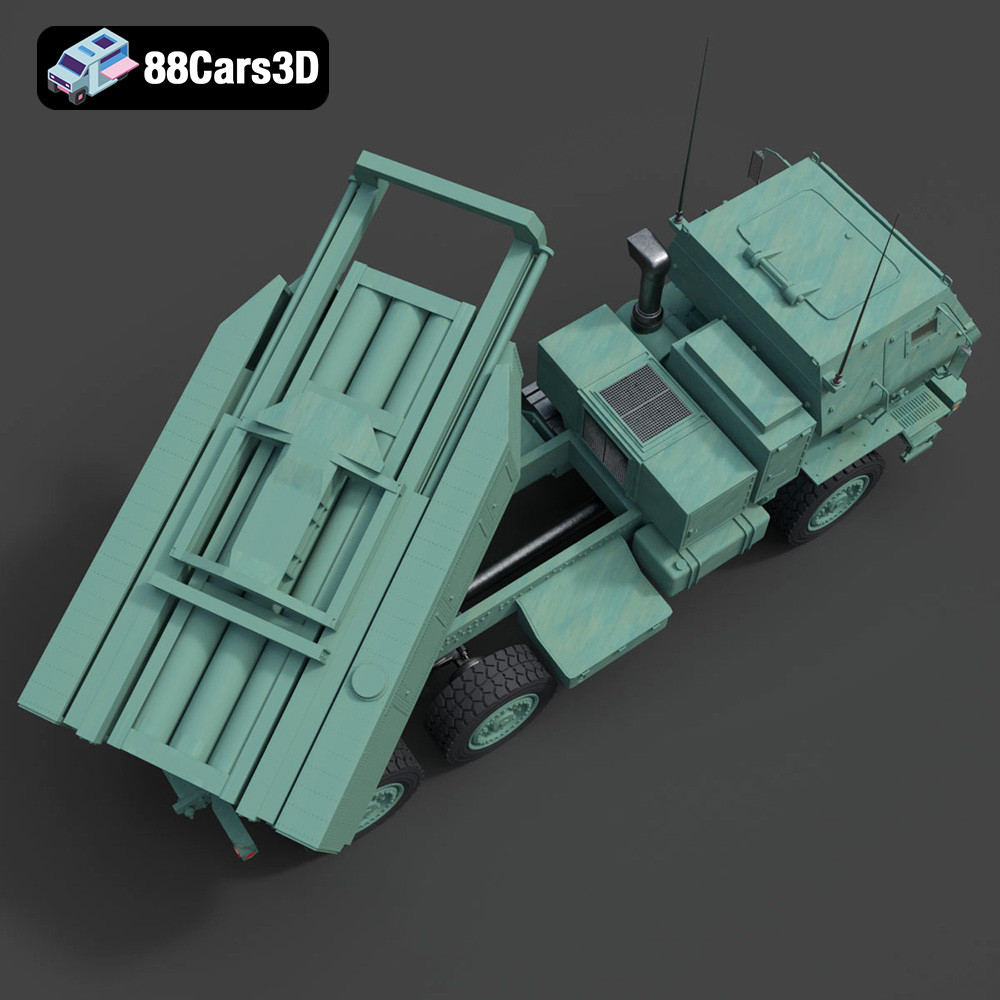
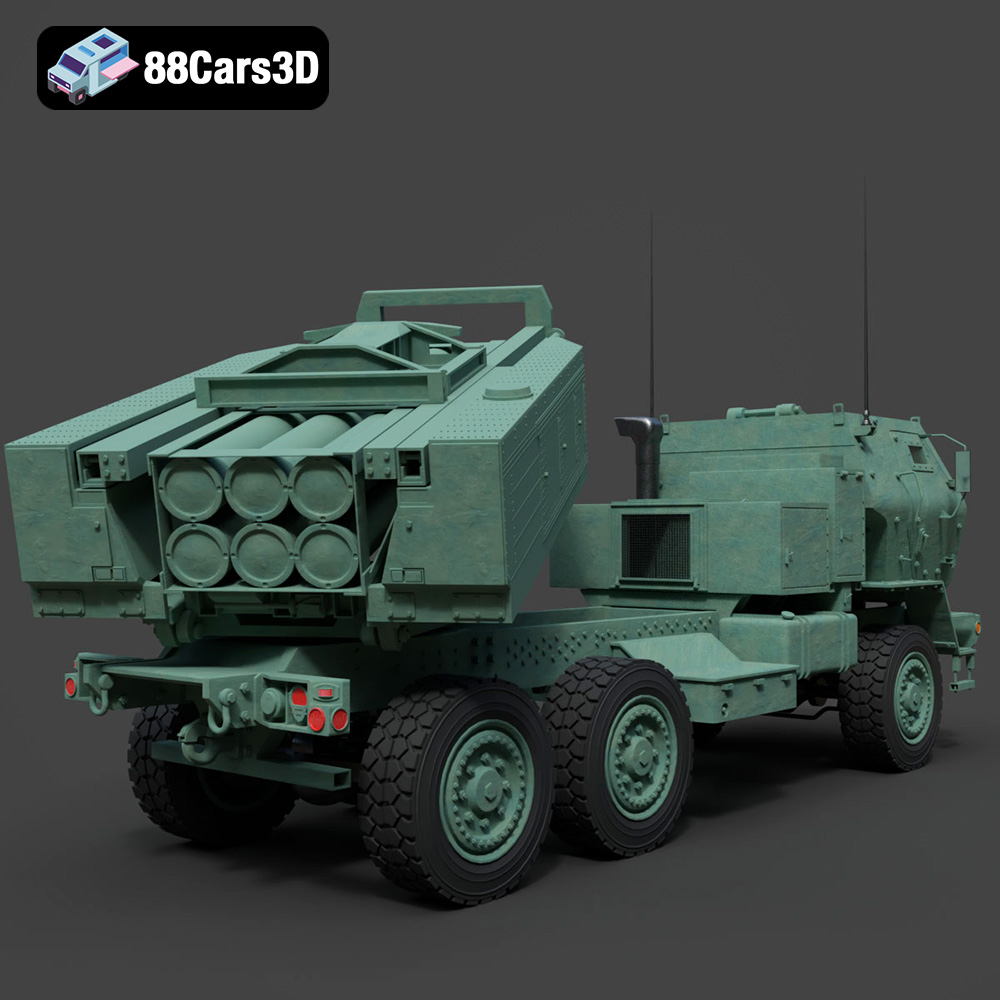
Today, we’re going to explore the critical elements that define professional-grade 3D assets, using a prime example from the military domain: the MLRS M142 HIMARS 2006 3D Model. This particular model, available on 88cars3d.com, stands as an excellent case study for dissecting the technical intricacies involved in creating and utilizing complex 3D car models and specialized vehicles. Its meticulous construction and versatile format offerings exemplify what professionals seek when integrating sophisticated machinery into their digital environments.
The choice of file format is far more than a mere technicality; it dictates compatibility, performance, and the scope of manipulation available to a 3D artist or developer. High-quality assets, like the MLRS M142 HIMARS 2006 3D Model, are often provided in multiple formats to ensure maximum utility across diverse professional pipelines. Understanding each format’s strengths and weaknesses is crucial for an optimized workflow.
The .blend format is native to Blender, a powerful open-source 3D creation suite. When a 3D model like the HIMARS comes with a .blend file, it typically signifies a fully editable scene. This includes not just the mesh, but also materials, textures, lighting setups, cameras, and even animations. For artists heavily invested in Blender, this format offers the highest degree of flexibility. You can modify geometry, adjust shaders, re-rig components, or tweak the entire scene environment without any loss of data that might occur during conversion. It’s ideal for those who want to use Blender as their primary DCC (Digital Content Creation) application for rendering, animation, or further asset refinement.
.fbx (Filmbox) is arguably the most widely adopted interchange format, particularly prevalent in game development. Its strength lies in its ability to store a comprehensive array of 3D data, including geometry, materials, textures, animations, skinning, and even camera data, in a single file. For game engines like Unreal Engine and Unity, .fbx is the go-to format for importing complex animated characters, vehicles, and environments. The MLRS HIMARS model in .fbx format ensures it’s “game-engine ready,” meaning it’s likely optimized with proper pivot points, hierarchy, and potentially even simplified collision meshes. Its robust nature makes it indispensable for real-time pipelines.
The .obj (Wavefront Object) format is a classic, universal standard for exchanging 3D geometry data. While it might not carry advanced features like animation or complex material node setups (it typically references external .mtl files for basic material properties and textures), its simplicity is its strength. Almost every 3D software package can import and export .obj files, making it invaluable for cross-software compatibility. If you need a clean mesh to start fresh with materials or to bring into a less common application, the .obj version of the MLRS M142 HIMARS is your reliable choice. It’s excellent for foundational mesh data exchange.
.glb (GL Transmission Format Binary) is a relatively newer format designed specifically for efficient transmission and loading of 3D scenes and models in AR, VR, and web environments. It’s a binary container format that includes geometry, materials, textures, and animation data in a single, compact file, making it ideal for fast loading and rendering in browsers and mobile applications. For immersive AR/VR experiences or interactive web-based visualizations featuring the MLRS M142 HIMARS, the .glb format offers optimal performance and a streamlined deployment process.
The .stl (Stereolithography) format is the cornerstone of 3D printing. It represents a 3D model as a series of connected triangles, defining only the surface geometry without any color, texture, or material information. While not suitable for rendering or animation, the .stl version of the HIMARS model is essential if you plan to create a physical prototype or a miniature replica. It’s a robust format for manufacturing, ensuring that the intricate details of the military vehicle can be accurately translated from digital to tangible form.
.ply (Polygon File Format) is another format for storing 3D data, often used for scanned data, CAD applications, or scientific visualization. It can store a wider range of properties than .stl, including color, transparency, surface normals, and even confidence values for each vertex. For applications requiring a highly precise polygonal mesh, perhaps for engineering analysis or reverse engineering tasks, the .ply version of the MLRS M142 HIMARS offers a detailed and robust data set.
The inclusion of an .unreal file signifies an asset specifically packaged and pre-configured for direct use within Unreal Engine. This goes beyond a generic .fbx import. An .unreal asset has likely been set up with proper material instances, optimized LODs (Levels of Detail), collision meshes, and potentially even basic blueprints or animations, all within the Unreal Engine project structure. For developers leveraging Unreal Engine for game development or high-fidelity military simulations, this format provides the most direct and efficient integration path, saving significant time on asset preparation.
Finally, the .max format is native to Autodesk 3ds Max, a leading software for 3D modeling, animation, and rendering. Similar to .blend for Blender users, the .max file provides a complete, editable project file. This means access to all modifiers, animation layers, complex material setups, lights, and render settings within 3ds Max. For professionals using 3ds Max for architectural rendering, cinematic visualizations, or detailed animations of 3D car models and military assets, the .max file offers maximum control and fidelity for their projects.
Providing the MLRS M142 HIMARS 2006 3D Model in such a comprehensive array of formats from 88cars3d.com demonstrates a deep understanding of professional needs, ensuring that users can confidently integrate this complex asset into virtually any pipeline.
The visual fidelity of any 3D model, especially complex military vehicles or 3D car models, hinges on meticulous attention to detail during its creation. It’s not just about getting the shape right; it’s about the underlying structure, the surface properties, and how these elements interact with light. The MLRS M142 HIMARS 2006 3D Model exemplifies these principles, boasting “clean geometry and realistic materials” for “optimal performance and stunning visual fidelity.”
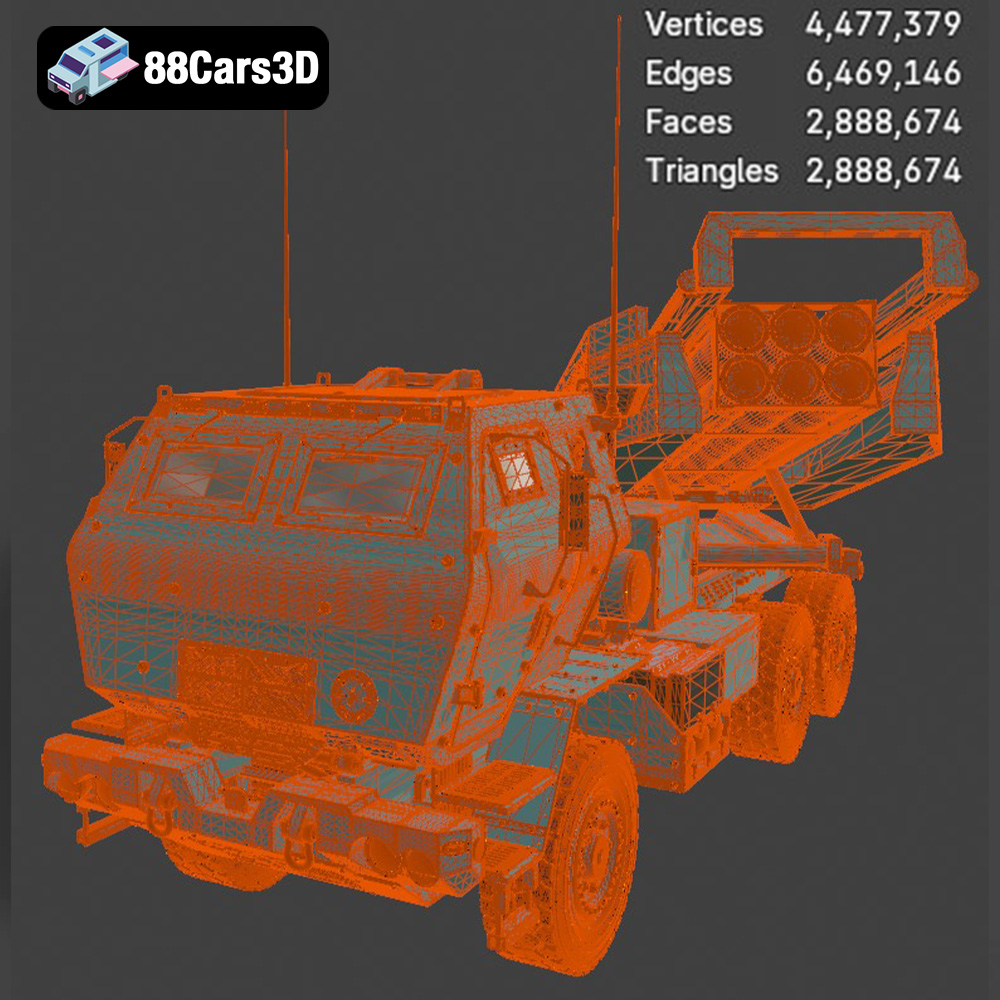
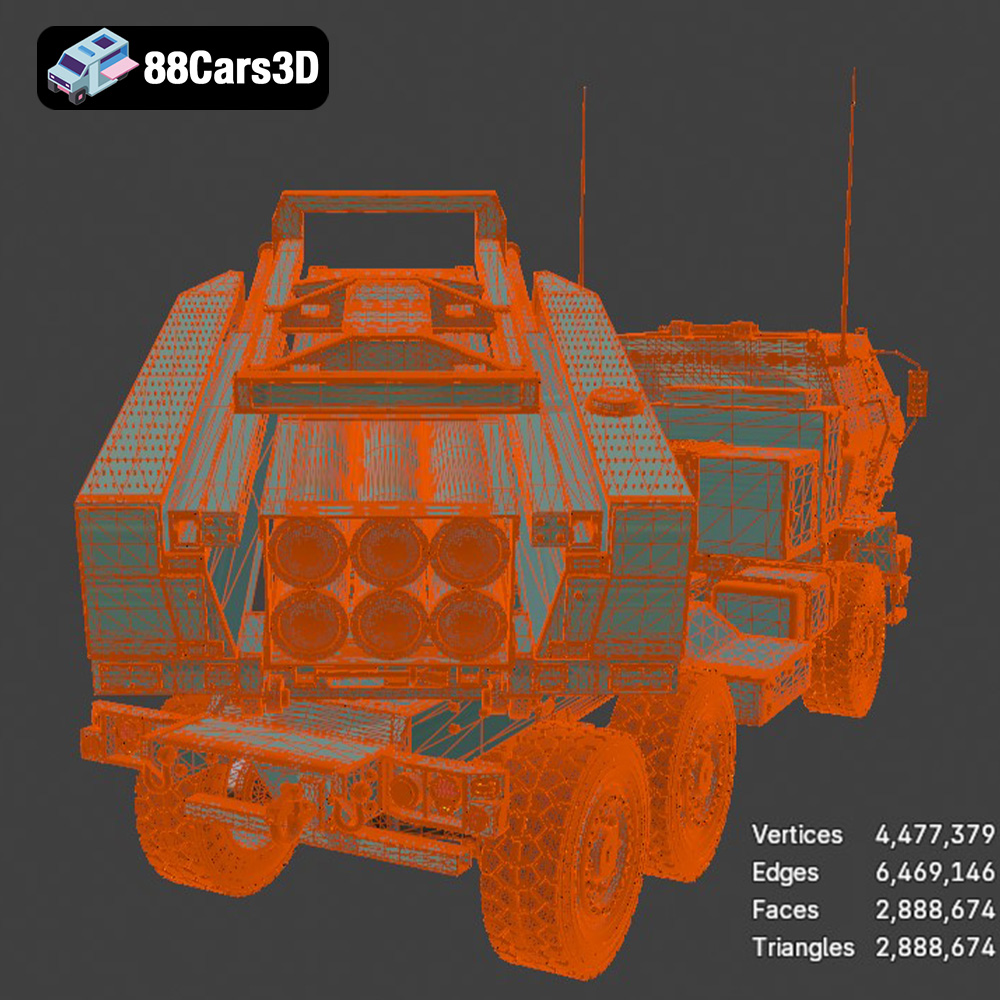
Clean geometry and optimized topology are paramount. This means the mesh should have an efficient polygon count – enough to capture all the intricate details of the HIMARS without being overly dense, which can bog down real-time engines. Professional models typically utilize quads (four-sided polygons) rather than triangles where possible, as quads deform better during animation and are easier to subdivide for higher detail. The topology should flow logically, following the contours of the vehicle, which is crucial for realistic deformations and clean UV mapping. A well-constructed model will have strategically placed edge loops to support sharp creases and smooth surfaces, ensuring the vehicle looks convincing from every angle.
Realistic materials are the key to bringing a 3D model to life. Physically Based Rendering (PBR) workflows have become the industry standard, accurately simulating how light interacts with different surfaces. This involves texture maps for properties like Albedo (base color), Roughness (micro-surface detail affecting reflections), Metallic (how metallic a surface is), Normal (fine surface detail), and Ambient Occlusion (self-shadowing). For a military vehicle like the HIMARS, these maps would meticulously replicate the worn paint, the metallic sheen of exposed components, the rough texture of tires, and the subtle dirt and grime accumulated from operational use. The “realistic materials” promised by the MLRS M142 HIMARS model ensure that it will look authentic under any lighting condition, whether in a detailed automotive rendering or a real-time game environment.
UV unwrapping is the process of flattening the 3D mesh into a 2D plane so that 2D textures can be applied to it. Efficient UVs are crucial for several reasons: they maximize texture resolution by minimizing wasted space, prevent stretching or distortion of textures, and enable artists to easily paint or apply decals. For a complex vehicle, this means multiple UV maps might be used – one for the main body, others for wheels, intricate mechanical parts, or interior details. Overlapping UVs are strategically avoided unless intentional for mirroring textures. Clean UVs are a hallmark of a professional 3D car model, ensuring that the realistic materials specified earlier can be displayed flawlessly.
For game developers, the integration of a detailed asset like the MLRS M142 HIMARS 2006 3D Model requires a keen understanding of real-time performance and engine-specific optimizations. The asset’s availability in .fbx and .unreal formats highlights its suitability for game environments like Unreal Engine and Unity.
Optimizing 3D car models or military assets for real-time engines involves several crucial steps. High-poly models are often converted into multiple Levels of Detail (LODs) – progressively simpler versions of the mesh that are swapped in as the camera moves further away. This dramatically reduces the poly count for distant objects, boosting frame rates without noticeable visual degradation. Collision meshes are also essential, simplified geometric shapes that define the physical boundaries of the vehicle for physics interactions. The HIMARS model, being “game-engine ready,” likely includes these optimizations, ensuring it performs smoothly in even the most demanding game scenarios.
For an operational military vehicle, animation is vital. This could include wheel rotation, turret traverse, missile launcher elevation, and even intricate mechanisms for deploying stabilization jacks. A professional 3D model would come with a clean hierarchy and potentially even a basic rig, making it easier for animators to bring it to life. Proper pivot points for rotating parts are crucial, ensuring that animations are smooth and realistic. The ability to animate the MLRS HIMARS authentically is key for immersive simulations and gameplay.
The inclusion of specific formats like .fbx and .unreal is a significant advantage. The .fbx format facilitates straightforward import into both Unreal Engine and Unity, allowing developers to quickly integrate the model and apply engine-specific shaders. The .unreal format takes this a step further, providing a ready-to-use asset within Unreal Engine, potentially with pre-setup materials, basic logic, and optimized settings, significantly accelerating the development pipeline for projects requiring a complex vehicle like the HIMARS.
Beyond real-time applications, high-quality 3D car models and military vehicles are indispensable for professional rendering and static visualization. Whether it’s for marketing, cinematic sequences, or high-fidelity concept art, the ability to generate stunning images is paramount. The MLRS M142 HIMARS 2006 3D Model, with its .max and .blend files, is perfectly suited for these demanding workflows.
For professionals using 3ds Max, the .max file offers complete control over the scene. This allows for advanced lighting setups using V-Ray, Corona Renderer, or Arnold, creating photorealistic shadows, reflections, and global illumination. Artists can place the HIMARS model in intricate environments, add volumetric fog, dust particles, and manipulate camera angles and depth of field to achieve dramatic, cinematic results. The clean geometry and realistic materials translate directly into stunning visual fidelity, making it ideal for high-impact renders and animations.
Blender users benefit similarly from the .blend file. With its powerful Cycles and Eevee renderers, Blender can produce breathtaking photorealistic images and real-time visualizations. Artists can leverage Blender’s extensive node-based material system to further refine the HIMARS’s surfaces, create complex procedural textures, and integrate it into complex scenes with dynamic weather effects or environmental interaction. The included lighting setup provides an excellent starting point for any visualization project, saving valuable setup time.
The versatility of the MLRS HIMARS model extends to its integration into dynamic scenes. Imagine it positioned in a vast desert landscape, kicked up dust swirling around its tires, or even as part of a larger convoy. For automotive rendering specialists, incorporating such a distinct military vehicle can add narrative depth and realism to contextualize other 3D car models within a broader scene. The clean geometry ensures that it can interact convincingly with physics simulations for things like tire deformation or suspension compression, further enhancing realism.
The applications for a high-quality 3D model like the MLRS M142 HIMARS 2006 extend far beyond traditional screens, venturing into immersive, interactive, and even tangible realms. This broad utility underscores the value of versatile 3D assets from platforms like 88cars3d.com.
Augmented Reality (AR) and Virtual Reality (VR) are transforming how we interact with digital content. For training simulations, interactive product showcases, or educational experiences, the ability to place a true-to-life 3D model of the HIMARS into a virtual or augmented environment is invaluable. The .glb format is specifically designed for these applications, offering a highly optimized and self-contained asset that loads quickly and performs efficiently on various AR/VR platforms. Imagine a maintenance technician training on a virtual HIMARS, rotating it, inspecting components, or even interacting with its systems in a virtual space.
Military and defense sectors rely heavily on high-fidelity simulations for training, mission planning, and strategic analysis. The MLRS M142 HIMARS 2006 3D Model is an ideal asset for such applications. Its accurate representation allows for realistic physics simulations, detailed damage modeling, and authentic visual feedback for personnel training. Integrating this model into a complex simulation environment can provide invaluable experience for operators, drivers, and tactical planners, enhancing preparedness and operational effectiveness.
Sometimes, a digital asset needs to cross over into the physical world. For prototyping, creating scale models, or even detailed architectural models where military vehicles provide context, 3D printing is the answer. The .stl and .ply formats provided with the HIMARS model are perfect for this. The .stl file ensures a clean, watertight mesh suitable for additive manufacturing, allowing engineers or hobbyists to print accurate physical replicas. The .ply offers even more detailed mesh data, potentially useful for precise measurements or specialized manufacturing processes. This capability offers a unique blend of digital and physical interaction, broadening the model’s utility significantly.
Let’s consider how the MLRS M142 HIMARS 2006 3D Model would be leveraged in real-world professional scenarios, showcasing its versatility and the technical benefits of its design.
A leading game studio is developing a contemporary tactical shooter set in a desert environment. They need highly realistic military vehicles for environmental dressing, interactive gameplay elements, and potentially player-controlled assets. They acquire the MLRS M142 HIMARS 2006 3D Model from 88cars3d.com. The “game-engine ready” .fbx or .unreal format is directly imported into Unreal Engine. The art team benefits from the clean topology and PBR materials, requiring minimal setup. The technical artists immediately begin working on integrating the pre-optimized LODs, setting up collision meshes, and assigning a simple vehicle blueprint. Animators utilize the clean hierarchy to quickly rig the missile launcher for deploy/fire animations and the wheels for driving sequences. This streamlined process saves weeks of development time compared to modeling the asset from scratch.
A defense contractor is tasked with developing a new training simulation for HIMARS operators. The simulation needs to accurately represent the vehicle’s exterior, interior (if provided, or added), and its operational functions within a virtual battlefield. The contractor utilizes the highly detailed .max or .blend file of the MLRS HIMARS. Using 3ds Max for high-fidelity rendering, they create cinematic cutscenes for mission briefings. For the interactive training module built in Unreal Engine, they leverage the .unreal asset, building upon its foundation to integrate complex control schemes, physics, and targeting systems. The realistic materials and accurate geometry ensure that the virtual training environment provides an authentic experience for soldiers.
An architectural firm is creating a visualization for a new military base design. While the focus is on buildings, they need realistic background elements to convey the operational context. Instead of generic placeholder assets, they purchase the MLRS M142 HIMARS 2006 3D Model. The .obj file provides a clean mesh that can be easily imported into their preferred rendering software (e.g., V-Ray for SketchUp or Enscape for Revit). They apply their custom material library to match the overall scene aesthetic, ensuring the HIMARS model integrates seamlessly into the high-resolution architectural render, adding a layer of realism and narrative to the proposed base layout.
The journey of a 3D model, from conceptualization to deployment, is a complex interplay of artistic vision and technical precision. High-quality assets, whether they are intricate 3D car models, industrial machinery, or military vehicles like the MLRS M142 HIMARS, are the cornerstone of compelling digital experiences. The MLRS M142 HIMARS 2006 3D Model, with its detailed geometry, realistic materials, and comprehensive file format support, serves as an exemplary case study in professional 3D asset creation.
Its versatility across game development, cinematic rendering, AR/VR experiences, and even 3D printing underscores the importance of investing in expertly crafted models. For professionals seeking to elevate their projects with assets that deliver both stunning visual fidelity and robust technical performance, 88cars3d.com provides a valuable resource. By understanding the nuances of 3D modeling workflows and file formats, you empower yourself to create truly immersive and impactful digital worlds.
Experience unparalleled realism with the MLRS M142 HIMARS 2006 3D Model. Carefully constructed to capture the intricate details of this legendary military vehicle, the model provides an immersive and highly accurate representation ideal for professional digital environments.
Engineered with professional quality in mind, the 3D model boasts clean geometry and realistic materials. These features ensure optimal performance and stunning visual fidelity, allowing for seamless integration into a variety of complex digital scenes.
This versatile asset is perfect for a wide range of applications, including advanced game development, architectural rendering, immersive AR/VR experiences, and detailed military visualizations.
The following file formats are included:
Tags: .mlrs, .m142, .himars, .militaryvehicle, .rocketlauncher, .artillery, .truck, .car3dmodel, .rendering, .simulation, .gameasset, .arvr, .blend, .fbx, .obj, .glb, .stl, .ply, .unreal, .max
Tags:
.mlrs, .m142, .himars, .militaryvehicle, .rocketlauncher, .artillery, .truck, .car3dmodel, .rendering, .simulation, .gameasset, .arvr, .blend, .fbx, .obj, .glb, .stl, .ply, .unreal, .max
$19.99
.artillery
.arvr
.blend
.car3dmodel
.fbx
.gameasset
.glb
.himars
.m142
.max
.militaryvehicle
.mlrs
.obj
.ply
.rendering
.rocketlauncher
.simulation
.stl
.truck
.unreal