Get 50% OFF All Premium 3D & STL Models!

“`html
The allure of creating tangible replicas of your favorite vehicles through 3D printing is undeniable. Whether you’re a hobbyist, automotive enthusiast, or engineer, transforming a virtual model into a physical object requires a thorough understanding of the process, particularly when working with STL files, the backbone of 3D printing. This comprehensive guide will walk you through the intricacies of converting vehicle models into printable STL files, focusing on best practices and techniques applicable to platforms like 88cars3d.com, where high-quality models are paramount. We’ll cover everything from initial model selection and preparation to slicing parameters and post-processing considerations. By the end of this guide, you’ll have the knowledge and skills to confidently create stunning 3D printed car models.
The STL (Stereolithography) file format is the standard for 3D printing. It represents a 3D object’s surface geometry using a mesh of triangles. This simplicity makes it universally compatible with slicing software and 3D printers. However, this simplicity also means STL files only contain surface data, lacking color, texture, or material information. The quality of the STL file directly impacts the final print, making proper conversion and preparation crucial.
The density and distribution of triangles in the STL mesh determine the model’s accuracy and smoothness. A higher triangle count results in a more detailed representation but also increases file size and processing time. Conversely, a low triangle count can lead to a faceted, blocky appearance. Optimizing the mesh topology involves finding a balance between detail and efficiency. Software like Blender or MeshLab allows you to remesh models, adjusting the triangle density to suit your needs. When downloading models from marketplaces such as 88cars3d.com, you can expect a good balance between detail and file size, pre-optimized for 3D printing.
While STL is the most common format, it has limitations. It doesn’t support color or material information, and it’s prone to errors like non-manifold geometry (gaps, holes, or intersecting faces). Non-manifold geometry can cause slicing errors and print failures. Before printing, it’s essential to repair any such errors using mesh repair software like Meshmixer or Netfabb. Furthermore, understand that STL files are unitless; therefore, you must define dimensions within your slicing software to ensure the correct scale of your printed model.
The initial preparation of your vehicle model is critical for a successful conversion to STL and ultimately, a flawless print. This stage involves cleaning up the model, ensuring proper scaling, and addressing any potential issues that could hinder the printing process.
Complex vehicle models often contain unnecessary details or intricate internal geometries that are either impossible to print or add unnecessary complexity. Use 3D modeling software like Blender to simplify the model. Remove small, isolated parts, smooth out intricate curves, and fill any unnecessary internal cavities. This process reduces the file size and makes the model easier to slice and print. For example, small details like door handles or windshield wipers can be simplified or even omitted if they are too fragile to print reliably at a given scale.
Determine the desired scale of your 3D printed car model early on. Scaling affects the level of detail that can be accurately reproduced and the overall print time. Use the measurement tools in your 3D modeling software to scale the model to the correct dimensions. Proper orientation is crucial for minimizing support structures and maximizing print quality. Orient the model so that the flattest surface is facing down on the print bed, and avoid steep overhangs that require extensive support. Consider splitting the model into multiple parts to optimize print orientation and reduce support material usage.
Selecting the right software is vital for converting vehicle models into printable STL files. Several programs cater to different needs, from basic mesh repair to advanced editing and optimization. Here are a few popular options:
MeshLab is a free, open-source software designed for processing and editing 3D meshes. It offers a wide range of tools for cleaning up, simplifying, and repairing STL files. You can use it to remove duplicate vertices, fill holes, smooth surfaces, and reduce the polygon count. MeshLab’s filtering system allows you to apply multiple operations in a non-destructive manner, making it a versatile tool for preparing vehicle models for 3D printing. A key feature is its ability to identify and automatically fix non-manifold edges, which are common sources of printing errors.
Meshmixer, by Autodesk, is another free and powerful tool for mesh editing and repair. It offers intuitive sculpting tools, allowing you to refine the model’s surface and add or remove details. Meshmixer’s support generation capabilities are also excellent, allowing you to create custom support structures tailored to your specific model and printer. Its “Make Solid” function is particularly useful for converting hollow models into solid objects, which are generally easier to print. Meshmixer also provides advanced tools for analyzing the mesh and identifying potential problems before printing.
Netfabb is a professional-grade software suite for additive manufacturing, offering comprehensive tools for mesh repair, optimization, and build preparation. While it comes with a cost, its advanced features can significantly improve the success rate and quality of your 3D prints. Netfabb’s automated repair tools can quickly identify and fix a wide range of mesh errors, including non-manifold edges, flipped normals, and intersecting faces. It also offers advanced optimization algorithms for reducing file size and improving print performance. For complex vehicle models with intricate details, Netfabb can be a worthwhile investment.
Slicing is the process of converting an STL file into a set of instructions (G-code) that the 3D printer can understand. The slicing parameters you choose have a significant impact on the print quality, strength, and overall appearance of your 3D printed car model.
Layer height is one of the most critical slicing parameters. A smaller layer height (e.g., 0.1mm) results in a smoother surface finish and finer details, but it also increases print time significantly. A larger layer height (e.g., 0.3mm) reduces print time but sacrifices surface quality. For vehicle models, a layer height between 0.1mm and 0.2mm is generally recommended for a good balance between detail and print time. Experiment with different layer heights to find the optimal setting for your specific printer and model. For resin printing, layer heights can be even finer, often ranging from 0.025mm to 0.05mm, resulting in incredibly detailed prints. Platforms like 88cars3d.com offer models designed with these finer resolutions in mind.
Infill refers to the internal structure of the 3D printed object. Infill density determines how solid the object is, and the infill pattern affects its strength and weight. For vehicle models, an infill density of 15-25% is typically sufficient for structural integrity without adding excessive weight or print time. Common infill patterns include rectilinear, grid, and honeycomb. The choice of infill pattern depends on the desired strength and aesthetic appearance. Concentric infill, for example, can provide a visually appealing pattern on the top surface of the model.
Support structures are temporary scaffolding used to support overhangs and bridges during printing. While necessary for certain geometries, support structures can leave marks on the surface of the printed object. Minimize support usage by orienting the model strategically. Use automatic support generation tools in your slicing software, but also manually adjust the support placement to reduce the amount of support material in visible areas. Consider using dissolvable support material (e.g., PVA) for FDM printing or breakaway supports for resin printing to minimize surface damage during removal.
The choice of material is crucial for achieving the desired properties and aesthetics for your 3D printed car model. Different materials offer varying levels of strength, flexibility, heat resistance, and surface finish. The best material depends on the intended use of the model and your printer type (FDM or resin).
PLA (Polylactic Acid) is a popular, easy-to-print material known for its low warping and good surface finish. It’s a good choice for beginners and for models that don’t require high strength or heat resistance. PETG (Polyethylene Terephthalate Glycol) offers a balance of strength, flexibility, and heat resistance, making it a versatile option for a wide range of applications. ABS (Acrylonitrile Butadiene Styrene) is a strong, durable material with good heat resistance, but it’s more prone to warping and requires a heated bed and enclosure for successful printing. For vehicle models, PETG is often a good choice for its balance of properties.
Resin printing (SLA/DLP/LCD) offers significantly higher resolution and detail than FDM printing, making it ideal for intricate vehicle models. Standard resin is a good general-purpose option, offering a balance of strength and detail. Tough resin is more durable and impact-resistant, while flexible resin can be used for parts that require some degree of flexibility. Castable resin is specifically designed for investment casting, allowing you to create metal parts from your 3D printed models. When choosing a resin, consider the desired properties of the final model and the specific requirements of your printer.
Post-processing is the final stage in the 3D printing process, involving techniques to improve the appearance and functionality of the printed model. This can include removing support structures, sanding, painting, and assembling multiple parts.
Once your vehicle model is printed, post-processing techniques can elevate its appearance and functionality, transforming it from a raw print to a polished masterpiece.
Carefully remove support structures using tools like pliers, cutters, or specialized support removal tools. Take care not to damage the surface of the model during removal. Sanding is essential for smoothing out layer lines and removing imperfections. Start with a coarse grit sandpaper (e.g., 220 grit) and gradually move to finer grits (e.g., 400, 600, 800 grit) for a smooth finish. For resin prints, wet sanding is often recommended to minimize dust and improve the surface finish.
Painting can bring your 3D printed car model to life. Start with a primer to create a smooth and uniform surface for the paint to adhere to. Use acrylic paints or automotive paints for a durable and realistic finish. Apply multiple thin coats of paint, allowing each coat to dry completely before applying the next. Use masking tape to create sharp lines and detailed patterns. Consider using decals or waterslide transfers to add intricate details like logos, stripes, and license plates. A clear coat can protect the paint and add a glossy or matte finish.
If your model consists of multiple parts, carefully assemble them using glue or screws. Ensure that all parts fit together properly and are securely attached. Add any final details, such as mirrors, antennas, or interior components. Consider using polishing compounds to further enhance the surface finish and create a professional-looking result. Platforms like 88cars3d.com offer printable car models designed for ease of assembly, with pre-designed connection points and clear instructions.
Even with careful preparation and optimization, 3D printing can sometimes present challenges. Understanding common issues and their solutions is crucial for achieving successful prints.
Warping occurs when the corners of the print lift off the build plate due to uneven cooling. Ensure proper bed adhesion by using a heated bed, applying adhesive (e.g., glue stick or hairspray), or using a brim or raft. Layer delamination is the separation of layers during printing, often caused by insufficient bed temperature or poor layer adhesion. Increase the bed temperature and ensure that the nozzle temperature is appropriate for the material being used. Also, check for drafts in the printing environment, as they can cause uneven cooling and delamination.
Stringing occurs when the nozzle oozes filament while moving between parts of the print. Reduce the retraction distance and speed in your slicing software to minimize stringing. Blobs and zits are small imperfections on the surface of the print, often caused by inconsistent extrusion or retraction. Adjust the extrusion multiplier and retraction settings to eliminate these issues. Also, ensure that the filament is dry and free from moisture.
Insufficient support structures can lead to print failures, especially for overhangs and bridges. Increase the support density and ensure that the supports are properly attached to the model and the build plate. If supports are difficult to remove, try using dissolvable support material or adjusting the support settings to make them easier to break away. If a print fails mid-way, analyze the cause of the failure and adjust the printing parameters accordingly. Check for clogged nozzles, insufficient bed adhesion, or mechanical issues with the printer.
Converting vehicle models into printable STL files is a rewarding process that combines technical skill with creative vision. By understanding the intricacies of STL files, mastering slicing parameters, and selecting the right materials, you can create stunning 3D printed car models that capture the essence of your favorite vehicles. Remember to prioritize proper file preparation, optimize for your specific printer, and experiment with different settings to achieve the best possible results. Platforms like 88cars3d.com offer a wealth of high-quality STL files to get you started. Armed with the knowledge and techniques outlined in this guide, you’re well-equipped to embark on your 3D printing journey and bring your automotive dreams to life. Start by exploring different model options, experimenting with slicing settings, and refining your post-processing techniques. The possibilities are endless, and the satisfaction of holding a tangible replica of your dream car in your hands is truly unparalleled.
“`

Texture: Yes
Material: Yes
Download the BMW 8-Series M850i G15 Coupe 2019 3D Model featuring clean geometry, realistic detailing, and a fully modeled interior. Includes .blend, .fbx, .obj, .glb, .stl, .ply, .unreal, and .max formats for rendering, simulation, and game development.
Price: $19.99
Texture: Yes
Material: Yes
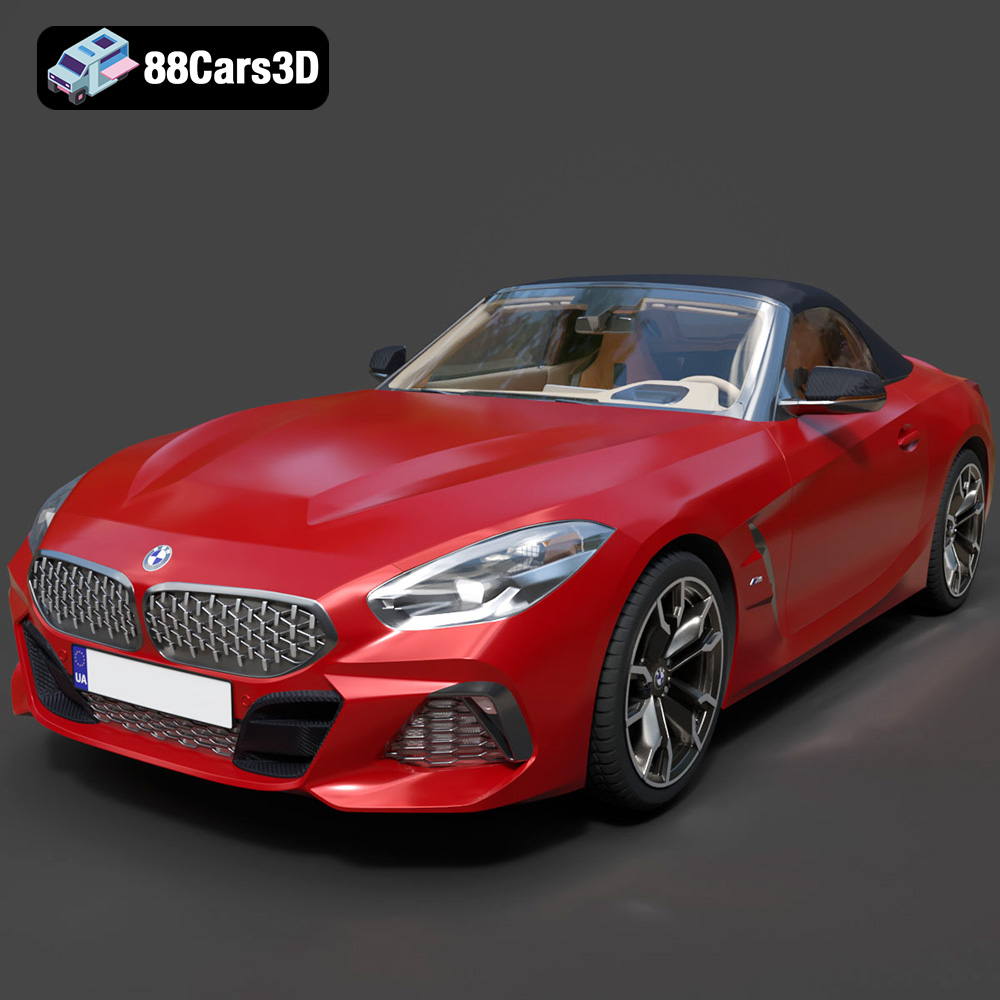
Download the BMW Z4 Mk3 G29 Roadster M40i 2019 3D Model featuring clean geometry, realistic detailing, and a fully modeled interior. Includes .blend, .fbx, .obj, .glb, .stl, .ply, .unreal, and .max formats for rendering, simulation, and game development.
Price: $19.99

Texture: Yes
Material: Yes
Download the BMW X6 (Mk3) (G06) M Sport 2020 3D Model featuring clean geometry, realistic detailing, and a fully modeled interior. Includes .blend, .fbx, .obj, .glb, .stl, .ply, .unreal, and .max formats for rendering, simulation, and game development.
Price: $19.99

Texture: Yes
Material: Yes
Download the BMW 8-Series G14 Convertible M850i 2019 3D Model featuring clean geometry, realistic detailing, and a fully modeled interior. Includes .blend, .fbx, .obj, .glb, .stl, .ply, .unreal, and .max formats for rendering, simulation, and game development.
Price: $19.99

Texture: Yes
Material: Yes
Download the BMW 8 Series M850i Coupe 2019 3D Model featuring clean geometry, realistic detailing, and a fully modeled interior. Includes .blend, .fbx, .obj, .glb, .stl, .ply, .unreal, and .max formats for rendering, simulation, and game development.
Price: $19.99

Texture: Yes
Material: Yes
Download the BMW 3 Series M-Sport Sedan 2019 3D Model featuring clean geometry, realistic detailing, and a fully modeled interior. Includes .blend, .fbx, .obj, .glb, .stl, .ply, .unreal, and .max formats for rendering, simulation, and game development.
Price: $19.99
Texture: Yes
Material: Yes
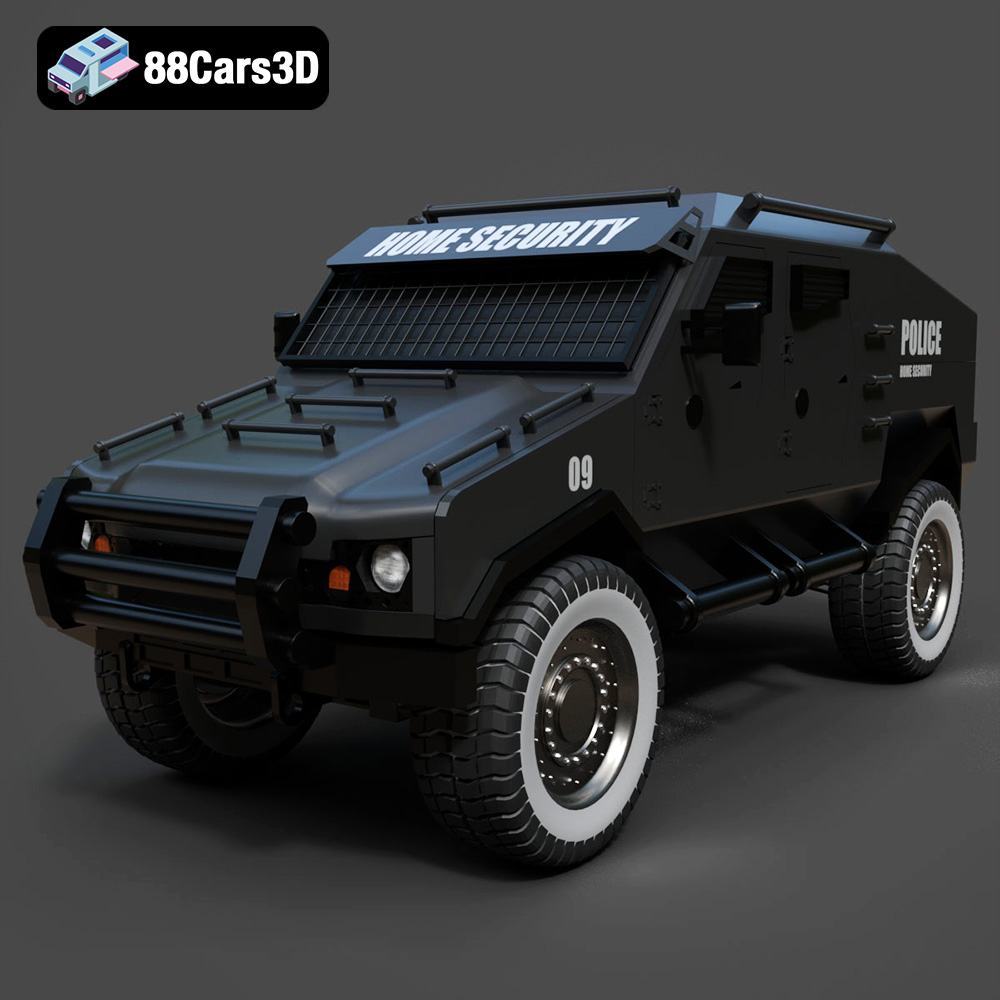
Download the Armoured Vehicle 001 3D Model featuring clean geometry, realistic detailing, and a fully modeled interior. Includes .blend, .fbx, .obj, .glb, .stl, .ply, .unreal, and .max formats for rendering, simulation, and game development.
Price: $19.99
Texture: Yes
Material: Yes
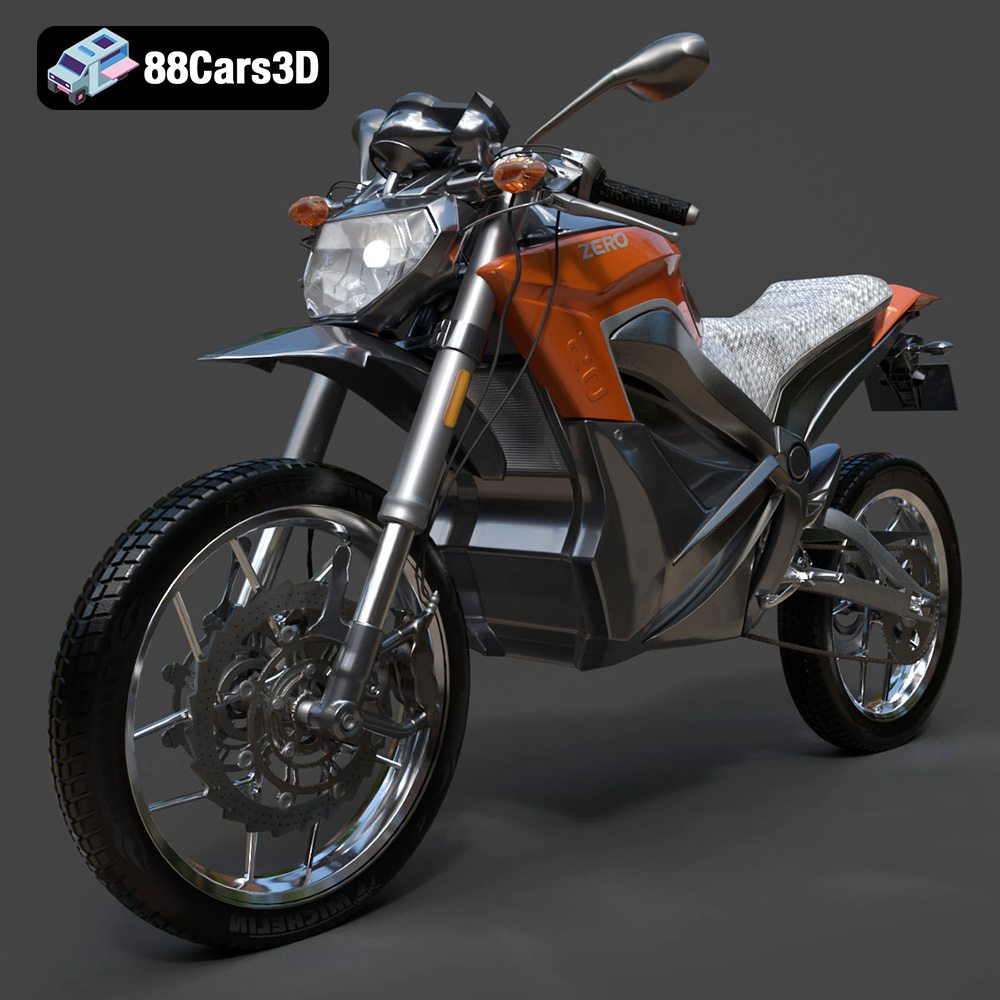
Download the Zero Motorcycles S ZF8.5 3D Model featuring clean geometry, realistic detailing, and a fully modeled interior. Includes .blend, .fbx, .obj, .glb, .stl, .ply, .unreal, and .max formats for rendering, simulation, and game development.
Price: $19.99

Texture: Yes
Material: Yes
Download the Zeekr 001 3D Model featuring clean geometry, realistic detailing, and a fully modeled interior. Includes .blend, .fbx, .obj, .glb, .stl, .ply, .unreal, and .max formats for rendering, simulation, and game development.
Price: $19.99

Texture: Yes
Material: Yes
Download the Volvo Trucks Benz GT-001 3D Model featuring clean geometry, realistic detailing, and a fully modeled interior. Includes .blend, .fbx, .obj, .glb, .stl, .ply, .unreal, and .max formats for rendering, simulation, and game development.
Price: $29.99

