Get 50% OFF All Premium 3D & STL Models!

In the rapidly evolving landscape of digital media, from cinematic visualizations and immersive gaming worlds to cutting-edge AR/VR experiences and detailed simulations, the demand for exceptionally high-quality 3D assets is paramount. Professional artists, developers, and designers understand that the foundation of any compelling digital project lies in its core assets. A meticulously crafted 3D model doesn’t just fill a scene; it breathes life into it, conveying authenticity, detail, and a profound sense of realism. This is particularly true for complex machinery and vehicles, where accuracy is not merely an aesthetic choice but a critical requirement for believability and functionality.
Today, we delve into the world of specialized vehicle modeling, exploring how advanced assets elevate various professional workflows. We’ll specifically examine an outstanding example: the MLRS M142 HIMARS 2006 3D Model. This asset represents the pinnacle of detailed military vehicle representation, offering unparalleled realism and versatility across a spectrum of digital applications. Whether you’re a game developer seeking authentic combat vehicles, a visualization specialist requiring precision for simulation, or an artist aiming for photorealistic renders, understanding the technical depth behind such a model is crucial. Available at 88cars3d.com, this model exemplifies the quality and utility that professionals expect, providing a robust solution for a myriad of demanding projects.
The journey of a 3D model, from its creation to its final deployment in a game, film, or simulation, often involves traversing multiple software environments and specialized applications. This transition is made possible through a diverse array of file formats, each engineered with specific strengths and intended uses. Grasping the nuances of these formats is not just about compatibility; it’s about optimizing workflows, preserving data integrity, and ensuring peak performance for your projects. The MLRS M142 HIMARS 2006 3D Model, for instance, comes bundled with an impressive selection of formats, catering to virtually any professional need.
The .blend format is the native file type for Blender, the ubiquitous open-source 3D creation suite. When you receive a .blend file, you’re getting a complete, editable Blender scene. This typically includes the model’s geometry, materials, textures, lighting setup, camera configurations, animations, and even physics simulations. For artists deeply integrated into the Blender ecosystem, this format offers unparalleled flexibility. It allows for direct modifications, re-texturing, animation retargeting, or custom rendering without any loss of data that might occur during conversion. The inclusion of a .blend file with the MLRS M142 HIMARS 2006 3D Model means artists can immediately dive into a fully set up scene, ready for customization or high-fidelity rendering.
.fbx (Filmbox) is arguably the most widely adopted proprietary 3D file format for interchange between different software applications. Developed by Autodesk, FBX is highly versatile, supporting geometry, materials, textures, bones, skinning, animations, and camera data. It’s particularly celebrated in the game development industry, serving as the go-to format for importing assets into game engines like Unreal Engine and Unity. Its strength lies in its ability to encapsulate complex animated scenes efficiently, making it “game-engine ready.” For the HIMARS model, the .fbx variant ensures smooth, reliable transfer into real-time environments, maintaining hierarchical structures and animation data crucial for dynamic simulations.
The .obj (Wavefront Object) format is a venerable and universally supported standard for exporting and importing 3D geometry. While it primarily stores vertex positions, normals, texture coordinates, and faces, it does not typically include animation, rigging, or advanced material properties within the .obj file itself (though material references are made to accompanying .mtl files). Its simplicity is its strength, making it compatible with virtually all 3D software packages on the market. When you need to ensure cross-software compatibility for the core mesh of your 3D car models or military vehicles, .obj is an excellent, reliable choice. The HIMARS .obj file guarantees that the model’s robust geometry can be accessed and manipulated by any artist, regardless of their primary software.
.glb (GL Transmission Format Binary) is a relatively newer, but rapidly gaining traction, format optimized for efficient transmission and loading of 3D scenes and models in web and AR/VR applications. It’s a binary container format that includes geometry, materials, textures, animations, and even PBR (Physically Based Rendering) data in a single file, making it incredibly streamlined for quick deployment. For immersive experiences and browser-based viewers, .glb minimizes load times and simplifies asset management. The inclusion of a .glb file for the MLRS M142 HIMARS 2006 3D Model specifically targets developers and designers working on next-generation interactive projects and web-based military visualizations.
The .stl (STereoLithography) format is the de facto standard for 3D printing. It represents a 3D model as a series of connected triangles, defining only the surface geometry of the object. STL files contain no color, texture, or material information, focusing purely on the printable form. For engineers, designers, or hobbyists looking to bring digital assets into the physical world, an .stl file is essential. If you envision a physical replica of the MLRS M142 HIMARS, this format is your starting point for prototyping or creating scale models.
.ply (Polygon File Format) is a file format designed to store 3D data from 3D scanners. It can store a variety of properties, including color, transparency, surface normals, and range data, alongside the standard vertices and faces. While less common for general animation or rendering compared to .fbx or .obj, .ply is a robust format often used in scientific computing, CAD, and precise geometric analysis. It offers a level of detail and data integrity useful for technical visualizations or reverse engineering projects involving complex meshes, making it a valuable inclusion for advanced users of the HIMARS model.
The .unreal format signifies an asset that has been specifically configured and prepared for direct integration into Unreal Engine projects. This can imply optimized meshes, pre-applied materials with proper PBR setups, collision meshes, LODs (Levels of Detail), and potentially even skeletal meshes or animations, all structured to work seamlessly within Unreal’s pipeline. It greatly accelerates the development process by minimizing the need for extensive re-importing and setup. The .unreal file for the MLRS M142 HIMARS 2006 3D Model streamlines deployment for game developers and simulation specialists relying on Unreal Engine’s robust capabilities.
Similar to .blend for Blender, the .max format is the native project file for Autodesk 3ds Max, a leading software for 3D modeling, animation, and rendering in the entertainment and design industries. A .max file contains all scene data, including models, textures, lighting, cameras, animations, and render settings. For professionals operating within a 3ds Max workflow, having the native file offers the highest degree of control and editability. It allows for advanced rigging, complex material adjustments using V-Ray or Corona renderers, and sophisticated animation sequences, making the HIMARS .max file an invaluable asset for high-end cinematic rendering and automotive rendering projects.
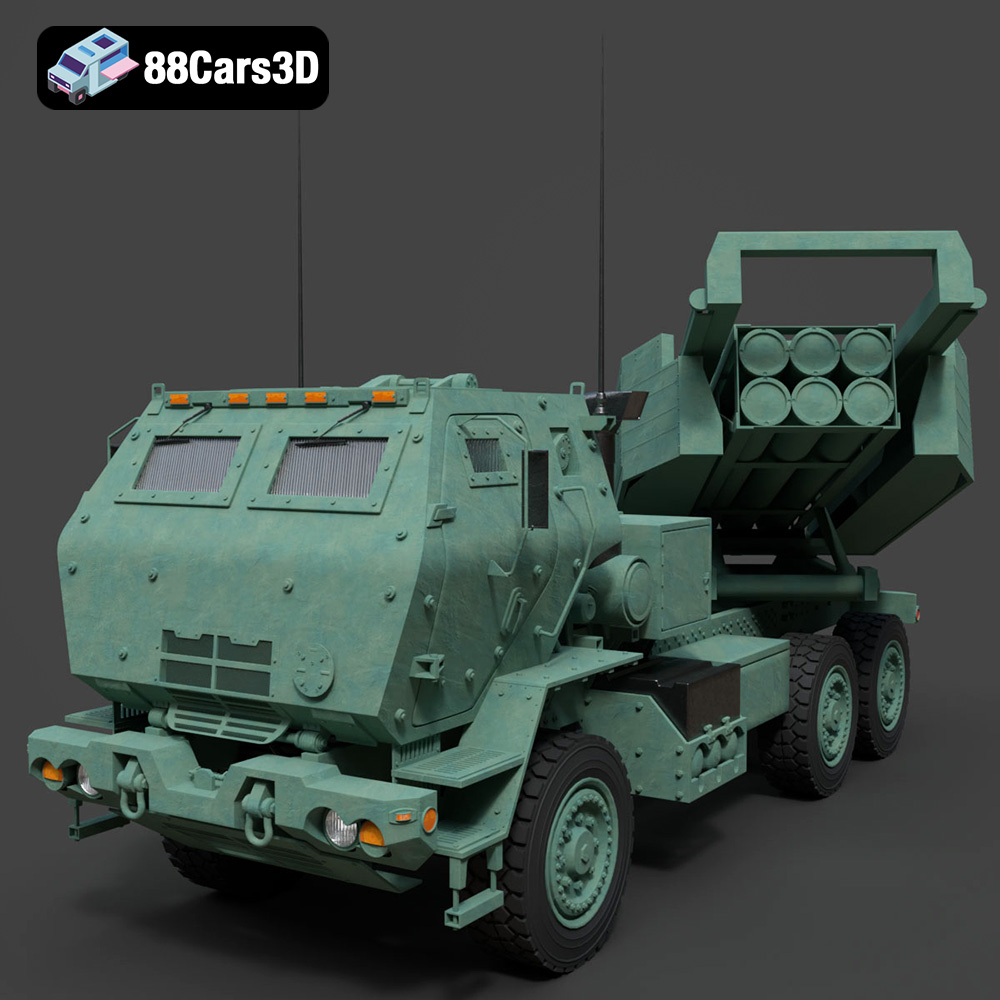
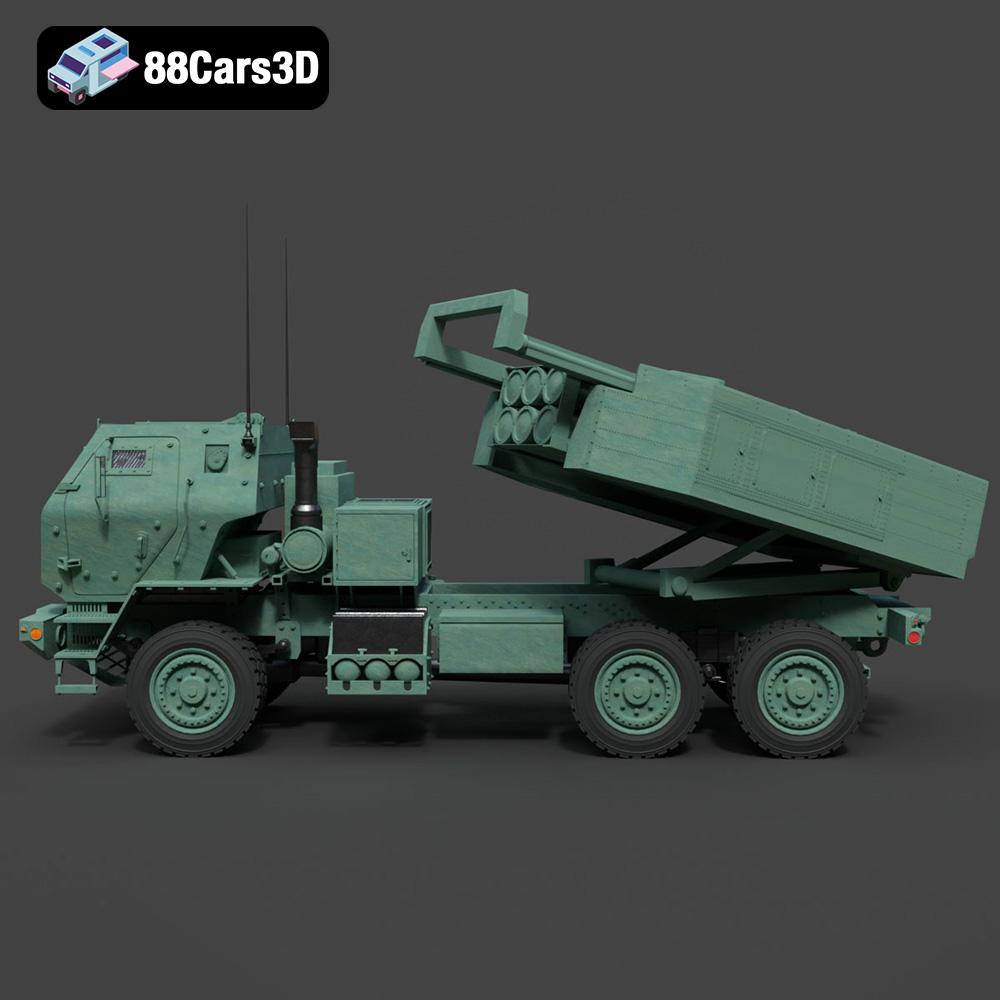
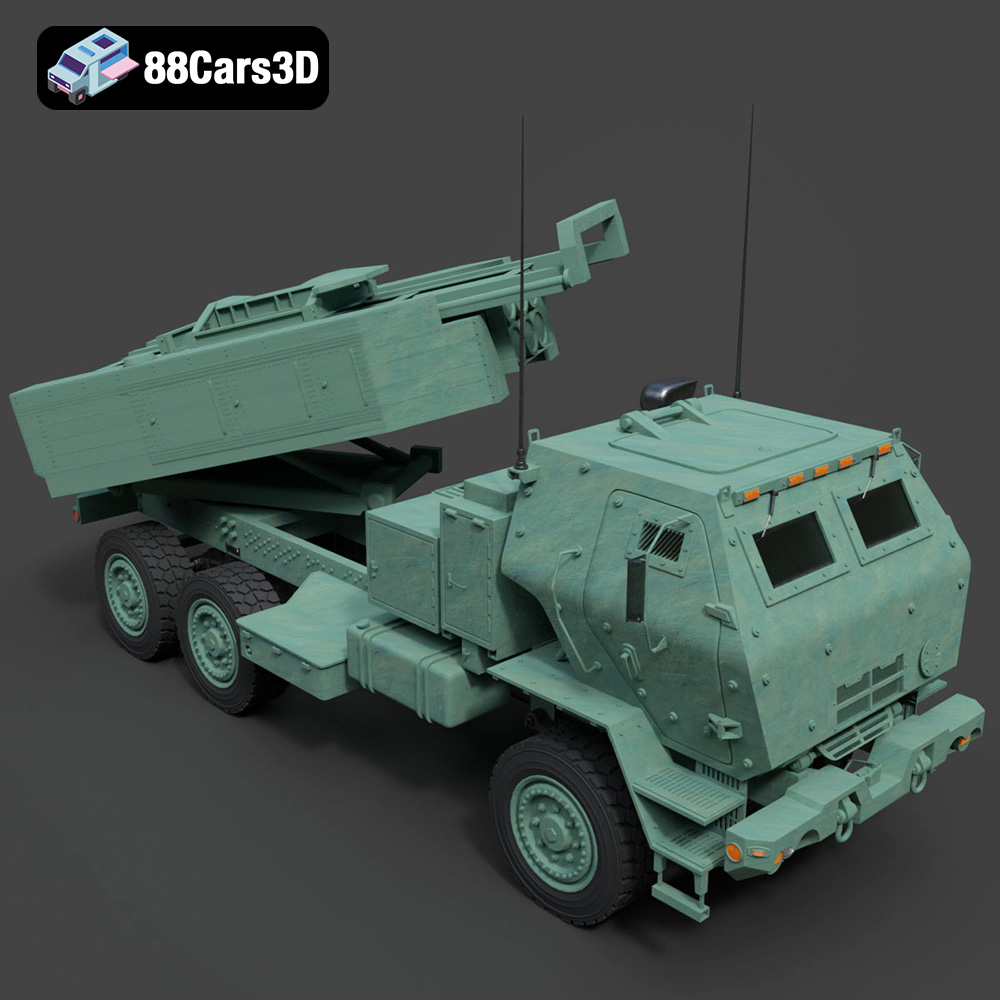
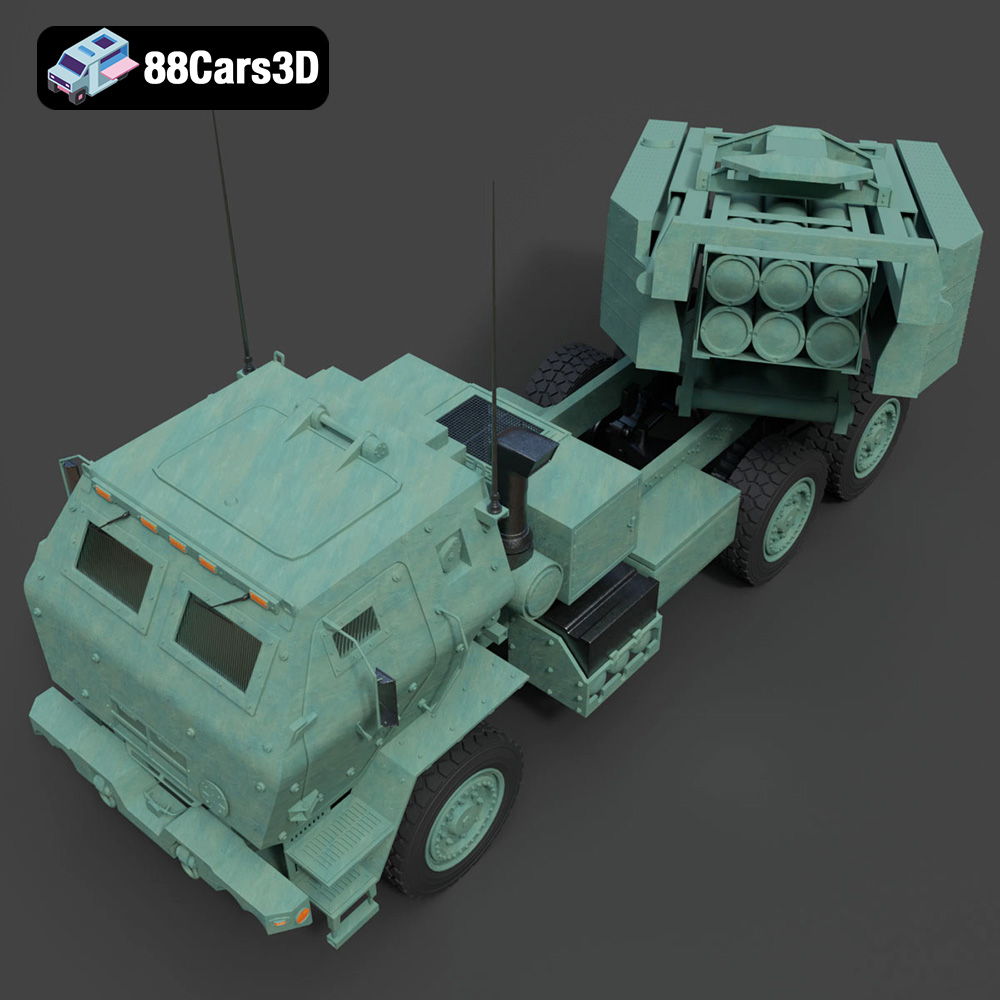
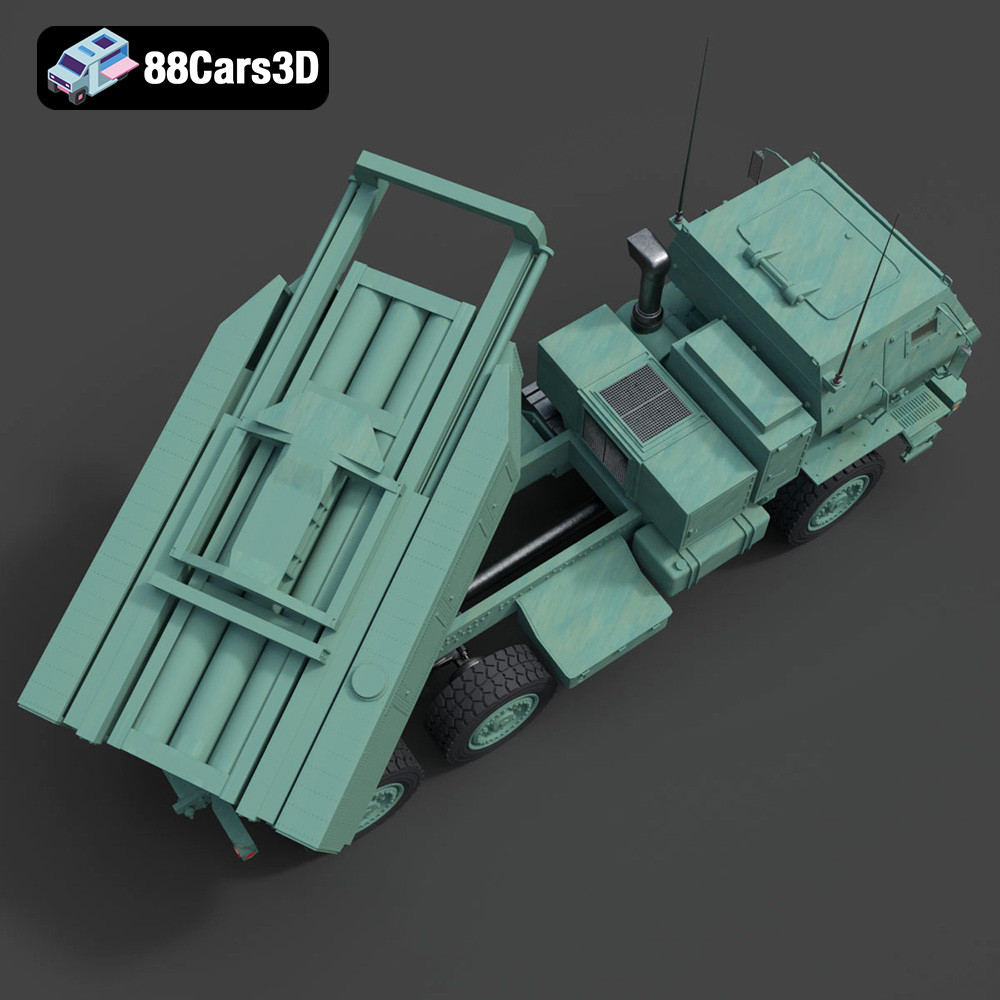
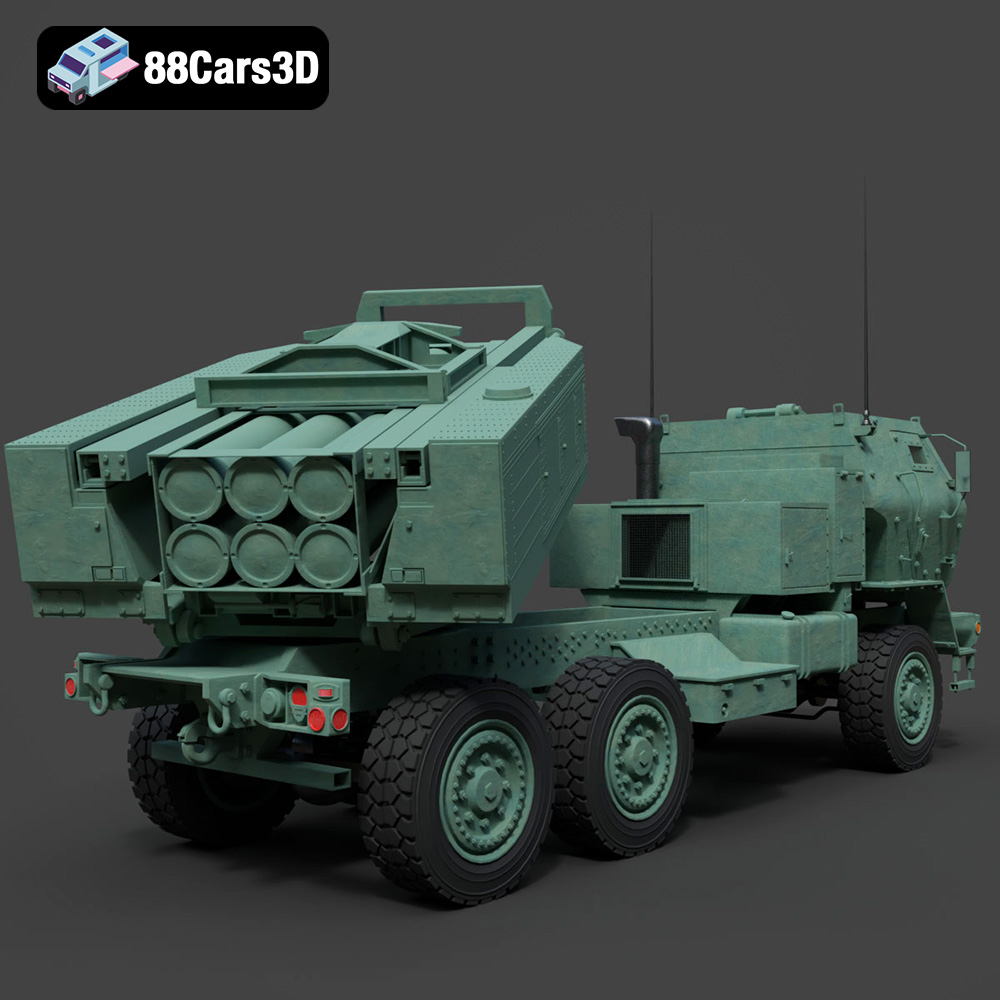
The MLRS M142 HIMARS (High Mobility Artillery Rocket System) is an iconic military vehicle, renowned for its precision strike capability and tactical mobility. Recreating such a complex piece of machinery in 3D demands an extraordinary level of attention to detail and technical skill. The MLRS M142 HIMARS 2006 3D Model stands as a testament to this, delivering a digital asset that is both visually stunning and technically sound. It’s not just a collection of polygons; it’s a meticulously engineered digital twin, perfect for a vast array of demanding professional scenarios, from realistic battle simulations to high-fidelity marketing visuals of defense technology.
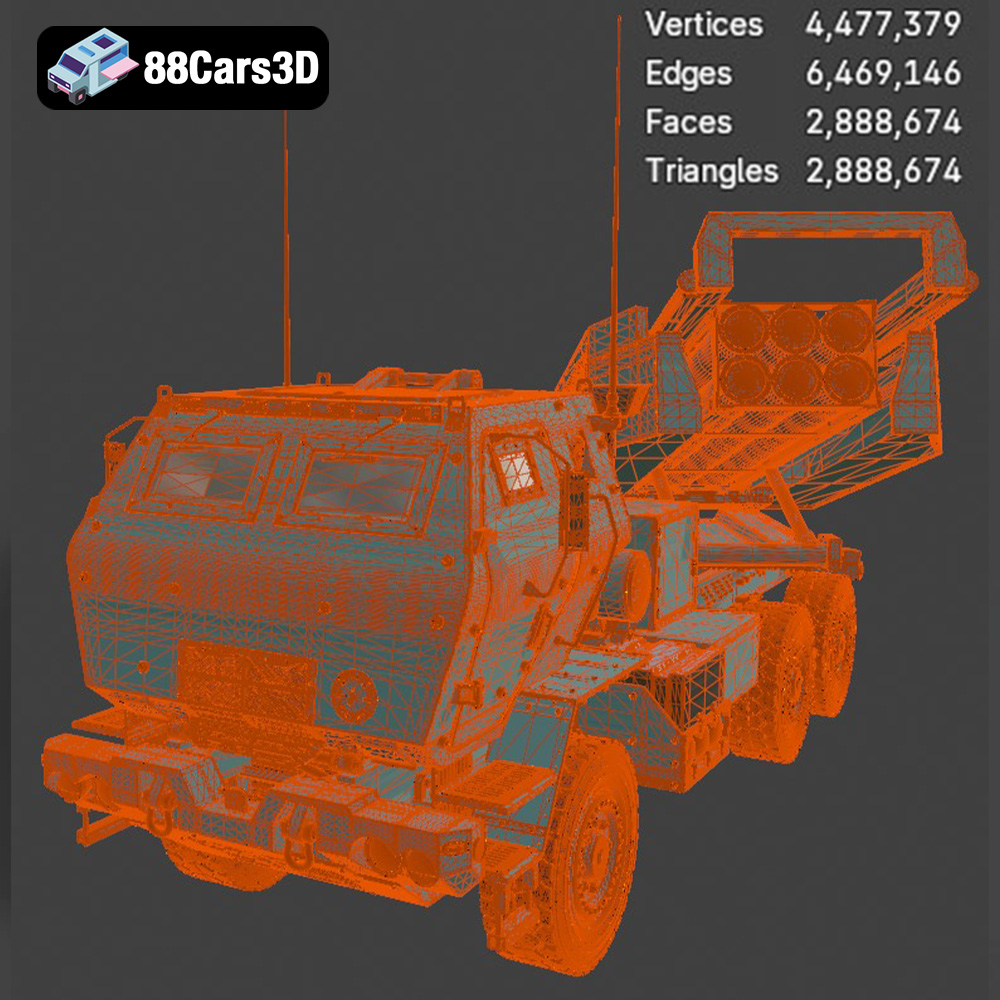
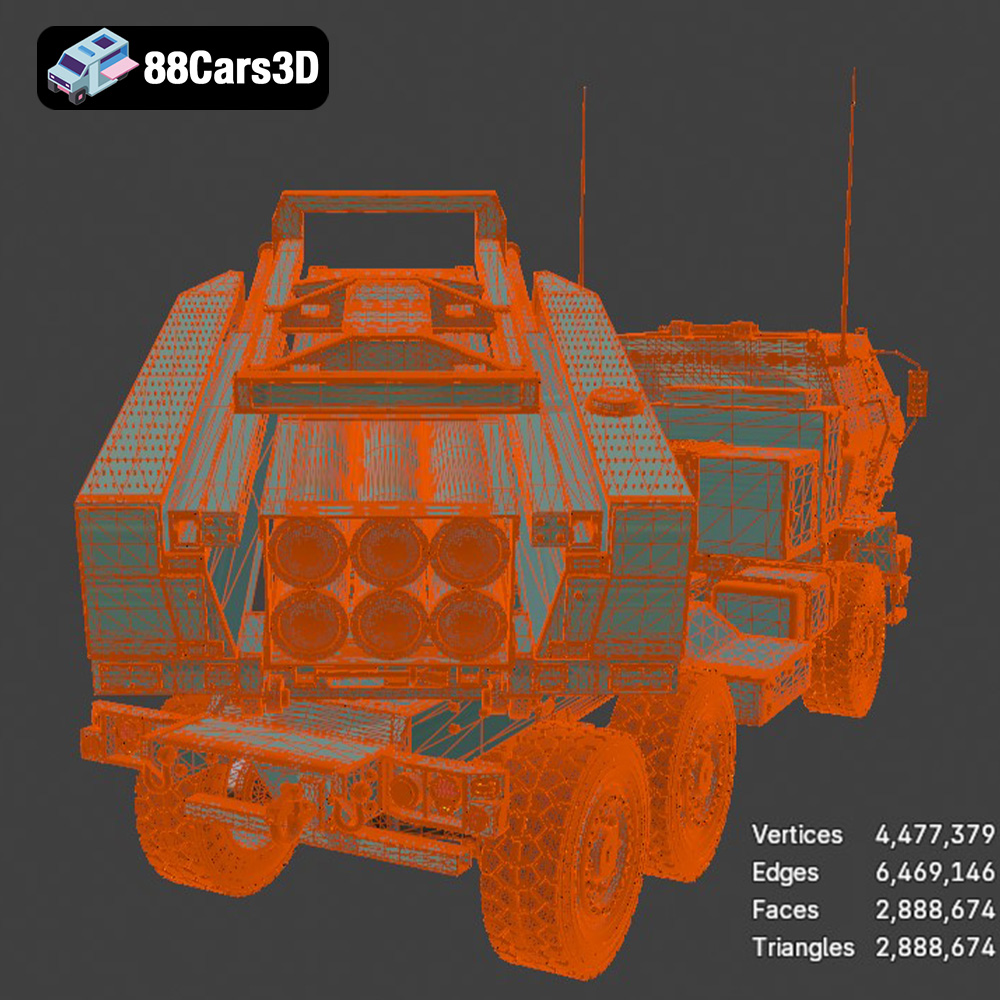
At the core of any high-quality 3D model is its geometry. The MLRS M142 HIMARS 2006 3D Model boasts “clean geometry,” a crucial characteristic that signifies efficient polygon distribution, proper topology, and minimal artifacts. This means the model is optimized for smooth shading, predictable deformation during animation, and overall stability in various rendering engines. Every panel line, rivet, and component of the real-world HIMARS is painstakingly replicated, ensuring an “immersive and highly accurate representation.” This precision is vital for applications where visual fidelity directly impacts the user’s understanding or engagement, such as military training simulations or documentary-style animations. The careful construction ensures that the model holds up under close scrutiny, even in extreme close-ups or high-resolution renders.
Beyond the raw geometry, the realism of a 3D model is largely determined by its materials and textures. The HIMARS model features “realistic materials,” implying a sophisticated PBR (Physically Based Rendering) workflow. This means textures are calibrated to accurately simulate how light interacts with different surfaces—metals, plastics, rubber, glass—under various lighting conditions. Components like the weathered paint on the chassis, the worn texture of the tires, or the reflective surfaces of the rocket pods are rendered with exquisite detail. High-resolution texture maps (diffuse, normal, roughness, metallic, ambient occlusion) contribute to the nuanced appearance, ensuring that the model looks authentic whether it’s viewed in a game engine or a photorealistic rendering setup. This attention to material fidelity is what truly brings the model to life, making it indistinguishable from its real-world counterpart in many digital contexts.
For game developers, acquiring high-quality game assets that are optimized for real-time performance is a perpetual challenge. The MLRS M142 HIMARS 2006 3D Model addresses this head-on, offering a “game-engine ready” asset designed for seamless integration into the demanding environments of modern video games. From military simulators to open-world action titles, the need for realistic and performant vehicle models is constant. This model provides an ideal solution, allowing developers to focus on gameplay mechanics and world-building, rather than spending valuable time on asset creation from scratch.
The inclusion of .fbx and .unreal file formats makes the HIMARS model exceptionally well-suited for both Unreal Engine and Unity, the industry’s leading game development platforms. For Unreal Engine, the dedicated .unreal file often means a pre-packaged asset with materials, LODs (Levels of Detail), and possibly collision meshes already configured, dramatically reducing setup time. Developers can simply drag and drop the asset into their project and begin immediate iteration. For Unity, the .fbx format handles the import of the mesh, skeleton (if applicable), and basic material assignments with ease. Both engines benefit from the model’s clean geometry and optimized textures, ensuring stable frame rates and visual consistency. Developers can apply custom shaders, implement physics-based vehicle systems, and integrate the HIMARS into dynamic combat scenarios with confidence, knowing the underlying asset is robust and well-optimized.
Real-time rendering in games demands a delicate balance between visual fidelity and performance. While exact poly counts for the HIMARS model aren’t listed, its “professional quality” implies it is developed with optimization in mind. This typically involves efficient polygon budgets, well-structured UV maps to maximize texture resolution, and potentially multiple Levels of Detail (LODs). LODs are crucial; they allow the engine to switch to lower-polygon versions of the model when it’s further from the camera, saving rendering resources without noticeable loss of detail. Furthermore, the clean geometry minimizes draw calls and simplifies collision detection, contributing to smoother gameplay. These optimization techniques are essential for preventing performance bottlenecks, ensuring that the MLRS M142 HIMARS 2006 3D Model performs admirably even in graphically intensive scenes with numerous other complex assets.
While often categorized alongside 3D car models, specialized military vehicles like the HIMARS extend their utility far beyond pure entertainment. The exacting standards of detail and realism found in the MLRS M142 HIMARS 2006 3D Model make it an invaluable asset for professional automotive rendering, complex simulations, and high-stakes military visualizations. These fields demand precision, accuracy, and the ability to convey detailed information visually, attributes at which this model excels.
For artists and studios specializing in high-fidelity rendering, the .max and .blend files are indispensable. These native formats allow full control over every aspect of the scene. In 3ds Max, artists can leverage advanced rendering engines like V-Ray or Corona to produce photorealistic images and animations. Imagine the HIMARS depicted in a dramatic, cinematic shot, with volumetric lighting and environmental effects. The editable nature of the .max file means artists can fine-tune every material parameter, adjust lighting scenarios, add complex rigging for animation (e.g., simulating recoil or movement of the launcher), and produce marketing materials, product showcases, or visual effects for film and television. Similarly, Blender users can harness Cycles or Eevee to create stunning visuals, utilizing the included materials and lighting setups as a strong foundation for their projects. The detailed geometry and realistic materials of the HIMARS model make it a prime candidate for top-tier automotive rendering, even if it’s a military truck rather than a sports car.
The accuracy and detail of the MLRS M142 HIMARS 2006 3D Model are critical for developing effective simulation and training environments. Whether it’s for military personnel training, logistical planning, or strategic analysis, realistic visual assets enhance immersion and learning outcomes. Developers can integrate the HIMARS model into custom simulators to replicate its operation, maintenance, or deployment scenarios. The “professional digital environments” mentioned in the product description are precisely these kinds of applications. The detailed polygon mesh provided by formats like .ply can also be leveraged for precise physics simulations, stress analysis, or even aerodynamic studies, pushing beyond mere visual representation into functional digital prototyping. This model is not just a visual prop; it’s a data-rich asset ready for complex analytical and instructional use.
The burgeoning fields of Augmented Reality (AR) and Virtual Reality (VR) are revolutionizing how we interact with digital content, demanding highly optimized and accessible 3D assets. Concurrently, 3D printing continues to empower physical prototyping and personalized manufacturing. The MLRS M142 HIMARS 2006 3D Model caters to both these innovative realms, demonstrating its remarkable versatility and forward-thinking design.
For “immersive AR/VR experiences” and web-based visualization, the .glb format included with the HIMARS model is a game-changer. GLB files are self-contained and highly efficient, making them perfect for rapidly loading complex 3D models in web browsers, mobile AR applications, or standalone VR headsets. Imagine an interactive exhibit where users can explore the HIMARS in augmented reality, walking around it as if it were physically present, or diving into a virtual reality environment to inspect its intricate components. The optimized nature of .glb ensures smooth performance, reducing latency and enhancing the sense of presence in these real-time, interactive applications. This format allows the detailed MLRS M142 HIMARS 2006 3D Model to be deployed across a wide range of devices, democratizing access to high-fidelity military vehicle models for education, marketing, and interactive product showcases.
The inclusion of .stl and .ply formats caters directly to the needs of “3D printing and prototyping.” The .stl file, as the industry standard, provides a watertight mesh suitable for additive manufacturing. Engineers and hobbyists can take the digital design of the HIMARS and create physical scale models, functional prototypes, or even custom parts. This is invaluable for educational purposes, rapid prototyping in defense industries, or simply for collectors wishing to own a tangible representation of this iconic vehicle. The .ply format, with its ability to store more detailed mesh information, could also be used for advanced manufacturing techniques or for ensuring the highest fidelity when translating the digital model into a physical object, allowing for even greater precision in the physical manifestation of this complex military truck.
The digital realm thrives on detail, accuracy, and efficiency. The demand for high-quality 3D car models and other complex vehicles continues to grow across industries, from game development and cinematic production to advanced simulation and cutting-edge AR/VR experiences. The MLRS M142 HIMARS 2006 3D Model serves as an exemplary case study, showcasing how a meticulously crafted asset can become the cornerstone of diverse professional workflows. Its clean geometry, realistic materials, and availability in a comprehensive array of file formats – from .blend and .max for native editing, to .fbx and .unreal for game engines, .glb for immersive web experiences, and .stl for 3D printing – make it an exceptionally versatile and powerful tool.
For any professional seeking to elevate their projects with assets that deliver both stunning visual fidelity and robust technical performance, investing in such high-caliber models is a strategic choice. The MLRS M142 HIMARS 2006 3D Model, available at 88cars3d.com, is more than just a model; it’s a ready-to-deploy solution designed to meet the rigorous demands of modern digital production. Whether your goal is to render photorealistic automotive scenes, develop an engaging military simulation, or create an interactive AR experience, this model provides the foundation for unparalleled realism and efficiency. Explore this and other exceptional 3D vehicle models at 88cars3d.com and empower your next project with the very best in digital assets.
Experience unparalleled realism with the MLRS M142 HIMARS 2006 3D Model. Carefully constructed to capture the intricate details of this legendary military vehicle, the model provides an immersive and highly accurate representation ideal for professional digital environments. Engineered with professional quality in mind, the 3D model boasts clean geometry and realistic materials. These features ensure optimal performance and stunning visual fidelity, allowing for seamless integration into a variety of complex digital scenes. This versatile asset is perfect for a wide range of applications, including advanced game development, architectural rendering, immersive AR/VR experiences, and detailed military visualizations. The following file formats are included: .blend – Editable Blender file with materials and lighting setup; .fbx – Game-engine ready format for Unreal Engine and Unity; .obj – Standard 3D model format compatible with all major software; .glb – Optimized for AR/VR and web-based visualization; .stl – Suitable for 3D printing and prototyping; .ply – Detailed polygon mesh for analysis and visualization; .unreal – Pre-configured for Unreal Engine use; .max – Editable 3ds Max file for rendering and animation.
$19.99
.artillery
.arvr
.blend
.car3dmodel
.fbx
.gameasset
.glb
.himars
.m142
.max
.militaryvehicle
.mlrs
.obj
.ply
.rendering
.rocketlauncher
.simulation
.stl
.truck
.unreal