Get 50% OFF All Premium 3D & STL Models!

In the dynamic realm of 3D visualization, the demand for high-fidelity assets continues to surge across industries. Whether it’s for breathtaking automotive rendering, immersive game development, cutting-edge AR/VR experiences, or precision 3D printing, the quality of your foundational 3D models dictates the success of your final output. Achieving photorealism and optimal performance requires not just artistic skill, but a deep understanding of technical specifications, file formats, and workflow efficiencies.
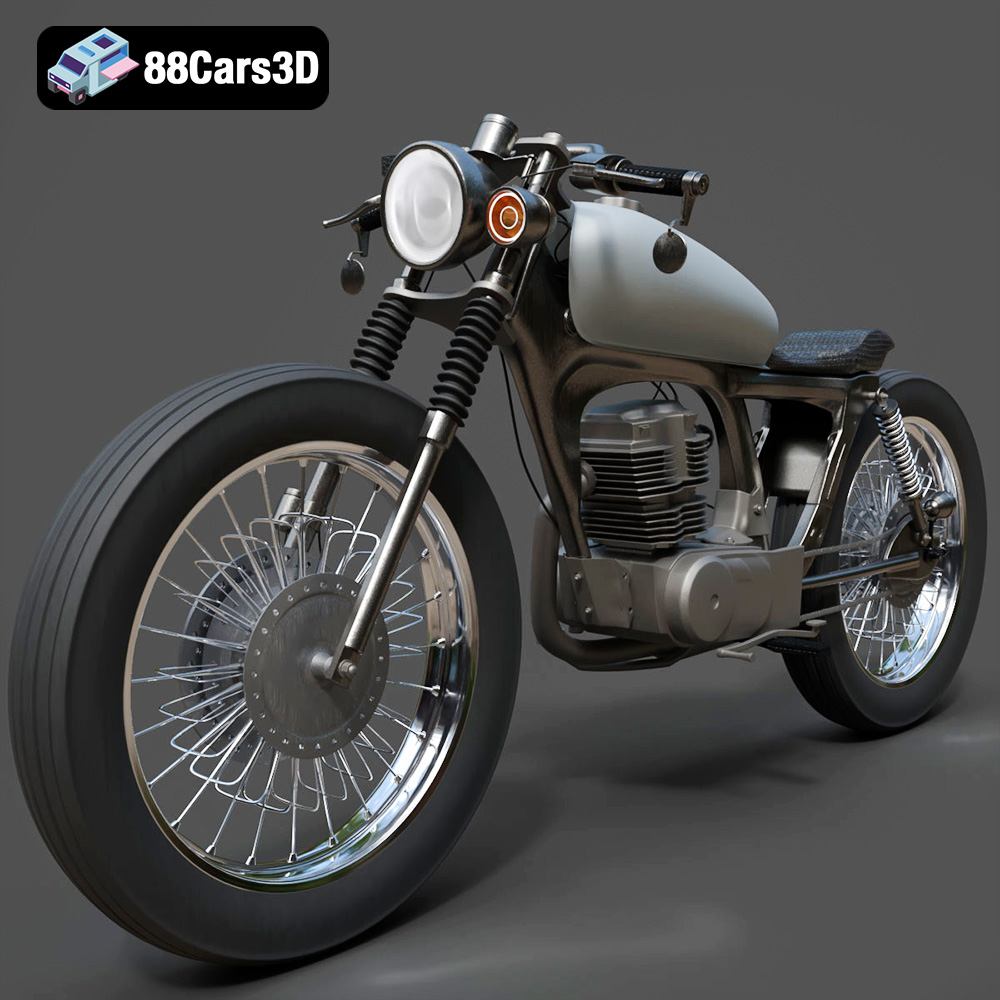
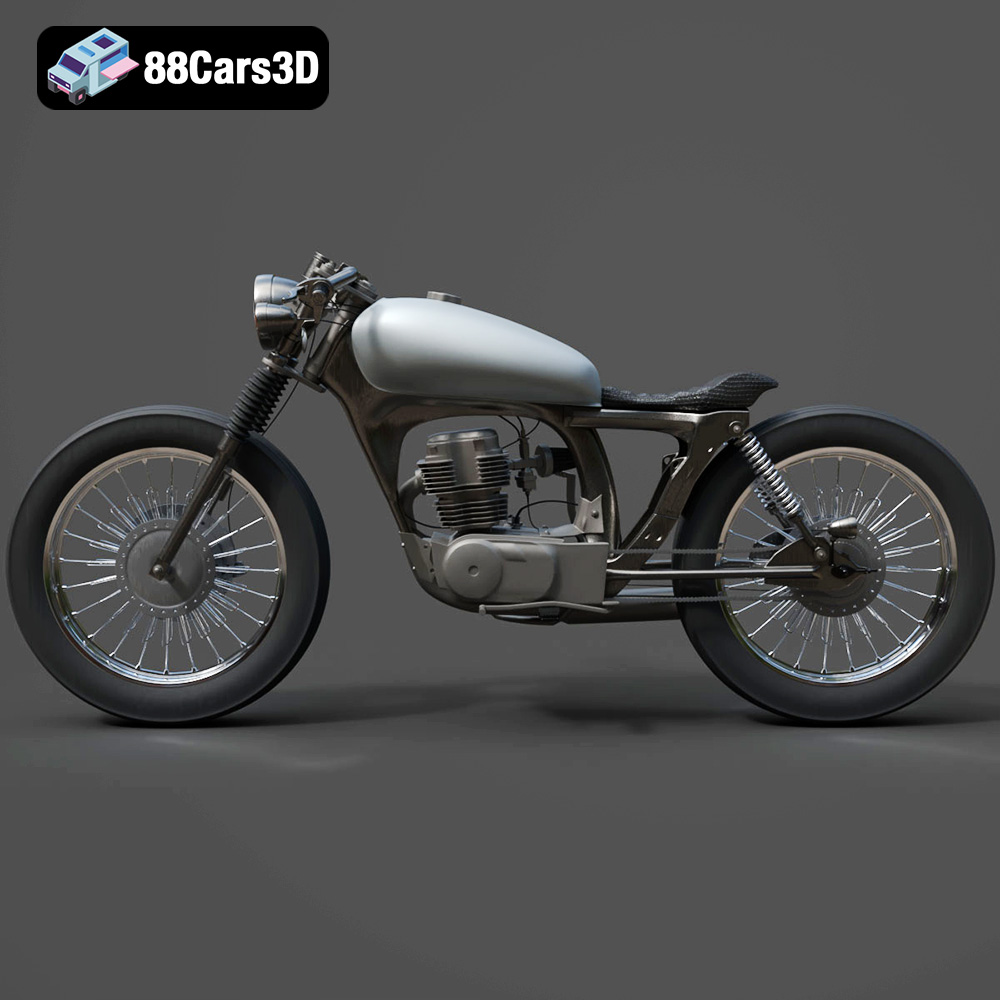
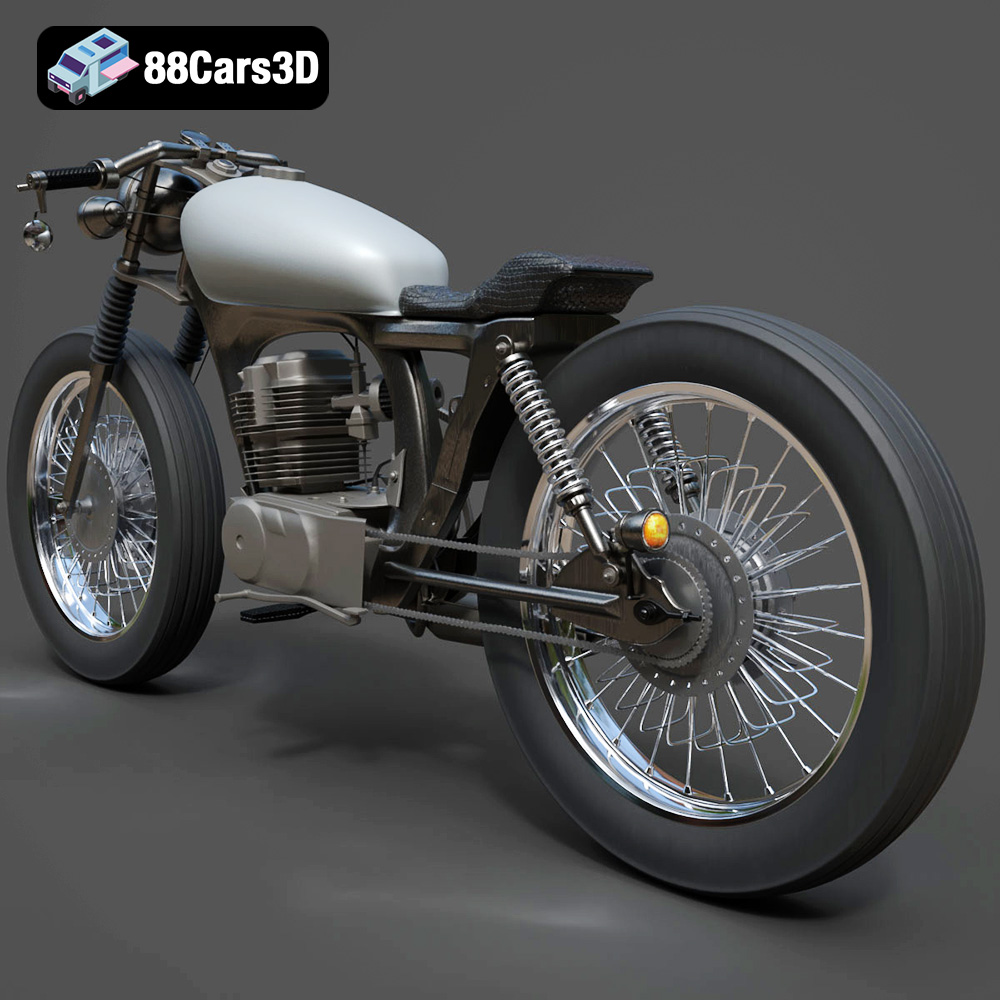
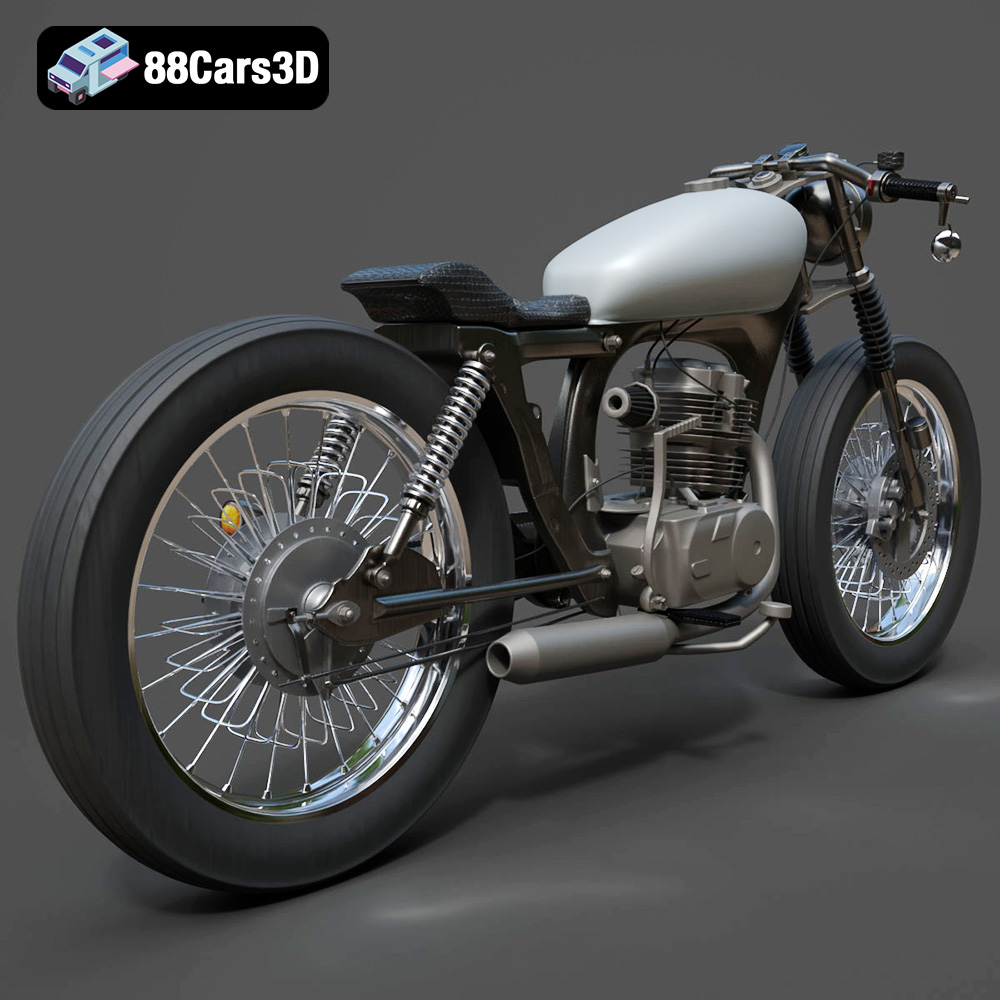
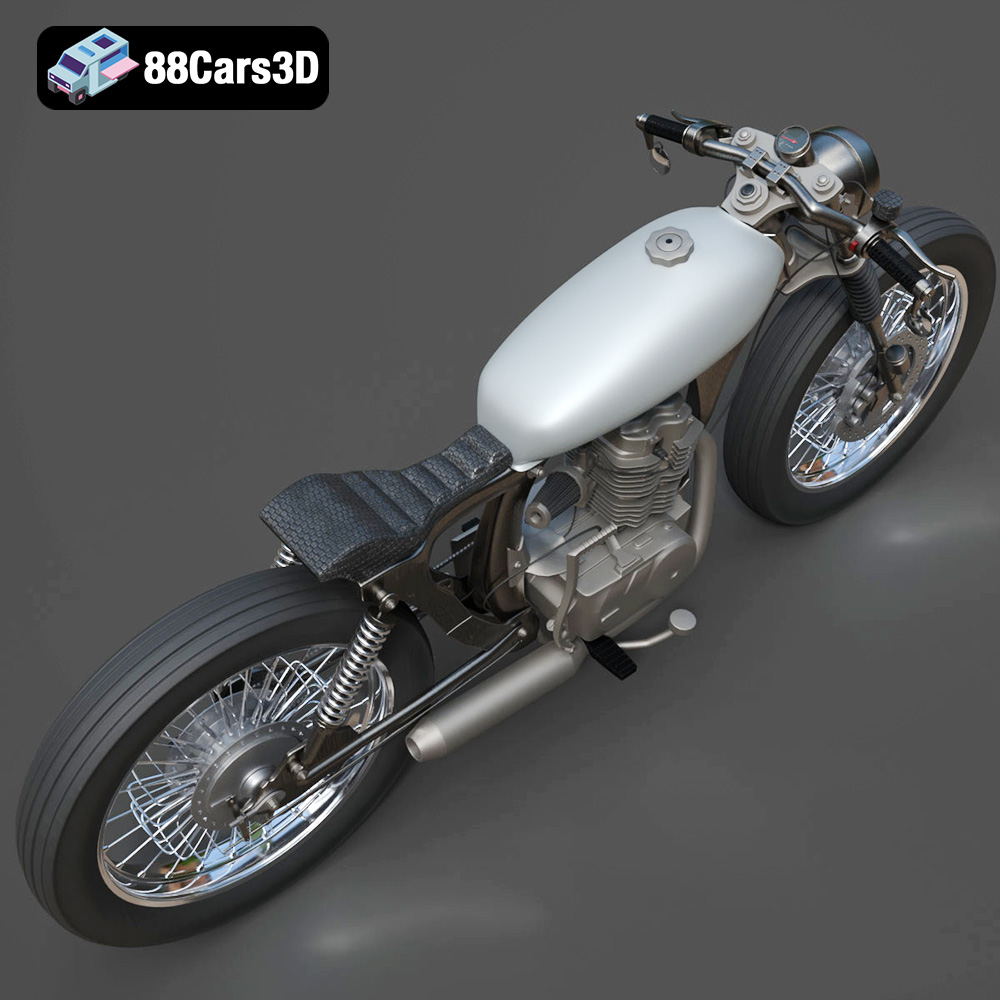
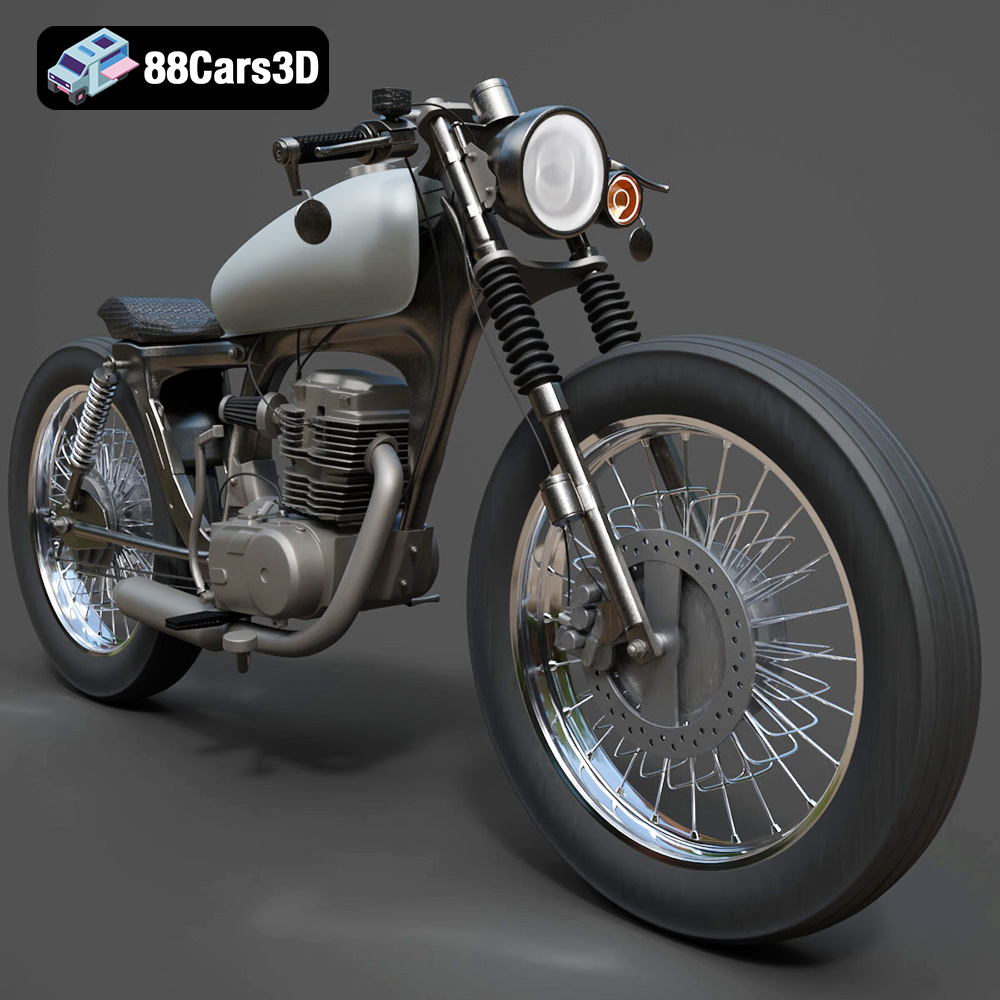
For professionals and enthusiasts alike, having access to expertly crafted 3D car models or other vehicle assets is paramount. These models serve as the cornerstone of complex projects, saving countless hours of modeling work and ensuring a professional aesthetic from the outset. Consider the iconic Honda CG125 Motorcycle 3D Model, a testament to meticulous craftsmanship, designed to meet the rigorous demands of various digital applications. This model, available on platforms like 88cars3d.com, exemplifies how a well-structured asset can be a game-changer for your creative endeavors.
This comprehensive guide delves into the intricate world of automotive 3D models, exploring the technical nuances that elevate projects from good to extraordinary. We’ll navigate through essential file formats, optimize strategies for real-time environments, unveil the secrets behind stunning renders, and demonstrate how a versatile asset like the Honda CG125 Motorcycle 3D Model seamlessly integrates into diverse professional workflows.
The choice of file format is far more than a simple preference; it dictates compatibility, feature preservation, and pipeline efficiency. Each format included with a professional 3D model, such as the Honda CG125 Motorcycle 3D Model, serves a distinct purpose, optimized for specific software, engines, or applications. Understanding these differences is crucial for any 3D artist or developer.
The .blend format is the native file type for Blender, an open-source 3D creation suite. When you receive a .blend file, you’re getting a complete Blender scene, often including not just the model, but also its materials, textures, lighting setup, camera configurations, and even animation data. This makes it an ideal starting point for users comfortable with Blender, allowing for direct editing, re-texturing, re-posing, and rendering within the same environment. For artists who want full creative control and the ability to dissect every aspect of the model’s construction, the .blend file provides an invaluable resource.
FBX (Filmbox) is a proprietary file format developed by Autodesk, widely recognized as the industry standard for 3D data interchange. Its strength lies in its ability to store not only geometry but also materials, textures, animation, skeletal data, and even camera and light information, making it incredibly versatile. For game development, .fbx is often the go-to format for importing assets into game engines like Unreal Engine and Unity. Its robust support for hierarchies and animation makes it crucial for dynamic assets. When working with complex scenes or needing to transfer assets between different 3D software packages, .fbx ensures a high degree of data integrity.
OBJ (or .obj) is one of the oldest and most widely supported 3D file formats. It’s a universal format primarily used for transferring polygonal geometry data, including vertices, UV coordinates, vertex normals, and faces. While it can reference external material files (.mtl), its core strength is its simplicity and broad compatibility with virtually all 3D software. For foundational mesh data, especially when you need a clean base for further processing in a new environment, .obj is an excellent choice. It’s often used as a fallback when more complex formats fail, or when only the raw mesh data is required.
GLB is the binary version of glTF (GL Transmission Format), a relatively new, open-standard, royalty-free format designed for the efficient transmission and loading of 3D scenes and models by engines and applications. GLB packages all model data (geometry, materials, textures, animations) into a single, compact file, making it incredibly suitable for AR, VR, and web-based applications where fast loading times and minimal asset sizes are critical. If you’re developing for platforms like Google’s Scene Viewer, Apple’s AR Quick Look, or integrating 3D models into web pages with WebGL, .glb is the definitive choice.
STL (STereoLithography) is the de facto standard file format for 3D printing. It represents 3D surfaces as a series of connected triangles (a tessellation) without color, material, or texture information. Its simplicity makes it universally compatible with 3D printers and slicing software. When preparing a model for physical production, such as creating a miniature replica of the Honda CG125, the .stl format ensures that the mesh is watertight and ready for fabrication. It’s essential to ensure the source model is manifold and has no holes or inverted normals before exporting to .stl.
PLY (Polygon File Format) is another format for storing 3D data, particularly useful for high-resolution scan data and scientific applications. It can store a wider range of properties than .obj, including color per vertex, normal information, and confidence values. While less common for general artistic workflows, .ply offers precision mesh representation that is valuable for CAD, reverse engineering, and detailed analysis where exact geometric data is paramount. It’s excellent for preserving fine details from point clouds or highly detailed meshes.
The .unreal format, or more broadly, pre-configured assets for Unreal Engine, signifies a model that has been specifically prepared and sometimes even exported directly from Unreal Engine’s asset pipeline. This often means the asset has been optimized for the engine’s rendering capabilities, with materials set up using Unreal’s physically based rendering (PBR) system, correct collision meshes, LODs (Levels of Detail), and potentially even Blueprints for interactivity. Receiving a .unreal asset drastically reduces setup time, allowing developers to drag and drop a high-quality model like the Honda CG125 Motorcycle 3D Model directly into their project and start working immediately.
Similar to .blend for Blender, the .max format is the native file type for Autodesk 3ds Max, a powerful 3D modeling, animation, and rendering software widely used in architectural visualization, product design, and film. A .max file contains the complete scene, including complex modifiers, rigging, animations, lights, cameras, and renderer-specific settings (e.g., V-Ray, Corona). For professionals whose primary workflow revolves around 3ds Max, having the original .max file for the Honda CG125 allows for unparalleled flexibility in modifying the model, adjusting materials, setting up complex animations, and achieving high-quality renders with their preferred rendering engine.
Automotive rendering is an intricate fusion of technical precision and artistic vision. It’s about transforming raw 3D car models or motorcycle models into photorealistic images that can be indistinguishable from actual photographs. This process is crucial for marketing, design reviews, and visualization across the automotive industry.
The foundation of realistic rendering lies in Physically Based Rendering (PBR) materials. PBR workflows simulate how light interacts with surfaces in the real world, producing highly accurate reflections, refractions, and diffuse properties. For a model like the Honda CG125, this means meticulously defining metallic surfaces, rubber tires, plastic components, and painted areas using parameters like Base Color (Albedo), Roughness, Metallic, Normal, and sometimes Ambient Occlusion maps. These maps tell the renderer how light should behave on each part of the model, ensuring that the bike’s paint gleams correctly, the chrome reflects realistically, and the tires show appropriate grip and texture.
Just as in photography, lighting is paramount in 3D rendering. High Dynamic Range Images (HDRIs) are commonly used to capture real-world lighting environments, providing accurate reflections and ambient light for 3D car models. Paired with virtual light sources (e.g., area lights, spot lights) strategically placed to highlight key features and create dramatic shadows, HDRIs can transport the Honda CG125 into any desired setting – from a sun-drenched urban street to a dimly lit garage. Understanding three-point lighting, rim lighting, and global illumination settings in renderers like V-Ray, Corona Renderer, or Blender’s Cycles is essential for achieving professional-grade visuals.
Beyond basic setup, advanced techniques like subsurface scattering for translucent plastics, anisotropic reflections for brushed metals, and volumetric effects for atmospheric haze can elevate renders. Render passes, which separate elements like diffuse, reflections, shadows, and alpha channels, offer immense flexibility in post-production. Software like Adobe Photoshop or Affinity Photo can then be used to fine-tune colors, add depth of field, apply lens flares, and composite the rendered Honda CG125 onto a background, pushing the realism further and creating truly captivating imagery.
While cinematic renders prioritize visual fidelity above all else, game development and real-time applications demand a delicate balance between visual quality and performance. High-quality 3D car models must be expertly optimized to run smoothly in engines like Unreal Engine and Unity without compromising too much detail.
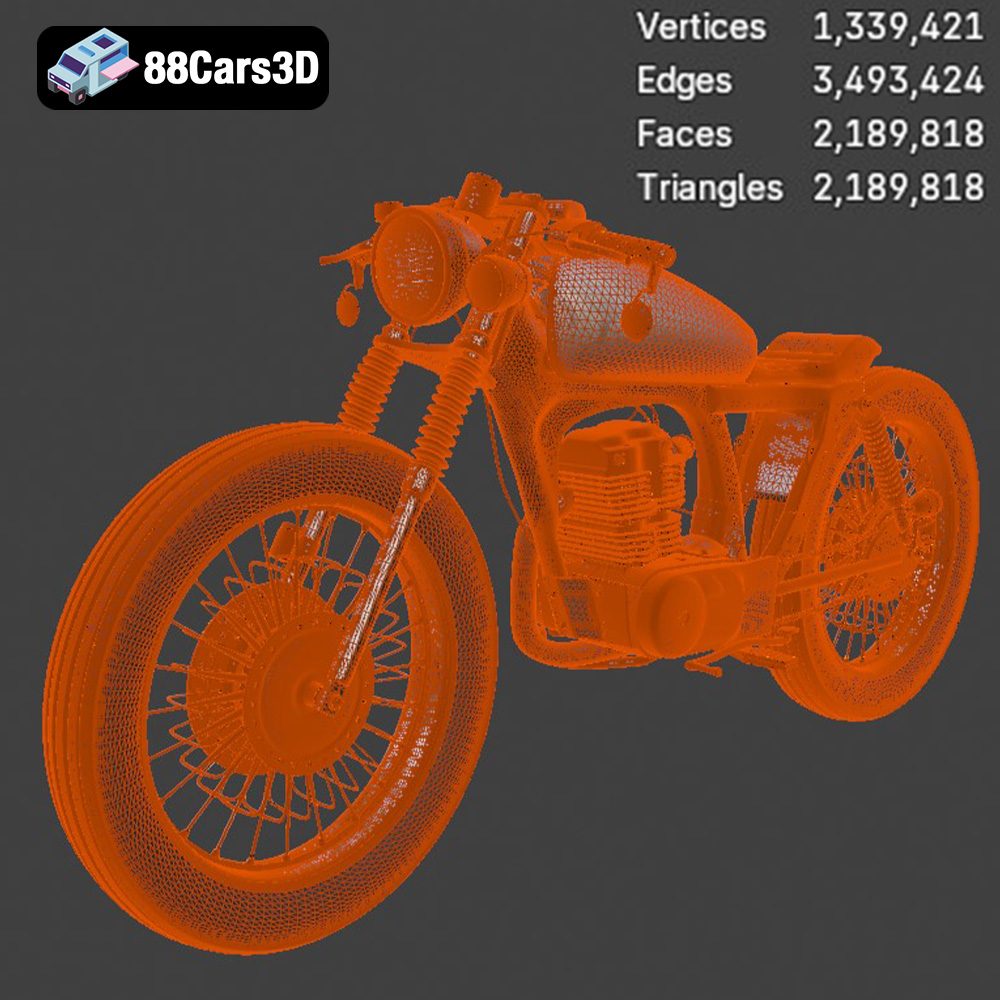
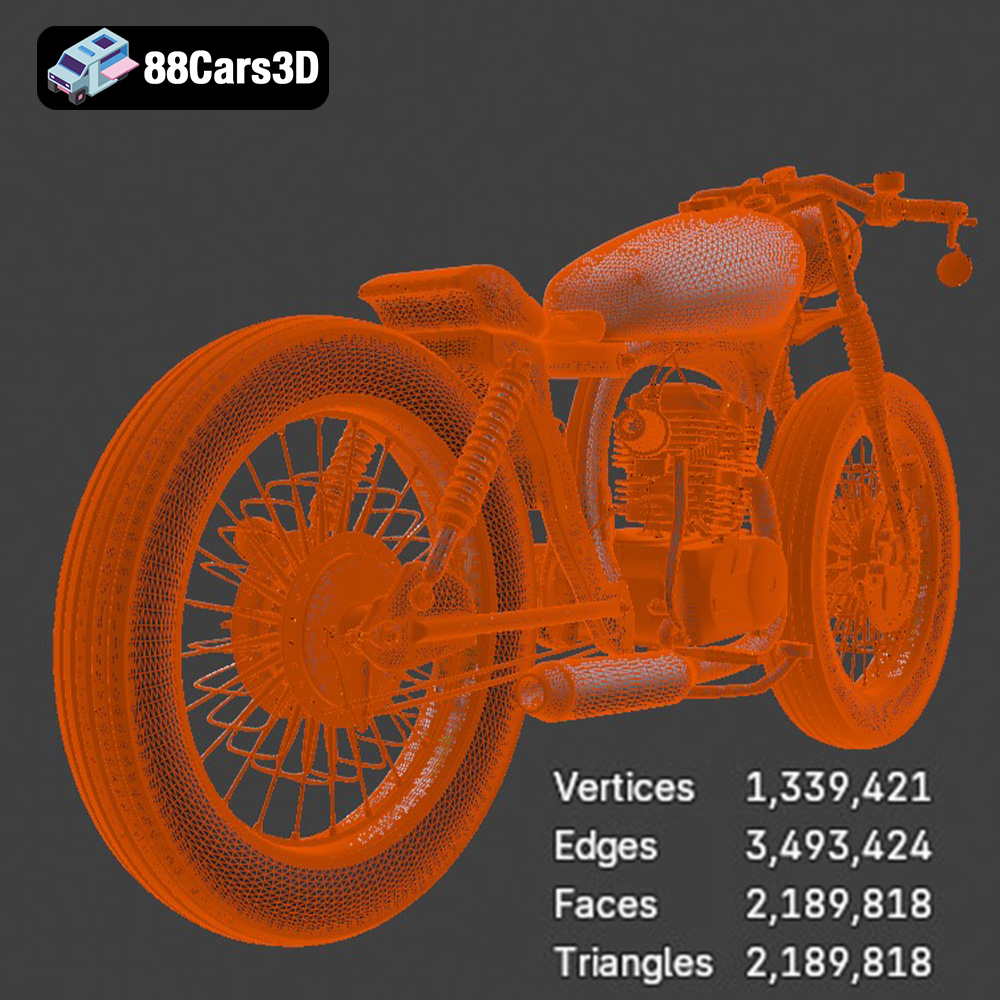
Real-time environments operate under strict polygon budgets. A highly detailed rendering model of the Honda CG125 might have millions of polygons, which would cripple game performance. Therefore, game-ready assets require optimized meshes, often significantly reducing the polygon count while retaining crucial silhouette details. This is where Levels of Detail (LODs) come into play. Multiple versions of the same model are created, each with a progressively lower polygon count. The game engine dynamically switches between these LODs based on the model’s distance from the camera, ensuring maximum detail up close and optimal performance when far away.
Texture maps are critical for adding surface detail without increasing polygon count. Efficient UV mapping ensures that every part of the 3D model’s surface has a unique, non-overlapping area on the texture map, preventing visual artifacts. For game assets, texture atlases – combining multiple smaller textures into one larger image – are often used to reduce draw calls, a significant performance booster. A well-prepared model like the Honda CG125 will feature clean, optimized UVs ready for PBR texture sets, allowing game developers to apply realistic materials with minimal fuss.
For interactive environments, collision meshes are essential. These are simplified, invisible meshes that define the physical boundaries of the model, allowing characters or other objects to interact realistically with it without processing the full visual mesh. Setting up materials in real-time engines also differs from offline renderers. Engines like Unreal and Unity use their own PBR material systems, often requiring specific shader graphs or material instances. A pre-configured .unreal file or a well-structured .fbx from 88cars3d.com significantly streamlines this process, allowing immediate integration and proper material display.
The versatility of high-quality 3D models extends far beyond traditional rendering and game development. Augmented Reality (AR), Virtual Reality (VR), and 3D printing represent exciting new frontiers where meticulously crafted assets like the Honda CG125 Motorcycle 3D Model prove invaluable.
AR and VR demand highly optimized assets that can render seamlessly on diverse hardware, from high-end VR headsets to mobile AR devices. Low latency and high frame rates are paramount to prevent motion sickness and create a believable, immersive experience. The .glb format, with its optimized, self-contained structure, is particularly well-suited for these applications. Imagine placing the Honda CG125 virtually in your driveway via AR on your smartphone, or exploring its intricate details in a VR showroom. Such applications benefit immensely from models that balance visual fidelity with performance, featuring optimized geometry, efficient textures, and robust PBR materials.
3D printing allows for the physical manifestation of digital designs, turning the Honda CG125 Motorcycle 3D Model into a tangible object. This requires a model specifically prepared for fabrication. The .stl format, included with the CG125 model, is the industry standard for 3D printing. However, preparing a model for print involves more than just exporting to .stl. The mesh must be “watertight” (manifold, without holes), and internal geometry should be removed to ensure a clean, printable surface. Considerations like wall thickness, overhangs, and print resolution also come into play, influencing the success of the physical prototype or collectible. A well-designed model from the outset minimizes post-processing for 3D printing.
The ability to fluidly move a 3D model between digital rendering, real-time interactive experiences, and physical fabrication highlights the importance of versatile and well-prepared assets. The Honda CG125 Motorcycle 3D Model, with its comprehensive suite of file formats (.blend, .fbx, .obj, .glb, .stl, .ply, .unreal, .max), exemplifies this versatility. It empowers designers to rapidly iterate on designs, create engaging marketing content, develop interactive training modules, or even produce scale models for display, all from a single, high-quality source asset.
The Honda CG125 Motorcycle 3D Model stands out as an exemplary asset due to its meticulous attention to detail and professional preparation. This isn’t just a generic motorcycle; it’s a faithful recreation designed for serious applications.
Every curve, bolt, and panel of the iconic Honda CG125 has been carefully modeled to ensure accuracy and visual fidelity. This means the model adheres to real-world proportions and intricate mechanical details. From the engine block cooling fins to the exhaust pipe bends, the geometry is clean and well-optimized. For high-resolution renders, this level of detail is crucial for close-up shots that convey realism. For game engines, while lower LODs might be generated, the high-poly base provides a perfect foundation for normal map baking, allowing low-poly versions to retain a sense of high detail.
The model comes equipped with realistic materials configured for PBR workflows. This includes separate material definitions for the painted bodywork, chrome elements, rubber tires, seat texture, and engine components. These materials typically consist of various texture maps – Albedo/Base Color, Metallic, Roughness, and Normal maps – which are crucial for achieving the desired surface properties. The careful application of these maps ensures that light interacts with each part of the Honda CG125 in a physically accurate manner, resulting in stunning visual realism whether in a rendering engine or a real-time environment.
As detailed earlier, the inclusion of .blend, .fbx, .obj, .glb, .stl, .ply, .unreal, and .max formats is a significant advantage. This extensive format support means the Honda CG125 Motorcycle 3D Model is ready out-of-the-box for virtually any professional pipeline. Whether you’re a 3ds Max user needing an editable scene, a game developer requiring an engine-ready .fbx, or an AR/VR creator looking for an optimized .glb, this single purchase provides the necessary flexibility. This eliminates the often time-consuming and error-prone process of format conversion, saving valuable production time and ensuring asset integrity.
The true value of a professional 3D model, such as the Honda CG125 Motorcycle 3D Model from 88cars3d.com, lies in its seamless integration into existing creative workflows, significantly enhancing efficiency and output quality.
Automotive design studios frequently use 3D models for concept visualization, design reviews, and marketing materials. Incorporating a pre-made, high-quality model like the Honda CG125 allows designers to quickly place a common vehicle type into a scene, focusing their efforts on the new design elements or architectural context. This reduces the need to model every ancillary object, accelerating project timelines and allowing for rapid iteration of ideas in a realistic setting. The .max or .blend files offer complete control for further customization, while .fbx is perfect for quick integration into larger studio pipelines.
For game developers, time is a critical resource. Purchasing a pre-optimized 3D car model or motorcycle model like the Honda CG125 bypasses the extensive modeling, UV unwrapping, and initial texturing phases. The availability of a game-engine-ready .fbx or .unreal file means developers can immediately import, set up collision, and integrate the model into their game world. This is particularly beneficial for creating realistic urban environments, racing games, or simulation titles where a variety of vehicle types are needed, allowing teams to focus on gameplay mechanics and unique assets rather than recreating common vehicles from scratch.
Architectural visualization artists often need context vehicles to populate street scenes or parking lots, lending realism and scale to their renders. The detailed Honda CG125 model, with its accurate proportions and realistic materials, serves as an excellent prop. Similarly, AR/VR developers can leverage the optimized .glb format to quickly populate virtual environments or create interactive product showcases. Imagine an architectural walkthrough where a virtual CG125 is parked outside a rendered building, or an interactive AR experience where users can view the bike in their own garage. These applications highlight the model’s versatility and readiness for diverse digital ecosystems.
The journey from conceptualizing a 3D model to seeing it integrated into a stunning render, an immersive game, or a tangible 3D print is complex and multifaceted. It demands an understanding of intricate technical details, from polygon topology and UV mapping to material PBR workflows and file format specifications. However, the modern 3D landscape offers incredible resources that empower artists and developers to achieve professional-grade results with unprecedented efficiency.
High-quality 3D car models and motorcycle models are more than just digital assets; they are foundational tools that streamline workflows, elevate visual fidelity, and open doors to new creative possibilities. The Honda CG125 Motorcycle 3D Model is a prime example of such an asset – meticulously crafted, technically robust, and supplied with a comprehensive range of file formats to suit any professional requirement. Whether you’re an automotive renderer, a game developer, an AR/VR pioneer, or a 3D printing enthusiast, investing in a well-prepared model like this ensures you spend less time on asset creation and more time on innovation.
By choosing reliable sources for your 3D assets, such as 88cars3d.com, you gain access to a library of models ready to integrate into your projects, allowing you to focus on bringing your unique visions to life with unparalleled quality and efficiency. The Honda CG125 is not just a model; it’s a gateway to enhancing your entire 3D production pipeline.
Immerse yourself in the intricate details of the Honda CG125 Motorcycle 3D Model, a faithful recreation of this iconic commuter bike. This model has been crafted to provide a high degree of realism, making it suitable for a wide array of applications. Every component, from the engine to the frame, has been meticulously modeled to ensure accuracy and visual fidelity. The model features clean geometry and realistic materials, providing a professional-grade asset ready for integration into your projects. This 3D model is ideal for game development, rendering projects, AR/VR experiences, and architectural visualizations. Its versatility makes it a valuable addition to any 3D artist’s toolkit. The following file formats are included: .blend – Editable Blender file with materials and lighting setup; .fbx – Game-engine ready format for Unreal Engine and Unity; .obj – Standard 3D model format compatible with all major software; .glb – Optimized for AR/VR and web-based visualization; .stl – Suitable for 3D printing and prototyping; .ply – Detailed polygon mesh for analysis and visualization; .unreal – Pre-configured for Unreal Engine use; .max – Editable 3ds Max file for rendering and animation.
$19.99
.arvr
.bike3dmodel
.blend
.cg125
.cg125motorcycle
.commuterbike
.fbx
.gameasset
.glb
.honda
.max
.motorcycle
.obj
.ply
.rendering
.simulation
.stl
.unreal