Get 50% OFF All Premium 3D & STL Models!

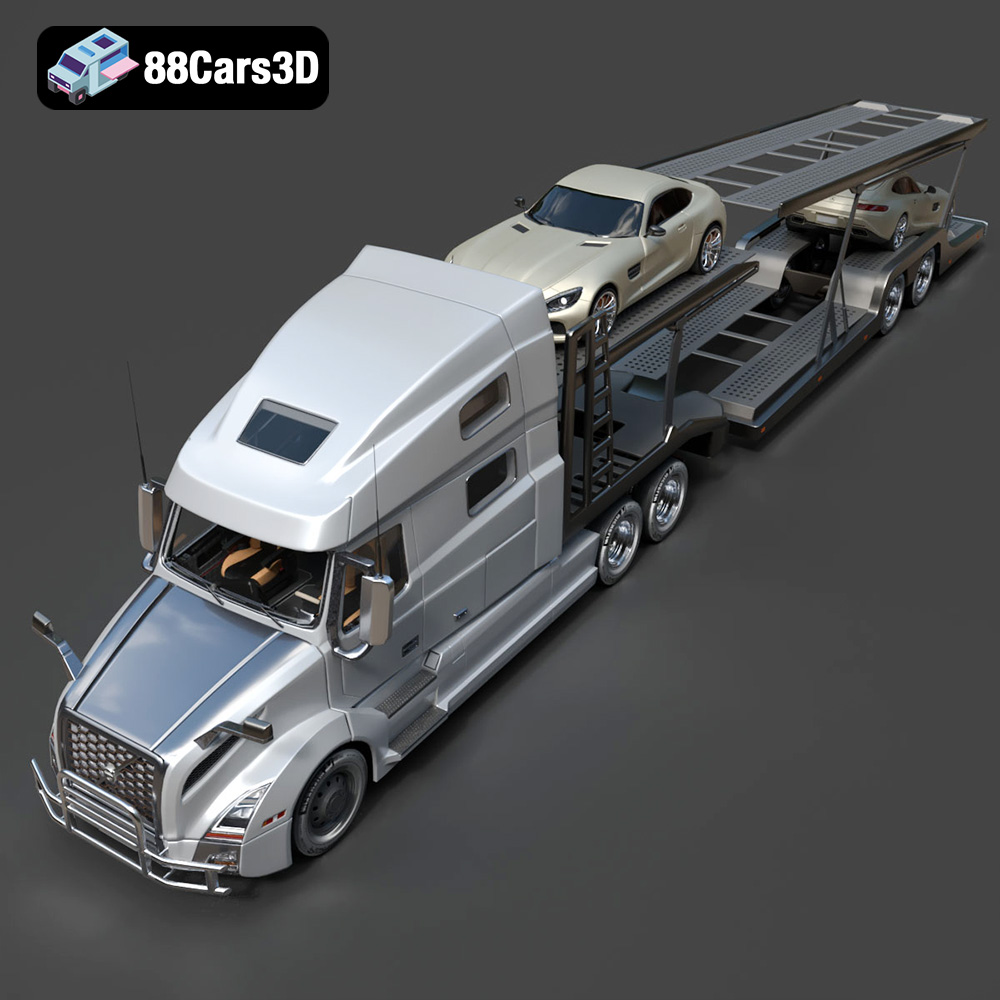
The Volvo Trucks Benz GT-001 3D model from 88cars3d.com is a fantastic digital asset, meticulously designed for a range of applications. But beyond rendering and game development, lies the exciting possibility of bringing this concept truck to life through 3D printing. This blog post will guide you through the process, providing technical insights and practical tips for successfully 3D printing this impressive model. Whether you’re a seasoned 3D printing enthusiast or just starting out, this guide will help you navigate the complexities and achieve outstanding results. We’ll cover everything from choosing the right materials and optimizing printer settings to post-processing techniques that will elevate your 3D printed model to the next level.
The Volvo Trucks Benz GT-001 model comes with a variety of file formats to suit different applications, but when it comes to 3D printing, understanding the nuances of each format is crucial. The STL format is the workhorse of additive manufacturing, but others can be useful in specific scenarios.
The STL (Stereolithography) file format is the most widely used format for 3D printing. It represents the surface geometry of a 3D object as a collection of triangles. The simplicity of the STL format makes it universally compatible with slicing software and 3D printers. However, it’s important to note that STL files only contain information about the mesh geometry and lack color or texture data.
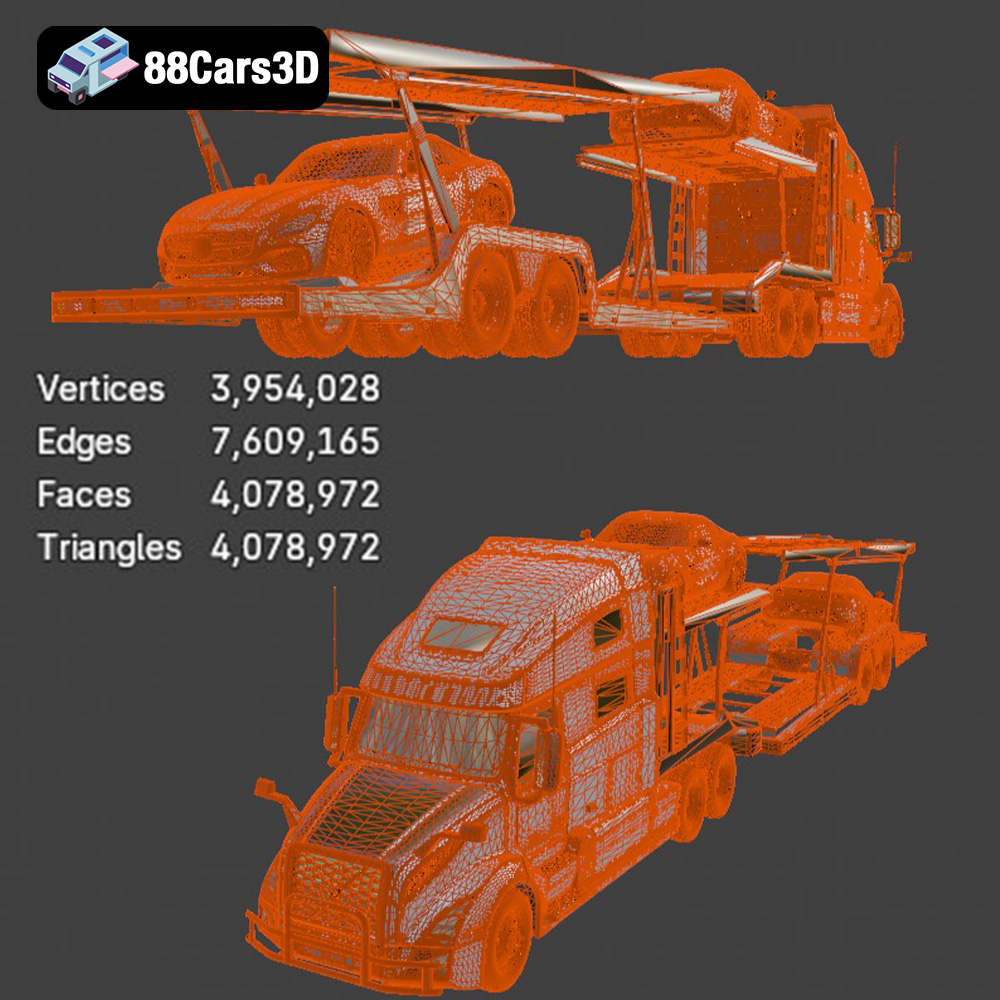
For 3D printing the Volvo Trucks Benz GT-001 model, the STL file is your primary starting point. When exporting or preparing an STL file, ensure the mesh resolution is appropriate for your desired print quality. Higher resolution means more triangles, resulting in a smoother surface but also a larger file size and potentially longer processing times. Conversely, a lower resolution will result in a faceted appearance. Most slicing software offers options to control the STL export resolution. It’s a delicate balance.
The OBJ file format is another common format for 3D models. Unlike STL, OBJ files can store color and texture information, making them suitable for colored 3D prints (if your printer supports it). However, OBJ files can be more complex to process than STL files, and not all slicing software handles them equally well. If you intend to print the Volvo Trucks Benz GT-001 model in a single color, sticking with the STL format is generally recommended.
The PLY (Polygon File Format) is designed to store 3D data acquired from 3D scanners. It can store color, texture, and other properties associated with each vertex in the mesh. PLY files are often used for high-detail models where accuracy is paramount. The Volvo Trucks Benz GT-001 model’s .ply file might be useful if you require extremely precise dimensions in your print, however, STL is generally easier to work with for typical 3D printing applications.
The .blend file is the native file format for Blender, a popular open-source 3D modeling software. This file contains the entire Blender scene, including the model, materials, lighting, and animation data. While you can’t directly 3D print a .blend file, it’s invaluable for making modifications to the Volvo Trucks Benz GT-001 model before exporting it to a printable format like STL. For example, you might want to split the model into smaller parts for easier printing or add custom details.
The FBX (Filmbox) format is widely used for exchanging 3D data between different software applications. It supports geometry, materials, textures, and animation. While FBX files are not directly printable, some advanced slicing software may be able to import FBX files and utilize the material information to assign different printing parameters to different parts of the model (e.g., different infill densities for the chassis and the wheels).
The GLB (GL Transmission Format Binary) format is designed for efficient delivery of 3D models over the web. It’s often used for AR/VR applications and allows you to preview the Volvo Trucks Benz GT-001 model in augmented reality before committing to a print. This can be helpful for visualizing the model’s size and scale in a real-world context.
The .max file is the native file format for 3ds Max, another professional 3D modeling software. Similar to .blend files, .max files contain the entire scene data and can be used for making modifications to the model before exporting it to a printable format.
In summary, for 3D printing the Volvo Trucks Benz GT-001 model, the STL file format is your best bet due to its widespread compatibility and simplicity. However, the other formats can be useful for pre-processing the model or exploring alternative printing strategies. Always ensure that your STL file is watertight (i.e., has no holes or gaps in the mesh) before attempting to print it.
Before you can start 3D printing, you need to prepare the STL file using slicing software. This process involves several key steps: importing the model, orienting it for optimal printing, adding supports, and configuring printer settings.
First, import the Volvo Trucks Benz GT-001 STL file into your preferred slicing software (e.g., Cura, PrusaSlicer, Simplify3D). Once imported, you’ll likely need to scale the model to your desired size. Consider the build volume of your 3D printer and the level of detail you want to achieve. A larger model will showcase more detail but require more material and printing time. A smaller model will be quicker to print but may sacrifice some of the finer features.
Carefully consider the dimensions when scaling. If you intend to display the model on a shelf, measure the available space. If you plan to use it in a diorama, ensure it’s in scale with the other elements.
The orientation of the model on the build plate significantly impacts print quality, support requirements, and printing time. For the Volvo Trucks Benz GT-001 model, consider orienting it with the flattest surface facing down to minimize support structures. However, this might not always be the best option, as it could compromise the visual appearance of the top surfaces.
Evaluate overhangs carefully. Areas with significant overhangs (e.g., the roof or spoilers) will require support structures to prevent them from collapsing during printing. Experiment with different orientations to minimize the amount of support material needed, especially in visually critical areas. Most slicing software offers automatic support generation, but manual placement often yields better results, allowing you to strategically position supports where they are least obtrusive and most effective.
Consider using support blockers to prevent supports from generating inside the cabin if you want a clean interior. Also, think about splitting the model into multiple parts for printing, especially if your printer’s build volume is limited or if certain features are difficult to print with supports. For example, you could separate the cab from the chassis or print the wheels separately.
The material you choose will influence the final look, feel, and durability of your 3D printed Volvo Trucks Benz GT-001 model. Several options are available, each with its own pros and cons.
PLA (Polylactic Acid) is a biodegradable thermoplastic that’s widely used in 3D printing. It’s easy to print with, doesn’t require a heated bed (though it helps), and produces relatively low fumes. PLA is a good choice for beginners and for models that don’t require high strength or heat resistance. The finished print will have a smooth surface that’s easy to paint.
For the Volvo Trucks Benz GT-001 model, PLA is a suitable option for creating a display model. However, it’s important to note that PLA can warp in hot environments, so avoid leaving the model in direct sunlight or in a hot car. Consider using PLA+ for a stronger and more heat-resistant alternative.
PETG (Polyethylene Terephthalate Glycol-modified) is another popular 3D printing material that offers a good balance of strength, flexibility, and heat resistance. It’s more durable than PLA and less prone to warping. PETG is a good choice for models that will be handled frequently or exposed to moderate temperatures.
If you plan to use the Volvo Trucks Benz GT-001 model as a toy or display it in a garage, PETG might be a better option than PLA. It’s also a good choice for printing functional parts like wheels or axles.
Resin 3D printing (SLA/DLP) offers superior detail and smoother surfaces compared to FDM (Fused Deposition Modeling) printing with PLA or PETG. Resin is a good choice for printing small, intricate models where fine details are important. However, resin prints tend to be more brittle than FDM prints and require post-processing, such as washing and curing.
If you want to capture every detail of the Volvo Trucks Benz GT-001 model, resin printing is the way to go. It’s particularly well-suited for printing small parts like emblems, mirrors, or interior details. However, keep in mind that larger resin prints can be expensive and time-consuming.
Achieving a high-quality 3D print requires careful tuning of your printer settings. The optimal settings will depend on your printer, material, and desired print quality. Here are some key settings to consider:
Layer height determines the resolution of your print. A smaller layer height (e.g., 0.1mm) will result in a smoother surface and more detailed features, but it will also increase printing time. A larger layer height (e.g., 0.2mm) will print faster but may sacrifice some detail.
Print speed also affects print quality. A slower print speed generally results in better layer adhesion and fewer imperfections, but it will obviously increase printing time. For the Volvo Trucks Benz GT-001 model, a layer height of 0.15mm and a print speed of 50mm/s are good starting points. Adjust these settings based on your printer’s capabilities and your desired balance between print quality and speed.
Infill density determines the internal structure of your print. A higher infill density (e.g., 20%) will result in a stronger model but will also use more material and increase printing time. A lower infill density (e.g., 10%) will print faster and use less material but may compromise the model’s strength.
The infill pattern also affects the model’s strength and weight. Common infill patterns include grid, lines, triangles, and gyroid. For the Volvo Trucks Benz GT-001 model, a gyroid infill pattern with a density of 15% is a good compromise between strength and weight.
Proper temperature control is crucial for successful 3D printing. The optimal nozzle temperature and bed temperature will depend on the material you’re using. Refer to the material manufacturer’s recommendations for specific temperature settings.
Cooling also plays a vital role. Insufficient cooling can lead to warping, stringing, and poor layer adhesion. Ensure that your printer’s cooling fan is properly configured and that the model is adequately cooled during printing.
Once the print is complete, you’ll likely need to perform some post-processing steps to remove support structures, smooth the surface, and add finishing touches.
Carefully remove the support structures using pliers, cutters, or a sharp knife. Be gentle to avoid damaging the model. Once the supports are removed, use sandpaper to smooth any rough edges or imperfections. Start with a coarse grit sandpaper (e.g., 220 grit) and gradually move to finer grits (e.g., 400 grit, 600 grit) for a smoother finish.
For hard-to-reach areas, consider using small files or rotary tools with sanding attachments. Wet sanding can also help to reduce dust and achieve a smoother finish.
Priming is an essential step before painting. It helps to fill in any remaining imperfections and provides a uniform surface for the paint to adhere to. Apply several thin coats of primer, allowing each coat to dry completely before applying the next.
Once the primer is dry, you can begin painting the model. Use high-quality acrylic paints or spray paints designed for plastic models. Apply several thin coats of paint for a smooth, even finish. Consider using masking tape to create clean lines and define different areas of the model. Clear coat can provide extra protection.
Even with careful preparation, you may encounter some challenges during the 3D printing process. Here are some common issues and their solutions:
Warping occurs when the corners of the model lift off the build plate during printing. This is often caused by insufficient bed adhesion or uneven cooling. To prevent warping, ensure that your build plate is clean and level. Use a bed adhesive like glue stick or hairspray to improve adhesion. Enclosing your printer can also help to maintain a more consistent temperature and prevent warping.
Stringing occurs when the printer extrudes filament while moving between different parts of the model. Blobs are small deposits of excess filament on the surface of the print. To prevent stringing and blobs, adjust your retraction settings in your slicing software. Increase the retraction distance and speed. Lowering the printing temperature can also help.
Layer shifting occurs when the printer head shifts position during printing, resulting in misaligned layers. This can be caused by loose belts, stepper motor issues, or firmware glitches. Under-extrusion occurs when the printer doesn’t extrude enough filament, resulting in gaps or weak layers. This can be caused by a clogged nozzle, insufficient filament feed, or incorrect temperature settings.
Regular maintenance of your 3D printer is crucial for preventing these issues. Check and tighten belts, lubricate moving parts, and clean the nozzle regularly.
The Volvo Trucks Benz GT-001 model, available on 88cars3d.com, is a rewarding project for any 3D printing enthusiast. With the right preparation, settings, and techniques, you can create a stunning replica of this impressive vehicle.
Discover exceptional digital realism with the Volvo Trucks Benz GT-001 3D Model, crafted for professionals seeking precision and accuracy in vehicle design. This model captures the robust presence and intricate aesthetic of the original vehicle, providing an incredible asset for your digital environment. Engineered with clean geometry, authentic proportions, and realistic materials, this model delivers a professional standard without unnecessary polygon overhead. Every detail is meticulously constructed to ensure optimal performance across various platforms. It perfectly highlights the modern design elements and functional features synonymous with premium truck concepts.
$29.99
.arvr
.benz
.blend
.car3dmodel
.commercialvehicle
.concepttruck
.fbx
.gameasset
.glb
.gt001
.max
.obj
.ply
.rendering
.simulation
.stl
.truck
.unreal
.volvo
.volvotrucks