Get 50% OFF All Premium 3D & STL Models!

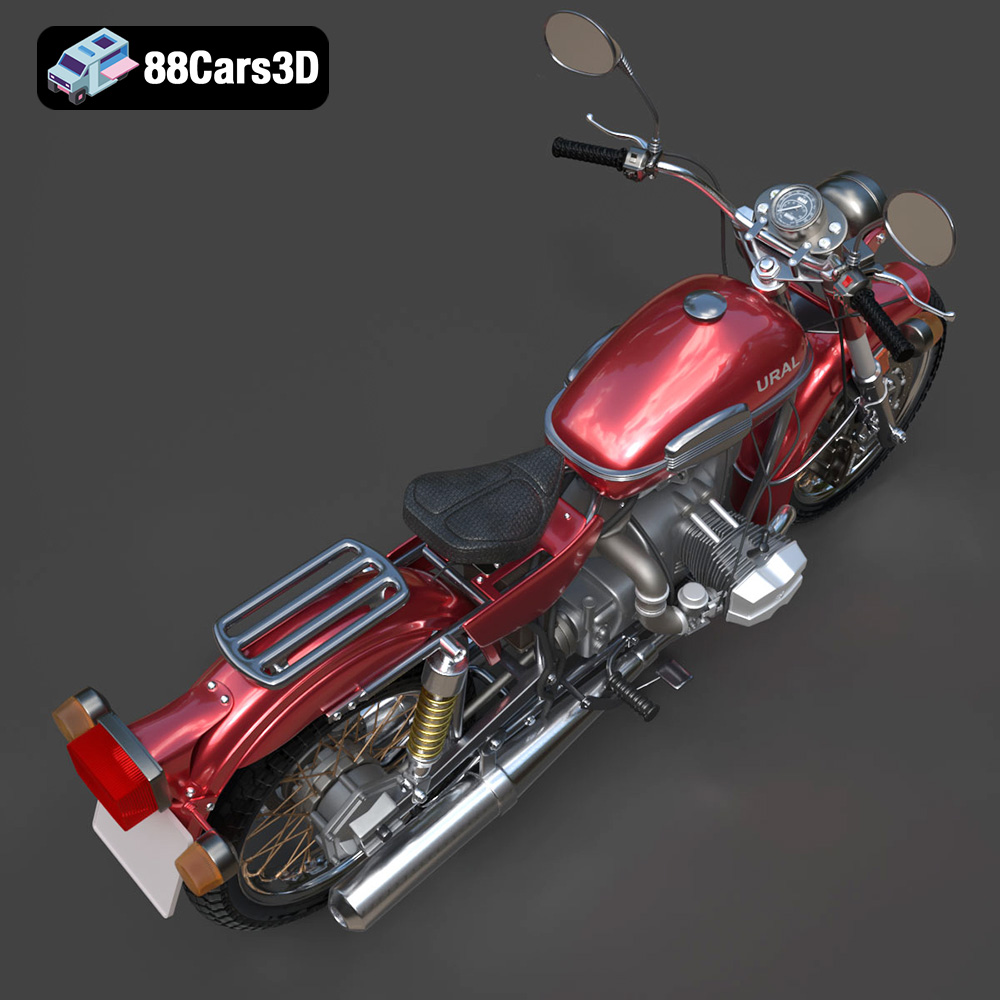
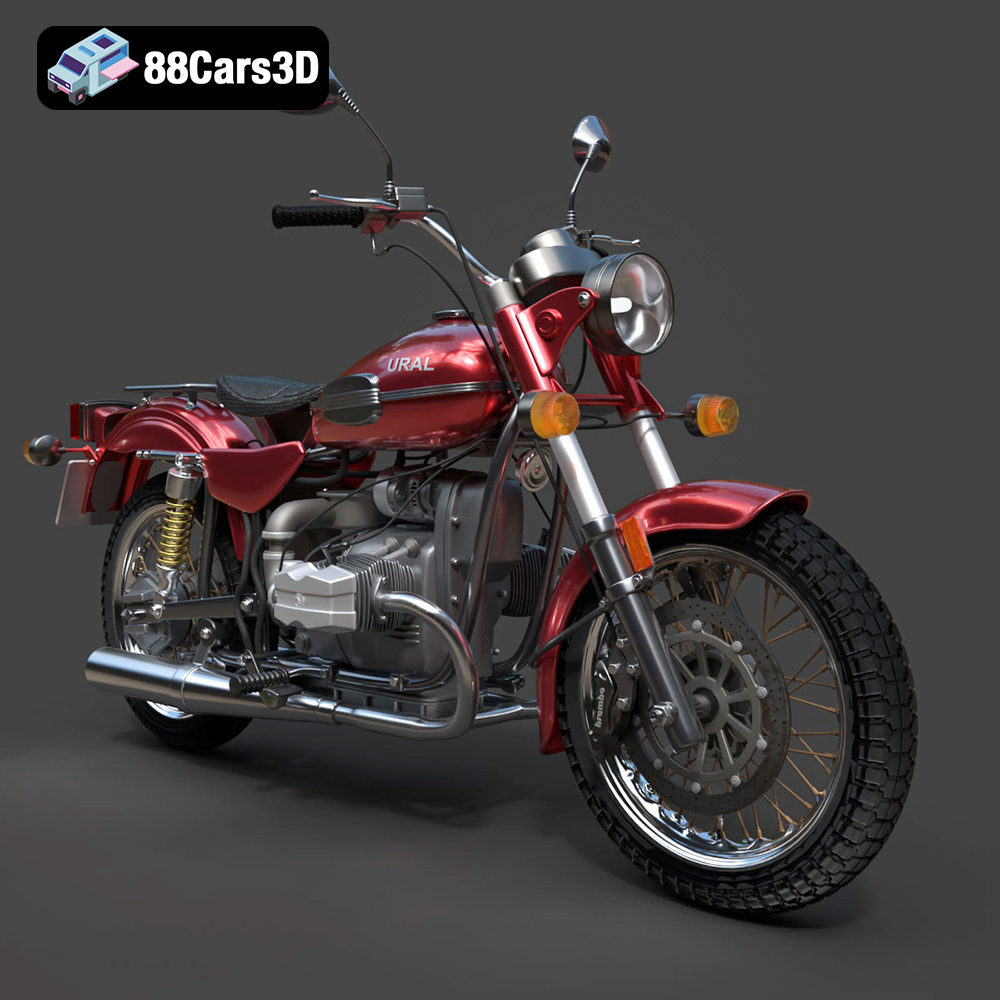
The Ural Solo sT is a motorcycle that oozes character and ruggedness. Capturing that essence in a 3D printed model is a rewarding project for any enthusiast. This guide will walk you through the entire process of 3D printing the Ural Solo sT 3D model, from selecting the right materials and settings to post-processing techniques that will bring your print to life. Whether you are a seasoned 3D printing veteran or a relative beginner, this comprehensive guide will provide the knowledge needed to create a stunning replica of this iconic motorcycle. The detailed model available at 88cars3d.com is specifically designed to be 3D printed, offering a balance of detail and printability.
Before diving into the specifics of printing the Ural Solo sT, it’s crucial to understand the different file formats available and which ones are best suited for 3D printing. Different formats store 3D data in various ways, impacting print quality, slicer compatibility, and post-processing workflows.
The .stl (stereolithography) file format is the industry standard for 3D printing. It represents the surface geometry of a 3D object as a collection of triangles, essentially creating a mesh. While simple, it’s universally compatible with almost all slicing software and 3D printers. For the Ural Solo sT, the .stl format provides a readily printable model.
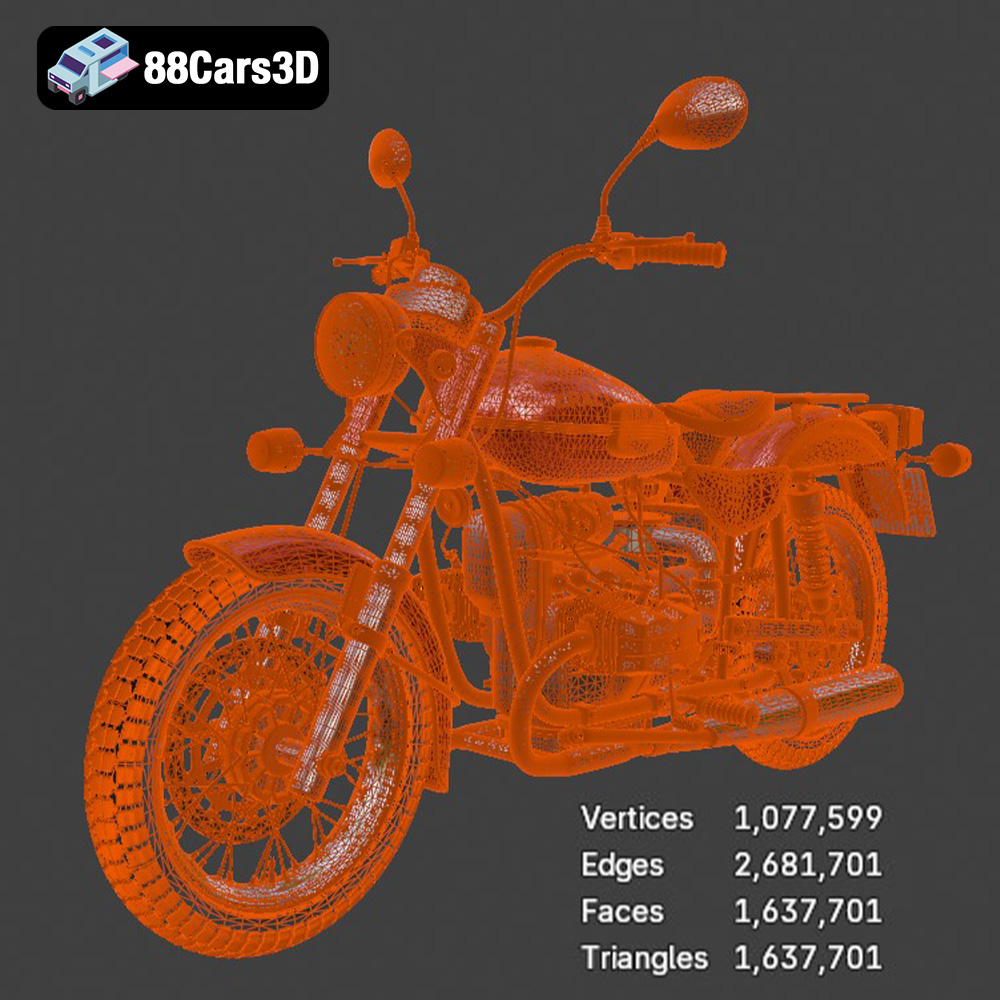
The quality of an .stl file is determined by the number of triangles used to represent the surface. A higher triangle count results in a smoother, more detailed model but also a larger file size and potentially longer slicing times. When preparing the Ural Solo sT .stl file for printing, ensure the mesh quality is adequate for capturing the intricate details of the motorcycle. If the model appears too faceted, consider increasing the mesh resolution in your 3D modeling software before exporting to .stl.
The .obj (object) format is another widely used format that can store both geometry and texture information. While it’s less commonly used for 3D printing than .stl, .obj can be valuable if you plan to create a multi-colored print using specialized printers that support color data. If you decide to go this route, keep in mind that not all slicers handle .obj texture information perfectly, so some experimentation might be necessary.
The .ply (polygon file format) is designed to store 3D data acquired from 3D scanners. It can handle complex geometries and textures, making it suitable for high-detail models. However, it’s not as universally supported as .stl, so compatibility with your slicing software should be verified.
The .blend file is the native format for Blender, a free and open-source 3D creation suite. Having the .blend file for the Ural Solo sT model allows for extensive customization before exporting for printing. You can modify the geometry, add details, or even separate the model into smaller parts for easier printing and assembly.
The .fbx (Filmbox) format is commonly used for exchanging 3D data between different software applications. It can store geometry, textures, materials, and animations. While not directly used for 3D printing, it’s useful for importing the Ural Solo sT model into other 3D software for modification or optimization before exporting as an .stl file.
The .glb (GL Transmission Format Binary) is designed for efficient delivery of 3D models, especially in web and AR/VR applications. This format can be useful for previewing the Ural Solo sT model on your phone or tablet using augmented reality before committing to the 3D printing process. This allows you to get a sense of the model’s scale and detail in a real-world context.
Similar to .blend, .max is the native format for 3ds Max, another professional 3D modeling and rendering software. Having the .max file allows for extensive modifications and enhancements to the Ural Solo sT model before exporting it for 3D printing.
Ultimately, the .stl format will be the primary choice for 3D printing the Ural Solo sT model. Its universal compatibility and simplicity make it the most reliable option. However, the other formats provide valuable options for customization and previewing before the final printing stage.
The choice of material significantly impacts the final look, feel, and functionality of your 3D printed Ural Solo sT. Here’s a breakdown of popular materials and their suitability for this project:
* Pros: PLA (Polylactic Acid) is a biodegradable thermoplastic known for its ease of use, low printing temperature, and minimal warping. It’s a great option for beginners and produces excellent detail, making it suitable for the Ural Solo sT’s intricate design. PLA also comes in a wide variety of colors.
* Cons: PLA is not as strong or heat-resistant as other materials. It can become brittle over time and is not ideal for parts that will be exposed to high temperatures or stress.
* Recommended Settings: Nozzle Temperature: 200-220°C, Bed Temperature: 50-60°C, Print Speed: 40-60 mm/s
* Pros: PETG (Polyethylene Terephthalate Glycol-modified) offers a good balance of strength, flexibility, and heat resistance. It’s more durable than PLA and can withstand higher temperatures. PETG also exhibits good layer adhesion, resulting in stronger prints.
* Cons: PETG can be more prone to stringing than PLA, requiring careful tuning of retraction settings. It also requires slightly higher printing temperatures.
* Recommended Settings: Nozzle Temperature: 230-250°C, Bed Temperature: 70-80°C, Print Speed: 40-50 mm/s
* Pros: ABS (Acrylonitrile Butadiene Styrene) is a strong, impact-resistant thermoplastic commonly used in engineering applications. It offers excellent heat resistance and durability, making it suitable for parts that will be subjected to stress or high temperatures.
* Cons: ABS is more difficult to print than PLA or PETG. It requires a heated bed and an enclosure to prevent warping and cracking. ABS also emits fumes during printing, so good ventilation is essential.
* Recommended Settings: Nozzle Temperature: 230-250°C, Bed Temperature: 90-110°C, Print Speed: 40-50 mm/s
* Pros: Resin 3D printing offers exceptional detail and surface finish compared to FDM (Fused Deposition Modeling) printing. It’s ideal for capturing the fine details of the Ural Solo sT, such as the engine components and bodywork.
* Cons: Resin printing is more expensive than FDM printing and requires more post-processing, including washing and curing. Resin materials can also be brittle and require careful handling.
* Recommended Settings: Varies depending on the specific resin used. Follow the manufacturer’s recommendations for layer height, exposure time, and lift speed.
For the Ural Solo sT model, PETG is an excellent choice, offering a good balance of durability and ease of printing. However, if you prioritize detail above all else, resin printing is the way to go. PLA is a good starting point for beginners to experiment with the model. ABS is best left to experienced users with suitable printers and ventilation.
Proper pre-print preparation is essential for a successful 3D printing outcome. This involves using slicing software to convert the 3D model into instructions for the printer and optimizing the model for printability.
* Software Options: Popular slicing software includes Cura, PrusaSlicer, Simplify3D, and Chitubox (for resin printing). Each software offers a range of settings to control the printing process.
* Key Settings:
* Layer Height: Smaller layer heights (e.g., 0.1mm – 0.2mm) result in finer details but increase print time. For the Ural Solo sT, a layer height of 0.15mm – 0.2mm is recommended for a good balance of detail and print time.
* Infill Density: Infill density determines the internal strength of the print. A higher infill density (e.g., 20-30%) provides greater strength but also increases material consumption and print time. For the Ural Solo sT, a 15-20% infill density is generally sufficient for most parts.
* Supports: Supports are necessary for overhangs and complex geometries. Use the slicing software to automatically generate supports, but carefully review their placement and adjust them as needed to minimize material usage and simplify removal. Tree supports often work well.
* Print Speed: Adjust print speed according to the material and printer capabilities. Slower speeds generally result in better print quality. A speed of 40-60 mm/s is a good starting point for most materials.
* Bed Adhesion: Use a brim or raft to improve bed adhesion, especially for larger parts or materials prone to warping.
* Orientation: Orient the Ural Solo sT model to minimize overhangs and the need for supports. Consider the aesthetic impact of layer lines and orient the model to align them with the natural contours of the motorcycle.
* Support Placement: Strategically place supports to minimize their impact on the visible surfaces of the model. Consider using different support densities and thicknesses in different areas to optimize support removal. Ensure that delicate features like the handlebars and exhaust pipes are adequately supported.
* Mesh Repair: Before slicing, check the .stl file for errors such as non-manifold edges or holes. Use mesh repair tools in your slicing software or dedicated software like MeshMixer to fix any issues.
* Scaling: Scale the model to your desired size, keeping in mind the limitations of your printer’s build volume. Consider printing the Ural Solo sT in multiple parts if it’s too large to print in one piece.
With the model prepared and the settings dialed in, it’s time to start printing. Here are some best practices to ensure a smooth and successful printing process.
* First Layer: Pay close attention to the first layer. Proper bed adhesion is crucial for the rest of the print. Adjust the bed level if necessary.
* Layer Adhesion: Monitor layer adhesion throughout the print. If you notice any signs of delamination or warping, stop the print and troubleshoot the issue.
* Support Structures: Observe the support structures as they are being printed. Ensure they are strong enough to support the model without collapsing.
* Temperature Adjustments: Fine-tune the nozzle and bed temperatures mid-print if you notice any issues with adhesion or warping.
* Speed Adjustments: Adjust the print speed to improve print quality in specific areas, such as around fine details or overhangs.
* Warping: Warping can be caused by poor bed adhesion or uneven cooling. Use a heated bed, enclosure, or brim to improve bed adhesion. Reduce print speed and increase bed temperature to minimize warping.
* Stringing: Stringing occurs when molten plastic oozes from the nozzle during travel moves. Increase retraction distance and speed, decrease nozzle temperature, and ensure the filament is dry.
* Layer Shifting: Layer shifting can be caused by loose belts, high print speeds, or mechanical issues with the printer. Tighten belts, reduce print speed, and check for any obstructions in the printer’s movement.
* Support Failure: Support failure can be caused by weak support structures or insufficient support density. Increase support density, adjust support placement, and ensure the supports are properly attached to the model and the build plate.
Post-processing is the final stage in bringing your 3D printed Ural Solo sT to life. This involves removing supports, sanding, painting, and assembling the model.
* Support Removal: Carefully remove the support structures using pliers, a hobby knife, or other suitable tools. Be gentle to avoid damaging the model.
* Sanding: Sand the surface of the model to remove layer lines and smooth out imperfections. Start with coarse grit sandpaper (e.g., 220 grit) and gradually move to finer grits (e.g., 400 grit, 600 grit, 800 grit) for a smooth finish. Wet sanding can help reduce dust and improve the surface finish.
* Priming: Apply a primer coat to the model to create a smooth surface for painting. Primer also helps the paint adhere better to the plastic.
* Painting: Paint the model with your desired colors using spray paint, acrylic paint, or other suitable paints. Apply multiple thin coats for a smooth and even finish. Consider using stencils or masking tape for intricate details.
* Clear Coat: Apply a clear coat to protect the paint and add a glossy or matte finish.
* Assembly: If the model was printed in multiple parts, assemble them using glue or screws. Ensure that the parts fit together properly and align correctly.
* Detailing: Add fine details to the model using paint pens, decals, or other detailing materials. Consider adding weathering effects to enhance the realism of the Ural Solo sT.
With patience and attention to detail, you can transform your 3D printed Ural Solo sT into a stunning replica of this iconic motorcycle.
Predicting the exact print time and material cost can be tricky as it depends heavily on your specific printer, settings, and material prices. However, we can provide some general estimates:
* Print Time: For a model printed at a reasonable size (e.g., 20cm long) with standard settings (0.2mm layer height, 20% infill), expect a print time of 20-40 hours for FDM printing. Resin printing, while offering finer details, can also take a similar amount of time, depending on the size and complexity of the model.
* Material Cost: A 1kg spool of PLA or PETG typically costs around $20-$30. Depending on the size and infill of the Ural Solo sT model, you might use 200-500 grams of filament, translating to a material cost of $4-$15. Resin costs vary more widely, but expect to use $10-$30 worth of resin for a similar sized print.
These are just estimates, and your actual print time and material cost may vary. Use your slicing software to get a more accurate estimate based on your specific settings.
3D printing the Ural Solo sT 3D model from 88cars3d.com is a project that combines technical skill with artistic expression. By understanding the nuances of material selection, slicing settings, and post-processing techniques, you can create a stunning replica of this iconic motorcycle. Remember to be patient, experiment with different settings, and don’t be afraid to learn from your mistakes. The journey of 3D printing is as rewarding as the final product. Whether you’re creating a display piece, a game asset, or a prototype, the Ural Solo sT model offers a fantastic opportunity to hone your 3D printing skills.
Experience true realism with the Ural Solo sT 3D Model. This carefully crafted digital asset captures the rugged design and iconic presence of the Ural Solo sT, delivering exceptional detail for your projects. Ideal for both close-up shots and expansive environments, this model brings authentic structural precision to any scene.
$19.99
.arvr
.blend
.car3dmodel
.cruiser
.fbx
.gameasset
.glb
.max
.motorcycle
.obj
.ply
.rendering
.simulation
.solost
.stl
.unreal
.ural