Get 50% OFF All Premium 3D & STL Models!

“`html
So, you’re ready to dive into the exciting world of 3D printing and bring those stunning car models from 88cars3d.com to life? That’s fantastic! But with so many options available, choosing the right 3D printer can feel overwhelming, especially on a budget. Don’t worry; this guide is designed to help you navigate the landscape and find the perfect entry-level 3D printer to get you started. We’ll explore some of the top contenders, focusing on their features, capabilities, and suitability for printing detailed STL files, like those found on 88cars3d.com. We’ll cover everything from essential printer settings to crucial slicing techniques, ensuring your first prints are a success. Get ready to transform your digital dreams into tangible realities!
Before jumping into specific printer recommendations, it’s vital to assess your needs. Are you primarily interested in detailed models, or are larger, less intricate prints your focus? Consider the build volume, material compatibility, and ease of use. Also, think about the available space in your workshop or hobby area. A larger printer requires more room. Finally, factor in your budget; while we’re focusing on budget-friendly options, prices can still vary significantly.
The two primary types of 3D printers for hobbyists are Fused Deposition Modeling (FDM) and Stereolithography (Resin). Understanding their differences is crucial for choosing the right printer for your needs, particularly when dealing with detailed STL files. FDM printers use thermoplastic filaments, melting and extruding them layer by layer to build the model. Resin printers, on the other hand, use liquid resin cured by UV light.
FDM printers are generally more affordable and easier to maintain than resin printers. They are also more versatile, capable of printing with various materials like PLA, PETG, and ABS. However, FDM printers typically produce less detailed prints than resin printers, which might be a concern when printing intricate car models. For beginners, FDM printers are often recommended due to their simplicity and lower initial cost. Print bed adhesion is a common issue, so using a heated bed and applying adhesion aids like glue sticks or painter’s tape is crucial.
Resin printers excel in producing highly detailed prints with smooth surfaces, making them ideal for intricate car models. The technology allows for finer layer heights (down to 0.01mm), resulting in smoother curves and sharper details compared to FDM printers. However, resin printing requires more safety precautions due to the toxicity of the resin. It also involves more post-processing, including washing and curing the prints. Consider resin printing if your primary goal is achieving the highest possible detail and you are comfortable with the extra steps and safety measures. Resin printers also require specific disposal methods for the resin and cleaning agents used, adding to the overall cost and complexity.
For those starting with FDM printing, several budget-friendly options offer excellent performance and ease of use. These printers are often a great starting point for learning the ropes and experimenting with different materials and print settings. Successfully printing car models from platforms like 88cars3d.com on these printers will often depend on careful model preparation and proper slicer settings.
The Creality Ender 3 series is renowned for its affordability, large community support, and upgradeability. The Ender 3 V2 and Ender 3 S1 are popular choices for beginners. The Ender 3 V2 features a silent motherboard, a tempered glass bed for improved adhesion, and a user-friendly interface. The Ender 3 S1 boasts a direct drive extruder, enabling it to handle flexible filaments more effectively. When printing STL files on the Ender 3, ensure proper bed leveling and use a layer height of 0.1mm to 0.2mm for a good balance between speed and detail. An infill percentage of 15-20% is typically sufficient for most car models. Common issues include warping, which can be mitigated by using a brim or raft in the slicer settings.
The Anycubic Mega series offers a sturdy frame and a large build volume for the price. The Mega S features a heated bed and a reliable extruder, making it suitable for various materials. The Mega Zero 2.0 is a more budget-oriented option with a simplified design. Before printing, inspect your STL files using software like Meshmixer to repair any non-manifold edges or holes, which can cause printing errors. When slicing, consider using adaptive layer heights, which allow the printer to use finer layers for detailed areas and thicker layers for less critical sections, optimizing both print time and quality. Remember to calibrate your extruder steps/mm for accurate filament extrusion.
If highly detailed car models are your priority, consider a budget-friendly resin printer. While they require more attention to safety and post-processing, the results can be stunning. Pay close attention to the recommended exposure times and leveling procedures for your chosen printer and resin combination. These settings are critical for successful resin printing.
The Elegoo Mars series is a popular choice for beginners due to its affordability and ease of use. The Mars 3 offers a high-resolution LCD screen for detailed prints, while the Mars 4 provides improved printing speeds. Resin printers require proper support structures, especially for overhanging features. Use slicing software like Chitubox or Lychee Slicer to generate supports automatically or manually add them where needed. When downloading models from marketplaces such as 88cars3d.com, look for pre-supported versions to save time and ensure successful printing. Always wear gloves and eye protection when handling resin, and work in a well-ventilated area.
The Anycubic Photon series offers a range of options with varying build volumes and resolutions. The Photon Mono 4K provides excellent detail at an affordable price, while the Photon Mono X 6K offers a larger build volume for printing bigger models or multiple parts simultaneously. Post-processing is crucial for resin prints. Wash the printed models in isopropyl alcohol (IPA) to remove uncured resin, then cure them under UV light to fully harden them. Properly cured prints are less likely to crack or warp over time. Regularly replace the FEP film in the resin vat to prevent print failures caused by adhesion issues.
Regardless of the printer you choose, slicing software is essential for preparing your STL files for printing. Slicing software converts the 3D model into a series of layers that the printer can understand. It also allows you to adjust various settings that affect print quality, speed, and material usage. Popular slicing software options include Cura, PrusaSlicer, and Simplify3D. Experimenting with different settings is key to finding the optimal configuration for your printer and material.
Understanding key slicing parameters is crucial for achieving successful prints. Layer height determines the thickness of each layer, with thinner layers resulting in finer detail but longer print times. Infill density affects the internal strength of the model, with higher densities providing more strength but also increasing material usage. Print speed impacts the overall print time, with slower speeds generally producing better quality. Support structures are necessary for overhanging features to prevent them from collapsing during printing. Fine-tuning these parameters based on your model and material is essential.
When printing car models from 88cars3d.com, consider the level of detail required. For intricate models, use a smaller layer height (e.g., 0.1mm for FDM, 0.03mm for resin) and a slower print speed. For larger, less detailed models, you can increase the layer height and print speed to save time. Pay close attention to support structures, ensuring they are strong enough to support overhanging features but also easy to remove without damaging the model. Experiment with different infill patterns to optimize strength and material usage. Platforms like 88cars3d.com offer print-ready STL files, but tweaking the slicing settings can further enhance the final result.
Post-processing is the final step in the 3D printing process, involving cleaning, sanding, painting, and assembling the printed parts. This stage is crucial for achieving a professional-looking finish and transforming a raw print into a polished model. The specific techniques required will vary depending on the printing technology and material used.
For FDM prints, sanding is often necessary to remove layer lines and smooth the surface. Start with coarse sandpaper and gradually move to finer grits for a smooth finish. Priming the model before painting helps the paint adhere better and provides a uniform surface. Use multiple thin coats of paint for the best results. Assembly may involve gluing parts together, so use a suitable adhesive and ensure proper alignment. Consider using model-building tools like sprue cutters and hobby knives for clean and precise assembly.
Resin prints require washing in isopropyl alcohol (IPA) to remove uncured resin, followed by curing under UV light to fully harden the material. Use a dedicated washing and curing station for best results. Ensure proper ventilation when working with IPA, as it is flammable. After curing, remove any remaining support structures and sand any imperfections. Resin prints can also be painted using acrylic paints, but priming is often necessary for proper adhesion.
3D printing can be challenging, and encountering printing issues is inevitable, especially for beginners. Understanding common problems and their solutions can save you time and frustration. Issues like warping, adhesion problems, stringing, and elephant’s foot can be addressed with proper troubleshooting techniques. Regularly checking your printer’s calibration and performing maintenance can also prevent many common problems.
Warping occurs when the corners of the print lift off the build plate due to uneven cooling. This is more common with materials like ABS. To prevent warping, ensure your build plate is properly leveled and heated. Use a brim or raft to increase the surface area in contact with the build plate. Apply adhesion aids like glue sticks or painter’s tape to improve adhesion. Enclosing the printer can also help maintain a more consistent temperature and reduce warping.
Stringing occurs when the nozzle leaks plastic while traveling between parts of the print. This can be caused by excessive retraction distance or temperature. To fix stringing, adjust the retraction settings in your slicer software and lower the nozzle temperature. Elephant’s foot is when the bottom layers of the print are wider than the rest of the model. This is often caused by the bed being too close to the nozzle. To fix elephant’s foot, adjust the Z-offset and ensure the bed is properly leveled.
Choosing the right budget 3D printer is a crucial first step towards bringing your vision to life, especially when printing intricate car models from 88cars3d.com. Whether you opt for an FDM printer for its versatility and affordability or a resin printer for its high detail resolution, understanding the technology, mastering the slicing software, and perfecting post-processing techniques are essential for success. Remember to experiment with different settings, troubleshoot common issues, and continuously learn and improve your skills. With dedication and the right tools, you’ll be creating stunning 3D printed models in no time. So, get printing and unleash your creativity!
“`
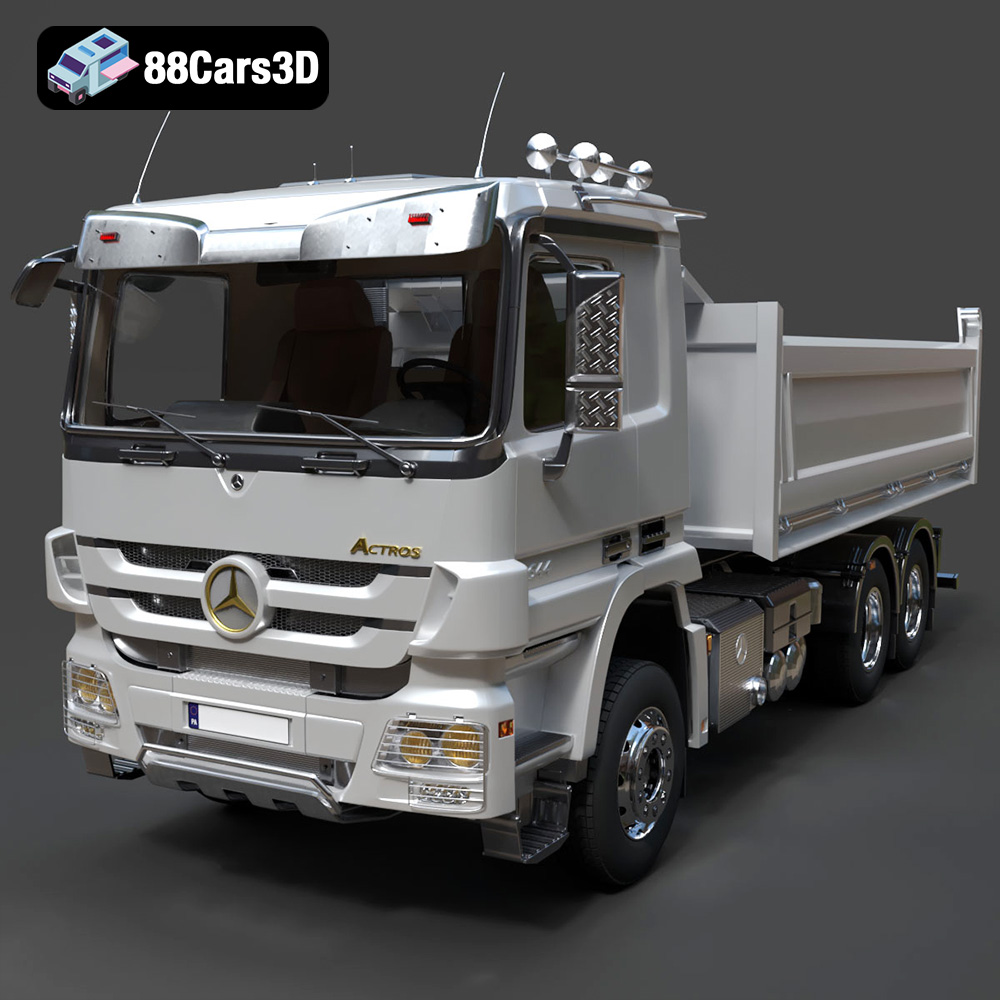
Texture: Yes | Material: Yes
Download the highly detailed, game-ready Mercedes-Benz Actros Tipper 3-Axle 2011 3D Model. Features a functional hydraulic tipper bed, detailed multi-axle chassis, and an accurate commercial cab. Includes .blend, .fbx, .obj, .glb, .stl, .ply, .unreal, and .max formats for game development, AR/VR, and rendering.
Price: $19.99

Texture: Yes | Material: Yes
Download the highly detailed, game-ready Lexus LX Mk3f J200 2016 3D Model. Features the iconic spindle grille, sharp L-shaped LED lighting, and a premium luxury interior. Includes .blend, .fbx, .obj, .glb, .stl, .ply, .unreal, and .max formats for game development, AR/VR, and rendering.
Price: $19.99

Texture: Yes | Material: Yes
Download the highly detailed, game-ready Lexus RX350 2010 3D Model. Features sleek crossover styling, distinctive L-finesse design cues, and an accurate interior layout. Includes .blend, .fbx, .obj, .glb, .stl, .ply, .unreal, and .max formats for game development, AR/VR, and rendering.
Price: $19.99

Texture: Yes | Material: Yes
Download the highly detailed, game-ready Lexus LS 500 2018 3D Model. Features the signature spindle grille, elegant flowing silhouette, and intricate Z-shaped LED lighting. Includes .blend, .fbx, .obj, .glb, .stl, .ply, .unreal, and .max formats for game development, AR/VR, and rendering.
Price: $19.99

Texture: Yes | Material: Yes
Download the highly detailed, game-ready Kawasaki Ninja 3D Model. Features an aggressive aerodynamic fairing, detailed inline-four engine, and racing-inspired ergonomics. Includes .blend, .fbx, .obj, .glb, .stl, .ply, .unreal, and .max formats for game development, AR/VR, and rendering.
Price: $19.99
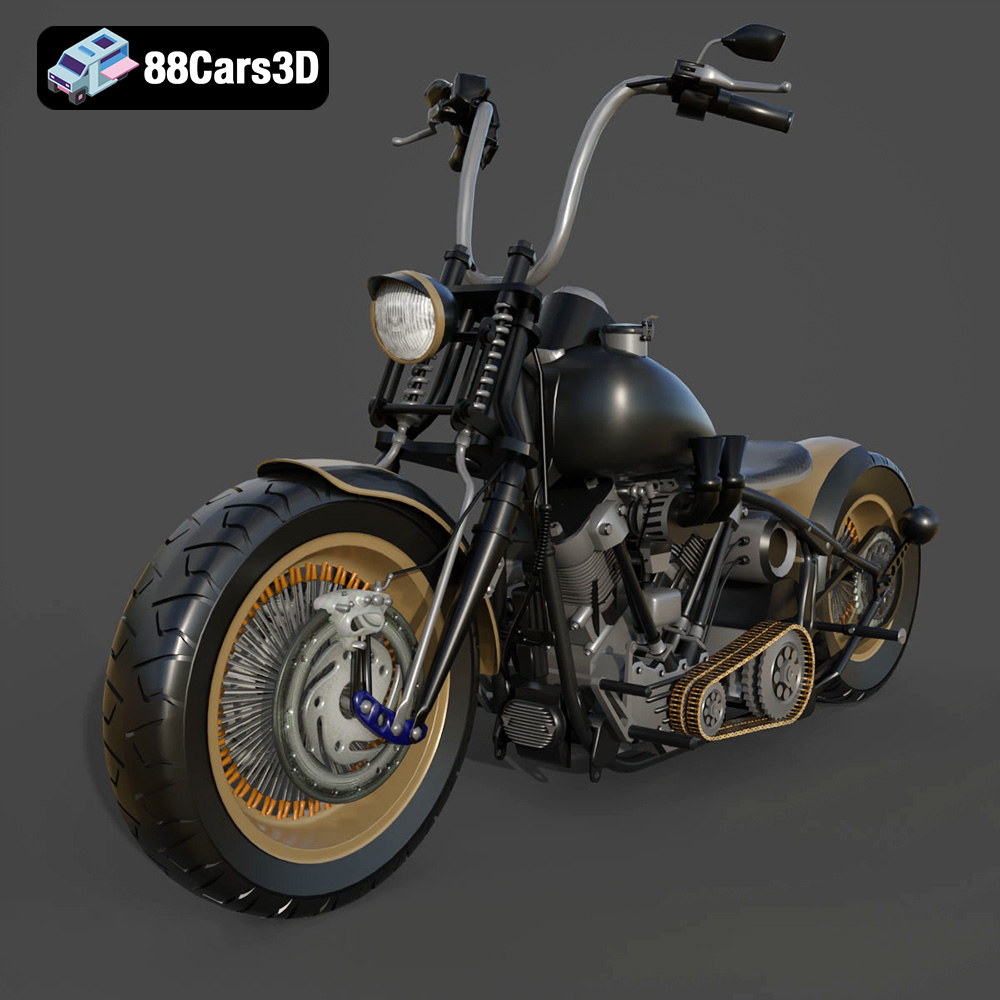
Texture: Yes
Material: Yes
Download the Harley Davidson Knucklehead 3D Model featuring clean geometry, realistic detailing, and a fully modeled interior. Includes .blend, .fbx, .obj, .glb, .stl, .ply, .unreal, and .max formats for rendering, simulation, and game development.
Price: $19.99
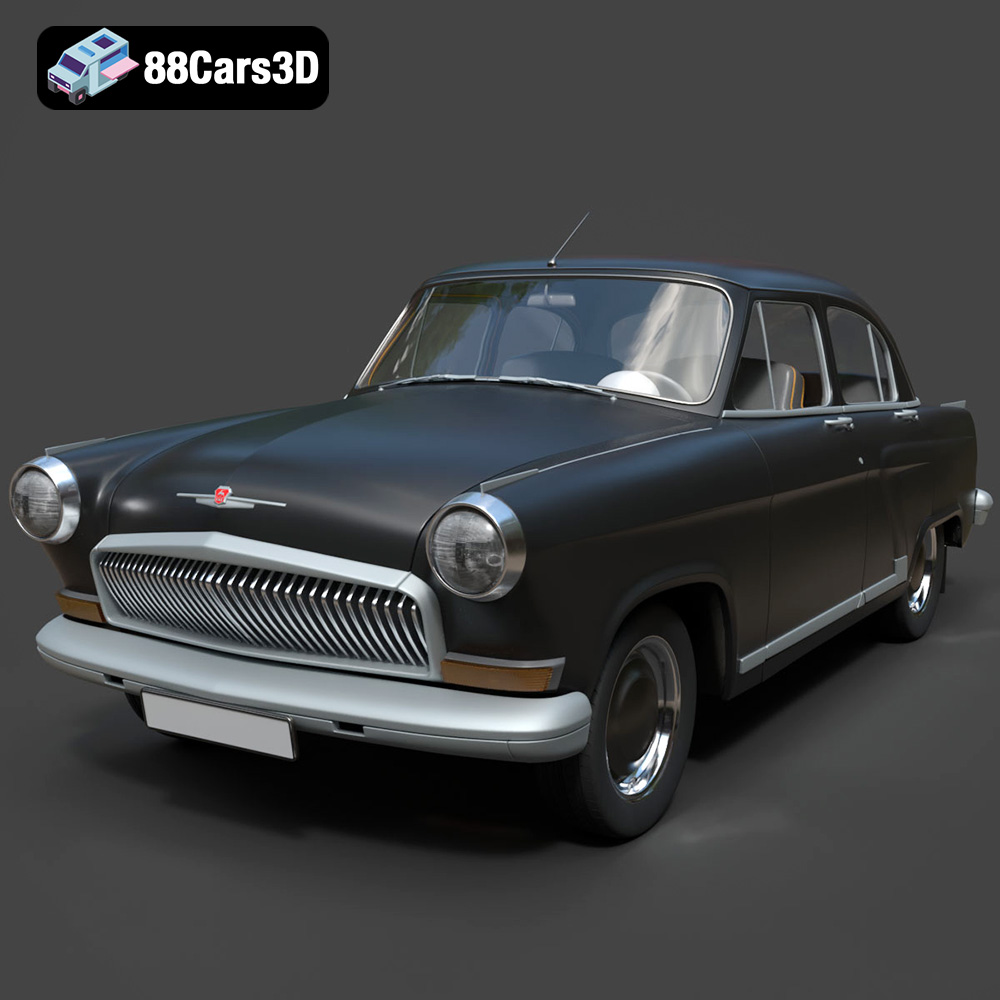
Texture: Yes
Material: Yes
Download the GAZ 21-001 3D Model featuring clean geometry, realistic detailing, and a fully modeled interior. Includes .blend, .fbx, .obj, .glb, .stl, .ply, .unreal, and .max formats for rendering, simulation, and game development.
Price: $19.99

Texture: Yes
Material: Yes
Download the Ural Solo sT 3D Model featuring clean geometry, realistic detailing, and a fully modeled interior. Includes .blend, .fbx, .obj, .glb, .stl, .ply, .unreal, and .max formats for rendering, simulation, and game development.
Price: $19.99

Texture: Yes
Material: Yes
Download the Lexus GX460 2014 3D Model featuring clean geometry, realistic detailing, and a fully modeled interior. Includes .blend, .fbx, .obj, .glb, .stl, .ply, .unreal, and .max formats for rendering, simulation, and game development.
Price: $19.99
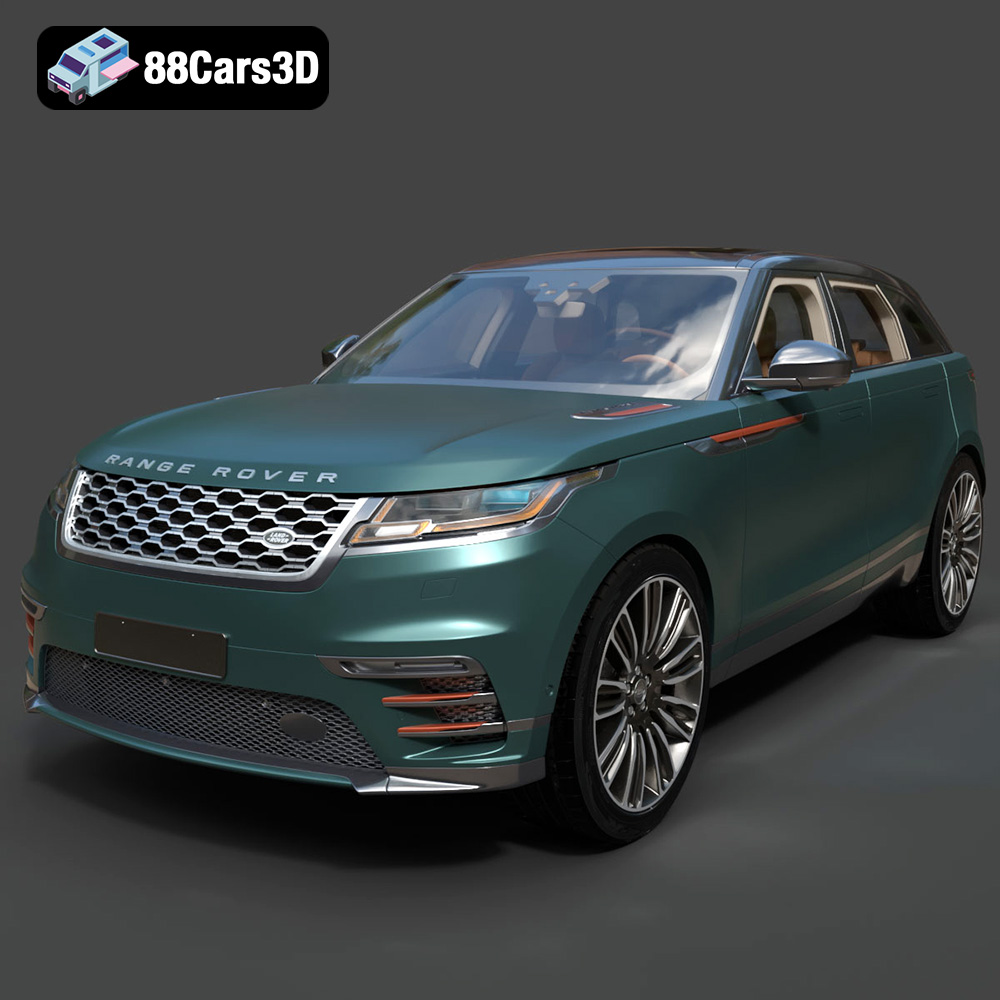
Texture: Yes
Material: Yes
Download the Land Rover Range Rover Velar 2018 3D Model featuring clean geometry, realistic detailing, and a fully modeled interior. Includes .blend, .fbx, .obj, .glb, .stl, .ply, .unreal, and .max formats for rendering, simulation, and game development.
Price: $19.99

