Get 50% OFF All Premium 3D & STL Models!

“`html
The world of 3D printing has revolutionized prototyping, model making, and even small-scale manufacturing. For automotive enthusiasts and professionals, this means the ability to bring car designs to life, create custom parts, and develop intricate models. However, the success of any 3D printing project hinges heavily on choosing the right material. This article delves into the best resins and filaments for automotive 3D prints, covering their properties, applications, and crucial printing considerations. Whether you’re printing a detailed scale model from platforms like 88cars3d.com or prototyping a functional component, understanding material selection is paramount. We’ll explore FDM filaments like PLA, ABS, PETG, and Nylon, alongside resin options such as standard resin, tough resin, and high-temperature resin, providing detailed insights into their pros, cons, and ideal use cases. You’ll also learn about essential 3D printer settings, slicing techniques, and post-processing methods to achieve professional-quality results.
Before diving into specific materials, it’s crucial to understand the two primary 3D printing technologies used: Fused Deposition Modeling (FDM) and Stereolithography (SLA)/Digital Light Processing (DLP). FDM involves extruding molten filament layer by layer, while SLA/DLP uses light to cure liquid resin. This fundamental difference dictates the materials that can be used and the resulting print characteristics.
FDM printers generally offer a wider range of filament options, are easier to maintain, and are often more affordable. SLA/DLP printers, on the other hand, excel at producing highly detailed and accurate parts with smooth surfaces, making them ideal for intricate automotive models and prototypes where aesthetics are critical.
FDM 3D printing utilizes filaments, which are thermoplastic materials fed through a heated nozzle. These filaments come in various compositions, each possessing unique properties that cater to specific automotive applications. The choice of filament directly influences the strength, durability, heat resistance, and overall finish of the printed part.
PLA is a biodegradable thermoplastic derived from renewable resources like cornstarch or sugarcane. It’s known for its ease of printing, low printing temperature (around 190-220°C), and minimal warping. PLA is an excellent choice for beginners and for printing large models where warping might be a concern. However, PLA has lower heat resistance (around 55°C) and is less durable than other options, making it unsuitable for functional automotive parts exposed to high temperatures or stress. For purely aesthetic models downloaded from marketplaces such as 88cars3d.com, PLA can be a great and cost-effective choice.
ABS is a petroleum-based thermoplastic known for its strength, impact resistance, and higher heat resistance (around 85°C) compared to PLA. It’s commonly used in automotive interiors and exterior components. However, ABS requires a heated bed (around 100-110°C) and a well-ventilated printing environment due to the fumes it emits during printing. Warping can also be a challenge with ABS, so an enclosure is often recommended. Using an adhesive on the build plate, such as a glue stick or hairspray, can improve bed adhesion.
PETG combines the ease of printing of PLA with the strength and durability of ABS. It offers good chemical resistance, decent heat resistance (around 70-80°C), and is less prone to warping than ABS. PETG is a versatile material suitable for a wide range of automotive applications where a balance of properties is needed. It also has good layer adhesion, resulting in strong and durable prints. However, PETG can be slightly stringy during printing, requiring careful adjustment of retraction settings in your slicer software.
Nylon is a strong, durable, and flexible thermoplastic known for its excellent chemical resistance and abrasion resistance. It’s often used in automotive applications requiring high performance and durability, such as gears, bushings, and hinges. However, nylon is hygroscopic, meaning it absorbs moisture from the air, which can significantly affect print quality. It’s crucial to store nylon filament in a dry environment and use a filament dryer during printing. Nylon also requires higher printing temperatures (around 240-260°C) and a heated bed (around 80-100°C). Adhesion to the build plate can be challenging, so using a specialized adhesive or a PEI bed surface is recommended.
Resin 3D printing, specifically SLA and DLP, utilizes liquid resins that are cured by light. These technologies offer superior detail and smoother surfaces compared to FDM, making them ideal for intricate automotive models and prototypes requiring high precision. However, resin printing typically involves a smaller build volume, can be more expensive, and requires post-processing steps such as washing and curing.
Standard resin is the most common and affordable type of resin. It offers good detail and surface finish, making it suitable for general-purpose automotive models and prototypes. However, standard resin is typically brittle and has limited heat resistance, making it unsuitable for functional parts exposed to stress or high temperatures. It’s excellent for displaying detailed scale models.
Tough resin is formulated to provide enhanced strength and impact resistance compared to standard resin. It’s suitable for functional prototypes and parts that require higher durability. While still not as strong as some FDM filaments like nylon, tough resin offers a good balance of detail and mechanical properties. It’s often used for snap-fit components and parts that need to withstand some stress.
High-temperature resin is designed to withstand elevated temperatures without deforming or losing its properties. It’s ideal for automotive applications where parts are exposed to heat, such as engine components or housings near the exhaust system. These resins typically require a more powerful curing process to achieve their maximum heat resistance. Specific heat deflection temperatures vary depending on the specific resin formulation, so always consult the manufacturer’s specifications.
Achieving optimal results in 3D printing, especially for automotive parts, requires careful adjustment of printer settings. These settings control various aspects of the printing process, including layer height, infill density, print speed, and support structures. Understanding how these settings interact is crucial for producing strong, accurate, and aesthetically pleasing parts.
Layer height is the thickness of each layer of material deposited during printing. Lower layer heights (e.g., 0.05mm) result in smoother surfaces and finer details but increase print time. Higher layer heights (e.g., 0.2mm) reduce print time but compromise surface finish and detail. For automotive models where aesthetics are important, a lower layer height is generally preferred. For functional parts where strength is paramount, a slightly higher layer height can improve layer adhesion.
Infill density determines the amount of material used inside the printed part. Higher infill densities result in stronger but heavier parts, while lower infill densities reduce weight but compromise strength. The infill pattern also affects the part’s strength and weight. Common infill patterns include rectilinear, grid, triangular, and gyroid. For automotive parts, the infill density and pattern should be chosen based on the specific application and the desired balance between strength and weight. For example, a functional bracket might require a higher infill density and a stronger infill pattern like triangular or gyroid, while a purely decorative model can use a lower infill density and a simpler pattern like rectilinear.
Support structures are temporary structures used to support overhanging features during printing. They are necessary to prevent these features from collapsing or warping. Support structures should be designed to be easily removed after printing without damaging the part. The type and density of support structures depend on the geometry of the part and the material being used. For FDM printing, common support types include linear, tree, and zigzag. For resin printing, supports are typically generated as lattice structures. The placement and density of supports are critical for ensuring successful prints, especially for complex automotive models.
Post-processing is the set of operations performed on a 3D printed part after it’s removed from the printer. These operations can include removing support structures, sanding, painting, and assembling multiple parts. Post-processing is often necessary to achieve the desired finish and functionality for automotive parts.
Removing support structures is often the first step in post-processing. For FDM prints, supports can be carefully broken away or cut off using pliers or a knife. For resin prints, supports are typically removed by snapping them off or using a solvent to dissolve them. After removing supports, the surface of the part may be rough or uneven. Sanding can be used to smooth the surface and remove any imperfections. Start with coarse sandpaper and gradually move to finer grits to achieve a smooth finish. For resin prints, wet sanding is often recommended to prevent the resin from clogging the sandpaper.
Painting is a common post-processing technique used to enhance the appearance of 3D printed automotive parts. Before painting, it’s important to prime the part to improve adhesion and create a smooth surface for the paint. Use multiple thin coats of paint to avoid runs or drips. After painting, a clear coat can be applied to protect the paint and add a glossy finish. For automotive models, using automotive-grade paints and clear coats will provide the most durable and authentic finish.
Many automotive projects involve printing multiple parts that need to be assembled. Assembly can be done using glue, screws, or snap-fit connections. When designing parts for assembly, it’s important to consider tolerances and clearances to ensure a proper fit. For parts that need to be glued, use a strong adhesive that is compatible with the material being used. For parts that need to be screwed together, use self-tapping screws or insert threaded inserts into the 3D printed parts.
Even with the best materials and settings, 3D printing can sometimes encounter problems. Understanding common issues and their solutions is crucial for achieving successful prints.
Warping occurs when the corners or edges of a 3D printed part lift off the build plate during printing. This is often caused by uneven cooling or poor bed adhesion. To prevent warping, ensure the build plate is properly leveled and heated. Use an adhesive on the build plate, such as a glue stick or hairspray. Enclosing the printer can also help to maintain a consistent temperature and prevent drafts. If warping persists, try increasing the bed temperature or using a raft or brim.
Stringing occurs when thin strands of filament are left between different parts of the print. This is often caused by excessive retraction distance or temperature. To prevent stringing, reduce the retraction distance or temperature. Increase the retraction speed. Ensure the filament is dry and stored properly. Blobs are small lumps of material that appear on the surface of the print. This can be caused by inconsistent extrusion or nozzle oozing. To prevent blobs, reduce the nozzle temperature or increase the retraction distance. Adjust the coasting settings in your slicer software.
Layer separation occurs when the layers of a 3D printed part do not adhere properly to each other, resulting in weak or brittle prints. This can be caused by insufficient nozzle temperature, poor bed adhesion, or inadequate cooling. To prevent layer separation, increase the nozzle temperature or bed temperature. Ensure the bed is properly leveled and clean. Reduce the cooling fan speed to improve layer adhesion. Increasing the infill density can also strengthen the print.
Choosing the right material is the cornerstone of successful automotive 3D printing. Whether you opt for the affordability and ease of PLA, the strength and heat resistance of ABS, the balanced properties of PETG, the high performance of Nylon, or the exceptional detail of resin, understanding the nuances of each material is crucial. Remember to tailor your 3D printer settings, including layer height, infill density, and support structures, to the specific material and application. Post-processing techniques like support removal, sanding, and painting can further enhance the quality and appearance of your prints. By mastering material selection and optimizing your printing process, you can unlock the full potential of 3D printing for automotive design, prototyping, and model making. Platforms like 88cars3d.com offer a fantastic starting point, providing high-quality STL files ready to be brought to life with the right material and technique. Experiment, refine your process, and enjoy the journey of creating stunning automotive masterpieces with 3D printing.
“`
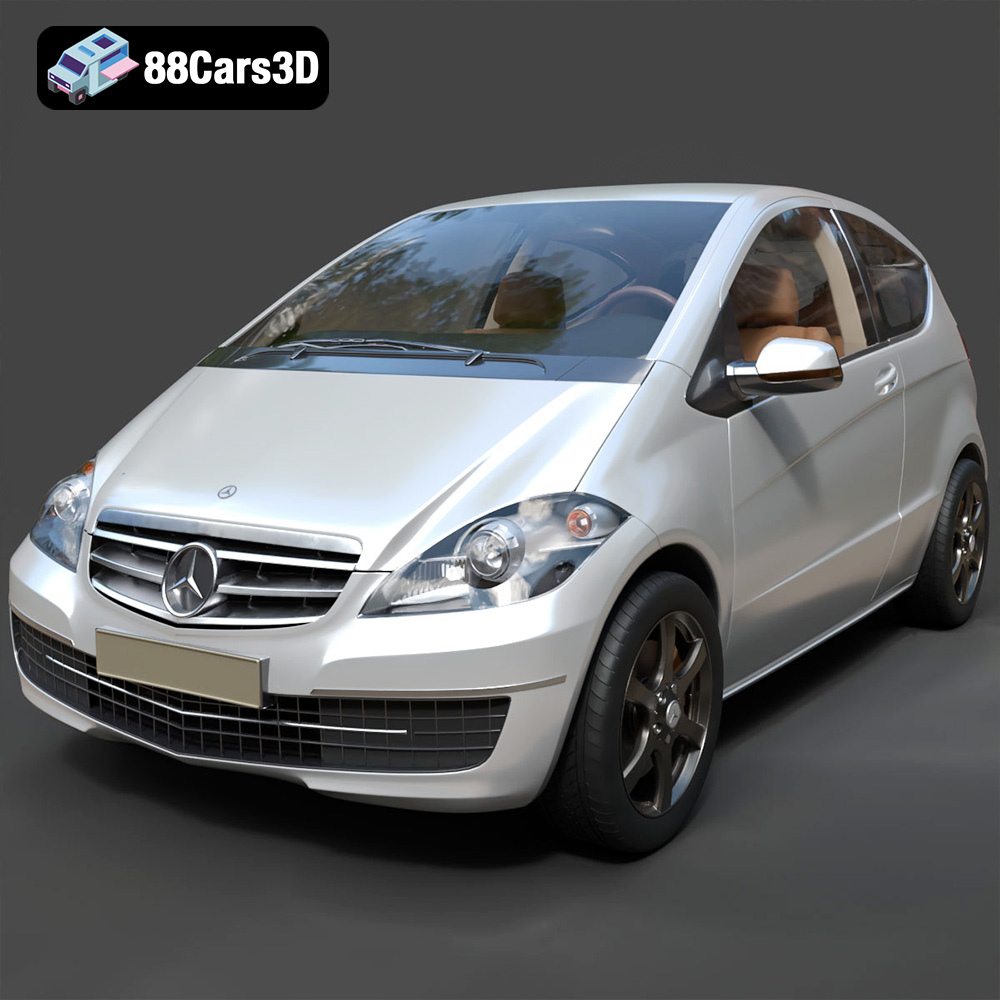
Texture: Yes | Material: Yes
Download the highly detailed, game-ready Mercedes-Benz A-Class 3-Door 2010 3D Model. Features an accurate compact luxury exterior, detailed interior, and optimized topology. Includes .blend, .fbx, .obj, .glb, .stl, .ply, .unreal, and .max formats for game development, AR/VR, and rendering.
Price: $19.99
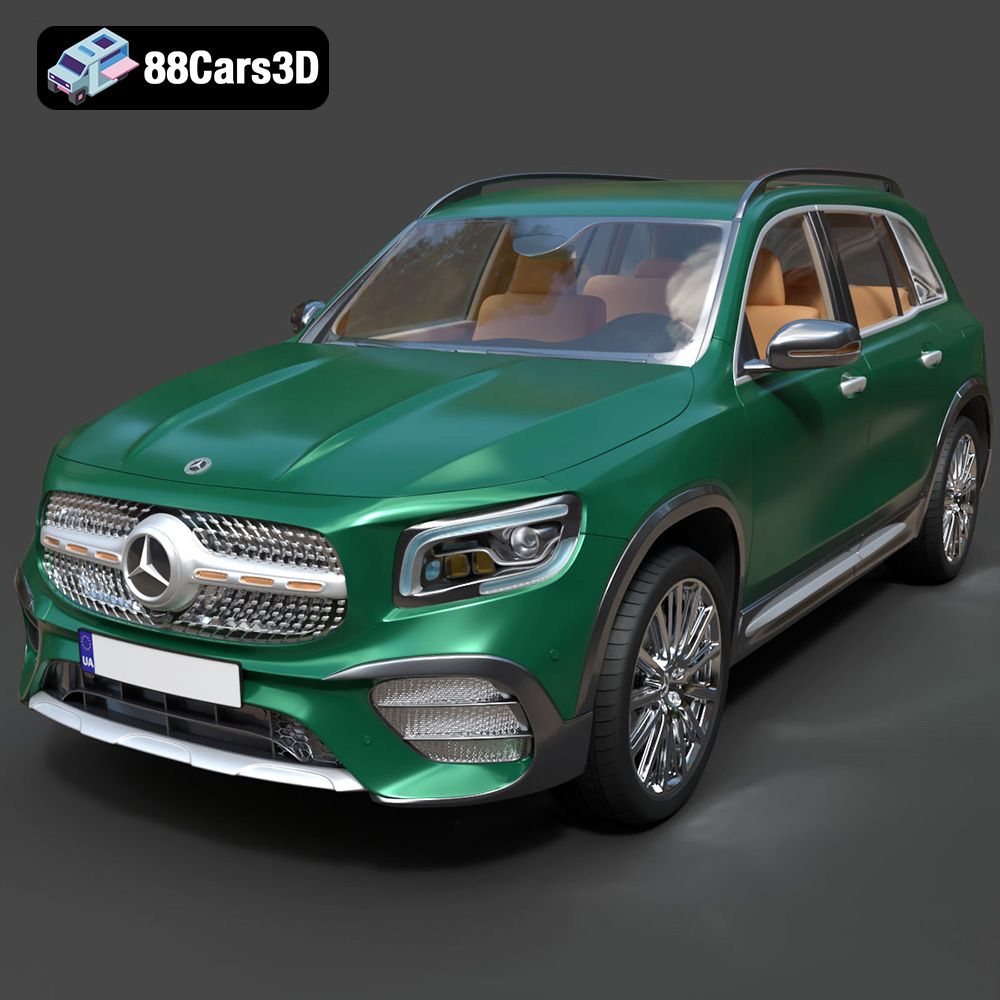
Texture: Yes | Material: Yes
Download the highly detailed, game-ready Mercedes-Benz GLB-Class (Mk1) AMG Line 2019 3D Model. Features sporty AMG Line exterior styling, accurate LED lighting, and premium interior details. Includes .blend, .fbx, .obj, .glb, .stl, .ply, .unreal, and .max formats for game development, AR/VR, and rendering.
Price: $19.99
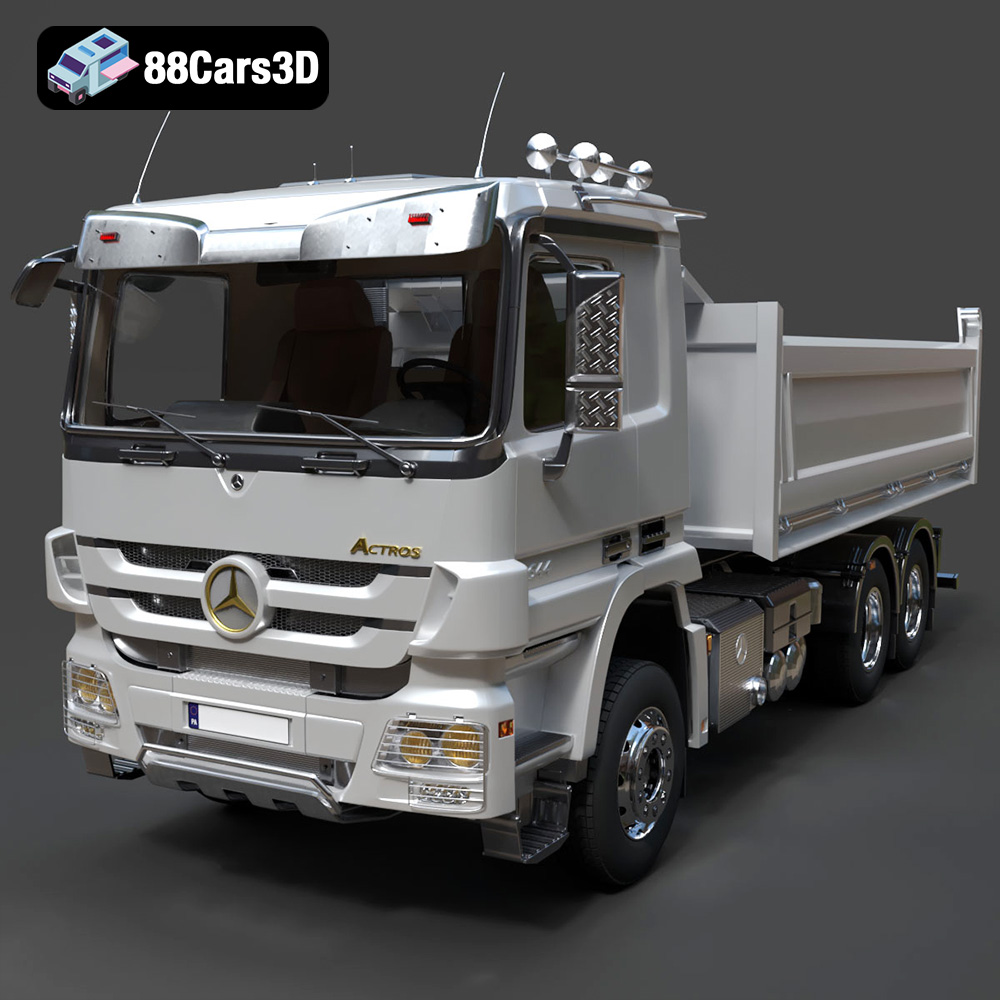
Texture: Yes | Material: Yes
Download the highly detailed, game-ready Mercedes-Benz Actros Tipper 3-Axle 2011 3D Model. Features a functional hydraulic tipper bed, detailed multi-axle chassis, and an accurate commercial cab. Includes .blend, .fbx, .obj, .glb, .stl, .ply, .unreal, and .max formats for game development, AR/VR, and rendering.
Price: $19.99

Texture: Yes | Material: Yes
Download the highly detailed, game-ready Lexus LX Mk3f J200 2016 3D Model. Features the iconic spindle grille, sharp L-shaped LED lighting, and a premium luxury interior. Includes .blend, .fbx, .obj, .glb, .stl, .ply, .unreal, and .max formats for game development, AR/VR, and rendering.
Price: $19.99

Texture: Yes | Material: Yes
Download the highly detailed, game-ready Lexus RX350 2010 3D Model. Features sleek crossover styling, distinctive L-finesse design cues, and an accurate interior layout. Includes .blend, .fbx, .obj, .glb, .stl, .ply, .unreal, and .max formats for game development, AR/VR, and rendering.
Price: $19.99

Texture: Yes | Material: Yes
Download the highly detailed, game-ready Lexus LS 500 2018 3D Model. Features the signature spindle grille, elegant flowing silhouette, and intricate Z-shaped LED lighting. Includes .blend, .fbx, .obj, .glb, .stl, .ply, .unreal, and .max formats for game development, AR/VR, and rendering.
Price: $19.99

Texture: Yes | Material: Yes
Download the highly detailed, game-ready Kawasaki Ninja 3D Model. Features an aggressive aerodynamic fairing, detailed inline-four engine, and racing-inspired ergonomics. Includes .blend, .fbx, .obj, .glb, .stl, .ply, .unreal, and .max formats for game development, AR/VR, and rendering.
Price: $19.99
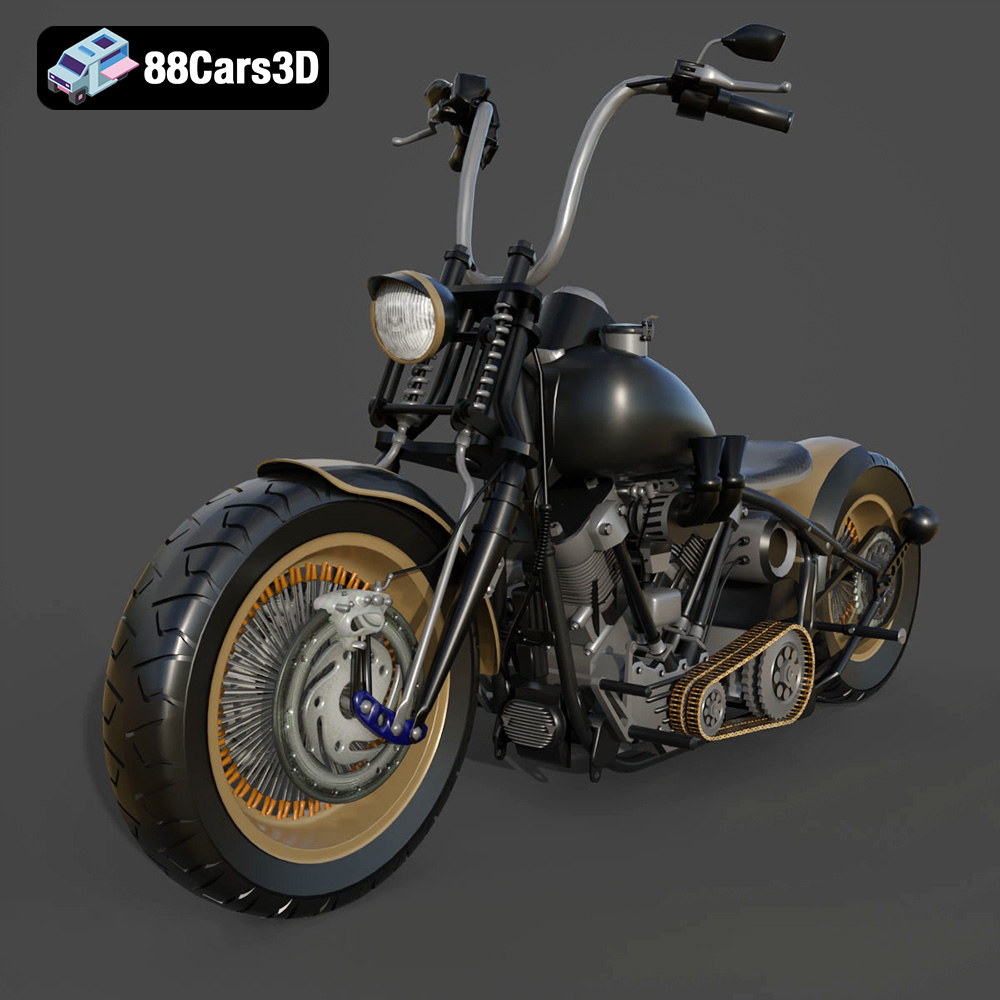
Texture: Yes
Material: Yes
Download the Harley Davidson Knucklehead 3D Model featuring clean geometry, realistic detailing, and a fully modeled interior. Includes .blend, .fbx, .obj, .glb, .stl, .ply, .unreal, and .max formats for rendering, simulation, and game development.
Price: $19.99
Texture: Yes
Material: Yes
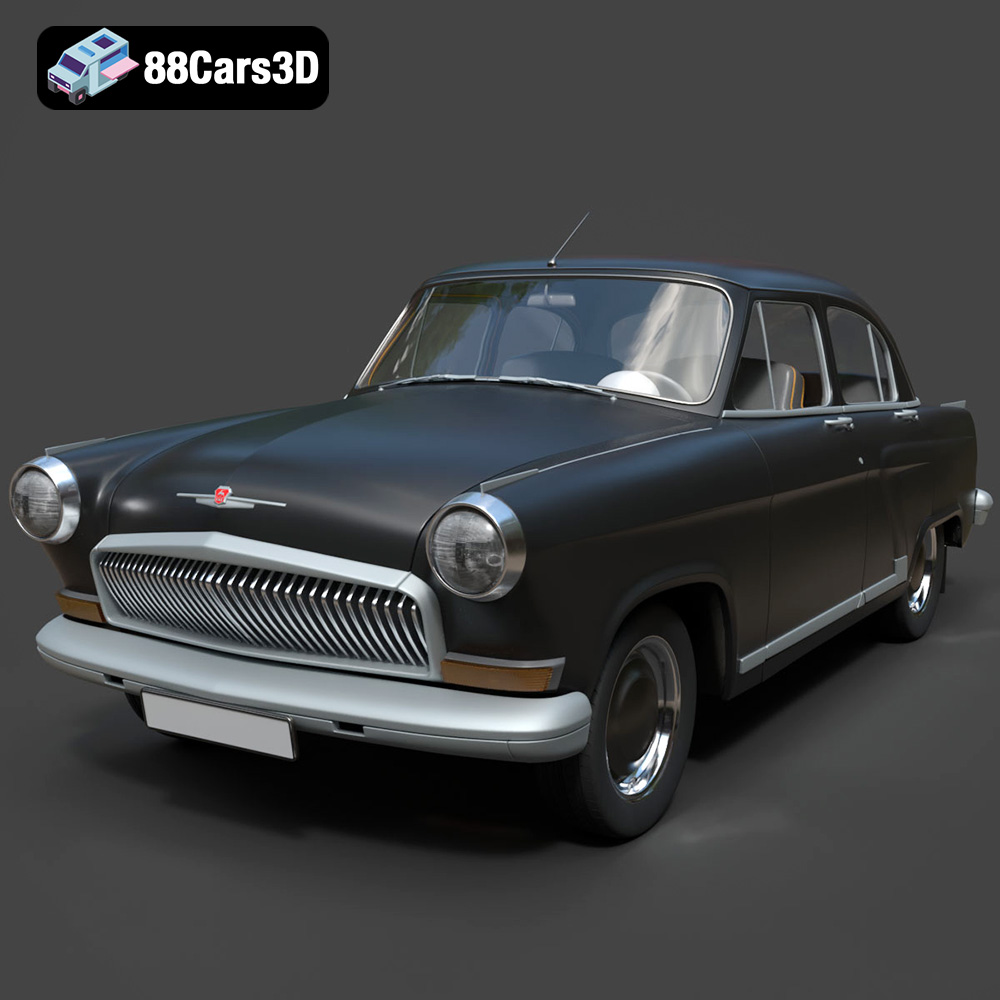
Download the GAZ 21-001 3D Model featuring clean geometry, realistic detailing, and a fully modeled interior. Includes .blend, .fbx, .obj, .glb, .stl, .ply, .unreal, and .max formats for rendering, simulation, and game development.
Price: $19.99

Texture: Yes
Material: Yes
Download the Ural Solo sT 3D Model featuring clean geometry, realistic detailing, and a fully modeled interior. Includes .blend, .fbx, .obj, .glb, .stl, .ply, .unreal, and .max formats for rendering, simulation, and game development.
Price: $19.99

