Get 50% OFF All Premium 3D & STL Models!

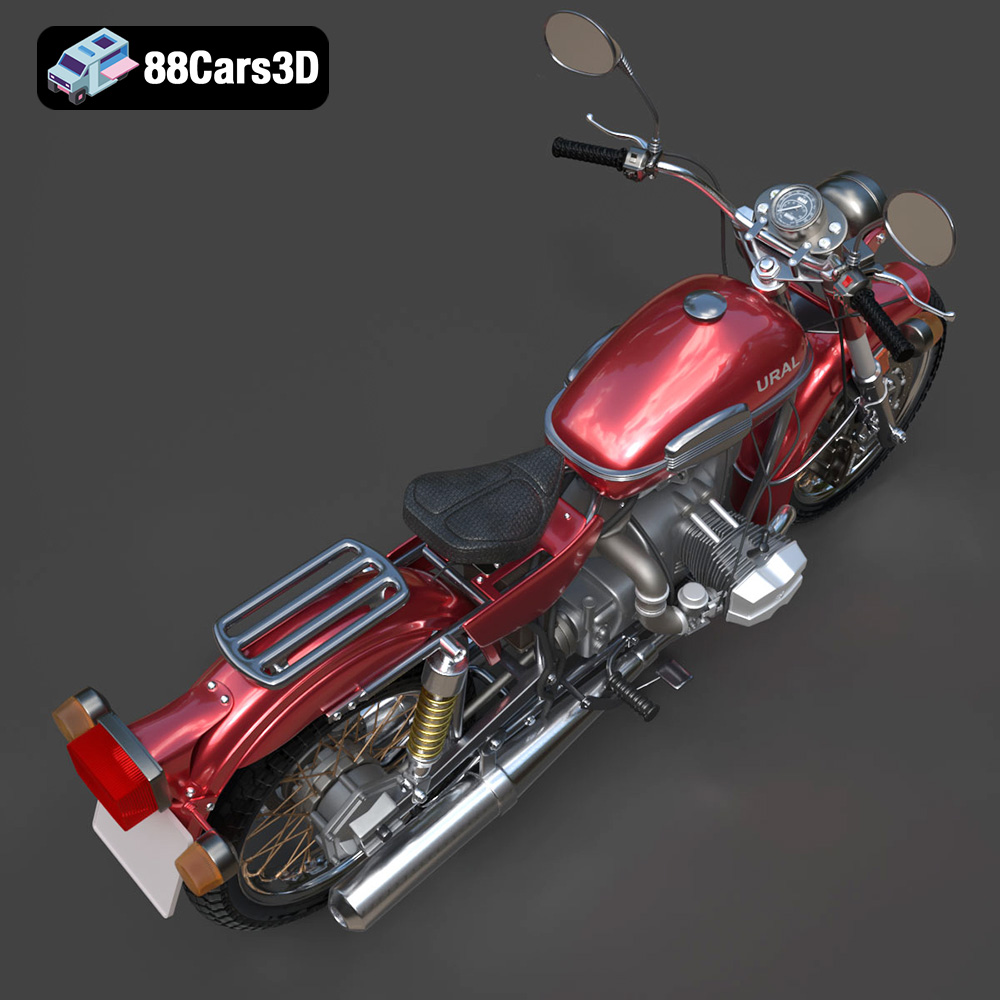
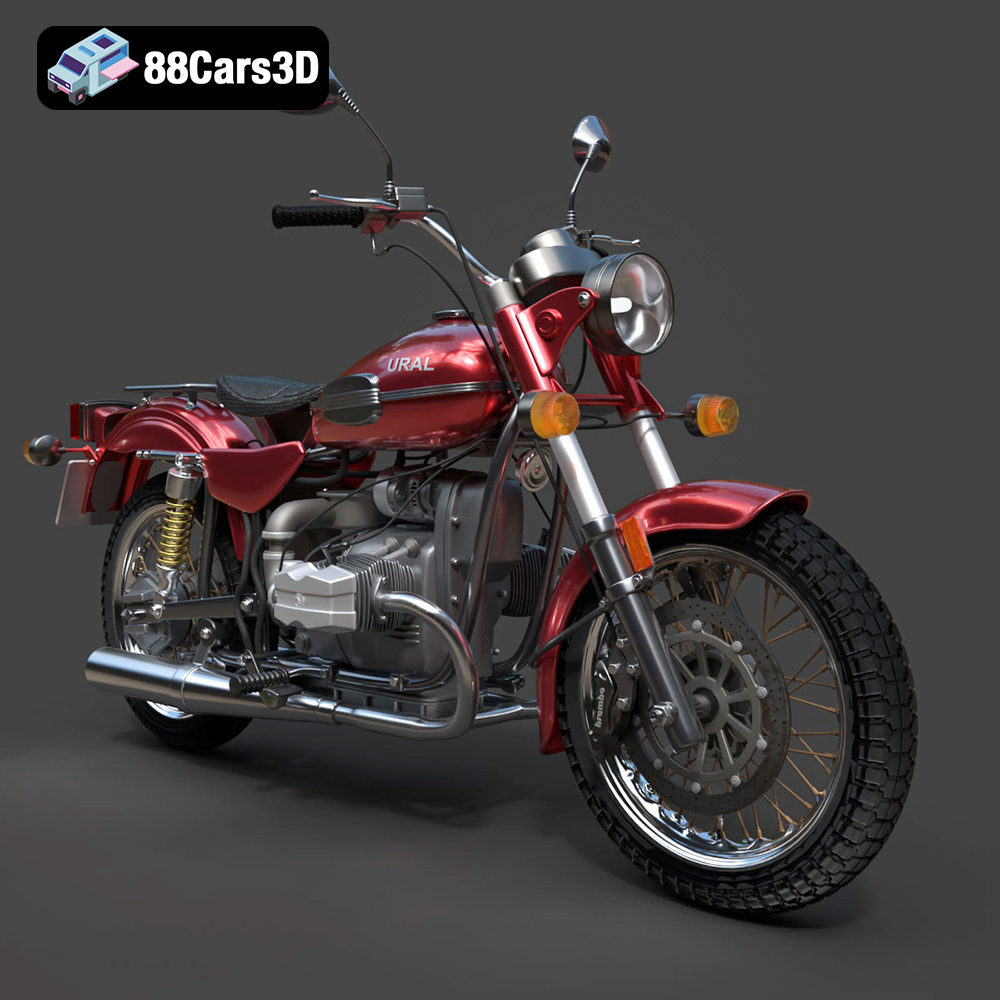
The Ural Solo sT, with its distinctive design and rugged charm, is a motorcycle that commands attention. Now, thanks to 3D printing and the high-quality model available at 88cars3d.com, you can bring this iconic machine to life in your own home workshop. This guide will walk you through the entire process, from preparing the STL files to post-processing your finished 3D printed Ural Solo sT. Whether you’re a seasoned 3D printing enthusiast or just starting out, we’ll provide the technical details and practical tips to ensure a successful and rewarding printing experience. Get ready to transform digital data into a tangible piece of automotive artistry!
Before diving into the nitty-gritty of printer settings and material choices, it’s crucial to understand the different file formats associated with 3D models, and which ones are best suited for additive manufacturing. The Ural Solo sT model, like many others available for sale online, comes in a variety of formats, each with its own strengths and weaknesses. Choosing the right format will ensure compatibility with your slicing software and contribute to a higher quality 3D print.
The .stl (stereolithography) file format is the workhorse of 3D printing. It represents the surface geometry of a 3D object using a collection of triangles. It’s a simple, widely supported format that focuses solely on the shape of the object, without any color or texture information. Because of its simplicity and near-universal compatibility, .stl is the ideal choice for 3D printing the Ural Solo sT model. Most slicing software programs are built to work seamlessly with .stl files, allowing for easy manipulation and preparation for printing. While it doesn’t support color or textures, the focus on geometry is perfect for single-color prints that you can later paint and customize. Remember that the quality of the .stl file is crucial. A poorly generated .stl can lead to faceted surfaces and printing imperfections.
The .obj (object) file format is another popular choice for 3D models, offering more versatility than .stl. It supports not only the geometry of the object but also color and texture information. This makes it suitable for models that require complex surface details. However, when it comes to 3D printing, .obj files can sometimes be more complex to work with than .stl, requiring more processing power from your slicing software. The Ural Solo sT model in .obj format could be useful for creating a colored render after printing, but not the primary format for printing itself.
The .ply (polygon) format is designed for capturing highly detailed 3D data, often used in 3D scanning. It preserves information about the vertices, faces, and other properties of the mesh with great accuracy. While .ply files can be imported into some slicing software, they are not as widely supported as .stl and .obj. Their primary use is in applications where detail and accuracy are paramount, such as scientific visualization. The file size can also be much larger than an .stl, so it’s best to stick to .stl for 3D printing the Ural Solo sT.
Formats like .blend (Blender scene), .fbx (Autodesk Filmbox), .glb (GL Transmission Format) and .max (3ds Max Project) are not directly used in 3D printing, but they are very valuable for preparing the model before exporting the final .stl.
* .blend allows you to open and edit the model in Blender, a free and powerful 3D modeling software. This is great for making custom modifications before printing.
* .fbx can be imported into many slicing programs while also holding material data.
* .glb is used more for AR/VR previews and isn’t typically directly used for printing.
* .max is the native format for 3ds Max, another professional 3D modeling software, allowing for advanced modifications.
Regardless of the file format you choose initially, you’ll ultimately need to convert it into a format that your 3D printer can understand. This is where slicing software comes in. Slicers like Cura, PrusaSlicer, Simplify3D, and others take your 3D model file (ideally an .stl) and slice it into thin layers, generating the G-code instructions that your printer follows. Ensure your slicing software is compatible with the file format you’re working with. For the Ural Solo sT model, an .stl file will generally provide the smoothest experience.
Before you even think about hitting the “print” button, meticulous preparation is key to achieving a successful 3D print of the Ural Solo sT. This involves several crucial steps, from inspecting the STL file to carefully selecting your slicing parameters.
First and foremost, thoroughly inspect the .stl file of the Ural Solo sT for any potential errors. These can include non-manifold geometry (where the model has holes or edges that don’t connect properly), inverted normals (where the surfaces face the wrong way), and intersecting faces. These errors can lead to print failures or artifacts.
Fortunately, several free and paid software tools can help you identify and repair these issues. MeshMixer and MeshLab are excellent free options for basic mesh repair. These tools can automatically detect and fix many common errors. For more advanced repair capabilities, consider using commercial software like Netfabb.
It’s worth mentioning that 88cars3d.com strives to provide high-quality, error-free models, so these issues should be minimal, but it’s always wise to double-check.
The orientation of the Ural Solo sT model on the print bed is a critical factor that affects print quality, support requirements, and overall print time. Consider the geometry of the model and choose an orientation that minimizes the need for support structures.
Ideally, you want to orient the model so that the surfaces with the most detail are facing upwards. This will ensure that these surfaces are printed directly onto the previous layer, resulting in a smoother finish.
However, some overhangs are inevitable. In these cases, you’ll need to generate support structures. Support structures provide a temporary base for overhanging features, preventing them from collapsing during printing. Most slicing software offers automatic support generation, but it’s often necessary to manually adjust the support placement and density for optimal results. Pay close attention to areas like the handlebars, fenders, and the engine components, which will likely require support.
Depending on the size of your 3D printer and your desired scale for the Ural Solo sT model, you may need to scale the model in your slicing software. Be mindful of the impact of scaling on the level of detail. If you scale the model down too much, you may lose fine details.
Ensuring good print bed adhesion is crucial for preventing warping and detachment during printing. Use a clean and level print bed, and apply an adhesive such as glue stick or hairspray to improve adhesion. For larger prints, a brim or raft can provide extra stability.
The choice of material greatly influences the final appearance, strength, and durability of your 3D printed Ural Solo sT model. Several options are available, each with its own advantages and disadvantages.
PLA (Polylactic Acid) is a biodegradable thermoplastic derived from renewable resources. It’s a popular choice for 3D printing due to its ease of use, low printing temperature, and minimal warping. PLA is a good option for the Ural Solo sT model if you’re primarily concerned with aesthetics and ease of printing. It’s available in a wide range of colors, allowing you to achieve a visually appealing finish without painting. However, PLA is not very heat-resistant and can become brittle over time, so it’s not ideal for functional parts or applications where durability is a concern.
PETG (Polyethylene Terephthalate Glycol-modified) offers a good balance of strength, flexibility, and ease of printing. It’s more heat-resistant and impact-resistant than PLA, making it a better choice for parts that need to withstand some stress. PETG is also less prone to warping than ABS, another common 3D printing material. If you want your 3D printed Ural Solo sT to be more durable and resistant to wear and tear, PETG is an excellent option.
For those seeking truly exceptional detail and a smooth surface finish, resin printing (SLA or DLP) is the way to go. Resin printers use liquid photopolymer resins that are cured by UV light, resulting in incredibly high resolution prints. With a resin printer, you can capture even the finest details of the Ural Solo sT model, such as the engine components, the intricate bodywork, and the tire treads. However, resin printing also has its drawbacks. It requires more post-processing than FDM printing, including washing and curing the parts. Resin is also more expensive than filament, and the build volume of resin printers is typically smaller.
Once you’ve chosen your material, it’s time to dial in your printer settings for the Ural Solo sT model. These settings will vary depending on your printer, material, and desired print quality, but here are some general guidelines to get you started.
Layer height is a critical parameter that affects both print quality and print time. A smaller layer height (e.g., 0.1mm) will result in a smoother surface finish and more detail, but it will also increase the print time. A larger layer height (e.g., 0.2mm) will print faster, but the surface finish will be less smooth. For the Ural Solo sT, a layer height of 0.15mm to 0.2mm is a good starting point.
Print speed also affects print quality. A slower print speed (e.g., 40mm/s) will generally result in a smoother surface and fewer printing errors. A faster print speed (e.g., 60mm/s) will reduce print time, but it may also lead to artifacts and reduced detail. Experiment with different print speeds to find the optimal balance between speed and quality.
Infill density determines the amount of material used inside the model. A higher infill density (e.g., 20%) will make the model stronger and more rigid, but it will also increase print time and material consumption. A lower infill density (e.g., 10%) will print faster and use less material, but the model will be weaker. For the Ural Solo sT, an infill density of 15% to 20% is generally sufficient.
The infill pattern also affects the strength and weight of the model. Common infill patterns include grid, honeycomb, and gyroid. Gyroid infill is known for its excellent strength-to-weight ratio and is a good choice for the Ural Solo sT.
The optimal printing temperature will depend on the material you’re using. Consult the filament manufacturer’s recommendations for the correct temperature range. Generally, PLA prints at around 200°C, while PETG prints at around 230°C.
Proper cooling is essential for preventing warping and ensuring good layer adhesion. Use the cooling fan on your 3D printer to cool each layer as it’s printed. Adjust the fan speed to optimize cooling for your chosen material.
Once the 3D printing process is complete, the Ural Solo sT model is not quite finished. Post-processing is necessary to remove support structures, smooth the surface, and add any desired finishing touches.
Carefully remove the support structures from the model using pliers or a sharp knife. Be gentle to avoid damaging the model. Once the supports are removed, use sandpaper to smooth any rough edges or imperfections. Start with a coarse grit sandpaper (e.g., 220 grit) and gradually work your way up to finer grits (e.g., 400 grit, 600 grit) for a smooth finish.
Apply a primer to the model to create a smooth, uniform surface for painting. Use a spray primer specifically designed for plastics. After the primer has dried, you can paint the model using acrylic paints or model paints. Consider using an airbrush for a professional-looking finish. Apply multiple thin coats of paint, allowing each coat to dry completely before applying the next.
The Ural Solo sT model may consist of multiple parts that need to be assembled. Use super glue or epoxy to bond the parts together. Pay close attention to the alignment of the parts to ensure a seamless fit. You can further enhance the model by adding details such as decals, weathering effects, and custom paint jobs.
Even with careful preparation and meticulous settings, 3D printing can sometimes present challenges. Here are some common issues and their solutions:
* **Warping:** This occurs when the corners of the model lift off the print bed. To prevent warping, ensure good bed adhesion, use a heated bed, and reduce the cooling fan speed for the first few layers.
* **Stringing:** This refers to thin strands of plastic that appear between different parts of the model. To prevent stringing, reduce the printing temperature, increase retraction settings, and adjust travel speed.
* **Layer Shifting:** This happens when the layers of the model are misaligned. Check the belts and pulleys on your 3D printer to ensure they are tight and properly aligned. Also, reduce the printing speed.
* **Under-Extrusion:** This occurs when the printer doesn’t extrude enough plastic, resulting in weak or incomplete layers. Increase the printing temperature, check the extruder for clogs, and increase the flow rate.
* **Over-Extrusion:** This happens when the printer extrudes too much plastic, leading to blobs and uneven surfaces. Reduce the printing temperature, decrease the flow rate, and adjust retraction settings.
By following these guidelines and troubleshooting tips, you’ll be well on your way to creating a stunning 3D printed Ural Solo sT model. Remember to experiment with different settings and materials to find what works best for your printer and your desired results. And don’t hesitate to reach out to the 3D printing community for advice and support. Happy printing! Be sure to check out 88cars3d.com for more amazing 3D models like this one.
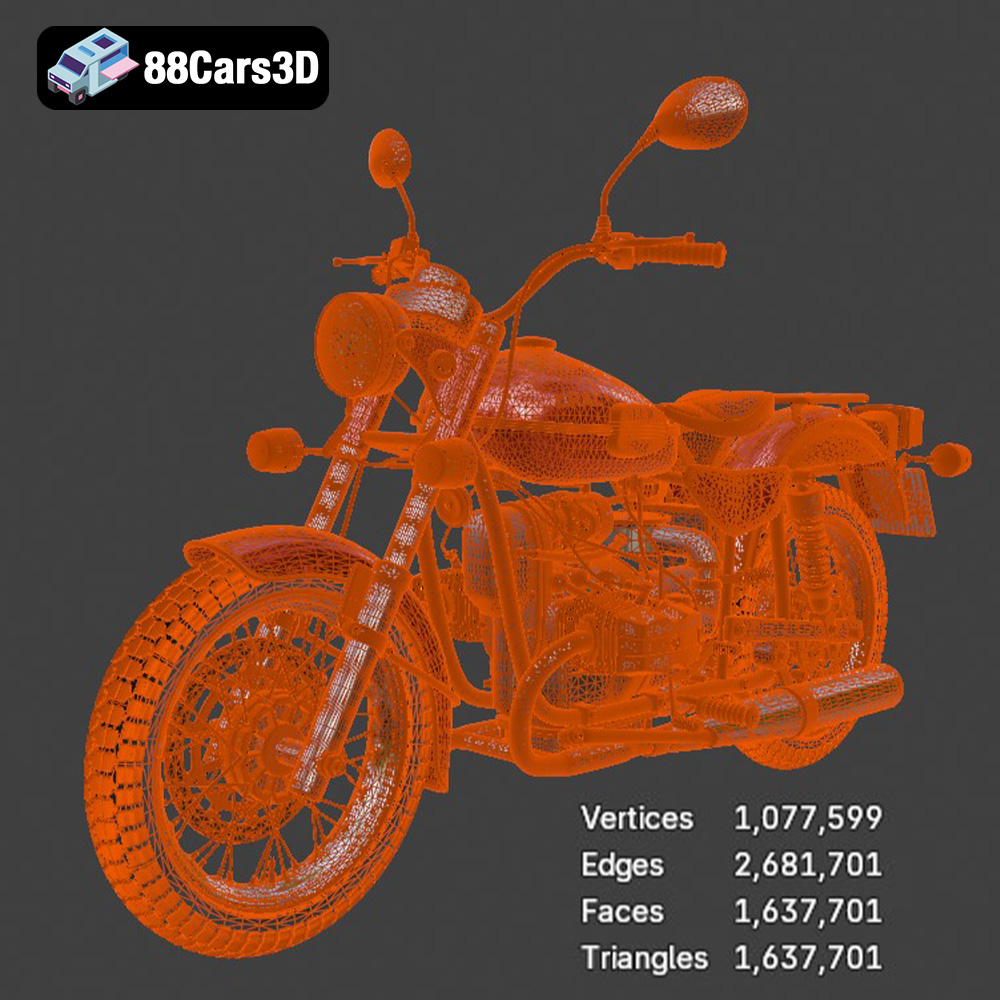
Experience true realism with the Ural Solo sT 3D Model. This carefully crafted digital asset captures the rugged design and iconic presence of the Ural Solo sT, delivering exceptional detail for your projects. Ideal for both close-up shots and expansive environments, this model brings authentic structural precision to any scene. Built with professional quality in mind, the model features clean geometry, accurate proportions, and realistic materials. The well-structured topology ensures smooth performance and flawless subdivision, making it an excellent choice for a variety of demanding digital pipelines and rendering setups. This versatile 3D model is perfect for diverse applications, including game development, automotive rendering, AR/VR experiences, and simulation visualization. It integrates seamlessly into your workflow, providing a ready-to-use solution for creators, designers, and developers alike.
$19.99
.arvr
.blend
.car3dmodel
.cruiser
.fbx
.gameasset
.glb
.max
.motorcycle
.obj
.ply
.rendering
.simulation
.solost
.stl
.unreal
.ural