Get 50% OFF All Premium 3D & STL Models!

“`html
For automotive enthusiasts and 3D printing hobbyists alike, bringing your dream car to life in miniature form is an incredibly rewarding experience. Platforms like 88cars3d.com offer a vast selection of high-quality 3D printable car models in STL format, ready to be transformed from digital designs into tangible objects. But before you hit the “print” button, a crucial decision awaits: choosing the right 3D printing technology. The two dominant players in the desktop 3D printing world are Fused Deposition Modeling (FDM) and Resin printing (specifically, Stereolithography, SLA, and Digital Light Processing, DLP). This article delves into the technical nuances of each technology, exploring their strengths and weaknesses in the context of printing intricate car models. We’ll examine everything from STL file preparation to printer-specific settings, support structure generation, and post-processing techniques. By the end of this guide, you’ll have a comprehensive understanding of which technology best suits your needs and the specific demands of printing car STL files.
Fused Deposition Modeling (FDM) is arguably the most recognizable form of 3D printing. It works by extruding molten thermoplastic filament through a heated nozzle, layer by layer, onto a build platform. FDM printers are generally more affordable and easier to operate than resin printers, making them a popular choice for beginners. However, their layer-by-layer construction inherently limits the level of detail that can be achieved. When it comes to printing car STL files, this means that fine details like panel lines, intricate grills, and small trim pieces may not be as sharply defined as with resin printing. Despite these limitations, FDM can produce robust and functional car models, especially for larger scales or when prioritizing durability.
The choice of filament significantly impacts the final result. PLA (Polylactic Acid) is a popular choice due to its ease of printing and biodegradability. It offers good strength and rigidity but can be brittle and prone to warping, especially with larger models. ABS (Acrylonitrile Butadiene Styrene) is stronger and more heat-resistant than PLA, making it suitable for parts that may be exposed to higher temperatures. However, ABS requires a heated bed and a well-ventilated environment due to the fumes it emits during printing. PETG (Polyethylene Terephthalate Glycol-modified) bridges the gap between PLA and ABS, offering good strength, flexibility, and ease of printing. For car models, consider PETG for parts that require some flexibility, like bumpers or spoilers.
Slicing software like Cura or PrusaSlicer transforms the STL file into a set of instructions for the printer. Key parameters include layer height, infill density, and print speed. Lower layer heights (e.g., 0.1mm or 0.05mm) result in finer details but increase print time. Infill density determines the internal structure of the model; higher densities increase strength but also material consumption and print time. For car models, a 20-30% infill is generally sufficient for structural integrity. Print speed affects both print time and quality; slower speeds typically produce smoother surfaces but extend the printing process. A starting point of 50-60mm/s is a good baseline, which can then be tweaked based on your specific printer and filament.
Resin printing, encompassing technologies like SLA (Stereolithography) and DLP (Digital Light Processing), offers a significantly higher level of detail and surface finish compared to FDM. These printers use liquid resin that is cured by UV light, layer by layer, creating incredibly intricate and precise models. For printing car STL files, this translates to razor-sharp panel lines, perfectly replicated grills, and the ability to capture even the smallest details. However, resin printers are generally more expensive, require more careful handling of materials (resin is toxic and requires proper disposal), and the resulting prints are often more brittle than FDM prints. Post-processing is also more involved, typically requiring washing and curing the prints.
Several types of resin are available, each with its own properties. Standard resin is a good all-around choice for general-purpose printing. Tough resin is formulated to be more impact-resistant, making it suitable for parts that may be subjected to stress. Flexible resin allows for the creation of parts that can bend or deform, useful for components like tires or gaskets. ABS-like resin aims to mimic the properties of ABS plastic, offering a good balance of strength and flexibility. When printing car models, consider using a standard resin for the main body and a tough or ABS-like resin for smaller, more delicate parts. Also, consider water-washable resins to simplify the post-processing.
Slicing software like Chitubox or Lychee Slicer is essential for preparing resin prints. Key parameters include layer height, exposure time, and lift speed. Layer heights are typically much smaller than in FDM, often in the range of 0.025mm to 0.05mm. Exposure time determines how long each layer is exposed to UV light; insufficient exposure results in weak parts, while overexposure can lead to deformation. Lift speed controls how quickly the build platform moves between layers; slower speeds reduce the risk of delamination. When printing car models, experiment with different exposure times to find the optimal balance between detail and strength. Properly orienting the model and generating support structures is also critical. For example, angling the model by 45 degrees can minimize the cross-sectional area of each layer, reducing the forces on the build platform and improving print success.
Support structures are temporary scaffolding that holds up overhanging parts of the model during printing. They are essential for both FDM and resin printing, but their design and removal differ significantly. In FDM, supports are typically made from the same material as the model and are removed by snapping or cutting them away. In resin printing, supports are often more delicate and require careful removal to avoid damaging the model. The density, thickness, and placement of supports are critical factors in both technologies.
Cura and PrusaSlicer offer various support generation options, including tree supports, linear supports, and grid supports. Tree supports are often preferred for their minimal material usage and ease of removal. The support overhang angle determines at what angle supports are generated; a smaller angle results in more supports. The support density affects the strength of the supports; higher densities provide more support but are also more difficult to remove. When removing FDM supports, use sharp tools like pliers or cutters to carefully snip the supports away from the model. Sanding may be necessary to smooth out any remaining marks.
Resin slicing software offers a wide range of support generation options, allowing for precise control over support placement and density. Light supports are often used to minimize the risk of damaging the model during removal. The tip size of the supports affects their contact area with the model; smaller tips are easier to remove but may not provide sufficient support for heavier parts. When removing resin supports, use flush cutters or a hobby knife to carefully snip the supports at their base. Soaking the model in warm water can soften the supports and make them easier to remove. After removing the supports, sand any remaining marks with fine-grit sandpaper.
Post-processing is an essential step in both FDM and resin 3D printing. It involves cleaning up the print, removing support structures, and applying any finishing touches to achieve the desired appearance. The specific post-processing steps vary depending on the printing technology and the desired outcome. Proper post-processing significantly enhances the overall quality and realism of your 3D printed car models.
FDM prints often have visible layer lines and imperfections. Sanding is used to smooth out the surface and remove any bumps or ridges. Start with coarse-grit sandpaper (e.g., 220-grit) and gradually move to finer grits (e.g., 400-grit, 600-grit, 800-grit) to achieve a smooth finish. Filling is used to fill in any gaps or imperfections. Bondo spot putty or similar fillers can be applied to the model and then sanded smooth. Painting is the final step in FDM post-processing. Apply a primer coat to prepare the surface for paint. Then, apply multiple thin coats of paint, allowing each coat to dry completely before applying the next. Consider using automotive-grade paints for a durable and realistic finish.
Resin prints must be washed to remove any uncured resin from the surface. This is typically done using isopropyl alcohol (IPA) or a dedicated resin cleaner. Submerge the print in the cleaning solution and gently agitate it for several minutes. Curing is the process of exposing the print to UV light to fully harden the resin. This is typically done using a UV curing station. The curing time depends on the type of resin and the intensity of the UV light. Polishing can be used to further enhance the surface finish of resin prints. Use a polishing compound and a soft cloth to gently buff the surface of the model.
Even with careful preparation and the right settings, 3D printing can sometimes be challenging. Common problems include warping, delamination, elephant’s foot, and stringing. Understanding the causes of these problems and how to fix them is essential for successful 3D printing. Addressing these issues proactively will minimize wasted material and ensure your car models come out looking their best. When downloading models from marketplaces such as 88cars3d.com, you can often find community support and tips for specific models, further assisting in troubleshooting.
Ultimately, the choice between FDM and resin printing for car STL files depends on your specific needs and priorities. FDM is a great option if you prioritize affordability, ease of use, and the ability to create durable parts. It’s well-suited for larger-scale models and functional prototypes. Resin printing, on the other hand, excels at producing highly detailed and accurate models, making it ideal for display pieces, intricate components, and small-scale replicas. Consider factors like budget, required detail level, material properties, and post-processing requirements when making your decision. Regardless of the technology you choose, remember that proper STL file preparation, careful printer settings, and meticulous post-processing are all crucial for achieving the best possible results. Platforms such as 88cars3d.com provide not only excellent STL files, but also a foundation for your 3D printing journey, offering a wide variety of car models suited for either FDM or resin printing. By understanding the strengths and weaknesses of each technology, you can confidently embark on your next 3D printing project and bring your automotive dreams to life, one layer at a time.
“`
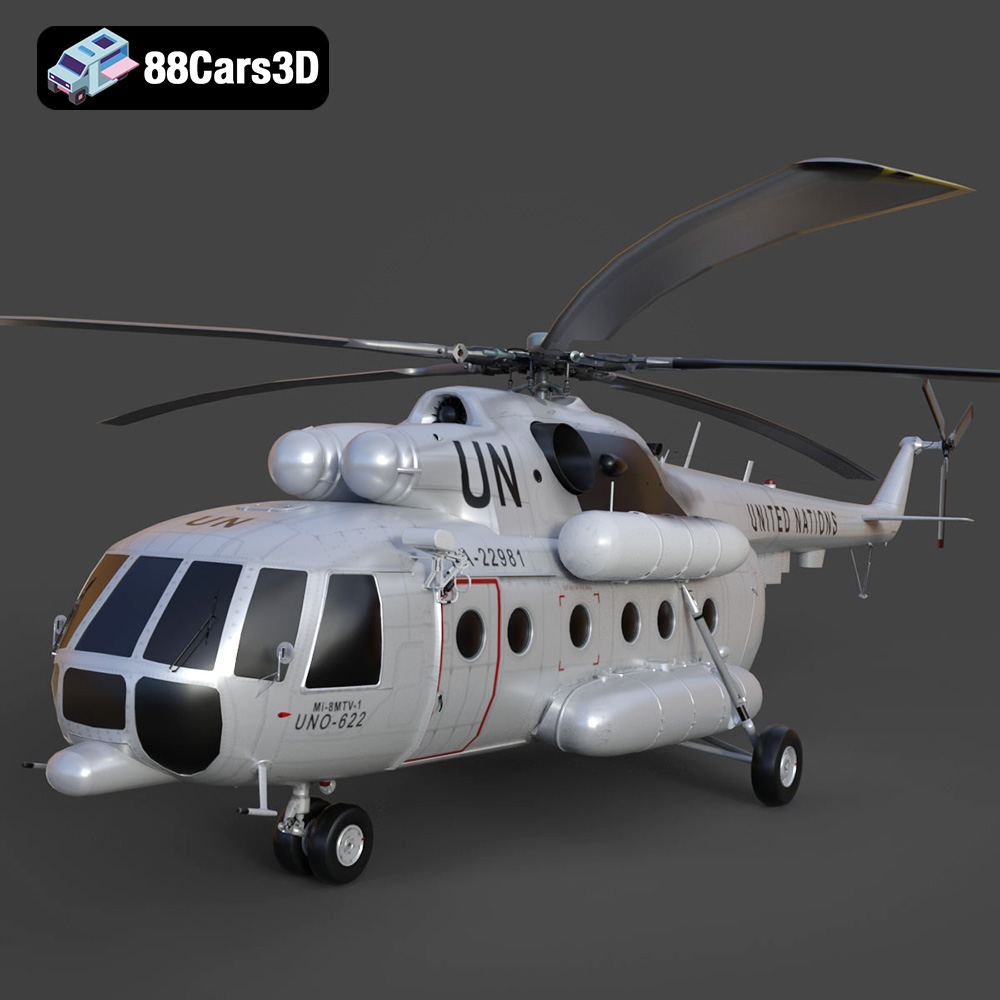
Texture: Yes | Material: Yes
Download the highly detailed, game-ready Mil Mi-8MTV-UN 3D Model. Features the iconic United Nations white livery, detailed twin turboshaft engines, and fully articulated rotor assemblies. Includes .blend, .fbx, .obj, .glb, .stl, .ply, .unreal, and .max formats for game development, AR/VR, and rendering.
Price: $19.99
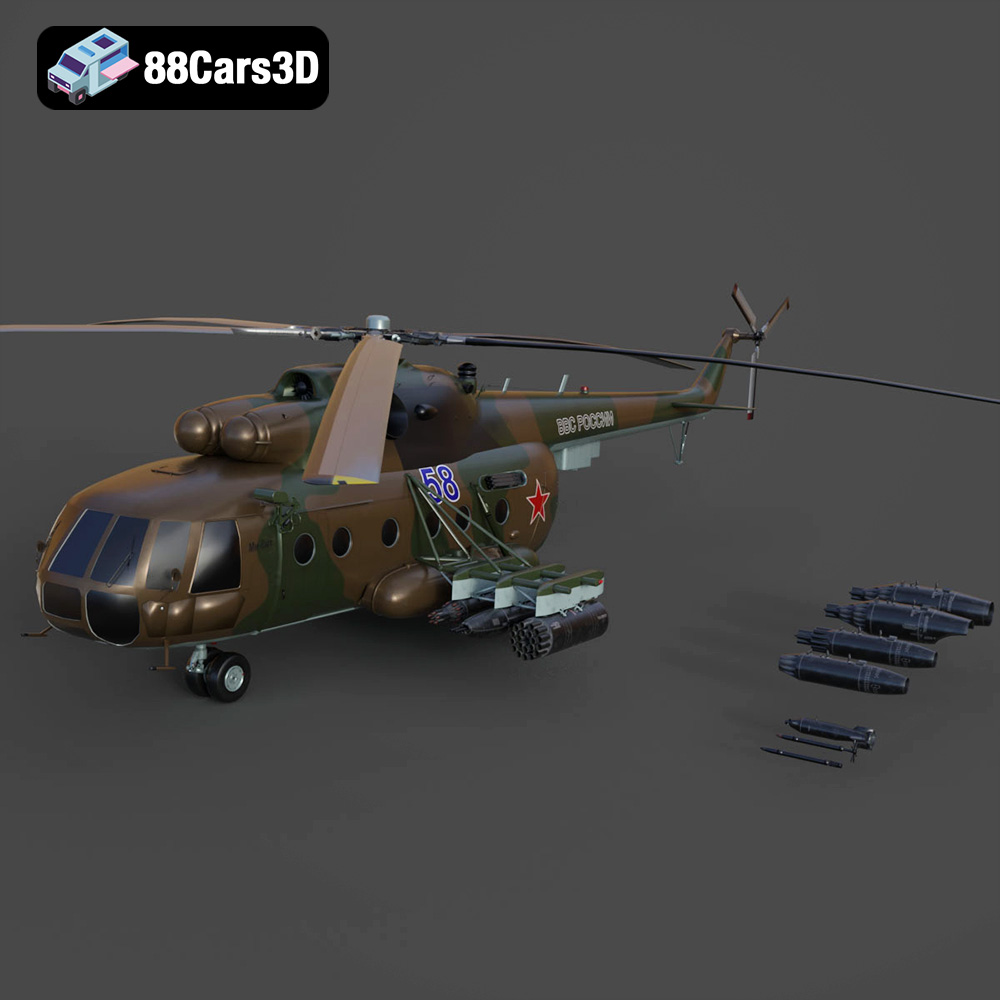
Texture: Yes | Material: Yes
Download the highly detailed, game-ready Mil Mi-8MT Helicopter 3D Model. Features twin-turbine engine housings, a detailed 5-blade main rotor, and authentic cockpit instrumentation. Includes .blend, .fbx, .obj, .glb, .stl, .ply, .unreal, and .max formats for game development, AR/VR, and rendering.
Price: $19.99

Texture: Yes | Material: Yes
Download the highly detailed, game-ready Mercedes-Maybach Vision 6 2018 3D Model. Features an elongated aero coupe design, iconic gullwing doors, and striking 24-inch aerodynamic wheels. Includes .blend, .fbx, .obj, .glb, .stl, .ply, .unreal, and .max formats for game development, AR/VR, and rendering.
Price: $19.99
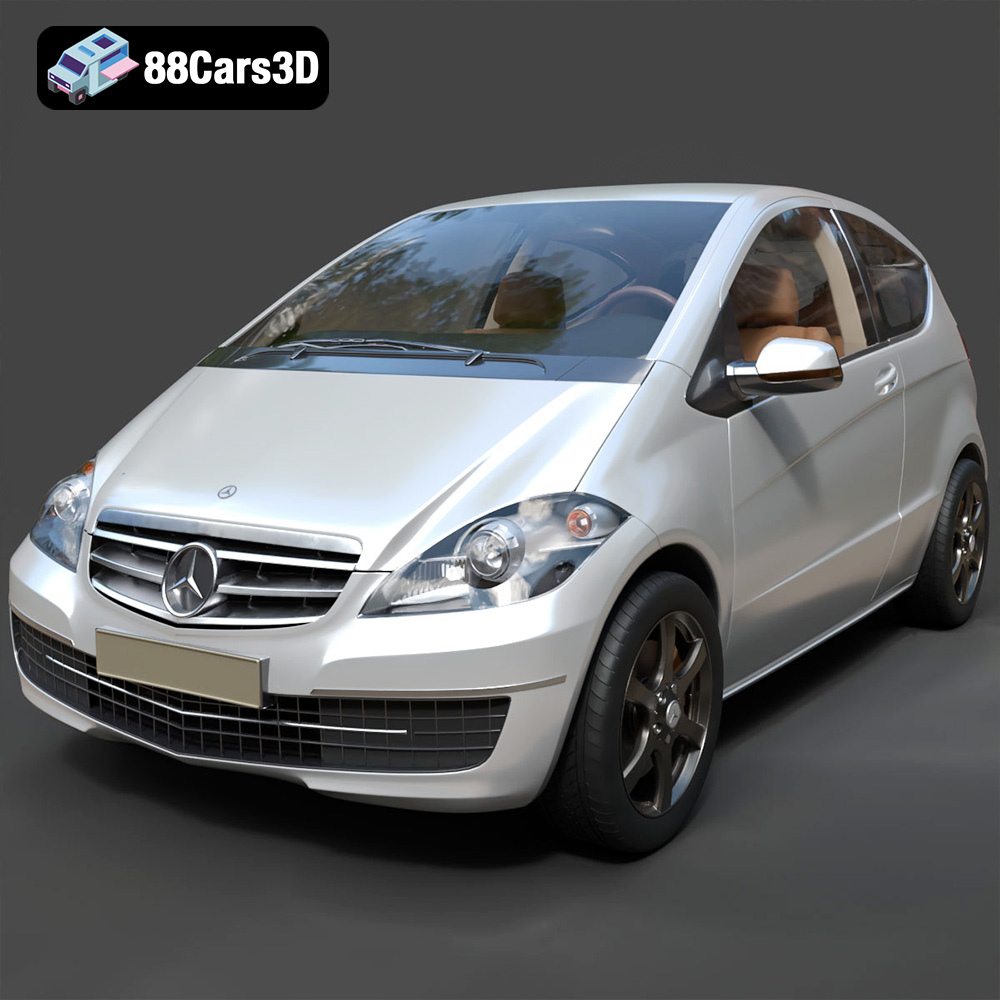
Texture: Yes | Material: Yes
Download the highly detailed, game-ready Mercedes-Benz A-Class 3-Door 2010 3D Model. Features an accurate compact luxury exterior, detailed interior, and optimized topology. Includes .blend, .fbx, .obj, .glb, .stl, .ply, .unreal, and .max formats for game development, AR/VR, and rendering.
Price: $19.99
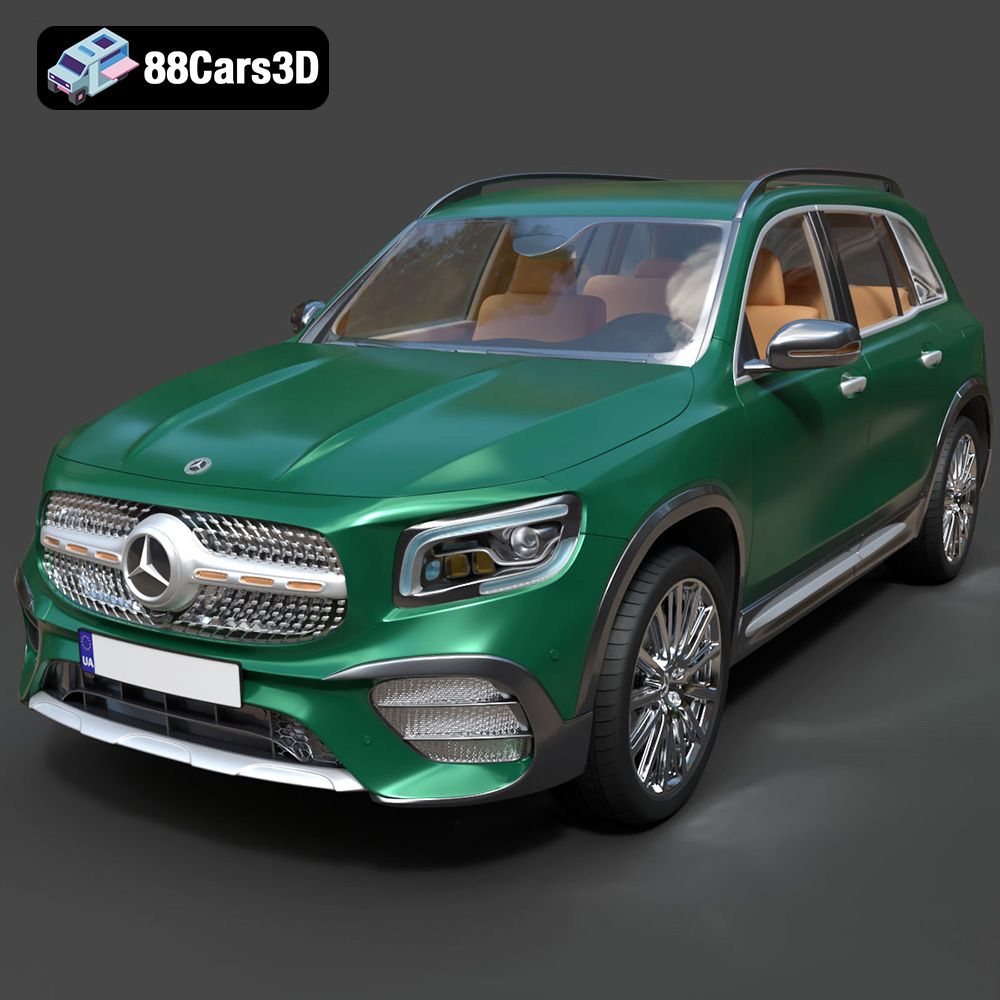
Texture: Yes | Material: Yes
Download the highly detailed, game-ready Mercedes-Benz GLB-Class (Mk1) AMG Line 2019 3D Model. Features sporty AMG Line exterior styling, accurate LED lighting, and premium interior details. Includes .blend, .fbx, .obj, .glb, .stl, .ply, .unreal, and .max formats for game development, AR/VR, and rendering.
Price: $19.99
Texture: Yes | Material: Yes
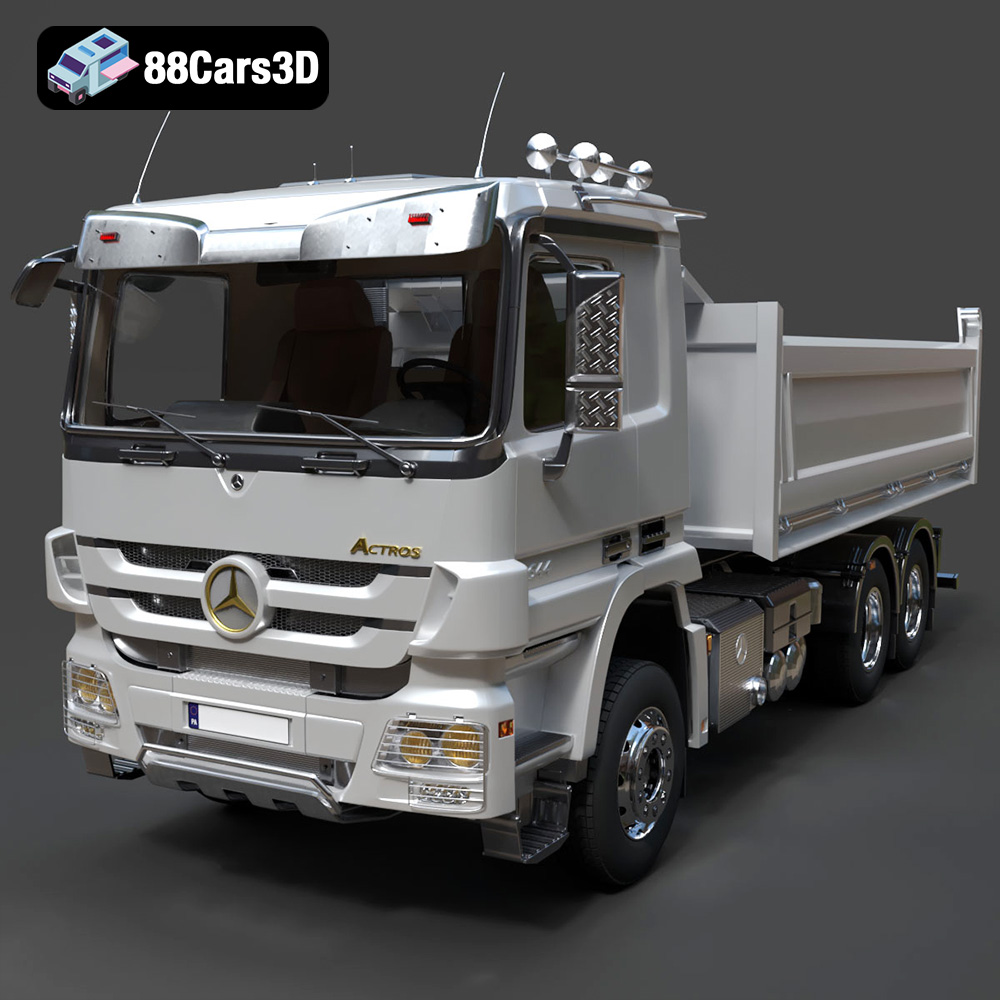
Download the highly detailed, game-ready Mercedes-Benz Actros Tipper 3-Axle 2011 3D Model. Features a functional hydraulic tipper bed, detailed multi-axle chassis, and an accurate commercial cab. Includes .blend, .fbx, .obj, .glb, .stl, .ply, .unreal, and .max formats for game development, AR/VR, and rendering.
Price: $19.99

Texture: Yes | Material: Yes
Download the highly detailed, game-ready Lexus LX Mk3f J200 2016 3D Model. Features the iconic spindle grille, sharp L-shaped LED lighting, and a premium luxury interior. Includes .blend, .fbx, .obj, .glb, .stl, .ply, .unreal, and .max formats for game development, AR/VR, and rendering.
Price: $19.99

Texture: Yes | Material: Yes
Download the highly detailed, game-ready Lexus RX350 2010 3D Model. Features sleek crossover styling, distinctive L-finesse design cues, and an accurate interior layout. Includes .blend, .fbx, .obj, .glb, .stl, .ply, .unreal, and .max formats for game development, AR/VR, and rendering.
Price: $19.99

Texture: Yes | Material: Yes
Download the highly detailed, game-ready Lexus LS 500 2018 3D Model. Features the signature spindle grille, elegant flowing silhouette, and intricate Z-shaped LED lighting. Includes .blend, .fbx, .obj, .glb, .stl, .ply, .unreal, and .max formats for game development, AR/VR, and rendering.
Price: $19.99

Texture: Yes | Material: Yes
Download the highly detailed, game-ready Kawasaki Ninja 3D Model. Features an aggressive aerodynamic fairing, detailed inline-four engine, and racing-inspired ergonomics. Includes .blend, .fbx, .obj, .glb, .stl, .ply, .unreal, and .max formats for game development, AR/VR, and rendering.
Price: $19.99

