Get 50% OFF All Premium 3D & STL Models!

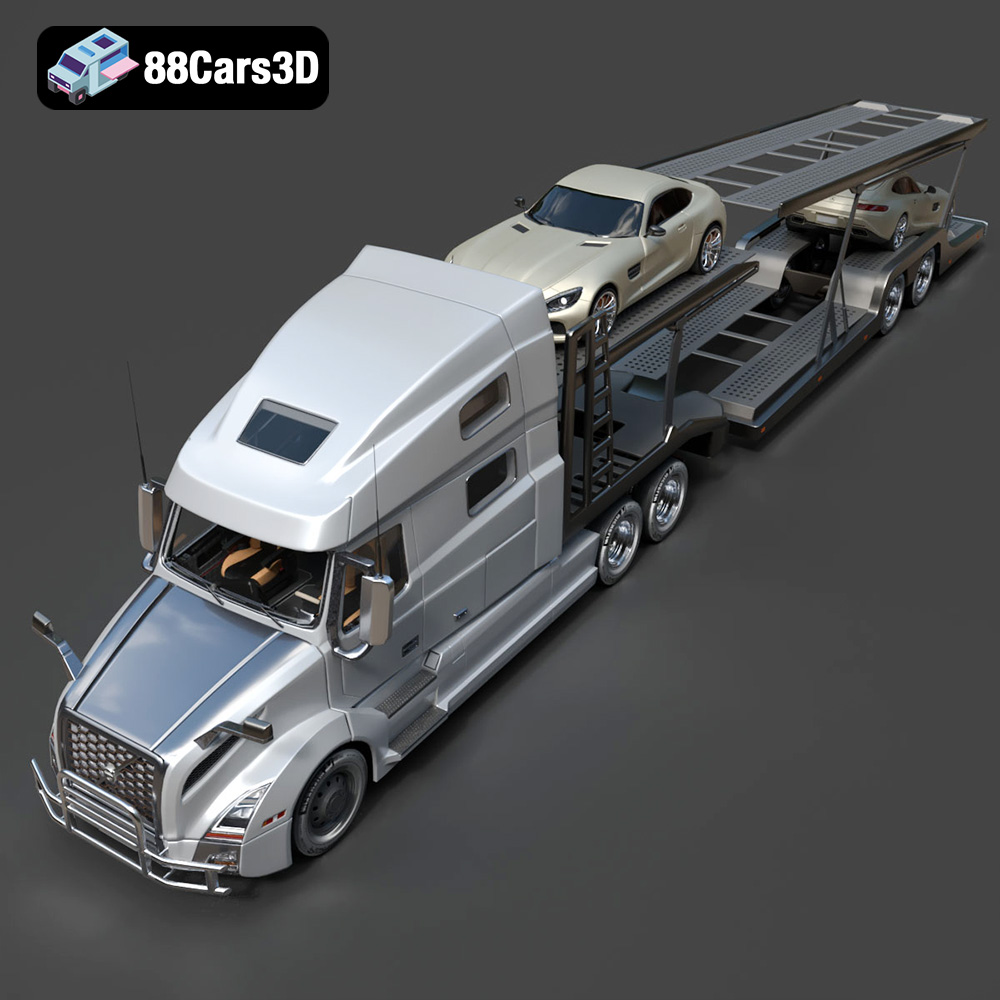
The Volvo Trucks Benz GT-001 3D model, available at 88cars3d.com, is a fantastic project for 3D printing enthusiasts. This detailed model offers a unique opportunity to bring a cutting-edge concept truck to life. This guide will walk you through the entire process, from pre-print preparation to post-processing, ensuring a successful and satisfying 3D printing experience. Whether you’re a beginner or an experienced maker, you’ll find valuable tips and insights to maximize the quality and accuracy of your final 3D printed model.
The choice of 3D printer significantly impacts the final quality of your 3D printed Volvo Trucks Benz GT-001. Fused Deposition Modeling (FDM) and Stereolithography (SLA) are the two most common types of 3D printers for models like this.
FDM printers are popular for their versatility and ability to print with a wide range of materials, including PLA, PETG, and ABS. For a larger model of the Volvo Trucks Benz GT-001, FDM might be a better choice due to the larger build volume typically offered by FDM printers and the strength of materials like PETG. However, FDM prints generally require more post-processing to achieve a smooth surface finish.
SLA printers, which use resin, are known for their ability to produce highly detailed prints with smooth surfaces. If you’re aiming for a smaller, display-quality model with intricate details, an SLA printer would be ideal. However, resin prints can be more brittle and may require careful handling. The build volume of SLA printers can also be a limiting factor for larger models of the Volvo Trucks Benz GT-001.
Selecting the correct file format is crucial for a smooth and successful 3D printing experience. The Volvo Trucks Benz GT-001 3D model from 88cars3d.com comes with various file formats, each suited for different applications. Understanding these formats ensures compatibility with your software and printer, and allows for optimal print quality.
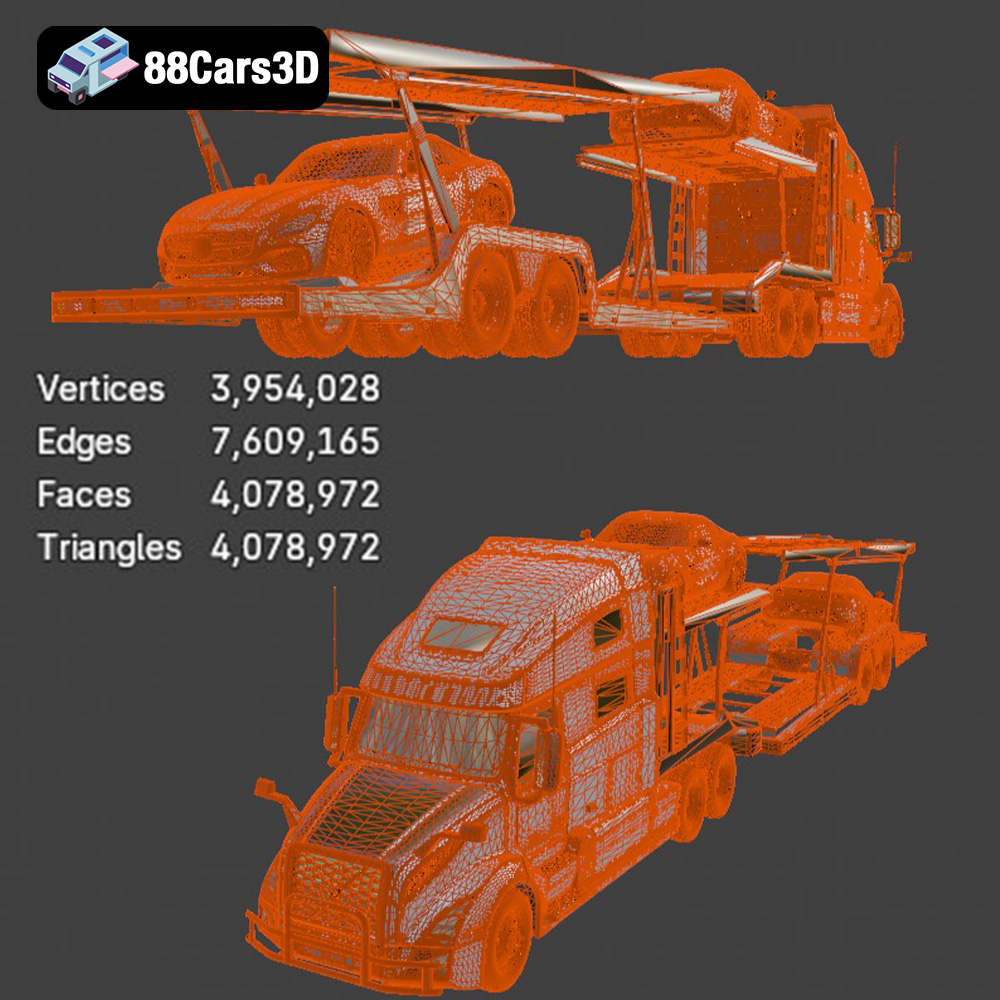
The .stl (stereolithography) file format is the workhorse of 3D printing. It represents the surface geometry of a 3D object as a collection of triangles. This format is universally compatible with virtually all 3D printing slicing software. When preparing the Volvo Trucks Benz GT-001 for 3D printing, the .stl format is usually the best starting point. The key to a good .stl file is the mesh quality. Higher resolution meshes (more triangles) result in smoother surfaces and more accurate representation of the original model’s curves and details. However, extremely high-resolution meshes can become computationally expensive to process and may not provide a noticeable improvement in print quality, especially on FDM printers. Aim for a balance between detail and file size. Slicing software uses the .stl file to generate instructions (G-code) for the 3D printer.
The .obj (object) file format is another common 3D model format. Unlike .stl, .obj files can store color and texture information. This is particularly useful if you plan to paint the 3D printed Volvo Trucks Benz GT-001, as you can use the .obj file as a reference for the original textures and color schemes. While .obj files can be used for 3D printing, the .stl format is generally preferred because it’s more streamlined and focused on geometric data, making it more efficient for slicing.
The .ply (polygon) file format is designed for storing 3D data acquired from 3D scanners. It can represent not only the surface geometry but also color, transparency, and other properties. While less common than .stl or .obj for general 3D printing, .ply files can be useful for highly detailed models where preserving fine details is critical. However, ensure that your slicing software supports the .ply format before using it.
The .blend file is the native format for Blender, a popular open-source 3D modeling software. This file contains the entire Blender scene, including the model geometry, materials, textures, lighting, and camera settings. If you want to customize the Volvo Trucks Benz GT-001 before printing, the .blend file is an excellent resource. You can modify the model’s shape, add details, or adjust the materials to your liking. After making changes, you can export the model as an .stl file for 3D printing.
The .fbx (Filmbox) file format is a proprietary format developed by Autodesk. It’s commonly used for exchanging 3D data between different software applications, particularly in game development and animation. The .fbx format can store geometry, materials, textures, animations, and other scene information. While some slicing software can import .fbx files, it’s generally not the preferred format for 3D printing due to its complexity and focus on other types of data. Convert to .stl for optimal printing results.
The .glb (GL Transmission Format Binary) file format is designed for efficient delivery and loading of 3D models in web applications, particularly for augmented reality (AR) and virtual reality (VR) experiences. The .glb format is a binary format that includes the model geometry, textures, and animations in a single file. You can use the .glb file to preview the Volvo Trucks Benz GT-001 in AR on your smartphone or tablet before printing, to get a sense of its size and appearance in the real world. This format is not directly used for 3D printing.
The .max file is the native format for 3ds Max, another popular 3D modeling software from Autodesk. Similar to the .blend file, the .max file contains the entire 3ds Max project, including the model geometry, materials, textures, lighting, and camera settings. If you’re a 3ds Max user, you can use the .max file to customize the Volvo Trucks Benz GT-001 before printing. After making changes, export the model as an .stl file for 3D printing.
Before you can start 3D printing, you need to prepare the model using slicing software. This software converts the 3D model into a set of instructions (G-code) that the printer can understand. Popular slicing software options include Cura, PrusaSlicer, Simplify3D, and others.
The orientation of the Volvo Trucks Benz GT-001 on the print bed is crucial for print quality, strength, and support material usage. Consider these factors when choosing the orientation:
* **Minimize Support Material:** Orient the model to minimize the need for support structures. Overhangs require support, which can be difficult to remove and leave behind blemishes on the final print. Experiment with different rotations to find an orientation that reduces overhangs.
* **Maximize Bed Adhesion:** Ensure that the largest, flattest surface is in contact with the print bed to improve adhesion. A stable base prevents warping and ensures that the print doesn’t detach during printing.
* **Consider Aesthetics:** The orientation affects the layer lines, which are visible on the final print. Choose an orientation that minimizes the visibility of layer lines on critical surfaces. For example, orienting the body of the truck vertically can make the layer lines less noticeable.
The slicing parameters, such as layer height, infill density, and print speed, significantly impact the print quality and printing time.
* **Layer Height:** A lower layer height (e.g., 0.1mm – 0.2mm) results in smoother surfaces and finer details but increases the printing time. A higher layer height (e.g., 0.2mm – 0.3mm) prints faster but may sacrifice some detail. For the Volvo Trucks Benz GT-001, a layer height of 0.15mm – 0.2mm is a good balance between detail and printing time.
* **Infill Density:** Infill density determines the internal structure of the print. A higher infill density (e.g., 20% – 30%) makes the print stronger but increases material usage and printing time. A lower infill density (e.g., 10% – 15%) prints faster and uses less material but may compromise strength. For a display model, 15% infill should be sufficient. For a more durable model, consider 20-25%.
* **Print Speed:** A slower print speed (e.g., 40mm/s – 50mm/s) generally results in better print quality, especially for intricate details. A faster print speed (e.g., 60mm/s – 70mm/s) prints faster but may sacrifice some detail and increase the risk of errors.
* **Support Structures:** Use support structures to support overhangs and bridges. Choose a support pattern that is easy to remove, such as tree supports or zigzag supports. Adjust the support density and interface settings to optimize support removal and surface quality.
The choice of material depends on the intended use of the 3D printed Volvo Trucks Benz GT-001. PLA, PETG, and resin are common choices, each with its own advantages and disadvantages.
PLA (Polylactic Acid) is a biodegradable thermoplastic polymer derived from renewable resources. It’s easy to print, making it a good choice for beginners. PLA also has a low printing temperature and doesn’t require a heated bed on some printers. However, PLA is not as strong or heat-resistant as other materials, so it’s best suited for display models that won’t be subjected to high temperatures or stress.
PETG (Polyethylene Terephthalate Glycol-modified) is a strong and durable thermoplastic polymer with good heat resistance. It’s more flexible than PLA and less prone to cracking. PETG is a good choice for functional parts or models that will be handled frequently. It requires a slightly higher printing temperature than PLA and a heated bed.
Resin, used in SLA printers, produces highly detailed prints with smooth surfaces. Resin prints are ideal for display models or parts with intricate details. However, resin prints can be more brittle than FDM prints and may require careful handling. Resin printing also requires more post-processing, including washing and curing.
Post-processing is essential for achieving a professional look and feel for your 3D printed Volvo Trucks Benz GT-001. This includes removing support structures, sanding, priming, and painting.
Carefully remove the support structures using pliers, a hobby knife, or specialized support removal tools. Take your time and avoid damaging the model. For PLA and PETG, you can use warm water to soften the supports and make them easier to remove. For resin prints, use isopropyl alcohol (IPA) to dissolve the supports.
Sanding smooths out the layer lines and imperfections on the surface of the print. Start with coarse-grit sandpaper (e.g., 150-grit) and gradually move to finer-grit sandpaper (e.g., 400-grit, 600-grit, 800-grit) for a smooth finish. Use filler or spot putty to fill in any gaps or imperfections before sanding.
Priming creates a smooth, uniform surface for painting. Apply several thin coats of primer, allowing each coat to dry completely before applying the next. After the primer is dry, lightly sand the surface with fine-grit sandpaper (e.g., 600-grit) for an even smoother finish. Then, paint the model with acrylic paints, enamel paints, or airbrush paints. Apply several thin coats of paint, allowing each coat to dry completely before applying the next. Consider using masking tape to create sharp lines and separate different colors.
Even with careful preparation, you may encounter some common 3D printing issues. Here are some tips for troubleshooting:
* **Warping:** Warping occurs when the corners of the print lift off the print bed. To prevent warping, ensure that the print bed is level and clean. Use a heated bed and increase the bed temperature. Apply an adhesive, such as glue stick or painter’s tape, to the print bed.
* **Stringing:** Stringing occurs when the printer extrudes plastic while moving between different parts of the print. To prevent stringing, adjust the retraction settings in your slicing software. Increase the retraction distance and retraction speed. Lower the printing temperature and increase the travel speed.
* **Layer Separation:** Layer separation occurs when the layers of the print don’t adhere properly. To prevent layer separation, increase the printing temperature and decrease the printing speed. Ensure that the print bed is level and that the first layer is properly adhered to the bed.
* **Elephant’s Foot:** Elephant’s foot is when the first few layers of the print are wider than the rest of the print. To prevent elephant’s foot, adjust the initial layer height and bed temperature.
The print time and material cost for the Volvo Trucks Benz GT-001 depend on the size of the model, the slicing parameters, and the material used. A smaller model printed with PLA at a lower infill density will print faster and cost less than a larger model printed with PETG at a higher infill density. As a general estimate, a medium-sized model (e.g., 15cm long) printed with PLA at 15% infill might take 10-15 hours to print and cost $5-$10 in material. A larger model printed with PETG at 25% infill might take 20-30 hours to print and cost $10-$20 in material.
By following these guidelines, you can successfully 3D print the Volvo Trucks Benz GT-001 and create a stunning replica of this concept truck. Don’t forget to check out other amazing 3D models available at 88cars3d.com!
Discover exceptional digital realism with the Volvo Trucks Benz GT-001 3D Model, crafted for professionals seeking precision and accuracy in vehicle design. This model captures the robust presence and intricate aesthetic of the original vehicle, providing an incredible asset for your digital environment.
$29.99
.arvr
.benz
.blend
.car3dmodel
.commercialvehicle
.concepttruck
.fbx
.gameasset
.glb
.gt001
.max
.obj
.ply
.rendering
.simulation
.stl
.truck
.unreal
.volvo
.volvotrucks