Get 50% OFF All Premium 3D & STL Models!

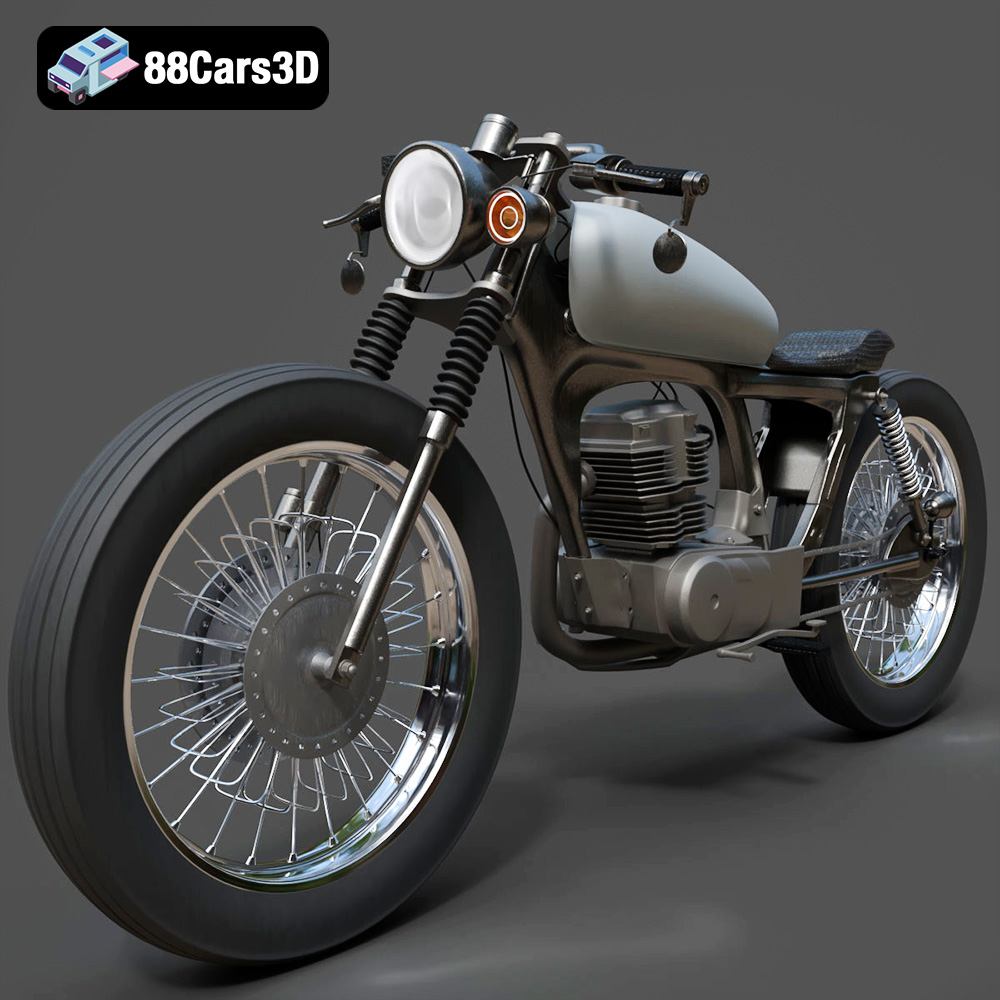
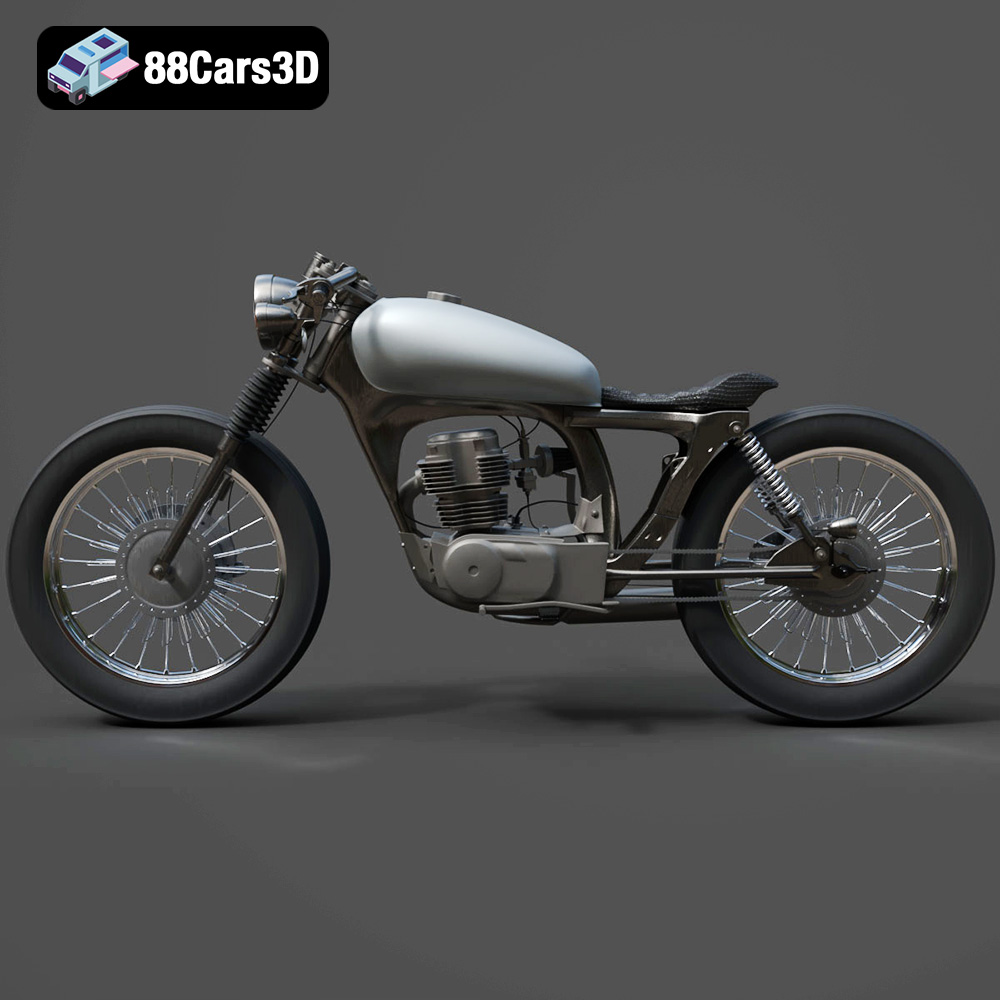
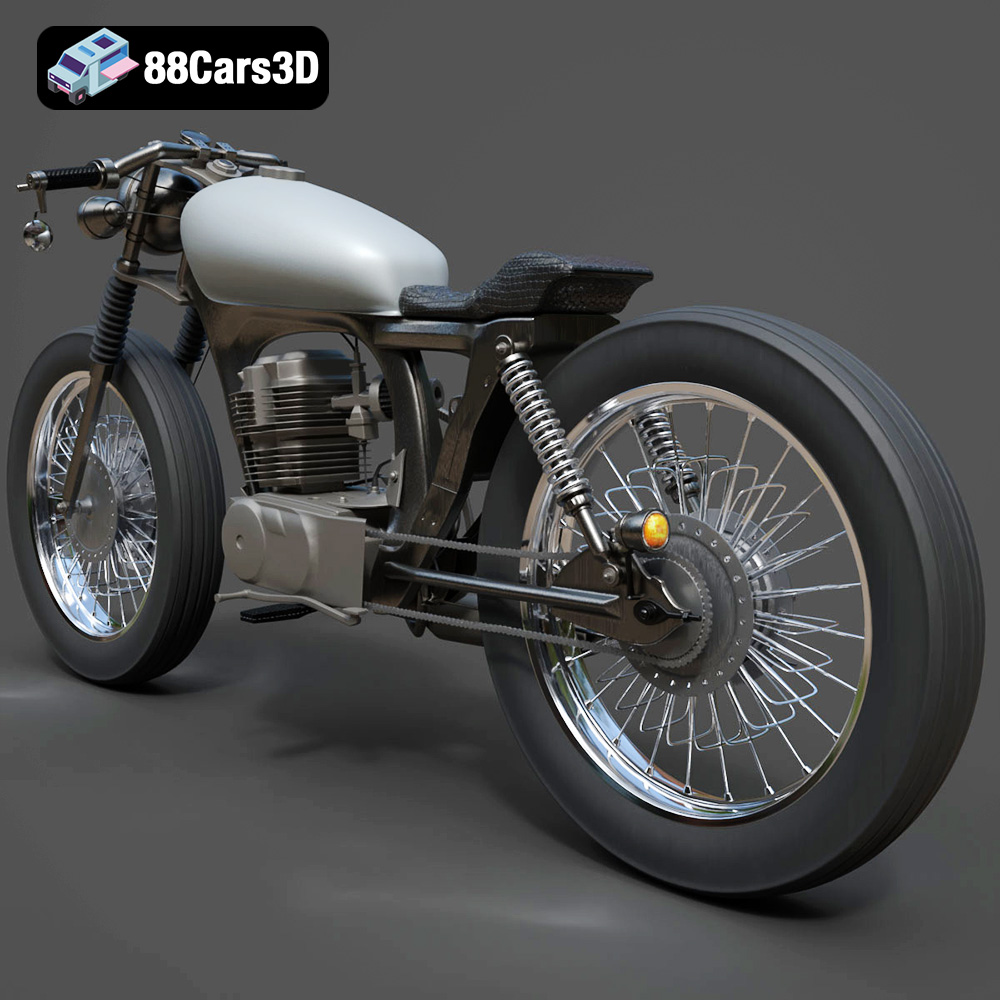
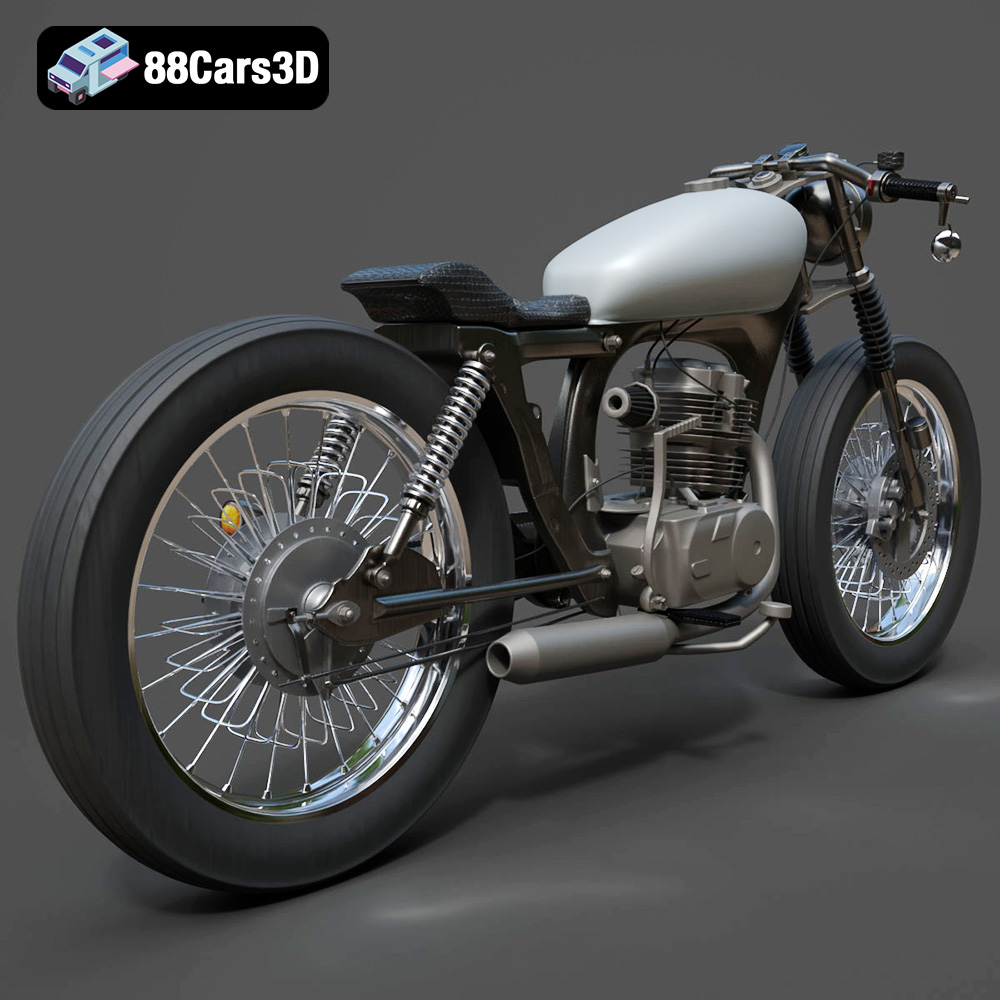
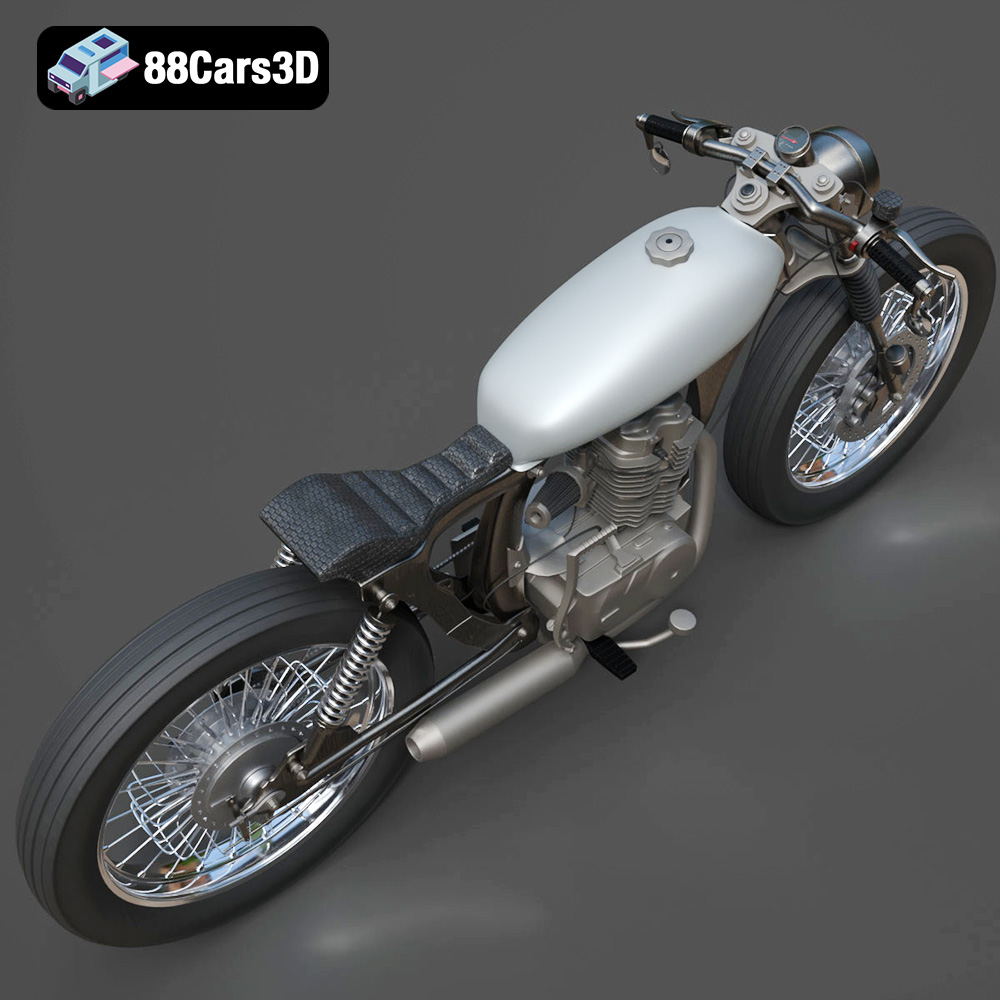
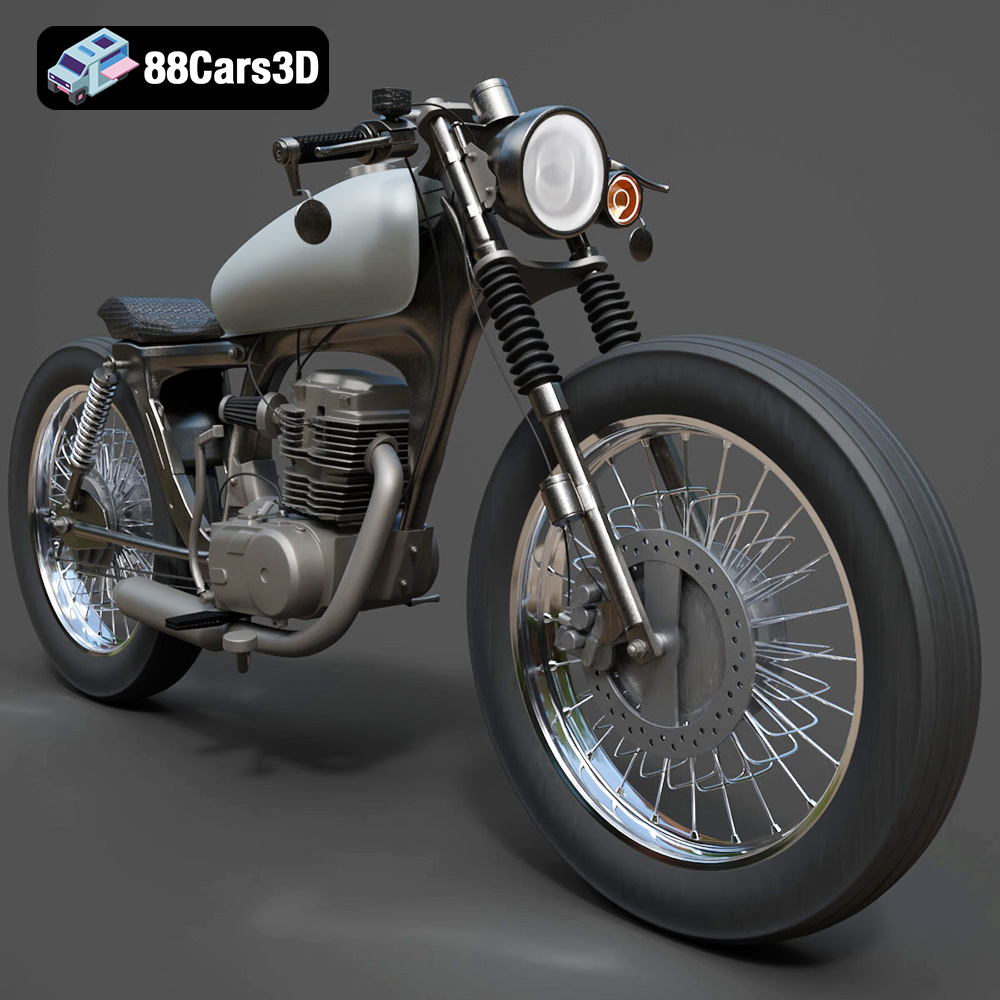
The Honda CG125 is a legendary motorcycle, known for its reliability and widespread use as a commuter bike. Now, thanks to advancements in 3D printing, you can own a miniature replica of this iconic machine. The Honda CG125 Motorcycle 3D Model available at 88cars3d.com offers a detailed and accurate representation, perfect for 3D printing enthusiasts and motorcycle aficionados alike. This blog post will guide you through the process of successfully 3D printing this model, covering everything from pre-print preparation to post-processing techniques.
Before diving into the specifics of 3D printing the Honda CG125 model, it’s crucial to understand the different file formats available and their suitability for additive manufacturing. The model comes with several formats, each designed for a particular purpose, but only some are optimized for 3D printing.
The .stl (Stereolithography) format is the industry standard for 3D printing. It represents the surface geometry of a 3D object using a mesh of triangles. This simplicity makes it universally compatible with slicing software and 3D printers. However, it only stores the surface geometry and lacks information about color, texture, or materials.
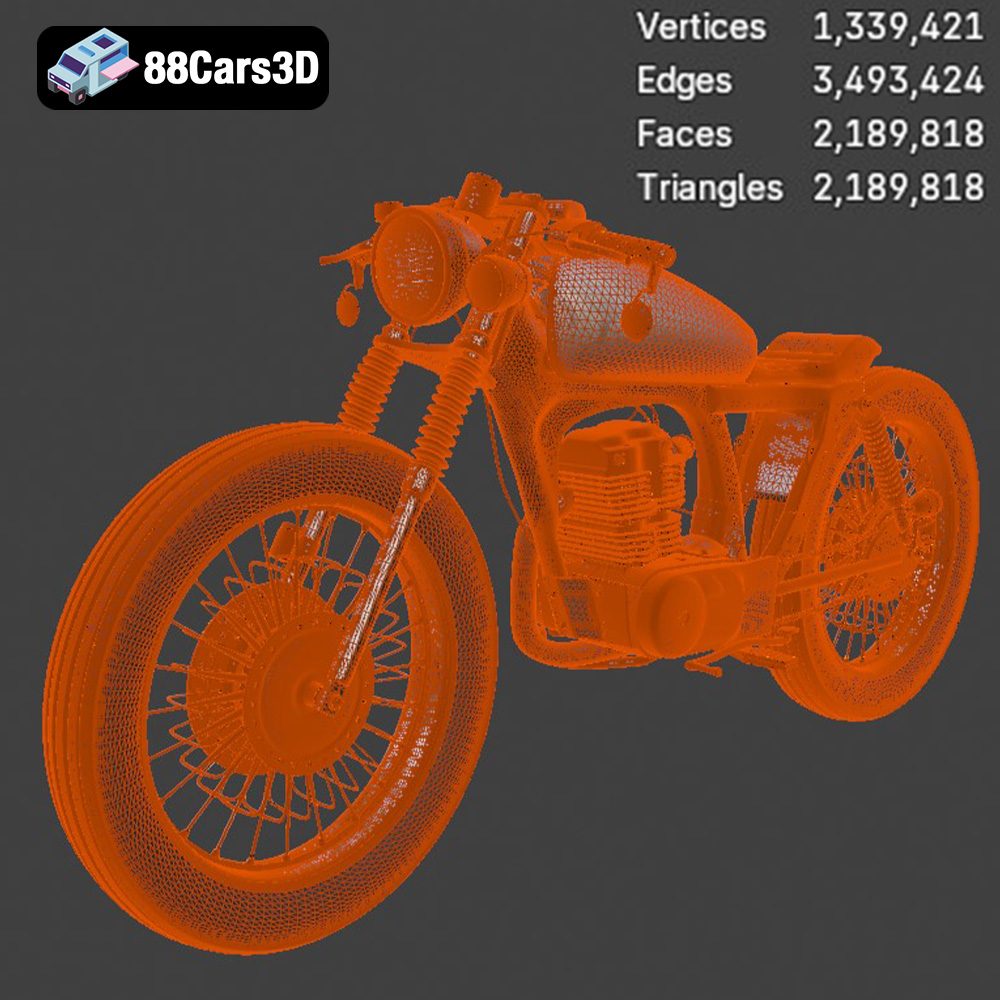
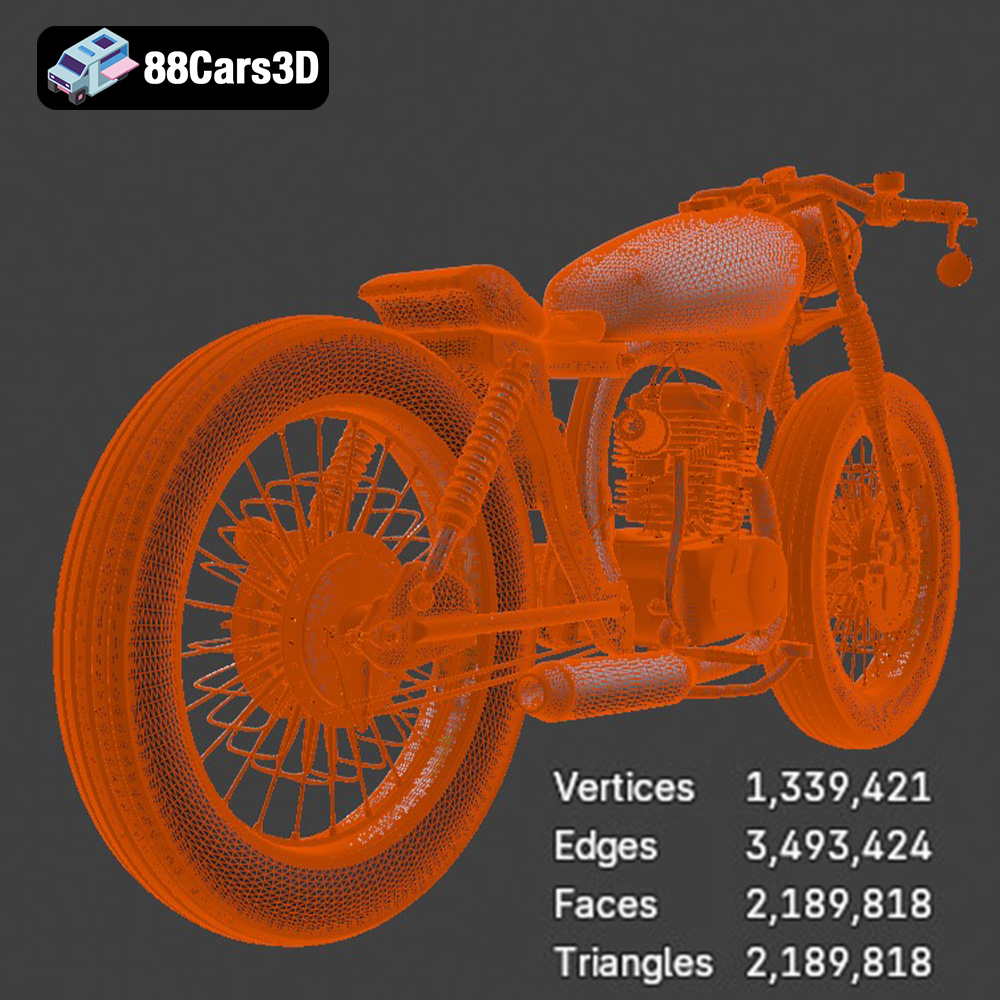
When preparing the Honda CG125 model for 3D printing, the .stl file will be your primary focus. The quality of the .stl file directly impacts the final print. Higher resolution .stl files (more triangles) result in smoother surfaces but can increase file size and processing time. It’s essential to strike a balance between detail and practicality. Slicing software imports the .stl file and converts it into a series of instructions (G-code) that the 3D printer can understand. These instructions dictate the printer’s movements, extrusion rates, and other parameters to build the object layer by layer. For optimal results, always ensure the .stl file is free of errors like non-manifold edges or holes, which can cause issues during slicing.
The .obj format is another common 3D model format that supports both geometry and texture information. Unlike .stl, .obj files can store color and texture data, making them suitable for creating visually appealing renders or virtual models. However, most 3D printers cannot directly utilize texture information.
While the Honda CG125 .obj file might be useful for visualizing the model with its intended colors and materials in a 3D modeling program, it’s not the ideal format for 3D printing, especially if you’re using a single-extrusion printer. Some advanced 3D printers with multi-material capabilities can potentially use .obj files with color information, but this is a more complex process.
The .ply (Polygon File Format) is designed to store 3D data acquired from 3D scanners. It’s capable of representing complex shapes with high precision, making it suitable for applications requiring detailed surface information. Like .stl, .ply files represent geometry, but can also include color, transparency, and normal vector information.
For 3D printing, the .ply format can be useful if the Honda CG125 model requires extremely fine details. However, the increased file size and complexity can also increase processing time in slicing software. Ensure your slicing software supports the .ply format and that your computer has sufficient processing power to handle the file.
The .blend file is the native format for Blender, a popular open-source 3D modeling software. It contains the entire Blender scene, including the model geometry, textures, materials, lighting, and camera settings. This format allows for complete customization of the model before exporting it for 3D printing.
If you’re familiar with Blender, the .blend file provides the greatest flexibility to modify the Honda CG125 model. You can adjust the geometry, add details, separate parts for easier printing, or even create variations of the model. Once you’ve made your desired changes, you can export the model as an .stl file for 3D printing.
The .fbx (Filmbox) format is a proprietary format developed by Autodesk for interoperability between different 3D software packages. It supports geometry, materials, textures, animations, and other data.
While .fbx is often used for transferring models between applications, it’s not typically used directly for 3D printing. The primary use of the .fbx file of the Honda CG125 motorcycle will be for import into game engines or other rendering applications, but it could be converted to STL.
The .glb format is a binary file format representing 3D models, commonly used for augmented reality (AR) and web-based applications. It’s designed to be compact and efficient for real-time rendering.
While you can’t directly 3D print a .glb file, it’s incredibly useful for previewing the Honda CG125 model in AR before committing to a print. This allows you to visualize the size and appearance of the model in your physical environment, helping you determine the appropriate scale and orientation for printing.
The .max file is the native format for 3ds Max, another professional 3D modeling, rendering, and animation software package. It contains the entire scene setup, including the model geometry, textures, materials, lighting, and animation data.
Similar to the .blend file, the .max file provides complete control over the Honda CG125 model for users familiar with 3ds Max. You can modify the model, add details, and prepare it for 3D printing by exporting it as an .stl file.
In summary, while the Honda CG125 model comes in various formats, the .stl file will be your primary choice for 3D printing. Use the other formats to view the model with textures, customize it in Blender or 3ds Max, or preview it in AR before printing. Ensure your slicing software supports the chosen format and that the model is free of errors before proceeding with the printing process.
Before sending the Honda CG125 3D model to your printer, thorough preparation is essential for a successful print. This involves using slicing software, optimizing the model’s orientation, and adding necessary supports.
Slicing software is the bridge between your 3D model and your 3D printer. It takes the .stl file of the Honda CG125 and converts it into a series of layers, generating G-code that the printer can understand. Popular slicing software options include Cura, PrusaSlicer, Simplify3D, and IdeaMaker.
Each slicer has its own strengths and weaknesses, but they all share common features. When configuring your slicer, consider the following settings:
* **Layer Height:** Lower layer heights (e.g., 0.1mm) result in smoother surfaces and finer details but increase print time. Higher layer heights (e.g., 0.2mm) print faster but sacrifice some surface quality. A good starting point for the Honda CG125 is 0.15mm.
* **Infill Density:** Infill density determines the internal structure of the print. Higher infill densities increase strength but also increase print time and material usage. A density of 15-20% is usually sufficient for decorative models like the CG125.
* **Print Speed:** Adjusting the print speed affects both print time and quality. Slower speeds generally improve accuracy and reduce the risk of warping or layer separation. A speed of 40-60 mm/s is a good starting point.
* **Temperature:** The optimal printing temperature depends on the material you’re using. Refer to the filament manufacturer’s recommendations.
* **Support Structures:** Complex models like the Honda CG125 often require support structures to prevent overhangs from collapsing during printing. Choose a support pattern (e.g., tree, linear) and density that provides adequate support without being too difficult to remove.
The orientation of the Honda CG125 model on the print bed significantly affects the print quality, strength, and the amount of support material needed. Experiment with different orientations in your slicing software to minimize overhangs and maximize the use of the print bed.
For the Honda CG125, consider printing the frame and body parts separately and then assembling them. This allows you to orient each part for optimal printing. Pay close attention to areas like the handlebars, wheels, and exhaust, which may require significant support.
When generating supports, consider using tree supports, which are more material-efficient and easier to remove than traditional linear supports. Also, adjust the support settings to minimize the contact area with the model’s surface to reduce the risk of damaging the finish during removal.
Before slicing, you may want to scale the Honda CG125 model to your desired size. Keep in mind that scaling too small can make intricate details difficult to print, while scaling too large can exceed your printer’s build volume.
It’s also crucial to check the .stl file for errors before printing. Non-manifold edges, holes, and other defects can cause problems during slicing and printing. Most slicing software includes basic model repair tools, or you can use dedicated software like MeshMixer or Netfabb. These tools can automatically identify and repair common model errors, ensuring a smooth and successful print.
The choice of material significantly impacts the final appearance, strength, and durability of your 3D printed Honda CG125 model. Several materials are suitable for this project, each with its own advantages and disadvantages.
PLA (Polylactic Acid) is a biodegradable thermoplastic derived from renewable resources like cornstarch or sugarcane. It’s a popular choice for 3D printing due to its ease of use, low printing temperature, and minimal warping. PLA is ideal for decorative models like the Honda CG125, as it produces smooth surfaces and captures fine details.
However, PLA has some limitations. It’s not very heat-resistant and can soften or deform at temperatures above 60°C. It’s also relatively brittle and not suitable for parts that require high strength or impact resistance. If you plan to display your 3D printed Honda CG125 indoors and away from direct sunlight, PLA is a great choice.
PETG (Polyethylene Terephthalate Glycol-modified) is a thermoplastic that combines the ease of printing of PLA with the strength and durability of ABS. It’s more heat-resistant than PLA and offers better impact resistance. PETG is a good choice for the Honda CG125 if you want a more robust model that can withstand some handling.
PETG can be slightly more challenging to print than PLA, as it requires higher printing temperatures and can be prone to stringing. However, with proper temperature and retraction settings, you can achieve excellent results.
Resin 3D printing, also known as stereolithography (SLA) or digital light processing (DLP), uses liquid resin that is cured by UV light. Resin 3D printers are capable of producing extremely detailed prints with smooth surfaces, making them ideal for intricate models like the Honda CG125.
Resin prints tend to be more brittle than FDM prints (PLA, PETG) and are best suited for models that won’t be subjected to mechanical stress. Resin printing also requires more post-processing, including washing and curing the prints. However, the level of detail and surface finish achievable with resin makes it a compelling option for display models.
* **PLA:** Best for beginners and decorative models. Easy to print, good surface finish, but not very strong or heat-resistant.
* **PETG:** A good all-around option for strength and durability. More challenging to print than PLA but offers better performance.
* **Resin:** Ideal for highly detailed models with smooth surfaces. Requires more post-processing and tends to be more brittle.
Achieving a successful 3D print of the Honda CG125 model requires careful attention to printer settings. These settings will vary depending on your printer, material, and desired level of detail.
* **Layer Height:** For PLA and PETG, a layer height of 0.1-0.15mm offers a good balance between detail and print time. For resin printing, layer heights of 0.025-0.05mm are common for achieving maximum detail.
* **Resolution:** This refers to the level of detail in the .stl file. Higher resolution files result in smoother surfaces but can increase file size and processing time. Ensure the resolution is appropriate for your printer’s capabilities and the level of detail you want to capture.
* **Infill Density:** For decorative models like the Honda CG125, an infill density of 15-20% is usually sufficient. You can increase the infill density in areas that require more strength, such as the frame.
* **Infill Pattern:** Common infill patterns include grid, gyroid, and cubic. Gyroid infill provides good strength in all directions and is a good choice for the Honda CG125.
* **Print Speed:** A print speed of 40-60 mm/s is a good starting point for PLA and PETG. You may need to adjust the speed depending on your printer and material. For resin printing, the lift speed and exposure time are critical settings.
* **Temperature:** Refer to the filament manufacturer’s recommendations for the optimal printing temperature. PLA typically prints at 190-220°C, while PETG prints at 230-250°C.
* **Support Type:** Tree supports are often the best choice for complex models like the Honda CG125, as they are more material-efficient and easier to remove.
* **Support Density:** Adjust the support density to provide adequate support without being too difficult to remove. A density of 10-20% is usually sufficient.
* **Support Placement:** Ensure supports are placed in areas that require them, such as overhangs and bridges.
Once the Honda CG125 model is printed, post-processing is essential to achieve a polished and professional finish. This involves removing supports, sanding, painting, and assembling the parts.
* **Support Removal:** Carefully remove the support structures using pliers, cutters, or a deburring tool. Take your time and avoid damaging the model’s surface.
* **Sanding:** Sand the model’s surface to remove any imperfections and smooth out the layer lines. Start with a coarse grit sandpaper (e.g., 220) and gradually move to finer grits (e.g., 400, 600, 800). Wet sanding can help to reduce dust and improve the surface finish.
* **Priming:** Apply a primer to the model to create a smooth and uniform surface for painting. Primer also helps the paint adhere better to the plastic.
* **Painting:** Use acrylic paints or spray paints to add color to the model. Apply multiple thin coats for a smooth and even finish. Consider using stencils or masking tape to create intricate designs.
* **Clear Coat:** Apply a clear coat to protect the paint and add a glossy or matte finish.
If you printed the Honda CG125 model in multiple parts, assemble them using glue or screws. Ensure the parts are properly aligned and secured.
Even with careful preparation, 3D printing can sometimes present challenges. Here are some common issues and their solutions:
* **Warping:** This occurs when the first layer of the print doesn’t adhere properly to the print bed. Solutions include using a heated bed, applying adhesive to the bed, and ensuring the bed is properly leveled.
* **Stringing:** This is when thin strands of plastic are left between different parts of the print. Solutions include adjusting the retraction settings, lowering the printing temperature, and increasing the travel speed.
* **Layer Separation:** This occurs when the layers of the print don’t bond properly. Solutions include increasing the printing temperature, decreasing the print speed, and ensuring the filament is dry.
* **Elephant’s Foot:** This is when the first few layers of the print are wider than the rest. Solutions include adjusting the Z-offset, reducing the bed temperature, and calibrating the extruder.
By understanding these common issues and their solutions, you can overcome challenges and achieve successful 3D prints of the Honda CG125 model.
Immerse yourself in the intricate details of the Honda CG125 Motorcycle 3D Model, a faithful recreation of this iconic commuter bike. This model has been crafted to provide a high degree of realism, making it suitable for a wide array of applications. Every component, from the engine to the frame, has been meticulously modeled to ensure accuracy and visual fidelity. The model features clean geometry and realistic materials, providing a professional-grade asset ready for integration into your projects.
$19.99
3D printing the Honda CG125 Motorcycle 3D Model from 88cars3d.com is a rewarding project for both beginners and experienced 3D printing enthusiasts. By carefully preparing the model, selecting the right material, optimizing printer settings, and applying post-processing techniques, you can create a stunning replica of this iconic motorcycle. Remember to troubleshoot common issues and experiment with different settings to achieve the best possible results. The detailed 3D printed model can be used for display, educational purposes, or as a unique gift for motorcycle enthusiasts. With patience and attention to detail, you can bring this classic bike to life through the power of additive manufacturing.
.arvr
.bike3dmodel
.blend
.cg125
.cg125motorcycle
.commuterbike
.fbx
.gameasset
.glb
.honda
.max
.motorcycle
.obj
.ply
.rendering
.simulation
.stl
.unreal