Get 50% OFF All Premium 3D & STL Models!

“`html
For 3D printing enthusiasts and automotive aficionados alike, the ability to create intricate wheels, detailed tires, and accurate car parts from STL files is a rewarding endeavor. Whether you’re a hobbyist building a scale model, an engineer prototyping a new design, or simply a car lover wanting to customize your collection, mastering the art of 3D printing car components opens up a world of possibilities. This guide will provide a comprehensive overview of the process, from understanding STL file structure to optimizing your 3D printer settings and post-processing your finished prints. We’ll delve into the specifics of FDM and resin printing, discuss support structure strategies, and offer troubleshooting tips to ensure your 3D printed car parts are of the highest quality. Get ready to transform digital designs into tangible realities!
The STL (Stereolithography) file format is the backbone of 3D printing, representing the surface geometry of a 3D object using a collection of triangles. When it comes to printing car parts, especially intricate details like wheel spokes or tire treads, a thorough understanding of STL file characteristics is crucial. The density and distribution of these triangles directly impact the resolution and accuracy of the final print. Moreover, imperfections in the STL file, such as non-manifold geometry, can lead to printing failures. Platforms like 88cars3d.com offer print-ready STL files designed specifically for 3D printing, saving you valuable time and effort in file preparation.
The number of triangles used to define the surface of your 3D model directly impacts the resolution of the printed part. Higher mesh density means more triangles, resulting in a smoother surface finish and more accurate representation of curved surfaces, essential for parts like fenders and bumpers. However, increasing mesh density also increases file size and processing time during slicing. A good rule of thumb is to find a balance between detail and file size. For wheels, aim for a higher polygon count to capture the intricate spoke designs, while larger body panels can often be printed with a slightly lower resolution to save time and resources.
A manifold mesh is a closed surface without any holes or self-intersections. Non-manifold geometry, on the other hand, can cause slicing errors and printing failures. Common issues include flipped normals (triangles facing the wrong direction), holes in the mesh, and overlapping faces. Before printing, it’s essential to inspect your STL files for these errors using software like Meshmixer, Netfabb, or online mesh repair services. These tools can automatically identify and fix common problems, ensuring a successful print. A simple check is to load the STL file into your slicer; if the slicer displays unexpected gaps or missing sections, it’s likely there are mesh errors that need addressing.
The choice between FDM (Fused Deposition Modeling) and resin printing significantly impacts the final quality, strength, and cost of your 3D printed car parts. FDM printing, which extrudes melted plastic filament layer by layer, is generally more affordable and suitable for larger parts like body panels and chassis components. Resin printing, utilizing light to cure liquid resin, offers higher resolution and is ideal for intricate details like wheels, tires, and interior trim. The material selection also plays a crucial role in determining the durability and aesthetic appeal of the finished product.
PLA (Polylactic Acid) is a popular choice for FDM printing due to its ease of use and biodegradability. It’s well-suited for printing car bodies and non-functional parts. PETG (Polyethylene Terephthalate Glycol) offers improved strength and heat resistance compared to PLA, making it a good option for parts that may be exposed to higher temperatures. ABS (Acrylonitrile Butadiene Styrene) is known for its high impact resistance and is commonly used in the automotive industry. However, ABS requires a heated bed and good ventilation due to the fumes it emits during printing. Common FDM settings include layer heights between 0.1mm and 0.2mm, infill percentages ranging from 15% to 30% for weight optimization, and print speeds of 40-60mm/s. The optimal bed temperature for PLA is around 60°C, while PETG and ABS require higher temperatures of 70-80°C and 100-110°C, respectively. Nozzle temperatures typically range from 200-220°C for PLA, 230-250°C for PETG, and 235-245°C for ABS.
Resin printing offers exceptional detail and smooth surface finishes, making it perfect for printing wheels, tires, and small, intricate car parts. SLA (Stereolithography), DLP (Digital Light Processing), and LCD (Liquid Crystal Display) are the three main types of resin printing. SLA uses a laser to cure the resin, while DLP uses a projector. LCD printers use an array of LEDs shining through an LCD screen to cure the resin. Layer heights for resin printing typically range from 0.025mm to 0.05mm, allowing for extremely fine details. Support structures are essential for resin printing, as the parts are printed upside down. Common resin types include standard resin, tough resin, and flexible resin. Standard resin is suitable for most applications, while tough resin offers increased impact resistance. Flexible resin is ideal for printing tires. Exposure times vary depending on the resin type and printer, but typically range from 6 to 12 seconds per layer. After printing, resin parts need to be washed in isopropyl alcohol (IPA) and cured under UV light to fully harden.
Slicing software acts as the bridge between your 3D model and your 3D printer, converting the STL file into a set of instructions that the printer can understand. The slicing parameters you choose directly influence the print quality, strength, and printing time. For car parts, optimizing these parameters is crucial to achieving the desired level of detail and durability. This section will cover key slicing parameters and provide specific recommendations for printing wheels, tires, and body panels.
Layer height is a critical parameter that determines the resolution and surface finish of your 3D printed car parts. Lower layer heights, such as 0.1mm or 0.05mm, result in smoother surfaces and finer details, but also increase printing time. Higher layer heights, such as 0.2mm or 0.3mm, reduce printing time but may sacrifice surface quality. For parts like wheels, where detail is paramount, a lower layer height is recommended. For larger body panels, a slightly higher layer height can be used to save time. Print speed also affects print quality. Slower print speeds generally result in better adhesion between layers and reduced warping. A good starting point is to use a print speed of 40-60mm/s for FDM printing. For resin printing, exposure time per layer is the equivalent parameter influencing detail and curing strength.
Infill density refers to the amount of material used inside the 3D printed part. A higher infill density increases the strength and weight of the part, while a lower infill density reduces weight and material consumption. For car parts, the optimal infill density depends on the intended use of the part. For structural components like chassis parts, a higher infill density (e.g., 30-50%) is recommended. For purely aesthetic parts like body panels, a lower infill density (e.g., 15-25%) is sufficient. The infill pattern also affects the strength and weight of the part. Common infill patterns include rectilinear, grid, triangular, and gyroid. Gyroid infill offers a good balance of strength and weight, while rectilinear infill is faster to print. For car wheels, consider using a concentric infill pattern to provide additional support to the rim.
Support structures are temporary structures that are printed alongside your 3D model to support overhanging features and prevent them from collapsing during printing. When printing complex car parts with intricate geometries, such as wheel arches or spoilers, support structures are often essential. The type of support structure, its density, and its placement all affect the success of the print and the ease of post-processing. This section will cover different types of support structures, strategies for optimizing their placement, and techniques for removing them without damaging the printed part.
There are two main types of support structures: tree supports and linear supports. Linear supports are simple vertical structures that are easy to generate but can leave noticeable marks on the printed part. Tree supports, on the other hand, are more complex structures that branch out like a tree, providing support to overhanging features with minimal contact. Tree supports are generally preferred for car parts, as they are less likely to damage the surface of the part during removal. However, tree supports can be more difficult to generate and may require more material. When using tree supports, be sure to adjust the branch angle and density to optimize their effectiveness. For FDM printing, consider using support interface layers for easier removal.
The placement and density of support structures are crucial for ensuring a successful print. Support structures should be placed under all overhanging features that are not self-supporting. However, placing too many supports can make the print difficult to remove and may damage the surface of the part. The density of support structures refers to the amount of material used to create the supports. Higher density supports provide more support but are also more difficult to remove. A good starting point is to use a support density of 15-20%. Experiment with different support settings to find the optimal balance between support and ease of removal. When downloading models from marketplaces such as 88cars3d.com, check if the designer provides recommendations on support placement, as they often have specific knowledge of the model’s geometry.
Post-processing is the final stage in the 3D printing process, involving a series of steps to clean up, refine, and enhance the appearance of your 3D printed car parts. This can include removing support structures, sanding, filling, priming, and painting. The specific techniques you use will depend on the material, the complexity of the part, and the desired level of finish. This section will cover common post-processing techniques and provide tips for achieving a professional-looking result.
The first step in post-processing is to remove the support structures. For FDM prints, this can often be done by hand or with pliers. Be careful not to damage the surface of the part during removal. For resin prints, the supports are typically more delicate and may require the use of a sharp knife or scraper. After removing the supports, you’ll likely need to sand the surface of the part to remove any remaining support marks or imperfections. Start with a coarse grit sandpaper (e.g., 220 grit) and gradually work your way up to a finer grit (e.g., 400 grit, 600 grit). For larger gaps or imperfections, you can use a filler, such as Bondo or epoxy putty, to fill them in. Sand the filler smooth after it has dried.
Priming is an essential step in preparing your 3D printed car parts for painting. Primer helps to create a smooth, even surface for the paint to adhere to, and it also helps to fill in any remaining imperfections. Apply several thin coats of primer, allowing each coat to dry completely before applying the next. After the primer has dried, you can begin painting your car parts. Use high-quality automotive paint for the best results. Apply several thin coats of paint, allowing each coat to dry completely before applying the next. For a more realistic look, consider using masking tape to create different paint schemes or add details like racing stripes. Finally, apply a clear coat to protect the paint and give it a glossy finish.
Even with careful planning and execution, 3D printing car parts can sometimes present challenges. Warping, layer adhesion problems, and stringing are just a few of the common issues that can arise. Understanding the causes of these problems and knowing how to troubleshoot them is essential for achieving consistently high-quality prints. This section will cover some of the most common 3D printing issues and provide solutions for resolving them.
Warping occurs when the corners of the 3D printed part lift off the print bed during printing. This is often caused by uneven cooling or poor bed adhesion. To prevent warping, ensure that your print bed is properly leveled and heated. Use a bed adhesion aid, such as glue stick, hairspray, or painter’s tape, to improve adhesion. Enclosing the printer can also help to maintain a consistent temperature and reduce warping. If warping persists, try increasing the bed temperature or slowing down the print speed. For ABS, an enclosure is almost mandatory to prevent warping.
Layer adhesion problems occur when the layers of the 3D printed part do not properly bond together, resulting in weak or delaminated parts. This can be caused by low printing temperature, insufficient cooling, or incorrect print speed. To improve layer adhesion, try increasing the printing temperature, reducing the cooling fan speed, or slowing down the print speed. Stringing occurs when the 3D printer extrudes small strands of filament between different parts of the print. This is often caused by excessive retraction, high printing temperature, or wet filament. To reduce stringing, try increasing the retraction distance, lowering the printing temperature, or drying the filament.
3D printing wheels, tires, and car parts in STL format is a fascinating and rewarding process that combines technology, creativity, and a passion for automobiles. By understanding the nuances of STL files, choosing the right printing technology and materials, optimizing slicing parameters, mastering support structures, and employing effective post-processing techniques, you can create stunning and accurate replicas of your favorite vehicles or even design entirely new ones. Remember to troubleshoot common printing issues and continuously experiment with different settings and materials to refine your skills. As you gain experience, you’ll be able to push the boundaries of what’s possible and bring your automotive dreams to life. Explore the vast selection of printable car models at 88cars3d.com to kickstart your next 3D printing project!
Next Steps:
“`

Texture: Yes | Material: Yes
Download the highly detailed, game-ready Custom Off-Road BMW R1150GS Adventure Sidecar 3D Model. Features rugged all-terrain suspension, an attached passenger sidecar, and off-road knobby tires. Includes .blend, .fbx, .obj, .glb, .stl, .ply, .unreal, and .max formats for game development, AR/VR, and rendering.
Price: $19.99

Texture: Yes | Material: Yes
Download the highly detailed, game-ready Mitsubishi Outlander GT 2010 3D Model. Features the aggressive Lancer-inspired front grille, accurate exterior styling, and high-fidelity alloy wheels. Includes .blend, .fbx, .obj, .glb, .stl, .ply, .unreal, and .max formats for game development, AR/VR, and rendering.
Price: $19.99

Texture: Yes | Material: Yes
Download the highly detailed, game-ready Mitsubishi L200 Crew Cab 2019 3D Model. Features the iconic Dynamic Shield front fascia, rugged cargo bed, and a spacious crew cab interior. Includes .blend, .fbx, .obj, .glb, .stl, .ply, .unreal, and .max formats for game development, AR/VR, and rendering.
Price: $19.99
Texture: Yes | Material: Yes
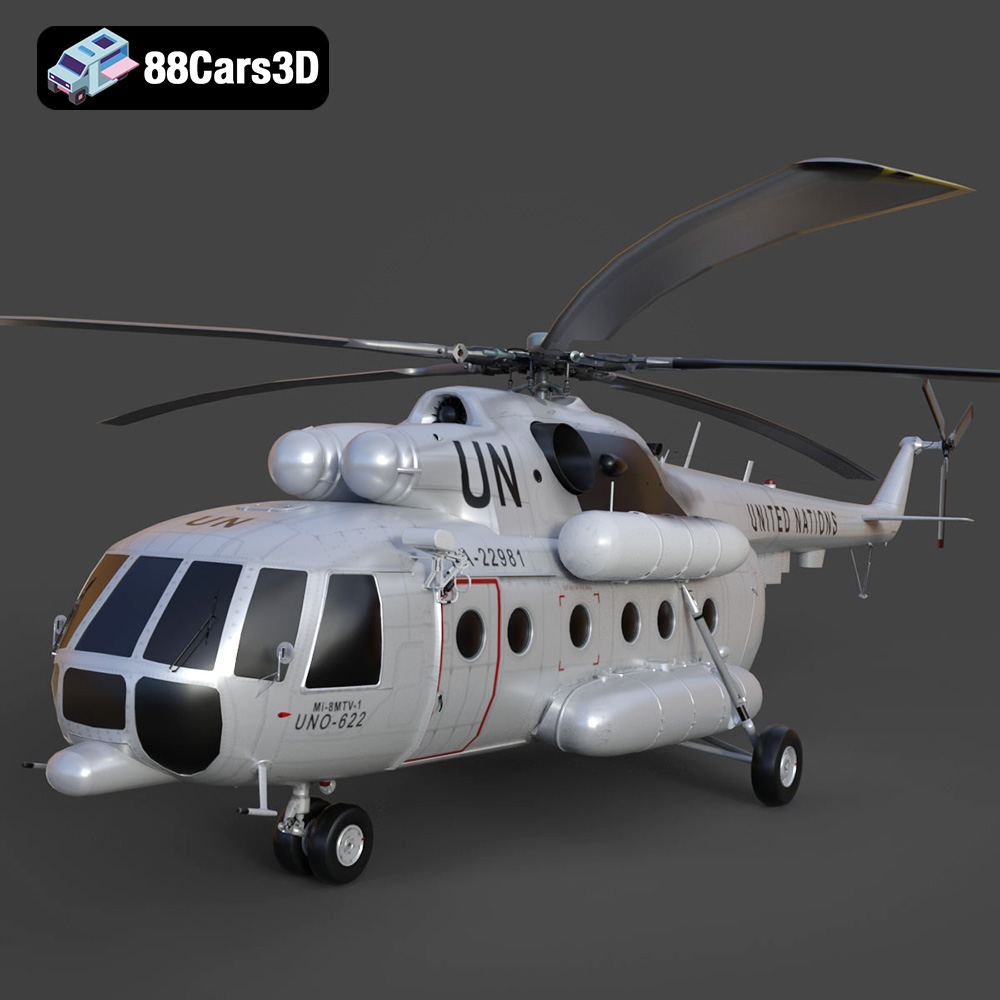
Download the highly detailed, game-ready Mil Mi-8MTV-UN 3D Model. Features the iconic United Nations white livery, detailed twin turboshaft engines, and fully articulated rotor assemblies. Includes .blend, .fbx, .obj, .glb, .stl, .ply, .unreal, and .max formats for game development, AR/VR, and rendering.
Price: $19.99
Texture: Yes | Material: Yes
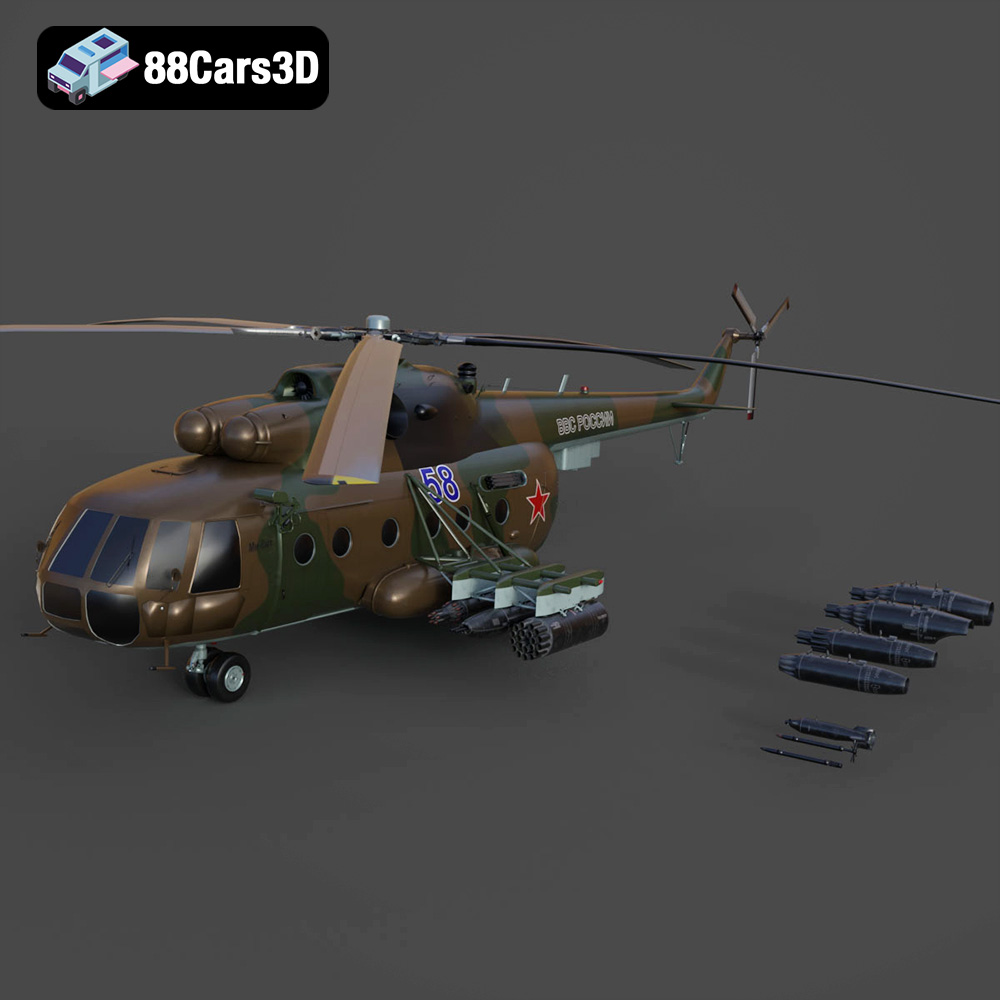
Download the highly detailed, game-ready Mil Mi-8MT Helicopter 3D Model. Features twin-turbine engine housings, a detailed 5-blade main rotor, and authentic cockpit instrumentation. Includes .blend, .fbx, .obj, .glb, .stl, .ply, .unreal, and .max formats for game development, AR/VR, and rendering.
Price: $19.99

Texture: Yes | Material: Yes
Download the highly detailed, game-ready Mercedes-Maybach Vision 6 2018 3D Model. Features an elongated aero coupe design, iconic gullwing doors, and striking 24-inch aerodynamic wheels. Includes .blend, .fbx, .obj, .glb, .stl, .ply, .unreal, and .max formats for game development, AR/VR, and rendering.
Price: $19.99
Texture: Yes | Material: Yes
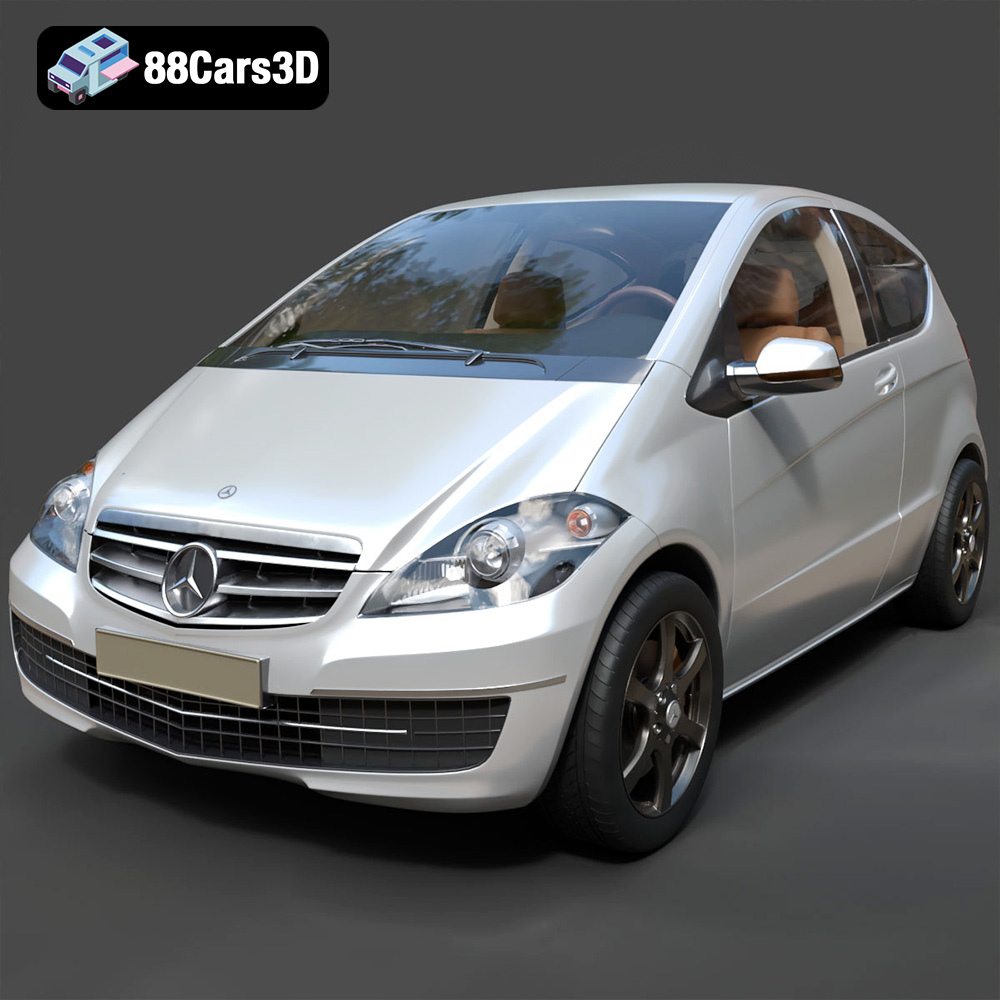
Download the highly detailed, game-ready Mercedes-Benz A-Class 3-Door 2010 3D Model. Features an accurate compact luxury exterior, detailed interior, and optimized topology. Includes .blend, .fbx, .obj, .glb, .stl, .ply, .unreal, and .max formats for game development, AR/VR, and rendering.
Price: $19.99

Texture: Yes | Material: Yes
Download the highly detailed, game-ready Mercedes-Benz GLB-Class (Mk1) AMG Line 2019 3D Model. Features sporty AMG Line exterior styling, accurate LED lighting, and premium interior details. Includes .blend, .fbx, .obj, .glb, .stl, .ply, .unreal, and .max formats for game development, AR/VR, and rendering.
Price: $19.99
Texture: Yes | Material: Yes
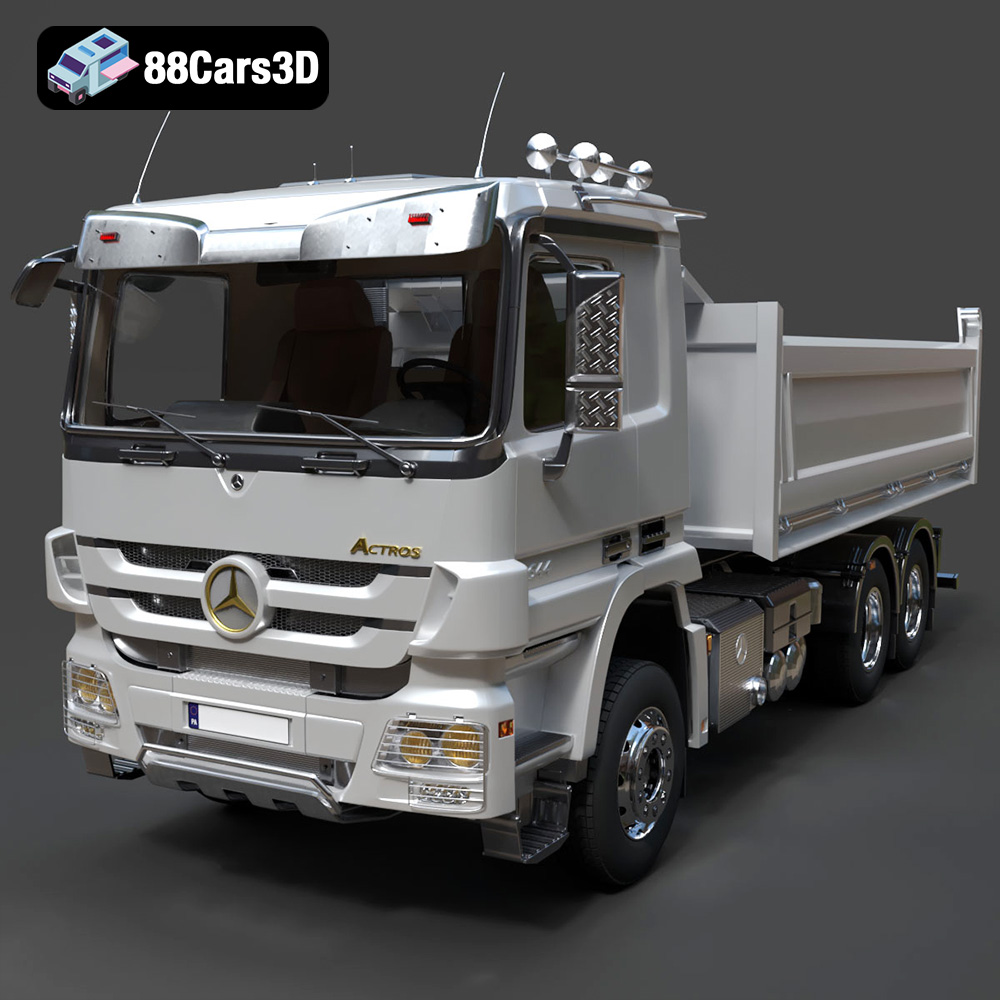
Download the highly detailed, game-ready Mercedes-Benz Actros Tipper 3-Axle 2011 3D Model. Features a functional hydraulic tipper bed, detailed multi-axle chassis, and an accurate commercial cab. Includes .blend, .fbx, .obj, .glb, .stl, .ply, .unreal, and .max formats for game development, AR/VR, and rendering.
Price: $19.99

Texture: Yes | Material: Yes
Download the highly detailed, game-ready Lexus LX Mk3f J200 2016 3D Model. Features the iconic spindle grille, sharp L-shaped LED lighting, and a premium luxury interior. Includes .blend, .fbx, .obj, .glb, .stl, .ply, .unreal, and .max formats for game development, AR/VR, and rendering.
Price: $19.99

