Get 20% OFF All Premium 3D & STL Models!

“`html
The world of 3D printing offers incredible possibilities, especially for automotive enthusiasts and model makers. Bringing intricately designed car interiors to life requires a deep understanding of STL files, 3D printer settings, and post-processing techniques. This guide provides a comprehensive walkthrough, from preparing your STL files to achieving professional-quality results, with a focus on leveraging resources like the high-quality models available at 88cars3d.com. Whether you’re using FDM or resin printing, this guide will equip you with the knowledge to create stunningly realistic car interiors.
In this article, we’ll delve into the intricacies of STL file structure, optimal slicing parameters, support generation strategies, material selection, and essential post-processing techniques. We’ll also explore common printing challenges and offer practical solutions to ensure your 3D-printed car interiors are nothing short of exceptional. Get ready to elevate your 3D printing game and transform your passion for automotive modeling into tangible masterpieces.
The STL (Stereolithography) file format is the cornerstone of 3D printing. It represents the surface geometry of a 3D object using a collection of triangles. For detailed car interiors, the quality of the STL file is paramount. A well-designed STL ensures a smooth, accurate print, capturing even the finest details of dashboards, seats, and consoles. Platforms like 88cars3d.com offer print-ready STL files specifically optimized for 3D printing, saving you significant time and effort in file preparation.
Mesh topology refers to the arrangement of triangles that make up the STL file. A dense mesh (high resolution) captures more detail but results in a larger file size and potentially longer processing times. For car interiors, balancing detail and file size is crucial. Look for STL files with consistent triangle sizes and minimal gaps or overlaps. A good STL file should have a smooth surface without visible facets or jagged edges when rendered. Resolution is often represented as the number of triangles. A file for a highly detailed interior component may have several hundred thousand triangles.
STL files can sometimes contain errors such as holes, self-intersections, or inverted normals (where triangles are facing the wrong way). These errors can cause printing issues or even prevent the slicer software from processing the file correctly. Software like Meshmixer, Netfabb, and Blender provide tools for identifying and repairing these errors. Common repair operations include filling holes, stitching edges, and reorienting normals. Always inspect and repair your STL files before attempting to print. When downloading models from marketplaces such as 88cars3d.com, you can generally expect that those STL files have already gone through a repair and validation process. However, it’s always good to double-check.
Slicing software converts the STL file into a series of layers that the 3D printer can understand. The slicing parameters you choose significantly impact the final print quality, especially for intricate car interiors. Key parameters include layer height, print speed, infill density, and temperature settings. These settings need to be carefully calibrated based on your printer, material, and desired level of detail.
Layer height determines the thickness of each printed layer. Lower layer heights result in smoother surfaces and finer details, but they also increase print time. A common starting point for detailed car interiors is 0.1mm layer height for FDM printing and 0.05mm or even 0.025mm for resin printing. Experiment with different layer heights to find the optimal balance between detail and print time. For FDM printing, using a smaller nozzle (e.g., 0.25mm) can further enhance detail when combined with a low layer height. Consider adaptive layer height settings in your slicer, which automatically adjust the layer height based on the geometry of the model.
Print speed affects both print quality and structural integrity. Faster speeds can lead to warping, poor layer adhesion, and reduced detail. Slower speeds allow for better material deposition and cooling, resulting in a more accurate print. For detailed car interiors, a print speed of 30-40mm/s is generally recommended for FDM printing. Temperature settings are crucial for proper material adhesion and preventing warping. Refer to the material manufacturer’s recommendations for optimal nozzle and bed temperatures. For PLA, a nozzle temperature of 200-220°C and a bed temperature of 60°C are typical. For ABS, higher temperatures (230-250°C nozzle, 80-100°C bed) are necessary.
Support structures are essential for printing overhangs and complex geometries in car interiors. These structures provide temporary support during printing and must be removed afterward. Proper support generation and removal are crucial for achieving a clean, detailed finish without damaging the printed model.
There are several types of support structures, including tree supports, linear supports, and hybrid supports. Tree supports are often preferred for car interiors as they minimize the contact area with the model, making removal easier and reducing the risk of damaging delicate features. Linear supports provide more robust support but can be more difficult to remove. Hybrid supports combine elements of both. Experiment with different support types to find the best option for your specific model and printer.
Support placement is critical for ensuring adequate support while minimizing material waste and potential damage during removal. Focus on supporting overhangs, bridges, and areas with steep angles. Avoid placing supports on delicate surfaces or areas where detail is important. Support density determines the amount of material used for the support structures. Higher density provides stronger support but can make removal more difficult. A lower density reduces material usage and makes removal easier, but may not provide sufficient support for complex geometries. Aim for a support density of 15-25% for FDM printing and adjust based on the complexity of the model.
The choice of material significantly impacts the appearance, durability, and post-processing options for your 3D-printed car interiors. Common materials include PLA, PETG, ABS, and various resin types. Each material has its own advantages and disadvantages, so selecting the right one is crucial for achieving your desired results.
PLA (Polylactic Acid) is a biodegradable thermoplastic known for its ease of printing and low warping. It’s a good choice for beginners and for models where heat resistance is not a major concern. PETG (Polyethylene Terephthalate Glycol-modified) offers a balance of strength, flexibility, and heat resistance. It’s more durable than PLA and less prone to warping than ABS. ABS (Acrylonitrile Butadiene Styrene) is a strong, heat-resistant plastic commonly used in automotive applications. However, it’s more difficult to print than PLA and PETG due to its tendency to warp and release fumes. If you are planning to paint or glue the parts, ABS is generally a better choice.
Resin printing (SLA/DLP) offers unparalleled detail and smooth surfaces, making it ideal for intricate car interiors. Resin printers use liquid photopolymer resins that are cured by UV light. Different resin types offer varying properties, such as strength, flexibility, and temperature resistance. For car interiors, consider using a high-resolution resin specifically designed for detailed models. Proper ventilation and safety precautions are essential when working with resin due to its potential toxicity. Be sure to use proper PPE such as gloves and eye protection. When using resin printers, always consult the manufacturer’s datasheet for cleaning and disposal instructions.
Post-processing is the final step in the 3D printing process and involves cleaning, sanding, painting, and assembling the printed parts. These techniques are essential for achieving a professional-quality finish and bringing your car interiors to life.
Carefully remove support structures using pliers, cutters, or a specialized support removal tool. Take your time and avoid applying excessive force, which can damage the model. After removing supports, use sandpaper to smooth any remaining imperfections or support marks. Start with a coarse grit (e.g., 220 grit) and gradually move to finer grits (e.g., 400, 600, 800 grit) to achieve a smooth surface. For resin prints, you may need to use a wet sanding technique to avoid creating dust.
Painting can significantly enhance the realism of your 3D-printed car interiors. Use a primer to prepare the surface for paint and ensure proper adhesion. Apply multiple thin coats of paint, allowing each coat to dry completely before applying the next. Consider using automotive-grade paints for a durable and realistic finish. After painting, assemble the individual parts using glue or other fasteners. Pay attention to alignment and fit to ensure a seamless assembly. For smaller parts, consider using cyanoacrylate glue (super glue).
Even with careful planning and execution, 3D printing can sometimes present challenges. Understanding common issues and their solutions is crucial for successful 3D printing of car interiors.
Warping occurs when the printed part lifts from the build plate during printing, often due to uneven cooling or poor bed adhesion. To prevent warping, ensure that your build plate is properly leveled and clean. Use a heated bed and apply an adhesive such as glue stick, hairspray, or painter’s tape to improve bed adhesion. For ABS, an enclosure is often necessary to maintain a consistent temperature and prevent warping. Experiment with different bed temperatures to find the optimal setting for your material. Also consider printing a raft, which is a sacrificial layer that improves adhesion.
Stringing occurs when the printer nozzle oozes filament while moving between different parts of the model, leaving thin strands of plastic. Blobs are small accumulations of excess plastic on the surface of the print. To prevent stringing and blobs, adjust your retraction settings in your slicer software. Increase the retraction distance and speed to quickly pull the filament back into the nozzle when moving between parts. Also, ensure that your nozzle temperature is not too high and that your filament is dry. Reduce print temperature in small increments to fine tune and eliminate these defects.
3D printing detailed car interiors is a rewarding and technically challenging endeavor. By understanding STL file structure, optimizing slicing parameters, mastering support generation, selecting the right materials, and employing effective post-processing techniques, you can create stunningly realistic models that capture the essence of automotive design. Resources like 88cars3d.com provide access to high-quality STL files, making the process more accessible and efficient. Remember to experiment with different settings and techniques to find what works best for your printer, material, and desired level of detail.
Now that you’re armed with the knowledge and techniques outlined in this guide, it’s time to put your skills to the test. Start by selecting a detailed car interior model, preparing your STL file, and carefully calibrating your 3D printer settings. Embrace the learning process, troubleshoot any issues that arise, and refine your techniques with each print. With dedication and patience, you’ll be well on your way to creating exceptional 3D-printed car interiors that showcase your passion for automotive modeling. Good luck, and happy printing!
“`
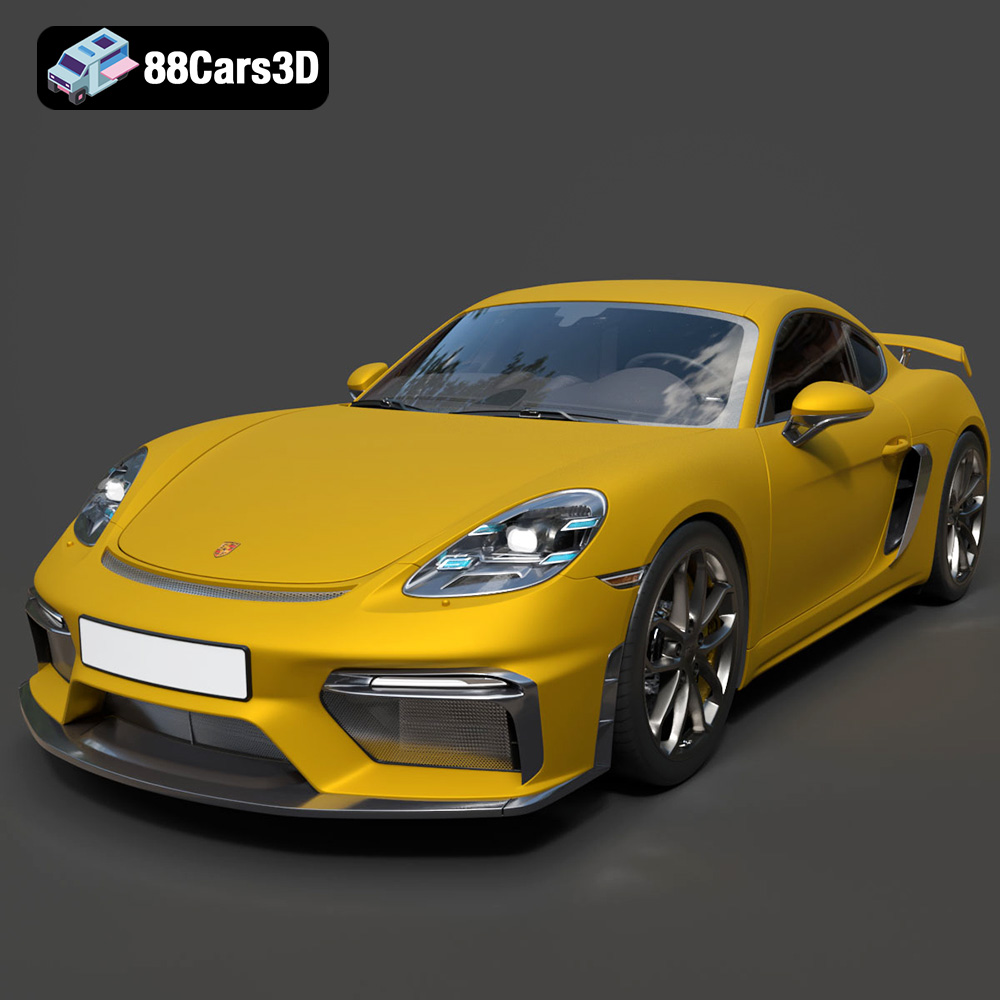
Texture: Yes | Material: Yes
Download the highly detailed, game-ready Porsche 718 Cayman GT4 2020 3D Model. Features an aggressive fixed rear wing, distinctive side air intakes, and a track-focused stance. Includes .blend, .fbx, .obj, .glb, .stl, .ply, .unreal, and .max formats for game development, AR/VR, and rendering.
Price: $19.99

Texture: Yes | Material: Yes
Download the highly detailed, game-ready Polestar 2 2020 3D Model. Features minimalist Scandinavian fastback styling, pixel LED lighting, and an accurate electric vehicle profile. Includes .blend, .fbx, .obj, .glb, .stl, .ply, .unreal, and .max formats for game development, AR/VR, and rendering.
Price: $19.99
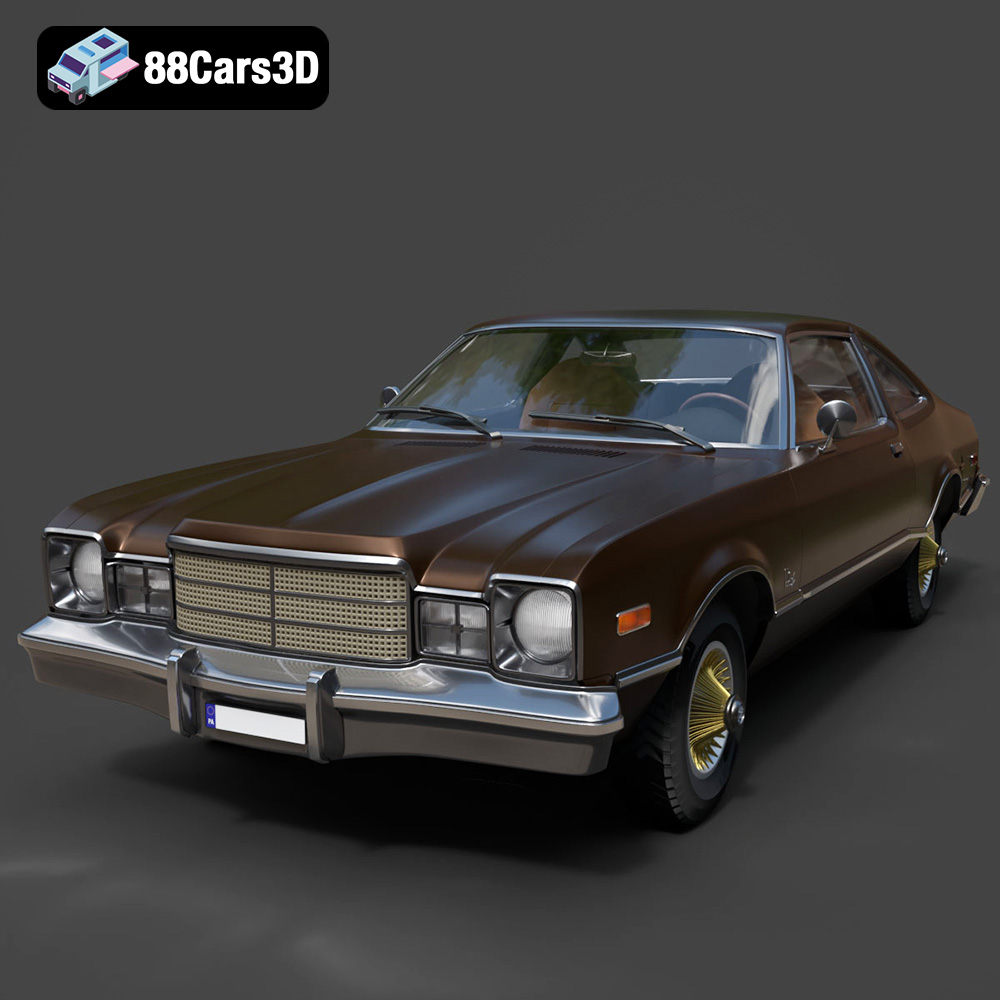
Texture: Yes | Material: Yes
Download the highly detailed, game-ready Plymouth Volare Coupe 1977 3D Model. Features classic F-body styling, detailed chrome trim, and an accurate vintage interior. Includes .blend, .fbx, .obj, .glb, .stl, .ply, .unreal, and .max formats for game development, AR/VR, and rendering.
Price: $19.99

Texture: Yes | Material: Yes
Download the highly detailed, game-ready Peugeot 208 2020 3D Model. Features aggressive ‘fang’ LED DRLs, sporty hatchback proportions, and aerodynamic alloy wheels. Includes .blend, .fbx, .obj, .glb, .stl, .ply, .unreal, and .max formats for game development, AR/VR, and rendering.
Price: $19.99

Texture: Yes | Material: Yes
Download the highly detailed, game-ready MV Agusta Brutale 1090 R 3D Model. Features an exposed trellis frame, distinctive teardrop headlight, and muscular naked bike styling. Includes .blend, .fbx, .obj, .glb, .stl, .ply, .unreal, and .max formats for game development, AR/VR, and rendering.
Price: $19.99

Texture: Yes | Material: Yes
Download the highly detailed, game-ready Custom Off-Road BMW R1150GS Adventure Sidecar 3D Model. Features rugged all-terrain suspension, an attached passenger sidecar, and off-road knobby tires. Includes .blend, .fbx, .obj, .glb, .stl, .ply, .unreal, and .max formats for game development, AR/VR, and rendering.
Price: $19.99

Texture: Yes | Material: Yes
Download the highly detailed, game-ready Mitsubishi Outlander GT 2010 3D Model. Features the aggressive Lancer-inspired front grille, accurate exterior styling, and high-fidelity alloy wheels. Includes .blend, .fbx, .obj, .glb, .stl, .ply, .unreal, and .max formats for game development, AR/VR, and rendering.
Price: $19.99
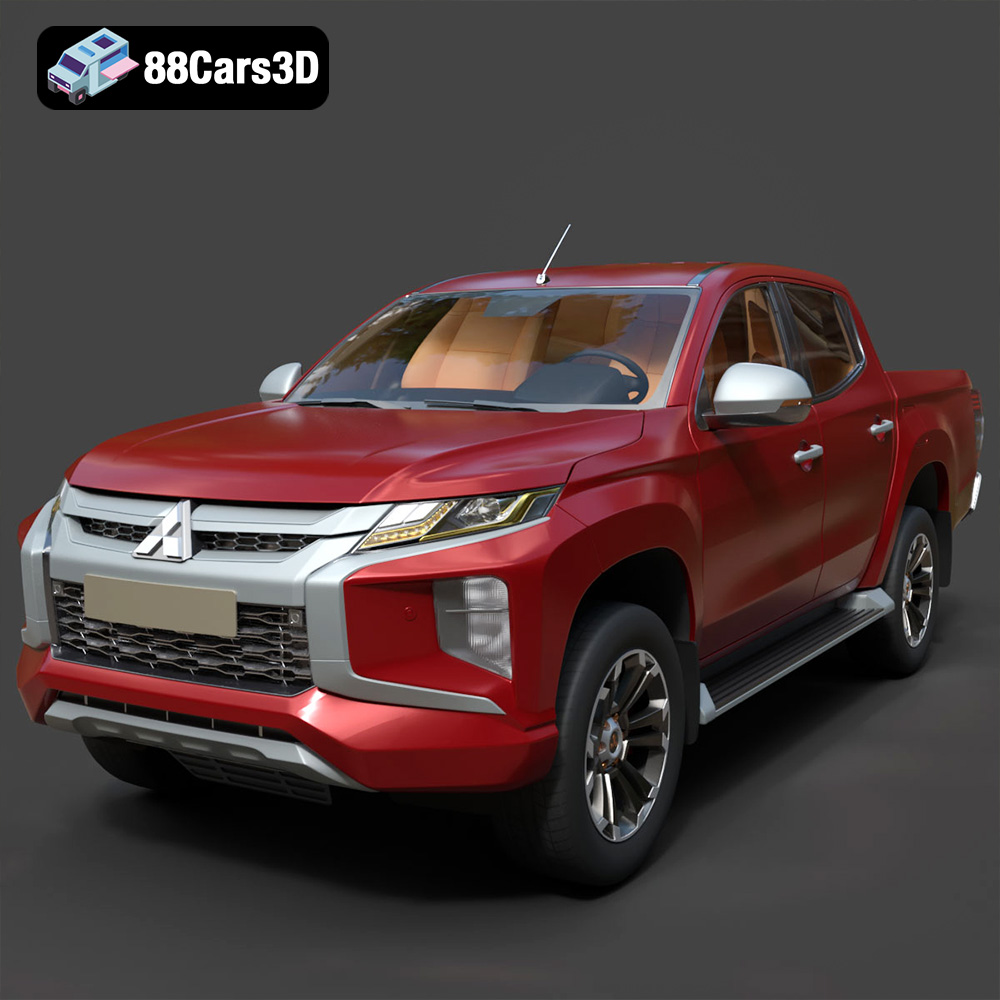
Texture: Yes | Material: Yes
Download the highly detailed, game-ready Mitsubishi L200 Crew Cab 2019 3D Model. Features the iconic Dynamic Shield front fascia, rugged cargo bed, and a spacious crew cab interior. Includes .blend, .fbx, .obj, .glb, .stl, .ply, .unreal, and .max formats for game development, AR/VR, and rendering.
Price: $19.99
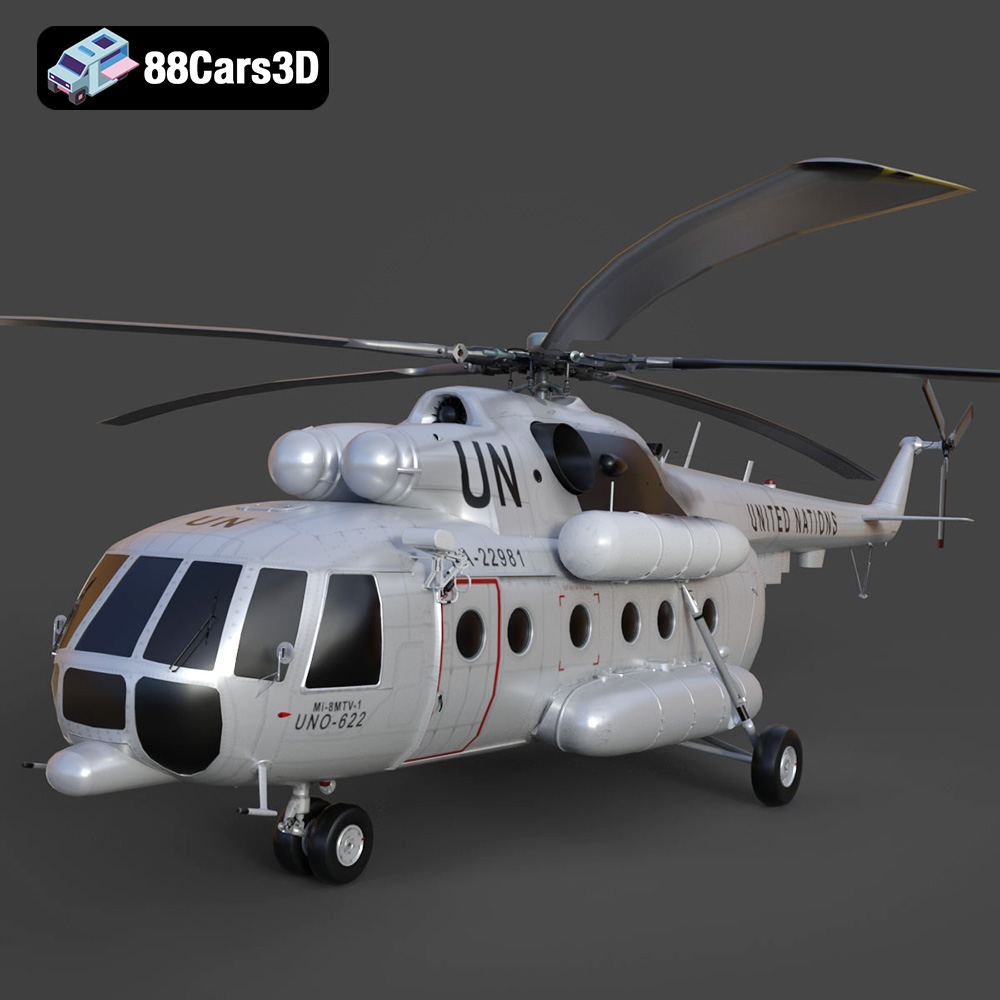
Texture: Yes | Material: Yes
Download the highly detailed, game-ready Mil Mi-8MTV-UN 3D Model. Features the iconic United Nations white livery, detailed twin turboshaft engines, and fully articulated rotor assemblies. Includes .blend, .fbx, .obj, .glb, .stl, .ply, .unreal, and .max formats for game development, AR/VR, and rendering.
Price: $19.99
Texture: Yes | Material: Yes
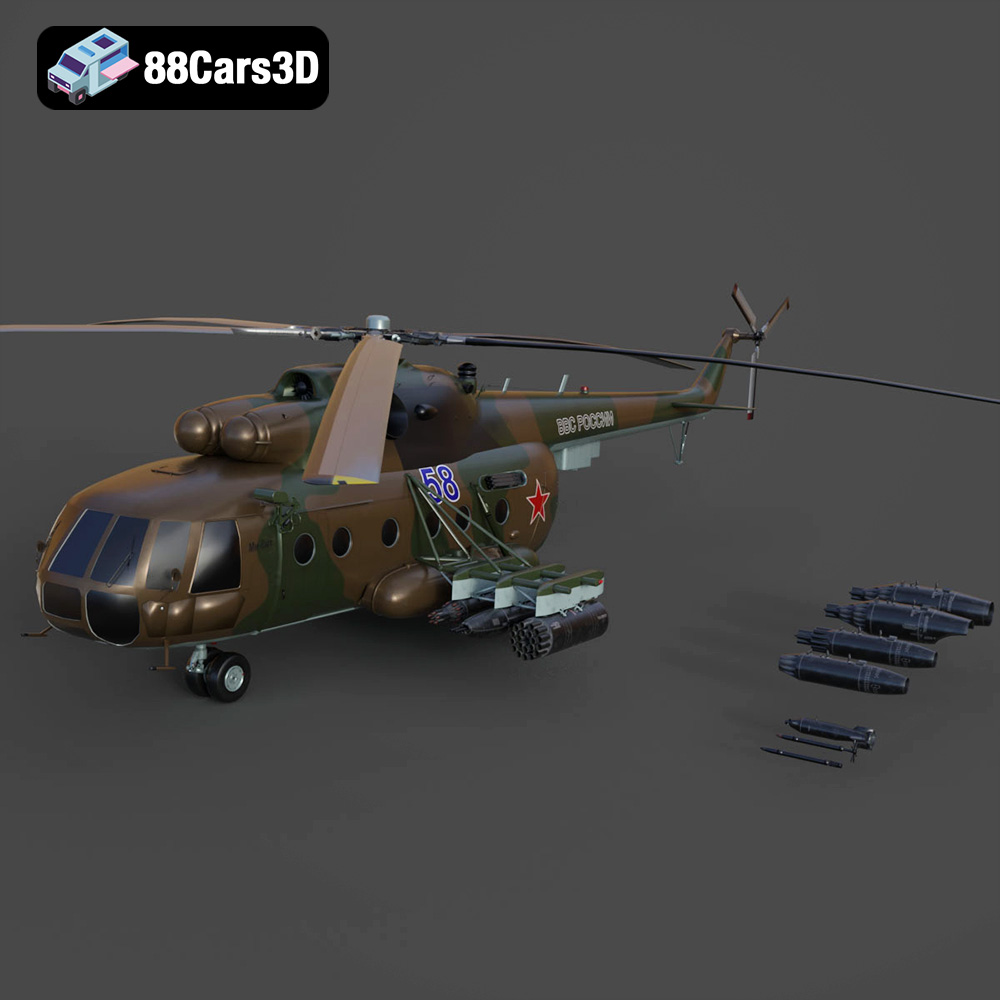
Download the highly detailed, game-ready Mil Mi-8MT Helicopter 3D Model. Features twin-turbine engine housings, a detailed 5-blade main rotor, and authentic cockpit instrumentation. Includes .blend, .fbx, .obj, .glb, .stl, .ply, .unreal, and .max formats for game development, AR/VR, and rendering.
Price: $19.99

