Get 20% OFF All Premium 3D & STL Models!

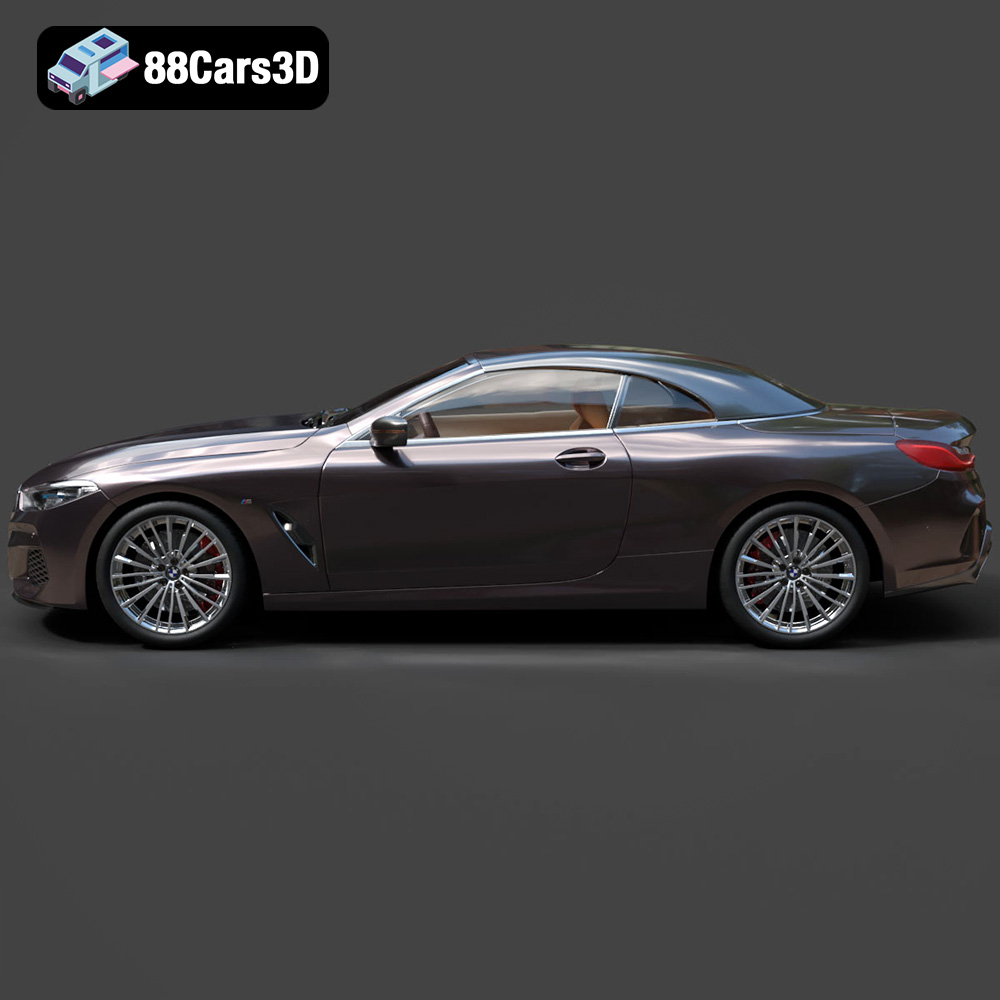
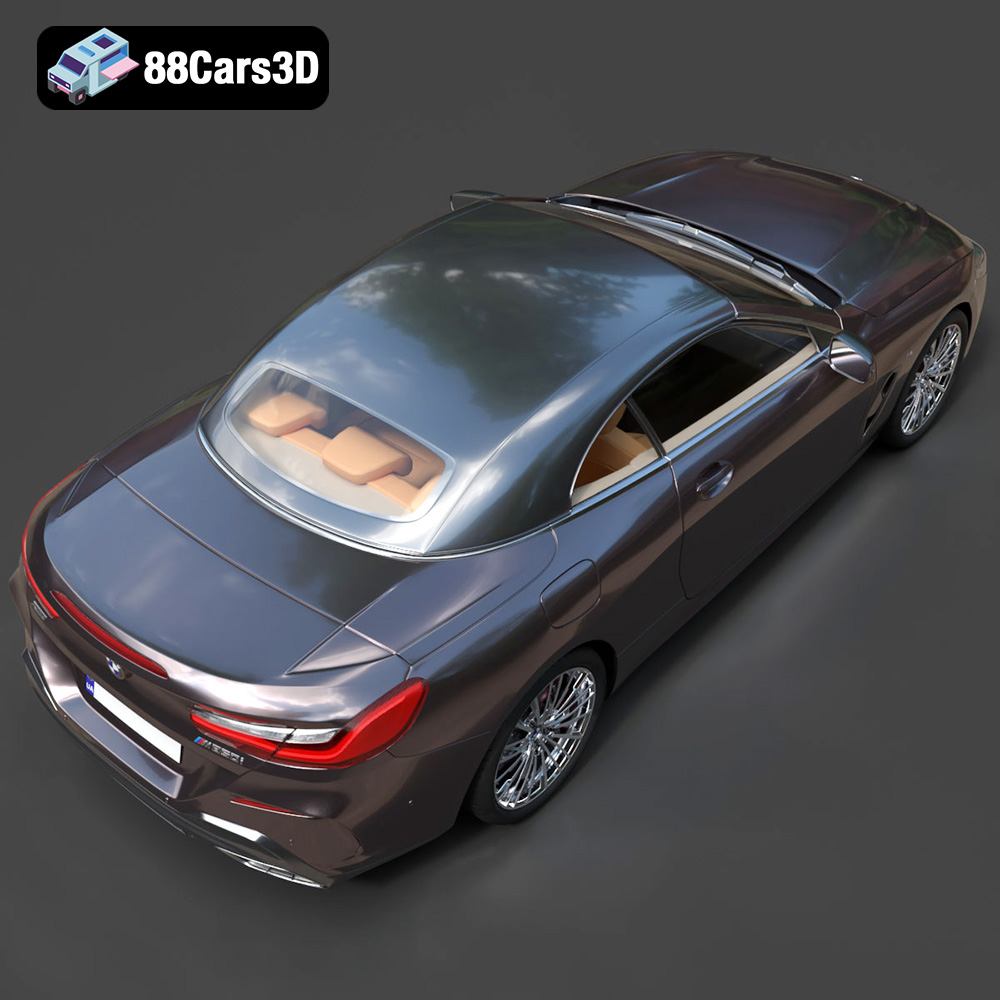
The BMW 8-Series G14 Convertible M850i 2019 is a stunning example of automotive engineering and design. Now, thanks to 88cars3d.com, you can bring this iconic vehicle to life through the magic of 3D printing. This comprehensive guide will walk you through the entire process, from preparing the STL files to post-processing your finished 3D printed model. We’ll cover everything from printer settings and material choices to troubleshooting common issues, ensuring you achieve the best possible results.
Before you even think about loading filament, proper preparation of the 3D model is crucial for a successful print. This involves examining the model, making necessary repairs, and choosing the right orientation for printing.
The STL file, readily available from 88cars3d.com, needs to be inspected for any errors that could lead to print failures. Use a mesh editing software like MeshMixer, Netfabb, or Blender to check for:
* **Non-manifold edges:** These are edges that belong to only one face, which can cause slicing issues.
* **Inverted normals:** These cause the slicer to interpret the inside of the model as the outside.
* **Gaps and holes:** Small gaps can cause weak points in the print, while larger holes will prevent the model from being properly printed.
Most of these software packages have automatic repair tools that can fix these issues with a single click. However, always double-check the repaired model to ensure the changes haven’t negatively impacted the overall geometry. For complex models like the BMW 8-Series, manual inspection is always recommended.
Choosing the correct orientation is vital for minimizing support material and maximizing print quality. Consider these factors:
* **Minimize overhangs:** Orient the model so that the fewest possible surfaces require support. Overhangs exceeding 45 degrees typically need support.
* **Surface finish:** The bottom surfaces of the print will generally be less smooth than the top surfaces. Decide which parts of the car are most visible and orient the model to prioritize their surface finish. Printing the car with the roof facing down might improve the smoothness of the body, but would require more supports.
* **Support accessibility:** Ensure that supports can be easily removed after printing. Areas with intricate details might be difficult to clean if supports are embedded within them.
For the BMW 8-Series G14 Convertible M850i 2019, printing the body separately from smaller parts like wheels and mirrors is generally advisable. This allows for optimized orientation for each component.
Choosing the right file format is critical for ensuring compatibility and optimal results in your 3D printing projects. Different formats serve different purposes and offer varying levels of detail and support for textures and other data. Here’s a breakdown of the most common file formats encountered in the world of 3D modeling and printing.
The STL (Stereolithography) format is the bedrock of 3D printing. It represents the surface geometry of a 3D object as a collection of triangles. It’s a simple, widely supported format that almost every 3D printer and slicing software can handle.
* **Strengths:** Universal compatibility, simplicity, and small file sizes compared to other formats.
* **Weaknesses:** STL files only contain mesh data – no color, textures, or material information. Higher resolution models require more triangles, leading to larger file sizes. Can sometimes introduce faceting if the original model is highly curved.
* **Slicing Software:** STL files are natively supported by all major slicing software like Cura, Simplify3D, PrusaSlicer, and others.
* **Mesh Quality:** The quality of the STL file directly impacts the final print. Ensure the original model has sufficient polygon density to capture the details of the BMW 8-Series, especially its curves and sharp edges. A poorly triangulated STL will result in a faceted and unappealing print. Before exporting to STL, increase the polygon count or use adaptive triangulation settings in your 3D modeling software.
OBJ is a more versatile format than STL, as it can store color and texture information along with the geometry.
* **Strengths:** Supports color and textures, making it suitable for printing multi-colored models (with appropriate hardware).
* **Weaknesses:** Larger file sizes compared to STL. Not as universally supported by all 3D printers.
* **Slicing Software:** Most slicing software can import OBJ files, but you need to ensure your printer supports color printing if you intend to use the texture information.
PLY (Polygon File Format) is designed for storing 3D data acquired from 3D scanners. It can store color, normals, and other properties per vertex.
* **Strengths:** Capable of representing very detailed models with high precision.
* **Weaknesses:** Can result in very large file sizes. Less commonly used in consumer 3D printing.
* **Slicing Software:** Support varies, check your slicer’s documentation.
BLEND files are native to the Blender 3D modeling software.
* **Strengths:** Allows for full customization of the model before exporting to a printable format.
* **Weaknesses:** Requires Blender to open and edit. Not directly printable.
* **Slicing Software:** Not directly compatible. You must export the model from Blender as an STL or OBJ file.
FBX is a proprietary format developed by Autodesk. It’s commonly used for exchanging 3D data between different software applications, particularly in game development.
* **Strengths:** Can contain complex scene information, including materials, animations, and lights.
* **Weaknesses:** Complex format, not always reliably supported by slicing software.
* **Slicing Software:** Some slicers can import FBX, but it’s often better to convert to STL for 3D printing.
GLB is a binary file format for representing 3D models, often used for Augmented Reality (AR) and web-based applications.
* **Strengths:** Compact file size, supports textures, and is suitable for real-time rendering.
* **Weaknesses:** Not directly printable. Primarily for visualization purposes.
* **Slicing Software:** Not compatible.
.max files are the native format for Autodesk 3ds Max. Similar to .blend files, they allow for complete editing of the 3D model.
* **Strengths:** Offers full control over the model’s geometry, materials, and textures.
* **Weaknesses:** Requires 3ds Max to open and edit. Not directly printable.
* **Slicing Software:** Not directly compatible. Export as STL or OBJ for printing.
For 3D printing the BMW 8-Series G14 Convertible M850i 2019 model from 88cars3d.com, the **STL format is the best starting point**. It’s universally compatible and well-suited for creating detailed physical objects. Ensure the STL file is clean, free of errors, and has sufficient resolution to capture the car’s intricate design.
The material you choose significantly impacts the strength, appearance, and overall quality of your 3D printed BMW 8-Series G14 Convertible M850i 2019. Here’s a rundown of popular options:
* **Pros:** Easy to print, biodegradable, wide range of colors, good for beginners.
* **Cons:** Lower strength and heat resistance compared to other materials. Not ideal for parts exposed to high temperatures or stress.
* **Use Case:** Best for creating display models and non-functional prototypes. Great for the initial print to test the model and your printer settings.
* **Estimated Cost:** Relatively inexpensive, around $20-$30 per kilogram.
* **Pros:** Stronger and more heat resistant than PLA, good layer adhesion, slightly flexible.
* **Cons:** Can be more challenging to print than PLA, requires higher temperatures.
* **Use Case:** Suitable for parts that need to withstand some stress or heat. A good all-around choice for the BMW 8-Series, providing a balance of strength and printability.
* **Estimated Cost:** Slightly more expensive than PLA, around $25-$40 per kilogram.
* **Pros:** Exceptionally high detail, smooth surface finish, ideal for intricate parts.
* **Cons:** More brittle than FDM materials, requires post-processing (washing and curing), can be more expensive.
* **Use Case:** Best for printing highly detailed parts like the car’s interior or intricate body panels. The smoother surface finish is excellent for painting and finishing.
* **Estimated Cost:** Varies greatly depending on the type of resin, ranging from $30 to $100+ per liter.
* **Pros:** High strength and heat resistance, durable.
* **Cons:** Can be difficult to print due to warping and fumes, requires a heated bed and enclosure.
* **Use Case:** Suitable for functional parts that need to withstand high temperatures and stress, but less ideal for intricate details due to its printing challenges.
* **Estimated Cost:** Similar to PETG, around $25-$40 per kilogram.
For the BMW 8-Series G14 Convertible M850i 2019, PETG is a great all-around choice for its balance of strength and ease of printing. Resin would be excellent for smaller, highly detailed parts.
Fine-tuning your printer settings is crucial for achieving the desired level of detail and strength.
* **Layer Height:** Determines the vertical resolution of the print. Lower layer heights result in smoother surfaces and more detail but increase print time.
* **Recommended Settings:** For FDM printing, a layer height of 0.1mm to 0.2mm is a good starting point. For resin printing, layer heights can be as low as 0.025mm for exceptional detail.
* **Considerations:** If you’re printing the entire car body in one piece, a lower layer height is recommended for smoother curves. For smaller parts, prioritize detail over print speed.
* **Infill Density:** Determines the internal solidity of the print. Higher infill densities increase strength but also increase print time and material usage.
* **Recommended Settings:** For display models, an infill density of 15% to 25% is usually sufficient. For parts that need to be stronger, increase the infill to 50% or higher.
* **Infill Pattern:** Choose an infill pattern that balances strength and print time. Gyroid, honeycomb, and rectilinear are popular choices.
* **Print Speed:** Too high a print speed can lead to poor layer adhesion and reduced detail.
* **Recommended Settings:** Start with a print speed of 40-60mm/s for PLA or PETG. Adjust as needed based on your printer and material.
* **Temperature:** The optimal temperature depends on the material. Consult the filament manufacturer’s recommendations. Typically, PLA prints at 200-220°C, and PETG at 230-250°C.
* **Bed Temperature:** PLA usually requires a bed temperature of 60-70°C, while PETG benefits from 70-80°C.
* **Support Type:** Choose a support type that is easy to remove. Tree supports are often a good option for complex models like the BMW 8-Series.
* **Support Density:** Adjust the support density to balance support strength and ease of removal.
* **Support Interface:** Adding a support interface (a dense layer between the support and the model) can improve surface finish on supported areas.
Post-processing is the final step in bringing your 3D printed BMW 8-Series to life.
Carefully remove the supports using pliers, a hobby knife, or other suitable tools. Take your time to avoid damaging the model.
* **Sanding:** Start with coarse sandpaper (150-200 grit) to remove any imperfections or support marks. Gradually move to finer grits (400-600 grit) to smooth the surface.
* **Smoothing:** For PLA and PETG, chemical smoothing using solvents like acetone (for ABS – use with extreme caution and proper ventilation) or ethyl acetate can significantly improve surface finish. Dip the part briefly or use vapor smoothing techniques.
* **Resin Prints:** Resin prints often require less sanding due to their smoother initial surface.
* **Priming:** Apply a primer to the model to create a smooth, uniform surface for painting.
* **Painting:** Use acrylic paints or automotive paints to achieve the desired color and finish. Apply multiple thin coats for best results.
* **Clear Coating:** Apply a clear coat to protect the paint and add a glossy or matte finish.
If you printed the model in multiple parts, carefully assemble them using glue or epoxy. Ensure proper alignment and secure bonding.
Even with careful preparation, you might encounter some issues during the printing process.
* **Warping:** This occurs when the print detaches from the bed due to uneven cooling. Ensure your bed is properly leveled and heated. Use a brim or raft to improve adhesion.
* **Stringing:** This is caused by excess filament oozing from the nozzle during travel moves. Increase retraction settings and reduce printing temperature.
* **Layer Shifting:** This can be caused by loose belts or a malfunctioning stepper motor. Check and tighten all belts and ensure the printer is stable.
* **Underextrusion:** This occurs when the printer isn’t extruding enough filament. Check for clogs in the nozzle and adjust extrusion settings.
By following this comprehensive guide, you’ll be well-equipped to successfully 3D print the BMW 8-Series G14 Convertible M850i 2019 model from 88cars3d.com. Remember to experiment with different settings and materials to find what works best for your printer and desired results. Happy printing!
Experience unmatched realism and precision with the BMW 8-Series G14 Convertible M850i 2019 3D Model. Designed for professionals and enthusiasts, this exceptionally detailed vehicle replica captures the sleek, aggressive lines and luxurious open-top profile of the iconic sports car. From its meticulously crafted exterior to a fully modeled interior, every element reflects the sophisticated engineering of the original design.
$19.99