Get 20% OFF All Premium 3D & STL Models!

“`html
For automotive enthusiasts and 3D printing hobbyists, the ability to create intricate car models, detailed wheels, and realistic tires is an exciting prospect. With advancements in 3D printing technology and the availability of high-quality STL files, turning this dream into reality is now more accessible than ever. This comprehensive guide will delve into the intricacies of printing wheels, tires, and other car parts in STL format, covering everything from file preparation and printer settings to material selection and post-processing techniques. Whether you’re aiming to build a stunning replica or prototype automotive components, this guide will equip you with the knowledge and skills to achieve exceptional results. You’ll learn about optimizing your slicer settings, selecting the right materials for durability and aesthetics, and mastering support structures for complex geometries. Get ready to transform your 3D printer into a miniature automotive factory!
The STL (Stereolithography) file format is the cornerstone of 3D printing, representing the surface geometry of a 3D object as a collection of triangles. For printing car parts, especially complex shapes like wheels and tires, understanding the nuances of STL files and mesh topology is crucial for achieving accurate and high-quality prints. A well-structured STL file ensures a smooth surface finish, dimensional accuracy, and overall structural integrity. When downloading models from marketplaces such as 88cars3d.com, you are essentially getting a blueprint in STL format that your 3D printer will interpret.
The resolution of an STL file directly impacts the smoothness and detail of the printed object. A higher resolution STL file contains more triangles, resulting in a smoother surface but also a larger file size. For car parts, especially those with curved surfaces like wheels and tires, a sufficient triangle count is necessary to avoid a faceted appearance. However, excessively high resolution can lead to performance issues during slicing and printing. Finding the right balance is key. A good starting point is to aim for a triangle size that is smaller than your desired layer height. For example, if you are printing at a layer height of 0.1mm, try to ensure that the average triangle size in your STL file is also around 0.1mm.
A manifold mesh is a requirement for 3D printing. A manifold mesh is one where every edge is shared by exactly two triangles, and the mesh is closed, meaning it encloses a volume. Non-manifold meshes contain errors such as holes, self-intersections, and flipped normals, which can cause slicing and printing failures. Before printing, it’s essential to inspect and repair STL files using software like MeshLab, Netfabb, or the built-in repair tools in your slicer. These tools can automatically identify and fix common mesh errors, ensuring a successful print. Many platforms provide files that have already gone through this process. For example, platforms like 88cars3d.com offer print-ready STL files that minimize the need for extensive pre-print repairs. You should still inspect them but this will save a lot of time.
Slicing is the process of converting a 3D model into a series of layers that the 3D printer can understand and build upon. The slicing parameters you choose have a significant impact on the quality, strength, and printing time of your car parts. Understanding and optimizing these parameters is critical for achieving the desired results. The specific settings will vary depending on the type of 3D printer (FDM or resin) and the material you are using, but some general principles apply.
Layer height is the thickness of each individual layer of plastic deposited by the 3D printer. Lower layer heights result in smoother surfaces and finer details, but also increase printing time. Higher layer heights reduce printing time but sacrifice surface quality. For wheels and tires, where surface finish is important, a layer height of 0.1mm to 0.15mm is generally recommended. For less critical parts, you can increase the layer height to 0.2mm or 0.3mm to speed up the printing process. Print speed also affects print quality; slower speeds typically result in more accurate and detailed prints, while faster speeds can lead to imperfections. It’s a balancing act. Typical print speeds for FDM printing range from 40mm/s to 60mm/s. For resin printing, layer exposure time is the key parameter, and it needs to be calibrated for each resin type.
Infill is the internal structure of the 3D printed part. The infill pattern and density affect the strength, weight, and printing time of the object. For car parts that require structural integrity, such as chassis components or suspension parts, a higher infill density is necessary. Common infill patterns include rectilinear, grid, triangles, and gyroid. Gyroid infill provides excellent strength-to-weight ratio and is often preferred for functional parts. Infill density is usually expressed as a percentage, with 0% being completely hollow and 100% being completely solid. For most car parts, an infill density of 20% to 50% is sufficient. For wheels and tires, a lower infill density (10% to 20%) can be used to reduce weight, as the outer shell provides most of the structural support.
The choice of material is one of the most critical decisions in 3D printing car parts. Each material possesses unique properties that make it suitable for different applications. Understanding the characteristics of common 3D printing materials like PLA, PETG, ABS, TPU, and resin is essential for selecting the right material for your specific needs.
PLA (Polylactic Acid) is a biodegradable thermoplastic known for its ease of use and excellent print quality. It’s a good choice for aesthetic parts like dashboards, interior trims, and body panels where high strength and heat resistance are not required. PLA is also ideal for prototyping due to its low warping and ease of printing. However, PLA is brittle and has low heat resistance, making it unsuitable for functional parts that are exposed to high temperatures or stress. For example, printing a model engine block with PLA might be fine for display, but it would not withstand any actual heat.
PETG (Polyethylene Terephthalate Glycol-modified) and ABS (Acrylonitrile Butadiene Styrene) are stronger and more durable than PLA, making them suitable for functional car parts. PETG offers a good balance of strength, flexibility, and ease of printing. It’s water-resistant and has better heat resistance than PLA. ABS is known for its high impact resistance and heat resistance, making it ideal for parts that are exposed to stress or high temperatures, such as bumpers, fenders, and engine components. However, ABS is more prone to warping and requires a heated bed and enclosure for successful printing. For example, a PETG wheel is more likely to survive impact than a PLA wheel.
TPU (Thermoplastic Polyurethane) is a flexible material that is perfect for printing tires, gaskets, and other flexible components. TPU offers excellent elasticity, abrasion resistance, and chemical resistance. It can be printed with varying degrees of flexibility, depending on the Shore hardness. Softer TPUs are ideal for tires that need to grip the road, while harder TPUs can be used for suspension components. Printing with TPU can be challenging, as it is prone to stringing and requires careful tuning of retraction settings. A direct drive extruder is generally recommended for printing with TPU. Consider a shore hardness between 85A and 95A for car tires.
Resin printing offers unparalleled detail and accuracy, making it ideal for small, intricate car parts like emblems, gauges, and miniature engine components. Resin printers use UV light to cure liquid resin, resulting in parts with smooth surfaces and fine details. However, resin parts are typically more brittle than FDM-printed parts and require post-curing to achieve their final strength. There are a variety of resins available, including standard resins, tough resins, and heat-resistant resins. Tough resins are recommended for parts that need to withstand some stress, while heat-resistant resins can be used for parts that are exposed to high temperatures.
Support structures are temporary structures that are printed to support overhanging features and prevent them from collapsing during printing. Generating and removing support structures effectively is crucial for achieving successful prints of complex car parts. Poorly designed support structures can be difficult to remove and can leave blemishes on the surface of the part. Optimizing support settings can save material, reduce printing time, and improve the overall quality of the print.
Strategic support placement is essential for minimizing material usage and ensuring easy removal. Focus on supporting areas with overhangs greater than 45 degrees. Avoid placing supports on critical surfaces that require a smooth finish. Use adaptive support settings to vary the support density based on the complexity of the overhang. In slicing software like Cura and PrusaSlicer, you can manually place supports for greater control. Consider using tree supports, which are branching structures that use less material and are easier to remove than traditional linear supports.
The choice of support material can significantly impact the ease of support removal. Some materials, like HIPS (High Impact Polystyrene) and PVA (Polyvinyl Alcohol), can be dissolved in specific solvents, making support removal effortless. HIPS is typically used with ABS, while PVA is used with PLA. Interface layers are thin layers of material that are printed between the support structure and the part. They provide a smooth surface for the part to rest on and make it easier to separate the support from the part. Experiment with different interface layer settings to find the optimal balance between support adhesion and ease of removal. Consider reducing the support density near the interface to further simplify removal.
Post-processing is the series of steps taken after printing to refine the appearance and functionality of the car parts. These techniques include support removal, sanding, filling, priming, painting, and assembly. Mastering these techniques can transform a raw 3D printed part into a professional-looking component that is indistinguishable from a traditionally manufactured part.
Sanding is used to remove layer lines and imperfections from the surface of the 3D printed part. Start with a coarse grit sandpaper (120-180 grit) to remove major imperfections and then gradually move to finer grits (220-400 grit) to achieve a smooth surface. Wet sanding can help to prevent the sandpaper from clogging and produce a smoother finish. For larger imperfections, use a filler primer or putty to fill in gaps and then sand smooth. Multiple coats of primer may be necessary to achieve a flawless surface. Consider using a rotary tool with sanding attachments for faster and more efficient sanding.
Priming is essential for preparing the surface of the part for painting. Primer helps to create a uniform surface and provides better adhesion for the paint. Apply several thin coats of primer, allowing each coat to dry completely before applying the next. Sand the primer lightly with fine grit sandpaper (400-600 grit) to remove any imperfections. Use automotive-grade paints for a durable and professional finish. Apply several thin coats of paint, allowing each coat to dry completely before applying the next. Finally, apply a clear coat to protect the paint and add a glossy or matte finish. Consider using an airbrush for finer control and a more even application of paint.
3D printing can be a complex process, and printing failures are inevitable. Understanding the common causes of these failures and knowing how to troubleshoot them is essential for achieving high-quality results. Some common printing issues include warping, stringing, bed adhesion problems, and nozzle clogging. By identifying the root cause of these issues and implementing the appropriate solutions, you can significantly improve your printing success rate.
Warping occurs when the corners of the 3D printed part lift off the print bed during printing. This is often caused by uneven cooling and temperature gradients within the part. To prevent warping, ensure that your print bed is properly leveled and heated. Use a bed adhesion aid such as glue stick, hairspray, or painter’s tape. Enclosing the printer can also help to maintain a consistent temperature and prevent warping. For materials like ABS that are prone to warping, a heated enclosure is almost essential. Consider adding a brim or raft to the base of the part to increase bed adhesion.
Stringing occurs when the printer extrudes excess plastic while moving between different parts of the print. This is often caused by incorrect retraction settings or a too-high printing temperature. To prevent stringing, adjust the retraction distance and speed in your slicing software. Lower the printing temperature and increase the travel speed. Ensure that your filament is dry, as moisture can also contribute to stringing. Nozzle clogging occurs when the nozzle becomes blocked with filament. This can be caused by contaminated filament, incorrect temperature settings, or a worn-out nozzle. To prevent nozzle clogging, use high-quality filament and regularly clean your nozzle. Consider using a nozzle cleaning filament or a cold pull technique to remove stubborn clogs. Regularly inspect your nozzle for wear and replace it when necessary.
Printing wheels, tires, and car parts in STL format opens up a world of possibilities for automotive enthusiasts and 3D printing hobbyists. By understanding the intricacies of STL files, optimizing slicing parameters, selecting the appropriate materials, mastering support structures, and implementing effective post-processing techniques, you can create stunning replicas and functional prototypes. Remember to pay attention to detail, experiment with different settings, and don’t be afraid to troubleshoot when things go wrong. With practice and patience, you can transform your 3D printer into a miniature automotive factory and bring your automotive visions to life. 3D printing is an ever-evolving field, so stay curious, keep learning, and embrace the endless possibilities!
Now that you have this knowledge, explore the diverse range of printable car models and parts available on 88cars3d.com and start your 3D printing journey today! Remember to always prioritize safety and consult manufacturer guidelines for your 3D printer and materials.
“`
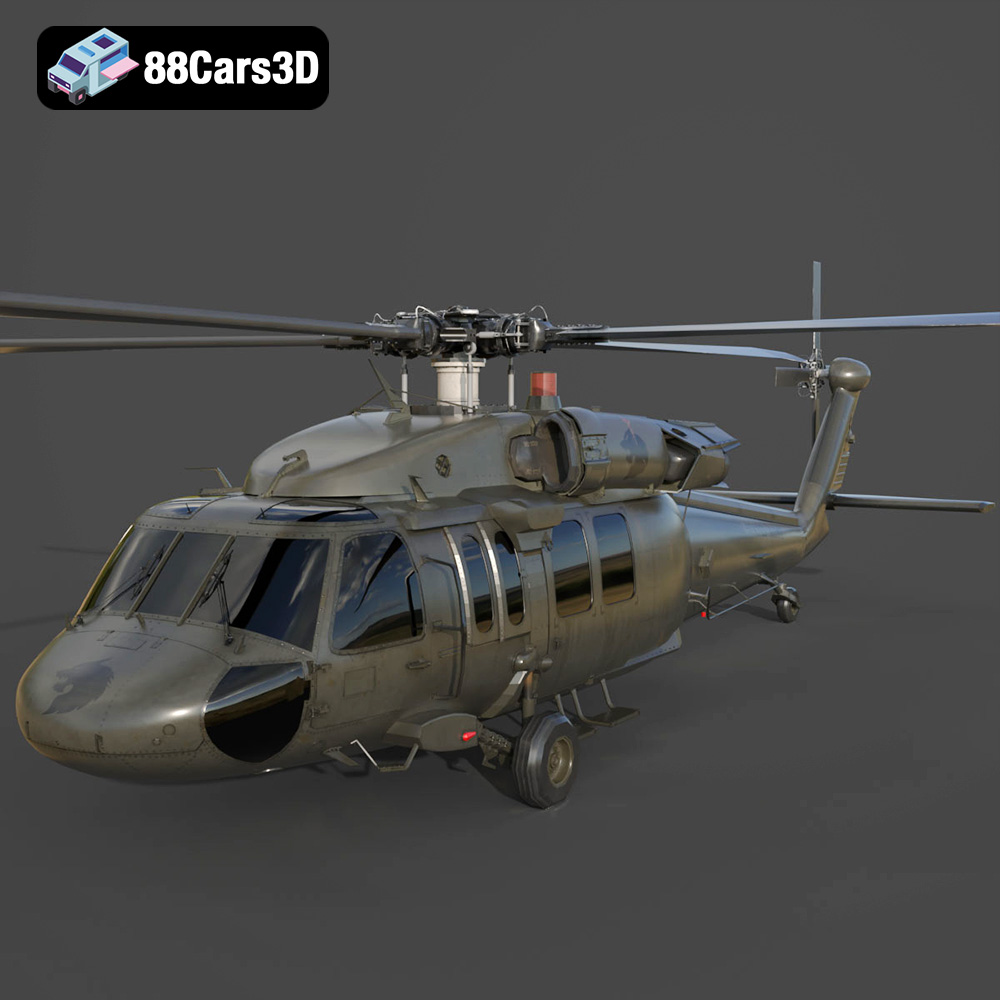
Texture: Yes | Material: Yes
Download the highly detailed, game-ready Sikorsky UH-60 Black Hawk US 3D Model. Features an accurate four-blade rotor system, detailed military fuselage, and realistic twin-engine housing. Includes .blend, .fbx, .obj, .glb, .stl, .ply, .unreal, and .max formats for game development, AR/VR, and rendering.
Price: $19.99
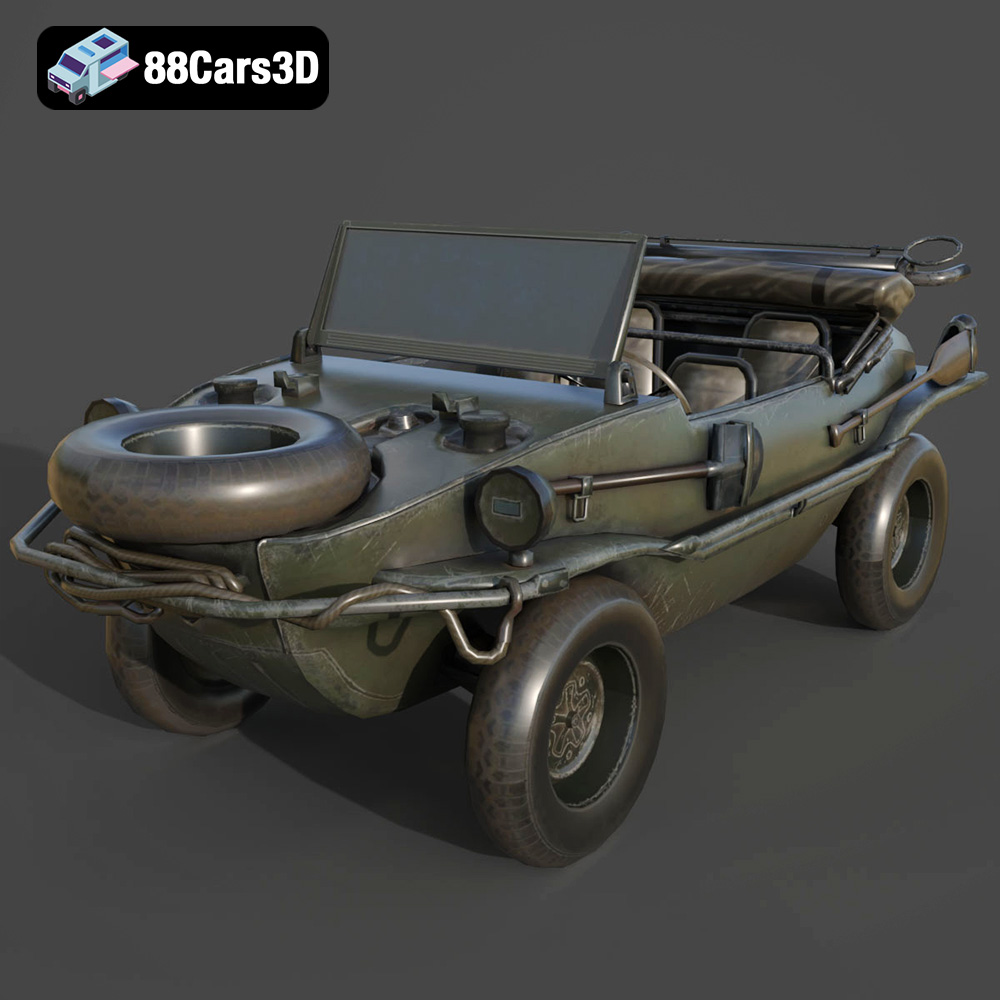
Texture: Yes | Material: Yes
Download the highly detailed, game-ready Volkswagen Schwimmwagen Typ 166 3D Model. Features an authentic boat-like watertight hull, fold-down propeller mechanism, and accurate military styling. Includes .blend, .fbx, .obj, .glb, .stl, .ply, .unreal, and .max formats for game development, AR/VR, and rendering.
Price: $19.99

Texture: Yes | Material: Yes
Download the highly detailed, game-ready Porsche Cayenne Turbo Coupe 2020 3D Model. Features an aggressive coupe roofline, detailed quad exhaust, and a meticulously crafted luxury sport interior. Includes .blend, .fbx, .obj, .glb, .stl, .ply, .unreal, and .max formats for game development, AR/VR, and rendering.
Price: $19.99

Texture: Yes | Material: Yes
Download the highly detailed, game-ready Porsche 718 Cayman GT4 2020 3D Model. Features an aggressive fixed rear wing, distinctive side air intakes, and a track-focused stance. Includes .blend, .fbx, .obj, .glb, .stl, .ply, .unreal, and .max formats for game development, AR/VR, and rendering.
Price: $19.99

Texture: Yes | Material: Yes
Download the highly detailed, game-ready Polestar 2 2020 3D Model. Features minimalist Scandinavian fastback styling, pixel LED lighting, and an accurate electric vehicle profile. Includes .blend, .fbx, .obj, .glb, .stl, .ply, .unreal, and .max formats for game development, AR/VR, and rendering.
Price: $19.99
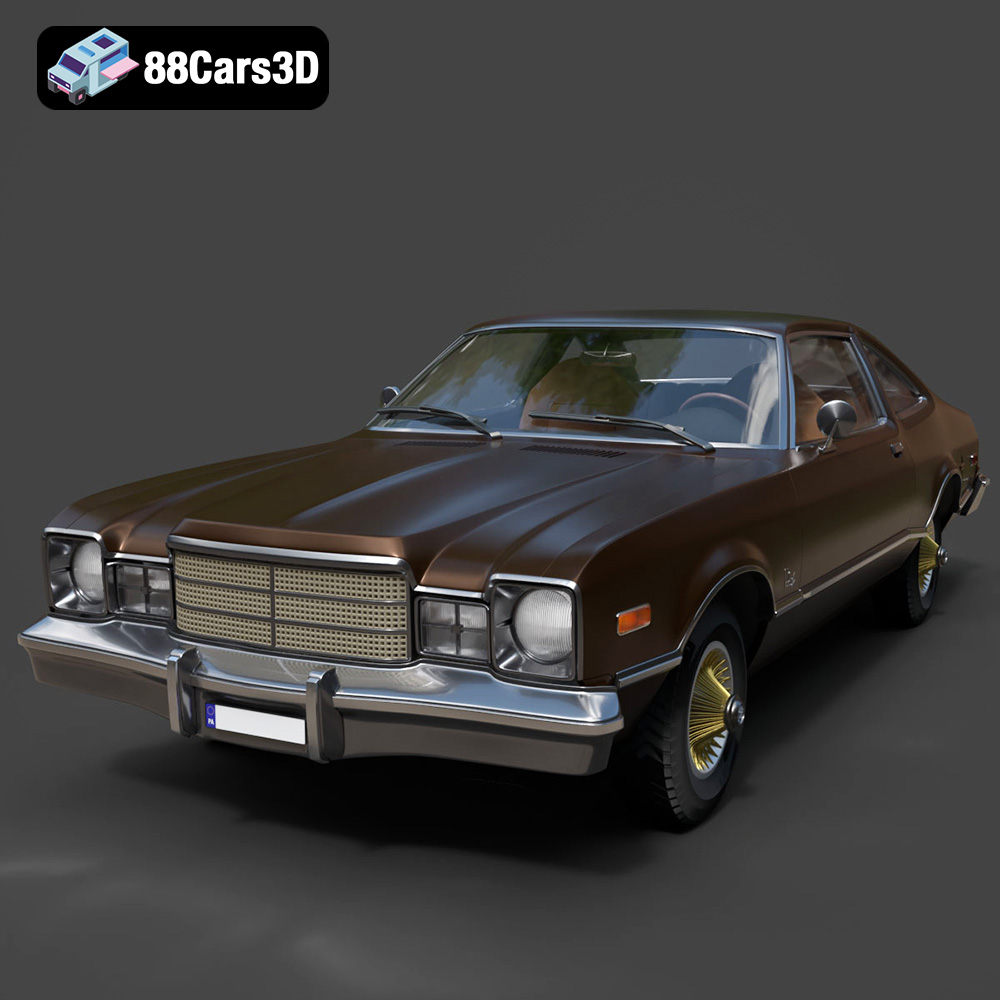
Texture: Yes | Material: Yes
Download the highly detailed, game-ready Plymouth Volare Coupe 1977 3D Model. Features classic F-body styling, detailed chrome trim, and an accurate vintage interior. Includes .blend, .fbx, .obj, .glb, .stl, .ply, .unreal, and .max formats for game development, AR/VR, and rendering.
Price: $19.99

Texture: Yes | Material: Yes
Download the highly detailed, game-ready Peugeot 208 2020 3D Model. Features aggressive ‘fang’ LED DRLs, sporty hatchback proportions, and aerodynamic alloy wheels. Includes .blend, .fbx, .obj, .glb, .stl, .ply, .unreal, and .max formats for game development, AR/VR, and rendering.
Price: $19.99

Texture: Yes | Material: Yes
Download the highly detailed, game-ready MV Agusta Brutale 1090 R 3D Model. Features an exposed trellis frame, distinctive teardrop headlight, and muscular naked bike styling. Includes .blend, .fbx, .obj, .glb, .stl, .ply, .unreal, and .max formats for game development, AR/VR, and rendering.
Price: $19.99

Texture: Yes | Material: Yes
Download the highly detailed, game-ready Custom Off-Road BMW R1150GS Adventure Sidecar 3D Model. Features rugged all-terrain suspension, an attached passenger sidecar, and off-road knobby tires. Includes .blend, .fbx, .obj, .glb, .stl, .ply, .unreal, and .max formats for game development, AR/VR, and rendering.
Price: $19.99

Texture: Yes | Material: Yes
Download the highly detailed, game-ready Mitsubishi Outlander GT 2010 3D Model. Features the aggressive Lancer-inspired front grille, accurate exterior styling, and high-fidelity alloy wheels. Includes .blend, .fbx, .obj, .glb, .stl, .ply, .unreal, and .max formats for game development, AR/VR, and rendering.
Price: $19.99

