Get 20% OFF All Premium 3D & STL Models!

“`html
The world of 3D printing opens up incredible possibilities for automotive enthusiasts and model makers alike. Imagine being able to replicate every intricate detail of a classic car’s interior, from the stitching on the seats to the texture of the dashboard. With the right techniques and a solid understanding of STL files, slicing software, and printer settings, this dream can become a reality. This comprehensive guide will walk you through the process of 3D printing highly detailed car interiors, focusing on optimizing your workflow, overcoming common challenges, and achieving professional-quality results. Whether you’re a seasoned 3D printing veteran or just starting your journey, you’ll find valuable insights to elevate your projects to the next level. We’ll delve into everything from STL file preparation and mesh repair to selecting the best materials and mastering post-processing techniques. Get ready to transform your vision into tangible, meticulously crafted miniature automotive masterpieces.
The STL (Stereolithography) file format is the backbone of 3D printing. It represents a 3D object as a collection of interconnected triangles, forming a mesh. For detailed car interiors, understanding the nuances of STL files is crucial for achieving high-quality prints. The density of the triangle mesh directly impacts the resolution and accuracy of the printed model. A higher triangle count results in a smoother surface but also increases the file size and processing time.
When working with STL files for car interiors, pay close attention to mesh density. Areas with complex curves or fine details, like the dashboard instruments or seat contours, require a higher polygon count to accurately capture their shape. Conversely, flat surfaces can be represented with fewer triangles without sacrificing quality. Many 3D modeling software packages allow you to control the mesh density during export. Aim for a balance between detail and file size to ensure optimal performance in your slicing software. Remember that excessively dense meshes can overwhelm your printer’s processor and lead to printing errors. Platforms like 88cars3d.com often provide models that are pre-optimized for 3D printing, balancing detail and printability.
STL files can sometimes contain errors that can negatively impact print quality. Common issues include non-manifold edges (edges shared by more than two triangles), holes in the mesh, and self-intersecting faces. These errors can cause slicing software to misinterpret the geometry, leading to gaps, artifacts, or even print failures. Fortunately, several software tools are available to automatically detect and repair these issues. Meshmixer and Netfabb are popular choices, offering a range of tools for fixing mesh errors. Before slicing your STL file, it’s always a good practice to run it through a mesh repair tool to ensure a clean and watertight model.
Slicing software is the bridge between your STL file and your 3D printer. It translates the 3D model into a series of layers that the printer can understand. Selecting the right slicing parameters is essential for achieving optimal print quality, especially when dealing with the intricate details of car interiors. Key parameters include layer height, print speed, infill density, and support structures.
Layer height is arguably the most important slicing parameter for achieving fine detail. A smaller layer height results in smoother surfaces and more accurate representation of complex curves. However, it also increases print time. For car interiors, a layer height of 0.1mm to 0.15mm is generally recommended for FDM printing. For resin printing, even finer layer heights (e.g., 0.025mm to 0.05mm) are possible, allowing for exceptional detail. Experiment with different layer heights to find the optimal balance between detail and print time for your specific printer and material. Remember that your printer’s capabilities will also influence the minimum achievable layer height.
Infill refers to the internal structure of the 3D printed object. While car interiors are often mostly hollow to save material and weight, some areas may require infill for structural support. Infill density is the percentage of the object’s interior that is filled with material. For areas that need support, a density of 15-25% is usually sufficient. The infill pattern can also affect the strength and weight of the printed part. Common patterns include grid, honeycomb, and gyroid. For car interiors, a rectilinear or honeycomb pattern often provides a good balance of strength and efficiency. Be mindful of areas where infill might be visible, as it can detract from the aesthetic appeal of the finished model.
The choice of material significantly impacts the appearance, feel, and durability of your 3D printed car interior. Different materials offer varying levels of detail, surface finish, and mechanical properties. Common choices include PLA, PETG, ABS, and various types of resin. Each material has its own strengths and weaknesses, making it important to select the one that best suits your specific requirements.
PLA (Polylactic Acid) is a popular choice for beginners due to its ease of printing and relatively low cost. It’s a biodegradable thermoplastic derived from renewable resources. PLA offers good detail and a smooth surface finish, making it suitable for many car interior components. However, PLA is not as heat-resistant as other materials, so it’s not ideal for parts that will be exposed to high temperatures (e.g., dashboard components). PLA also tends to be more brittle than other materials. For aesthetic prototypes and non-functional parts, PLA is a great option. You can often find PLA filaments in a wide variety of colors, allowing for creating visually appealing interiors right off the printer.
Resin printing excels at producing incredibly detailed parts with smooth surfaces. This makes it an excellent choice for car interior components with intricate features, such as dashboard instruments, steering wheels, and detailed seats. Resin printers use liquid photopolymer resins that are cured by UV light. This process allows for much finer layer heights and higher resolution compared to FDM printing. However, resin printing also has its drawbacks. Resins can be more expensive than filament, and the printing process requires more post-processing, including washing and curing the printed parts. Furthermore, some resins can be brittle, and careful selection is needed for functional parts. When downloading models from marketplaces such as 88cars3d.com, consider the intended material and potential post-processing steps.
Support structures are temporary additions to your 3D print that provide support for overhanging features and prevent the model from collapsing during printing. Car interiors often have complex geometries with numerous overhangs, making support structures essential for successful printing. However, generating and removing supports can be a challenging process. The goal is to create supports that are strong enough to provide adequate support but also easy to remove without damaging the printed part.
There are several types of support structures available in slicing software, including tree supports, linear supports, and hybrid supports. Tree supports are branching structures that minimize material usage and contact with the model. Linear supports are simple vertical structures that provide strong support but can be more difficult to remove. Hybrid supports combine the advantages of both tree and linear supports. The best type of support structure depends on the specific geometry of the car interior component. For delicate features, tree supports are often preferred. For areas that require strong support, linear supports may be necessary. Experiment with different support types to find the optimal configuration for your model.
Proper support placement is crucial for ensuring successful printing and minimizing post-processing effort. Place supports strategically to provide adequate support for overhanging features without interfering with the surface finish of visible areas. Adjust the support density to balance strength and ease of removal. A higher support density provides stronger support but can be more difficult to remove. A lower support density is easier to remove but may not provide sufficient support for all features. Consider using support blockers to prevent supports from being generated in areas where they are not needed or where they might be difficult to remove. Many slicers now offer automatic support generation, but manual adjustments are often necessary to achieve optimal results.
Post-processing is the final stage in the 3D printing process, involving techniques to refine the appearance and functionality of the printed part. For car interiors, post-processing can significantly enhance the realism and aesthetic appeal of the finished model. Common post-processing techniques include support removal, sanding, painting, and assembly.
Sanding is a critical step for smoothing out layer lines and imperfections on the surface of the printed part. Start with a coarse grit sandpaper (e.g., 220 grit) to remove any major imperfections. Then, gradually move to finer grits (e.g., 400 grit, 600 grit, 800 grit) to achieve a smooth surface. Wet sanding can help to prevent the sandpaper from clogging and produce a finer finish. For hard-to-reach areas, consider using small sanding tools or rotary tools with sanding attachments. Take your time and be patient during the sanding process. A well-sanded surface is essential for achieving a professional-looking paint finish.
Painting can transform a 3D printed car interior from a raw prototype into a realistic replica. Start by applying a primer to the sanded surface to create a smooth base for the paint. Choose paints that are compatible with the material used for printing. Acrylic paints are a good choice for PLA and ABS, while specialized paints are available for resin. Apply thin, even coats of paint, allowing each coat to dry completely before applying the next. For intricate details, use fine-tipped brushes or airbrushes. Consider using masking tape to protect areas that you don’t want to paint. Weathering techniques, such as dry brushing and washes, can add realism and depth to the finished model. Platforms like 88cars3d.com offer print-ready STL files that are designed with post-processing in mind, allowing for easier sanding and painting.
Even with careful planning and preparation, 3D printing can sometimes present challenges. Common issues include warping, poor bed adhesion, layer separation, and stringing. Understanding the causes of these problems and knowing how to troubleshoot them is essential for achieving successful prints. These problems are amplified when printing the detailed and complex geometries found in car interiors.
Warping occurs when the corners or edges of the printed part lift off the build plate during printing. This is often caused by temperature differences between the printed part and the surrounding environment. Poor bed adhesion can also contribute to warping. To prevent warping, ensure that your build plate is properly leveled and clean. Use a heated bed to maintain a consistent temperature throughout the printing process. Apply an adhesion aid, such as glue stick, hairspray, or painter’s tape, to the build plate. Enclosing the printer in an enclosure can also help to maintain a stable temperature and prevent warping. For materials like ABS, a heated enclosure is often essential for preventing warping.
Layer separation occurs when the layers of the 3D print fail to adhere properly to each other. This can be caused by insufficient extrusion temperature, low printing speed, or poor layer adhesion. To prevent layer separation, increase the extrusion temperature, decrease the printing speed, and ensure that the first layer is properly adhered to the build plate. Stringing occurs when molten filament oozes from the nozzle during travel moves, leaving thin strands of plastic between different parts of the print. This can be caused by excessive extrusion temperature, slow retraction speed, or insufficient cooling. To prevent stringing, decrease the extrusion temperature, increase the retraction speed, and ensure that the part is properly cooled.
3D printing detailed car interiors is a rewarding but challenging endeavor. By understanding the nuances of STL files, optimizing slicing parameters, choosing the right materials, mastering support structures, and perfecting post-processing techniques, you can achieve professional-quality results. Remember to experiment with different settings and techniques to find what works best for your specific printer and materials. Don’t be discouraged by initial failures; learning from mistakes is an integral part of the 3D printing process. Take advantage of online resources, forums, and communities to learn from other enthusiasts and share your experiences. With patience, perseverance, and a commitment to continuous improvement, you can transform your vision into stunningly realistic miniature automotive masterpieces. So, dive in, experiment, and unleash your creativity in the exciting world of 3D printed car interiors! Now that you’re armed with this knowledge, explore the vast collection of printable car models available and start bringing your dream interiors to life.
“`

Texture: Yes | Material: Yes
Download the highly detailed, game-ready Volkswagen Jetta GLI 2019 3D Model. Features an aggressive honeycomb grille with red accents, sleek aerodynamic profile, and exclusive GLI sport wheels. Includes .blend, .fbx, .obj, .glb, .stl, .ply, .unreal, and .max formats for game development, AR/VR, and rendering.
Price: $19.99

Texture: Yes | Material: Yes
Download the highly detailed, game-ready Vintage Vespa 3D Model. Features iconic rounded monocoque styling, classic saddle, and chrome accents. Includes .blend, .fbx, .obj, .glb, .stl, .ply, .unreal, and .max formats for game development, AR/VR, and rendering.
Price: $19.99

Texture: Yes | Material: Yes
Download the highly detailed, game-ready Vespa GS 150 3D Model. Features elegant aerodynamic curves, classic leg shield, and detailed engine casing. Includes .blend, .fbx, .obj, .glb, .stl, .ply, .unreal, and .max formats for game development, AR/VR, and rendering.
Price: $19.99

Texture: Yes | Material: Yes
Download the highly detailed, game-ready Vespa P200E 3D Model. Features classic vintage styling, accurate step-through frame geometry, and authentic detailing. Includes .blend, .fbx, .obj, .glb, .stl, .ply, .unreal, and .max formats for game development, AR/VR, and rendering.
Price: $19.99

Texture: Yes | Material: Yes
Download the highly detailed, game-ready Ural M67-36-P 1976 3D Model. Features the iconic air-cooled boxer engine, vintage utilitarian styling, and authentic spoked wheels. Includes .blend, .fbx, .obj, .glb, .stl, .ply, .unreal, and .max formats for game development, AR/VR, and rendering.
Price: $19.99
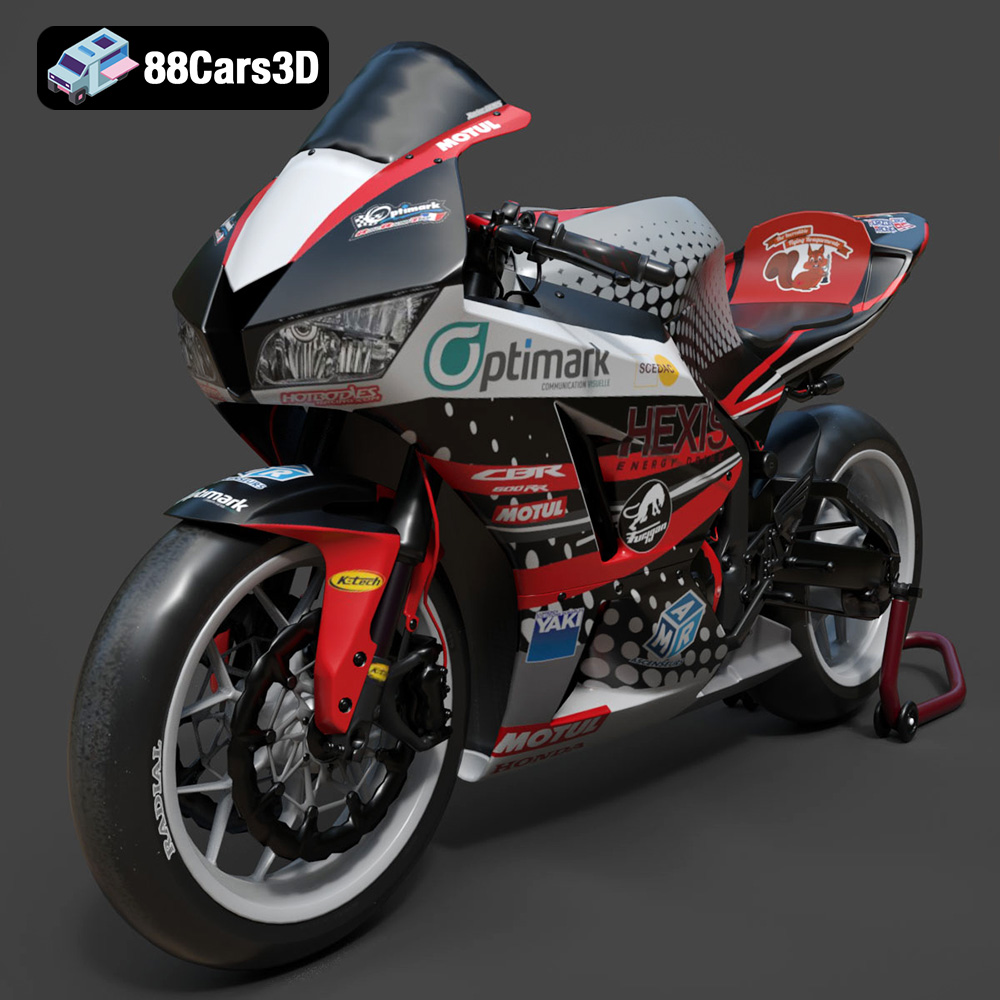
Texture: Yes | Material: Yes
Download the highly detailed, game-ready Honda CBR600RR 3D Model. Features aerodynamic fairings, an iconic center-up exhaust, and an aggressive track-focused stance. Includes .blend, .fbx, .obj, .glb, .stl, .ply, .unreal, and .max formats for game development, AR/VR, and rendering.
Price: $19.99
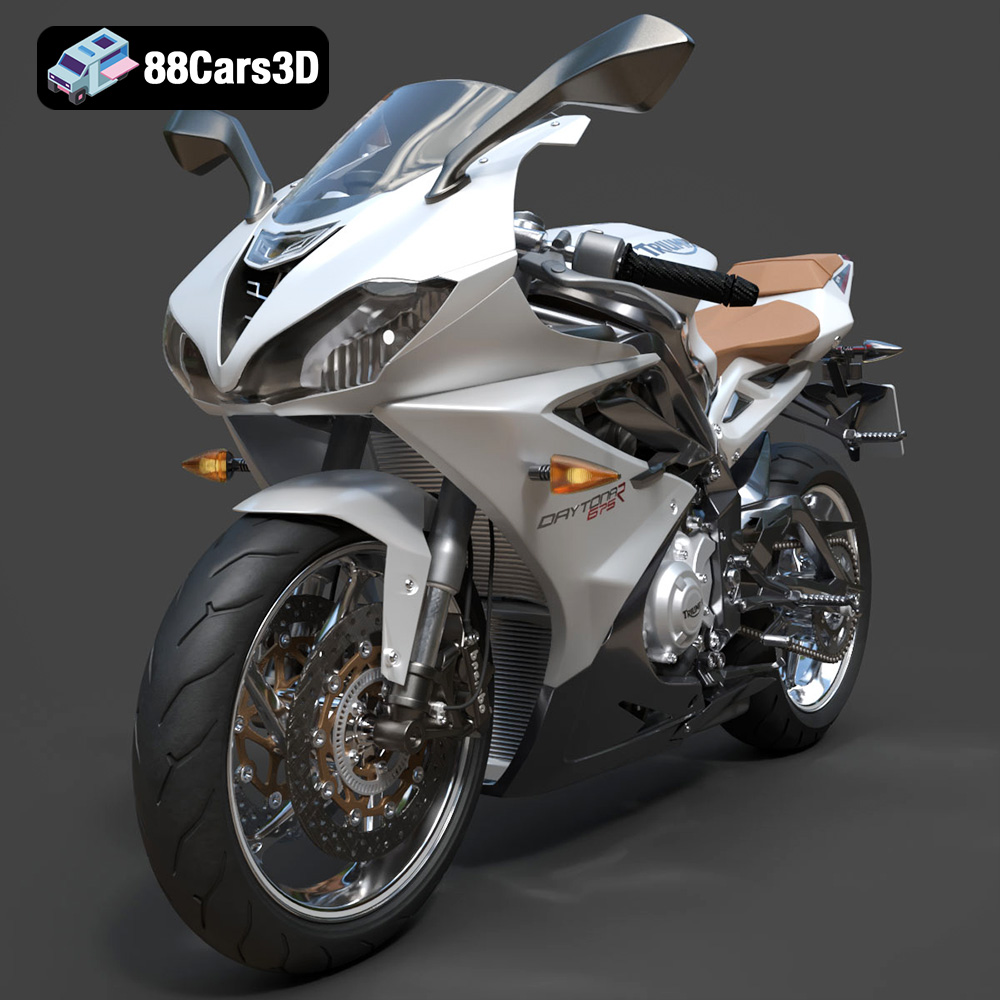
Texture: Yes | Material: Yes
Download the highly detailed, game-ready Triumph Daytona 675R ABS 2015 3D Model. Features aerodynamic sport fairings, a detailed inline-triple engine, and premium Öhlins suspension components. Includes .blend, .fbx, .obj, .glb, .stl, .ply, .unreal, and .max formats for game development, AR/VR, and rendering.
Price: $19.99

Texture: Yes | Material: Yes
Download the highly detailed, game-ready Toyota Tacoma TRD Off-Road 2016 3D Model. Features a rugged exterior, TRD off-road suspension details, and a meticulously crafted interior. Includes .blend, .fbx, .obj, .glb, .stl, .ply, .unreal, and .max formats for game development, AR/VR, and rendering.
Price: $19.99

Texture: Yes | Material: Yes
Download the highly detailed, game-ready Toyota Supra 2020 3D Model. Features aggressive aerodynamic styling, a distinctive double-bubble roof, and accurate B58 engine components. Includes .blend, .fbx, .obj, .glb, .stl, .ply, .unreal, and .max formats for game development, AR/VR, and rendering.
Price: $19.99
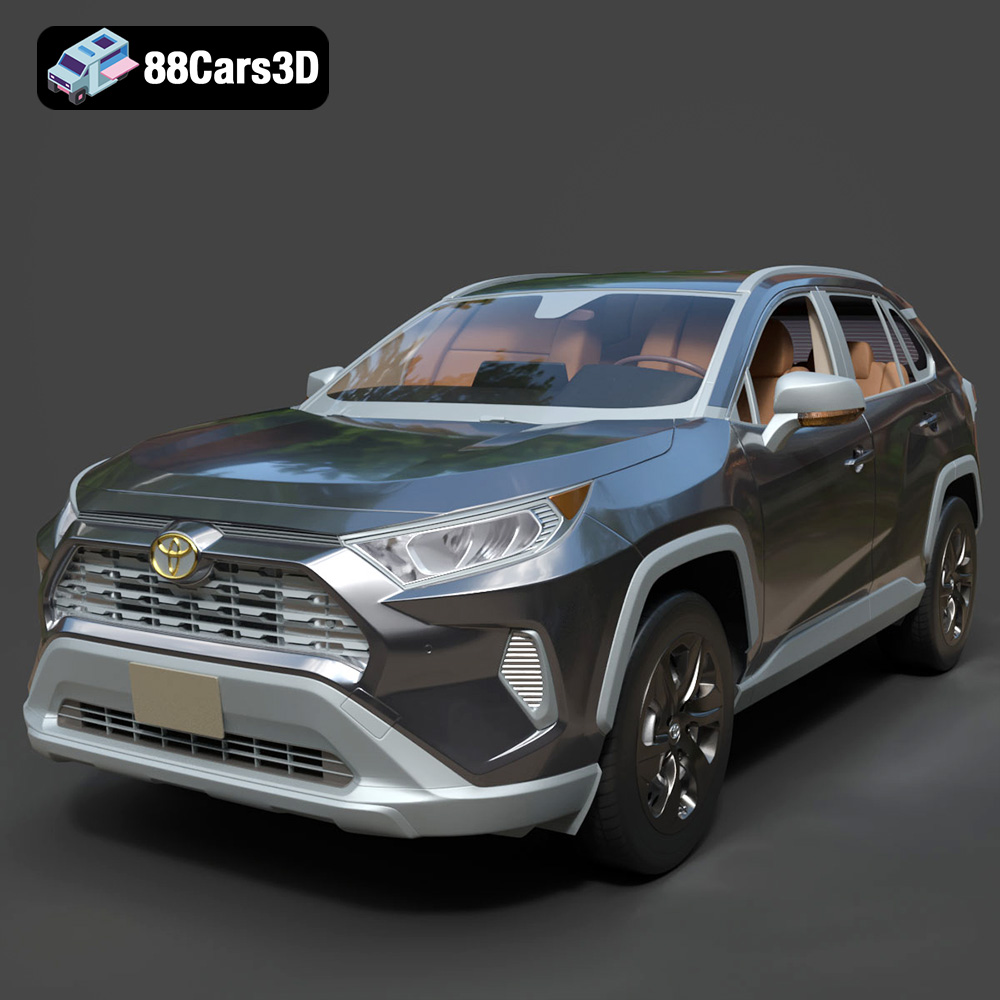
Texture: Yes | Material: Yes
Download the highly detailed, game-ready Toyota RAV4 LE 2019 3D Model. Features rugged exterior styling, signature polygonal motif, and a detailed interior. Includes .blend, .fbx, .obj, .glb, .stl, .ply, .unreal, and .max formats for game development, AR/VR, and rendering.
Price: $19.99

