Get 20% OFF All Premium 3D & STL Models!

“`html
3D printing offers incredible potential for automotive enthusiasts, hobbyists, and engineers alike. The ability to bring digital designs to life – especially intricate car models – is a game-changer. But to truly master this craft, understanding the interplay between nozzle size and build plate dimensions is crucial. Choosing the wrong combination can lead to failed prints, wasted filament, and significant frustration. This comprehensive guide will delve into the technical aspects of nozzle and bed size selection, focusing on optimizing your 3D printing setup for producing stunning car models, particularly when leveraging resources such as 88cars3d.com for high-quality STL files.
In this article, we’ll explore the influence of nozzle size on print resolution, speed, and material compatibility. We’ll also discuss the critical role of bed size in accommodating different model scales and multiple simultaneous prints. Furthermore, we’ll provide practical advice on matching these parameters to specific printing scenarios, troubleshooting common issues, and maximizing the potential of your 3D printer. Get ready to dive deep into the technical details that will transform your 3D printing journey and unlock the full potential of your machine.
The nozzle is the heart of your FDM 3D printer, dictating the precision and speed at which molten filament is extruded. Its diameter directly influences several key printing characteristics. Selecting the right nozzle size is paramount for achieving the desired level of detail and efficiency when printing car models, which often feature intricate curves and small features.
A smaller nozzle, such as 0.25mm, enables finer layer heights and increased resolution. This is particularly beneficial when printing detailed car models with complex geometries, like those found on platforms like 88cars3d.com. Smaller nozzles allow you to capture intricate details in the design, resulting in a smoother surface finish and more accurate representation of the original model. However, smaller nozzles also mean longer print times due to the reduced material flow rate. With a 0.25mm nozzle, layer heights might range from 0.05mm to 0.15mm. Conversely, a larger nozzle (e.g., 0.8mm) delivers less detail but faster printing speeds, making it suitable for larger, less intricate parts or for creating initial prototypes.
Larger nozzles, like 0.6mm or 0.8mm, significantly increase the volume of material extruded per unit time. This translates to faster print times, especially for larger car model components like the chassis or body panels. A larger nozzle allows for thicker layers (e.g., 0.2mm to 0.4mm with a 0.8mm nozzle), reducing the number of layers required to complete the print. However, this comes at the cost of reduced detail and potentially more visible layer lines. Using a larger nozzle also requires adjusting other printer settings, such as print speed and temperature, to ensure consistent extrusion and proper layer adhesion. A good starting point is to reduce print speed by about 20-30% when switching from a 0.4mm to a 0.8mm nozzle.
Different nozzle sizes are better suited for certain materials. For instance, filaments containing abrasive particles, such as carbon fiber or glow-in-the-dark filaments, require larger nozzles (typically 0.6mm or larger) to prevent clogging. Smaller nozzles are more susceptible to blockages, especially when used with materials that have a tendency to string or ooze. Standard filaments like PLA and PETG can be used with a wide range of nozzle sizes (0.25mm to 0.8mm), but the optimal size depends on the desired balance between print speed and resolution. Flexible filaments like TPU often require slower print speeds and may benefit from a slightly larger nozzle (0.4mm or 0.6mm) to reduce the risk of jamming.
The build plate, or bed, is the foundation upon which your 3D prints are built. Its dimensions dictate the maximum size of the objects you can print in a single run. Selecting the appropriate bed size is crucial, especially when considering printing larger car models or multiple components simultaneously. Ignoring bed size limitations can lead to failed prints, warping, and wasted time and materials.
The dimensions of your 3D printer’s build plate directly limit the size of the car models you can produce. A smaller bed (e.g., 150mm x 150mm) restricts you to printing smaller-scale models or dividing larger models into multiple parts that need to be assembled later. A larger bed (e.g., 300mm x 300mm) allows you to print larger, more detailed models in a single piece, reducing the need for assembly and potentially improving structural integrity. When downloading models from marketplaces such as 88cars3d.com, pay close attention to the dimensions of the STL files and ensure they fit within your printer’s build volume. Consider the orientation of the model to maximize space utilization on the print bed.
Even with a larger bed, printing complex car models often involves breaking them down into multiple parts. The bed size determines how many parts you can print simultaneously. Optimizing part placement on the bed is crucial for maximizing print efficiency and minimizing wasted space. Utilize slicing software features like auto-arrangement to automatically optimize part placement and reduce print time. Consider the orientation of each part to minimize support material usage and improve surface finish. When printing multiple parts, ensure adequate spacing between them to prevent collisions with the print head and ensure proper cooling.
Proper bed adhesion is essential for successful 3D printing, especially with larger models that are more prone to warping. Several techniques can improve bed adhesion, including using a heated bed, applying adhesive substances like glue stick or hairspray, and using specialized build surfaces like PEI or glass. Calibrating the bed leveling is also crucial for ensuring consistent adhesion across the entire build plate. For materials like ABS that are prone to warping, an enclosure can help maintain a consistent temperature and reduce the risk of detachment from the bed. Experiment with different bed temperatures to find the optimal setting for each material; for example, PLA typically requires a bed temperature of 60°C, while ABS may require 100-110°C.
The ideal combination of nozzle size and bed size depends heavily on the specific car model you’re printing, the level of detail required, and the desired print time. Carefully consider these factors to optimize your printing setup and achieve the best possible results.
For highly detailed car models with intricate features, a smaller nozzle (0.25mm or 0.4mm) is essential. However, smaller nozzles can significantly increase print times. If the model is also relatively small (e.g., a 1:43 scale model), a smaller bed (e.g., 200mm x 200mm) might be sufficient. This combination is ideal for producing high-quality, detailed models, but it requires patience and meticulous attention to detail. Layer heights of 0.05mm to 0.1mm are common when using a 0.25mm nozzle for highly detailed prints. Slower print speeds (e.g., 20-30mm/s) are also recommended to ensure accurate extrusion and minimize vibrations.
If you’re printing a larger car model (e.g., a 1:18 or 1:10 scale model), a larger bed (e.g., 300mm x 300mm or larger) is necessary to accommodate the model’s dimensions. A larger nozzle (0.6mm or 0.8mm) can significantly reduce print time, but it will also result in less detail. This combination is suitable for printing larger models where detail is less critical, or for creating prototypes to test the overall design. Layer heights of 0.2mm to 0.4mm are typical when using a 0.6mm or 0.8mm nozzle. Infill percentages can be reduced to further decrease print time and material usage. Consider using a rectilinear or gyroid infill pattern for a good balance of strength and speed.
Often, you’ll need to strike a balance between print speed and detail. A 0.4mm nozzle is a versatile option that offers a good compromise between these two factors. It allows for reasonable detail while still maintaining acceptable print speeds. A bed size of 220mm x 220mm or 250mm x 250mm is often sufficient for printing a wide range of car model sizes with a 0.4mm nozzle. Experiment with different layer heights (e.g., 0.1mm to 0.2mm) to find the optimal balance between detail and print time. Adjust print speed and temperature settings to optimize print quality and minimize imperfections. Consider using adaptive layer height settings in your slicing software to automatically adjust the layer height based on the complexity of the model, allowing for finer detail in critical areas and faster printing in less detailed areas.
Slicing software converts your 3D model into a series of instructions that your printer can understand. Optimizing slicing parameters is crucial for achieving the best possible print quality, especially when using different nozzle and bed sizes. Incorrect slicing settings can lead to various printing issues, such as poor layer adhesion, excessive stringing, and warping.
The layer height should be proportional to the nozzle diameter. A general rule of thumb is to keep the layer height between 25% and 75% of the nozzle diameter. For example, with a 0.4mm nozzle, the layer height should typically be between 0.1mm and 0.3mm. Using a layer height that is too large can result in poor layer adhesion and a weak print, while using a layer height that is too small can increase print time unnecessarily. Experiment with different layer heights to find the optimal setting for your specific model and material. Consider using adaptive layer height settings in your slicing software to automatically adjust the layer height based on the complexity of the model.
Print speed and temperature are closely related to nozzle size. Larger nozzles can typically handle faster print speeds due to the increased material flow rate, but higher temperatures may be required to ensure proper melting and adhesion. Smaller nozzles require slower print speeds to prevent under-extrusion and ensure accurate layer placement. Adjust the temperature settings based on the material you are using and the nozzle size. PLA typically requires a temperature of 200-220°C, while ABS may require 230-250°C. Experiment with different print speed and temperature combinations to find the optimal settings for your specific setup. A good starting point is to reduce print speed by about 20-30% when switching from a 0.4mm to a 0.8mm nozzle.
Support structures are necessary for printing overhanging features, but they can also add to print time and material usage. Optimize support structure settings to minimize their impact on print quality and efficiency. Consider using tree supports or adaptive supports, which are designed to use less material and be easier to remove. Adjust the support density and angle to provide adequate support without being overly difficult to remove. Experiment with different support interface layers to improve the surface finish on supported areas. Orient the model to minimize the need for supports, especially on critical surfaces. When downloading models from platforms like 88cars3d.com that are designed for 3D printing, often the support structures are already optimized for easy removal and minimal impact on the final product.
Even with careful planning, printing issues can arise. Understanding the common problems related to nozzle and bed size and knowing how to troubleshoot them is essential for achieving consistent and reliable results.
Clogging occurs when filament becomes blocked inside the nozzle, preventing it from extruding properly. Under-extrusion occurs when the printer is not extruding enough material, resulting in gaps or weak layers. Both of these issues can be caused by using the wrong nozzle size for the material, printing at too low a temperature, or having a dirty or damaged nozzle. To troubleshoot these issues, start by cleaning the nozzle using a needle or a cold pull technique. Increase the printing temperature slightly and reduce the print speed. If the problem persists, try replacing the nozzle with a new one or using a larger nozzle size. Ensure that the filament is properly loaded and that the extruder motor is functioning correctly.
Warping occurs when the corners or edges of the print lift off the bed during printing, usually due to uneven cooling or poor bed adhesion. Bed adhesion failures occur when the print detaches from the bed completely. These issues are more common with larger prints and materials like ABS that are prone to shrinking. To troubleshoot these issues, ensure that the bed is properly leveled and heated to the correct temperature. Apply an adhesive substance like glue stick or hairspray to the bed. Use a brim or raft to increase the surface area of the print that is in contact with the bed. Consider using an enclosure to maintain a consistent temperature and reduce the risk of warping. Adjust the first layer settings to ensure that the first layer is properly adhered to the bed.
Stringing occurs when thin strands of filament are left between different parts of the print, while oozing occurs when filament leaks out of the nozzle when it is not supposed to. These issues are more common with smaller nozzles and higher printing temperatures. To troubleshoot these issues, reduce the printing temperature and increase the retraction distance and speed. Enable coasting or wiping in your slicing software to reduce oozing. Ensure that the filament is dry and properly stored. Consider using a filament dryer to remove moisture from the filament. Adjust the travel speed to minimize the time that the nozzle spends moving between different parts of the print.
Choosing the right nozzle and bed size is a critical aspect of successful 3D printing, particularly when creating intricate car models. A smaller nozzle allows for finer details, while a larger nozzle speeds up the printing process. The bed size dictates the maximum print dimensions and the ability to print multiple parts simultaneously. By carefully considering these factors, optimizing slicing parameters, and troubleshooting common issues, you can unlock the full potential of your 3D printer and create stunning car models. Platforms like 88cars3d.com offer print-ready STL files designed to work with a variety of printer setups, providing a valuable resource for automotive enthusiasts and hobbyists.
Take the time to experiment with different nozzle sizes, bed sizes, and slicing parameters to find the optimal settings for your specific printer, materials, and models. Start with simple prints and gradually increase the complexity as you gain experience. Remember to document your settings and results so you can easily replicate successful prints in the future. With practice and patience, you’ll be able to master the art of 3D printing car models and bring your digital designs to life.
“`

Texture: Yes | Material: Yes
Download the highly detailed, game-ready Volkswagen Jetta GLI 2019 3D Model. Features an aggressive honeycomb grille with red accents, sleek aerodynamic profile, and exclusive GLI sport wheels. Includes .blend, .fbx, .obj, .glb, .stl, .ply, .unreal, and .max formats for game development, AR/VR, and rendering.
Price: $19.99

Texture: Yes | Material: Yes
Download the highly detailed, game-ready Vintage Vespa 3D Model. Features iconic rounded monocoque styling, classic saddle, and chrome accents. Includes .blend, .fbx, .obj, .glb, .stl, .ply, .unreal, and .max formats for game development, AR/VR, and rendering.
Price: $19.99

Texture: Yes | Material: Yes
Download the highly detailed, game-ready Vespa GS 150 3D Model. Features elegant aerodynamic curves, classic leg shield, and detailed engine casing. Includes .blend, .fbx, .obj, .glb, .stl, .ply, .unreal, and .max formats for game development, AR/VR, and rendering.
Price: $19.99

Texture: Yes | Material: Yes
Download the highly detailed, game-ready Vespa P200E 3D Model. Features classic vintage styling, accurate step-through frame geometry, and authentic detailing. Includes .blend, .fbx, .obj, .glb, .stl, .ply, .unreal, and .max formats for game development, AR/VR, and rendering.
Price: $19.99

Texture: Yes | Material: Yes
Download the highly detailed, game-ready Ural M67-36-P 1976 3D Model. Features the iconic air-cooled boxer engine, vintage utilitarian styling, and authentic spoked wheels. Includes .blend, .fbx, .obj, .glb, .stl, .ply, .unreal, and .max formats for game development, AR/VR, and rendering.
Price: $19.99
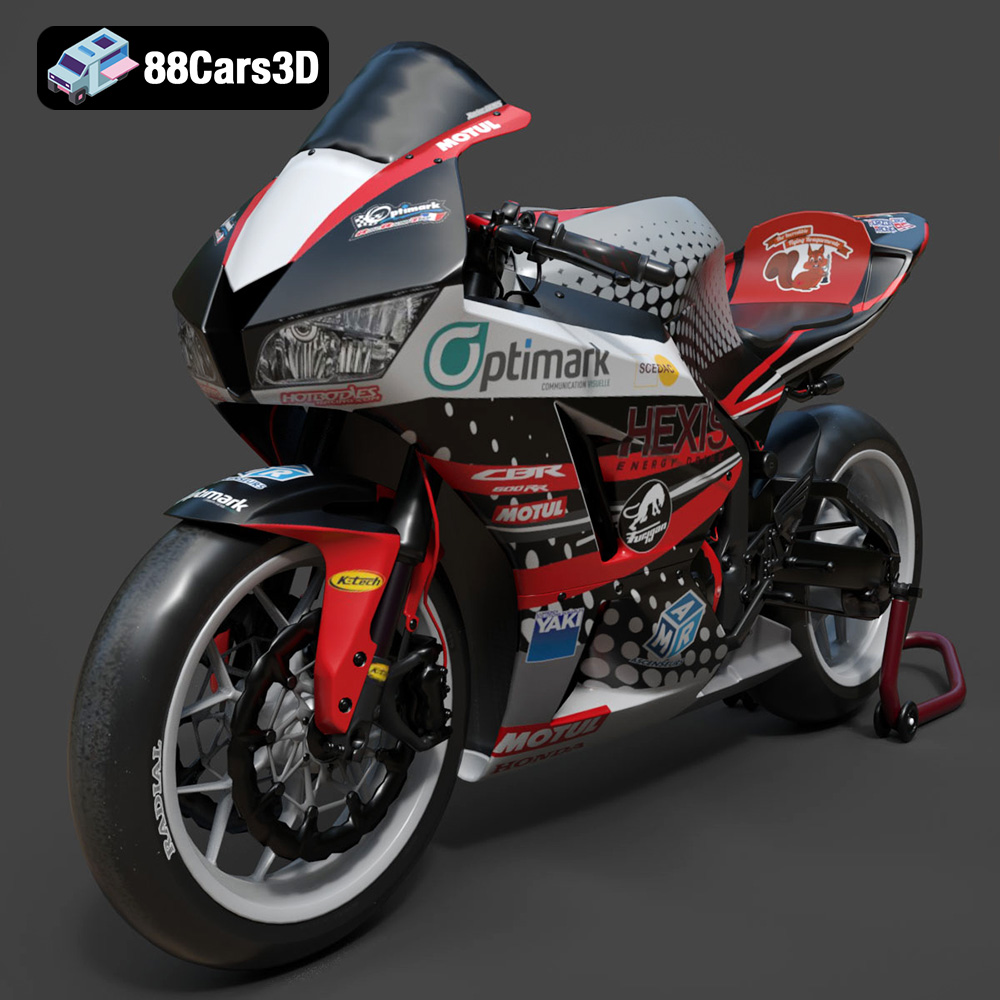
Texture: Yes | Material: Yes
Download the highly detailed, game-ready Honda CBR600RR 3D Model. Features aerodynamic fairings, an iconic center-up exhaust, and an aggressive track-focused stance. Includes .blend, .fbx, .obj, .glb, .stl, .ply, .unreal, and .max formats for game development, AR/VR, and rendering.
Price: $19.99
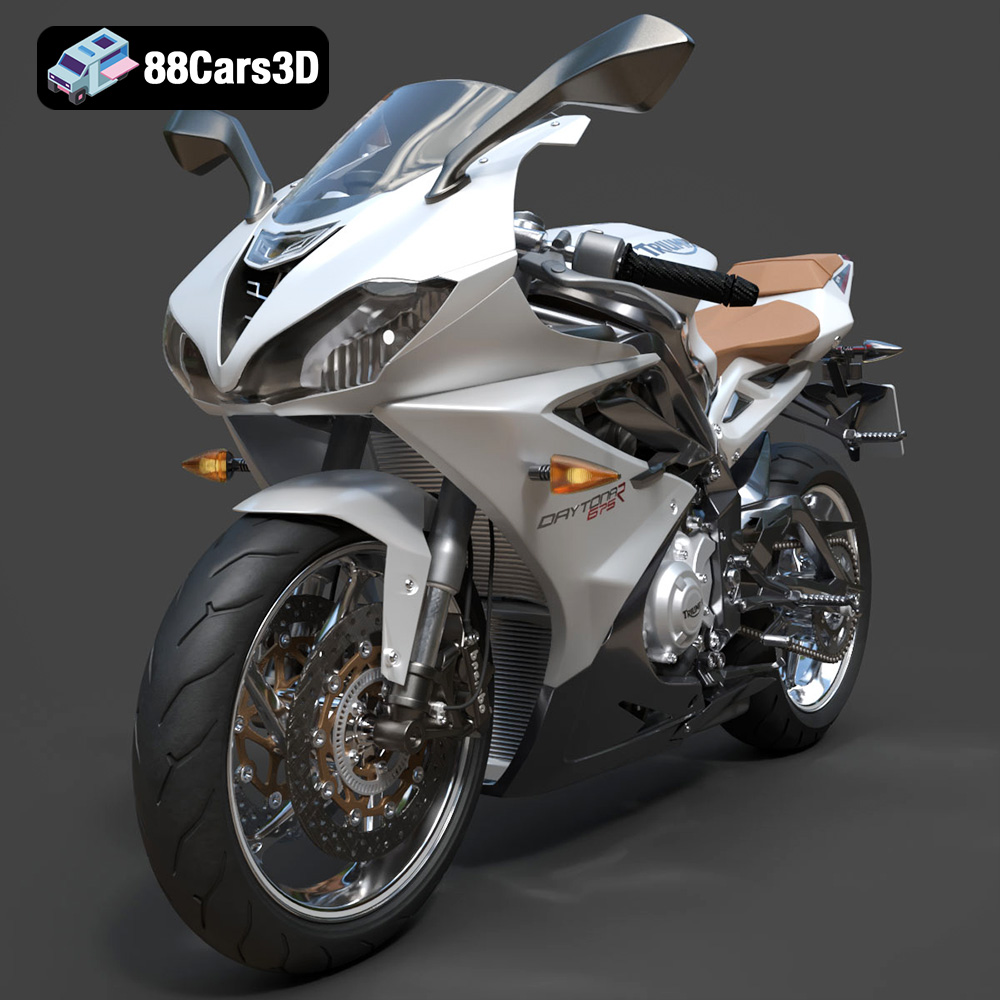
Texture: Yes | Material: Yes
Download the highly detailed, game-ready Triumph Daytona 675R ABS 2015 3D Model. Features aerodynamic sport fairings, a detailed inline-triple engine, and premium Öhlins suspension components. Includes .blend, .fbx, .obj, .glb, .stl, .ply, .unreal, and .max formats for game development, AR/VR, and rendering.
Price: $19.99

Texture: Yes | Material: Yes
Download the highly detailed, game-ready Toyota Tacoma TRD Off-Road 2016 3D Model. Features a rugged exterior, TRD off-road suspension details, and a meticulously crafted interior. Includes .blend, .fbx, .obj, .glb, .stl, .ply, .unreal, and .max formats for game development, AR/VR, and rendering.
Price: $19.99

Texture: Yes | Material: Yes
Download the highly detailed, game-ready Toyota Supra 2020 3D Model. Features aggressive aerodynamic styling, a distinctive double-bubble roof, and accurate B58 engine components. Includes .blend, .fbx, .obj, .glb, .stl, .ply, .unreal, and .max formats for game development, AR/VR, and rendering.
Price: $19.99
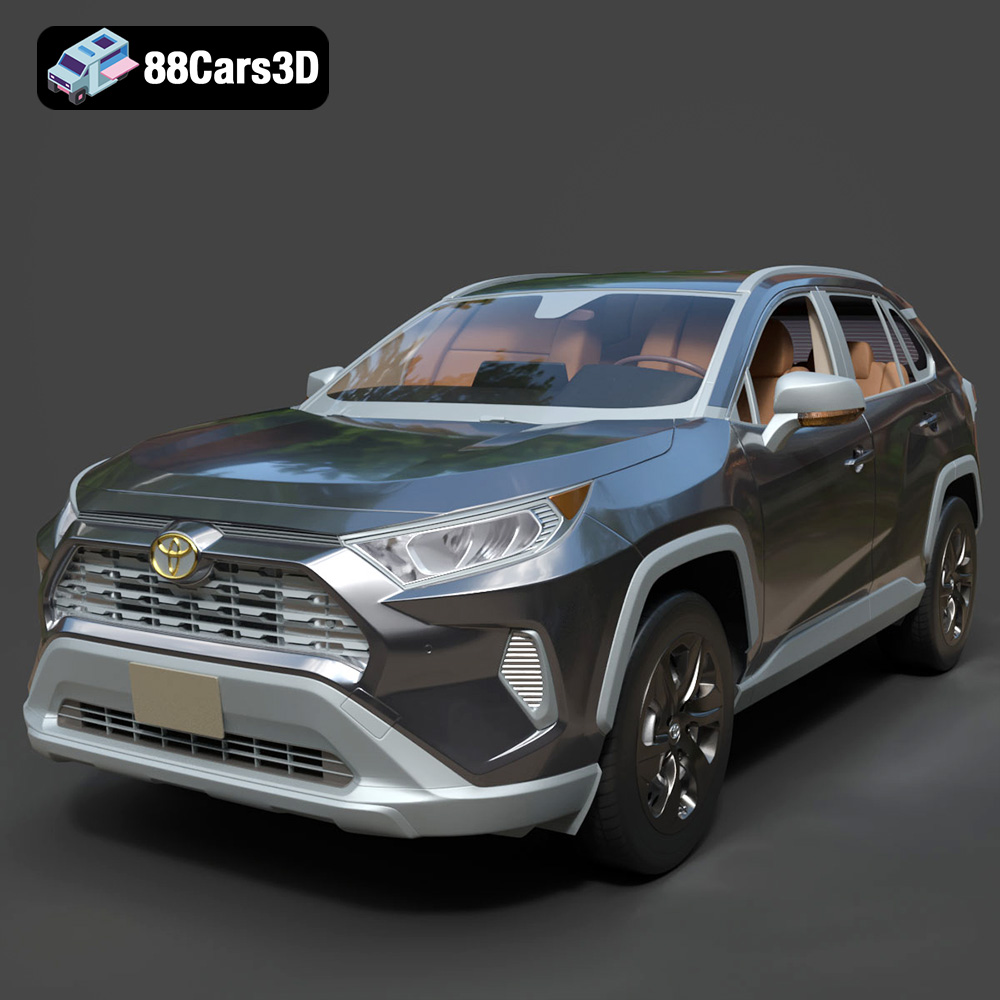
Texture: Yes | Material: Yes
Download the highly detailed, game-ready Toyota RAV4 LE 2019 3D Model. Features rugged exterior styling, signature polygonal motif, and a detailed interior. Includes .blend, .fbx, .obj, .glb, .stl, .ply, .unreal, and .max formats for game development, AR/VR, and rendering.
Price: $19.99

