Get 20% OFF All Premium 3D & STL Models!

“`html
3D printing offers incredible possibilities for automotive enthusiasts, allowing you to create detailed scale models of your favorite cars. However, printing large and complex car models as a single piece can be challenging due to printer bed size limitations, warping issues, and excessive support material. The solution? Splitting the model into smaller, manageable parts. This comprehensive guide will walk you through the process of splitting large 3D car models for printing, covering everything from software selection to printing and assembly. Whether you’re a seasoned 3D printing veteran or a newcomer eager to tackle ambitious projects, this guide will equip you with the knowledge and techniques to successfully print even the most intricate automotive designs. We’ll explore various software options, optimize slicing parameters, and address common challenges, ensuring a rewarding 3D printing experience. Plus, we’ll delve into best practices for post-processing and assembly to create stunning, high-quality car models.
Before diving into the how-to, let’s understand the why. Printing large models in one go often leads to: Exceeding printer build volume, increased risk of warping (especially with materials like ABS), excessive support material usage, which increases print time and waste, higher probability of print failure, and difficulty in achieving fine details on complex geometries. Splitting the model mitigates these issues, allowing for better control over the printing process and improved final results. When downloading models from marketplaces such as 88cars3d.com, consider the overall dimensions and plan your splitting strategy beforehand.
Several software options are available for splitting 3D models, each with its own strengths and weaknesses. Your choice will depend on your experience level, budget, and the complexity of the model. Let’s explore some popular choices:
Meshmixer, a free software from Autodesk, is a popular choice for its ease of use and robust mesh editing capabilities. It excels at splitting models, adding connectors, and hollowing out parts to reduce material usage. The “Plane Cut” tool in Meshmixer is perfect for clean, precise cuts. To use Meshmixer: Import your STL file, select “Edit,” then “Plane Cut.” Position the plane where you want to split the model. You can choose to “Fill Cut” to create flat surfaces on the cut sections or leave them open. Meshmixer also allows you to add pegs and holes for easy assembly, which is a significant advantage.
Blender, a free and open-source 3D creation suite, offers powerful modeling and sculpting tools, making it suitable for complex splitting and customization. While it has a steeper learning curve than Meshmixer, Blender provides unparalleled control over the splitting process. You can use the “Knife Project” tool to create intricate cuts or boolean operations for more complex separations. Blender’s sculpting tools can also be used to refine the cut surfaces and prepare them for printing. For precise cuts, use snapping tools to align the cutting plane with specific vertices or edges on the model.
Netfabb, now part of Autodesk, is a professional-grade software solution for additive manufacturing. It offers advanced tools for mesh repair, optimization, and splitting. Netfabb’s “Cut” tool provides various cutting methods, including plane cuts, surface cuts, and volume cuts. It also includes features for automatically generating connectors and alignment features. Netfabb is particularly useful for splitting models with complex internal structures or intricate details. While Netfabb is a paid software, it offers a free trial version that you can use to evaluate its capabilities.
Before you start cutting, it’s crucial to have a solid plan. Consider these factors:
Look for existing features on the car model that can serve as natural break points, such as door lines, panel gaps, or chassis separations. Splitting along these lines will minimize the visibility of seams after assembly. For example, on a classic car model, splitting the body along the fender lines or the roofline can create clean and aesthetically pleasing separations.
Think about how each part will be oriented on the print bed. Choose splitting planes that minimize the need for support structures. Orienting parts with flat surfaces facing down on the bed promotes better adhesion and reduces the risk of warping. Also, consider the aesthetic impact of layer lines on visible surfaces. Orient parts to minimize layer lines on critical surfaces.
Plan how the parts will be joined together after printing. Consider using pegs and holes, interlocking tabs, or flat surfaces that can be glued. Ensure the connectors are strong enough to withstand handling during assembly. The size and placement of connectors should be proportional to the size of the parts. For larger parts, use multiple connectors to ensure a secure and aligned connection.
After splitting the model, it’s essential to optimize the individual STL files for 3D printing. This involves:
Use mesh repair tools (available in Meshmixer, Netfabb, or online services like MakePrintable) to fix any errors in the mesh, such as non-manifold edges, holes, or flipped normals. A clean mesh is crucial for successful slicing and printing. Non-manifold edges can cause slicing errors and print failures. Holes can lead to infill issues and weaken the part. Flipped normals can cause visual artifacts in the print.
To save material and reduce print time, consider hollowing out the parts. Leave a wall thickness of at least 1.5mm to ensure sufficient strength. Add drain holes to allow resin to escape if you’re using resin printing. Hollowing also reduces the risk of warping, especially with large parts printed from materials like ABS.
Analyze each part and determine if support structures are necessary. Use slicer software to generate supports, focusing on areas with overhangs or bridges. Optimize support settings to minimize material usage and ease of removal. Consider using tree supports, which are more efficient and easier to remove than traditional linear supports.
The slicing process converts the STL files into a series of instructions for the 3D printer. Choosing the right slicing parameters is crucial for achieving optimal print quality.
A smaller layer height (e.g., 0.1mm) will result in smoother surfaces and finer details but will increase print time. A larger layer height (e.g., 0.2mm) will print faster but may sacrifice some surface quality. Experiment to find the optimal balance between speed and quality for your specific printer and material. For detailed car models, a layer height of 0.1mm to 0.15mm is often a good compromise.
Infill density determines the amount of material used inside the part. A higher infill density (e.g., 20%) will make the part stronger but will also increase print time and material usage. Choose an infill pattern that provides adequate strength and support. Common infill patterns include rectilinear, honeycomb, and gyroid. For parts that will be subjected to stress, such as chassis components, a higher infill density and a stronger infill pattern are recommended. Platforms like 88cars3d.com offer print-ready STL files that are designed with optimal infill considerations.
The optimal print speed and temperature will depend on the material you’re using. Refer to the material manufacturer’s recommendations for guidance. Too high a print speed can lead to poor layer adhesion and print defects. Too low a temperature can cause the material to not bond properly. It’s important to dial in these settings for each material you use.
Once you’ve sliced the model, it’s time to print and post-process the individual parts.
PLA is a good choice for beginners due to its ease of printing and biodegradability. PETG offers a good balance of strength and flexibility. ABS is more durable and heat-resistant but requires a heated bed and an enclosure to prevent warping. Resin printing offers exceptional detail and surface finish but requires careful handling of chemicals and post-curing. For car models, consider using ABS or PETG for parts that require strength and durability, and resin for parts that require fine details, such as emblems or interior components.
Carefully remove support structures using pliers, cutters, or a deburring tool. Be patient and avoid damaging the part. Dissolvable support materials (e.g., HIPS for ABS or PVA for PLA) can be used to simplify support removal. After removing the bulk of the supports, use a sharp knife or scraper to clean up any remaining residue.
Sand the parts to remove layer lines and smooth out the surface. Start with a coarse grit sandpaper (e.g., 220 grit) and gradually move to finer grits (e.g., 400 grit, 600 grit, 800 grit). Use filler primer to fill in any imperfections and create a smooth surface for painting. Sand the primer after it dries to achieve a flawless finish.
The final step is to assemble the individual parts into a complete car model.
Use a strong adhesive, such as super glue (cyanoacrylate) or epoxy, to bond the parts together. Apply the adhesive sparingly and ensure the parts are properly aligned before the glue sets. Use clamps or tape to hold the parts in place while the glue dries. For ABS, you can use acetone to chemically weld the parts together.
Use putty or filler to fill any gaps or seams between the parts. Sand the filler smooth after it dries. Automotive body filler is an excellent choice for filling large gaps and creating a seamless finish. Apply the filler in thin layers and allow each layer to dry completely before sanding.
Paint the model using automotive-grade paint or model paint. Apply multiple thin coats for best results. Use masking tape to create intricate paint schemes. Add decals and other details to complete the model. Consider using an airbrush for a professional-looking finish. Clear coat the model to protect the paint and add a glossy shine.
Even with careful planning, you may encounter some challenges during the printing and assembly process. Here are some common issues and how to address them:
Warping occurs when the corners of the print lift off the bed. This is more common with materials like ABS. To prevent warping, use a heated bed, apply a bed adhesion agent (e.g., hairspray or glue stick), and enclose the printer. Reduce the print speed and increase the bed temperature. You can also add a brim or raft to the print to increase the surface area in contact with the bed.
Poor layer adhesion occurs when the layers of the print don’t bond properly. This can be caused by low temperature, high print speed, or insufficient cooling. Increase the print temperature and reduce the print speed. Ensure the cooling fan is not blowing directly on the print, as this can cause the layers to cool too quickly.
Support structures can sometimes be difficult to remove or can leave behind unsightly marks on the print. To minimize support issues, optimize the support settings in your slicer software. Use tree supports or dissolvable support materials. Carefully remove the supports using the appropriate tools and techniques.
Even with careful splitting and assembly, seams can sometimes be visible on the finished model. To minimize seam visibility, split the model along natural break points, use filler to fill any gaps, and carefully sand and paint the model. Consider using a seam-hiding setting in your slicer software to minimize the visual impact of the Z-seam.
Splitting large 3D car models into parts opens up a world of possibilities for 3D printing enthusiasts. By carefully planning your splitting strategy, optimizing your STL files, and choosing the right slicing parameters, you can create stunning, high-quality car models that would be impossible to print in a single piece. Remember to choose the right software, consider your print orientation, and design effective connection methods. Master the post-processing techniques of sanding, filling, and painting to achieve a professional-looking finish. And don’t be afraid to experiment with different materials and settings to find what works best for your printer and your desired results. By following these guidelines, you’ll be well on your way to creating impressive 3D printed car models that will be the envy of all your fellow enthusiasts. So, grab your STL files, fire up your 3D printer, and start building your dream car, one piece at a time!
“`

Texture: Yes | Material: Yes
Download the highly detailed, game-ready Volkswagen Jetta GLI 2019 3D Model. Features an aggressive honeycomb grille with red accents, sleek aerodynamic profile, and exclusive GLI sport wheels. Includes .blend, .fbx, .obj, .glb, .stl, .ply, .unreal, and .max formats for game development, AR/VR, and rendering.
Price: $19.99

Texture: Yes | Material: Yes
Download the highly detailed, game-ready Vintage Vespa 3D Model. Features iconic rounded monocoque styling, classic saddle, and chrome accents. Includes .blend, .fbx, .obj, .glb, .stl, .ply, .unreal, and .max formats for game development, AR/VR, and rendering.
Price: $19.99

Texture: Yes | Material: Yes
Download the highly detailed, game-ready Vespa GS 150 3D Model. Features elegant aerodynamic curves, classic leg shield, and detailed engine casing. Includes .blend, .fbx, .obj, .glb, .stl, .ply, .unreal, and .max formats for game development, AR/VR, and rendering.
Price: $19.99

Texture: Yes | Material: Yes
Download the highly detailed, game-ready Vespa P200E 3D Model. Features classic vintage styling, accurate step-through frame geometry, and authentic detailing. Includes .blend, .fbx, .obj, .glb, .stl, .ply, .unreal, and .max formats for game development, AR/VR, and rendering.
Price: $19.99

Texture: Yes | Material: Yes
Download the highly detailed, game-ready Ural M67-36-P 1976 3D Model. Features the iconic air-cooled boxer engine, vintage utilitarian styling, and authentic spoked wheels. Includes .blend, .fbx, .obj, .glb, .stl, .ply, .unreal, and .max formats for game development, AR/VR, and rendering.
Price: $19.99
Texture: Yes | Material: Yes
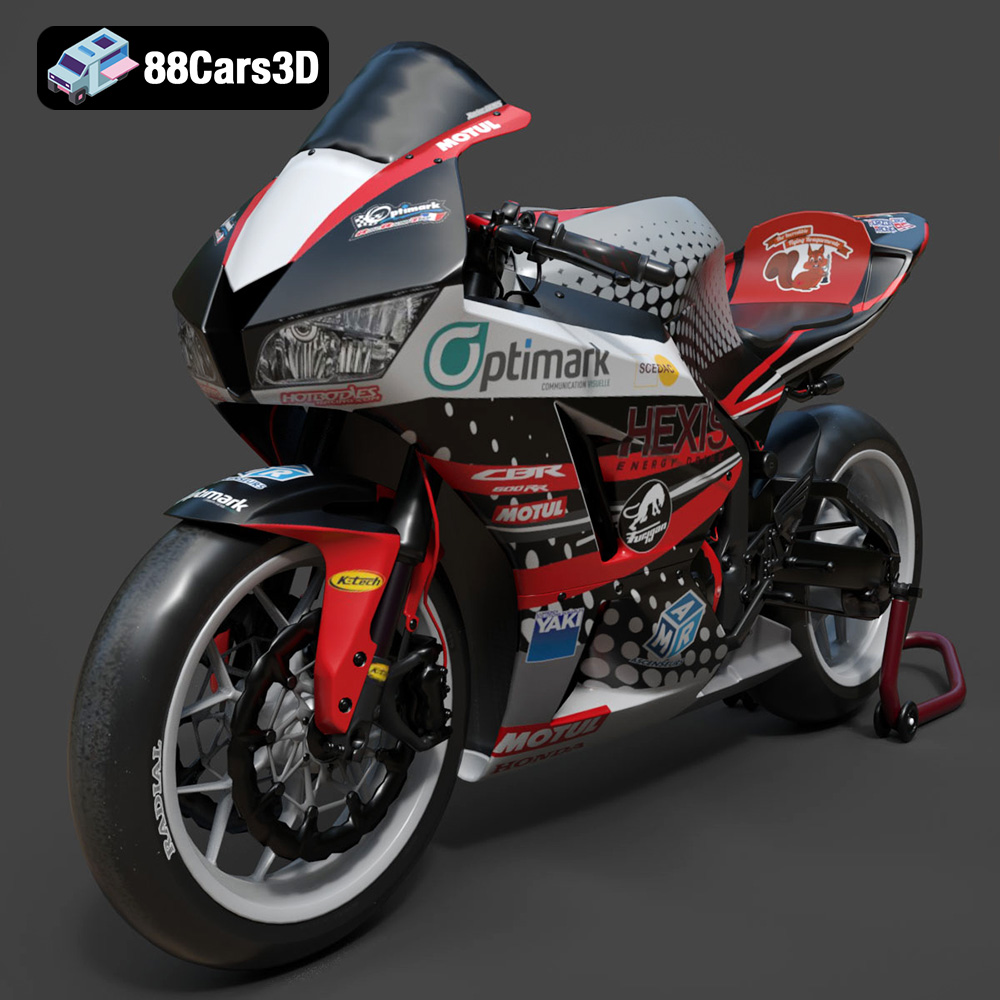
Download the highly detailed, game-ready Honda CBR600RR 3D Model. Features aerodynamic fairings, an iconic center-up exhaust, and an aggressive track-focused stance. Includes .blend, .fbx, .obj, .glb, .stl, .ply, .unreal, and .max formats for game development, AR/VR, and rendering.
Price: $19.99
Texture: Yes | Material: Yes
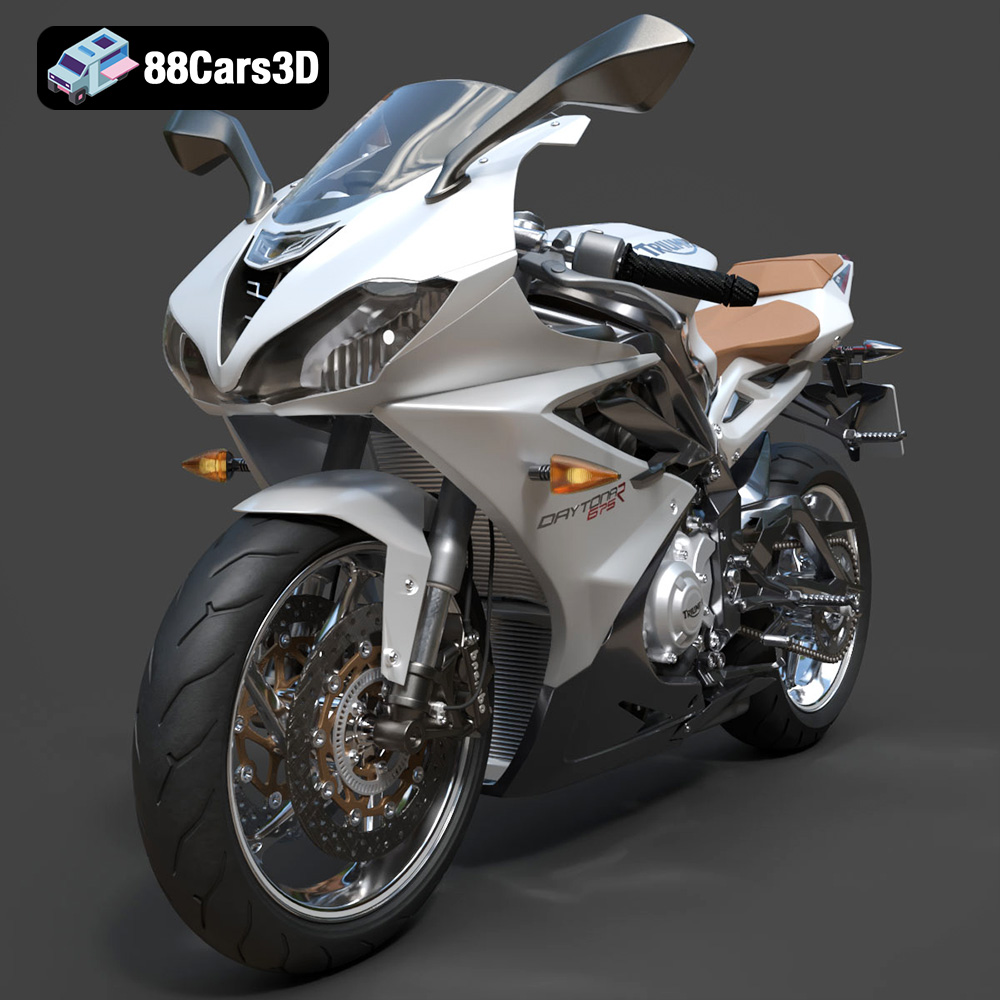
Download the highly detailed, game-ready Triumph Daytona 675R ABS 2015 3D Model. Features aerodynamic sport fairings, a detailed inline-triple engine, and premium Öhlins suspension components. Includes .blend, .fbx, .obj, .glb, .stl, .ply, .unreal, and .max formats for game development, AR/VR, and rendering.
Price: $19.99

Texture: Yes | Material: Yes
Download the highly detailed, game-ready Toyota Tacoma TRD Off-Road 2016 3D Model. Features a rugged exterior, TRD off-road suspension details, and a meticulously crafted interior. Includes .blend, .fbx, .obj, .glb, .stl, .ply, .unreal, and .max formats for game development, AR/VR, and rendering.
Price: $19.99

Texture: Yes | Material: Yes
Download the highly detailed, game-ready Toyota Supra 2020 3D Model. Features aggressive aerodynamic styling, a distinctive double-bubble roof, and accurate B58 engine components. Includes .blend, .fbx, .obj, .glb, .stl, .ply, .unreal, and .max formats for game development, AR/VR, and rendering.
Price: $19.99
Texture: Yes | Material: Yes
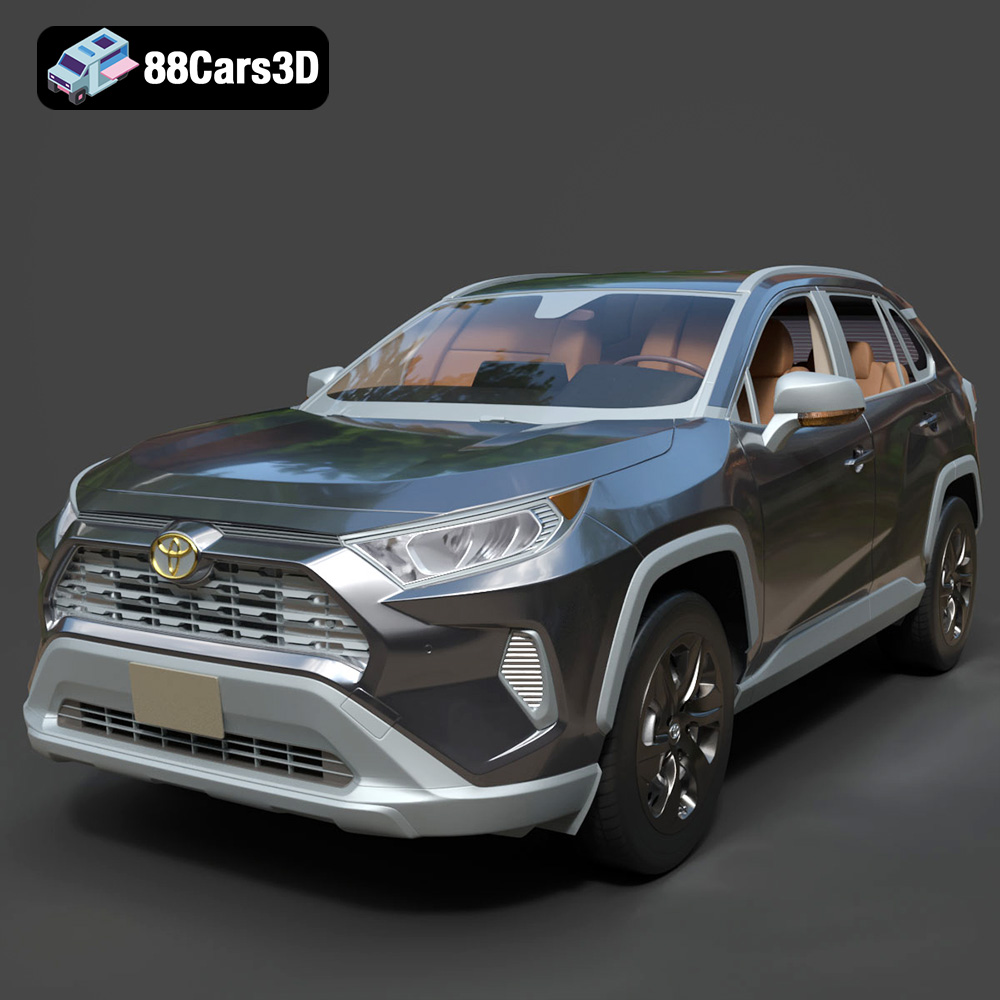
Download the highly detailed, game-ready Toyota RAV4 LE 2019 3D Model. Features rugged exterior styling, signature polygonal motif, and a detailed interior. Includes .blend, .fbx, .obj, .glb, .stl, .ply, .unreal, and .max formats for game development, AR/VR, and rendering.
Price: $19.99

