Get 20% OFF All Premium 3D & STL Models!

“`html
The world of 3D printing has opened up exciting new avenues for hobbyists and collectors, particularly in the realm of automotive models. Imagine holding a meticulously crafted replica of your dream car, printed right in your own home. This dream is now a reality, thanks to the availability of high-quality STL files and increasingly accessible 3D printing technology. However, achieving truly stunning results requires more than just downloading a file and hitting “print.” This comprehensive guide delves into the technical aspects of preparing, printing, and perfecting car models from STL files, covering everything from file formats and slicing parameters to material selection and post-processing. Whether you’re a seasoned 3D printing veteran or just starting your journey, this article will provide the knowledge and insights you need to create exceptional automotive models that will impress even the most discerning collector.
We’ll explore best practices for working with STL files, optimizing your 3D printer settings, understanding different slicing techniques, mastering support structure generation, and troubleshooting common printing issues. We’ll also discuss material selection and post-processing techniques to achieve professional-looking results. Get ready to transform digital designs into tangible treasures!
The STL (Stereolithography) file format is the backbone of 3D printing. It represents a 3D object as a collection of triangles, essentially approximating the surface geometry. The quality of an STL file directly impacts the final print. A poorly designed STL can lead to noticeable facets, printing errors, and a generally unsatisfying result, especially for complex shapes like car bodies. When downloading models from marketplaces such as 88cars3d.com, ensure the files are designed for 3D printing with clean geometry and sufficient wall thickness.
An STL file contains information about each triangle, including the coordinates of its vertices and the normal vector (direction the triangle is facing). The density of triangles determines the resolution of the model. Higher resolution means smoother curves but also larger file sizes and increased processing time. Consider the balance between detail and manageability when choosing an STL file. For car models, high resolution is often desirable for capturing fine details like body lines and trim.
A “manifold” mesh is a closed, watertight surface without any holes, self-intersections, or non-manifold edges. This is crucial for successful 3D printing. Non-manifold meshes can cause slicing errors and printing failures. Always check and repair STL files before printing, using tools like Netfabb or the built-in repair functions in your slicer software.
Slicing is the process of converting a 3D model into a series of 2D layers that the 3D printer can understand. The slicer software generates instructions (G-code) for the printer’s movements, extrusion rate, and temperature settings. The slicing parameters you choose significantly impact the print quality, strength, and speed. For detailed car models, precise slicing is essential to capture intricate details and achieve a smooth surface finish.
Layer height is the thickness of each printed layer. Lower layer heights result in finer details and smoother surfaces but increase print time. For car models, a layer height of 0.1mm to 0.2mm is generally recommended for FDM printing, while resin printing can achieve even finer details with layer heights down to 0.025mm or even less.
Infill refers to the internal structure of the 3D printed object. While car models are often printed with relatively low infill percentages (10-20%) for weight reduction and faster printing, the infill pattern can still affect the overall strength and surface quality. Common infill patterns include rectilinear, grid, and gyroid. Gyroid infill offers a good balance of strength and print time.
Support structures are temporary structures that are printed to support overhanging features and bridges in a 3D model. They are essential for printing complex geometries, such as car bodies with intricate curves and overhangs. The type, placement, and density of support structures can significantly affect the print quality and the ease of post-processing.
Slicer software offers various support generation strategies, including tree supports, linear supports, and hybrid supports. Tree supports are generally more efficient in terms of material usage and can be easier to remove than linear supports. However, they might not be suitable for all geometries. Consider the specific shape of your car model and experiment with different support strategies to find the best option.
Removing support structures cleanly is crucial for achieving a professional-looking finish. Use sharp tools like hobby knives, pliers, and sandpaper to carefully remove the supports without damaging the model. For delicate areas, consider using dissolvable support materials (e.g., PVA for PLA) if your printer supports dual extrusion.
The choice of material depends on the desired properties of the finished model, such as strength, flexibility, heat resistance, and surface finish. For 3D printed car models, common materials include PLA, PETG, ABS, and various types of resin. Platforms like 88cars3d.com often provide recommendations for suitable materials for their models.
PLA (Polylactic Acid) is a biodegradable thermoplastic that is easy to print and offers good detail. It’s a good choice for beginners and for models that don’t require high heat resistance. PETG (Polyethylene Terephthalate Glycol-modified) is stronger and more heat-resistant than PLA and offers better layer adhesion. ABS (Acrylonitrile Butadiene Styrene) is a strong and durable plastic that is often used in automotive applications, but it requires a heated bed and good ventilation due to its fumes.
Resin printing (SLA and DLP) offers superior detail and surface finish compared to FDM printing. Resin materials are available in a wide range of properties, including standard resins, tough resins, and flexible resins. Resin printing is ideal for small, intricate car models that require high precision.
Achieving optimal results with 3D printed car models requires careful calibration and tuning of your 3D printer settings. This includes bed adhesion, temperature control, print speed, and retraction settings. Proper calibration ensures that the printer is extruding the correct amount of material and that the layers are properly bonded together.
Good bed adhesion is crucial for preventing warping and ensuring that the first layer is properly attached to the build plate. Common bed adhesion techniques include using a heated bed, applying adhesive solutions like glue stick or hairspray, and using build plate surfaces like PEI or glass. For materials like ABS, a heated bed is essential.
The optimal printing temperature depends on the material being used. Refer to the manufacturer’s recommendations for the correct temperature range. Print speed also affects print quality. Slower print speeds generally result in better detail and fewer printing errors. For car models with intricate details, consider reducing the print speed to improve the surface finish.
Post-processing is the final step in creating a 3D printed car model. It involves removing support structures, sanding the surface, filling gaps, and painting the model to achieve a professional-looking finish. This is where you truly transform a raw 3D print into a work of art.
Sanding is essential for smoothing the surface of the 3D printed model and removing any layer lines or imperfections. Start with coarse sandpaper (e.g., 220 grit) and gradually move to finer grits (e.g., 400, 600, 800, 1000) to achieve a smooth surface. Wet sanding can help to reduce dust and improve the finish.
Painting is the final step in bringing your 3D printed car model to life. Use high-quality automotive paints and primers for a durable and professional-looking finish. Apply multiple thin coats of paint, allowing each coat to dry completely before applying the next. Consider using clear coats to protect the paint and add a glossy finish.
Even with careful planning and preparation, 3D printing can sometimes be challenging. Common issues include warping, stringing, layer adhesion problems, and nozzle clogging. Understanding the causes of these issues and how to fix them is essential for achieving successful prints.
Warping occurs when the corners of the 3D printed model lift off the build plate due to uneven cooling. This is more common with materials like ABS. To prevent warping, ensure that the build plate is properly leveled and heated, use bed adhesion techniques, and enclose the printer to maintain a consistent temperature.
Stringing occurs when the printer extrudes plastic while moving between different parts of the model. This is often caused by incorrect retraction settings. Retraction refers to the process of pulling the filament back into the nozzle to prevent oozing. Adjust the retraction distance and speed in your slicer software to eliminate stringing.
3D printing car models from STL files is a rewarding and technically engaging hobby. By understanding the intricacies of STL file preparation, slicing parameters, material selection, and post-processing techniques, you can create stunning replicas of your favorite automobiles. Remember to start with high-quality STL files, such as those found on platforms like 88cars3d.com, and experiment with different settings and materials to achieve your desired results. Pay close attention to support structure generation and removal, as well as post-processing techniques like sanding and painting.
Take the time to properly calibrate your 3D printer and troubleshoot any issues that arise. With practice and patience, you’ll be able to transform digital dreams into tangible automotive treasures that you can proudly display in your collection. The possibilities are endless, and the journey of 3D printing your own car models is an exciting adventure filled with learning and creativity. Now, download those STL files, fire up your 3D printer, and start building your dream car collection today!
“`

Texture: Yes | Material: Yes
Download the highly detailed, game-ready Volkswagen Jetta GLI 2019 3D Model. Features an aggressive honeycomb grille with red accents, sleek aerodynamic profile, and exclusive GLI sport wheels. Includes .blend, .fbx, .obj, .glb, .stl, .ply, .unreal, and .max formats for game development, AR/VR, and rendering.
Price: $19.99

Texture: Yes | Material: Yes
Download the highly detailed, game-ready Vintage Vespa 3D Model. Features iconic rounded monocoque styling, classic saddle, and chrome accents. Includes .blend, .fbx, .obj, .glb, .stl, .ply, .unreal, and .max formats for game development, AR/VR, and rendering.
Price: $19.99

Texture: Yes | Material: Yes
Download the highly detailed, game-ready Vespa GS 150 3D Model. Features elegant aerodynamic curves, classic leg shield, and detailed engine casing. Includes .blend, .fbx, .obj, .glb, .stl, .ply, .unreal, and .max formats for game development, AR/VR, and rendering.
Price: $19.99

Texture: Yes | Material: Yes
Download the highly detailed, game-ready Vespa P200E 3D Model. Features classic vintage styling, accurate step-through frame geometry, and authentic detailing. Includes .blend, .fbx, .obj, .glb, .stl, .ply, .unreal, and .max formats for game development, AR/VR, and rendering.
Price: $19.99

Texture: Yes | Material: Yes
Download the highly detailed, game-ready Ural M67-36-P 1976 3D Model. Features the iconic air-cooled boxer engine, vintage utilitarian styling, and authentic spoked wheels. Includes .blend, .fbx, .obj, .glb, .stl, .ply, .unreal, and .max formats for game development, AR/VR, and rendering.
Price: $19.99
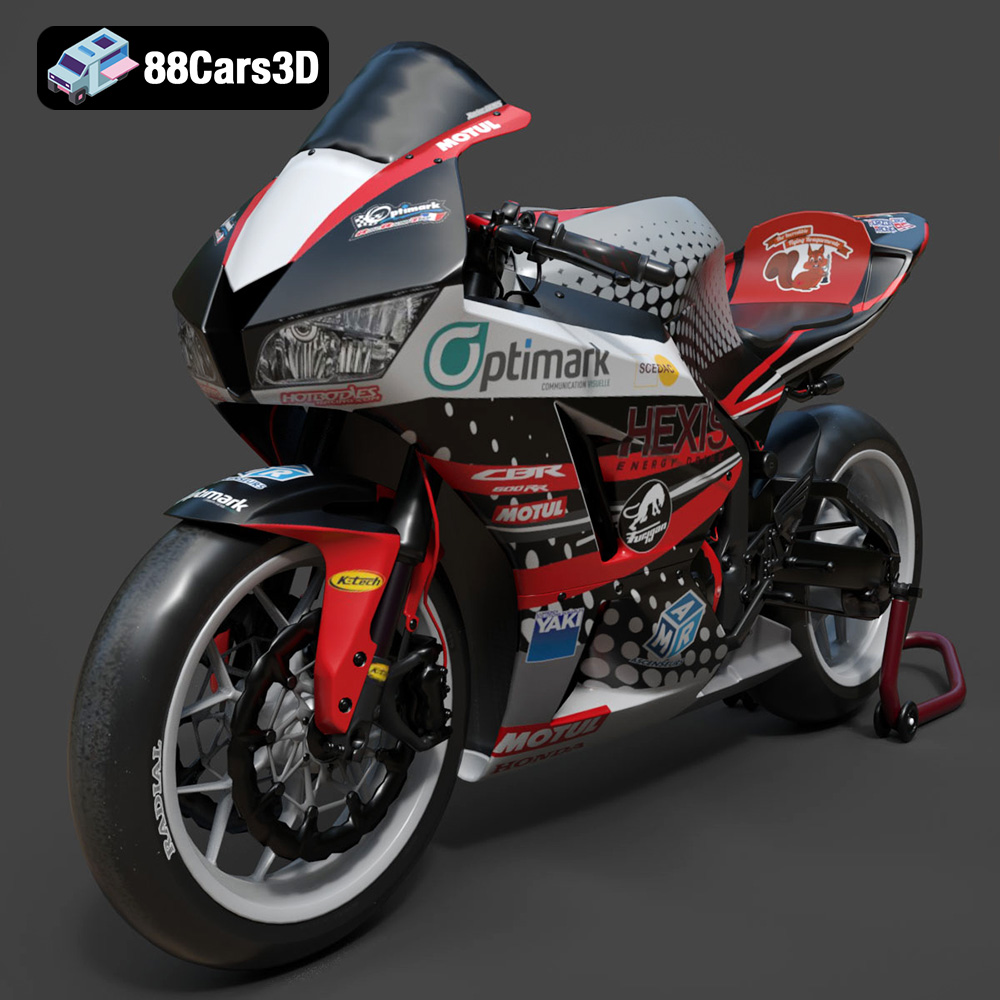
Texture: Yes | Material: Yes
Download the highly detailed, game-ready Honda CBR600RR 3D Model. Features aerodynamic fairings, an iconic center-up exhaust, and an aggressive track-focused stance. Includes .blend, .fbx, .obj, .glb, .stl, .ply, .unreal, and .max formats for game development, AR/VR, and rendering.
Price: $19.99
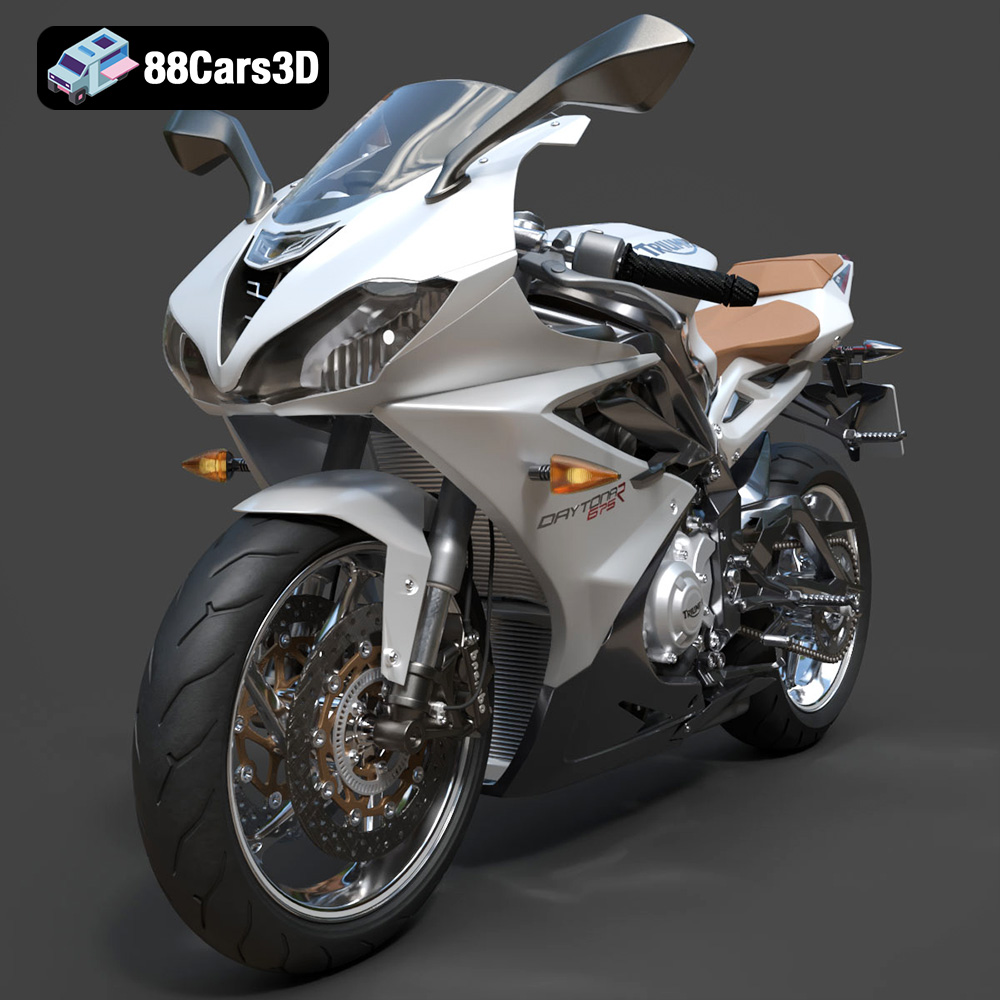
Texture: Yes | Material: Yes
Download the highly detailed, game-ready Triumph Daytona 675R ABS 2015 3D Model. Features aerodynamic sport fairings, a detailed inline-triple engine, and premium Öhlins suspension components. Includes .blend, .fbx, .obj, .glb, .stl, .ply, .unreal, and .max formats for game development, AR/VR, and rendering.
Price: $19.99

Texture: Yes | Material: Yes
Download the highly detailed, game-ready Toyota Tacoma TRD Off-Road 2016 3D Model. Features a rugged exterior, TRD off-road suspension details, and a meticulously crafted interior. Includes .blend, .fbx, .obj, .glb, .stl, .ply, .unreal, and .max formats for game development, AR/VR, and rendering.
Price: $19.99

Texture: Yes | Material: Yes
Download the highly detailed, game-ready Toyota Supra 2020 3D Model. Features aggressive aerodynamic styling, a distinctive double-bubble roof, and accurate B58 engine components. Includes .blend, .fbx, .obj, .glb, .stl, .ply, .unreal, and .max formats for game development, AR/VR, and rendering.
Price: $19.99
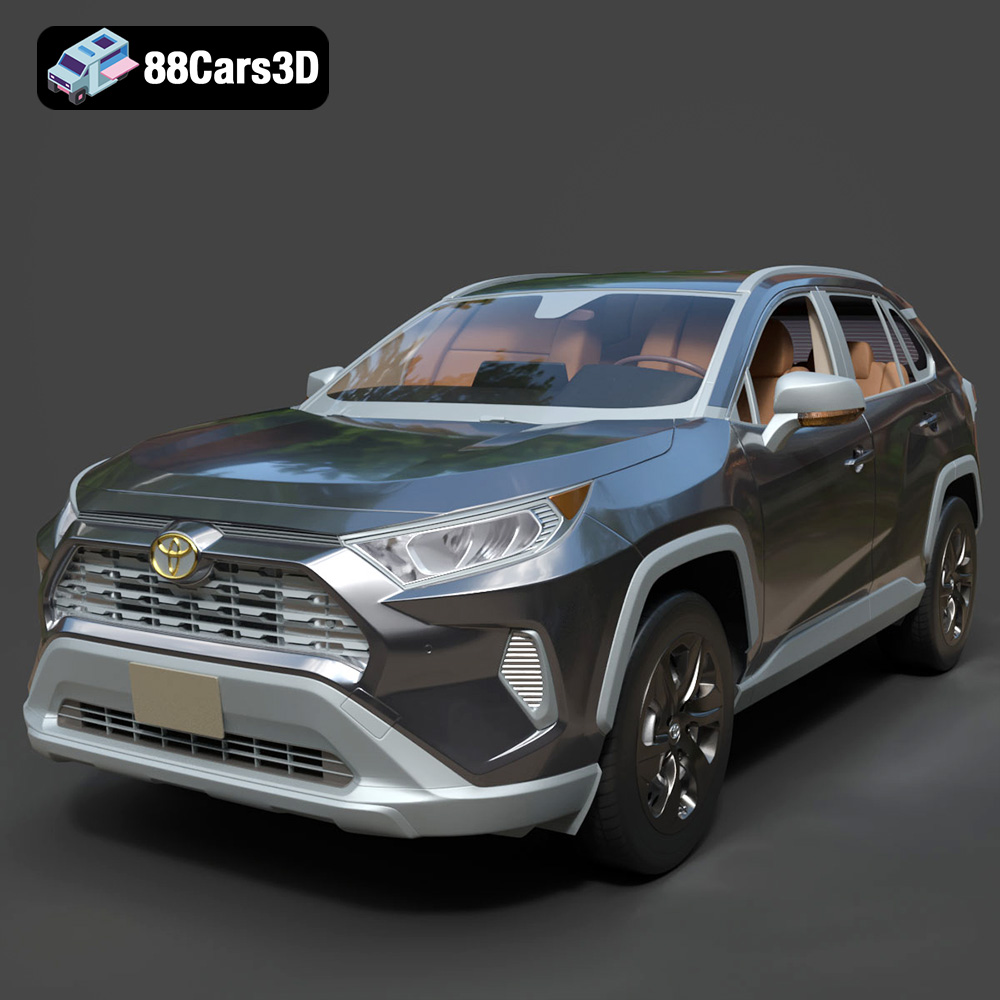
Texture: Yes | Material: Yes
Download the highly detailed, game-ready Toyota RAV4 LE 2019 3D Model. Features rugged exterior styling, signature polygonal motif, and a detailed interior. Includes .blend, .fbx, .obj, .glb, .stl, .ply, .unreal, and .max formats for game development, AR/VR, and rendering.
Price: $19.99

