Get 20% OFF All Premium 3D & STL Models!

“`html
The allure of 3D printing lies in its ability to transform digital designs into tangible objects. For automotive enthusiasts, this means bringing iconic cars to life, one layer at a time. However, achieving a truly captivating model – one that boasts a smooth, professional finish – requires a meticulous approach. This isn’t simply about pressing “print”; it’s about mastering the intricate interplay of file preparation, printer settings, and post-processing techniques. In this comprehensive guide, we’ll delve into the secrets of crafting stunning 3D printed car models that will leave you breathless. From understanding STL file structure to optimizing slicing parameters and mastering post-processing methods, we’ll equip you with the knowledge and skills to elevate your 3D printing game and create masterpieces worthy of display. Whether you are using FDM or resin printing, this guide will help you achieve the best possible finish on your 3D printed car models. Platforms like 88cars3d.com offer print-ready STL files designed to simplify the process, but even the best models benefit from optimized printing strategies.
The journey to a smooth 3D printed car model begins with the STL file itself. STL (Stereolithography) is the standard file format for 3D printing, representing the surface geometry of a 3D object as a collection of triangles. The finer the triangulation, the smoother the resulting print – theoretically. However, excessively detailed meshes can lead to incredibly large file sizes and increased processing times, without necessarily yielding significant improvements in surface quality. Understanding the balance between detail and file size is crucial.
Mesh density directly impacts the smoothness of curved surfaces. A low-density mesh will result in noticeable facets or a “stair-stepping” effect, especially on rounded areas like car fenders and hoods. Increasing the mesh density reduces this effect but increases file size and computational load. A good starting point is to examine the model in a mesh editing program like Meshmixer or Blender. Observe the curvature of the most prominent surfaces and adjust the mesh density until you achieve a visually smooth representation without excessive triangle counts. Generally, you want to aim for a mesh where individual triangles are barely perceptible at a normal viewing distance. Many CAD programs offer settings to control the export resolution when saving to STL format. Aim for a deviation tolerance of 0.01mm – 0.05mm for detailed car models.
An STL file must represent a “manifold” geometry, meaning that every edge of every triangle is shared by exactly two triangles. Non-manifold geometry, such as holes, intersecting faces, or disconnected components, can cause significant printing problems. Many slicers automatically detect and attempt to repair these errors, but it’s always best to address them proactively. Programs like Netfabb Basic or Meshmixer offer powerful mesh repair tools. These tools can automatically identify and fix common issues like flipped normals, holes in the mesh, and self-intersecting faces. Always run a mesh repair operation before slicing to ensure a clean and printable model.
Slicing software translates the STL file into a series of instructions for the 3D printer, dictating layer height, print speed, and other crucial parameters. The slicing process significantly influences the final surface finish of your 3D printed car model. Careful adjustment of these parameters can dramatically reduce visible layer lines and improve overall smoothness. The type of filament or resin you use will also impact which settings will give you the best results.
Layer height is arguably the most influential slicing parameter for surface finish. Smaller layer heights produce finer details and smoother curves, but also increase print time significantly. A common starting point for FDM printing is 0.2mm layer height, but for detailed car models, consider reducing this to 0.1mm or even 0.05mm for critical areas. Resin printing, by its nature, offers much finer layer resolutions. Layer heights of 0.05mm or even 0.025mm are common in resin printing, resulting in exceptionally smooth surfaces right off the printer. The trade-off is increased print time, so experiment to find the optimal balance between speed and quality. For example, you might print the body of the car at 0.1mm and smaller details like mirrors or grills at 0.05mm.
Print speed and temperature are closely intertwined. Printing too fast can lead to poor layer adhesion, warping, and a rough surface finish. Printing too slow can cause stringing and excessive heat buildup. The optimal speed and temperature settings depend on the material you’re using. For PLA, a temperature range of 200-220°C and a print speed of 40-60mm/s is a good starting point. For ABS, a higher temperature range of 230-250°C and a slightly slower print speed of 30-50mm/s is recommended. For PETG, a temperature range of 230-250°C and a print speed of 40-60mm/s is common. When in doubt, consult the filament manufacturer’s recommendations. Fine-tuning these parameters is crucial for achieving a smooth, consistent surface finish. Perform temperature and speed calibration prints to find the sweet spot for your particular filament and printer.
Many 3D printed car models require support structures to properly print overhanging features like spoilers, mirrors, and wheel wells. While necessary for successful printing, supports can leave blemishes on the surface of the model after removal. The key is to generate supports that are strong enough to hold the overhanging features, but also easy to remove and minimize surface damage. A well-supported print is essential for a good finish.
The placement and density of support structures are crucial for minimizing their impact on surface finish. Concentrated supports in difficult-to-reach areas should be avoided. Instead, use lighter, more distributed supports. Experiment with different support patterns, such as tree supports or line supports, to find the best balance between support strength and ease of removal. Adjust the support density to minimize the contact area between the supports and the model. A lower support density will make them easier to remove, but may also compromise their stability. In Cura, for instance, the “Support Placement” setting allows you to choose between “Everywhere” and “Touching Buildplate.” “Touching Buildplate” can reduce the amount of support material used and minimize blemishes, but may not be suitable for complex overhangs.
Many slicers offer the option to add an interface layer between the support structure and the model. This interface layer acts as a buffer, making it easier to remove the supports without damaging the model’s surface. The interface layer can be a single, thin layer or a more substantial grid or mesh. Experiment with different interface layer settings to find what works best for your printer and material. In PrusaSlicer, the “Support Material Interface” settings allow you to control the density, pattern, and thickness of the interface layer. A dense interface layer will provide better support but may be more difficult to remove. A less dense interface layer will be easier to remove but may not provide sufficient support for delicate overhangs.
The material you choose for your 3D printed car model will significantly impact the final surface finish. Some materials are inherently smoother and easier to print than others. Proper printer calibration is also essential for consistent and high-quality prints. Even the best STL files and slicing settings will fail to produce satisfactory results if your printer is not properly calibrated. When downloading models from marketplaces such as 88cars3d.com, consider the material you plan to use and how it will interact with the model’s design.
PLA is a popular choice for beginners due to its ease of printing and low cost. It generally produces smoother surfaces than ABS but is less heat-resistant. ABS is stronger and more heat-resistant than PLA but is more prone to warping and requires a heated bed. PETG offers a good balance between strength, heat resistance, and ease of printing. Resin printing offers the highest level of detail and smoothest surface finish but requires specialized equipment and materials. Resin printers, like SLA or DLP printers, use liquid resin cured by light to create incredibly detailed parts with almost no visible layer lines. Consider the intended use of your car model when selecting a material. For display purposes, PLA or resin may be sufficient. For functional prototypes, ABS or PETG may be more suitable.
Properly calibrated extruder and bed are crucial for consistent and high-quality prints. Extruder calibration ensures that the printer is extruding the correct amount of filament. Bed calibration ensures that the nozzle is at the correct distance from the build plate. An improperly calibrated extruder can lead to over- or under-extrusion, resulting in a rough surface finish and poor layer adhesion. An improperly calibrated bed can lead to warping, poor bed adhesion, and uneven layer heights. Regularly calibrate your extruder and bed to ensure optimal print quality. Use a calibration cube or other test print to fine-tune your settings. Pay attention to the first layer, as this is the foundation for the entire print. A properly calibrated first layer should be smooth and evenly adhered to the build plate.
Even with optimized printing settings, some post-processing is often necessary to achieve a truly flawless surface finish on your 3D printed car model. Post-processing techniques can range from simple sanding and polishing to more advanced methods like coating and painting. The goal is to remove any remaining layer lines, blemishes, and imperfections to create a smooth, professional-looking finish. Applying the right post-processing techniques can make a huge difference in the final appearance of your model.
Sanding is the most common post-processing technique for smoothing 3D printed surfaces. Start with a coarse grit sandpaper (e.g., 220 grit) to remove major imperfections, then gradually move to finer grits (e.g., 400, 600, 800 grit) to achieve a smooth surface. Wet sanding can help to minimize dust and prevent the sandpaper from clogging. After sanding, apply a primer to fill in any remaining imperfections and provide a smooth base for painting. Use multiple thin coats of primer, sanding lightly between each coat. Finally, apply your chosen paint color in thin, even coats. Consider using an airbrush for a professional-looking finish. Allow the paint to dry completely between coats. For a glossy finish, apply a clear coat after the paint has dried. Sand the clear coat with fine-grit sandpaper and polish to achieve a mirror-like shine.
For ABS and ASA filaments, chemical smoothing can be used to achieve a very smooth surface finish. This involves exposing the 3D printed part to acetone vapor, which melts the surface of the plastic and smooths out the layer lines. Chemical smoothing can be a hazardous process, so it’s essential to take precautions. Wear appropriate safety equipment, such as gloves and a respirator, and work in a well-ventilated area. Build a smoothing chamber to safely contain the acetone vapor. Suspend the 3D printed part inside the chamber and expose it to the acetone vapor for a specified amount of time. Monitor the part closely and remove it from the chamber when the desired level of smoothness has been achieved. Allow the part to dry completely before handling it.
Despite your best efforts, you may still encounter printing issues that affect the surface finish of your 3D printed car model. Common problems include warping, stringing, elephant’s foot, and layer shifting. Understanding the causes of these issues and how to address them is essential for achieving consistent and high-quality prints.
Warping occurs when the corners or edges of the 3D printed part lift off the build plate. This is often caused by uneven cooling or poor bed adhesion. To prevent warping, ensure that your build plate is properly leveled and heated. Use a bed adhesive, such as glue stick, hairspray, or painter’s tape, to improve bed adhesion. Enclosing the printer can also help to maintain a consistent temperature and prevent warping. For materials like ABS, an enclosure is almost essential. Experiment with different bed temperatures and bed adhesion methods to find what works best for your printer and material. A raft can also improve bed adhesion, but it will require additional post-processing to remove.
Stringing occurs when the printer nozzle leaves thin strands of filament between different parts of the print. Oozing is when material leaks from the nozzle when it is not actively printing. This is often caused by excessive nozzle temperature, slow retraction speed, or too much flow. To prevent stringing, lower the nozzle temperature, increase the retraction speed, and reduce the flow rate. Ensure that your filament is dry, as wet filament is more prone to stringing. Adjust the “Travel Speed” setting in your slicer to reduce the time the nozzle spends traveling between different parts of the print. Implement a “combing” setting to ensure the nozzle only travels within already printed areas.
Achieving a flawless finish on 3D printed car models is a journey that requires a combination of technical knowledge, meticulous preparation, and patient execution. From understanding the nuances of STL files and optimizing slicing parameters to mastering support structures and applying post-processing techniques, each step plays a crucial role in the final outcome. By carefully selecting materials, calibrating your printer, and troubleshooting common printing issues, you can elevate your 3D printing game and create stunning automotive masterpieces. The key is to experiment, learn from your mistakes, and continuously refine your process. So, take what you’ve learned here, dive into your next project, and watch as your digital visions transform into tangible works of art. Remember to explore resources like 88cars3d.com for high-quality STL files to kickstart your creative journey. Happy printing!
“`

Texture: Yes | Material: Yes
Download the highly detailed, game-ready Volkswagen Jetta GLI 2019 3D Model. Features an aggressive honeycomb grille with red accents, sleek aerodynamic profile, and exclusive GLI sport wheels. Includes .blend, .fbx, .obj, .glb, .stl, .ply, .unreal, and .max formats for game development, AR/VR, and rendering.
Price: $19.99

Texture: Yes | Material: Yes
Download the highly detailed, game-ready Vintage Vespa 3D Model. Features iconic rounded monocoque styling, classic saddle, and chrome accents. Includes .blend, .fbx, .obj, .glb, .stl, .ply, .unreal, and .max formats for game development, AR/VR, and rendering.
Price: $19.99

Texture: Yes | Material: Yes
Download the highly detailed, game-ready Vespa GS 150 3D Model. Features elegant aerodynamic curves, classic leg shield, and detailed engine casing. Includes .blend, .fbx, .obj, .glb, .stl, .ply, .unreal, and .max formats for game development, AR/VR, and rendering.
Price: $19.99

Texture: Yes | Material: Yes
Download the highly detailed, game-ready Vespa P200E 3D Model. Features classic vintage styling, accurate step-through frame geometry, and authentic detailing. Includes .blend, .fbx, .obj, .glb, .stl, .ply, .unreal, and .max formats for game development, AR/VR, and rendering.
Price: $19.99

Texture: Yes | Material: Yes
Download the highly detailed, game-ready Ural M67-36-P 1976 3D Model. Features the iconic air-cooled boxer engine, vintage utilitarian styling, and authentic spoked wheels. Includes .blend, .fbx, .obj, .glb, .stl, .ply, .unreal, and .max formats for game development, AR/VR, and rendering.
Price: $19.99
Texture: Yes | Material: Yes
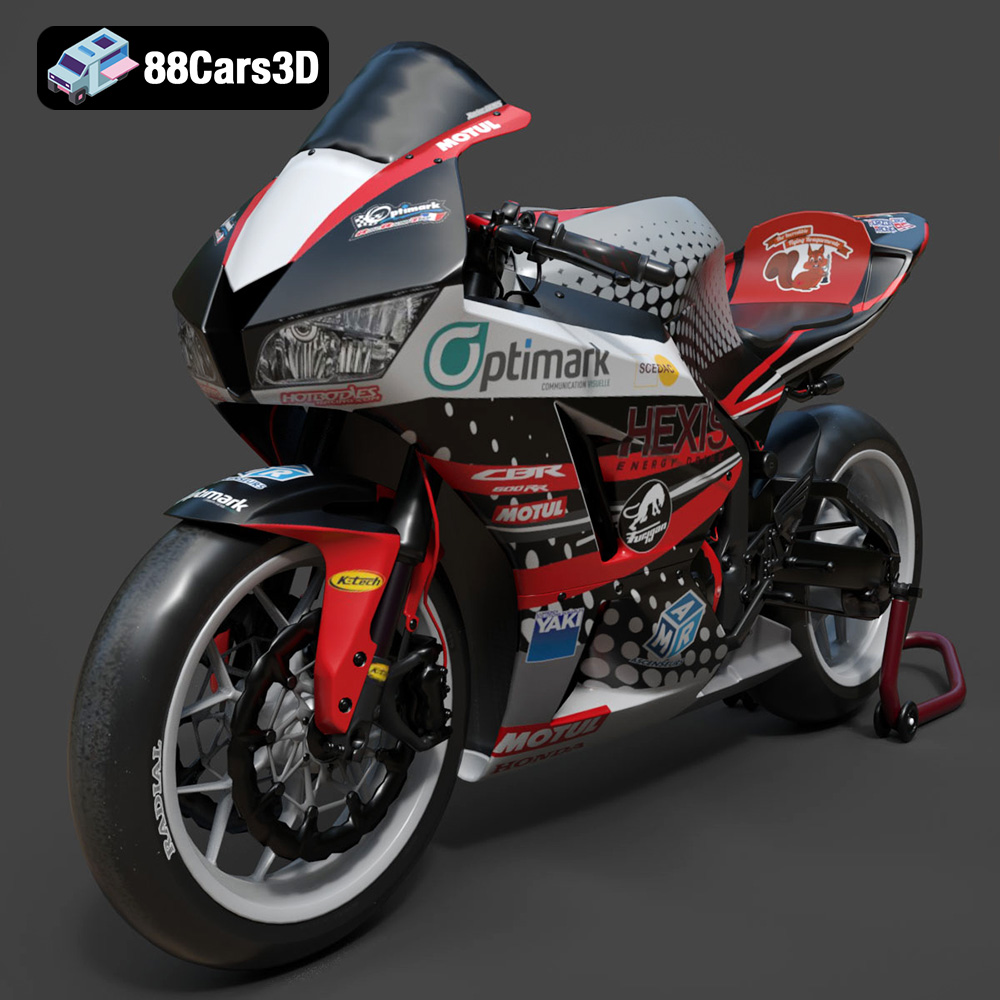
Download the highly detailed, game-ready Honda CBR600RR 3D Model. Features aerodynamic fairings, an iconic center-up exhaust, and an aggressive track-focused stance. Includes .blend, .fbx, .obj, .glb, .stl, .ply, .unreal, and .max formats for game development, AR/VR, and rendering.
Price: $19.99
Texture: Yes | Material: Yes
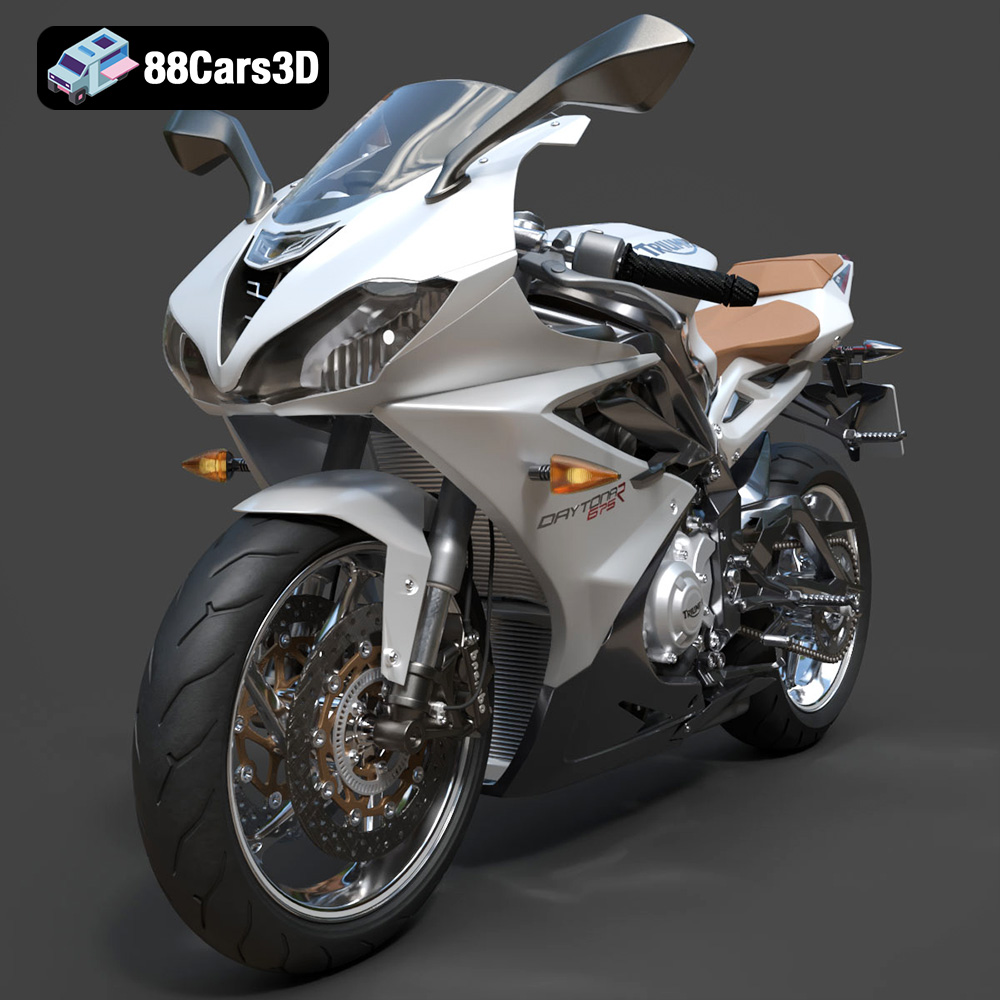
Download the highly detailed, game-ready Triumph Daytona 675R ABS 2015 3D Model. Features aerodynamic sport fairings, a detailed inline-triple engine, and premium Öhlins suspension components. Includes .blend, .fbx, .obj, .glb, .stl, .ply, .unreal, and .max formats for game development, AR/VR, and rendering.
Price: $19.99

Texture: Yes | Material: Yes
Download the highly detailed, game-ready Toyota Tacoma TRD Off-Road 2016 3D Model. Features a rugged exterior, TRD off-road suspension details, and a meticulously crafted interior. Includes .blend, .fbx, .obj, .glb, .stl, .ply, .unreal, and .max formats for game development, AR/VR, and rendering.
Price: $19.99

Texture: Yes | Material: Yes
Download the highly detailed, game-ready Toyota Supra 2020 3D Model. Features aggressive aerodynamic styling, a distinctive double-bubble roof, and accurate B58 engine components. Includes .blend, .fbx, .obj, .glb, .stl, .ply, .unreal, and .max formats for game development, AR/VR, and rendering.
Price: $19.99
Texture: Yes | Material: Yes
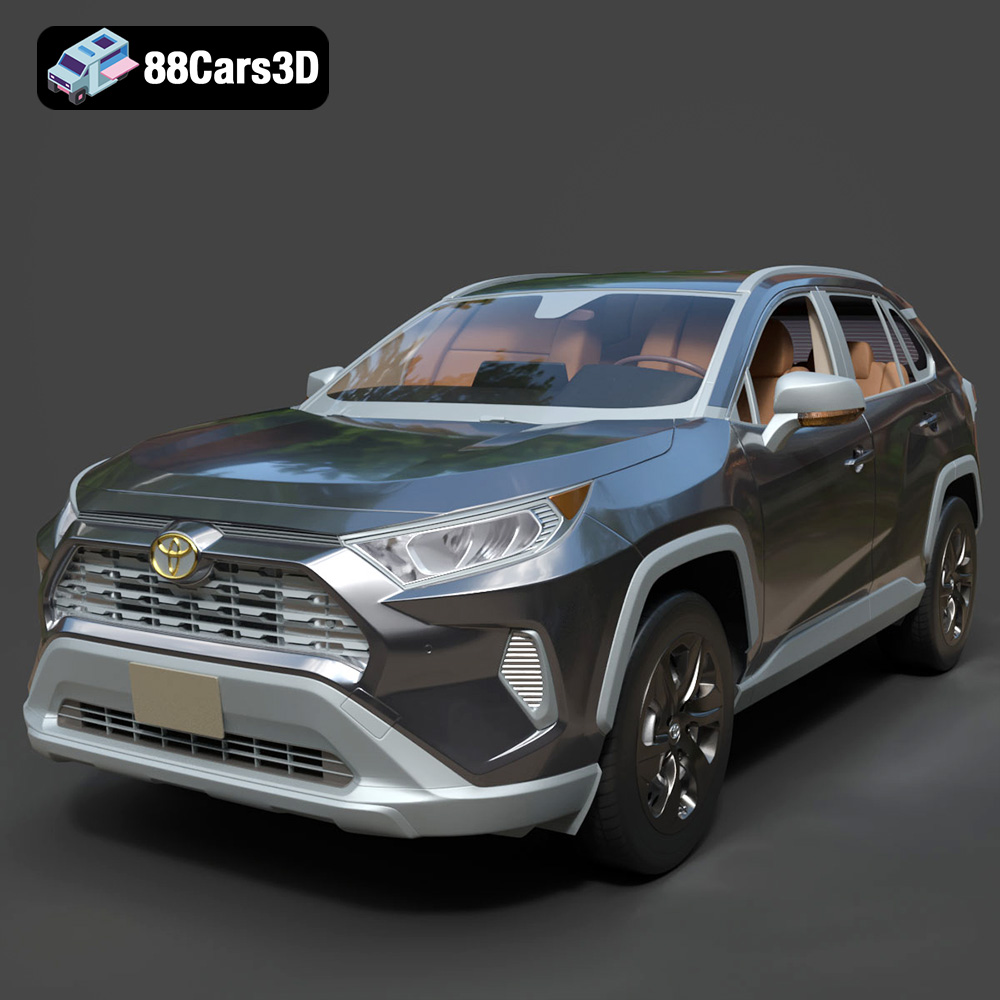
Download the highly detailed, game-ready Toyota RAV4 LE 2019 3D Model. Features rugged exterior styling, signature polygonal motif, and a detailed interior. Includes .blend, .fbx, .obj, .glb, .stl, .ply, .unreal, and .max formats for game development, AR/VR, and rendering.
Price: $19.99

