Get 20% OFF All Premium 3D & STL Models!

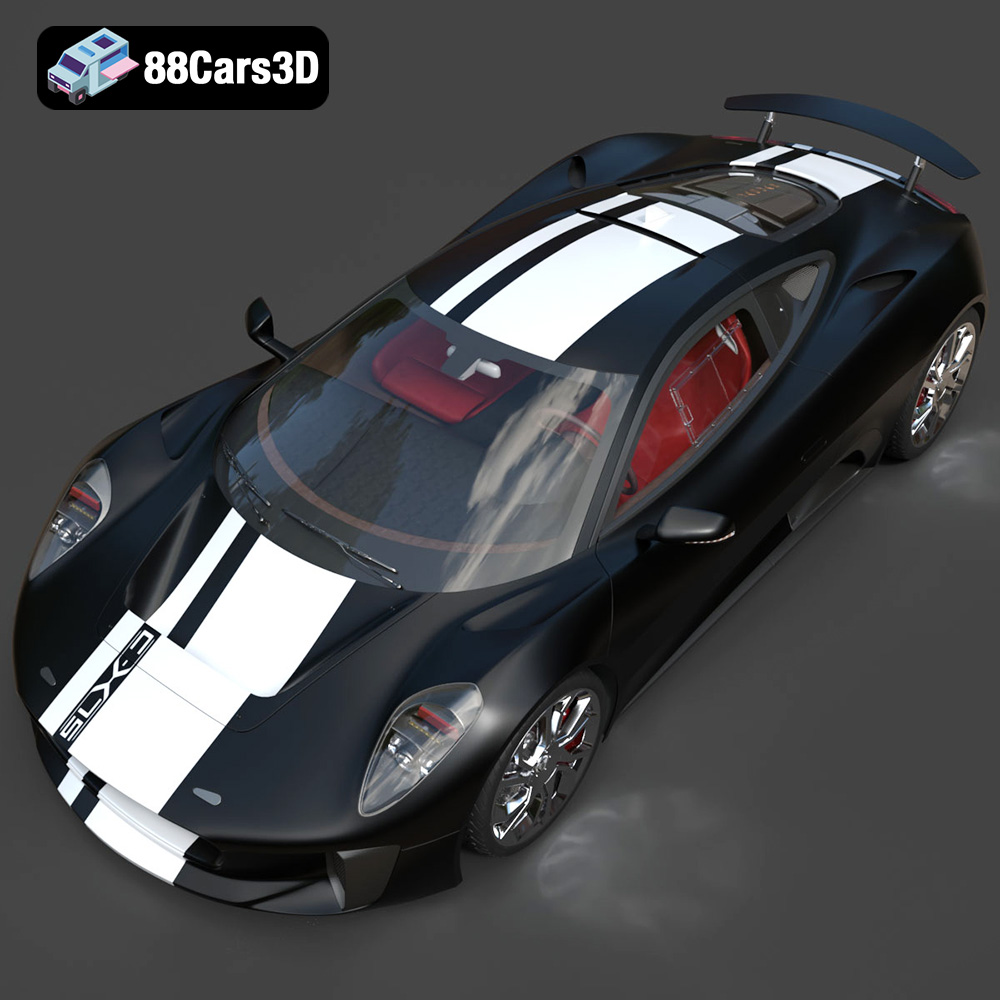
The Jaguar C-X75, a stunning hybrid-electric concept car, is a design masterpiece. Now, thanks to 88cars3d.com, you can bring this automotive icon to life with 3D printing. This article provides a comprehensive guide to successfully 3D printing the Jaguar C-X75 2014 3D Model, covering everything from printer settings and material selection to pre-print preparation and post-processing techniques. Let’s dive into the exciting world of additive manufacturing and create a tangible representation of this incredible vehicle.
Before embarking on your 3D printing journey with the Jaguar C-X75, understanding the different file formats available is crucial. 88cars3d.com offers the model in various formats, each suited for specific purposes. However, for 3D printing, the STL format reigns supreme.
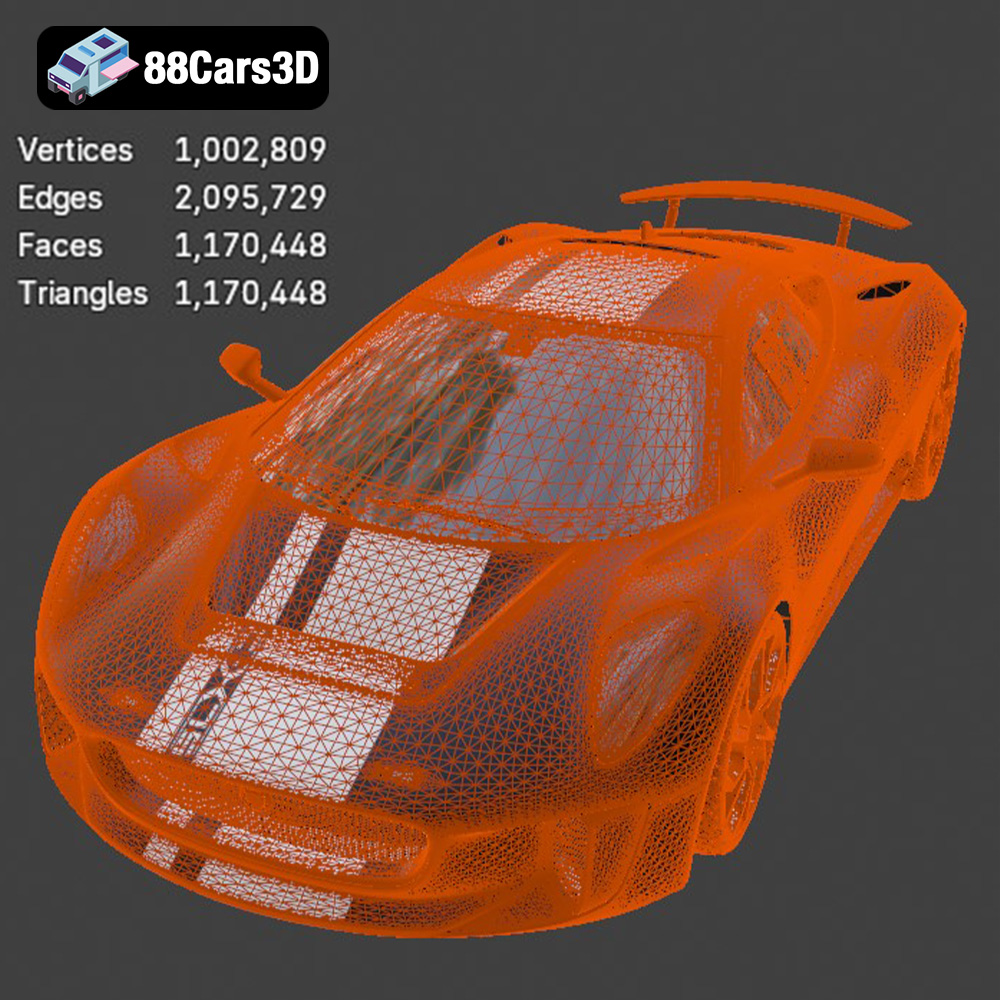
STL (Stereolithography) is the industry standard for 3D printing. It represents the 3D model’s surface geometry as a collection of triangles. The denser the mesh (more triangles), the smoother and more detailed the final print. However, a very high triangle count can also increase file size and processing time. The STL file you download for the Jaguar C-X75 will contain all the necessary mesh data for your slicer software.
When working with STL files, it’s vital to ensure the model is “watertight,” meaning it has no holes or gaps in the mesh. Non-watertight models can cause errors during slicing, resulting in incomplete or flawed prints. Most slicing software includes tools to automatically repair minor mesh issues. The STL file from 88cars3d.com has been created with printing in mind.
OBJ is another universal 3D model format. Unlike STL, OBJ supports color and texture information. While you can theoretically 3D print OBJ files, it’s less common because most 3D printers and slicing software are optimized for STL. If you plan to paint or otherwise finish your 3D printed Jaguar C-X75, the STL format is still preferable. The color data in an OBJ would primarily be used for rendering the model in a virtual environment.
PLY files are designed for storing high-detail mesh data, often used in 3D scanning. While they can be used for 3D printing, the file size can be significantly larger than STL, and the benefits in terms of print quality may be negligible for most applications.
The .blend file is the native format for Blender, a popular open-source 3D modeling software. This is valuable if you want to modify the Jaguar C-X75 model before printing. You can use Blender to split the model into smaller parts for easier printing, add custom details, or simplify the geometry to reduce print time and material usage. However, you’ll need to export the modified model as an STL file for 3D printing.
FBX is a common format used for exchanging 3D models between different software applications, particularly in game development. While it supports materials and animations, these features are generally not relevant for 3D printing. Slicing software primarily focuses on the geometry of the model, so you would still be better off working from the STL file.
GLB files are optimized for AR/VR and web-based visualization. This format allows you to preview the Jaguar C-X75 model in augmented reality before you even start printing, giving you a sense of its size and appearance in the real world.
Similar to the .blend file, the .max file is the native format for 3ds Max, another professional 3D modeling software. If you’re a 3ds Max user, you can use this file to customize the model before exporting it as an STL for printing.
In summary, for 3D printing the Jaguar C-X75 model from 88cars3d.com, the STL file is the most suitable choice. It provides the necessary geometry information in a format that’s widely supported by slicing software and 3D printers. Ensure the mesh quality is sufficient for your desired level of detail, and repair any mesh errors before slicing.
Selecting the appropriate 3D printing technology is crucial for achieving a successful print of the Jaguar C-X75. The two most common technologies for hobbyists and enthusiasts are Fused Deposition Modeling (FDM) and Stereolithography (SLA).
FDM printing involves extruding a thermoplastic filament through a heated nozzle, layer by layer, to build the 3D model. FDM printers are relatively affordable and can print with a wide range of materials, including PLA, PETG, ABS, and more.
* **Material Recommendation:** PLA is an excellent choice for beginners due to its ease of use, biodegradability, and low printing temperature. PETG offers increased strength and heat resistance, making it suitable for functional parts.
* **Advantages:** Lower cost, wider material selection, larger build volumes.
* **Disadvantages:** Layer lines are more visible, requiring more post-processing, lower resolution compared to SLA.
SLA printing uses a laser or projector to cure liquid resin, layer by layer. SLA printers produce highly detailed prints with smooth surfaces.
* **Material Recommendation:** Standard resin is suitable for general-purpose printing. Tough resin offers increased durability and impact resistance.
* **Advantages:** High resolution, smooth surfaces, fine details.
* **Disadvantages:** Higher cost, limited build volume, resin can be messy and requires careful handling.
For the Jaguar C-X75, if you prioritize fine details and smooth surfaces, SLA printing is the better option. However, if you’re on a budget or need a larger print, FDM printing can still produce excellent results with proper settings and post-processing.
Before sending the STL file to your 3D printer, you’ll need to prepare it using slicing software. This involves adjusting various settings to optimize the print for your specific printer and material.
The orientation of the model on the build plate significantly impacts print quality and the need for support structures. Orienting the Jaguar C-X75 with the body angled slightly upward can minimize the number of supports required on the roof and hood.
* **Support Placement:** Use automatic support generation in your slicing software, but manually adjust them to ensure adequate support for overhangs and delicate features like the side mirrors and rear spoiler.
* **Support Type:** Experiment with different support types (linear, tree) to find the best balance between support strength and ease of removal.
Proper slicing settings are crucial for a successful print. Here are some recommended settings for both FDM and SLA printing:
**FDM Printing (PLA):**
* **Layer Height:** 0.1-0.2mm (lower layer height for finer details)
* **Infill Density:** 15-20% (adjust based on desired strength and weight)
* **Print Speed:** 40-60mm/s (reduce speed for intricate details)
* **Nozzle Temperature:** 200-210°C
* **Bed Temperature:** 60°C
* **Support Overhang Angle:** 60 degrees
**SLA Printing (Standard Resin):**
* **Layer Height:** 0.05mm (or as recommended by your resin manufacturer)
* **Exposure Time:** Refer to your resin manufacturer’s guidelines (typically 6-8 seconds)
* **Lift Speed:** Moderate speed to prevent suction issues
* **Support Density:** Adjust based on model geometry
You may want to scale the Jaguar C-X75 model to fit your desired size or printer’s build volume. However, be mindful of the impact on detail. Scaling down too much can make intricate features difficult to print.
* **Recommended Scale:** Start with a scale that allows for a reasonable print time and level of detail, then adjust as needed.
* **Consider Print Bed Size:** Be sure the scaled dimensions fit within your 3D printer’s maximum print area.
Choosing the right material is just as important as setting the correct print parameters. The Jaguar C-X75 model can be brought to life with a variety of materials, each offering unique properties.
PLA is a biodegradable thermoplastic derived from renewable resources. It’s easy to print, has low warping, and produces good surface quality. PLA is ideal for aesthetic models and prototypes.
* **Pros:** Easy to print, low warping, biodegradable.
* **Cons:** Low heat resistance, brittle.
PETG is a strong and durable thermoplastic with good chemical resistance. It’s more flexible than PLA and has better heat resistance. PETG is suitable for functional parts and models that require some flexibility.
* **Pros:** Strong, durable, good chemical resistance.
* **Cons:** More prone to stringing than PLA, higher printing temperature.
ABS is a strong and heat-resistant thermoplastic commonly used in automotive and industrial applications. It’s more difficult to print than PLA and PETG, requiring a heated bed and enclosure to prevent warping.
* **Pros:** Strong, heat resistant, durable.
* **Cons:** Difficult to print, warping, strong fumes.
Resin printing offers the highest level of detail and smooth surfaces. There are various types of resins available, including standard resin, tough resin, and flexible resin.
* **Pros:** High detail, smooth surfaces.
* **Cons:** Higher cost, limited material properties, requires post-curing.
For the Jaguar C-X75, PLA is a good starting point for beginners. PETG offers increased durability if you plan to handle the model frequently. If you want the best possible detail, resin printing is the way to go.
Post-processing is the key to transforming a 3D printed part from a raw print to a finished product. For the Jaguar C-X75 model, post-processing can significantly enhance its appearance and realism.
The first step is to carefully remove all support structures. Use pliers or a sharp knife to detach them from the model. Be patient and avoid damaging the surface.
* **Sanding:** Start with coarse sandpaper (180-220 grit) to remove any remaining support marks and layer lines. Gradually move to finer grits (320-400 grit, then 600-800 grit) to smooth the surface.
* **Wet Sanding:** Wet sanding can further improve surface smoothness and reduce dust.
Priming creates a smooth and uniform surface for paint to adhere to. Apply multiple thin coats of primer, allowing each coat to dry completely before applying the next.
* **Painting:** Use acrylic paints or automotive paints for the best results. Apply multiple thin coats, allowing each coat to dry completely. Consider using masking tape to create clean lines and details.
* **Clear Coat:** Apply a clear coat to protect the paint and add a glossy or matte finish.
If the Jaguar C-X75 model is printed in multiple parts, assemble them using glue or screws. Ensure proper alignment and secure bonding.
Polishing can further enhance the surface finish, especially for resin prints. Use a polishing compound and a soft cloth to buff the surface to a shine.
Even with careful preparation, 3D printing can sometimes present challenges. Here are some common issues and their solutions:
Warping occurs when the corners of the print lift off the build plate due to uneven cooling.
* **Solution:** Use a heated bed, increase bed adhesion (e.g., using glue stick or hairspray), reduce print speed, and ensure proper ventilation.
Stringing occurs when filament oozes from the nozzle during travel moves.
* **Solution:** Reduce nozzle temperature, increase retraction distance, and increase travel speed.
Layer shifting occurs when the printer’s axes misalign, causing layers to be offset.
* **Solution:** Tighten belts, lubricate rails, reduce print speed, and ensure the printer is on a stable surface.
Elephant’s foot occurs when the first layer is squished too much, causing it to flare out.
* **Solution:** Reduce the initial layer height, increase the bed temperature slightly, and calibrate the Z-offset.
By understanding these common issues and their solutions, you can troubleshoot problems and improve your 3D printing success rate with the Jaguar C-X75. Remember to check the 88cars3d.com website for more models and designs to print.
Experience unparalleled realism with the Jaguar C-X75 2014 3D Model. This exceptionally detailed digital replica captures the essence of the renowned hybrid-electric concept car, offering automotive enthusiasts and professionals an immaculate asset for their digital projects. Engineered with precision, this model brings the stunning aerodynamics and aggressive styling of the C-X75 to your virtual environments.
$19.99
.arvr
.blend
.c-x75
.car3dmodel
.conceptcar
.cx75
.fbx
.gameasset
.glb
.hybrid
.hypercar
.jaguar
.max
.obj
.ply
.rendering
.simulation
.sportsCar
.stl
.unreal