Get 20% OFF All Premium 3D & STL Models!

“`html
The allure of owning a miniature replica of your dream car is undeniable. Thanks to advancements in 3D printing technology, this dream is now within reach for hobbyists and automotive enthusiasts alike. This comprehensive guide will walk you through the entire process of 3D printing realistic car models from STL files, covering everything from file preparation to post-processing. Whether you’re a seasoned 3D printing veteran or a curious newcomer, you’ll find valuable insights and practical tips to achieve stunning results. We’ll delve into the nuances of STL file handling, optimal 3D printer settings, slicing techniques, support structures, and post-processing methods. Platforms like 88cars3d.com offer print-ready STL files, streamlining the process, but understanding the underlying principles is crucial for achieving truly exceptional results.
The STL (Stereolithography) file format is the industry standard for 3D printing. It represents a 3D object as a collection of triangles that approximate its surface. For car models, the quality of the STL file is paramount. A well-designed STL file ensures a smooth surface finish, accurate details, and structural integrity in the final print. When downloading models from marketplaces such as 88cars3d.com, you can expect a higher level of quality and attention to detail in their STL files, leading to better print results.
At its core, an STL file contains a list of triangular facets, each defined by three vertices and a normal vector indicating the outward direction. The density of triangles determines the resolution of the model; more triangles result in a smoother surface but also a larger file size. When working with car models, it’s crucial to have a balance between detail and file size to avoid overwhelming your 3D printer and slicing software. A common issue is having “holes” or “gaps” in the mesh, which can lead to print failures. These need to be identified and repaired before printing.
The arrangement and connectivity of the triangles in the STL file define the mesh topology. Good mesh topology is essential for avoiding artifacts in the printed model. Look for evenly distributed triangles, avoid long, thin triangles, and ensure that the mesh is manifold (watertight) – meaning that it encloses a volume without any holes or self-intersections. Non-manifold meshes can cause slicing errors and print failures. Software like Meshmixer and Netfabb offer tools to analyze and repair STL files, ensuring they are suitable for 3D printing.
The choice of 3D printer and material significantly impacts the final result of your car model. FDM (Fused Deposition Modeling) and Resin printers (SLA/DLP/LCD) are the two most common types used by hobbyists and professionals. Each technology has its strengths and weaknesses, making them suitable for different types of car models and desired levels of detail. Furthermore, material selection is equally critical; properties like strength, flexibility, and surface finish vary widely between different filaments and resins.
FDM printers are generally more affordable and easier to operate, making them a popular choice for beginners. They use thermoplastic filaments like PLA, ABS, and PETG. PLA is biodegradable and easy to print, making it ideal for initial prototyping. ABS offers higher strength and temperature resistance, suitable for functional parts. PETG combines the best of both worlds, offering good strength, flexibility, and ease of printing. However, FDM printers typically have lower resolution and may require more post-processing to achieve a smooth surface finish. Layer lines are more visible in FDM prints.
Resin printers, on the other hand, use liquid resin that is cured by UV light. They offer significantly higher resolution and can capture intricate details, making them ideal for complex car models with fine features. Resin prints also tend to have a smoother surface finish, reducing the need for extensive post-processing. However, resin printers are generally more expensive, and the resins themselves can be costly and require careful handling. Resin printing also necessitates thorough cleaning with isopropyl alcohol (IPA) and proper UV curing after printing.
When choosing a material, consider the intended use of the car model. If it’s purely for display, PLA or resin might suffice. If it needs to withstand some handling or even be used in a remote-controlled car, ABS or PETG would be better choices. Different resins also have different properties. Some are designed for high detail, while others are more durable or flexible. Experimentation is key to finding the best material for your specific project. Furthermore, consider the color of the filament or resin. While painting is always an option, starting with a color close to the desired final result can save time and effort.
Slicing is the process of converting the 3D model (STL file) into a set of instructions that the 3D printer can understand. Slicing software, such as Cura, PrusaSlicer, and Simplify3D, takes the STL file and divides it into thin layers, generating a G-code file that dictates the printer’s movements. The slicing parameters you choose have a profound impact on the print quality, detail, strength, and print time of your car model. Fine-tuning these parameters is crucial for achieving optimal results.
Layer height is one of the most important slicing parameters. It determines the thickness of each layer printed. Lower layer heights result in smoother surfaces and finer details, but they also increase print time significantly. Higher layer heights, on the other hand, reduce print time but compromise surface finish and detail. A good starting point for FDM printing is 0.1mm to 0.2mm layer height. For resin printing, layer heights can be much lower, typically ranging from 0.025mm to 0.05mm. Experiment with different layer heights to find the optimal balance between print quality and speed for your specific car model.
Infill refers to the internal structure of the 3D printed object. It determines the strength and weight of the model. Infill patterns, such as grid, gyroid, and honeycomb, affect the structural integrity and material usage. Higher infill density results in a stronger model but also increases print time and material consumption. For car models, a density of 15-25% is often sufficient for display purposes. If the model needs to be more durable, increase the infill density to 50% or higher. Choose an infill pattern that provides good strength in all directions, such as gyroid or cubic. For parts that need to be lightweight, consider using a honeycomb or adaptive infill pattern, which reduces the infill density in areas that don’t require high strength.
Support structures are essential for 3D printing car models with overhanging features, such as spoilers, side mirrors, and wheel arches. These structures provide temporary support to the model during printing, preventing it from collapsing or warping. Generating the right type and amount of support is crucial for successful prints. Equally important is the ability to remove these supports without damaging the model’s surface.
There are two main types of support structures: tree supports and linear supports. Linear supports are simple vertical structures that provide support directly beneath overhanging features. They are easy to generate but can leave noticeable marks on the model’s surface after removal. Tree supports, on the other hand, are more complex branching structures that provide support from a distance, minimizing contact with the model. They are more difficult to generate but generally result in cleaner removal and less surface damage. For car models with intricate details, tree supports are often the preferred choice. In Cura, you can customize the branch angle, density, and support placement to optimize support generation.
Several strategies can be used to make support removal easier. One technique is to increase the support Z distance (the gap between the support and the model) to allow for easier separation. Another is to reduce the support density, making the structures weaker and easier to break away. Interface layers (special layers between the support and the model) can also be used to create a weaker connection point. After printing, use specialized tools like pliers, cutters, and tweezers to carefully remove the supports. Avoid applying excessive force, which can damage the model. In some cases, gently heating the supports with a heat gun can make them more pliable and easier to remove.
Achieving realistic car models requires careful calibration and fine-tuning of your 3D printer settings. Each printer is unique, and the optimal settings can vary depending on the model, material, and desired level of detail. Understanding the key printer settings and how they affect the print quality is essential for achieving consistently good results.
Temperature settings are crucial for proper material flow and layer adhesion. The optimal temperature will depend on the material being used. Refer to the manufacturer’s recommendations for specific temperature ranges. Printing speed affects both the print quality and print time. Slower speeds generally result in better print quality, especially for intricate details. Experiment with different speeds to find the sweet spot for your printer and material. Bed adhesion is also critical, especially for large car models. Ensure the build plate is properly leveled and use a bed adhesion agent, such as hairspray or glue stick, to prevent warping. For FDM printing, a heated bed is highly recommended, as it helps to improve bed adhesion and reduce warping.
Regular printer calibration and maintenance are essential for consistent print quality. Calibrate the extruder steps per mm to ensure accurate material extrusion. Level the bed frequently to maintain proper adhesion. Clean the nozzle regularly to prevent clogs. Lubricate moving parts to ensure smooth operation. By performing these simple maintenance tasks, you can prolong the life of your printer and ensure consistently high-quality prints. When working with resin printers, ensure proper ventilation in your workspace and always wear gloves when handling resin. Replace the FEP film in the resin vat as needed to maintain optimal print quality.
Post-processing is the final stage in the 3D printing process. It involves a series of techniques used to improve the appearance, finish, and functionality of the printed car model. From removing support marks to sanding and painting, post-processing can transform a raw 3D print into a realistic and visually appealing replica.
Sanding is used to smooth out the surface of the 3D printed model, removing layer lines and support marks. Start with coarse-grit sandpaper (e.g., 220 grit) and gradually move to finer grits (e.g., 400, 600, 800, 1000 grit). Wet sanding can help to reduce dust and improve the surface finish. After sanding, apply a primer to create a smooth, uniform surface for painting. Choose a primer that is compatible with the material of your car model. Multiple thin coats of primer are better than one thick coat. Once the primer is dry, you can begin painting. Use high-quality acrylic paints and apply them in thin, even coats. Airbrushing is ideal for achieving a professional finish, but spray cans or even fine-tipped brushes can also be used. Consider using masking tape to create clean lines and protect areas that you don’t want to paint.
Many car models consist of multiple parts that need to be assembled after printing. Use glue or epoxy to join the parts together securely. For small parts, consider using cyanoacrylate (super glue). Pay attention to the alignment of the parts during assembly to ensure a seamless fit. Detailing can further enhance the realism of your car model. Add details such as decals, emblems, and realistic wheels to make your model stand out. Weathering techniques, such as dry brushing and washes, can also be used to simulate wear and tear, adding a touch of authenticity. Clear coating can protect the paint and add a glossy finish to the model.
3D printing realistic car models from STL files is a rewarding and challenging endeavor. By understanding the intricacies of STL files, mastering slicing parameters, fine-tuning your 3D printer settings, and employing effective post-processing techniques, you can create stunning replicas that showcase your passion for automobiles and 3D printing. Remember to leverage resources like 88cars3d.com for high-quality STL files that will set you on the path to success. The key is to experiment, learn from your mistakes, and continuously refine your techniques. With patience and dedication, you’ll be able to produce car models that are not only visually impressive but also a testament to your skill and craftsmanship. Start small, practice often, and don’t be afraid to explore new techniques and materials. Your journey into the world of 3D printed car models is just beginning.
Next Steps: Choose a simple car model STL file from 88cars3d.com, load it into your slicing software, and start experimenting with the settings discussed in this guide. Don’t be afraid to make mistakes – each failed print is a learning opportunity. Join online communities and forums to connect with other 3D printing enthusiasts and share your experiences. With persistence and a passion for learning, you’ll be creating stunning car models in no time.
“`

Texture: Yes | Material: Yes
Download the highly detailed, game-ready Volkswagen Jetta GLI 2019 3D Model. Features an aggressive honeycomb grille with red accents, sleek aerodynamic profile, and exclusive GLI sport wheels. Includes .blend, .fbx, .obj, .glb, .stl, .ply, .unreal, and .max formats for game development, AR/VR, and rendering.
Price: $19.99

Texture: Yes | Material: Yes
Download the highly detailed, game-ready Vintage Vespa 3D Model. Features iconic rounded monocoque styling, classic saddle, and chrome accents. Includes .blend, .fbx, .obj, .glb, .stl, .ply, .unreal, and .max formats for game development, AR/VR, and rendering.
Price: $19.99

Texture: Yes | Material: Yes
Download the highly detailed, game-ready Vespa GS 150 3D Model. Features elegant aerodynamic curves, classic leg shield, and detailed engine casing. Includes .blend, .fbx, .obj, .glb, .stl, .ply, .unreal, and .max formats for game development, AR/VR, and rendering.
Price: $19.99

Texture: Yes | Material: Yes
Download the highly detailed, game-ready Vespa P200E 3D Model. Features classic vintage styling, accurate step-through frame geometry, and authentic detailing. Includes .blend, .fbx, .obj, .glb, .stl, .ply, .unreal, and .max formats for game development, AR/VR, and rendering.
Price: $19.99

Texture: Yes | Material: Yes
Download the highly detailed, game-ready Ural M67-36-P 1976 3D Model. Features the iconic air-cooled boxer engine, vintage utilitarian styling, and authentic spoked wheels. Includes .blend, .fbx, .obj, .glb, .stl, .ply, .unreal, and .max formats for game development, AR/VR, and rendering.
Price: $19.99
Texture: Yes | Material: Yes
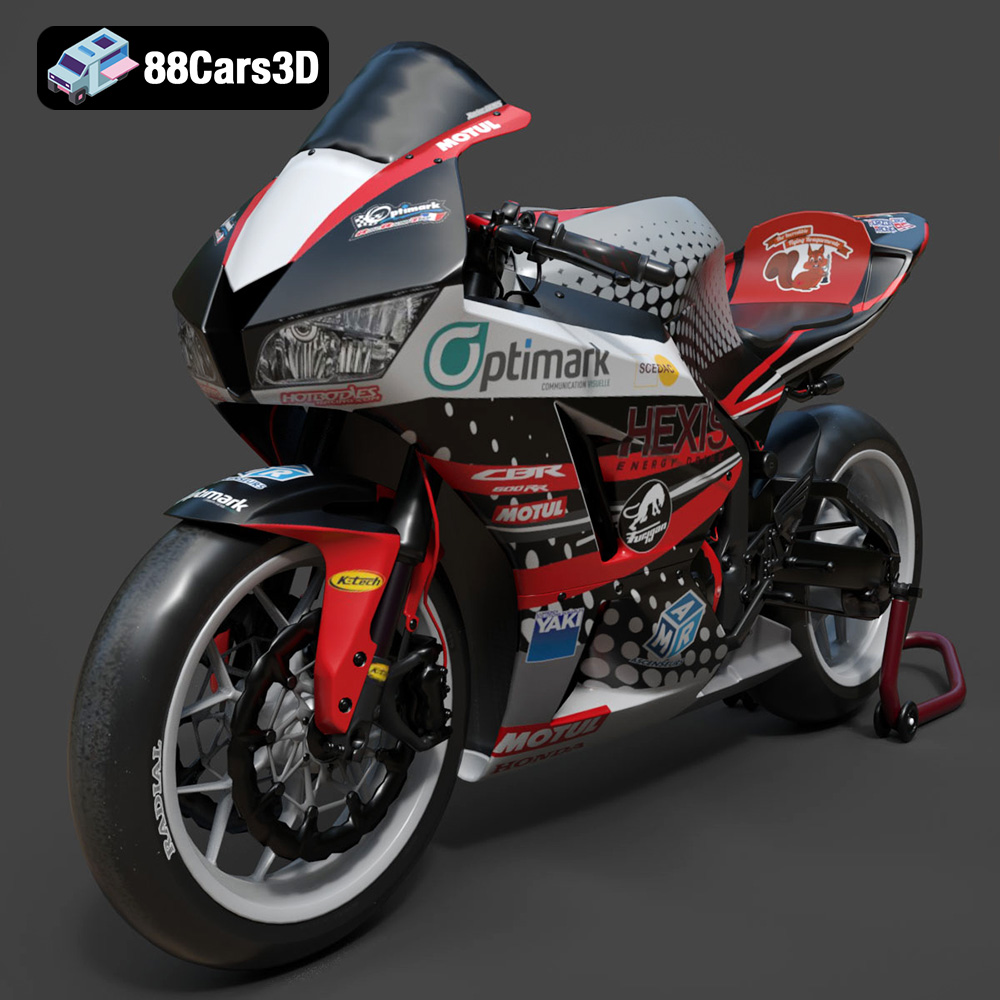
Download the highly detailed, game-ready Honda CBR600RR 3D Model. Features aerodynamic fairings, an iconic center-up exhaust, and an aggressive track-focused stance. Includes .blend, .fbx, .obj, .glb, .stl, .ply, .unreal, and .max formats for game development, AR/VR, and rendering.
Price: $19.99
Texture: Yes | Material: Yes
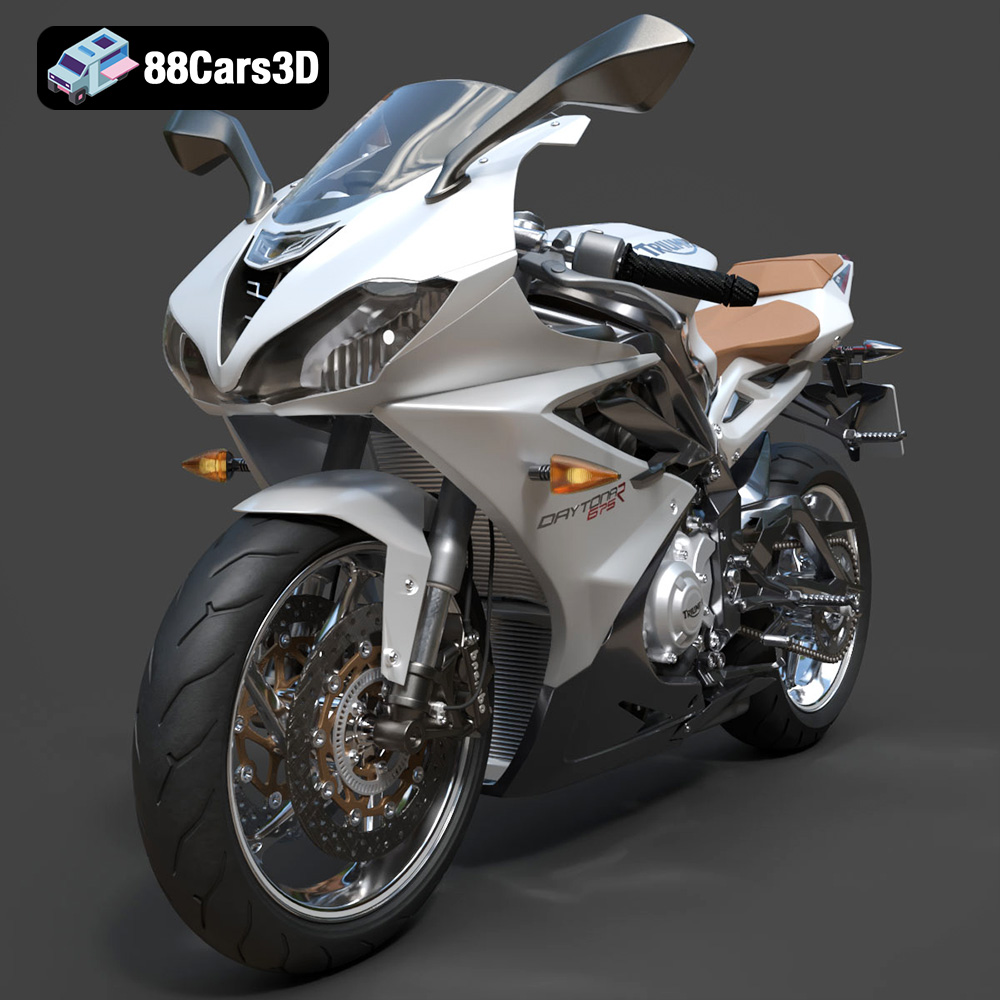
Download the highly detailed, game-ready Triumph Daytona 675R ABS 2015 3D Model. Features aerodynamic sport fairings, a detailed inline-triple engine, and premium Öhlins suspension components. Includes .blend, .fbx, .obj, .glb, .stl, .ply, .unreal, and .max formats for game development, AR/VR, and rendering.
Price: $19.99

Texture: Yes | Material: Yes
Download the highly detailed, game-ready Toyota Tacoma TRD Off-Road 2016 3D Model. Features a rugged exterior, TRD off-road suspension details, and a meticulously crafted interior. Includes .blend, .fbx, .obj, .glb, .stl, .ply, .unreal, and .max formats for game development, AR/VR, and rendering.
Price: $19.99

Texture: Yes | Material: Yes
Download the highly detailed, game-ready Toyota Supra 2020 3D Model. Features aggressive aerodynamic styling, a distinctive double-bubble roof, and accurate B58 engine components. Includes .blend, .fbx, .obj, .glb, .stl, .ply, .unreal, and .max formats for game development, AR/VR, and rendering.
Price: $19.99
Texture: Yes | Material: Yes
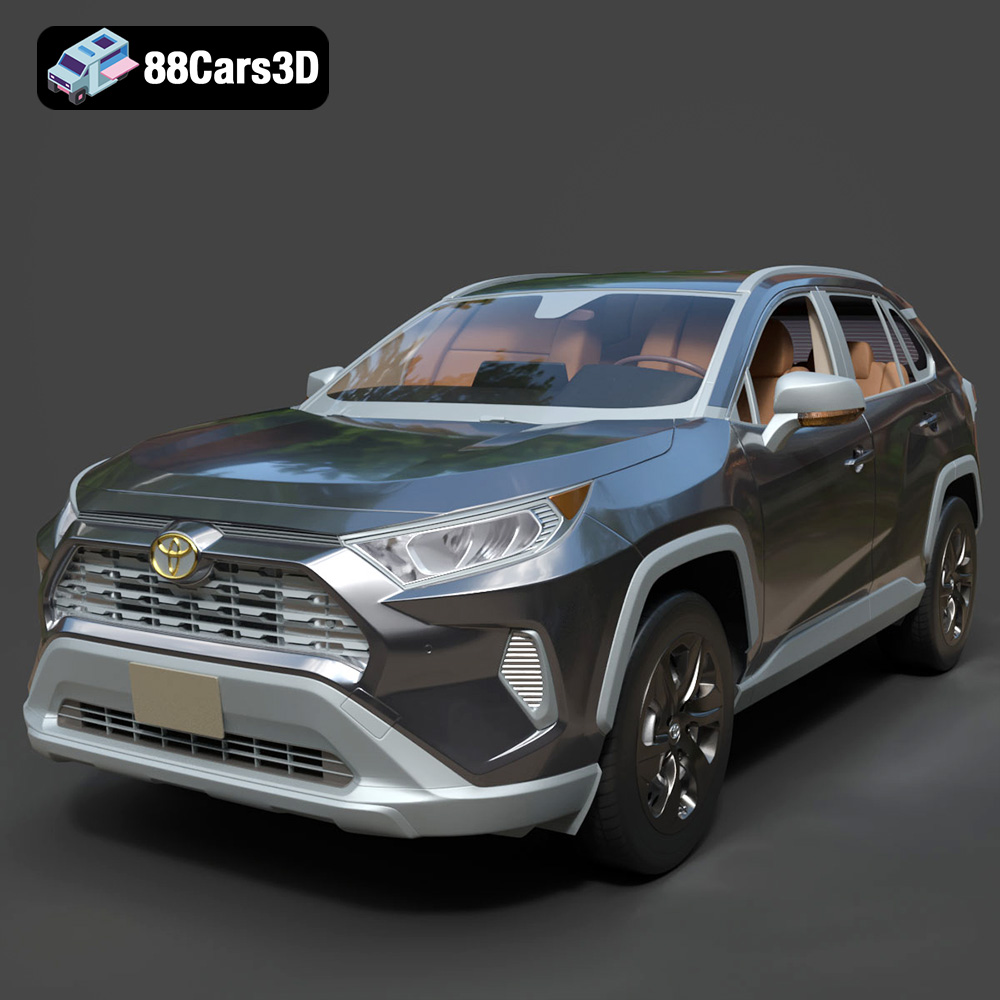
Download the highly detailed, game-ready Toyota RAV4 LE 2019 3D Model. Features rugged exterior styling, signature polygonal motif, and a detailed interior. Includes .blend, .fbx, .obj, .glb, .stl, .ply, .unreal, and .max formats for game development, AR/VR, and rendering.
Price: $19.99

