Get 20% OFF All Premium 3D & STL Models!

“`html
So, you’re ready to dive into the world of 3D printing and bring those amazing car models from 88cars3d.com to life? That’s fantastic! But with so many options available, choosing the right 3D printer can feel overwhelming, especially if you’re on a budget. Don’t worry, this guide is designed to help you navigate the landscape and select a printer that’s both affordable and capable of producing high-quality prints of your favorite STL files. We’ll explore some of the best budget-friendly options, delve into the key specifications you should consider, and provide practical tips for getting started. Whether you’re a hobbyist, a model car enthusiast, or just curious about 3D printing, this article will equip you with the knowledge you need to make an informed decision and start printing successfully.
Before diving into specific printer models, let’s briefly cover the two main types of 3D printing technology commonly found in the budget segment: Fused Deposition Modeling (FDM) and Resin printing. FDM printers, like the popular Ender series, melt plastic filament (typically PLA or PETG) and extrude it layer by layer to build the object. Resin printers, on the other hand, use a liquid resin that is cured by UV light to create each layer.
FDM printers are generally more affordable to purchase and operate, thanks to the lower cost of filament compared to resin. They are also easier to maintain and offer a larger build volume. However, resin printers excel in producing highly detailed and smooth prints, which can be advantageous for intricate car models. Think about the level of detail you desire and the overall cost of materials when choosing between these two technologies.
When selecting a budget 3D printer for printing STL files, several factors deserve careful consideration. These factors directly impact the quality of your prints, the ease of use, and the overall printing experience.
The build volume of a 3D printer defines the maximum size of the objects you can print. For car models, a larger build volume is often preferred, allowing you to print larger models in a single piece, reducing the need for assembly. A build volume of at least 200x200x200mm is generally recommended for beginners. If you plan to print larger, more complex car models regularly, consider a printer with an even larger build volume.
For example, a printer with a 220x220x250mm build volume will allow you to print most standard car models without needing to split them into smaller parts. Printing in a single piece offers advantages in terms of structural integrity and aesthetics. However, it is important to also consider that larger prints require more material and time, and are more susceptible to warping or other print failures.
Print resolution refers to the smallest layer height a printer can achieve, measured in microns (µm). Lower layer heights result in smoother surfaces and finer details, which are particularly important for accurate car models. While budget printers may not achieve the same level of detail as high-end models, a resolution of 100-200 microns is a good starting point for most users. For highly detailed models, especially those from platforms like 88cars3d.com that feature intricate designs, consider aiming for 50-100 microns, if your budget allows.
Keep in mind that lower layer heights also increase printing time, so there’s a trade-off between detail and speed. Experiment with different layer heights to find the sweet spot for your specific model and printer. Generally, for FDM printing, consider these guidelines: 200 microns for quick prototypes or basic models, 100 microns for standard quality, and 50 microns for high-detail models. For resin printing, 50 microns is a good starting point, with the potential to go down to 25 microns or even lower for exceptional detail.
Most budget FDM printers are compatible with PLA (Polylactic Acid), a biodegradable thermoplastic known for its ease of use and low warping. PLA is a great material for beginners and suitable for many car model projects. However, if you require stronger or more heat-resistant parts, consider a printer that can handle PETG (Polyethylene Terephthalate Glycol) or ABS (Acrylonitrile Butadiene Styrene). PETG offers good strength and flexibility, while ABS is known for its high impact resistance and temperature resistance, but can be more challenging to print due to warping.
Ensure the printer you choose has a heated bed, as this is crucial for printing PETG and ABS successfully. The heated bed helps to prevent warping by maintaining a consistent temperature across the printed part. For PLA, a bed temperature of 60°C is typically sufficient, while PETG requires around 70-80°C, and ABS typically needs 90-110°C. Experiment with different temperatures to find the optimal setting for your specific filament and printer.
FDM printers are the most common type of 3D printer for beginners due to their affordability and ease of use. Here are a few popular budget FDM printers that are well-suited for printing STL files of car models:
The Creality Ender 3 series, including the Ender 3 V2 and Ender 3 S1, is widely regarded as the gold standard for budget 3D printers. These printers offer a fantastic balance of affordability, print quality, and community support. The Ender 3 V2 features a silent motherboard, a carborundum glass bed for excellent adhesion, and a user-friendly interface. The Ender 3 S1 adds a direct drive extruder, which improves the printing of flexible filaments and reduces stringing.
To optimize the Ender 3 for printing car models, consider upgrading to a metal extruder for improved reliability and filament feeding. Experiment with different nozzle sizes; a 0.4mm nozzle is standard, but a 0.25mm nozzle can enhance detail for smaller, intricate models. For slicing, use Cura or PrusaSlicer, and start with these settings: layer height of 0.15mm, infill density of 20%, printing speed of 50mm/s, and bed temperature of 60°C. Always level the bed carefully before each print to ensure proper adhesion.
The Anycubic Mega series, including the Mega S and Mega Zero 2.0, offers a robust and reliable printing experience at an affordable price. These printers feature a sturdy metal frame, a large build volume, and a user-friendly interface. The Mega S comes with a heated bed and a filament sensor, while the Mega Zero 2.0 is a more basic model without a heated bed, making it suitable primarily for PLA.
For printing car models on the Anycubic Mega S, ensure the bed is properly leveled and cleaned before each print. Use a brim or raft for better adhesion, especially for larger models. Optimize retraction settings in your slicer to minimize stringing. A retraction distance of 6mm and a retraction speed of 40mm/s are good starting points. Monitor the first layer closely to ensure proper adhesion and adjust the Z-offset if necessary. Experiment with different infill patterns, such as gyroid or honeycomb, for optimal strength and weight.
If you prioritize exceptional detail and smooth surfaces, a resin printer might be the better choice, even though they are generally more expensive than FDM printers. Here are a couple of budget-friendly resin printer options:
The Elegoo Mars series, including the Mars 3 and Mars 4, is known for its high-resolution printing capabilities and user-friendly interface. These printers use a monochrome LCD screen, which allows for faster curing times and increased lifespan. The Mars 3 features a 4K resolution, while the Mars 4 offers an even higher 9K resolution, resulting in incredibly detailed prints.
When using the Elegoo Mars series for printing car models, pay close attention to support structures. Resin prints require adequate support to prevent warping and detachment from the build plate. Use a slicer like Chitubox to generate supports, and carefully consider the placement and thickness of the supports. Experiment with different exposure times to optimize print quality. Overexposure can lead to excessive resin curing and loss of detail, while underexposure can result in weak parts. A starting point for exposure time is typically 2-3 seconds for standard resins. Clean the build plate and resin vat thoroughly after each print to prevent resin buildup and contamination.
The Anycubic Photon series, including the Photon Mono and Photon M3, offers a similar level of performance and features to the Elegoo Mars series. These printers also use a monochrome LCD screen for faster curing times and increased lifespan. The Photon Mono offers a 2K resolution, while the Photon M3 boasts a 4K resolution. They are known for being user friendly and a great way to get into resin printing.
When working with the Anycubic Photon Series and STL files, remember proper ventilation is crucial when printing with resin due to fumes. Ensure you are in a well-ventilated area or use an enclosure with a filter. When preparing STL files, orient the models at an angle to minimize the surface area of each layer, which reduces the risk of warping and peeling. Hollow out larger models to reduce resin consumption and printing time. Use a drain hole to allow resin to escape during the cleaning process. Use isopropyl alcohol (IPA) to clean the printed parts thoroughly after printing.
Regardless of the printer you choose, the slicing process plays a crucial role in determining the final print quality. Slicing software converts your STL file into a series of instructions that the printer can understand. Experimenting with different slicing parameters can significantly improve the appearance and strength of your 3D printed car models.
As mentioned earlier, layer height directly impacts the print resolution. Lower layer heights result in smoother surfaces and finer details, but also increase printing time. For FDM printing, a layer height of 0.1-0.2mm is a good starting point for car models. For resin printing, a layer height of 0.025-0.05mm is typically used. Experiment with different layer heights to find the optimal balance between detail and speed.
For complex curved surfaces, consider using adaptive layer height, which automatically adjusts the layer height based on the geometry of the model. This allows you to achieve high detail in curved areas while using a larger layer height in simpler areas, reducing printing time without compromising quality.
Support structures are essential for printing overhangs and bridges in your car models. Choose a support structure type that is easy to remove without damaging the print. Tree supports are often a good option for FDM printing, as they provide good support with minimal contact area. For resin printing, use a combination of light, medium, and heavy supports to ensure adequate support without excessive resin consumption.
Carefully consider the placement of supports. Avoid placing supports on visible surfaces if possible, as they can leave marks even after removal. Use a support blocker tool in your slicer to prevent supports from being generated in unwanted areas. Optimize support density to balance support strength and material consumption. A support density of 15-25% is a good starting point.
Infill density determines the amount of material inside the model. Higher infill densities result in stronger parts, but also increase printing time and material consumption. For car models, an infill density of 20-30% is typically sufficient for most applications. Experiment with different infill patterns, such as gyroid, honeycomb, or rectilinear, to find the optimal balance between strength, weight, and printing time.
Gyroid infill is known for its excellent strength-to-weight ratio, while honeycomb infill provides good impact resistance. Rectilinear infill is a simple and fast option, but it may not be as strong as other patterns. Consider using different infill densities in different areas of the model, depending on the structural requirements. For example, you could use a higher infill density in the wheels or chassis for added strength, and a lower infill density in the body panels to reduce weight.
Once your car model is printed, post-processing can further enhance its appearance and durability. Common post-processing techniques include removing support structures, sanding, filling, and painting.
Carefully remove support structures using pliers, cutters, or a sharp knife. Be patient and avoid applying excessive force, as this can damage the print. For FDM prints, use a heat gun to soften the supports, making them easier to remove. For resin prints, soak the parts in warm water to soften the supports.
After removing the supports, use a fine-grit sandpaper to smooth any remaining support marks. Start with a coarser grit (e.g., 220) and gradually move to finer grits (e.g., 400, 600, 800) to achieve a smooth surface.
Sanding is crucial for smoothing the surface of your printed car model. Use wet sanding to minimize dust and improve the surface finish. Start with a coarser grit sandpaper and gradually move to finer grits. For deeper imperfections, use a filler primer to fill in the gaps before sanding.
Once the surface is smooth, apply a primer to prepare the model for painting. Choose a primer that is compatible with the material of your print. Apply multiple thin coats of paint, allowing each coat to dry completely before applying the next. Use masking tape to create clean lines and details. Finish with a clear coat to protect the paint and add a glossy finish. Remember that platforms like 88cars3d.com offer a wide range of car models designed to look incredible with proper painting and detailing.
3D printing can sometimes be challenging, and it’s common to encounter issues such as warping, stringing, and layer adhesion problems. Here are some troubleshooting tips to help you overcome these obstacles.
Warping occurs when the corners of your print lift off the build plate. This is often caused by uneven cooling or poor bed adhesion. To prevent warping, ensure your bed is properly leveled and heated. Use a brim or raft to increase the surface area of the print and improve adhesion. Reduce the printing speed of the first layer. Enclose the printer to maintain a consistent temperature. Applying a bed adhesive, such as glue stick or hairspray, can also help.
Stringing occurs when thin strands of filament are left between different parts of the print. This is usually caused by excessive retraction or high printing temperatures. To reduce stringing, optimize your retraction settings. Increase the retraction distance and speed. Lower the printing temperature. Ensure the filament is dry, as moisture can contribute to stringing. Adjust travel speed and enable “Combing” mode in Cura, keeping the nozzle inside the printed part.
Layer adhesion problems occur when the layers of your print do not stick together properly. This can be caused by low printing temperatures, insufficient cooling, or incorrect layer height settings. To improve layer adhesion, increase the printing temperature. Reduce the cooling fan speed. Ensure the layer height is appropriate for your printer and material. Adjust the flow rate to ensure sufficient material extrusion. Calibrate your extruder to ensure accurate filament feeding.
Choosing the right budget 3D printer for printing STL files of car models can be a rewarding experience. By considering factors such as build volume, print resolution, and material compatibility, and following the tips and techniques outlined in this guide, you can achieve excellent results without breaking the bank. Whether you opt for an FDM printer like the Creality Ender 3 or a resin printer like the Elegoo Mars, remember to focus on proper file preparation, optimized slicing parameters, and careful post-processing to bring your favorite car models to life. With dedication and practice, you’ll be creating stunning 3D printed car models in no time, and the detailed car models you can find when downloading models from marketplaces such as 88cars3d.com will certainly impress! Start with a simple model, experiment with different settings, and gradually work your way up to more complex projects. Happy printing!
“`

Texture: Yes | Material: Yes
Download the highly detailed, game-ready Volkswagen Jetta GLI 2019 3D Model. Features an aggressive honeycomb grille with red accents, sleek aerodynamic profile, and exclusive GLI sport wheels. Includes .blend, .fbx, .obj, .glb, .stl, .ply, .unreal, and .max formats for game development, AR/VR, and rendering.
Price: $19.99

Texture: Yes | Material: Yes
Download the highly detailed, game-ready Vintage Vespa 3D Model. Features iconic rounded monocoque styling, classic saddle, and chrome accents. Includes .blend, .fbx, .obj, .glb, .stl, .ply, .unreal, and .max formats for game development, AR/VR, and rendering.
Price: $19.99

Texture: Yes | Material: Yes
Download the highly detailed, game-ready Vespa GS 150 3D Model. Features elegant aerodynamic curves, classic leg shield, and detailed engine casing. Includes .blend, .fbx, .obj, .glb, .stl, .ply, .unreal, and .max formats for game development, AR/VR, and rendering.
Price: $19.99

Texture: Yes | Material: Yes
Download the highly detailed, game-ready Vespa P200E 3D Model. Features classic vintage styling, accurate step-through frame geometry, and authentic detailing. Includes .blend, .fbx, .obj, .glb, .stl, .ply, .unreal, and .max formats for game development, AR/VR, and rendering.
Price: $19.99

Texture: Yes | Material: Yes
Download the highly detailed, game-ready Ural M67-36-P 1976 3D Model. Features the iconic air-cooled boxer engine, vintage utilitarian styling, and authentic spoked wheels. Includes .blend, .fbx, .obj, .glb, .stl, .ply, .unreal, and .max formats for game development, AR/VR, and rendering.
Price: $19.99
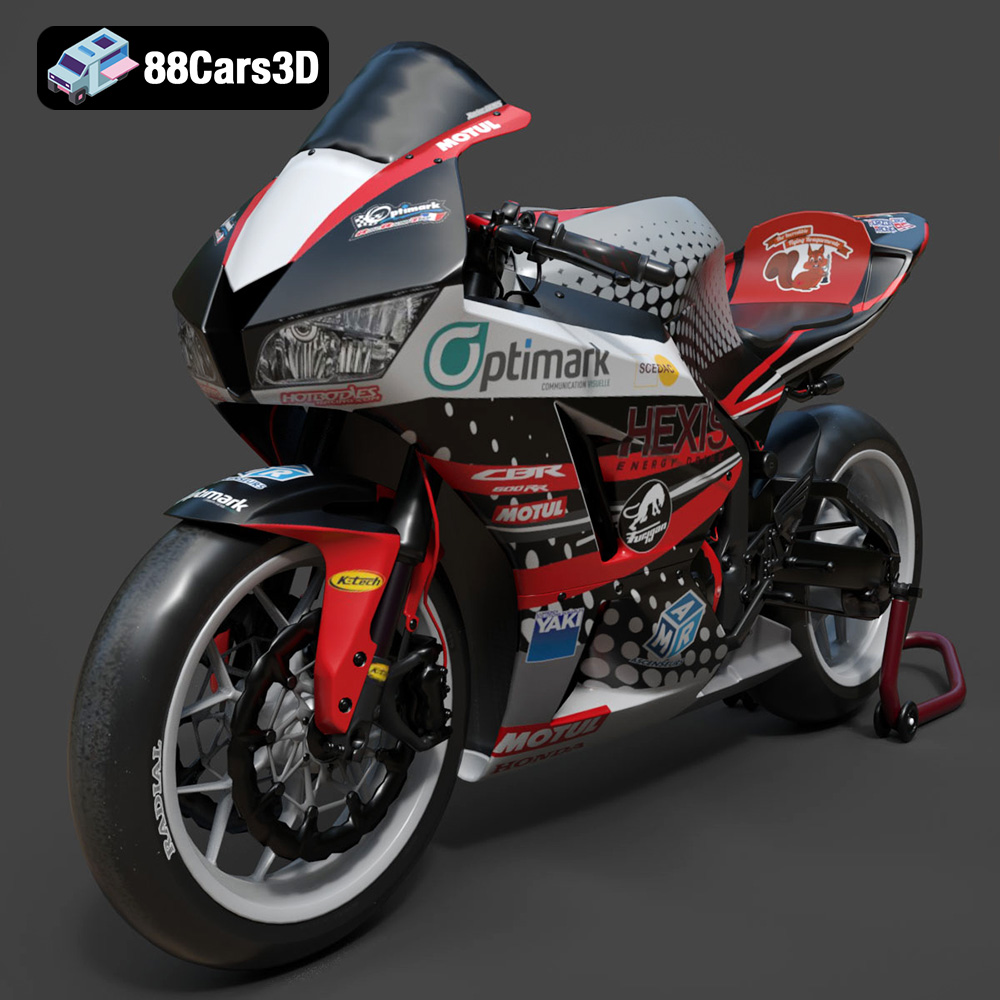
Texture: Yes | Material: Yes
Download the highly detailed, game-ready Honda CBR600RR 3D Model. Features aerodynamic fairings, an iconic center-up exhaust, and an aggressive track-focused stance. Includes .blend, .fbx, .obj, .glb, .stl, .ply, .unreal, and .max formats for game development, AR/VR, and rendering.
Price: $19.99
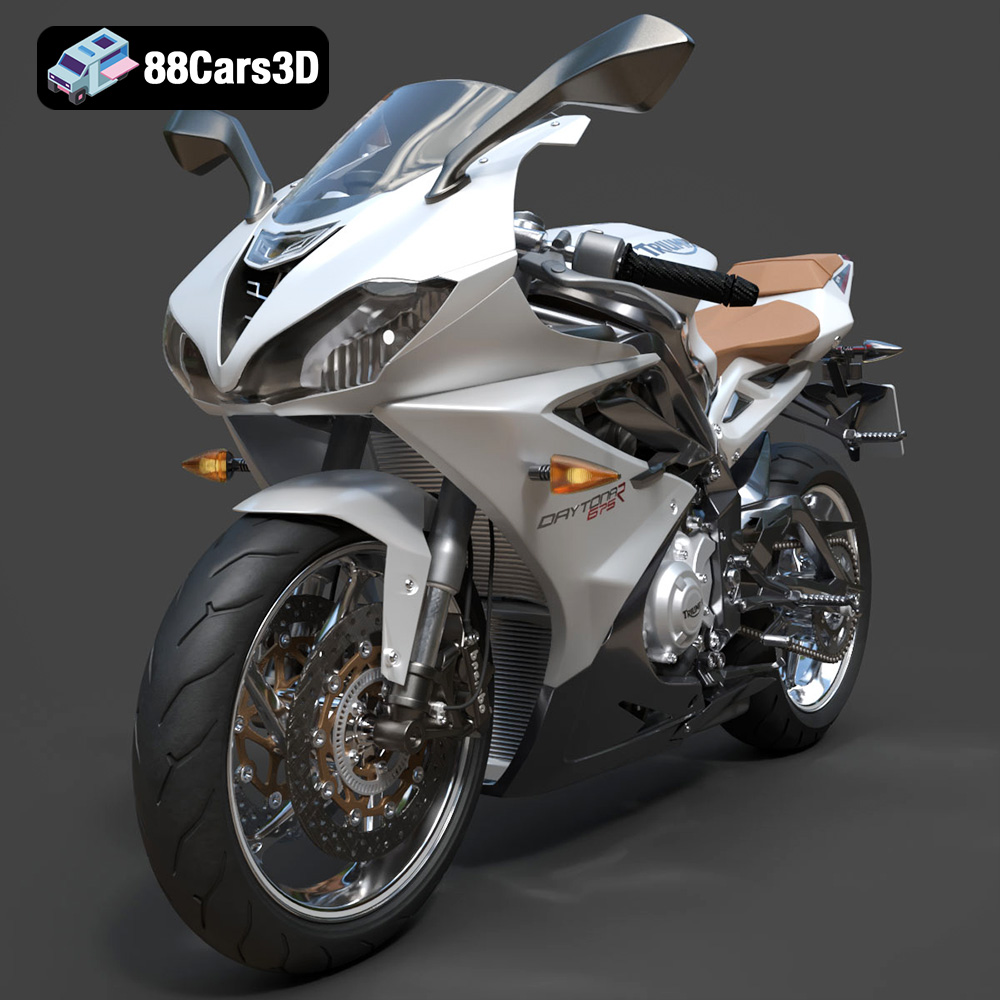
Texture: Yes | Material: Yes
Download the highly detailed, game-ready Triumph Daytona 675R ABS 2015 3D Model. Features aerodynamic sport fairings, a detailed inline-triple engine, and premium Öhlins suspension components. Includes .blend, .fbx, .obj, .glb, .stl, .ply, .unreal, and .max formats for game development, AR/VR, and rendering.
Price: $19.99

Texture: Yes | Material: Yes
Download the highly detailed, game-ready Toyota Tacoma TRD Off-Road 2016 3D Model. Features a rugged exterior, TRD off-road suspension details, and a meticulously crafted interior. Includes .blend, .fbx, .obj, .glb, .stl, .ply, .unreal, and .max formats for game development, AR/VR, and rendering.
Price: $19.99

Texture: Yes | Material: Yes
Download the highly detailed, game-ready Toyota Supra 2020 3D Model. Features aggressive aerodynamic styling, a distinctive double-bubble roof, and accurate B58 engine components. Includes .blend, .fbx, .obj, .glb, .stl, .ply, .unreal, and .max formats for game development, AR/VR, and rendering.
Price: $19.99
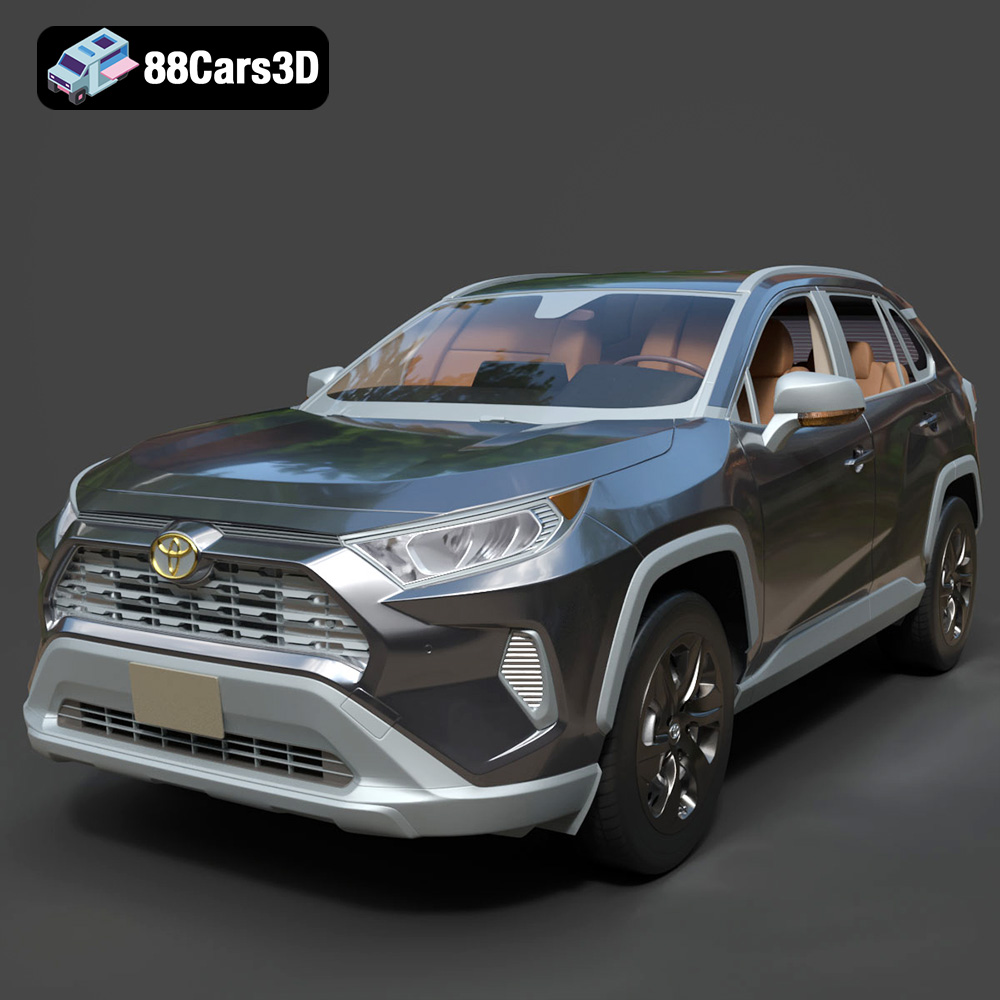
Texture: Yes | Material: Yes
Download the highly detailed, game-ready Toyota RAV4 LE 2019 3D Model. Features rugged exterior styling, signature polygonal motif, and a detailed interior. Includes .blend, .fbx, .obj, .glb, .stl, .ply, .unreal, and .max formats for game development, AR/VR, and rendering.
Price: $19.99

