Get 20% OFF All Premium 3D & STL Models!

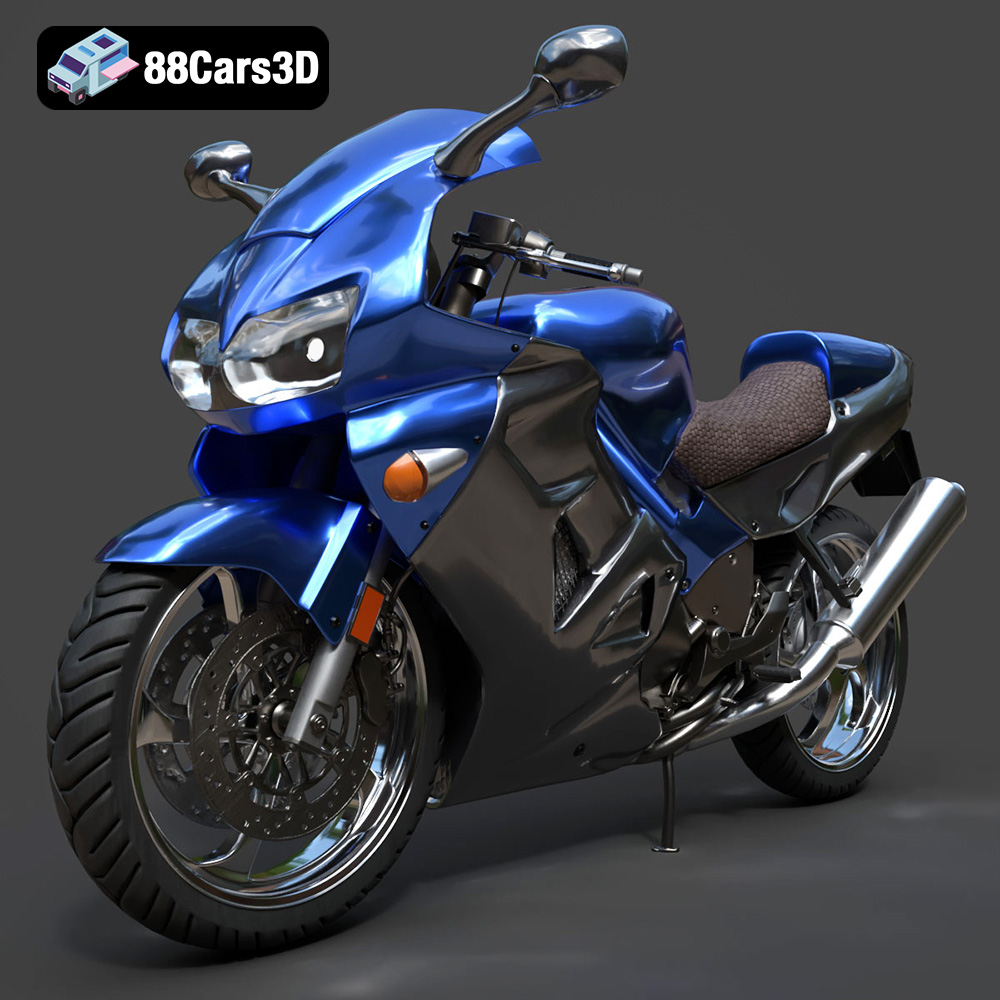
The Honda VFR 801 is a legendary motorcycle known for its distinctive design and engineering. Thanks to 88cars3d.com, enthusiasts and model makers alike can now bring this iconic sportbike to life through 3D printing. This comprehensive guide will walk you through the entire process, from preparing your STL files to post-processing your finished 3D printed model. Whether you’re a seasoned 3D printing expert or a beginner, this article provides the technical details needed to successfully create your own Honda VFR 801.
3D printing offers a unique opportunity to create highly detailed and customized models. In the case of the Honda VFR 801, 3D printing allows you to:
With 3D printing, you have complete control over the scale, material, and finish of your model. You can adjust the size to fit your display space or collection, choose materials that match the real motorcycle’s aesthetic, and even customize the paint job to reflect your personal preferences.
The Honda VFR 801 is known for its complex engineering. 3D printing enables you to appreciate this complexity up close, examining the intricacies of the engine, chassis, and bodywork in a tangible form. This makes it an excellent educational tool for engineering students and motorcycle enthusiasts alike.
A well-printed and finished Honda VFR 801 model makes a striking display piece. It’s a conversation starter that showcases your passion for motorcycles and your appreciation for design and technology.
Before you can start 3D printing the Honda VFR 801, it’s crucial to understand the different file formats available and which one is best suited for additive manufacturing. While 88cars3d.com provides a range of formats for different applications, the .stl format is the industry standard for 3D printing.
The .stl (stereolithography) file format is the workhorse of 3D printing. It represents a 3D object as a collection of triangles, forming a mesh that approximates the surface of the model. It’s a simple and widely supported format, making it compatible with virtually all 3D printing software and printers. However, .stl files only contain geometric data; they don’t store information about color, texture, or materials.
When preparing an .stl file for 3D printing, ensure the mesh is watertight (i.e., no holes or gaps) and that the triangles are oriented correctly (i.e., all normals pointing outwards). Non-manifold geometry (where edges are shared by more than two faces) can also cause problems. Most slicing software packages have built-in tools to detect and repair these issues.
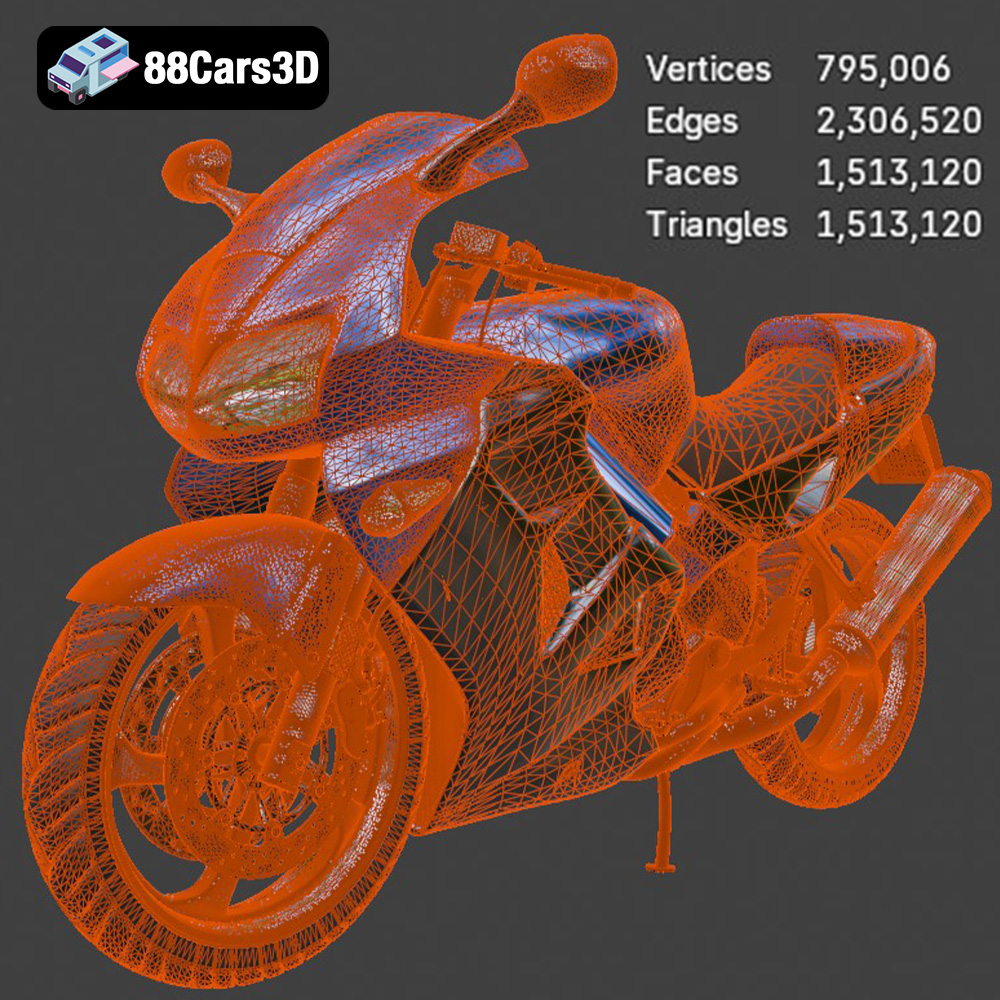
The resolution of the .stl mesh also impacts the print quality. A higher resolution mesh (more triangles) will result in a smoother surface finish but will also increase the file size and processing time. For the Honda VFR 801, a medium-resolution mesh should strike a good balance between detail and printability.
The .obj (object) file format is another common 3D model format. Unlike .stl, .obj files can store color and texture information, making them suitable for models that require a more realistic appearance. However, the Honda VFR 801 model from 88cars3d.com is primarily intended for single-color 3D printing, so .stl is generally the preferred choice. If you plan to add color to the model through painting or other post-processing techniques, .stl will suffice.
The .ply (polygon) file format is designed for storing high-detail 3D data, often captured from 3D scanning. It can store vertex colors, normals, and texture coordinates. While it’s a powerful format, it’s not as universally supported as .stl or .obj and may not be necessary for printing the Honda VFR 801 unless you’re aiming for extremely high levels of detail.
The .blend file is the native format for Blender, a free and open-source 3D creation suite. If you’re familiar with Blender, this format allows you to directly edit the Honda VFR 801 model before exporting it to a printable format like .stl. This is useful for making modifications, adding details, or splitting the model into smaller parts for easier printing.
The .fbx (Filmbox) file format is a proprietary format developed by Autodesk. It is primarily used for animation and game development, and supports textures, materials, animations, and other complex scene data. While some advanced slicing software may be able to import .fbx files, it’s generally not the preferred format for 3D printing due to its complexity. It’s more useful for rendering the model in game engines or animation software.
The .glb (GL Transmission Format Binary) file format is designed for efficient delivery and loading of 3D models on the web and in AR/VR applications. It’s a compact format that includes geometry, textures, and animations. While not directly used for 3D printing, it’s useful for previewing the Honda VFR 801 model in augmented reality to get a sense of its size and appearance before printing.
Similar to .blend, the .max file is the native format for Autodesk 3ds Max, another popular 3D modeling and animation software. If you have access to 3ds Max, this format allows you to make extensive modifications to the Honda VFR 801 model before exporting it for 3D printing.
Once you have your .stl file, you need to prepare it for 3D printing using slicing software. The slicing software converts the 3D model into a series of layers that the 3D printer can understand. Crucial aspects include model orientation, support generation, and parameter setting.
The orientation of the Honda VFR 801 model on the print bed significantly impacts print quality, support requirements, and print time. Consider the following:
* **Minimize Support:** Orient the model to minimize the amount of support material needed. Overhanging features require support, which can be difficult to remove and may leave blemishes on the surface.
* **Preserve Detail:** Orient the model to preserve fine details, such as the engine components, fairing, and wheels. Tilting the model slightly can sometimes help to capture these details more accurately.
* **Layer Lines:** Consider the direction of the layer lines. Orient the model so that the layer lines are less visible on the most prominent surfaces.
For the Honda VFR 801, printing the main body at a slight angle (around 30-45 degrees) with the front facing upwards may be a good starting point. However, experiment with different orientations to find the best balance for your specific printer and material.
Supports are essential for printing overhanging features, but they can also be a source of frustration. Use the slicing software’s support generation tools carefully to optimize support placement and density.
* **Support Type:** Experiment with different support types, such as tree supports or linear supports. Tree supports are often easier to remove and leave fewer marks, but they may not be suitable for all geometries.
* **Support Density:** Adjust the support density to balance support strength and material usage. A higher density provides more support but also uses more material and can be harder to remove.
* **Support Interface:** Use a support interface layer to improve the adhesion between the support and the model. This can make the supports more stable but also more difficult to remove.
Consider splitting the model into multiple parts for easier printing and support removal. For instance, the wheels, handlebars, and exhaust system could be printed separately and then assembled.
The Honda VFR 801 model from 88cars3d.com is designed to be accurately scaled. However, you may want to adjust the scale to fit your specific needs or preferences. Consider the following:
* **Display Space:** Ensure the scaled model fits comfortably in your display space.
* **Detail Level:** Smaller scales may result in a loss of detail, while larger scales may exaggerate imperfections.
* **Printer Capabilities:** Your printer’s build volume will limit the maximum size of the model.
The choice of material greatly affects the final appearance, strength, and durability of your 3D printed Honda VFR 801 model. Here’s a breakdown of popular options:
PLA is a biodegradable thermoplastic derived from renewable resources. It’s easy to print, has low warping, and produces smooth surfaces, making it an excellent choice for beginners. However, PLA is not very heat-resistant and can become brittle over time. It’s best suited for display models that won’t be exposed to high temperatures or stress.
Recommended PLA settings:
* Nozzle Temperature: 200-220°C
* Bed Temperature: 60-70°C
* Print Speed: 40-60 mm/s
* Layer Height: 0.1-0.2 mm
PETG is a strong and durable thermoplastic that is more heat-resistant and impact-resistant than PLA. It’s also more flexible, making it less prone to cracking. PETG is a good all-around choice for functional parts and models that need to withstand some wear and tear.
Recommended PETG settings:
* Nozzle Temperature: 230-250°C
* Bed Temperature: 70-80°C
* Print Speed: 30-50 mm/s
* Layer Height: 0.1-0.2 mm
Resin 3D printing offers exceptional detail and smooth surfaces, making it ideal for intricate models like the Honda VFR 801. Resin prints are typically more brittle than FDM prints (PLA, PETG), so handle with care.
Recommended Resin Settings (vary based on resin type and printer):
* Layer Height: 0.025-0.05 mm
* Exposure Time: Varies based on resin (refer to manufacturer’s recommendations)
* Bottom Layer Exposure Time: Longer than normal exposure time (refer to manufacturer’s recommendations)
Achieving optimal 3D printing results for the Honda VFR 801 depends heavily on proper printer settings and calibration. This includes temperature control, print speed adjustments, and bed adhesion techniques.
Precise temperature control is crucial for material adhesion and overall print quality. Too high a temperature can lead to stringing and warping, while too low a temperature can result in poor layer adhesion. Calibrate your printer’s temperature settings for the specific material you’re using.
Print speed affects both print time and print quality. Faster speeds can reduce print time but may also result in lower detail and weaker layer adhesion. Slower speeds can improve print quality but increase print time. Experiment with different print speeds to find the optimal balance for your printer and material.
Proper bed adhesion is essential for preventing warping and ensuring the model stays firmly attached to the print bed throughout the printing process. Techniques include:
* **Bed Leveling:** Ensure the print bed is perfectly level.
* **Adhesion Aids:** Use adhesion aids such as glue stick, hairspray, or painter’s tape.
* **Brim or Raft:** Add a brim or raft to increase the surface area in contact with the print bed.
Once the 3D printing is complete, post-processing enhances the model’s appearance and functionality.
Carefully remove the support material from the model. Use pliers, cutters, or a sharp knife to gently detach the supports, being careful not to damage the model’s surface. For difficult-to-reach areas, consider using specialized support removal tools.
Sanding is essential for removing layer lines and smoothing the surface of the model. Start with coarse sandpaper (e.g., 220 grit) and gradually move to finer grits (e.g., 400, 600, 800 grit) to achieve a smooth finish. Wet sanding can help to reduce dust and prevent the sandpaper from clogging.
Painting brings the Honda VFR 801 model to life. Use primer to prepare the surface for painting and then apply multiple thin coats of acrylic paint. Use masking tape to create clean lines and add details such as decals and logos. Consider using an airbrush for a professional-looking finish.
Even with careful preparation, you may encounter some common 3D printing issues. Here are some tips for troubleshooting:
Warping occurs when the corners of the model lift off the print bed. Causes include poor bed adhesion, inadequate temperature control, and drafts. Solutions include:
* Improving bed adhesion
* Increasing bed temperature
* Enclosing the printer
Stringing occurs when thin strands of plastic are left between different parts of the model. Causes include excessive nozzle temperature, retraction issues, and travel speed. Solutions include:
* Lowering nozzle temperature
* Increasing retraction distance and speed
* Increasing travel speed
Layer shifting occurs when the layers of the model are misaligned. Causes include loose belts, stepper motor problems, and print speed. Solutions include:
* Tightening belts
* Checking stepper motor connections
* Reducing print speed
By understanding these potential issues and their solutions, you can overcome challenges and achieve a successful 3D printed Honda VFR 801 model. And remember, the high-quality STL files available at 88cars3d.com are a great starting point for a successful print!
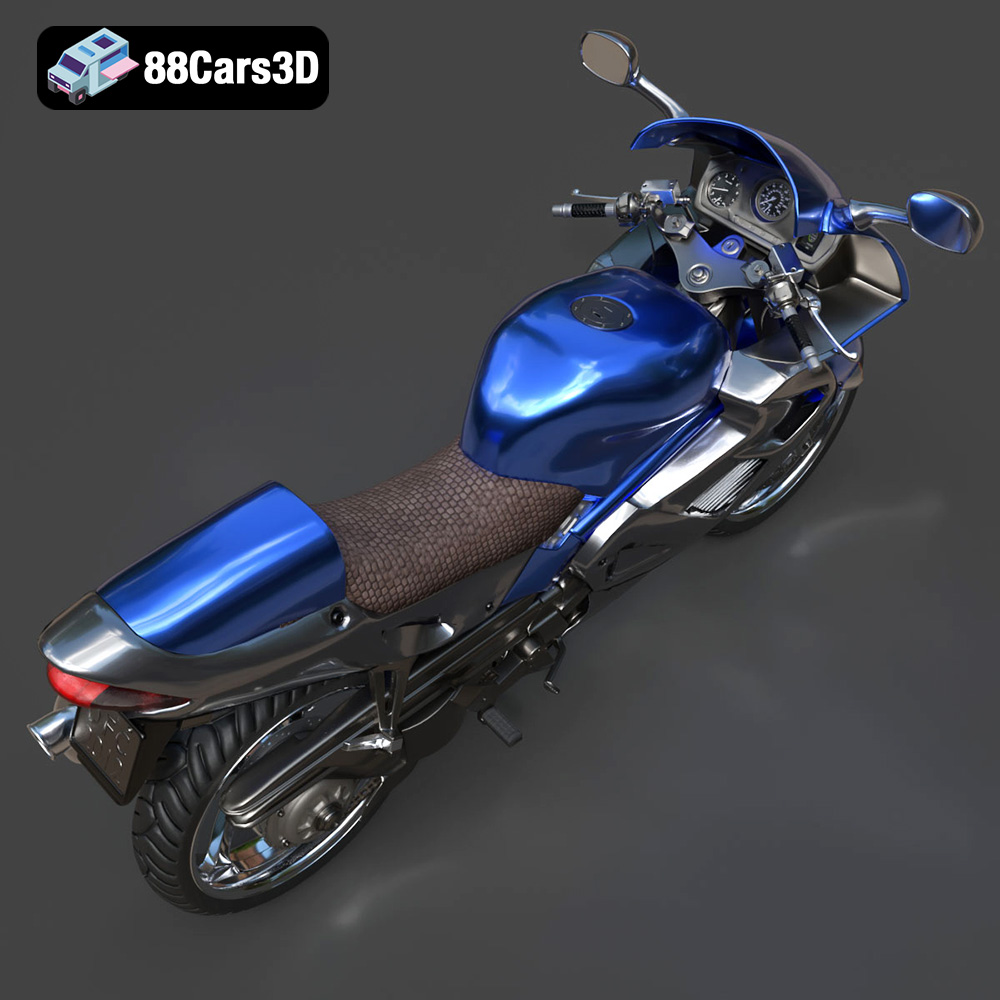
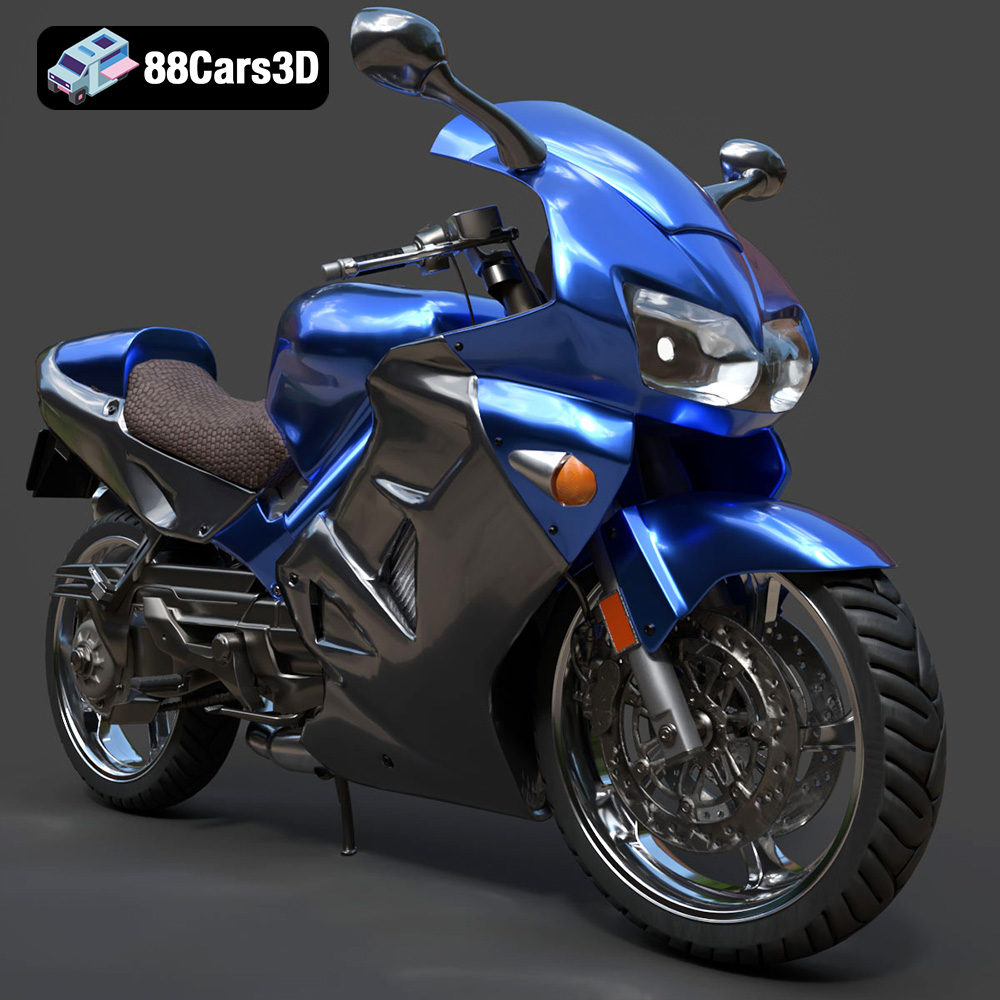
Experience unmatched realism with the Honda VFR 801-002 3D Model. Constructed with meticulous attention to detail, this professional 3D asset captures the dynamic essence and engineering precision of the iconic Honda VFR. It is designed to elevate your visual projects with accurate scaling and true-to-life aesthetics.
$19.99
.arvr
.blend
.car3dmodel
.fbx
.gameasset
.glb
.honda
.max
.motorcycle
.obj
.ply
.rendering
.simulation
.sportbike
.stl
.twowheeler
.unreal
.vfr