Get 20% OFF All Premium 3D & STL Models!

“`html
For model makers, 3D printing has revolutionized the craft, enabling intricate designs and rapid prototyping that were once unimaginable. Whether you’re creating scale models of classic cars sourced from platforms like 88cars3d.com, architectural mock-ups, or tabletop gaming miniatures, the right 3D printer can significantly impact the quality, precision, and efficiency of your work. But with a vast array of options available, selecting the ideal 3D printer can be overwhelming. This guide will delve into the crucial features that matter most to model makers, exploring both FDM (Fused Deposition Modeling) and resin-based technologies, and providing actionable advice to help you make an informed decision. We’ll cover everything from resolution and build volume to software compatibility and material options, equipping you with the knowledge to choose the perfect 3D printer for your model-making needs. Prepare to unlock a new level of precision and creativity in your projects!
The ability to reproduce fine details accurately is paramount for model makers. Print resolution, often measured in microns (µm) for layer height, directly dictates the smoothness of curves and the clarity of intricate features. A lower layer height translates to a smoother surface finish and less noticeable layer lines, crucial for realistic-looking models.
Layer height represents the thickness of each printed layer. For FDM printers, typical layer heights range from 50µm to 400µm. Model makers should aim for the lower end of this range, typically between 50µm and 150µm, to achieve finer details. Resin printers, such as SLA and DLP, offer significantly finer resolutions, often down to 25µm or even lower. This allows for incredibly detailed prints, ideal for miniatures and complex geometries. Choosing the right layer height involves a trade-off: lower layer heights increase print time but significantly improve surface quality.
While layer height (Z-resolution) is essential, X/Y resolution (horizontal accuracy) also plays a critical role. In FDM printers, this is primarily determined by the precision of the printer’s motion system and the nozzle diameter. A smaller nozzle (e.g., 0.25mm instead of the standard 0.4mm) can improve X/Y resolution but may also increase print time and the risk of clogging. Resin printers excel in X/Y resolution, often achieving accuracy within a few microns, thanks to the precision of the light source and masking technology. Ensuring accurate dimensions is crucial for models that need to fit together precisely or match specific scale requirements. Calibrating your printer and using high-quality filament or resin are vital for achieving optimal dimensional accuracy.
The build volume of a 3D printer determines the maximum size of objects you can print in a single piece. For model makers, especially those interested in larger-scale models or complex assemblies, build volume is a critical consideration. When downloading models from marketplaces such as 88cars3d.com, consider the dimensions of the models and ensure your printer’s build volume can accommodate them.
Before purchasing a 3D printer, assess the typical size of your projects. Will you be printing small individual parts, or do you need to create larger models in one go? For FDM printers, build volumes can range from compact desktop models (around 150x150x150mm) to large-format printers with build volumes exceeding 300x300x400mm. Resin printers generally have smaller build volumes than FDM printers, but the high resolution often compensates for this limitation. Consider the possibility of printing models in multiple parts and assembling them afterward, but larger build volumes can save time and reduce the need for post-processing.
Even with a generous build volume, optimizing the orientation of your model within the print bed is crucial. Angling the model strategically can allow you to fit larger objects within the available space and reduce the amount of support material required. Slicing software offers tools for rotating and positioning models efficiently. Also, consider the shape of your printer’s build area. Some printers have a square build plate, while others are rectangular or even circular. Choose a printer with a build area that best suits the shapes of your typical models.
The materials a 3D printer can handle directly impact the look, feel, and functionality of your models. Different materials offer varying properties such as strength, flexibility, temperature resistance, and surface finish. For model makers, experimenting with different materials can unlock new creative possibilities and allow for more realistic and durable models.
FDM printers offer a wide range of material options, including PLA, PETG, ABS, TPU, and nylon. PLA is a popular choice for its ease of use, low warping, and biodegradability. PETG offers improved strength and flexibility compared to PLA. ABS is known for its high temperature resistance and durability but requires a heated bed and good ventilation due to fumes. TPU is a flexible filament ideal for creating rubber-like parts. Consider the specific requirements of your models when selecting a material. For example, if you need a model that can withstand high temperatures, ABS or nylon would be better choices than PLA.
Resin printers offer a different set of material options, each with unique properties. Standard resins are ideal for general-purpose printing and offer high detail. Tough resins are designed for increased strength and impact resistance. Flexible resins allow for the creation of flexible and elastic parts. Castable resins are used for creating molds for metal casting. When choosing a resin, consider the intended use of your model and the desired properties. Experiment with different resins to find the best fit for your projects.
Slicing software is an essential tool for preparing 3D models for printing. It converts the 3D model into a series of layers that the printer can understand and provides settings for controlling print parameters such as layer height, infill density, and support structures. Choosing the right slicing software and mastering its features is crucial for achieving optimal print quality.
Several excellent slicing software options are available, including Cura, PrusaSlicer, Simplify3D, and Chitubox (for resin printers). Cura and PrusaSlicer are popular open-source options that offer a wide range of features and are constantly updated. Simplify3D is a paid option that offers advanced control over print parameters and is known for its excellent support. Chitubox is a dedicated slicing software for resin printers that offers features such as automatic support generation and hollowing.
Several slicing parameters are particularly important for model makers. Layer height, as discussed earlier, directly impacts the resolution of the print. Infill density controls the internal structure of the model and affects its strength and weight. Support structures are necessary for printing overhanging features, but they can also leave marks on the surface of the model. Experiment with different support settings to minimize the amount of support material required and make it easier to remove. Print speed affects the print time and can also impact the quality of the print. Slower print speeds generally result in higher quality prints, but they also increase the print time.
The connectivity options and user interface of a 3D printer can significantly impact the ease of use and overall workflow. A well-designed user interface can make it easier to control the printer and monitor the printing process. Robust connectivity options allow for seamless transfer of files and remote monitoring.
Most 3D printers offer several connectivity options, including SD card, USB, and Wi-Fi. SD card connectivity allows you to load files directly onto the printer without needing a computer connection. USB connectivity allows you to control the printer from your computer and monitor the printing process in real-time. Wi-Fi connectivity allows you to remotely monitor and control the printer from anywhere with an internet connection. Choose a printer with connectivity options that suit your workflow. For example, if you prefer to work wirelessly, a printer with Wi-Fi connectivity would be a good choice.
The user interface of a 3D printer should be intuitive and easy to navigate. A clear display screen allows you to monitor the printing process and adjust settings as needed. Some printers also offer a touch screen interface for more convenient control. Consider the user interface when choosing a 3D printer, especially if you are new to 3D printing. A user-friendly interface can make the learning process much easier.
A 3D printer is an investment, and choosing a reliable and easy-to-maintain printer is crucial for long-term success. Regular maintenance can help to extend the life of your printer and ensure consistent print quality. Consider the availability of spare parts and the ease of performing maintenance tasks when choosing a 3D printer.
Several essential maintenance tasks should be performed regularly to keep your 3D printer in good working order. Cleaning the print bed is crucial for ensuring good adhesion. Lubricating moving parts helps to prevent wear and tear. Replacing the nozzle or resin vat periodically can help to maintain print quality. Refer to the manufacturer’s instructions for specific maintenance recommendations.
Choose a 3D printer from a reputable manufacturer known for producing reliable printers. Read reviews and research the manufacturer’s support policies before making a purchase. A good warranty and readily available customer support can provide peace of mind and ensure that you can get help if you encounter any problems.
Selecting the right 3D printer for model making involves careful consideration of several factors, including print resolution, build volume, material compatibility, software, connectivity, and maintenance. FDM printers offer a wide range of material options and are generally more affordable, while resin printers excel in detail and accuracy. Platforms like 88cars3d.com offer print-ready STL files perfect for testing your new printer. By understanding the key features discussed in this guide, you can make an informed decision and choose a 3D printer that meets your specific needs and budget. Remember to prioritize print resolution for intricate details, choose a build volume that accommodates your typical projects, and experiment with different materials to unlock new creative possibilities. With the right 3D printer, you can elevate your model-making skills and create stunning, realistic, and durable models.
“`

Texture: Yes | Material: Yes
Download the highly detailed, game-ready Volkswagen Jetta GLI 2019 3D Model. Features an aggressive honeycomb grille with red accents, sleek aerodynamic profile, and exclusive GLI sport wheels. Includes .blend, .fbx, .obj, .glb, .stl, .ply, .unreal, and .max formats for game development, AR/VR, and rendering.
Price: $19.99

Texture: Yes | Material: Yes
Download the highly detailed, game-ready Vintage Vespa 3D Model. Features iconic rounded monocoque styling, classic saddle, and chrome accents. Includes .blend, .fbx, .obj, .glb, .stl, .ply, .unreal, and .max formats for game development, AR/VR, and rendering.
Price: $19.99

Texture: Yes | Material: Yes
Download the highly detailed, game-ready Vespa GS 150 3D Model. Features elegant aerodynamic curves, classic leg shield, and detailed engine casing. Includes .blend, .fbx, .obj, .glb, .stl, .ply, .unreal, and .max formats for game development, AR/VR, and rendering.
Price: $19.99

Texture: Yes | Material: Yes
Download the highly detailed, game-ready Vespa P200E 3D Model. Features classic vintage styling, accurate step-through frame geometry, and authentic detailing. Includes .blend, .fbx, .obj, .glb, .stl, .ply, .unreal, and .max formats for game development, AR/VR, and rendering.
Price: $19.99

Texture: Yes | Material: Yes
Download the highly detailed, game-ready Ural M67-36-P 1976 3D Model. Features the iconic air-cooled boxer engine, vintage utilitarian styling, and authentic spoked wheels. Includes .blend, .fbx, .obj, .glb, .stl, .ply, .unreal, and .max formats for game development, AR/VR, and rendering.
Price: $19.99
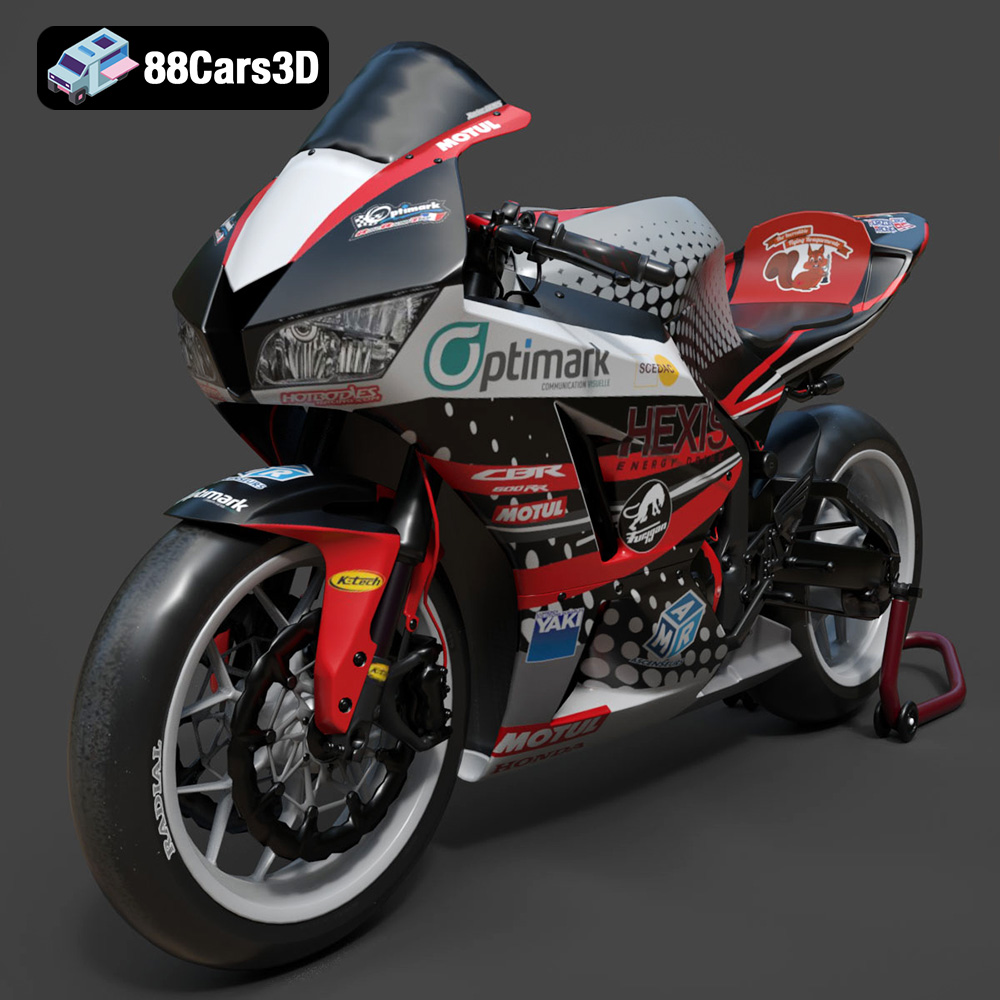
Texture: Yes | Material: Yes
Download the highly detailed, game-ready Honda CBR600RR 3D Model. Features aerodynamic fairings, an iconic center-up exhaust, and an aggressive track-focused stance. Includes .blend, .fbx, .obj, .glb, .stl, .ply, .unreal, and .max formats for game development, AR/VR, and rendering.
Price: $19.99
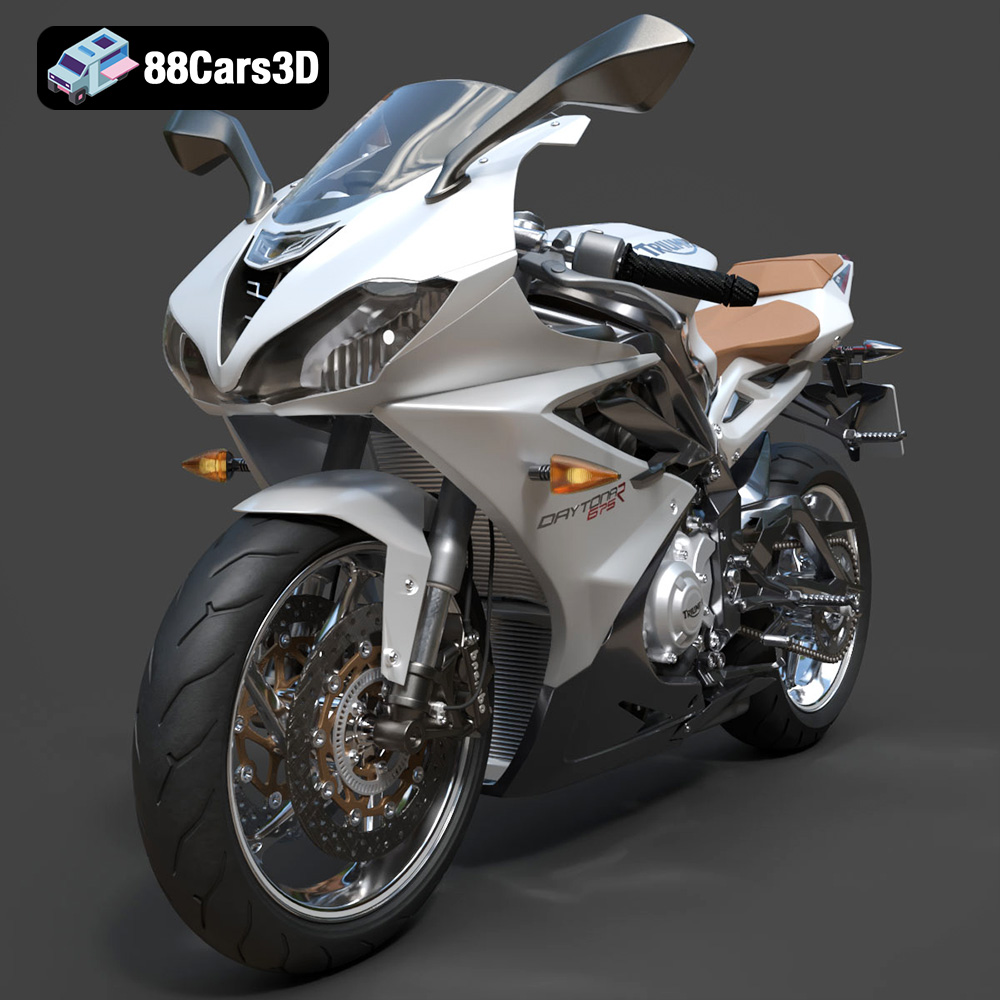
Texture: Yes | Material: Yes
Download the highly detailed, game-ready Triumph Daytona 675R ABS 2015 3D Model. Features aerodynamic sport fairings, a detailed inline-triple engine, and premium Öhlins suspension components. Includes .blend, .fbx, .obj, .glb, .stl, .ply, .unreal, and .max formats for game development, AR/VR, and rendering.
Price: $19.99

Texture: Yes | Material: Yes
Download the highly detailed, game-ready Toyota Tacoma TRD Off-Road 2016 3D Model. Features a rugged exterior, TRD off-road suspension details, and a meticulously crafted interior. Includes .blend, .fbx, .obj, .glb, .stl, .ply, .unreal, and .max formats for game development, AR/VR, and rendering.
Price: $19.99

Texture: Yes | Material: Yes
Download the highly detailed, game-ready Toyota Supra 2020 3D Model. Features aggressive aerodynamic styling, a distinctive double-bubble roof, and accurate B58 engine components. Includes .blend, .fbx, .obj, .glb, .stl, .ply, .unreal, and .max formats for game development, AR/VR, and rendering.
Price: $19.99
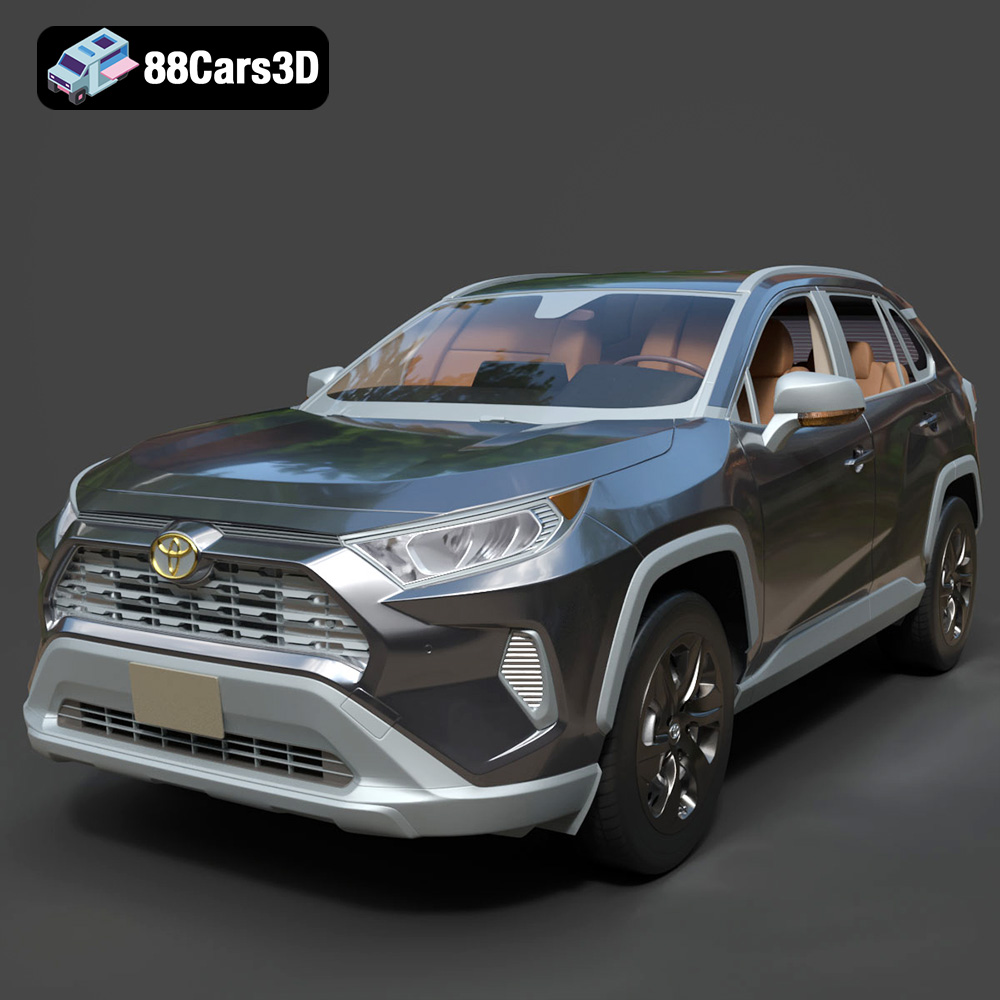
Texture: Yes | Material: Yes
Download the highly detailed, game-ready Toyota RAV4 LE 2019 3D Model. Features rugged exterior styling, signature polygonal motif, and a detailed interior. Includes .blend, .fbx, .obj, .glb, .stl, .ply, .unreal, and .max formats for game development, AR/VR, and rendering.
Price: $19.99

