Get 20% OFF All Premium 3D & STL Models!

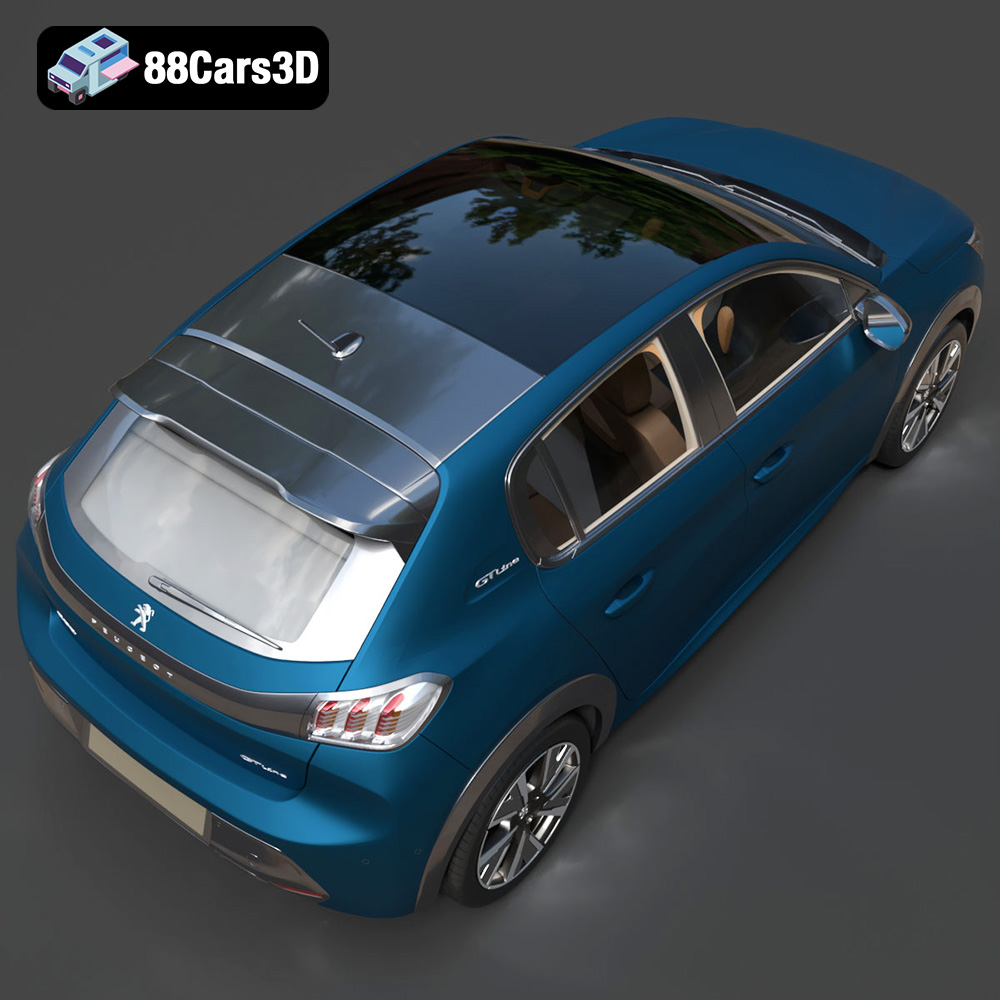
The Peugeot 208 2020 is a striking example of modern automotive design, and now, thanks to 88cars3d.com, you can bring this iconic hatchback to life through the magic of 3D printing. This detailed guide will walk you through every step of the process, from selecting the right materials and preparing the STL files to post-processing and painting your finished model. Whether you’re a seasoned 3D printing enthusiast or just starting out, this article provides the technical knowledge and practical advice needed to create a stunning 3D printed replica of the Peugeot 208.
Choosing the appropriate 3D printing technology and materials is crucial for achieving a high-quality result with the Peugeot 208 3D model. Different technologies offer varying levels of detail, accuracy, and material compatibility.
FDM printing is a popular and cost-effective method that uses thermoplastics like PLA, PETG, and ABS. For the Peugeot 208, PLA is a good starting point due to its ease of use and biodegradability. PETG offers increased strength and temperature resistance, making it suitable for parts that might be subject to stress. ABS, while strong, requires a heated bed and enclosure to prevent warping, making it less beginner-friendly. When using FDM, consider the layer height. A smaller layer height (e.g., 0.1mm) will produce smoother surfaces and capture finer details, especially important for the car’s intricate body lines.
Resin printing, particularly SLA (Stereolithography), DLP (Digital Light Processing), and MSLA (Masked Stereolithography), offers superior detail and accuracy compared to FDM. This makes it ideal for printing smaller components like the wheels, interior details, and intricate grilles of the Peugeot 208. The recommended resin type is standard photopolymer resin, but you can also explore tougher resins for increased durability. For optimal results, use a layer height between 0.04mm and 0.08mm. Resin printing will require thorough cleaning with isopropyl alcohol and post-curing under UV light.
* **Body:** PLA or PETG (FDM) or standard resin (Resin). Choose based on desired size and detail level.
* **Wheels:** Resin for fine details like brake calipers.
* **Interior:** Resin for small, intricate parts like the steering wheel and dashboard.
* **Windows:** Transparent resin or clear PETG can be used, though achieving perfect transparency can be challenging.
Selecting the right file format for your 3D printing project is crucial for ensuring compatibility, detail, and overall print quality. Here’s a detailed look at various 3D model file formats and their suitability for 3D printing the Peugeot 208.
STL (Stereolithography) is the industry standard file format for 3D printing. It represents the surface geometry of a 3D object as a collection of triangles. This simplicity makes it universally compatible with virtually all slicing software and 3D printers. The STL format stores only the mesh data (vertices and faces), lacking color or texture information.
For 3D printing the Peugeot 208, STL is the primary format you’ll use. When exporting to STL, ensure that the mesh resolution is high enough to capture the car’s curves and details without creating an excessively large file. A good balance is achieved by adjusting the deviation and angle tolerances in your 3D modeling software. Lower tolerances result in a denser mesh and finer details, but also increase file size and processing time. It is highly recommended to use STL for its widespread compatibility.
OBJ (Object) is a more versatile format than STL, as it can store color and texture information in addition to the mesh geometry. This makes it suitable for 3D printing with multi-material or color printers, although such printers are less common. The OBJ format also supports more complex polygon types than just triangles, which can sometimes result in smaller file sizes.
If you intend to print the Peugeot 208 with color details, the OBJ format is a viable option. However, ensure that your slicing software and 3D printer support color printing and can correctly interpret the material and texture data stored in the OBJ file. It’s also worth noting that OBJ files can sometimes be more complex to process than STL files, potentially leading to longer slicing times.
PLY (Polygon File Format), also known as the Stanford Triangle Format, is designed to store 3D data acquired from 3D scanners. It can store color, texture, and other properties per vertex, making it a precise format for capturing high-detail models. PLY files are often used in applications where accuracy is paramount, such as scientific visualization and reverse engineering.
For the Peugeot 208, the PLY format might be useful if you have a highly detailed scan of the car. However, for most 3D printing purposes, the STL format will suffice, and PLY files can be larger and less universally supported. Ensure your slicing software can handle PLY files and that the mesh resolution is appropriate for your printer’s capabilities.
BLEND is the native file format for Blender, a popular open-source 3D modeling software. BLEND files contain the entire Blender scene, including the model’s geometry, materials, textures, lighting, and animation data. This format is incredibly powerful for making modifications and customizations to the Peugeot 208 model before exporting it to a printable format.
If you plan to customize the Peugeot 208, such as changing its colors, adding details, or modifying its geometry, working with the BLEND file in Blender is highly recommended. Once you’ve made your changes, you can then export the model to STL for 3D printing. Blender offers extensive tools for mesh editing, sculpting, and material creation, allowing for virtually limitless customization options.
FBX (Filmbox) is a proprietary file format developed by Autodesk. It is designed to be an interchange format for 3D data, commonly used in game development, animation, and film production. FBX files can store geometry, materials, textures, animations, and other scene data. While FBX is not primarily intended for 3D printing, some advanced slicing software may support importing FBX files to retain material information or complex model hierarchies.
You can use FBX to import the Peugeot 208 model into slicing software if you need to preserve material assignments or complex model structures. However, ensure that your slicing software can correctly interpret the FBX data and convert it into a printable format like STL.
GLB (GL Transmission Format Binary) is a binary file format that represents 3D models in a compact and efficient way. It is designed for fast loading and rendering, making it ideal for web-based applications, augmented reality (AR), and virtual reality (VR). GLB files can store geometry, textures, and animations in a single file, simplifying the process of sharing and displaying 3D models.
While GLB is not directly used for 3D printing, it can be valuable for previewing the Peugeot 208 model in AR before printing it. This allows you to visualize the model in a real-world context and ensure that it meets your expectations before committing to the printing process.
MAX is the native file format for 3ds Max, another popular 3D modeling software developed by Autodesk. Like BLEND, MAX files contain the entire scene setup, including geometry, materials, textures, lighting, and animation data. This format is ideal for advanced users who want to make extensive modifications to the Peugeot 208 model using the powerful tools available in 3ds Max.
If you have access to 3ds Max, working with the MAX file allows for highly detailed customizations and adjustments. Once you’ve completed your modifications, you can export the model to STL for 3D printing. 3ds Max offers a wide range of tools for mesh editing, sculpting, and material creation, making it a powerful choice for advanced users.
Proper pre-print preparation is paramount for a successful 3D printing outcome. This involves slicing the model, scaling it to your desired size, and orienting it for optimal print quality and support generation.
Slicing software converts the 3D model (usually an STL file) into a set of instructions (G-code) that the 3D printer can understand. Popular options include Cura, PrusaSlicer, Simplify3D, and Chitubox (for resin printing). Each slicer has its strengths and weaknesses, but all offer the essential features for adjusting print settings, adding supports, and generating G-code.
When slicing the Peugeot 208 model, pay attention to the following settings:
* **Layer Height:** As mentioned earlier, a smaller layer height improves detail.
* **Infill Density:** This affects the model’s strength and weight. 20-30% infill is generally sufficient for a display model.
* **Wall Thickness:** Increasing wall thickness adds strength and prevents warping.
* **Support Structures:** Generate supports for overhanging parts like the side mirrors, rear spoiler, and underside of the chassis.
* **Adhesion:** Use a brim or raft to improve adhesion to the print bed and prevent warping, especially with larger prints.
The provided product description recommends scales of 1:12, 1:18, or 1:24. Choose a scale that suits your printer’s build volume and desired level of detail. Remember that smaller scales will require finer details and may be better suited for resin printing. Scaling can be done directly within the slicing software.
The orientation of the model on the print bed significantly impacts print quality, strength, and support requirements. For the Peugeot 208:
* **Body:** Printing the body at an angle (e.g., 45 degrees) can improve the surface finish and reduce the need for supports on the roof. However, this will require more supports on the underside.
* **Wheels:** Print the wheels separately, ideally with the outer face pointing upwards. This minimizes the need for supports and preserves the wheel’s details.
* **Smaller Parts:** Orient small parts like mirrors and antennas vertically to maximize resolution, but ensure they are securely supported.
Optimizing print settings is crucial for achieving the best possible results with the Peugeot 208 model. Here’s a breakdown of recommended settings for both FDM and resin printing.
* **Material:** PLA or PETG
* **Layer Height:** 0.08-0.15 mm (for finer details)
* **Infill Density:** 20-30% (adjust based on desired strength)
* **Wall Thickness:** 1.2-2.0 mm (for structural integrity)
* **Print Speed:** 40-60 mm/s (adjust based on material and printer capabilities)
* **Support Structures:** Enable supports for overhangs (angle > 45 degrees)
* **Bed Adhesion:** Brim or raft recommended
* **Nozzle Temperature:** According to the filament manufacturer’s recommendations
* **Bed Temperature:** 60°C (PLA), 70-80°C (PETG)
* **Cooling:** Enable part cooling fan for PLA; reduce or disable for PETG
* **Estimated Print Time:** 15-30 hours (depending on scale and settings)
* **Estimated Material Cost:** $10-20 (depending on filament price)
* **Material:** Standard photopolymer resin
* **Layer Height:** 0.04-0.08 mm (for high detail)
* **Bottom Layer Count:** 5-8 layers
* **Exposure Time:** According to the resin manufacturer’s recommendations
* **Bottom Exposure Time:** 5-10 times the normal exposure time
* **Lift Speed:** 60-80 mm/min
* **Retract Speed:** 150-200 mm/min
* **Support Structures:** Enable supports for overhangs and isolated features
* **Hollowing:** Hollow out the body to reduce resin consumption and print time (leave drainage holes)
* **Estimated Print Time:** 8-15 hours (depending on scale and settings)
* **Estimated Material Cost:** $15-30 (depending on resin price)
Post-processing is where you transform a raw 3D print into a polished and realistic replica of the Peugeot 208. This involves removing supports, sanding surfaces, painting, and assembling the various components.
Carefully remove support structures using pliers or a sharp knife. Be cautious not to damage the model’s surface. Start with coarse sandpaper (e.g., 220 grit) to remove larger imperfections, then gradually move to finer grits (e.g., 400, 600, 800 grit) to achieve a smooth surface. Wet sanding can help reduce dust and improve the finish.
Apply a primer coat to the entire model to create a uniform surface for painting. Use spray paint specifically designed for plastics. For the Peugeot 208, consider using the authentic factory colors like Faro Yellow, Vertigo Blue, or Elixir Red. Multiple thin coats are better than one thick coat, which can lead to drips and runs. After the paint is dry, apply a clear coat for added protection and shine. Metallic finishes can be achieved with specialized metallic paints and clear coats.
Assemble the various components (body, wheels, interior) using super glue or epoxy. Pay attention to alignment and fit. Add final details like window decals, license plates, and other small features to enhance the model’s realism. Consider using chrome paint or foil for the car’s trim and badges.
Even with careful preparation, 3D printing can sometimes present challenges. Here are some common issues and their solutions.
Warping occurs when the print detaches from the print bed due to uneven cooling. To prevent warping:
* Ensure the print bed is clean and level.
* Use a brim or raft.
* Increase bed temperature.
* Reduce cooling fan speed.
* Use an enclosure to maintain a consistent temperature.
Stringing is the formation of thin strands of plastic between different parts of the print. To reduce stringing:
* Reduce nozzle temperature.
* Increase retraction distance and speed.
* Ensure the filament is dry.
Layer separation occurs when the layers of the print do not adhere properly. To fix layer separation:
* Increase nozzle temperature.
* Reduce print speed.
* Ensure the filament is dry.
* Increase layer height slightly.
* Ensure supports are properly attached to the model and the build plate.
* Adjust support density and pattern for optimal support.
* Use a support interface layer for easier removal.
To maximize your chances of success when printing the Peugeot 208 3D model from 88cars3d.com, consider the following tips:
* **Print a Test Piece:** Before printing the entire model, print a small test piece (e.g., a section of the body) to fine-tune your settings.
* **Monitor the Print:** Keep a close eye on the print, especially during the first few layers, to ensure proper adhesion and identify any potential issues early on.
* **Take Your Time:** Rushing the printing or post-processing stages can compromise the final result. Be patient and meticulous.
* **Refer to Online Communities:** Online 3D printing communities can provide valuable advice and troubleshooting tips.
By following this comprehensive guide, you’ll be well-equipped to 3D print a stunning replica of the Peugeot 208 2020. Remember to experiment with different settings and techniques to find what works best for your printer and desired outcome. Happy printing!
The 2020 Peugeot 208 redefined the modern compact hatchback segment with its bold, aggressive styling and sporty proportions. Featuring the striking ‘saber-tooth’ LED daytime running lights, a muscular sculpted hood, and an elegant gloss-black rear light cluster fascia, this vehicle stands out in any urban setting. Its dynamic stance and streamlined profile perfectly capture the essence of contemporary European car design.
$39.99
.2020
.208
.blend
.fbx
.glb
.hatchback
.max
.obj
.peugeot
.ply
.rendering
.stl
.unreal
car-3d-model
city-car
compact-car
game asset
game-ready
low-poly
optimized
VR/AR