Get 20% OFF All Premium 3D & STL Models!

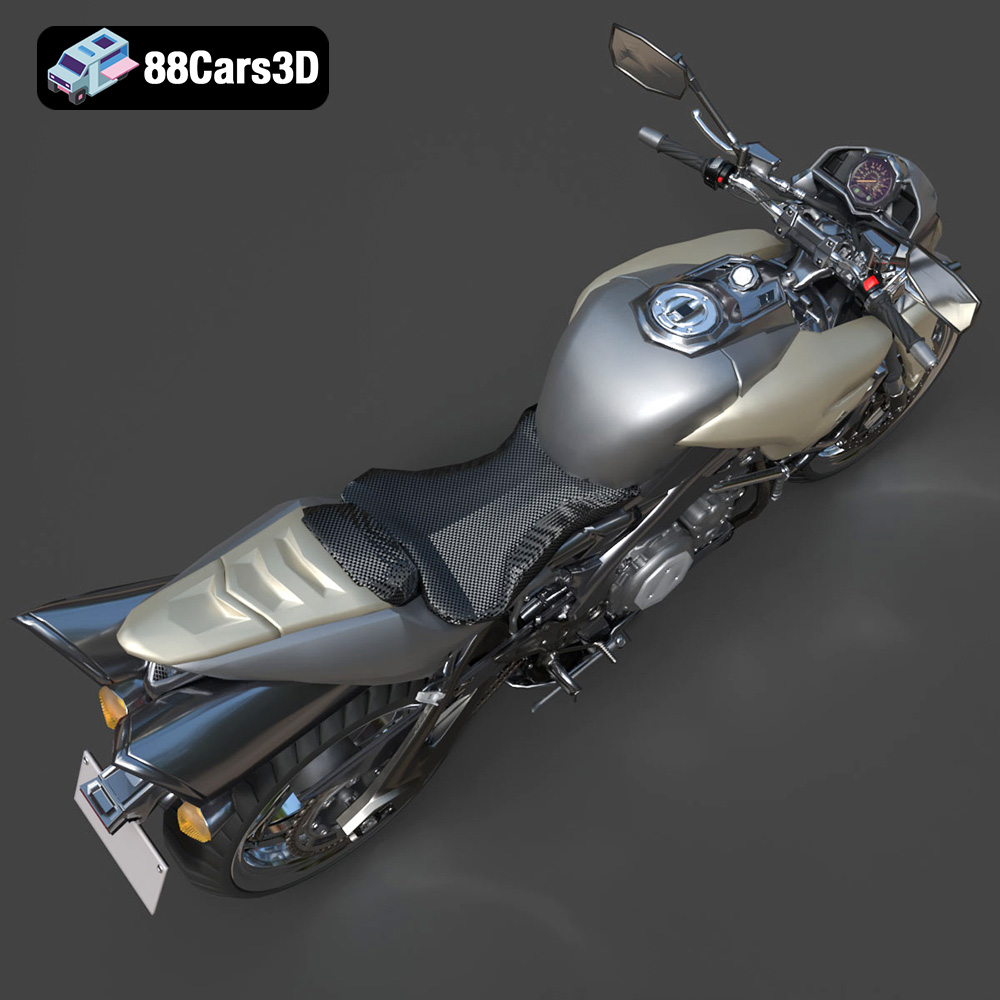
The Suzuki King B 2008, a hyper-naked streetfighter motorcycle, is an icon of aggressive styling and raw power. Now, thanks to advanced 3D modeling and additive manufacturing, you can bring this legendary machine to life in your own home. This comprehensive guide will walk you through the entire process of 3D printing the Suzuki King B 2008 model from 88cars3d.com, covering everything from pre-print preparation to post-processing techniques. Whether you’re a seasoned 3D printing enthusiast or a motorcycle aficionado looking to explore the world of additive manufacturing, this guide will provide the knowledge and insights needed to create a stunning replica of this iconic bike. The downloadable STL files from 88cars3d.com ensure a high-quality starting point for your 3D printing journey.
Before diving into the specifics of printing the Suzuki King B 2008 model, it’s crucial to understand the different file formats available and their implications for 3D printing. The model from 88cars3d.com includes various formats, but some are better suited for 3D printing than others.
The .stl (stereolithography) format is the industry standard for 3D printing. It represents the surface geometry of a 3D object as a collection of triangles. While simple, this format is universally compatible with slicing software and 3D printers. When preparing the Suzuki King B 2008 model for printing, you’ll primarily be working with the .stl file. The quality of the print depends heavily on the resolution of the .stl file, which dictates the number and size of the triangles used to represent the model. A higher resolution .stl file will result in a smoother surface and more accurate representation of the original design, but it will also increase the file size and processing time.
The .obj (object) format is another widely used format that, unlike .stl, can store color and texture information. This makes it suitable for colored 3D prints, although this capability depends on the printer and materials used. For the Suzuki King B 2008, the .obj file could be useful if you intend to explore multi-material printing or apply textures after printing. However, for most standard 3D printing applications, .stl remains the preferred choice due to its simplicity and broad compatibility.
The .ply (polygon file format) is designed to store 3D data acquired from 3D scanners. It’s a precision mesh format capable of capturing high levels of detail. However, it’s less commonly used in general 3D printing workflows compared to .stl and .obj. For the Suzuki King B 2008 model, the .ply file might offer a slightly more accurate representation of the original design, but the difference is likely negligible for most printing purposes.
The .blend file is the native format for Blender, a popular open-source 3D modeling software. This format allows you to directly edit the 3D model before exporting it for printing. If you want to customize the Suzuki King B 2008 model, such as adding details or modifying its geometry, the .blend file provides the most flexibility. After making your changes, you’ll need to export the model as an .stl file for 3D printing.
The .fbx (Filmbox) format is primarily used for exchanging 3D data between different software applications, particularly in game development. It supports animations, materials, and textures. While not directly used for 3D printing, the .fbx file can be imported into slicing software to preserve material assignments if you’re using a multi-material 3D printer.
The .glb (GL Transmission Format Binary) is a file format designed for efficient delivery of 3D models on the web and in augmented reality (AR) applications. It’s not directly used for 3D printing, but it allows you to preview the Suzuki King B 2008 model in AR before committing to a print. This can be helpful for visualizing the model’s size and appearance in a real-world context.
The .max file is the native format for Autodesk 3ds Max, another professional 3D modeling software. Similar to .blend, it allows for complete editing of the model. You can modify the Suzuki King B 2008 model in 3ds Max and then export it as an .stl file for 3D printing.
When preparing the Suzuki King B 2008 model for 3D printing, prioritize the .stl file. Ensure that the mesh quality is sufficient for your desired level of detail and that the model is properly oriented for printing.
The success of your Suzuki King B 2008 3D print hinges on selecting the appropriate 3D printer and materials. Different technologies and materials offer varying levels of detail, strength, and finish.
* **Pros:** FDM printers are widely accessible and relatively affordable. They use a variety of thermoplastic materials, including PLA, PETG, ABS, and nylon. This makes them a good option for beginners.
* **Cons:** FDM prints typically have visible layer lines, which may require post-processing to achieve a smooth finish. The level of detail can be limited compared to resin printing.
* **Material Recommendations:** PLA is a good starting point due to its ease of use and biodegradability. PETG offers improved strength and heat resistance.
* **Estimated Print Time & Material Cost:** A full-scale Suzuki King B 2008 model printed with FDM could take 20-40 hours and cost $10-$30 in filament, depending on size and infill.
* **Pros:** SLA and DLP printers use resin and offer exceptional detail and smooth surface finishes. They are ideal for intricate models like the Suzuki King B 2008.
* **Cons:** Resin printers can be more expensive than FDM printers. Resin materials can be brittle and require careful handling. Post-processing, including washing and curing, is essential.
* **Material Recommendations:** Standard resin is suitable for display models. Engineering resins offer improved strength and durability.
* **Estimated Print Time & Material Cost:** Printing the Suzuki King B 2008 with resin could take 15-30 hours and cost $20-$40 in resin, depending on size and complexity.
* **Detail:** If fine details are crucial, resin printing is the clear winner.
* **Strength:** For functional parts or models that will be handled frequently, consider PETG or engineering resins.
* **Budget:** FDM printing with PLA is the most cost-effective option.
* **Post-Processing:** Be prepared to invest time in sanding, painting, and finishing, regardless of the printing technology used.
Before sending the Suzuki King B 2008 model to your 3D printer, meticulous pre-print preparation is essential. This involves slicing the model and optimizing its orientation, supports, and infill settings.
* **Popular Options:** Cura, PrusaSlicer, Simplify3D, Chitubox (for resin printers).
* **Importing the Model:** Import the .stl file of the Suzuki King B 2008 model into your chosen slicing software.
* **Scaling:** As recommended by 88cars3d.com, consider printing the model at a scale of 1:12, 1:18, or 1:24. This will reduce print time and material consumption while still preserving key details.
* **Orientation:** Experiment with different orientations to minimize the need for supports and optimize print quality. For FDM printing, consider angling the frame to improve structural integrity. Print the wheels separately for better detail.
* **Supports:** Supports are crucial for overhanging features like the exhaust, mirrors, and handlebars. Use a support pattern that is easy to remove and minimizes surface damage.
* **Support Settings:** Adjust support density and placement to balance support strength and ease of removal.
* **Infill:** As suggested by 88cars3d.com, use an infill density of 20-30% for a good balance between strength and weight.
* **Layer Height:** For FDM printing, a layer height of 0.1-0.2 mm is a good starting point. For resin printing, use a layer height of 0.04-0.12 mm for finer details.
* **Mesh Analysis:** Use your slicing software to analyze the model for errors such as non-manifold edges or flipped normals.
* **Repair Tools:** Repair any identified errors using the software’s built-in repair tools or dedicated mesh repair software like MeshMixer or Netfabb.
Fine-tuning your printer settings is crucial for achieving a successful 3D print of the Suzuki King B 2008 model. Here’s a breakdown of key settings to optimize:
* **PLA:** 200-220°C nozzle temperature, 60-70°C bed temperature.
* **PETG:** 230-250°C nozzle temperature, 70-80°C bed temperature.
* **Resin:** Follow the manufacturer’s recommendations for exposure time and layer height.
* **Print Speed:** 40-60 mm/s is a good starting point for FDM printing. Reduce speed for intricate details.
* **Travel Speed:** Increase travel speed to reduce stringing and improve print time.
* **Retraction Distance:** Adjust retraction distance to minimize stringing. A value of 4-7 mm is typical for Bowden extruders, while direct drive extruders may require less.
* **Retraction Speed:** Optimize retraction speed to balance retraction effectiveness and prevent filament grinding.
* **Part Cooling Fan:** Use a part cooling fan to improve overhangs and prevent warping, especially with PLA.
* **Resin Printing:** Cooling is not required for resin printing.
* **Bed Adhesion:** Use a brim or raft to improve bed adhesion, especially for large or complex prints.
* **Bed Leveling:** Ensure your print bed is properly leveled for optimal adhesion.
Post-processing is where you transform a raw 3D print into a polished masterpiece. For the Suzuki King B 2008 model, this involves removing supports, sanding, priming, painting, and assembling the various parts.
* **Gentle Removal:** Carefully remove supports using pliers or a hobby knife.
* **Surface Clean-up:** Use sandpaper to smooth any remaining support marks.
* **Progressive Sanding:** Start with coarse sandpaper (e.g., 220 grit) and gradually move to finer grits (e.g., 400, 600, 800 grit) to achieve a smooth surface.
* **Wet Sanding:** Wet sanding can help reduce dust and improve the surface finish.
* **Primer Application:** Apply multiple thin coats of primer to create a uniform surface for painting.
* **Primer Sanding:** Lightly sand the primer with fine-grit sandpaper (e.g., 600 grit) to remove any imperfections.
* **Color Matching:** Use authentic Suzuki factory colors for a realistic finish.
* **Paint Application:** Apply multiple thin coats of paint using an airbrush or spray paint.
* **Metallic Finishes:** Use metallic paints to replicate the King B’s distinctive finishes.
* **Adhesive:** Use super glue or epoxy to assemble the various parts of the model, such as the wheels, suspension, and handlebars.
* **Precise Alignment:** Ensure precise alignment of all parts for a professional-looking finish.
Even with careful preparation, you may encounter challenges during the 3D printing process. Here are some common issues and their solutions:
* **Cause:** Uneven cooling or poor bed adhesion.
* **Solution:** Increase bed temperature, use a brim or raft, ensure proper bed leveling, and enclose the printer to maintain a consistent temperature.
* **Cause:** Filament oozing from the nozzle during travel moves.
* **Solution:** Increase retraction distance and speed, lower nozzle temperature, and dry the filament.
* **Cause:** Loose belts, high print speed, or mechanical issues.
* **Solution:** Tighten belts, reduce print speed, and inspect the printer for any mechanical problems.
* **Cause:** Unlevel bed, incorrect nozzle height, or dirty print surface.
* **Solution:** Level the bed, adjust nozzle height, clean the print surface with isopropyl alcohol, and use a bed adhesion aid like glue stick or hairspray.
* **Cause:** Clogged nozzle, incorrect temperature, or filament issues.
* **Solution:** Clean the nozzle, increase temperature, check filament diameter, and ensure the extruder is properly tensioned.
By following these tips and troubleshooting techniques, you’ll be well-equipped to overcome any challenges and create a stunning 3D printed replica of the Suzuki King B 2008 motorcycle. And remember, 88cars3d.com is a fantastic resource for high-quality 3D car models optimized for printing.
The Suzuki King B (B-King) 2008 is a legendary naked streetfighter motorcycle that commands attention with its imposing stance and aggressive styling. Born from a radical concept, it features the heart of the iconic Hayabusa, showcasing a massive 1340cc inline-four engine, dual under-seat exhausts, and distinctive muscular bodywork that defined a new era of hyper-naked bikes. This premium 3D model features exceptional topology and an optimized triangle count, ensuring game-ready performance without compromising visual fidelity. It is expertly crafted for high-end rendering, game development, AR/VR experiences, and animation, capturing every intricate detail of the original super naked motorcycle.
$39.99
.2008
.blend
.fbx
.glb
.max
.motorcycle
.obj
.ply
.rendering
.stl
.streetfighter
.suzuki
.unreal
b-king
game asset
game-ready
hyper-naked
king-b
low-poly
motorcycle-3d-model
naked-bike
optimized
VR/AR