Get 20% OFF All Premium 3D & STL Models!

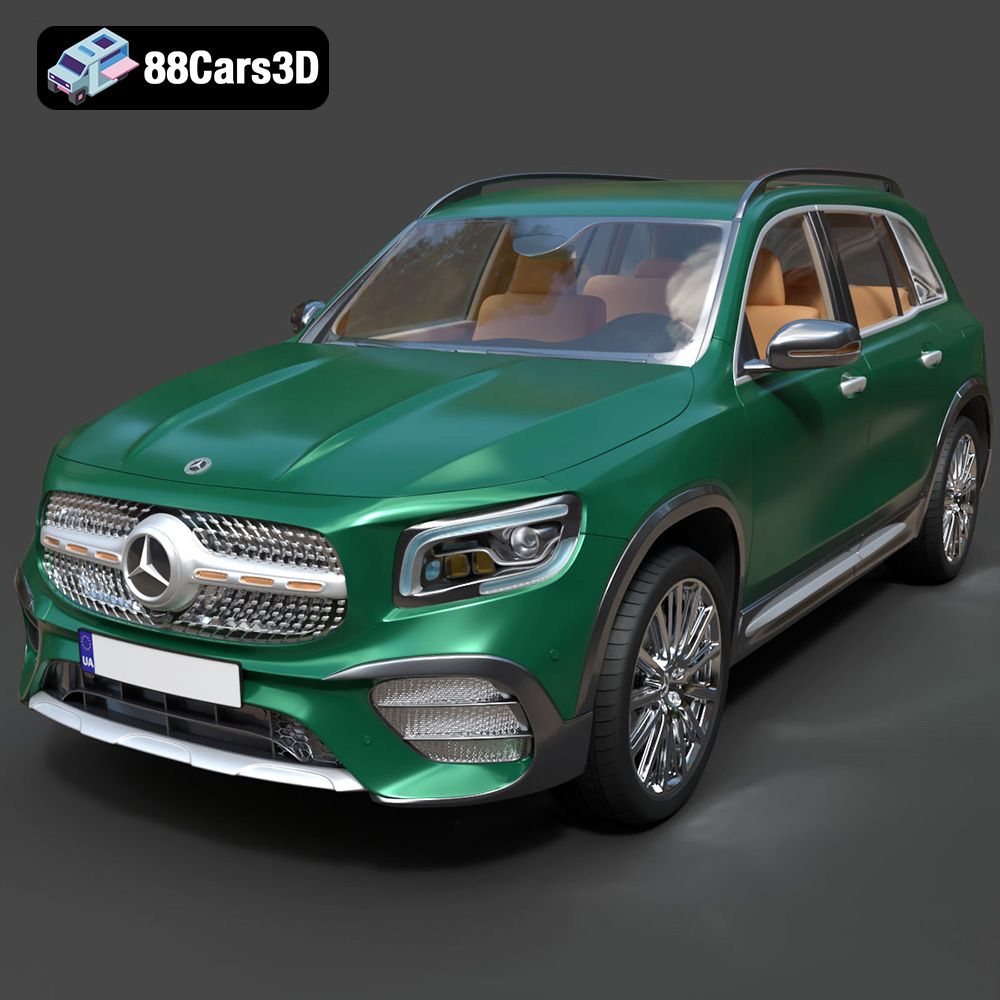
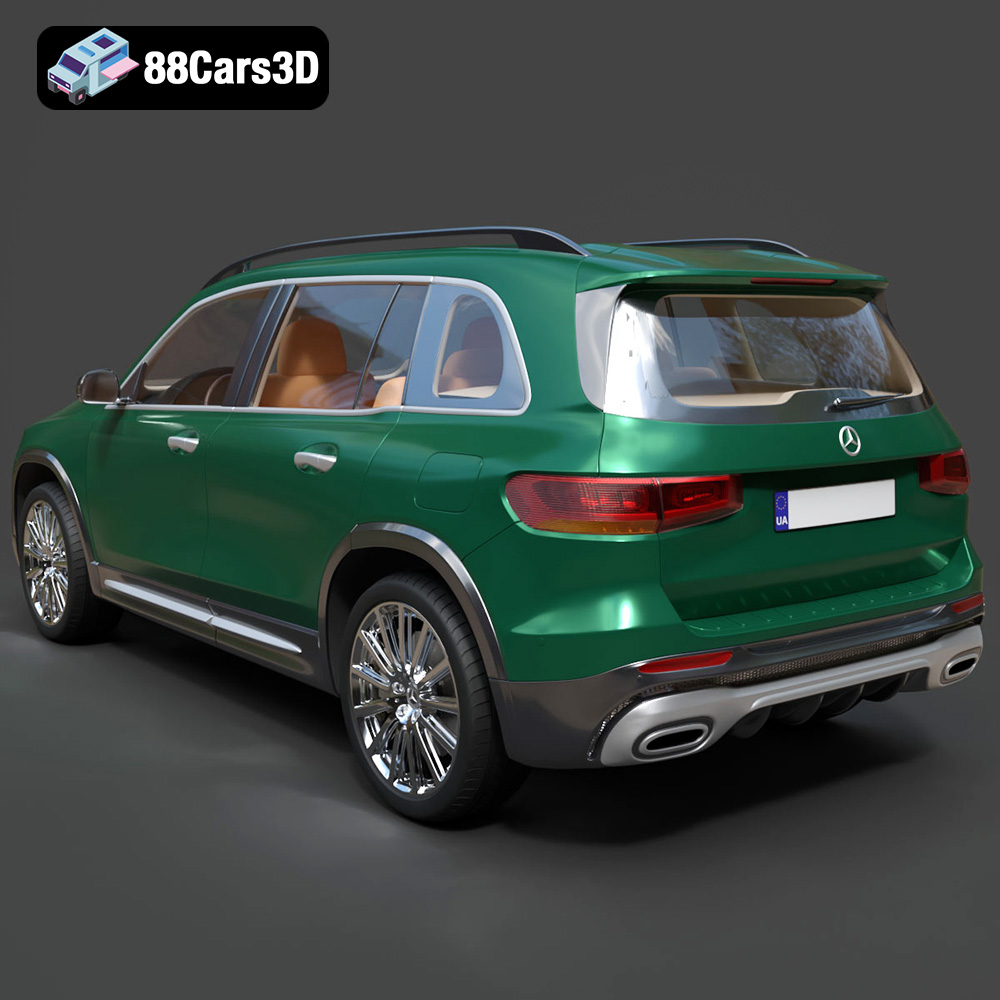
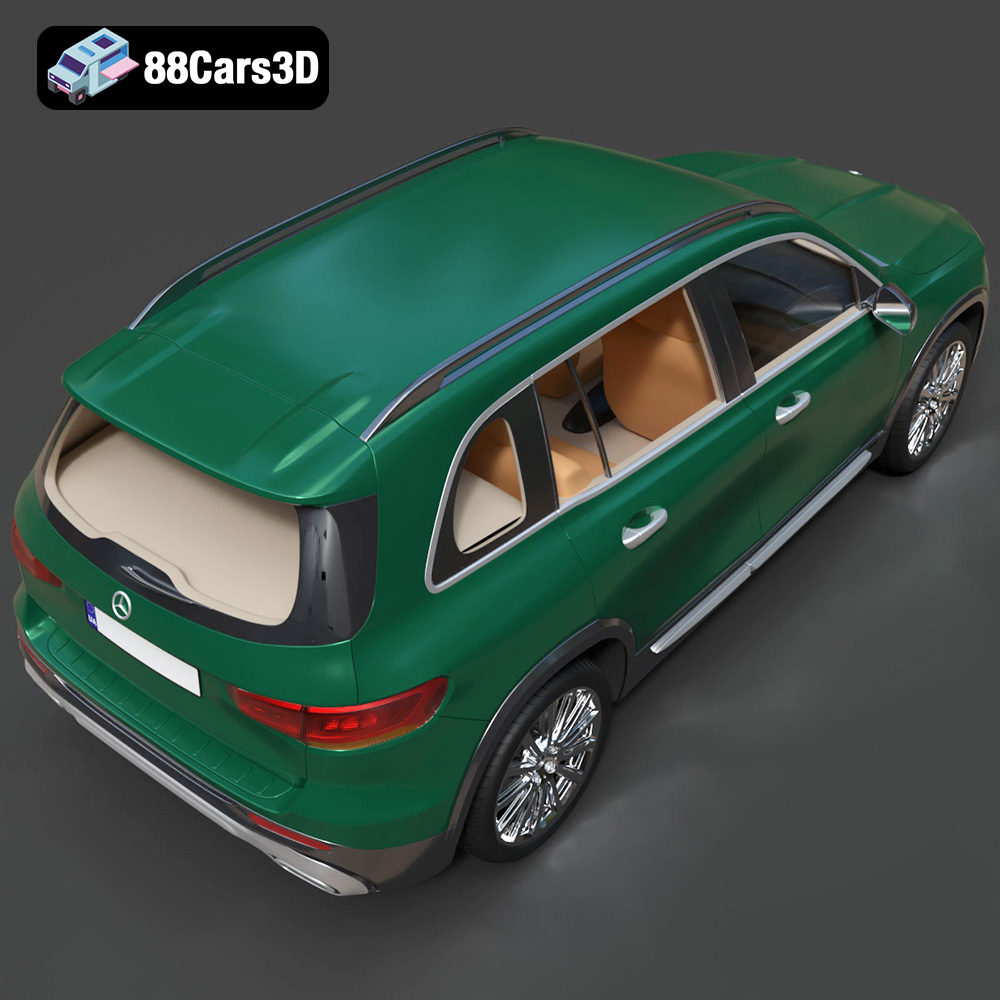
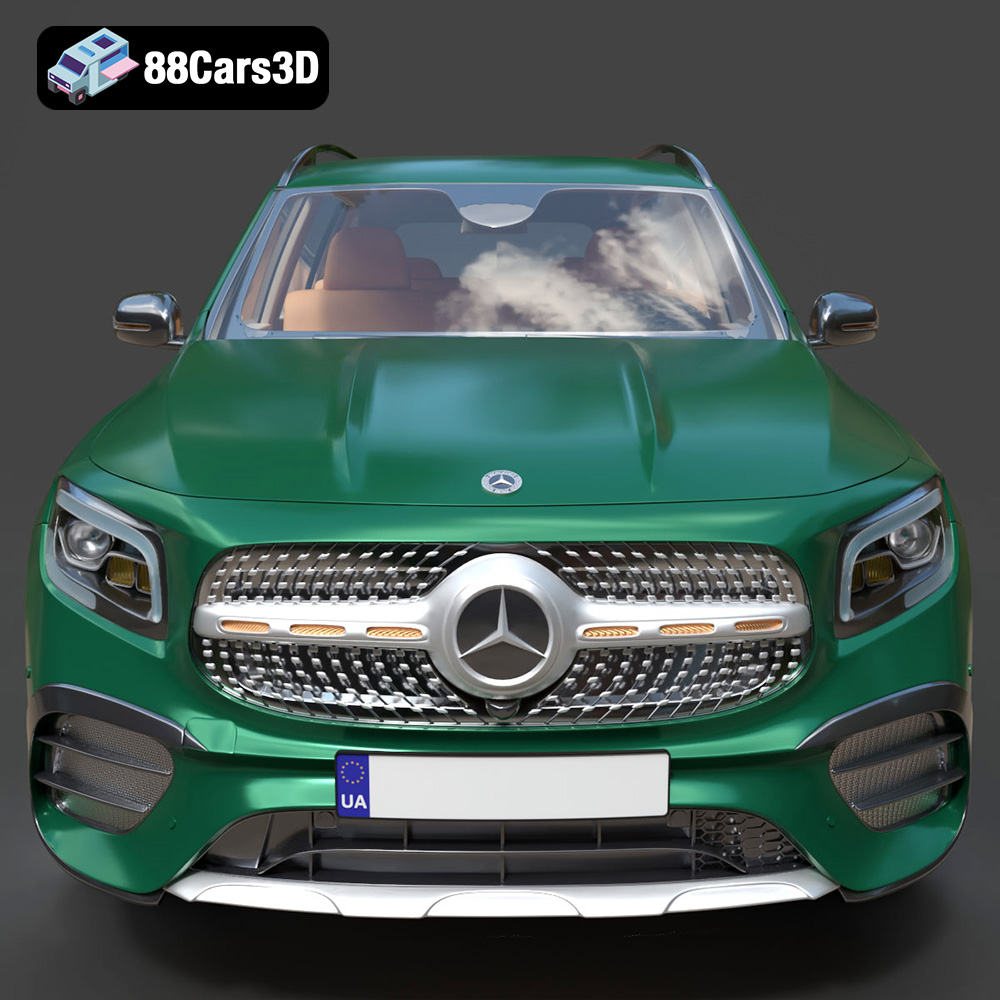
The Mercedes-Benz GLB-Class AMG Line 2019 is a striking vehicle, blending the practicality of a compact SUV with the sporty flair of the AMG Line. Now, thanks to 88cars3d.com, you can bring this iconic vehicle to life in miniature form through the magic of 3D printing. This comprehensive guide will walk you through the process of successfully 3D printing the Mercedes-Benz GLB-Class AMG Line model, covering everything from pre-print preparation to post-processing techniques. Whether you’re a seasoned 3D printing enthusiast or a beginner, this guide will provide you with the knowledge and skills necessary to create a stunning replica.
Before diving into the specifics of printing the Mercedes-Benz GLB-Class AMG Line, it’s crucial to understand the various 3D model file formats available and their implications for 3D printing. The model from 88cars3d.com is supplied in several formats, each with its strengths and weaknesses.
The STL (stereolithography) file format is the workhorse of 3D printing. It represents the surface geometry of a 3D object as a collection of triangles. This simplicity is its strength, making it universally compatible with virtually all slicing software and 3D printers. However, STL files only contain information about the shape of the object; they do not store color, texture, or material properties. When working with STL files, remember that the resolution of the triangles directly affects the smoothness of the printed object. A higher triangle count results in a smoother surface but also a larger file size and potentially longer processing times. For the GLB-Class AMG Line, ensure the STL file used has sufficient resolution to capture the vehicle’s details, especially the intricate AMG Line styling.
The OBJ file format is more versatile than STL, as it can store color and texture information in addition to the geometric data. This is particularly useful if you intend to paint the printed model, as the OBJ file can serve as a reference for applying colors and details accurately. While OBJ files are widely supported, they can be more complex to process than STL files, especially when dealing with intricate textures.
The PLY (Polygon File Format or Stanford Triangle Format) is another format capable of storing color and texture data. It’s often used for high-resolution scans and models where accuracy and detail are paramount. PLY files can represent data in various ways, including point clouds and polygonal meshes.
The .blend file format is specific to Blender, a popular open-source 3D modeling software. This format is incredibly valuable if you want to modify the model before printing. You can use Blender to make adjustments to the geometry, add details, or even split the model into separate parts for easier printing and assembly. However, you will need Blender installed on your computer to utilize this format.
The FBX (Filmbox) format is a proprietary file format developed by Autodesk, commonly used in animation and game development. It supports complex scenes with multiple objects, textures, and animations. While not directly used for 3D printing, FBX can be imported into some slicing software, potentially preserving material assignments for visual reference during the printing process.
GLB is a binary file format representing 3D models, often used for augmented reality (AR) applications. It’s a self-contained format that includes the model’s geometry, textures, and animations in a single file. You can use GLB files to preview the Mercedes-Benz GLB-Class AMG Line in an AR environment before committing to printing it. This allows you to assess the size and appearance of the model in a real-world setting.
Similar to .blend, .max files are specific to Autodesk 3ds Max. This format gives advanced users the option to tweak the model using professional-grade CAD software.
For 3D printing the Mercedes-Benz GLB-Class AMG Line, the STL format is generally the best choice. Its simplicity and widespread compatibility make it the most reliable option. Before printing, always inspect the STL file in a mesh editing program like Meshmixer to ensure there are no errors or issues that could affect the print quality. Check for non-manifold edges, holes, and self-intersecting faces, and repair them as needed. The model sold on 88cars3d.com is already optimized to minimize such issues, but it’s always good to double-check.
Before sending the Mercedes-Benz GLB-Class AMG Line model to your 3D printer, you need to prepare it using slicing software. This software converts the 3D model into a series of layers that the printer can understand. Popular slicing software options include Cura, Simplify3D, PrusaSlicer, and IdeaMaker.
The optimal settings for your slicing software will depend on your printer, material, and desired print quality. Here are some general guidelines:
* **Layer Height:** A layer height of 0.04–0.12 mm is recommended for this model to capture the fine details of the AMG Line. Lower layer heights will result in smoother surfaces but will also increase print time.
* **Infill Density:** An infill density of 20-30% provides a good balance between strength and material usage. For purely aesthetic models, you can reduce the infill density to save material.
* **Wall Thickness:** A wall thickness of 1.2–2.0 mm is recommended to ensure the model has sufficient strength and rigidity.
* **Supports:** The Mercedes-Benz GLB-Class AMG Line model will require supports for overhanging features such as the exhaust, mirrors, and steering wheel. Experiment with different support types and densities to find the optimal balance between support strength and ease of removal. Tree supports are often a good choice for complex geometries.
* **Print Speed:** A print speed of 40-60 mm/s is generally recommended for PLA. You may need to adjust the speed depending on the material and your printer’s capabilities.
* **Bed Adhesion:** Ensure good bed adhesion to prevent warping. Using a heated bed, applying a layer of glue stick, or using a brim can all help improve adhesion.
The orientation of the model on the print bed can significantly affect the print quality and the amount of support material required. Consider the following:
* **Frame:** Printing the frame at an angle (e.g., 45 degrees) can improve its structural integrity and reduce the need for supports on the roof and hood.
* **Wheels:** Print the wheels separately to ensure a clean finish and allow for easy painting and assembly. Orient the wheels so that the outer face is facing upwards to minimize the need for supports.
The choice of material significantly impacts the final look, feel, and durability of your 3D printed Mercedes-Benz GLB-Class AMG Line model. Here are some popular options:
PLA is a biodegradable thermoplastic polymer derived from renewable resources like corn starch or sugarcane. It is one of the easiest materials to print with, making it a popular choice for beginners. PLA offers good detail resolution and comes in a wide range of colors. However, PLA is not very heat resistant and can become brittle over time.
* **Pros:** Easy to print, good detail resolution, wide range of colors.
* **Cons:** Low heat resistance, can be brittle.
* **Recommended Settings:** Nozzle temperature: 200-220°C, Bed temperature: 60°C
PETG is a glycol-modified version of PET (the plastic used in water bottles). It offers a good balance of strength, flexibility, and heat resistance. PETG is also more resistant to moisture and chemicals than PLA. It can be slightly more challenging to print with than PLA, requiring careful temperature and speed adjustments.
* **Pros:** Strong, flexible, good heat resistance, moisture resistant.
* **Cons:** Can be stringy, requires careful temperature control.
* **Recommended Settings:** Nozzle temperature: 230-250°C, Bed temperature: 70-80°C
Resin printing (using SLA or DLP technology) offers the highest level of detail and surface finish. Resin printers use liquid photopolymer resins that are cured by UV light. Resin-printed parts are typically more brittle than FDM-printed parts and require careful post-processing, including washing and curing. Resin is the preferred material for achieving the finest details of the GLB-Class AMG Line.
* **Pros:** Excellent detail, smooth surface finish.
* **Cons:** Brittle, requires post-processing, more expensive than FDM printing.
* **Recommended Settings:** Refer to the resin manufacturer’s recommendations for layer height, exposure time, and other settings.
Once the print is complete, post-processing is essential to achieve a polished, professional-looking finish.
Carefully remove the support structures from the printed model. Use a sharp hobby knife or pliers to avoid damaging the surface. Sand the model with progressively finer grits of sandpaper to smooth out any imperfections and layer lines. Start with a coarse grit (e.g., 220) and gradually move to finer grits (e.g., 400, 600, 800) for a smooth finish.
Apply a primer coat to the sanded model to create a uniform surface for painting. Choose a primer that is compatible with the material you used for printing. After the primer has dried, apply several thin coats of paint, allowing each coat to dry completely before applying the next. Use high-quality model paints for the best results. Consider using an airbrush for a smoother, more even finish. For the Mercedes-Benz GLB-Class AMG Line, research the authentic factory colors (e.g., Mountain Grey, Cosmos Black) to achieve a realistic look. Metallic finishes can add a touch of realism.
If you printed the wheels and other components separately, carefully assemble them using glue or other appropriate adhesives. Ensure that the wheels rotate freely and that all parts are securely attached.
Even with careful preparation, you may encounter some common 3D printing issues. Here are some troubleshooting tips:
* **Warping:** Warping occurs when the printed part lifts off the print bed. To prevent warping, ensure good bed adhesion by using a heated bed, applying glue stick, or using a brim. You can also try reducing the print speed and increasing the bed temperature.
* **Stringing:** Stringing occurs when small strands of plastic are left between different parts of the print. To prevent stringing, reduce the nozzle temperature, increase the retraction distance, and decrease the print speed.
* **Layer Shifting:** Layer shifting occurs when the printer suddenly shifts to a different position. To prevent layer shifting, ensure that the belts are properly tightened and that the printer is placed on a stable surface.
* **Under-Extrusion:** Under-extrusion occurs when the printer doesn’t extrude enough plastic. To fix under-extrusion, increase the nozzle temperature, increase the flow rate, and ensure that the filament is not tangled.
* **Over-Extrusion:** Over-extrusion occurs when the printer extrudes too much plastic. To fix over-extrusion, decrease the nozzle temperature, decrease the flow rate, and ensure that the filament diameter is set correctly in your slicing software.
The print time and material cost will vary depending on the size of the model, the layer height, the infill density, and the material used. As a rough estimate, printing the Mercedes-Benz GLB-Class AMG Line model at a 1:24 scale with PLA could take 12-24 hours and use 100-200 grams of filament. Printing with resin will likely take a similar amount of time, with the wash and cure post-processing adding a few additional hours. Visit 88cars3d.com for more high-quality 3D car models.
Experience the perfect blend of rugged versatility and premium luxury with our meticulous 3D model of the Mercedes-Benz GLB-Class (Mk1) AMG Line 2019. This compact crossover SUV stands out with its distinctive boxy silhouette, commanding stance, and aggressive AMG Line styling cues. Perfect for urban racing games, luxury vehicle configurators, architectural visualizations, and mobile AR experiences, and display-scale hobbyists!
$39.99
3D printing the Mercedes-Benz GLB-Class AMG Line 2019 model is a rewarding project that allows you to create a stunning replica of this iconic vehicle. By following the steps outlined in this guide, you can ensure a successful print and achieve a professional-looking finish. Remember to choose the right material, optimize your slicing software settings, and carefully post-process the printed model. With a little patience and attention to detail, you’ll have a beautiful 3D printed Mercedes-Benz GLB-Class AMG Line model to display and enjoy!
.2019
.blend
.fbx
.glb
.luxury suv
.max
.obj
.ply
.rendering
.stl
.unreal
amg-line
car-3d-model
compact-suv
game asset
game-ready
glb-class
low-poly
mercedes-benz
optimized
VR/AR