Get 20% OFF All Premium 3D & STL Models!

“`html
The allure of owning a meticulously crafted car model is undeniable, especially for automotive enthusiasts. Thanks to advancements in 3D printing technology, this dream is now within reach. But transforming a digital STL file into a tangible, realistic car model requires a blend of technical understanding, careful preparation, and a touch of artistry. This comprehensive guide will walk you through the entire process, from understanding STL file structure to post-processing techniques, enabling you to create stunningly detailed 3D printed car models.
We’ll delve into the intricacies of STL files, explore essential 3D printer settings, master slicing techniques for optimal results, learn how to generate and remove support structures effectively, and discover how to fine-tune your post-processing workflow. Whether you’re a seasoned 3D printing expert or just starting your journey, this guide will provide the knowledge and techniques to achieve exceptional results. Platforms like 88cars3d.com offer print-ready STL files designed specifically for this purpose, making the process even more accessible. Let’s dive in!
The STL (Stereolithography) file format is the backbone of 3D printing. It represents the surface geometry of a 3D object using a collection of triangles. Understanding its structure and limitations is crucial for successful 3D printing, particularly when dealing with complex geometries like those found in car models.
An STL file essentially contains a list of triangles, each defined by its three vertices (coordinates in 3D space) and a normal vector indicating its outward direction. The density of these triangles determines the level of detail in the model. A higher triangle count results in a smoother surface but also a larger file size and potentially longer processing times. Mesh topology refers to how these triangles are connected. Ideally, the mesh should be “manifold,” meaning it’s a closed, continuous surface without any holes, self-intersections, or non-manifold edges (edges shared by more than two triangles). Non-manifold meshes can cause significant issues during slicing and printing, leading to errors or incomplete models. For realistic car models, paying close attention to mesh quality in the STL file is paramount. When downloading models from marketplaces such as 88cars3d.com, you can generally expect a high level of mesh integrity, but it’s always wise to visually inspect the model before printing.
Despite being a widely used format, STL files can often contain errors that hinder successful printing. Common issues include holes in the mesh, inverted normals (triangles facing the wrong way), degenerate triangles (triangles with zero area), and overlapping triangles. These errors can arise during the model creation process or during file conversion. Fortunately, several software tools are available to repair these issues. Netfabb is a powerful and widely used software for mesh repair, offering automated and manual tools to fix a variety of STL errors. Meshmixer is another excellent free option, providing tools for filling holes, simplifying meshes, and reorienting normals. The repair process typically involves identifying problematic areas, automatically fixing common errors, and then manually inspecting the mesh to ensure everything is clean and manifold. Ignoring these issues can lead to print failures, so mesh repair should be a standard part of your workflow.
The settings you choose for your 3D printer directly impact the final quality and detail of your car model. Fine-tuning these parameters is essential for achieving realistic results. The optimal settings depend on the type of printer you’re using (FDM or resin), the material, and the desired level of detail.
Layer height is a crucial parameter that determines the resolution and print time. A smaller layer height (e.g., 0.1mm or less) results in smoother surfaces and finer details, making it ideal for capturing the curves and contours of a car model. However, it also significantly increases the print time. A larger layer height (e.g., 0.2mm or higher) reduces print time but sacrifices detail and surface finish, leading to visible layer lines. Finding the right balance is key. For example, on an FDM printer using PLA, a layer height of 0.12mm to 0.16mm often provides a good compromise between detail and print speed. On a resin printer, you can achieve even finer details with layer heights of 0.025mm to 0.05mm. Experimentation is essential to determine the optimal layer height for your specific printer and material. Consider printing test models with varying layer heights to visually assess the impact on surface quality and detail.
Infill is the internal structure of the 3D printed object. While the outer shell determines the surface appearance, the infill provides strength and rigidity. For car models, which are often primarily for display, a lower infill percentage (e.g., 10-20%) is usually sufficient, saving material and print time. However, for larger or more functional models, a higher infill percentage (e.g., 30-50%) may be necessary to prevent warping or cracking. Different infill patterns offer varying levels of strength and material usage. Common patterns include rectilinear, grid, honeycomb, and gyroid. Gyroid infill, while computationally intensive, provides excellent strength in all directions with minimal material. Experiment with different patterns and densities to find the optimal balance between strength, weight, and print time for your specific model. For example, for a small-scale car model designed for display, a 15% rectilinear infill might be adequate. For a larger, more robust model, a 30% honeycomb infill could provide better support.
Slicing is the process of converting a 3D model into a series of layers that the 3D printer can understand and execute. The slicing software (e.g., Cura, PrusaSlicer) generates the toolpaths that the printer follows to deposit material layer by layer. Mastering slicing techniques is crucial for achieving optimal print quality.
Support structures are necessary for printing overhanging features and bridging gaps in the model. Without supports, these features would simply collapse during printing. Generating effective support structures is both an art and a science. You need enough support to ensure stability, but not so much that it’s difficult to remove or leaves behind unsightly marks on the finished model. Slicing software offers various support generation options, including tree supports, linear supports, and hybrid supports. Tree supports are often preferred for complex geometries as they use less material and are easier to remove. Consider the angle of overhangs when deciding where to place supports. Angles greater than 45 degrees typically require support. After printing, carefully remove the supports using tools like pliers, tweezers, and hobby knives. Take your time and avoid damaging the model. Post-processing techniques like sanding can help smooth out any imperfections left behind by the support structures. For materials like PLA, dissolving supports in water (using specialized support materials) can be a very effective and clean method.
The orientation of your car model on the print bed can significantly impact the print quality, the amount of support needed, and the overall success of the print. Consider orienting the model to minimize overhangs and maximize bed adhesion. Placing the largest, flattest surface on the print bed is generally recommended for optimal adhesion. However, this may not always be the best option for minimizing support requirements. Experiment with different orientations to find the sweet spot. Bed adhesion is crucial for preventing warping and ensuring that the model stays firmly attached to the print bed throughout the printing process. Common bed adhesion techniques include using a heated bed, applying adhesive solutions like glue stick or hairspray, and using a brim or raft. A brim is a single-layer outline around the base of the model that increases the surface area in contact with the bed. A raft is a multi-layer platform that provides a stable base for printing. The choice of technique depends on the material and the size of the model. For example, ABS often requires a heated bed and a brim to prevent warping, while PLA can often be printed successfully with just a heated bed and a thin layer of glue stick.
The choice of material is a critical factor that influences the appearance, strength, and durability of your 3D printed car model. Different materials offer distinct advantages and disadvantages, making it essential to select the right one for your specific needs.
FDM (Fused Deposition Modeling) printers use a variety of thermoplastic filaments, with PLA, PETG, and ABS being the most common. PLA (Polylactic Acid) is a biodegradable thermoplastic derived from renewable resources. It’s easy to print with, doesn’t require a heated bed (though it’s recommended), and produces minimal odors. PLA is a good choice for beginners and for models that don’t need to withstand high temperatures or stress. PETG (Polyethylene Terephthalate Glycol) offers a good balance of strength, flexibility, and ease of printing. It’s more durable than PLA and has better temperature resistance. PETG is a versatile material suitable for a wide range of applications. ABS (Acrylonitrile Butadiene Styrene) is a strong, durable, and heat-resistant thermoplastic. It’s commonly used in automotive parts and other demanding applications. However, ABS is more challenging to print with than PLA or PETG, requiring a heated bed and an enclosure to prevent warping and cracking. It also emits strong odors during printing. For realistic car models, PETG might be a good choice, balancing ease of use and durability.
Resin printers (SLA, DLP, and MSLA) use liquid resins that are cured by UV light. Resin printing offers significantly higher resolution and detail than FDM printing, making it ideal for intricate car models. SLA (Stereolithography) uses a laser to selectively cure the resin. DLP (Digital Light Processing) uses a projector to cure an entire layer at once. MSLA (Masked Stereolithography) uses an LCD screen to mask the UV light, allowing for faster printing and higher precision. Resins come in a variety of formulations, including standard resins, tough resins, flexible resins, and castable resins. Standard resins are suitable for general-purpose printing. Tough resins offer increased strength and impact resistance. Flexible resins allow for bending and flexing. Castable resins are designed for creating molds for metal casting. Resin printing requires careful post-processing, including washing the printed parts in isopropyl alcohol (IPA) to remove uncured resin and curing them under UV light to fully harden the material. Resin printed models are often more brittle than FDM printed models and may not be suitable for functional parts that experience high stress. However, the superior detail and surface finish make resin printing an excellent choice for creating highly realistic car models.
Post-processing is the final stage in the 3D printing process, where you refine the printed model to achieve a polished and professional finish. This often involves removing support structures, sanding, filling imperfections, and painting.
Sanding is essential for removing layer lines and smoothing out the surface of the 3D printed car model. Start with coarse sandpaper (e.g., 220 grit) to remove larger imperfections and then gradually move to finer grits (e.g., 400, 600, 800, 1000 grit) to achieve a smooth finish. Wet sanding (using water with the sandpaper) can help prevent clogging and produce a smoother surface. For deeper imperfections or gaps left by support structures, use a filler like Bondo or spot putty. Apply the filler in thin layers, allow it to dry completely, and then sand it smooth. Priming is crucial for creating a uniform surface for painting. Apply several thin coats of primer, allowing each coat to dry completely before applying the next. Sand the primer lightly with fine-grit sandpaper between coats to remove any imperfections. Choose a primer that is compatible with your chosen paint. For example, an automotive-grade primer is often a good choice for car models.
Painting is where your car model truly comes to life. Use high-quality paints designed for model making or automotive applications. Airbrushing is the preferred method for achieving a smooth, even finish, but you can also use spray cans or even hand-painting for smaller details. Apply multiple thin coats of paint, allowing each coat to dry completely before applying the next. Masking is essential for creating clean lines and separating different colors. Use masking tape or liquid masking fluid to protect areas that you don’t want to paint. Detailing can further enhance the realism of your car model. Use fine-tipped brushes to add details like panel lines, rivets, and emblems. Consider using weathering techniques like washes and dry brushing to create a more realistic and aged appearance. Clear coating is the final step in the painting process. Apply several thin coats of clear coat to protect the paint and give the model a glossy finish. Allow the clear coat to dry completely before handling the model. Polishing the clear coat can further enhance the gloss and remove any imperfections.
Creating realistic 3D printed car models from STL files is a rewarding and challenging endeavor. By understanding the nuances of STL file structure, optimizing 3D printer settings, mastering slicing techniques, selecting appropriate materials, and employing effective post-processing methods, you can achieve stunning results. Remember to experiment with different settings and techniques to find what works best for your printer and material. Pay close attention to detail and take your time to ensure a high-quality finish. Resources like 88cars3d.com provide access to a wide selection of high-quality STL files, making it easier than ever to bring your dream car models to life.
The journey of transforming a digital file into a tangible, realistic car model is a testament to the power of 3D printing. So, download your favorite STL file, fire up your 3D printer, and embark on this exciting creative adventure. The world of automotive modeling awaits!
“`

Texture: Yes | Material: Yes
Download the highly detailed, game-ready Toyota Camry 2018 3D Model. Features an aggressive aerodynamic body, distinct LED lighting signature, and precise interior detailing. Includes .blend, .fbx, .obj, .glb, .stl, .ply, .unreal, and .max formats for game development, AR/VR, and rendering.
Price: $19.99
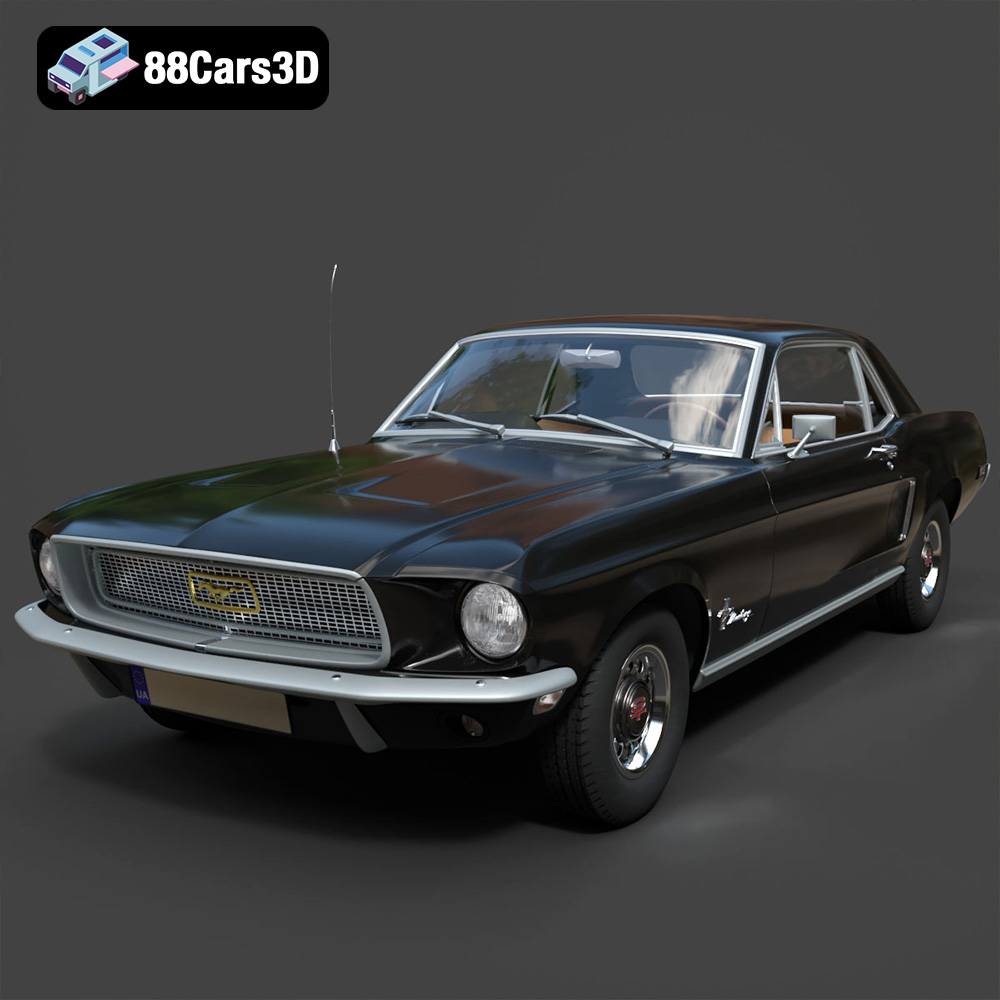
Texture: Yes | Material: Yes
Download the highly detailed, game-ready Ford Mustang Hardtop 1968 3D Model. Features the iconic galloping pony grille, signature tri-bar taillights, and an authentic vintage interior. Includes .blend, .fbx, .obj, .glb, .stl, .ply, .unreal, and .max formats for game development, AR/VR, and rendering.
Price: $19.99
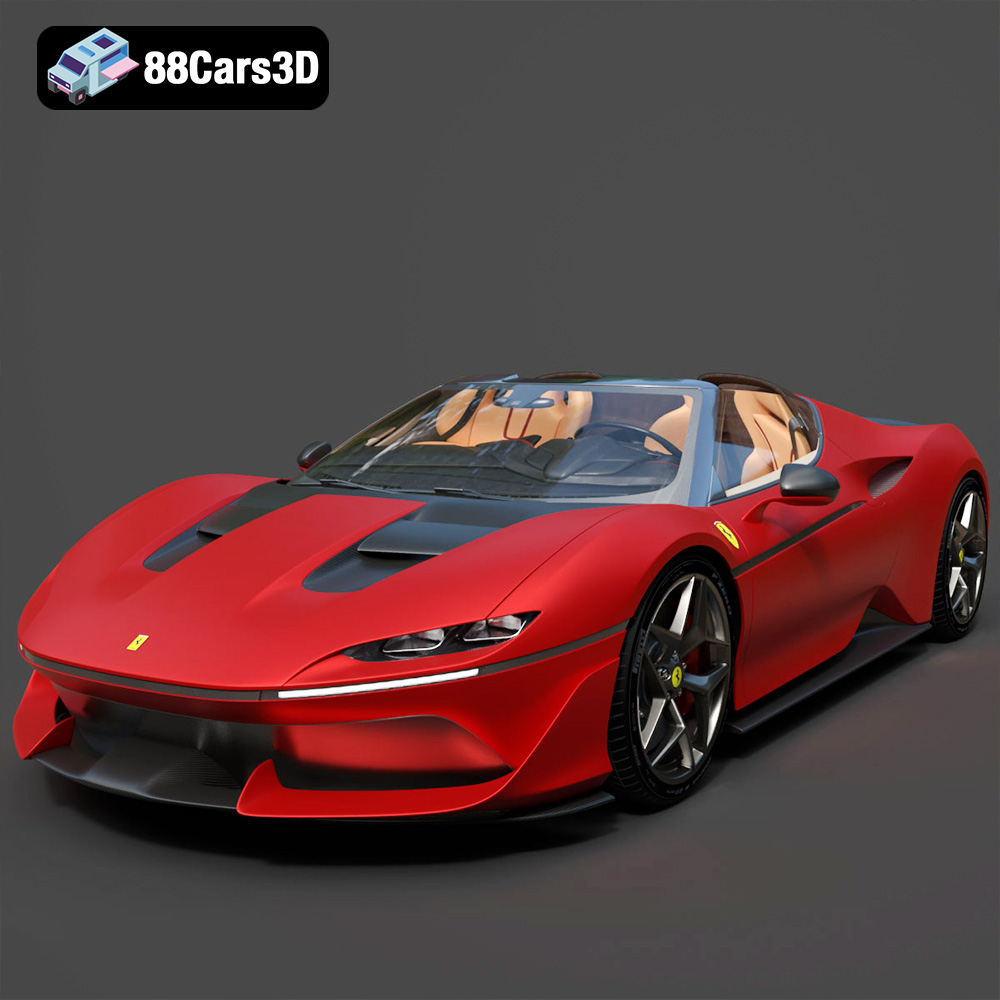
Texture: Yes | Material: Yes
Download the highly detailed, game-ready Ferrari J50 2017 3D Model. Features aggressive aerodynamic styling, twin-turbo V8 engine details, and targa top design. Includes .blend, .fbx, .obj, .glb, .stl, .ply, .unreal, and .max formats for game development, AR/VR, and rendering.
Price: $19.99
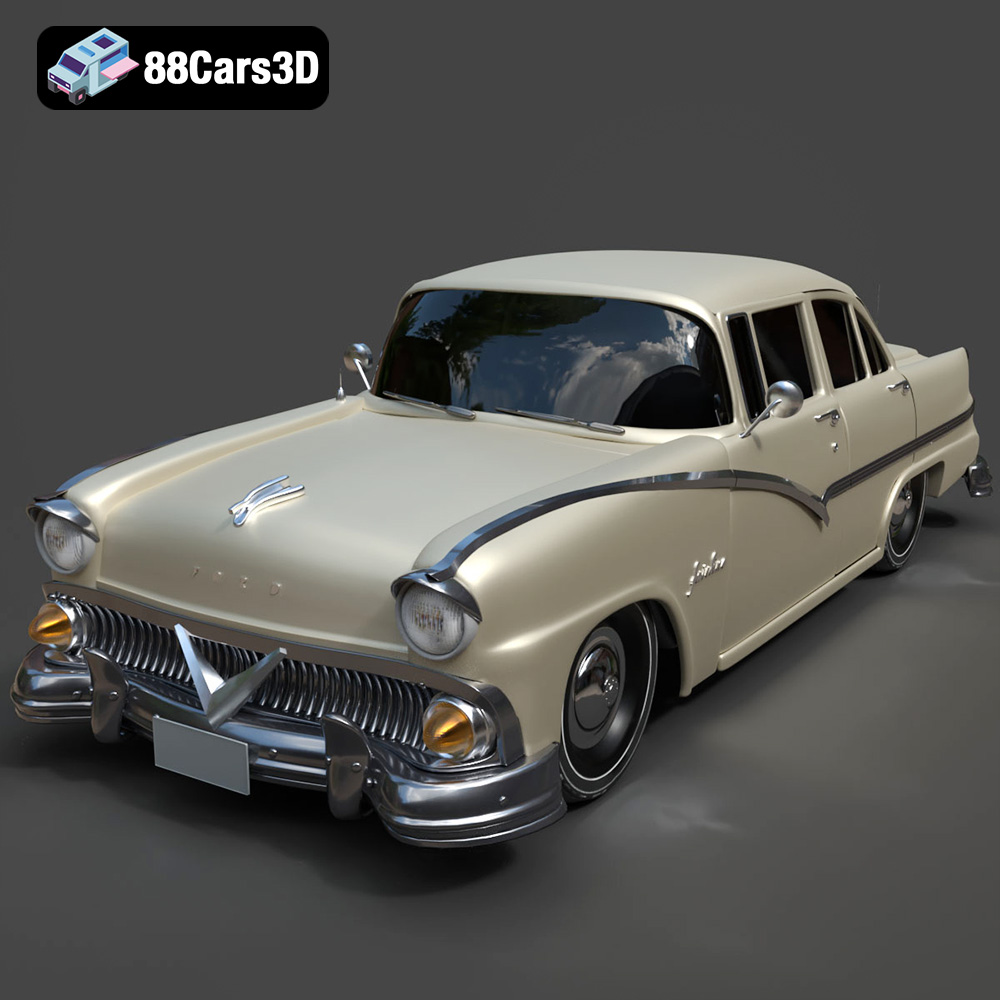
Texture: Yes | Material: Yes
Download the highly detailed, game-ready Ford Fairlin 3D Model. Features iconic classic styling, sweeping bodylines, and an accurate vintage interior. Includes .blend, .fbx, .obj, .glb, .stl, .ply, .unreal, and .max formats for game development, AR/VR, and rendering.
Price: $19.99
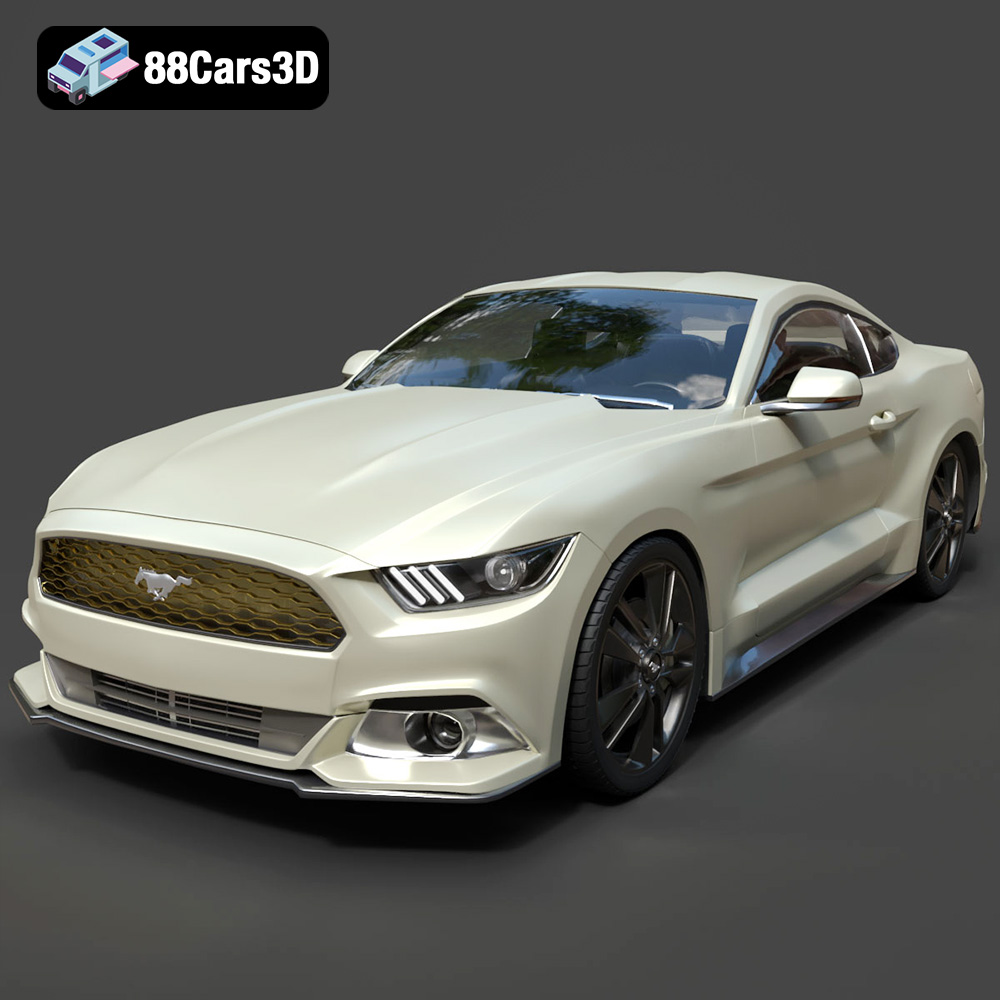
Texture: Yes | Material: Yes
Download the highly detailed, game-ready Ford Mustang GT 3D Model. Features aggressive muscle car styling, a highly detailed V8 engine bay, and accurate interior cockpit. Includes .blend, .fbx, .obj, .glb, .stl, .ply, .unreal, and .max formats for game development, AR/VR, and rendering.
Price: $19.99

Texture: Yes | Material: Yes
Download the highly detailed, game-ready Renault Megane CC 2011 3D Model. Features an accurately modeled folding glass roof, sleek aerodynamic body lines, and a detailed interior. Includes .blend, .fbx, .obj, .glb, .stl, .ply, .unreal, and .max formats for game development, AR/VR, and rendering.
Price: $19.99

Texture: Yes | Material: Yes
Download the highly detailed, game-ready Ford GT 2005 3D Model. Features signature aerodynamic bodylines, mid-mounted supercharged V8 detailing, and iconic racing stripes. Includes .blend, .fbx, .obj, .glb, .stl, .ply, .unreal, and .max formats for game development, AR/VR, and rendering.
Price: $19.99

Texture: Yes | Material: Yes
Download the highly detailed, game-ready Yamaha YZF-R125 EU 3D Model. Features an aggressive aerodynamic fairing, twin LED headlights, and a detailed 125cc engine block. Includes .blend, .fbx, .obj, .glb, .stl, .ply, .unreal, and .max formats for game development, AR/VR, and rendering.
Price: $19.99

Texture: Yes | Material: Yes
Download the highly detailed, game-ready Yamaha R1 3D Model. Features aggressive aerodynamic fairings, a detailed crossplane inline-4 engine, and track-focused suspension geometry. Includes .blend, .fbx, .obj, .glb, .stl, .ply, .unreal, and .max formats for game development, AR/VR, and rendering.
Price: $19.99

Texture: Yes | Material: Yes
Download the highly detailed, game-ready Yamaha XV950 Racer 3D Model. Features an aggressive cafe-racer front cowl, detailed air-cooled V-twin engine, and classic retro styling. Includes .blend, .fbx, .obj, .glb, .stl, .ply, .unreal, and .max formats for game development, AR/VR, and rendering.
Price: $19.99

