Get 20% OFF All Premium 3D & STL Models!

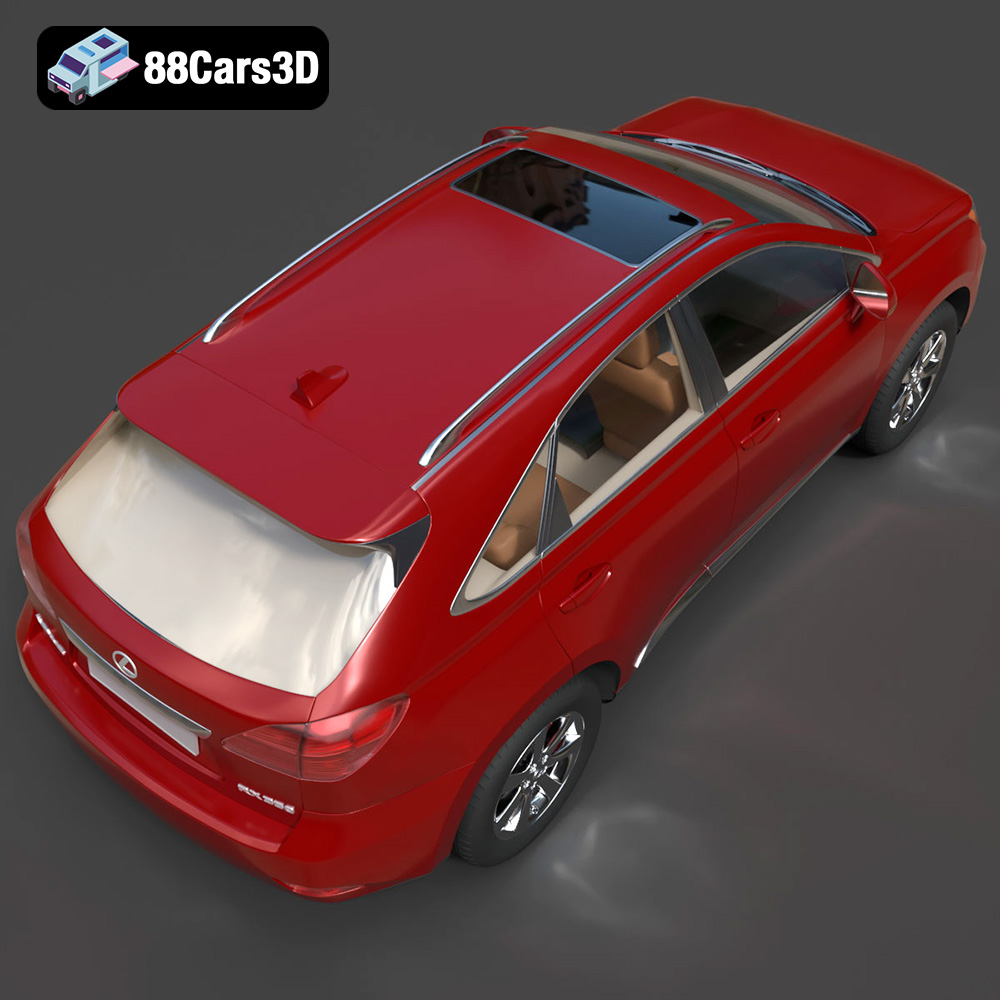
The Lexus RX350 2010, a hallmark of luxury crossover SUVs, is now within reach for 3D printing enthusiasts. Thanks to meticulously crafted 3D models available at platforms like 88cars3d.com, you can bring this elegant vehicle to life in miniature. This guide provides a deep dive into the process of 3D printing the Lexus RX350 2010 model, covering everything from initial file preparation to the final finishing touches. We’ll explore recommended settings, materials, and techniques to achieve a stunningly accurate and detailed replica.
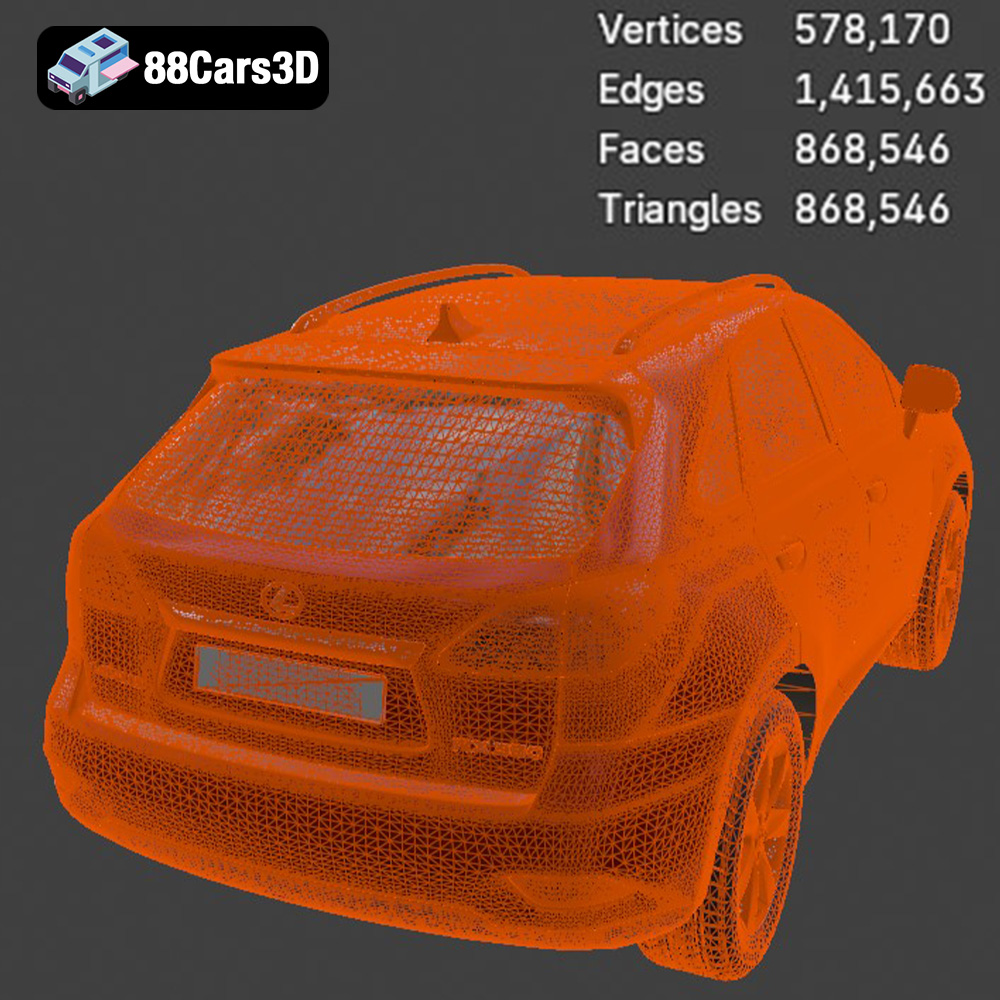
Before diving into the printing process, let’s understand the key features of this 3D model. According to 88cars3d.com, the model is designed with approximately 200k triangles, striking a balance between high visual fidelity and optimized performance for real-time applications like game development and AR/VR experiences. However, for 3D printing, these details translate to a highly intricate model that requires careful preparation and printing techniques.
The model boasts a wealth of detail, including an accurate frame geometry, a detailed V6 engine bay representation, integrated dual exhaust outlets, accurately modeled headlamps and taillights, detailed alloy wheels, and an accurate independent suspension layout. The interior features plush leather-appointed seating details, a multifunction steering wheel, a detailed instrument cluster, and an accurate center console. All of these elements must be carefully considered when planning your 3D print.
Choosing the right file format is critical for successful 3D printing. The Lexus RX350 2010 3D model is available in multiple formats, but not all are equally suited for additive manufacturing. Here’s a breakdown:
The .stl (Stereolithography) format is the workhorse of 3D printing. It represents the 3D model’s surface geometry as a collection of triangles. This simplicity makes it universally compatible with slicing software and 3D printers. However, .stl files only contain mesh data; they don’t store information about color, texture, or materials. This means your 3D printed Lexus RX350 2010 model will be a single color unless you post-process it with paint or other finishing techniques. The quality of an STL file depends heavily on the number of triangles used to represent the model. Too few triangles and the model will appear faceted and blocky. Too many and the file size becomes unnecessarily large, potentially slowing down slicing and printing.
For the Lexus RX350 2010, ensure that the STL file you use has sufficient resolution to capture the fine details, especially the intricate features of the wheels, grilles, and interior components. If you notice faceting in your slicing software, you may need to increase the resolution of the STL file (if possible) before printing. STL is the primary format for 3D printing due to its widespread support and simplicity.
The .obj (Wavefront Object) format is a more versatile format than .stl, as it can store information about color, texture, and material properties. This is particularly useful if you want to print a multi-colored model. However, .obj files are not as universally supported by slicing software as .stl files, and they can be more complex to work with.
The .ply (Polygon File Format) is designed for storing 3D data acquired from 3D scanners. It supports color information and is known for its ability to represent complex geometries with high precision. While less common than .stl or .obj, .ply can be a good option if you require extreme accuracy in your 3D printed Lexus RX350 2010 model.
The .blend format is the native file format for Blender, a popular open-source 3D modeling software. It contains the entire Blender scene, including the model’s geometry, textures, materials, lighting, and animations. While you can’t directly 3D print a .blend file, you can use Blender to modify the model before exporting it to a 3D printable format like .stl. This is extremely useful if you want to customize the Lexus RX350 2010 model, such as adding modifications or simplifying certain parts for easier printing.
The .fbx (Filmbox) format is a proprietary format developed by Autodesk, primarily used for exchanging 3D data between different software applications. It supports a wide range of features, including geometry, textures, materials, animations, and skeletal rigs. While .fbx files are not directly printable, some advanced slicing software can import them and preserve material information, potentially allowing for multi-material printing.
The .glb (GL Transmission Format Binary) is a binary file format that represents 3D models in a compact and efficient way. It’s commonly used for web-based 3D viewing and augmented reality (AR) applications. Before printing, you can use the .glb file to preview the Lexus RX350 2010 model in AR, allowing you to visualize its size and appearance in the real world.
The .max format is the native file format for Autodesk 3ds Max, a professional 3D modeling and animation software. Similar to .blend, .max files contain the entire scene and allow for extensive customization before exporting to a printable format.
**Key Takeaway:** For 3D printing the Lexus RX350 2010 model, **.stl is the recommended format** due to its universal compatibility and simplicity. Ensure that the STL file has sufficient resolution and is free of errors before proceeding to the slicing stage. If you need to customize the model, use the .blend or .max file in Blender or 3ds Max, respectively, and then export it to .stl for printing.
Before sending the Lexus RX350 2010 model to your 3D printer, thorough preparation is essential. This involves using slicing software to convert the 3D model into a set of instructions that the printer can understand.
Several excellent slicing software options are available, each with its strengths and weaknesses. Popular choices include:
* **Cura:** A free and open-source slicer known for its user-friendly interface and extensive customization options.
* **PrusaSlicer:** Another excellent open-source slicer, offering advanced features like variable layer height and adaptive infill.
* **Simplify3D:** A commercial slicer praised for its advanced control over printing parameters and support generation.
For the Lexus RX350 2010, Cura and PrusaSlicer offer a good balance of ease of use and advanced features. Experiment with different slicers to find the one that best suits your needs and printer.
Before slicing, it’s crucial to inspect the STL file for any errors. Common issues include:
* **Non-manifold geometry:** Gaps or holes in the mesh that can cause printing problems.
* **Inverted normals:** Surfaces facing the wrong way, leading to incorrect printing.
* **Self-intersections:** Parts of the model intersecting with themselves, resulting in print failures.
Many slicing software programs have built-in repair tools to automatically fix these issues. Alternatively, you can use dedicated mesh repair software like MeshMixer or Netfabb. Load the Lexus RX350 2010 STL file into your chosen repair tool and run a diagnostic to identify and fix any errors.
Additionally, consider optimizing the model for 3D printing by simplifying complex areas or splitting it into smaller, more manageable parts. This can improve print quality and reduce printing time.
The choice of material significantly impacts the final appearance, strength, and durability of your 3D printed Lexus RX350 2010 model. The following materials are suitable options:
PLA is a biodegradable thermoplastic derived from renewable resources like corn starch or sugarcane. It’s known for its ease of printing, low warping, and wide availability of colors. PLA is an excellent choice for beginners and for printing models that don’t require high heat resistance or impact strength. The various colors available will help in making a stunning, display-ready model.
PETG combines the best properties of PLA and ABS (Acrylonitrile Butadiene Styrene). It’s stronger and more heat-resistant than PLA, while remaining relatively easy to print. PETG is a good option for the Lexus RX350 2010 if you want a more durable model that can withstand higher temperatures.
Resin printing, using technologies like SLA (Stereolithography) or DLP (Digital Light Processing), offers unparalleled detail and surface finish compared to FDM (Fused Deposition Modeling) printing. Resin is ideal for printing the Lexus RX350 2010 if you want to capture the finest details, such as the intricate features of the grille, wheels, and interior. However, resin prints are generally more brittle than FDM prints and require more post-processing, including washing and curing. Resin is also often more expensive per volume than filament like PLA or PETG.
For the Lexus RX350 2010, resin printing is highly recommended, especially for smaller scales (1:24 or smaller), to fully capture the intricate details. If you are printing a larger model or prioritize strength and durability, PETG is a good alternative.
The printer settings you choose will significantly impact the quality and printing time of your Lexus RX350 2010 model. Here are some recommended settings to start with:
Layer height determines the resolution of your print. A lower layer height results in finer details but increases printing time.
* **Resin:** 0.02-0.05 mm (for maximum detail)
* **PLA/PETG:** 0.1-0.2 mm (for a good balance of detail and printing time)
For the Lexus RX350 2010, a layer height of 0.1 mm for PLA/PETG and 0.02-0.03 mm for resin will provide a good balance between detail and printing time.
Infill refers to the internal structure of the printed model. A higher infill percentage increases strength and weight but also increases printing time and material usage.
* **PLA/PETG:** 15-25% (for a lightweight and moderately strong model)
* **Resin:** Typically printed solid, but hollowed models can be used to save resin.
For the Lexus RX350 2010, an infill of 20% should be sufficient for most display purposes.
Supports are necessary to hold up overhanging parts of the model during printing. The Lexus RX350 2010 has several overhanging features, such as the mirrors, exhaust, and undercarriage, which will require supports.
* **PLA/PETG:** Use tree supports or linear supports with a support density of 10-20%.
* **Resin:** Use light supports with a small contact point to minimize scarring.
Carefully consider the placement of supports to minimize their impact on the model’s surface finish.
Orienting the model correctly on the print bed is critical for success. The documentation from 88cars3d.com recommends printing the frame angled for structural integrity and the wheels separately. Experiment with different orientations to find the one that minimizes the need for supports and maximizes print quality.
After printing, the Lexus RX350 2010 model will likely require some post-processing to achieve a finished look.
Carefully remove the supports using pliers or a sharp knife. Sand down any remaining support marks and smooth the overall surface of the model using progressively finer grits of sandpaper.
Apply a primer coat to the model to create a smooth surface for painting. Once the primer is dry, paint the model with your desired colors, using acrylic paints or spray paints designed for plastic models. Consider using authentic factory colors for the Lexus RX350 2010 to create a more realistic replica.
If you printed the model in multiple parts, carefully assemble them using glue or epoxy. Pay attention to the alignment of the parts to ensure a seamless fit.
Even with careful preparation, you may encounter some issues during the printing process. Here are some common problems and their solutions:
* **Warping:** PLA can warp if the print bed is not properly heated. Ensure that the bed is level and that the temperature is set correctly (around 60°C for PLA).
* **Stringing:** Stringing occurs when the printer nozzle oozes filament during travel moves. Increase retraction settings in your slicing software to minimize stringing.
* **Layer separation:** Layer separation can occur if the nozzle temperature is too low or if the bed adhesion is poor. Increase the nozzle temperature and ensure that the bed is clean and level.
* **Print failures:** Print failures can be caused by a variety of factors, including incorrect settings, insufficient supports, or a clogged nozzle. Carefully review your settings and troubleshoot the issue before attempting to print again.
By understanding these common issues and their solutions, you can increase your chances of successfully printing the Lexus RX350 2010 model.
The Lexus RX350 2010 is a definitive representation of the luxury crossover SUV segment, bringing together refined elegance, advanced comfort, and robust versatility. Showcasing Lexus’s signature L-finesse design philosophy, this model features sweeping lines, a distinctive front grille, and an aerodynamic profile. This 3D model is meticulously crafted to deliver exceptional visual fidelity while maintaining an optimized topology of approximately 200k triangles. Engineered for game-ready performance, it is perfectly suited for 3D printing, real-time applications such as game development, AR/VR experiences, and high-end automotive visualization.
$39.99
.2010
.blend
.crossover
.fbx
.glb
.lexus
.luxury suv
.max
.obj
.ply
.rendering
.stl
.unreal
car-3d-model
game asset
game-ready
low-poly
optimized
rx350
SUV
vehicle-3d-model
VR/AR