Get 20% OFF All Premium 3D & STL Models!

“`html
3D printing has revolutionized model making, offering unprecedented control and customization. Whether you’re crafting intricate architectural models, detailed figurines, or, as we specialize in at 88cars3d.com, stunningly accurate printable car models, the right 3D printer can significantly impact the quality and efficiency of your work. Choosing the ideal printer, however, can be daunting. This guide delves into the critical features model makers should consider, from print technology and resolution to build volume and software compatibility. We’ll explore the nuances of FDM and resin printing, discuss optimal settings for various materials, and provide actionable tips for achieving exceptional results. By the end, you’ll be equipped to make an informed decision and select a 3D printer perfectly suited to your model-making needs, allowing you to bring your visions to life with precision and finesse.
The two dominant 3D printing technologies for model making are Fused Deposition Modeling (FDM) and resin printing (SLA/DLP/LCD). Each offers distinct advantages and disadvantages, making them suitable for different types of projects. Understanding these differences is crucial for choosing the right printer.
FDM printers work by extruding molten plastic filament layer by layer. They are generally more affordable and user-friendly than resin printers, making them a popular choice for beginners. FDM printers excel at producing larger models and functional parts. However, they typically produce parts with less detail and a more noticeable layer lines. Common materials include PLA, PETG, and ABS. For car models, PETG offers a good balance of strength and heat resistance for parts that might be exposed to sunlight. A good starting point for FDM printing is a layer height of 0.2mm, 20% infill, and a print speed of 50mm/s. For models requiring more structural integrity, increase the infill to 40-50%.
Resin printers utilize liquid resin that is cured by UV light. This process allows for incredibly fine detail and smooth surfaces, making them ideal for intricate models, miniatures, and parts where aesthetics are paramount. While resin printers generally cost more than FDM printers and require more careful handling due to the toxicity of the resin, the results can be stunning. Layer heights can be as low as 0.02mm, resulting in virtually invisible layer lines. When downloading models from marketplaces such as 88cars3d.com, consider resin printing if intricate details like panel gaps and fine trim are essential to your project. Examples of popular resins include standard resins, ABS-like resins (for increased durability), and flexible resins (for tires or rubber components).
Beyond the printing technology, several key specifications directly impact the quality and size of your models. These include resolution, build volume, and print speed. Optimizing these parameters is essential for achieving the desired results efficiently.
Resolution, measured in microns for resin printers and layer height (mm) for FDM printers, determines the level of detail your printer can capture. Lower layer heights (e.g., 0.1mm or lower for FDM, 50 microns or lower for resin) result in smoother surfaces and more intricate details. However, they also increase print time significantly. Finding the right balance between detail and speed is crucial. For FDM printing of car models, a layer height of 0.15mm often provides a good compromise. For resin printing, 0.03mm or 0.05mm is a common choice for high-detail models. Remember that Z resolution (layer height) is only one component; X and Y resolution also play a role, particularly in resin printers.
Build volume dictates the maximum size of objects you can print. If you plan to print large models or multiple parts simultaneously, a larger build volume is essential. Consider the dimensions of the models you intend to create and choose a printer with a build volume that accommodates them. Many entry-level FDM printers have build volumes around 200x200x200mm, while some resin printers offer build volumes of 192x120x200mm or larger. For complex car models from 88cars3d.com that may require printing in multiple parts, a larger build volume can be advantageous.
Print speed influences the time it takes to complete a print. While faster print speeds can save time, they can also compromise print quality. Experiment with different speeds to find the optimal balance for your chosen material and model complexity. A typical FDM print speed is 40-60mm/s, but this can be adjusted based on the material and desired quality. Resin printing speeds are typically measured in seconds per layer, with exposure times ranging from 2 to 10 seconds depending on the resin and printer.
Slicing software is essential for preparing your 3D models for printing. It converts the 3D model (typically in STL format) into a series of instructions (G-code) that the printer can understand. The slicing process involves setting parameters such as layer height, infill density, support structures, and print speed. Popular slicing software options include Cura, PrusaSlicer, Simplify3D, and Chitubox (for resin printers).
Support structures are crucial for printing models with overhangs or complex geometries. They provide temporary support during the printing process, preventing the model from collapsing. The type and placement of support structures can significantly impact the print quality and the ease of post-processing. Cura offers various support structure options, including tree supports (which are often easier to remove) and linear supports. For delicate models, consider using soluble support material (available for some FDM printers) which can be dissolved in water after printing, leaving a clean finish. Support settings that are particularly important are the support overhang angle (typically 45-60 degrees), support density (5-15%), and support interface thickness (0.4-0.8mm). Careful consideration of these settings will greatly improve the support removal process and the surface finish of the final printed part.
Different materials require different slicing parameters to achieve optimal results. For example, ABS typically requires a higher nozzle temperature and a heated bed to prevent warping, while PLA is easier to print at lower temperatures. Consult the material manufacturer’s recommendations for specific settings. When working with flexible filaments like TPU, reducing print speed and disabling retraction can help prevent clogging. With PLA, a cooling fan is essential to prevent warping, especially on overhangs. Properly calibrated extrusion multipliers are important for achieving dimensional accuracy.
The choice of material significantly impacts the final appearance, strength, and functionality of your 3D printed models. Understanding the properties of different materials is essential for selecting the right one for your project.
PLA (Polylactic Acid) is a biodegradable thermoplastic polymer derived from renewable resources, such as corn starch or sugarcane. It’s one of the most popular materials for FDM printing due to its ease of use, low printing temperature, and minimal warping. PLA is ideal for decorative models, prototypes, and non-functional parts. PETG (Polyethylene Terephthalate Glycol-modified) is a stronger and more durable alternative to PLA. It offers better heat resistance and impact resistance, making it suitable for functional parts and models that will be exposed to outdoor conditions. ABS (Acrylonitrile Butadiene Styrene) is a strong and heat-resistant thermoplastic. It’s commonly used for functional parts, enclosures, and automotive components. However, ABS requires a heated bed and good ventilation due to the fumes it emits during printing. Other FDM materials include nylon (strong and flexible), TPU (flexible and elastic), and carbon fiber-reinforced filaments (high strength and stiffness). For printable car models, platforms like 88cars3d.com offer designs suitable for various FDM filaments depending on the desired use case and aesthetic.
Standard resin is a general-purpose resin suitable for a wide range of models. It offers good detail and smooth surfaces but can be brittle. ABS-like resin is formulated to mimic the properties of ABS plastic. It’s more durable and impact-resistant than standard resin, making it suitable for functional parts and models that require greater strength. Flexible resin offers elasticity and flexibility. It’s ideal for printing tires, gaskets, and other parts that need to bend or compress. Tough resin is designed for high-impact applications. It offers excellent strength and durability, making it suitable for parts that will be subjected to stress or wear. Specialized resins are also available, such as castable resin (for jewelry making) and dental resin (for dental applications). Consider the mechanical and thermal requirements of your model when selecting a resin.
Proper printer calibration and regular maintenance are essential for ensuring optimal performance and consistent print quality. A well-maintained printer will produce more accurate and reliable results, reducing the risk of failed prints and wasted materials.
Bed leveling is a critical step for both FDM and resin printers. A properly leveled bed ensures that the first layer of your print adheres correctly to the build platform. For FDM printers, manual bed leveling involves adjusting the bed screws until the nozzle is a consistent distance from the bed across the entire surface. Automatic bed leveling (ABL) uses a sensor to measure the bed’s surface and automatically compensate for any imperfections. For resin printers, leveling typically involves loosening the build plate screws and allowing the plate to settle onto the FEP film or build plate before tightening the screws.
For FDM printers, regular nozzle maintenance is essential to prevent clogs and ensure smooth filament extrusion. Periodically clean the nozzle with a wire brush or a needle to remove any accumulated debris. You can also perform a “cold pull” by heating the nozzle to printing temperature, then letting it cool down while gently pulling on the filament. This can help remove stubborn clogs. For resin printers, cleaning the build plate and FEP film after each print is essential to prevent resin buildup and ensure proper adhesion. Use isopropyl alcohol (IPA) to clean these components. Regularly inspect the FEP film for scratches or damage and replace it as needed.
Post-processing is the final step in the 3D printing workflow. It involves removing support structures, sanding surfaces, painting, and assembling parts to create a finished model. The post-processing techniques you use will depend on the material, the desired finish, and the complexity of the model.
Removing support structures carefully is crucial to avoid damaging the model. Use pliers, tweezers, or a sharp knife to gently detach the supports. For PLA, you can often snap off supports fairly easily. For more stubborn materials like ABS or PETG, heating the supports slightly with a heat gun can make them easier to remove. After removing the supports, sand the surfaces with progressively finer grits of sandpaper to remove any remaining imperfections. Start with a coarse grit (e.g., 220 grit) and gradually move to finer grits (e.g., 400, 600, 800 grit) until you achieve a smooth surface. For resin prints, sanding can be done wet to prevent dust from spreading.
Painting can enhance the appearance of your 3D printed models and add realism. Use acrylic paints or spray paints designed for plastic models. Apply a primer coat before painting to improve adhesion and create a uniform surface. For complex models, painting individual parts before assembly can make the process easier. Use super glue or epoxy to assemble the parts. For a seamless finish, use a filler to fill any gaps between the parts and sand smooth before painting. When modeling cars, consider using automotive-grade paints for a durable and realistic finish.
Choosing the right 3D printer for model making involves careful consideration of print technology, specifications, slicing software, material selection, printer calibration, and post-processing techniques. Understanding the strengths and weaknesses of FDM and resin printing, optimizing slicing parameters, selecting the appropriate material, and implementing proper maintenance practices are all crucial for achieving exceptional results. Whether you’re a hobbyist creating tabletop miniatures or a professional designing intricate architectural models, the knowledge gained from this guide will empower you to make informed decisions and unlock the full potential of 3D printing. As you explore the world of 3D printing, remember that experimentation is key. Don’t be afraid to try different settings, materials, and techniques to find what works best for your specific needs. And for high-quality, print-ready STL files for automotive models, be sure to check out 88cars3d.com to fuel your next project and bring your vision to life.
“`

Texture: Yes | Material: Yes
Download the highly detailed, game-ready Toyota Camry 2018 3D Model. Features an aggressive aerodynamic body, distinct LED lighting signature, and precise interior detailing. Includes .blend, .fbx, .obj, .glb, .stl, .ply, .unreal, and .max formats for game development, AR/VR, and rendering.
Price: $19.99

Texture: Yes | Material: Yes
Download the highly detailed, game-ready Ford Mustang Hardtop 1968 3D Model. Features the iconic galloping pony grille, signature tri-bar taillights, and an authentic vintage interior. Includes .blend, .fbx, .obj, .glb, .stl, .ply, .unreal, and .max formats for game development, AR/VR, and rendering.
Price: $19.99

Texture: Yes | Material: Yes
Download the highly detailed, game-ready Ferrari J50 2017 3D Model. Features aggressive aerodynamic styling, twin-turbo V8 engine details, and targa top design. Includes .blend, .fbx, .obj, .glb, .stl, .ply, .unreal, and .max formats for game development, AR/VR, and rendering.
Price: $19.99
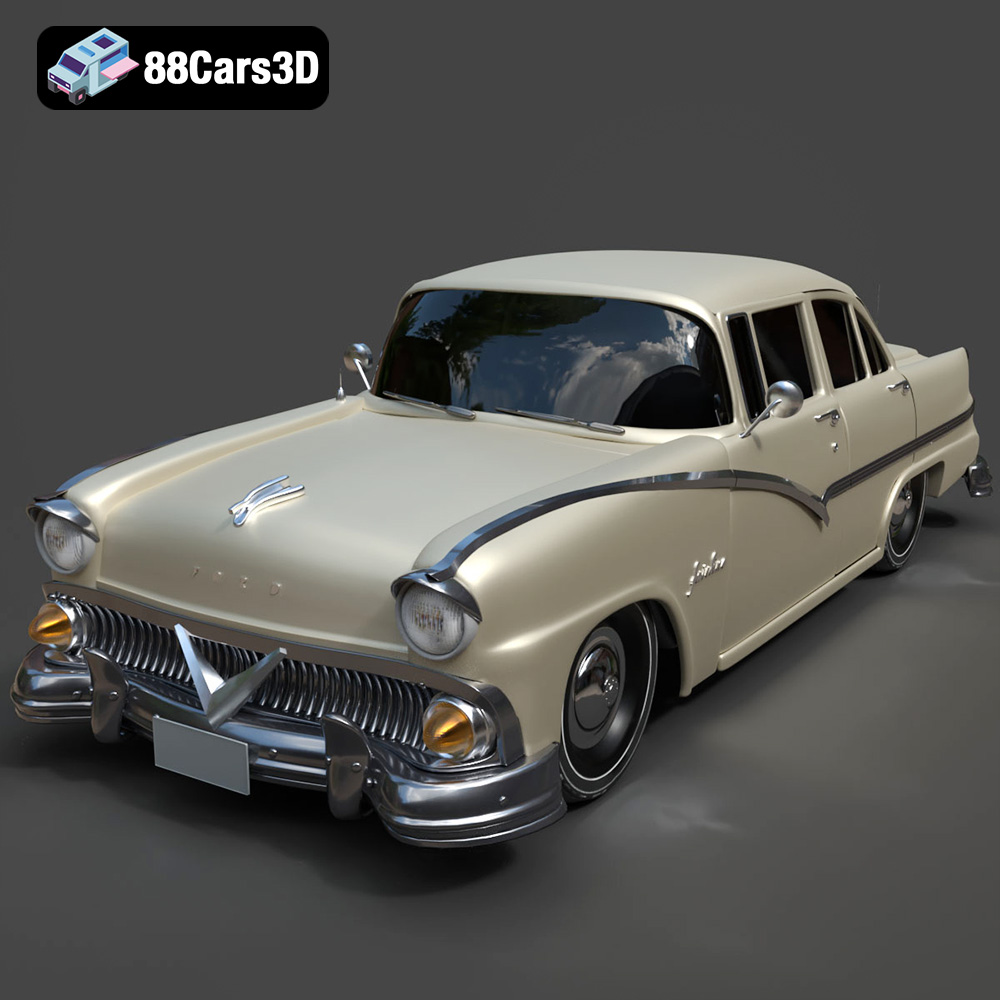
Texture: Yes | Material: Yes
Download the highly detailed, game-ready Ford Fairlin 3D Model. Features iconic classic styling, sweeping bodylines, and an accurate vintage interior. Includes .blend, .fbx, .obj, .glb, .stl, .ply, .unreal, and .max formats for game development, AR/VR, and rendering.
Price: $19.99
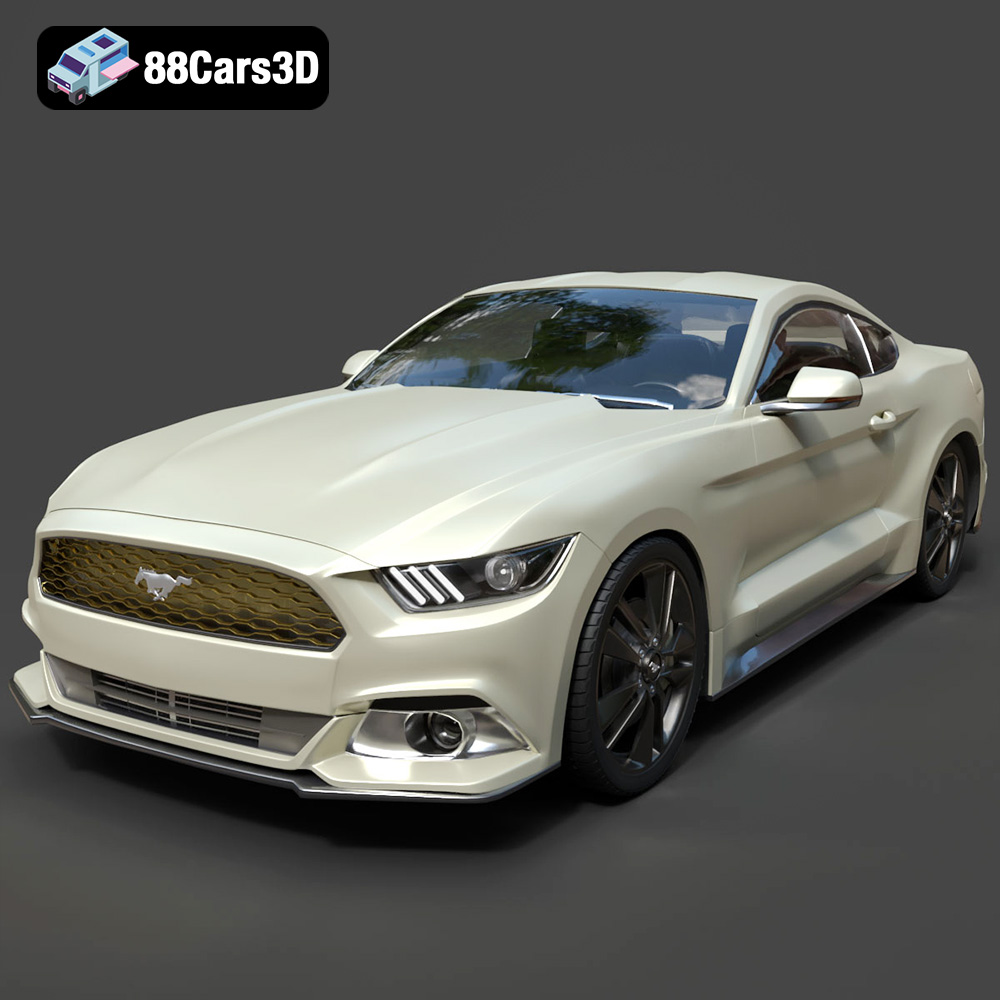
Texture: Yes | Material: Yes
Download the highly detailed, game-ready Ford Mustang GT 3D Model. Features aggressive muscle car styling, a highly detailed V8 engine bay, and accurate interior cockpit. Includes .blend, .fbx, .obj, .glb, .stl, .ply, .unreal, and .max formats for game development, AR/VR, and rendering.
Price: $19.99

Texture: Yes | Material: Yes
Download the highly detailed, game-ready Renault Megane CC 2011 3D Model. Features an accurately modeled folding glass roof, sleek aerodynamic body lines, and a detailed interior. Includes .blend, .fbx, .obj, .glb, .stl, .ply, .unreal, and .max formats for game development, AR/VR, and rendering.
Price: $19.99

Texture: Yes | Material: Yes
Download the highly detailed, game-ready Ford GT 2005 3D Model. Features signature aerodynamic bodylines, mid-mounted supercharged V8 detailing, and iconic racing stripes. Includes .blend, .fbx, .obj, .glb, .stl, .ply, .unreal, and .max formats for game development, AR/VR, and rendering.
Price: $19.99
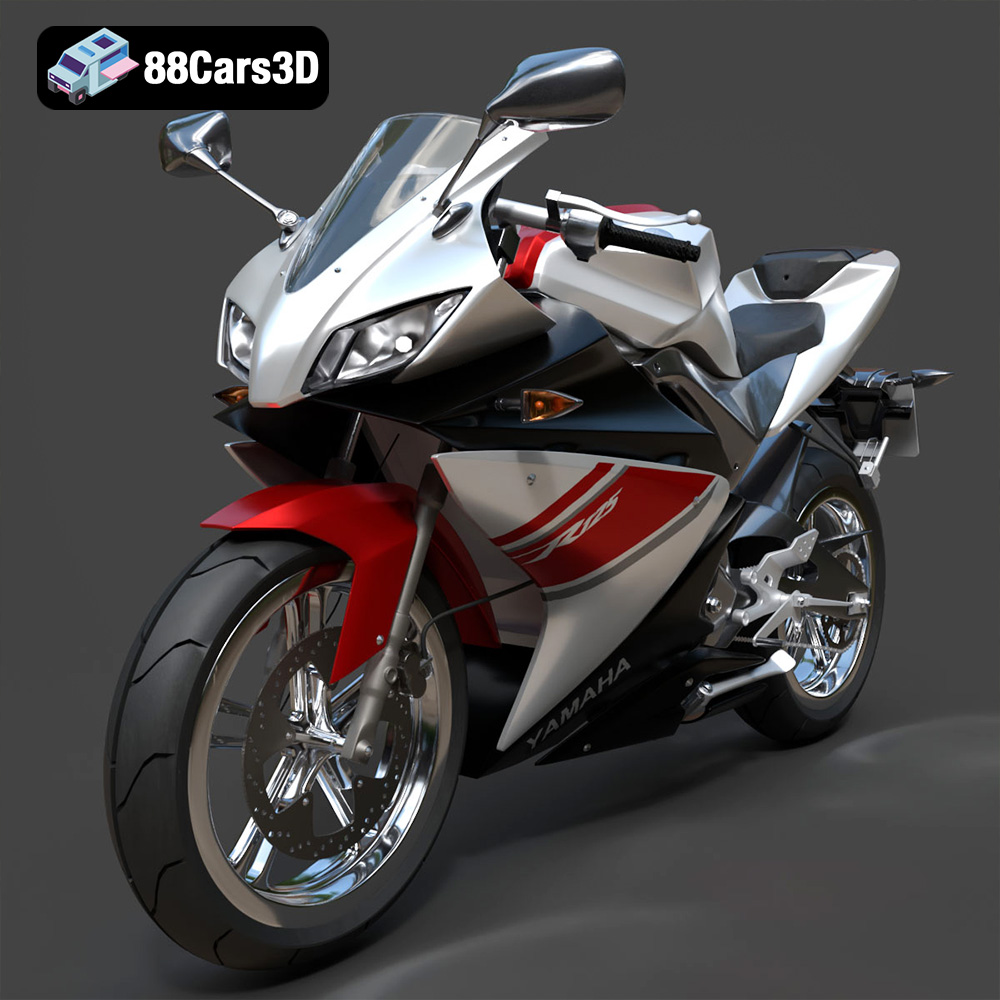
Texture: Yes | Material: Yes
Download the highly detailed, game-ready Yamaha YZF-R125 EU 3D Model. Features an aggressive aerodynamic fairing, twin LED headlights, and a detailed 125cc engine block. Includes .blend, .fbx, .obj, .glb, .stl, .ply, .unreal, and .max formats for game development, AR/VR, and rendering.
Price: $19.99
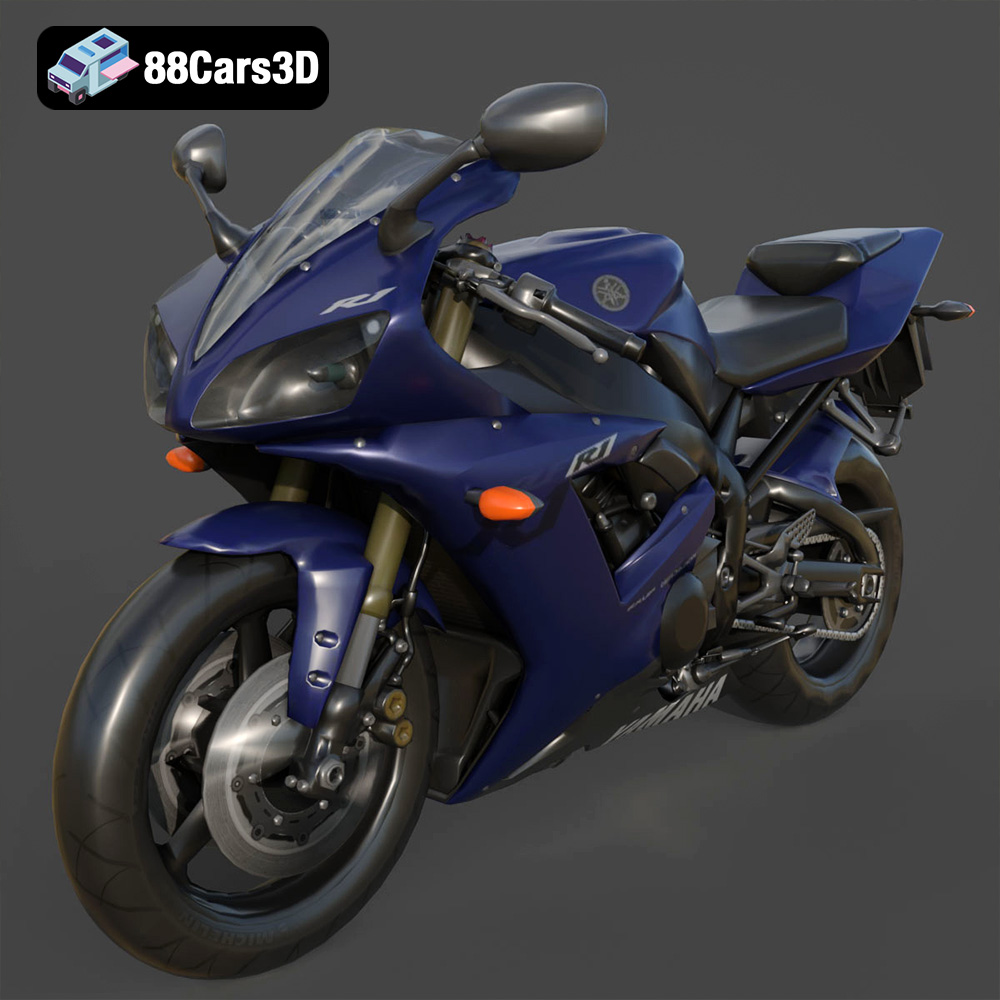
Texture: Yes | Material: Yes
Download the highly detailed, game-ready Yamaha R1 3D Model. Features aggressive aerodynamic fairings, a detailed crossplane inline-4 engine, and track-focused suspension geometry. Includes .blend, .fbx, .obj, .glb, .stl, .ply, .unreal, and .max formats for game development, AR/VR, and rendering.
Price: $19.99
Texture: Yes | Material: Yes
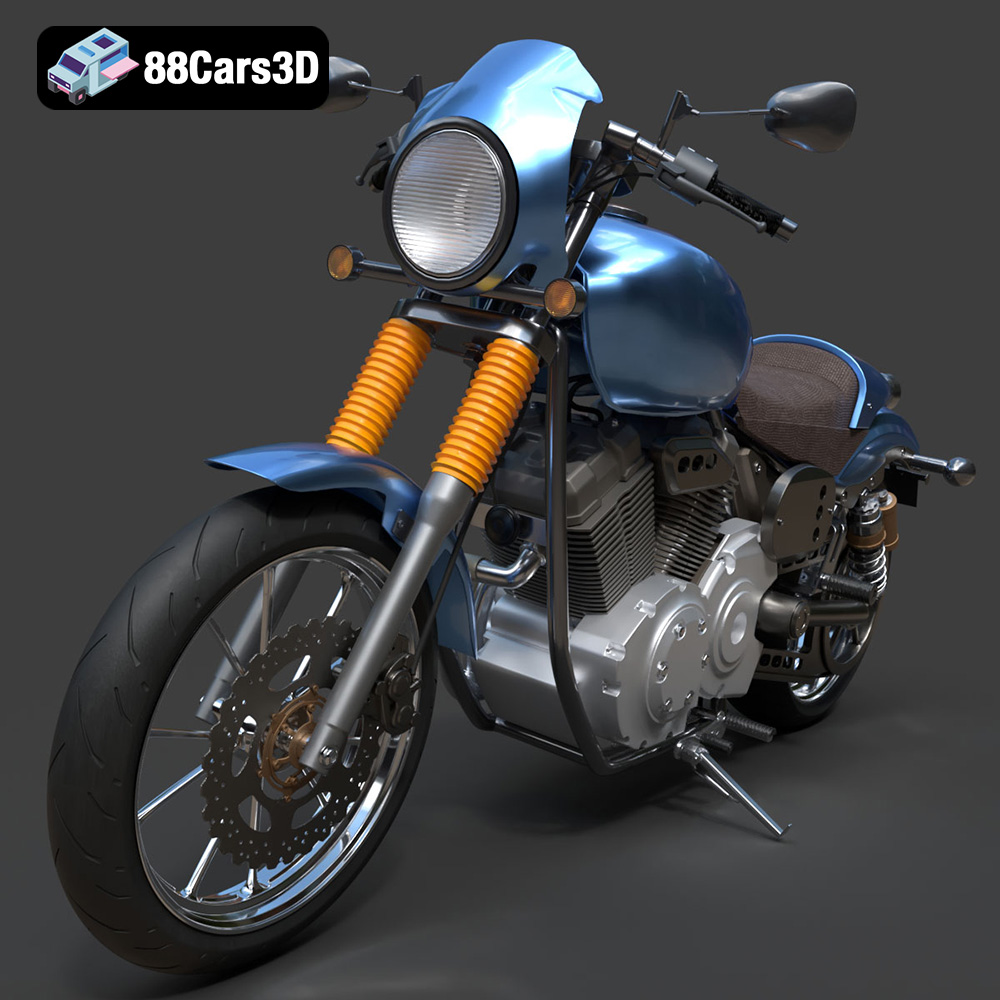
Download the highly detailed, game-ready Yamaha XV950 Racer 3D Model. Features an aggressive cafe-racer front cowl, detailed air-cooled V-twin engine, and classic retro styling. Includes .blend, .fbx, .obj, .glb, .stl, .ply, .unreal, and .max formats for game development, AR/VR, and rendering.
Price: $19.99

