Get 20% OFF All Premium 3D & STL Models!

“`html
3D printing has revolutionized the way we create, allowing enthusiasts and professionals alike to bring intricate designs to life. For automotive aficionados, the ability to 3D print detailed car models opens up a world of possibilities. However, achieving high-quality prints, especially with complex geometries like those found in vehicles, requires a deep understanding of crucial parameters like wall thickness and support structures. This guide delves into the intricacies of these settings, providing a comprehensive approach to optimizing your 3D printing process for vehicle models. Whether you’re printing a classic roadster or a futuristic concept car, mastering these techniques will significantly enhance the final result. Platforms like 88cars3d.com offer print-ready STL files designed to make this process smoother, but even with these optimized models, understanding the underlying principles is key. We’ll explore practical tips, software-specific techniques, and troubleshooting strategies to help you create stunning 3D printed car models every time.
Wall thickness is the distance between the inner and outer surfaces of a 3D printed part. It’s a critical parameter affecting the strength, weight, and overall appearance of your model. Insufficient wall thickness can lead to fragile prints prone to breakage, while excessive thickness increases material usage and print time. Finding the sweet spot is essential for optimizing your 3D printed car models.
The ideal minimum wall thickness depends on the printing technology and material used. For FDM (Fused Deposition Modeling) printing with PLA, a minimum of 0.8mm is generally recommended. This allows for at least two passes of a standard 0.4mm nozzle, ensuring proper bonding between layers. For larger models or those with intricate details, increasing the wall thickness to 1.2mm or even 1.6mm can significantly improve structural integrity. For resin printing (SLA/DLP), the minimum wall thickness can be lower, typically around 0.4mm to 0.6mm, due to the higher resolution and material properties. Remember, these are just guidelines, and experimentation is often necessary to find the optimal value for your specific printer and material.
Calculating the optimal wall thickness involves considering several factors. Firstly, the size of the model plays a crucial role. Larger models require thicker walls to maintain rigidity and prevent warping. Secondly, the complexity of the design impacts the required wall thickness. Models with fine details and intricate geometries are more susceptible to breakage if the walls are too thin. Thirdly, the intended use of the model should be considered. If the model is purely for display purposes, a thinner wall thickness might suffice. However, if the model is intended for handling or assembly, a thicker wall thickness is necessary to ensure durability. A good starting point is to scale the wall thickness proportionally to the model’s overall size. For example, if you’re scaling up a car model by 200%, you might also consider increasing the wall thickness by a similar percentage. When downloading models from marketplaces such as 88cars3d.com, check the recommended settings; they often provide a good starting point.
Let’s consider a few practical examples. For a small-scale (1:64) car model printed in PLA using an FDM printer, a wall thickness of 0.8mm might be sufficient. However, for a larger (1:24) model, increasing the wall thickness to 1.2mm or 1.6mm is recommended. When using PETG, which is more flexible than PLA, increasing the wall thickness by 0.2-0.4mm compared to PLA is generally advisable. ABS, known for its strength and heat resistance, can often be printed with slightly thinner walls than PLA, but proper ventilation is crucial due to its fumes. For resin printing, consider the resin’s specific properties. Some resins are more brittle than others and may require slightly thicker walls. Remember to adjust your slicing settings accordingly, and always conduct test prints to fine-tune the parameters for your specific setup.
Support structures are temporary scaffolding that provides support to overhanging features and bridges during the 3D printing process. They are essential for printing complex geometries, especially those found in car models, such as wheel arches, spoilers, and intricate bodywork. Understanding how to generate and optimize support structures is crucial for achieving successful prints.
There are several types of support structures, each with its advantages and disadvantages. Linear supports are the most common type, providing a simple and robust scaffolding. They are easy to generate and remove, but can sometimes leave noticeable marks on the printed surface. Tree supports, also known as branching supports, are more efficient in terms of material usage and can be easier to remove, especially in tight spaces. However, they can be more complex to generate and may not be suitable for all geometries. Hybrid supports combine the benefits of both linear and tree supports, providing a balance between strength, ease of removal, and material efficiency. Experimenting with different support types is key to finding the optimal solution for your specific car model and printing setup. Many slicing software programs, such as Cura and PrusaSlicer, allow you to customize the type and density of support structures.
Optimizing support placement and density is crucial for minimizing surface imperfections and reducing material waste. The goal is to provide adequate support to overhanging features while minimizing contact with the visible surfaces of the model. Carefully analyze the model’s geometry and identify areas that require support. Use the slicing software’s support placement tools to strategically position supports only where they are needed. Adjust the support density to balance strength and ease of removal. Lower density supports are easier to remove but may not provide sufficient support for heavy overhangs. Higher density supports offer greater stability but can be more difficult to remove and may leave more noticeable marks. Consider using support blockers to prevent supports from being generated in areas where they are not needed, such as on smooth surfaces. Many slicers also offer features like “support interface,” which adds a denser layer between the support and the model, making it easier to detach the supports without damaging the model’s surface.
Proper support removal is essential for preserving the integrity and appearance of your 3D printed car model. Use appropriate tools, such as pliers, tweezers, and hobby knives, to carefully detach the supports. Start by removing the larger support structures and then move on to the smaller, more delicate ones. Be patient and avoid applying excessive force, as this can damage the model. After removing the supports, you may need to perform some post-processing to clean up any remaining imperfections. Sanding is a common technique for smoothing out rough surfaces and removing support marks. Start with coarse sandpaper and gradually move to finer grits. For resin prints, you may need to cure the model further under UV light after removing the supports. Painting and finishing techniques can also be used to enhance the appearance of your 3D printed car model. Consider using primer to create a smooth surface for paint to adhere to. Applying multiple thin coats of paint is generally better than applying one thick coat. Finally, a clear coat can protect the paint and add a glossy finish.
Slicing is the process of converting a 3D model into a set of instructions that the 3D printer can understand. The slicing software divides the model into thin layers and generates a toolpath for the printer’s nozzle or laser. Fine-tuning the slicing parameters is crucial for achieving optimal print quality, especially for intricate car models.
Layer height is the thickness of each individual layer in the 3D printed part. Lower layer heights result in higher resolution prints with smoother surfaces, but they also increase print time. Higher layer heights reduce print time but sacrifice surface quality. Finding the right balance between resolution and print time is essential. For FDM printing, a layer height of 0.1mm to 0.2mm is generally recommended for achieving a good balance. For resin printing, layer heights can be much lower, typically ranging from 0.025mm to 0.05mm. When printing car models with intricate details, consider using a lower layer height to capture those details more accurately. However, if speed is a priority, you can increase the layer height slightly. Remember that the optimal layer height also depends on the nozzle size and material used. A general rule of thumb is to keep the layer height below 80% of the nozzle diameter.
Infill is the internal structure of the 3D printed part. Infill density determines the amount of material used to fill the interior of the part, while infill patterns define the arrangement of the infill structure. Higher infill densities result in stronger parts but also increase weight and print time. Lower infill densities reduce weight and print time but may compromise strength. The choice of infill pattern also affects the strength and weight of the part. Common infill patterns include grid, honeycomb, gyroid, and triangles. Grid infill is simple and efficient but can be prone to cracking. Honeycomb infill offers good strength-to-weight ratio. Gyroid infill is strong in all directions and is often preferred for functional parts. For car models, an infill density of 15% to 25% is generally sufficient for display purposes. If the model is intended for handling or assembly, consider increasing the infill density to 30% or 40%. Experiment with different infill patterns to find the optimal balance between strength, weight, and print time. For example, using a gyroid infill pattern at 20% density can provide a good balance of strength and weight for a car model.
Temperature and speed settings are critical for achieving material-specific results. Each material has its own optimal temperature range and printing speed. Printing at the wrong temperature can lead to warping, delamination, and poor layer adhesion. Printing too fast can result in under-extrusion and weak prints, while printing too slow can cause stringing and blobbing. Refer to the material manufacturer’s recommendations for the optimal temperature and speed settings. For PLA, a printing temperature of 200°C to 220°C and a printing speed of 40mm/s to 60mm/s is generally recommended. For PETG, a printing temperature of 230°C to 250°C and a printing speed of 30mm/s to 50mm/s is typically used. For ABS, a printing temperature of 230°C to 260°C and a printing speed of 40mm/s to 60mm/s is recommended. Adjust the temperature and speed settings based on your specific printer and material. If you’re experiencing warping, try increasing the bed temperature. If you’re experiencing stringing, try lowering the printing temperature or increasing retraction settings. Run test prints and adjust the settings iteratively until you achieve the desired results. Remember to calibrate your printer regularly to ensure accurate temperature and speed settings.
The choice of material significantly impacts the final result of your 3D printed car model. Different materials offer varying properties in terms of strength, flexibility, heat resistance, and surface finish. Understanding the characteristics of each material is crucial for selecting the right one for your specific needs.
PLA (Polylactic Acid) is a biodegradable thermoplastic derived from renewable resources. It is easy to print, has low warping, and offers good surface finish. However, it has low heat resistance and can become brittle over time. PLA is a good choice for car models that are primarily for display purposes and won’t be exposed to high temperatures. PETG (Polyethylene Terephthalate Glycol) is a strong and flexible thermoplastic with good heat resistance and chemical resistance. It is more durable than PLA and less prone to warping than ABS. PETG is a good choice for car models that need to withstand some handling or minor impacts. ABS (Acrylonitrile Butadiene Styrene) is a strong and heat-resistant thermoplastic that is commonly used in automotive applications. It is more durable than PLA and PETG but is more prone to warping and requires a heated bed and enclosure for successful printing. ABS is a good choice for car models that need to withstand high temperatures or require high strength.
Resin printing offers higher resolution and finer details compared to FDM printing. There are several types of resins available, each with its own properties. Standard resins are the most common type and offer good surface finish and detail. However, they are relatively brittle and may not be suitable for functional parts. Tough resins are formulated to be more durable and impact-resistant than standard resins. They are a good choice for car models that need to withstand some handling or minor impacts. Flexible resins are designed to be flexible and elastic. They are a good choice for car model tires or other parts that need to be pliable. When selecting a resin, consider the desired properties and the intended use of the car model. For example, if you’re printing a highly detailed show car, a standard resin might be sufficient. However, if you’re printing a functional RC car chassis, a tough resin would be a better choice.
The material you choose can also impact its compatibility with painting and post-processing techniques. PLA is easy to sand and paint, but it can be difficult to achieve a smooth, glossy finish. PETG can be more challenging to sand than PLA, but it offers good paint adhesion and can be easily finished with clear coats. ABS can be easily sanded and painted, and it offers good chemical resistance. Resin prints generally require post-curing under UV light and may need to be sanded and primed before painting. Consider the desired finish and the post-processing techniques you plan to use when selecting a material. For example, if you want to achieve a highly polished finish, ABS or resin might be a better choice than PLA. If you plan to use specific types of paint or adhesives, check their compatibility with the chosen material. Experiment with different post-processing techniques to find the best approach for your specific material and desired finish.
Even with careful planning and optimized settings, 3D printing can sometimes present challenges. Understanding common printing issues and knowing how to troubleshoot them is essential for achieving successful prints. This section covers some of the most common problems encountered when printing car models and offers practical solutions.
Warping occurs when the corners of the 3D printed part lift off the build plate. This is often caused by uneven cooling and temperature gradients within the part. To prevent warping, ensure that the build plate is properly leveled and heated. Use a bed adhesion aid, such as glue stick, hairspray, or painter’s tape, to improve adhesion. Increase the bed temperature to reduce the temperature difference between the part and the build plate. Use an enclosure to maintain a consistent temperature around the part. Reduce the printing speed and layer height to minimize stress on the part. Bed adhesion problems can also be caused by a dirty or oily build plate. Clean the build plate with isopropyl alcohol before each print. Ensure that the nozzle is properly calibrated and the first layer is properly squished onto the build plate. Consider using a raft or brim to increase the surface area of the first layer and improve adhesion.
Stringing occurs when thin strands of filament are left behind as the nozzle moves between different parts of the model. This is often caused by excessive retraction distance or insufficient retraction speed. Increase the retraction distance and speed to pull the filament back more effectively. Lower the printing temperature to reduce the flow of filament. Increase the travel speed to minimize the time the nozzle spends traveling between parts. Blobs and zits are small imperfections that appear on the surface of the 3D printed part. These can be caused by inconsistent extrusion or changes in printing speed. Reduce the printing speed and acceleration settings to minimize fluctuations in the flow of filament. Calibrate the extruder to ensure accurate and consistent extrusion. Adjust the coasting and wiping settings to reduce pressure buildup in the nozzle. Ensure your filament is dry, as moisture can cause inconsistent extrusion.
Layer delamination occurs when the layers of the 3D printed part separate from each other. This is often caused by insufficient layer adhesion due to low printing temperature or poor bonding between layers. Increase the printing temperature to improve layer adhesion. Reduce the printing speed to allow more time for the layers to bond together. Increase the fan speed to cool the layers more quickly and prevent warping. Ensure that the nozzle is properly calibrated and the first layer is properly squished onto the build plate. Weak prints can be caused by low infill density, thin walls, or poor material selection. Increase the infill density and wall thickness to improve the strength of the part. Choose a material with higher strength and durability. Consider using a different infill pattern that provides better structural support. Ensure proper cooling of the layers to improve their structural integrity.
Mastering wall thickness and support settings is paramount for achieving high-quality 3D printed car models. By understanding the principles outlined in this guide, you can optimize your printing process, minimize errors, and create stunning replicas of your favorite vehicles. Remember to consider the model’s size, complexity, material properties, and intended use when determining the appropriate wall thickness and support structures. Experiment with different slicing parameters, such as layer height, infill density, and printing speed, to fine-tune the results. Don’t be afraid to iterate and learn from your experiences. Platforms like 88cars3d.com provide excellent resources and pre-optimized STL files, but the knowledge you’ve gained here will empower you to customize and improve your prints further. Start with a simple model, experiment with the settings discussed, and gradually increase the complexity as you gain confidence. With practice and patience, you’ll be able to create truly exceptional 3D printed car models.
“`

Texture: Yes | Material: Yes
Download the highly detailed, game-ready Toyota Camry 2018 3D Model. Features an aggressive aerodynamic body, distinct LED lighting signature, and precise interior detailing. Includes .blend, .fbx, .obj, .glb, .stl, .ply, .unreal, and .max formats for game development, AR/VR, and rendering.
Price: $19.99

Texture: Yes | Material: Yes
Download the highly detailed, game-ready Ford Mustang Hardtop 1968 3D Model. Features the iconic galloping pony grille, signature tri-bar taillights, and an authentic vintage interior. Includes .blend, .fbx, .obj, .glb, .stl, .ply, .unreal, and .max formats for game development, AR/VR, and rendering.
Price: $19.99

Texture: Yes | Material: Yes
Download the highly detailed, game-ready Ferrari J50 2017 3D Model. Features aggressive aerodynamic styling, twin-turbo V8 engine details, and targa top design. Includes .blend, .fbx, .obj, .glb, .stl, .ply, .unreal, and .max formats for game development, AR/VR, and rendering.
Price: $19.99
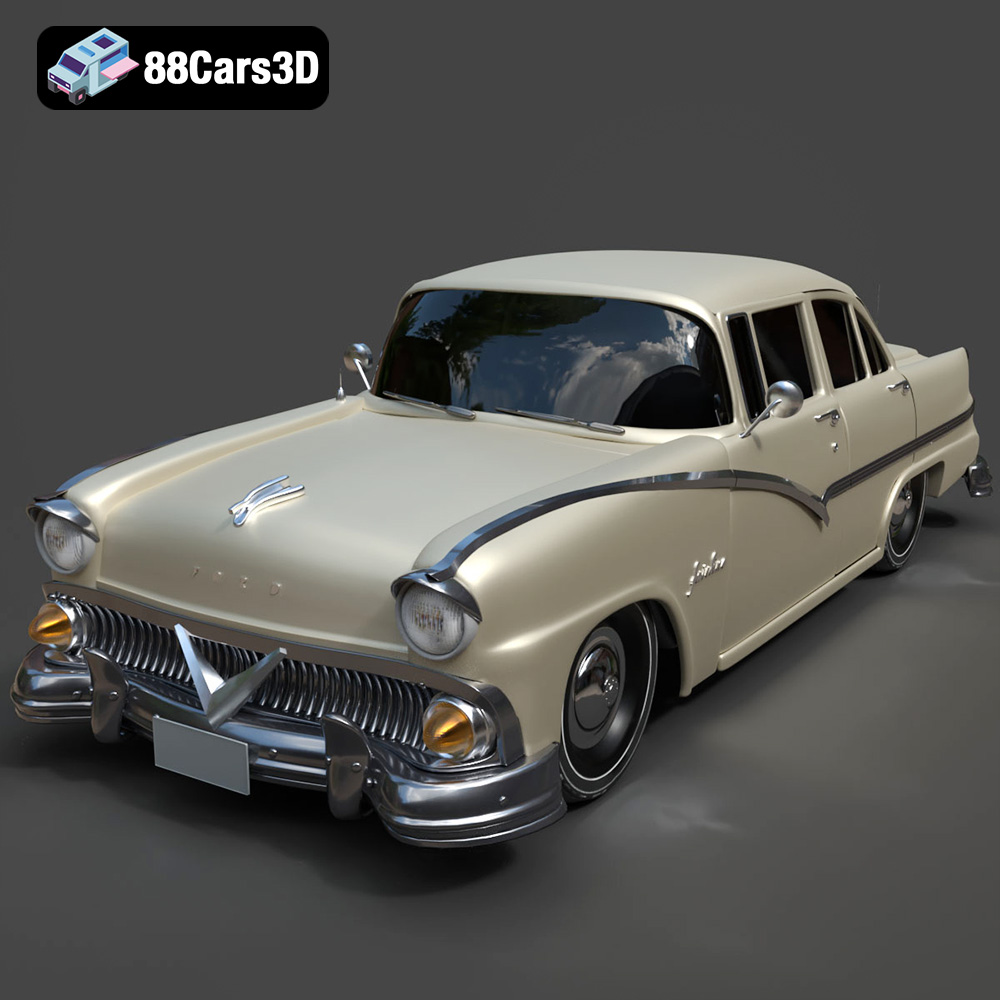
Texture: Yes | Material: Yes
Download the highly detailed, game-ready Ford Fairlin 3D Model. Features iconic classic styling, sweeping bodylines, and an accurate vintage interior. Includes .blend, .fbx, .obj, .glb, .stl, .ply, .unreal, and .max formats for game development, AR/VR, and rendering.
Price: $19.99
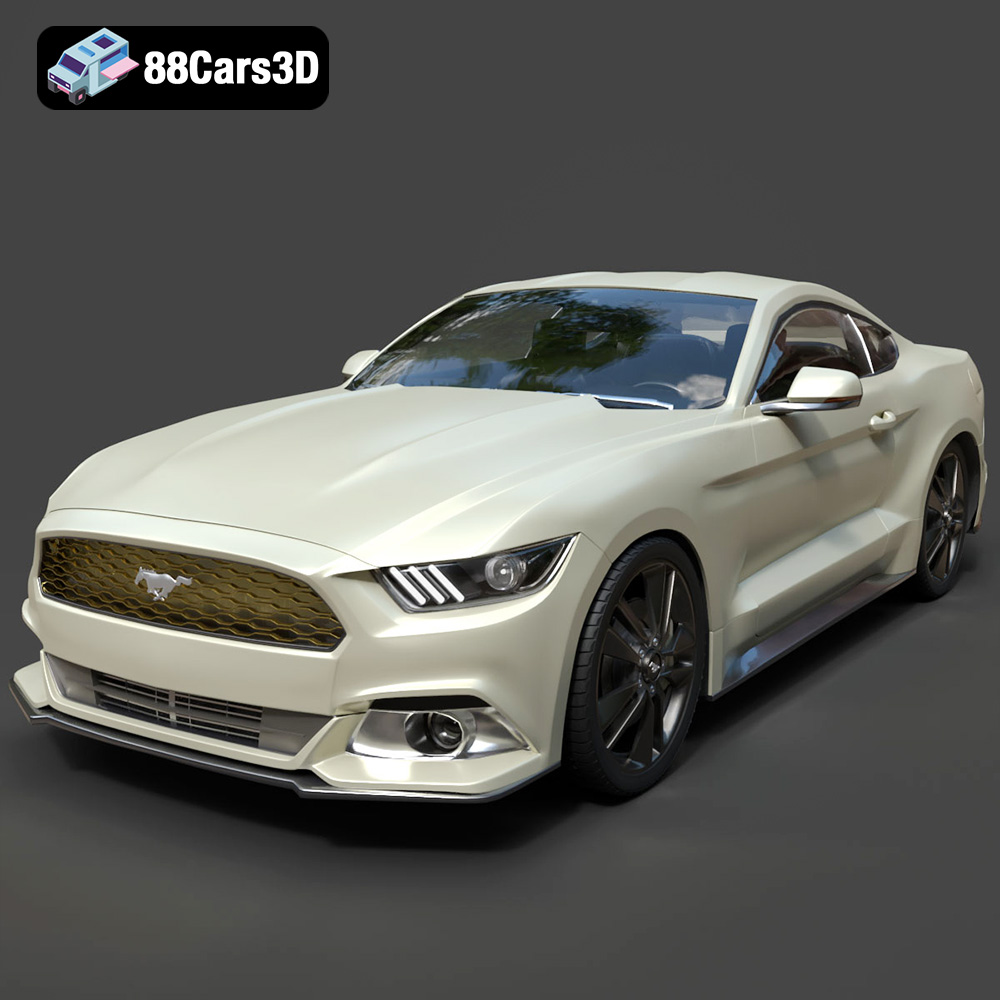
Texture: Yes | Material: Yes
Download the highly detailed, game-ready Ford Mustang GT 3D Model. Features aggressive muscle car styling, a highly detailed V8 engine bay, and accurate interior cockpit. Includes .blend, .fbx, .obj, .glb, .stl, .ply, .unreal, and .max formats for game development, AR/VR, and rendering.
Price: $19.99

Texture: Yes | Material: Yes
Download the highly detailed, game-ready Renault Megane CC 2011 3D Model. Features an accurately modeled folding glass roof, sleek aerodynamic body lines, and a detailed interior. Includes .blend, .fbx, .obj, .glb, .stl, .ply, .unreal, and .max formats for game development, AR/VR, and rendering.
Price: $19.99

Texture: Yes | Material: Yes
Download the highly detailed, game-ready Ford GT 2005 3D Model. Features signature aerodynamic bodylines, mid-mounted supercharged V8 detailing, and iconic racing stripes. Includes .blend, .fbx, .obj, .glb, .stl, .ply, .unreal, and .max formats for game development, AR/VR, and rendering.
Price: $19.99

Texture: Yes | Material: Yes
Download the highly detailed, game-ready Yamaha YZF-R125 EU 3D Model. Features an aggressive aerodynamic fairing, twin LED headlights, and a detailed 125cc engine block. Includes .blend, .fbx, .obj, .glb, .stl, .ply, .unreal, and .max formats for game development, AR/VR, and rendering.
Price: $19.99

Texture: Yes | Material: Yes
Download the highly detailed, game-ready Yamaha R1 3D Model. Features aggressive aerodynamic fairings, a detailed crossplane inline-4 engine, and track-focused suspension geometry. Includes .blend, .fbx, .obj, .glb, .stl, .ply, .unreal, and .max formats for game development, AR/VR, and rendering.
Price: $19.99

Texture: Yes | Material: Yes
Download the highly detailed, game-ready Yamaha XV950 Racer 3D Model. Features an aggressive cafe-racer front cowl, detailed air-cooled V-twin engine, and classic retro styling. Includes .blend, .fbx, .obj, .glb, .stl, .ply, .unreal, and .max formats for game development, AR/VR, and rendering.
Price: $19.99

