Get 20% OFF All Premium 3D & STL Models!

“`html
3D printing has revolutionized the world of model making, prototyping, and even automotive component manufacturing. The ability to create intricate designs, custom parts, and realistic models from digital STL files opens up a vast realm of possibilities for hobbyists, engineers, and automotive enthusiasts alike. Whether you’re aiming to replicate classic car wheels, design custom tires, or produce intricate body panels, understanding the nuances of 3D printing with STL files is crucial. This comprehensive guide will delve into the intricacies of printing wheels, tires, and car parts, covering everything from STL file preparation and slicing techniques to material selection, printer settings, and post-processing methods. By the end of this article, you’ll be equipped with the knowledge and skills to produce high-quality, accurate, and durable 3D printed automotive components.
We’ll explore the technical aspects of STL files, optimize your 3D printer settings for different materials, and guide you through the support generation and removal process. We’ll also cover common printing failures and how to troubleshoot them, ensuring that you achieve successful and visually appealing prints every time. Let’s dive into the world of 3D printing automotive components!
The STL (Stereolithography) file format is the cornerstone of 3D printing. It represents the surface geometry of a 3D object as a collection of triangles. Understanding the structure and characteristics of STL files is vital for successful 3D printing, especially when dealing with complex shapes like wheels, tires, and car parts. A well-prepared STL file ensures accurate and reliable prints, while a poorly constructed file can lead to errors, artifacts, and failed prints. Many platforms like 88cars3d.com offer print-ready STL files, taking the guesswork out of the initial preparation stages.
The quality of an STL file hinges on its mesh topology – the arrangement of triangles that define the object’s surface. A higher resolution mesh, composed of smaller and more numerous triangles, captures finer details and curves more accurately. However, excessively high resolution can lead to larger file sizes and increased processing time during slicing. Conversely, a low-resolution mesh results in a faceted or blocky appearance, particularly noticeable on curved surfaces like wheel arches and tire sidewalls. Balancing resolution with file size and processing efficiency is essential. Aim for a mesh density that captures the necessary details without overburdening your system or printer. Many CAD and mesh editing software packages allow you to control the mesh density during STL export.
Before printing, it’s crucial to inspect your STL files for errors such as holes, gaps, self-intersections, and non-manifold geometry (edges connected to more than two faces). These errors can disrupt the slicing process and lead to incomplete or distorted prints. Software like MeshLab, Netfabb Basic, and Meshmixer are invaluable tools for identifying and repairing these issues. Netfabb in particular offers powerful automatic repair functions that can often resolve complex topological problems. Performing a thorough mesh inspection and repair workflow is a critical step in ensuring a successful 3D print. Repairing manifold issues can often be as simple as using the “Make Manifold” function in Meshmixer, or running an automatic repair script in Netfabb.
Achieving optimal results when 3D printing wheels, tires, and car parts requires careful consideration of your 3D printer settings. The choice between Fused Deposition Modeling (FDM) and resin printing significantly impacts the level of detail, surface finish, and mechanical properties of the final product. Fine-tuning parameters such as layer height, print speed, temperature, and infill density is essential for maximizing print quality and minimizing defects.
FDM printing involves extruding molten plastic layer by layer to build the 3D object. Common materials for automotive parts include PLA, PETG, and ABS. PLA is easy to print and ideal for prototyping, while PETG offers enhanced durability and chemical resistance. ABS provides high strength and temperature resistance, making it suitable for functional parts. Optimal settings for PLA typically involve a nozzle temperature of 200-220°C, a bed temperature of 60-70°C, and a print speed of 40-60 mm/s. PETG generally requires higher temperatures (230-250°C nozzle, 70-80°C bed) and slower print speeds (30-50 mm/s) to prevent stringing. ABS printing necessitates even higher temperatures (230-260°C nozzle, 80-110°C bed) and an enclosed build chamber to minimize warping and cracking. Infill density plays a crucial role in determining the part’s strength and weight. For wheels and tires, a higher infill percentage (30-50%) is recommended to ensure structural integrity. Lower layers should have a thicker layer height for better bed adhesion.
Resin printing, utilizing technologies such as SLA, DLP, and LCD, offers superior resolution and surface finish compared to FDM. It’s well-suited for intricate designs and parts requiring fine details, like complex wheel patterns or tire treads. Resin materials vary in properties like hardness, flexibility, and impact resistance. General settings include layer heights between 0.02-0.05mm, exposure times depending on the specific resin used (consult the manufacturer’s recommendations – typically between 5-15 seconds per layer for normal layers and 30-60 seconds for the first few layers for proper bed adhesion), and proper support structures to prevent deformation during printing. Selecting the right resin and optimizing exposure parameters are critical for achieving high-quality prints. It is crucial to hollow out large parts to reduce resin consumption and printing time.
Slicing is the process of converting a 3D model into a series of thin layers that the 3D printer can understand and execute. The slicing software divides the STL file into individual layers, generates toolpaths, and adds support structures if needed. Proper slicing is crucial for achieving optimal print quality, dimensional accuracy, and structural integrity. Software such as Cura, PrusaSlicer, and Simplify3D offer a wide range of settings to fine-tune the slicing process.
Layer height is one of the most critical slicing parameters. A smaller layer height results in smoother surfaces and finer details but significantly increases print time. Conversely, a larger layer height reduces print time but sacrifices surface quality. Finding the right balance between layer height, print time, and desired level of detail is essential. For wheels and tires, a layer height of 0.1-0.2 mm is generally recommended for FDM printing, providing a good compromise between print quality and speed. For resin printing, layer heights of 0.02-0.05 mm can achieve exceptional detail. Test prints are recommended to dial in the optimal layer height for your specific printer and material. Decreasing layer height by half can double print time.
Support structures are necessary for printing overhanging features and complex geometries. These structures provide a foundation for the printed layers, preventing them from collapsing or warping during the printing process. The type, density, and placement of support structures significantly impact the final print quality and the ease of post-processing. Slicing software offers various support generation algorithms, such as tree supports, linear supports, and grid supports. Consider the geometry of your model and the type of material you’re using when selecting the appropriate support type. After printing, carefully remove the support structures using tools like pliers, knives, or dissolving agents (for soluble support materials). Minimize the support contact area to improve surface finish and reduce the risk of damaging the printed part during removal. Supports placed on visible surfaces should be avoided whenever possible. Pre-supported models, such as those downloadable from 88cars3d.com, can save significant time and effort.
The choice of material and post-processing techniques plays a crucial role in the final appearance, durability, and functionality of 3D printed wheels, tires, and car parts. Different materials offer varying properties in terms of strength, flexibility, heat resistance, and surface finish. Post-processing techniques such as sanding, painting, and assembly enhance the aesthetic appeal and functionality of the printed parts.
For wheels, consider materials like ABS, PETG, or nylon for FDM printing, offering good strength and impact resistance. For tires, flexible filaments like TPU or TPE are ideal, providing the necessary elasticity and grip. For body panels and other structural components, ABS or polycarbonate can offer the best combination of strength and heat resistance. Resin materials offer a wide range of options, from standard resins for prototyping to engineering resins with enhanced mechanical properties. Selecting the right material is crucial for meeting the specific requirements of your project. Consider the operating environment, expected loads, and desired level of detail when making your material choice. Using high-temperature resins for parts that will be used outdoors will prevent deformation and melting.
Post-processing enhances the surface finish and appearance of 3D printed parts. Sanding removes layer lines and imperfections, creating a smooth and uniform surface. Start with coarse-grit sandpaper (e.g., 220 grit) and gradually move to finer grits (e.g., 400, 600, 800 grit) to achieve a polished finish. Apply primer to the sanded surface to create a uniform base for painting. Choose paints that are compatible with the material you’re using, such as acrylic or enamel paints. Apply multiple thin coats for the best results, allowing each coat to dry completely before applying the next. For multi-part assemblies, use adhesives such as cyanoacrylate (super glue) or epoxy to bond the components together. Ensure proper alignment and clamping during the curing process to achieve strong and accurate assemblies. Careful post-processing can transform a raw 3D print into a professional-looking finished product. Dry brushing is an excellent technique for weathering and adding realism to models.
Even with careful planning and optimized settings, 3D printing is not without its challenges. Common issues such as warping, bed adhesion problems, stringing, and layer shifting can hinder the printing process and result in failed prints. Understanding the causes of these issues and implementing effective troubleshooting strategies is crucial for achieving consistent and reliable results. Many issues can be prevented with proper printer maintenance.
Warping occurs when the corners or edges of a printed part lift away from the build plate, often due to uneven cooling or poor bed adhesion. To prevent warping, ensure that your build plate is clean and level. Use a heated bed and apply an adhesive such as glue stick, hairspray, or specialized bed adhesion solutions. Enclosing the printer in a chamber can help maintain a consistent temperature and reduce warping, especially when printing with ABS. For resin printing, ensure the build plate is properly leveled and that the resin is adequately mixed. Increasing the initial layer exposure time can improve bed adhesion. Rafts and brims can be added in slicing software to further increase surface area and stability. A raft provides a thick base layer for the print, while a brim adds a thin skirt around the object. Proper first layer calibration is also essential.
Stringing occurs when molten plastic oozes from the nozzle during travel moves, leaving thin strands of material between printed features. To reduce stringing, decrease the nozzle temperature, increase retraction settings, and optimize travel speed. Ensure that the filament is dry and free of moisture. Layer shifting occurs when the printed layers are misaligned, resulting in a stepped or jagged appearance. This can be caused by loose belts, stepper motor issues, or excessive print speed. Check and tighten the belts on your printer, ensure that the stepper motors are properly calibrated, and reduce the print speed if necessary. A stable printing environment is crucial to prevent vibrations that can cause layer shifting. Proper belt tension is essential for accurate prints.
3D printing wheels, tires, and car parts in STL format offers an exciting avenue for customization, prototyping, and creating unique automotive models. By understanding the intricacies of STL files, optimizing printer settings, and mastering slicing and post-processing techniques, you can achieve high-quality, accurate, and durable prints. We’ve covered everything from mesh topology and resolution to material selection, support generation, and troubleshooting common printing issues. When downloading models from marketplaces such as 88cars3d.com, remember to always double-check the file for errors and optimize your printer settings accordingly.
Remember to prioritize proper file preparation, choose the right materials for your project, and meticulously adjust your 3D printer settings. Whether you’re a seasoned 3D printing enthusiast or just starting your journey, the knowledge and skills outlined in this guide will empower you to bring your automotive visions to life. Now, it’s time to experiment, refine your techniques, and unlock the full potential of 3D printing in the world of automotive design and model making. So, get printing and start creating your dream car parts today!
“`
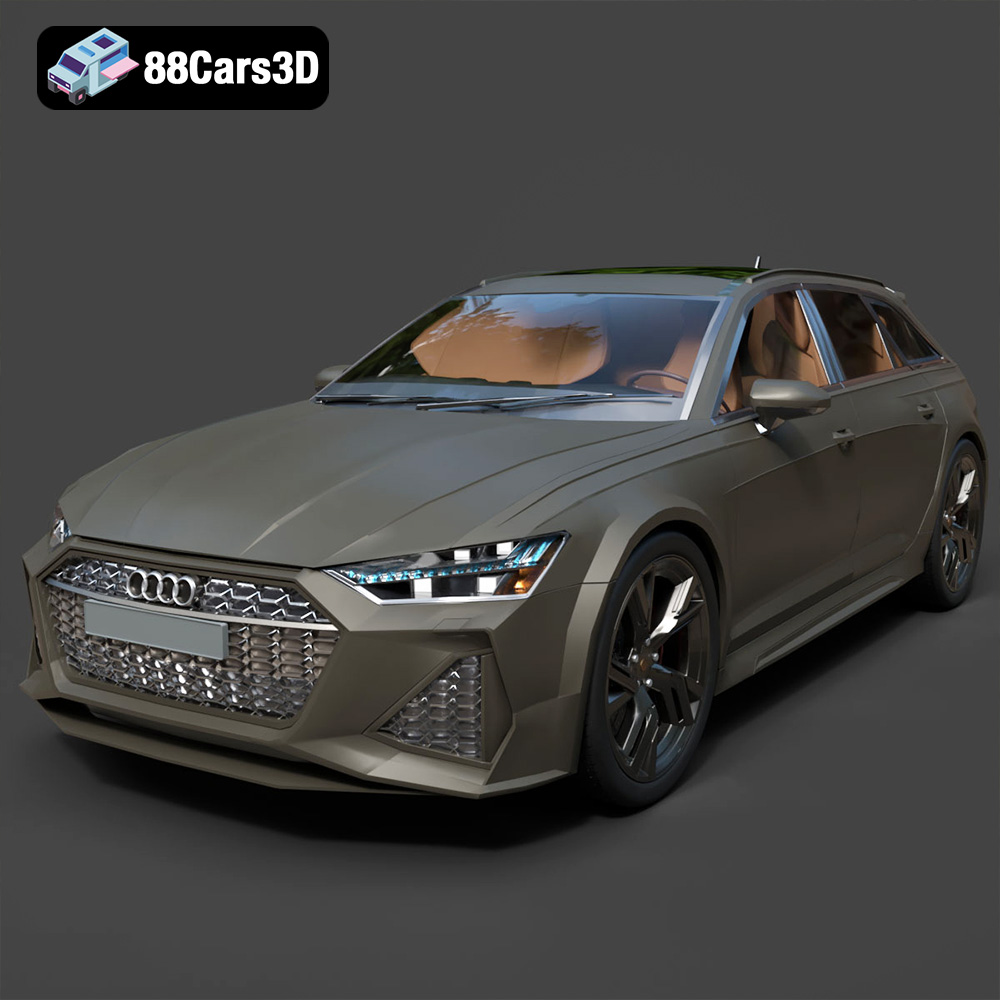
Texture: Yes | Material: Yes
Download the highly detailed, game-ready Audi RS6 3D Model. Features aggressive RS bodywork, detailed alloy wheels, and signature LED lighting. Includes .blend, .fbx, .obj, .glb, .stl, .ply, .unreal, and .max formats for game development, AR/VR, and rendering.
Price: $19.99

Texture: Yes | Material: Yes
Download the highly detailed, game-ready Toyota Camry 2018 3D Model. Features an aggressive aerodynamic body, distinct LED lighting signature, and precise interior detailing. Includes .blend, .fbx, .obj, .glb, .stl, .ply, .unreal, and .max formats for game development, AR/VR, and rendering.
Price: $19.99

Texture: Yes | Material: Yes
Download the highly detailed, game-ready Ford Mustang Hardtop 1968 3D Model. Features the iconic galloping pony grille, signature tri-bar taillights, and an authentic vintage interior. Includes .blend, .fbx, .obj, .glb, .stl, .ply, .unreal, and .max formats for game development, AR/VR, and rendering.
Price: $19.99

Texture: Yes | Material: Yes
Download the highly detailed, game-ready Ferrari J50 2017 3D Model. Features aggressive aerodynamic styling, twin-turbo V8 engine details, and targa top design. Includes .blend, .fbx, .obj, .glb, .stl, .ply, .unreal, and .max formats for game development, AR/VR, and rendering.
Price: $19.99
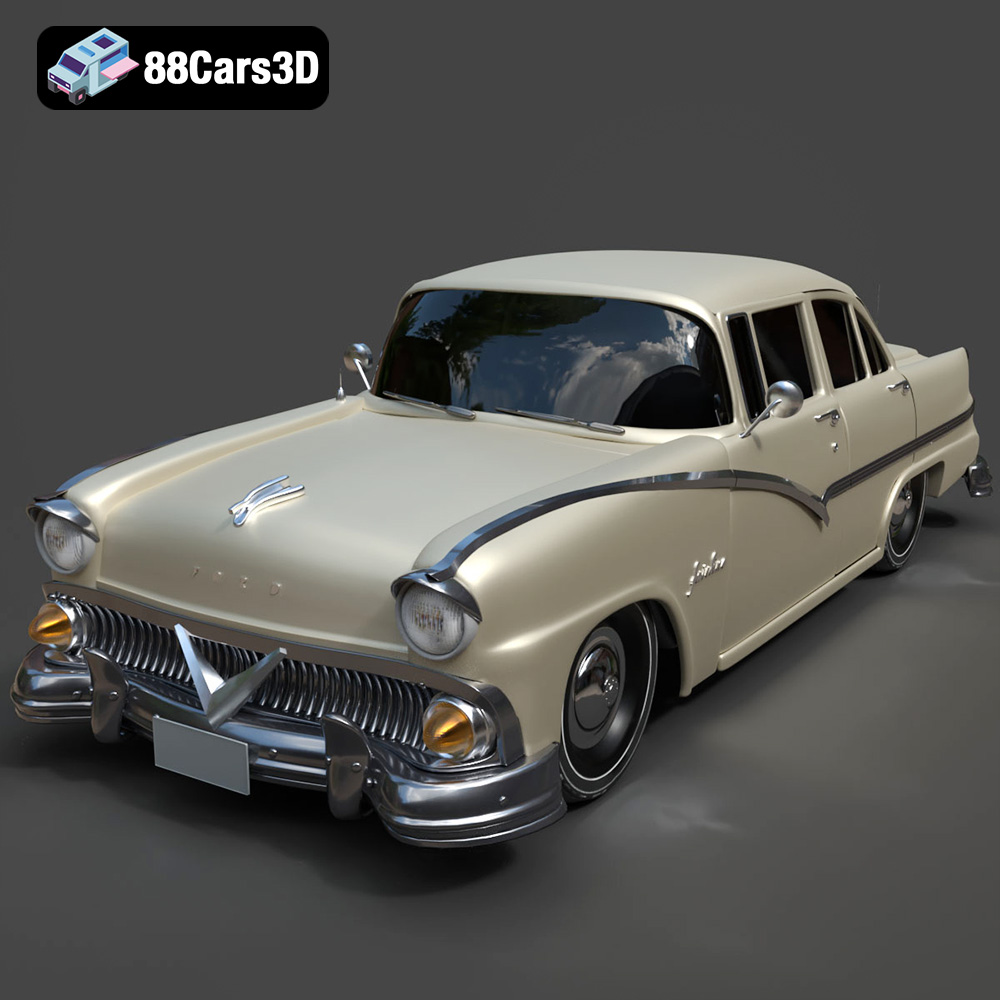
Texture: Yes | Material: Yes
Download the highly detailed, game-ready Ford Fairlin 3D Model. Features iconic classic styling, sweeping bodylines, and an accurate vintage interior. Includes .blend, .fbx, .obj, .glb, .stl, .ply, .unreal, and .max formats for game development, AR/VR, and rendering.
Price: $19.99
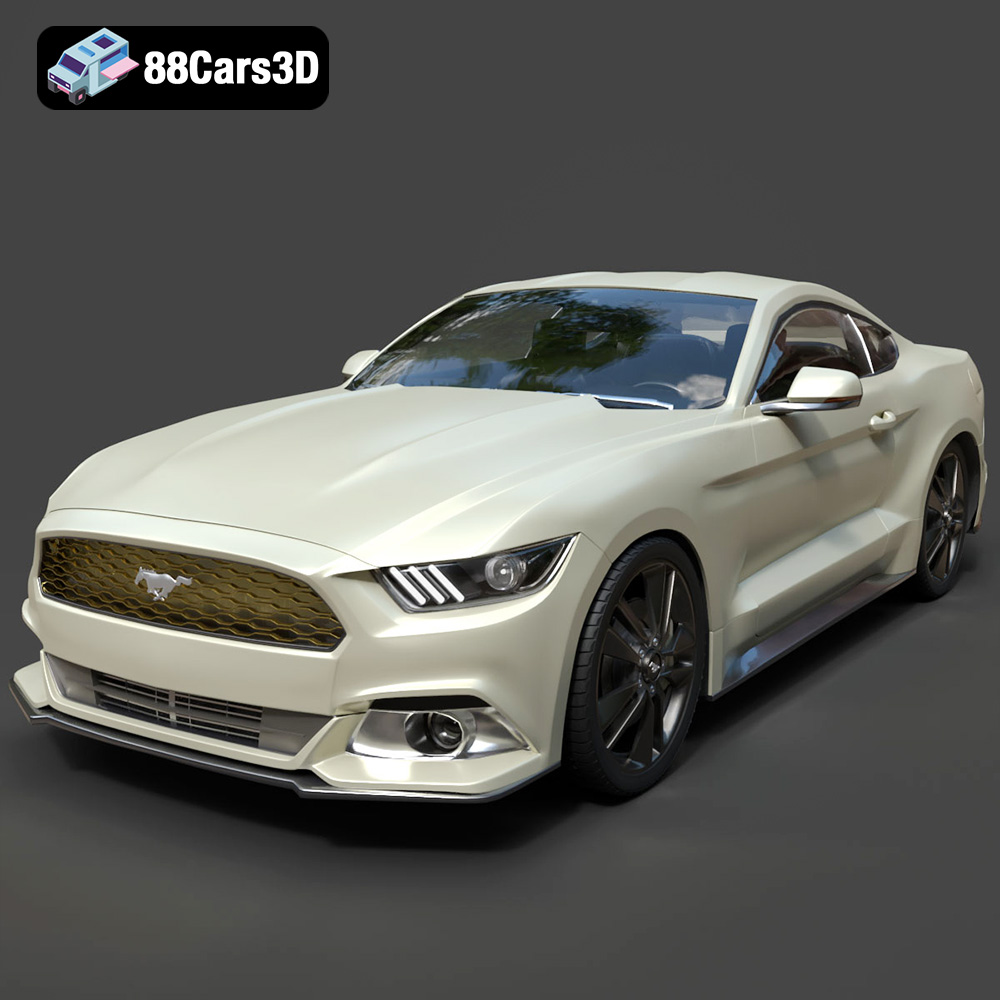
Texture: Yes | Material: Yes
Download the highly detailed, game-ready Ford Mustang GT 3D Model. Features aggressive muscle car styling, a highly detailed V8 engine bay, and accurate interior cockpit. Includes .blend, .fbx, .obj, .glb, .stl, .ply, .unreal, and .max formats for game development, AR/VR, and rendering.
Price: $19.99

Texture: Yes | Material: Yes
Download the highly detailed, game-ready Renault Megane CC 2011 3D Model. Features an accurately modeled folding glass roof, sleek aerodynamic body lines, and a detailed interior. Includes .blend, .fbx, .obj, .glb, .stl, .ply, .unreal, and .max formats for game development, AR/VR, and rendering.
Price: $19.99

Texture: Yes | Material: Yes
Download the highly detailed, game-ready Ford GT 2005 3D Model. Features signature aerodynamic bodylines, mid-mounted supercharged V8 detailing, and iconic racing stripes. Includes .blend, .fbx, .obj, .glb, .stl, .ply, .unreal, and .max formats for game development, AR/VR, and rendering.
Price: $19.99

Texture: Yes | Material: Yes
Download the highly detailed, game-ready Yamaha YZF-R125 EU 3D Model. Features an aggressive aerodynamic fairing, twin LED headlights, and a detailed 125cc engine block. Includes .blend, .fbx, .obj, .glb, .stl, .ply, .unreal, and .max formats for game development, AR/VR, and rendering.
Price: $19.99

Texture: Yes | Material: Yes
Download the highly detailed, game-ready Yamaha R1 3D Model. Features aggressive aerodynamic fairings, a detailed crossplane inline-4 engine, and track-focused suspension geometry. Includes .blend, .fbx, .obj, .glb, .stl, .ply, .unreal, and .max formats for game development, AR/VR, and rendering.
Price: $19.99

