Get 20% OFF All Premium 3D & STL Models!

“`html
The world of 3D printing has revolutionized model making, offering enthusiasts and professionals alike unprecedented control over design and fabrication. Whether you’re crafting intricate architectural models, detailed figurines, or stunning printable car models sourced from platforms like 88cars3d.com, selecting the right 3D printer is paramount. But with a vast array of options available, understanding which features truly matter can be overwhelming. This comprehensive guide will delve into the crucial aspects to consider when choosing a 3D printer for your model-making endeavors, empowering you to make informed decisions and unlock your creative potential.
We’ll explore essential features across different 3D printing technologies, including Fused Deposition Modeling (FDM) and resin-based printing (SLA/DLP/LCD). From resolution and build volume to material compatibility and software integration, we’ll cover everything you need to know to optimize your 3D printing workflow and achieve exceptional results. Let’s dive in!
For model makers, capturing intricate details is often the name of the game. The printer’s resolution – its ability to produce fine lines and smooth surfaces – is therefore a critical factor. Resolution is typically measured in microns (µm), with lower numbers indicating higher resolution and finer details. The choice between FDM and resin printers often comes down to the level of detail required.
In FDM printing, layer height is a primary determinant of resolution. Smaller layer heights (e.g., 0.1mm or 100µm) result in smoother surfaces and more detailed prints, but also significantly increase print time. Most FDM printers allow you to adjust the layer height within a range (e.g., 0.05mm to 0.4mm). A good starting point for detailed models is 0.15mm. However, reducing to 0.1mm or even 0.05mm might be necessary for extremely fine features. It’s a balancing act between detail and print duration. Consider a print of a miniature engine block: a 0.2mm layer height might leave visible stepping artifacts, while a 0.05mm layer height will capture the intricate curves and bolts with much greater fidelity. For resin printers, the Z-axis resolution is determined by the layer thickness, which can often be even finer than FDM, reaching down to 25µm or even lower on some advanced models.
XY resolution, particularly relevant in FDM printing, is influenced by the nozzle size. A smaller nozzle (e.g., 0.25mm) allows for finer details and sharper corners compared to a larger nozzle (e.g., 0.4mm). However, smaller nozzles are more prone to clogging and require slower print speeds. The standard 0.4mm nozzle is a good all-around choice for many applications. For very detailed work, consider investing in a 0.25mm nozzle and experimenting with slower speeds and higher temperatures. Resin printers achieve XY resolution through the LCD panel or laser spot size, which can result in extremely high detail reproduction, surpassing what’s typically achievable with FDM printers. When downloading models from marketplaces such as 88cars3d.com, examine the level of detail and determine if your printer’s XY and Z resolutions are adequate for faithful reproduction.
The build volume dictates the maximum size of objects you can print in a single piece. It’s defined by the dimensions of the print bed (length x width x height). The ideal build volume depends on the typical size of your models. For smaller figurines and components, a compact printer might suffice. However, for larger architectural models or full-scale car parts, a printer with a more generous build volume is essential.
Before purchasing a printer, carefully consider the size of the models you plan to create. Measure existing models or prototypes to get a sense of your average size requirements. Remember that you can always split larger models into multiple parts and assemble them later, but this adds complexity to the post-processing workflow. For example, if you plan to print a 1/10 scale model car that is 40cm long, ensure your printer has a build volume of at least 400mm in one dimension. It’s always better to have slightly more build volume than you think you need, as it provides flexibility for future projects.
A large build volume is only useful if the print bed is stable and provides excellent adhesion. Warping is a common issue with larger prints, especially with materials like ABS. Heated beds are crucial for preventing warping, as they maintain a consistent temperature throughout the printing process. Using adhesion aids like glue stick, hairspray, or specialized build surfaces can further improve adhesion. First layer calibration is also critical; the first layer must be perfectly squished onto the build plate for proper adhesion. For resin printers, a properly leveled build plate and good quality resin are essential for successful large prints. Consider printers with automatic bed leveling features to simplify the calibration process.
Different materials offer varying properties in terms of strength, flexibility, heat resistance, and aesthetics. Choosing a printer that supports a wide range of materials expands your creative possibilities. FDM printers typically support materials like PLA, ABS, PETG, TPU, nylon, and even carbon fiber composites. Resin printers are compatible with various types of resins, each with specific characteristics.
PLA is a biodegradable thermoplastic known for its ease of printing and low odor. It’s a great choice for beginners and general-purpose models. ABS is stronger and more heat-resistant than PLA but requires a heated bed and good ventilation due to its fumes. PETG offers a good balance of strength, flexibility, and ease of printing. TPU is a flexible filament ideal for creating rubber-like parts. When selecting materials, consider the intended application of your model. For example, if you’re printing a functional part that needs to withstand stress, ABS or nylon might be preferable to PLA. When printing car models, PETG can provide a good balance between strength and ease of printing, especially for components that might be exposed to sunlight and heat. PLA can also work well for aesthetic models, but it’s less resistant to higher temperatures.
Resin printing offers a wider range of specialized materials. Standard resins are suitable for general-purpose models. Tough resins are designed to be more durable and impact-resistant. Flexible resins can be used to create parts with rubber-like properties. Castable resins are specifically formulated for investment casting. When working with resin, always wear gloves and eye protection, and ensure adequate ventilation. Post-processing is also essential for resin prints, involving washing in isopropyl alcohol (IPA) and curing under UV light. Experiment with different resin types to find the best option for your specific application. Some resins are optimized for fine detail, while others prioritize strength and durability.
The software you use to prepare your 3D models for printing (slicing software) plays a crucial role in the final outcome. Slicing software converts your 3D model (typically in STL format) into a series of layers that the printer can understand. The software allows you to adjust various parameters, such as layer height, infill density, support structures, and print speed. A user-friendly and feature-rich slicing software is essential for optimizing your prints.
Several excellent slicing software options are available, both free and paid. Cura and PrusaSlicer are popular choices for FDM printing, offering a wide range of features and extensive customization options. Simplify3D is a paid software known for its advanced features and precise control over print parameters. For resin printing, Chitubox and Lychee Slicer are widely used, providing tools for hollowing models, generating support structures, and optimizing print settings. Experiment with different slicing software to find the one that best suits your needs and workflow. Most slicing software can import STL files directly. Platforms like 88cars3d.com offer print-ready STL files, which can be directly imported into the slicer.
Mastering the slicer settings is crucial for achieving optimal print quality. Layer height, as discussed earlier, affects the resolution of the print. Infill density determines the internal strength of the model. Support structures are necessary for overhangs and complex geometries. Print speed affects the print time and can also influence the quality of the print. Bed adhesion settings ensure that the model adheres firmly to the print bed. Experiment with different settings and observe the impact on your prints. A good starting point is to use the default settings provided by the slicer for your specific printer and material. Then, gradually adjust the settings based on your observations and experience. For example, increasing the infill density can improve the strength of a model, but it will also increase the print time and material consumption. Adjusting the support settings can minimize the amount of support material required, reducing post-processing time and material waste.
Support structures are essential for printing models with overhangs or complex geometries. These temporary structures provide a base for the printer to build upon, preventing the model from collapsing during the printing process. The type and placement of support structures can significantly impact the quality of the final print and the ease of post-processing.
Several types of support structures are commonly used in 3D printing. Tree supports are branching structures that provide support with minimal material usage. Linear supports are simple vertical structures that are easy to remove. Raft supports create a base layer that improves bed adhesion and provides a stable foundation for the model. Brim supports are similar to raft supports but only extend around the perimeter of the model. The choice of support structure depends on the geometry of the model and the material being used. For complex models with many overhangs, tree supports are often the best choice. For simple models with minimal overhangs, linear supports or raft supports may suffice. Resin printers often use different types of support structures optimized for the resin printing process.
Removing support structures can be a challenging task, especially for intricate models. Start by carefully detaching the support structures from the model using pliers, cutters, or a sharp knife. Be gentle to avoid damaging the model. For FDM prints, you can use dissolvable support materials, such as HIPS for ABS or PVA for PLA. These materials can be dissolved in a solvent, leaving behind a clean model. For resin prints, you can use warm water or isopropyl alcohol to soften the support structures before removal. After removing the support structures, you may need to sand or file the surface to remove any remaining marks or imperfections. A well-planned support strategy minimizes the amount of support material required and simplifies the removal process.
Regular maintenance and calibration are essential for ensuring consistent performance and prolonging the lifespan of your 3D printer. Proper maintenance includes cleaning the print bed, lubricating moving parts, and checking for loose connections. Calibration involves adjusting the printer settings to ensure accurate and consistent printing.
For FDM printers, regularly clean the print bed with isopropyl alcohol to remove any residue or debris. Lubricate the Z-axis lead screw with grease to ensure smooth vertical movement. Check the nozzle for clogs and replace it if necessary. Tighten any loose screws or bolts. Calibrate the bed leveling regularly to ensure that the first layer is properly adhered to the print bed. Periodically check the belt tension and adjust as needed. A well-maintained FDM printer will produce consistent and reliable prints.
For resin printers, regularly clean the resin vat with isopropyl alcohol to remove any cured resin. Replace the FEP film (the transparent film at the bottom of the vat) when it becomes cloudy or damaged. Clean the LCD screen with a soft cloth to remove any resin spills. Calibrate the Z-axis regularly to ensure that the first layer is properly adhered to the build plate. Filter the resin regularly to remove any debris or cured particles. A well-maintained resin printer will produce high-quality and detailed prints.
Choosing the right 3D printer for model making is a multifaceted decision. By carefully considering factors like resolution, build volume, material compatibility, software integration, support structures, and maintenance, you can select a printer that meets your specific needs and budget. Understanding the nuances of FDM and resin printing technologies allows you to make informed choices based on the level of detail and material properties required for your models. The printable car models available from online marketplaces like 88cars3d.com offer a fantastic opportunity to test and refine your 3D printing skills.
Ultimately, the best 3D printer for you is the one that enables you to bring your creative visions to life with precision, efficiency, and reliability. Don’t be afraid to experiment with different printers, materials, and settings to find the perfect combination for your model-making endeavors. With the right tools and knowledge, you can unlock a world of possibilities and create stunning 3D printed models that will impress and inspire.
“`

Texture: Yes | Material: Yes
Download the highly detailed, game-ready BMW X3 2024 3D Model. Features the iconic kidney grille, dynamic SUV proportions, and precise lighting elements. Includes .blend, .fbx, .obj, .glb, .stl, .ply, .unreal, and .max formats for game development, AR/VR, and rendering.
Price: $19.99

Texture: Yes | Material: Yes
Download the highly detailed, game-ready Tesla Model S Plaid 2021 3D Model. Features sleek aerodynamic styling, signature LED lighting, and the revolutionary Yoke steering interior. Includes .blend, .fbx, .obj, .glb, .stl, .ply, .unreal, and .max formats for game development, AR/VR, and rendering.
Price: $19.99

Texture: Yes | Material: Yes
Download the highly detailed, game-ready Rolls-Royce Ghost EWB 2018 3D Model. Features the iconic Pantheon grille, elongated luxury chassis, and elegant exterior lines. Includes .blend, .fbx, .obj, .glb, .stl, .ply, .unreal, and .max formats for game development, AR/VR, and rendering.
Price: $19.99

Texture: Yes | Material: Yes
Download the highly detailed, game-ready Chevrolet Suburban 75th Diamond 3D Model. Features the iconic Diamond Edition styling, detailed interior, and accurate full-size SUV proportions. Includes .blend, .fbx, .obj, .glb, .stl, .ply, .unreal, and .max formats for game development, AR/VR, and rendering.
Price: $19.99

Texture: Yes | Material: Yes
Download the highly detailed, game-ready Lamborghini Terzo Millenio 2017 3D Model. Features glowing Y-shaped LED signatures, extreme aerodynamic channels, and an aggressive hypercar stance. Includes .blend, .fbx, .obj, .glb, .stl, .ply, .unreal, and .max formats for game development, AR/VR, and rendering.
Price: $19.99

Texture: Yes | Material: Yes
Download the highly detailed, game-ready Mazda CX-5 2011 3D Model. Features the signature Kodo design exterior, detailed alloy wheels, and a fully modeled interior cabin. Includes .blend, .fbx, .obj, .glb, .stl, .ply, .unreal, and .max formats for game development, AR/VR, and rendering.
Price: $19.99

Texture: Yes | Material: Yes
Download the highly detailed, game-ready Toyota FJ Cruiser 2010 3D Model. Features a retro-inspired rugged exterior, iconic white roof, and an ultra-detailed HQ interior. Includes .blend, .fbx, .obj, .glb, .stl, .ply, .unreal, and .max formats for game development, AR/VR, and rendering.
Price: $19.99
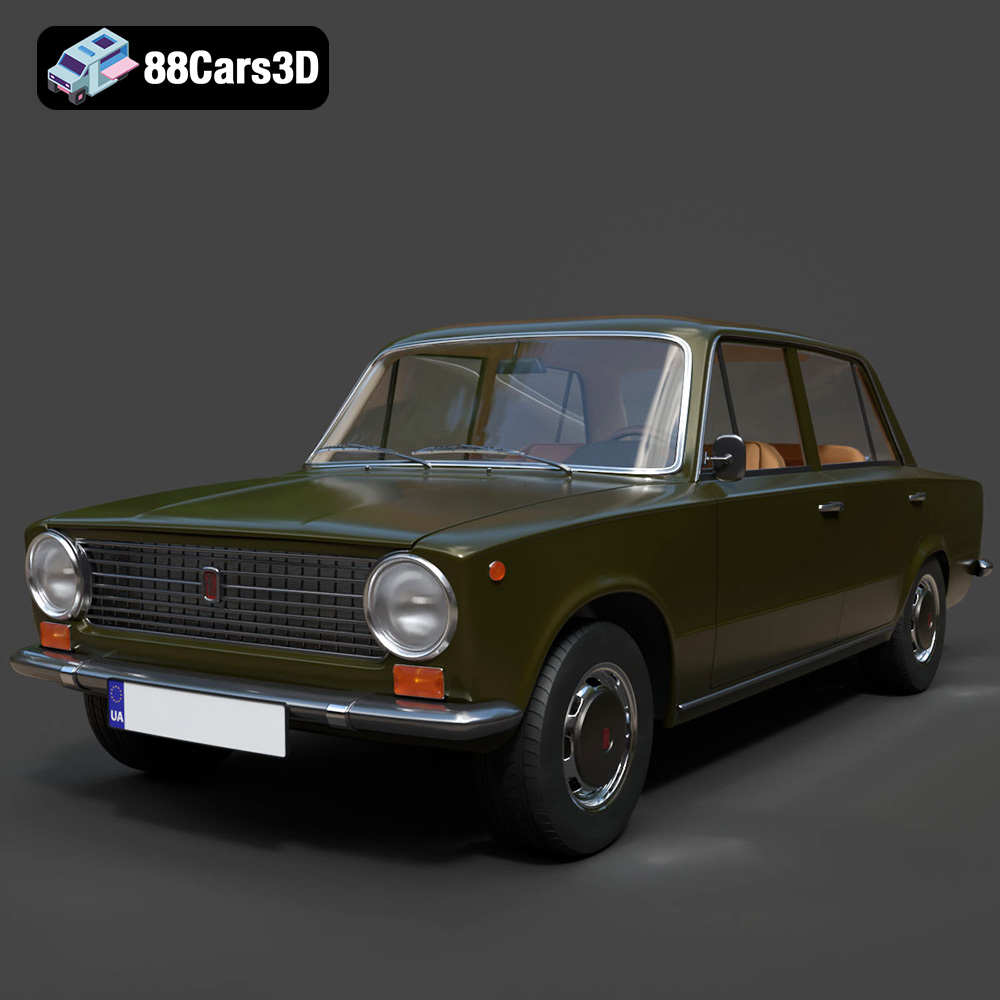
Texture: Yes | Material: Yes
Download the highly detailed, game-ready Fiat 124 Mk1 1966 3D Model. Features classic round headlights, authentic sedan bodywork, and detailed chrome hubcaps. Includes .blend, .fbx, .obj, .glb, .stl, .ply, .unreal, and .max formats for game development, AR/VR, and rendering.
Price: $19.99
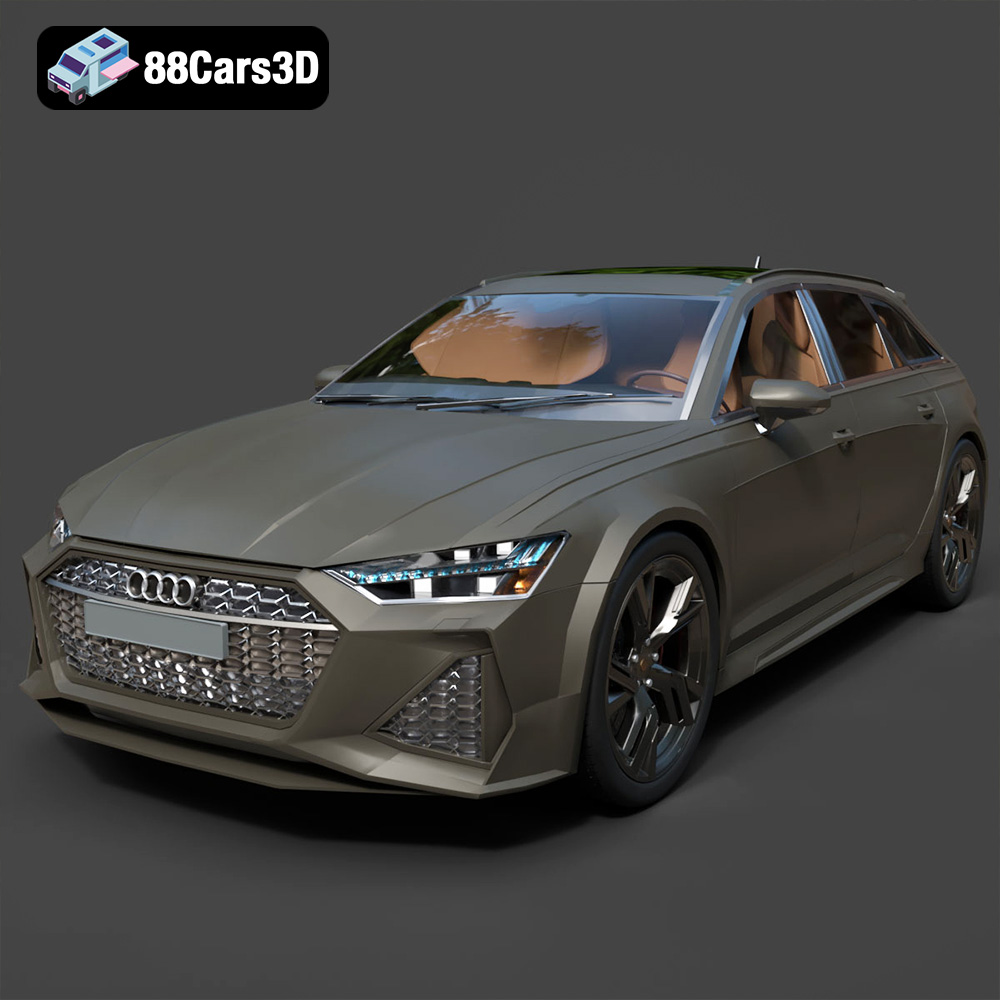
Texture: Yes | Material: Yes
Download the highly detailed, game-ready Audi RS6 3D Model. Features aggressive RS bodywork, detailed alloy wheels, and signature LED lighting. Includes .blend, .fbx, .obj, .glb, .stl, .ply, .unreal, and .max formats for game development, AR/VR, and rendering.
Price: $19.99

Texture: Yes | Material: Yes
Download the highly detailed, game-ready Toyota Camry 2018 3D Model. Features an aggressive aerodynamic body, distinct LED lighting signature, and precise interior detailing. Includes .blend, .fbx, .obj, .glb, .stl, .ply, .unreal, and .max formats for game development, AR/VR, and rendering.
Price: $19.99

