Get 20% OFF All Premium 3D & STL Models!

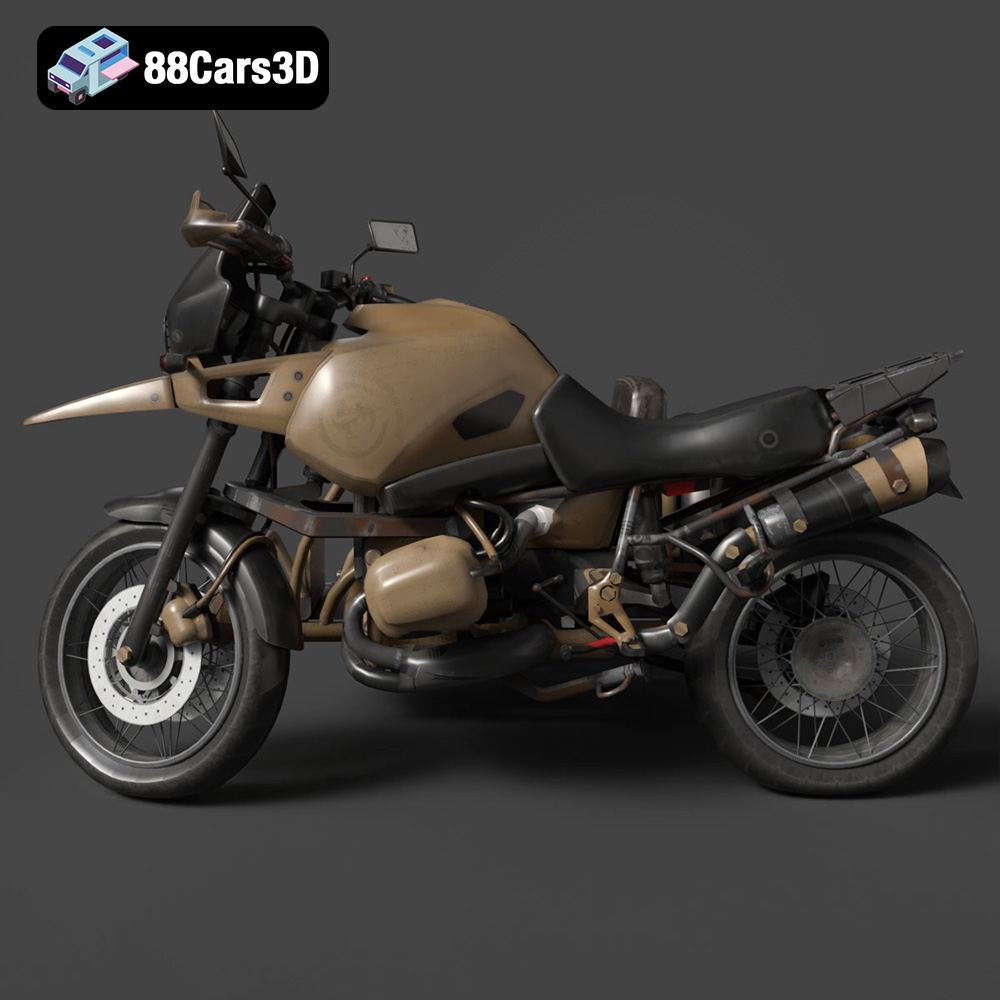
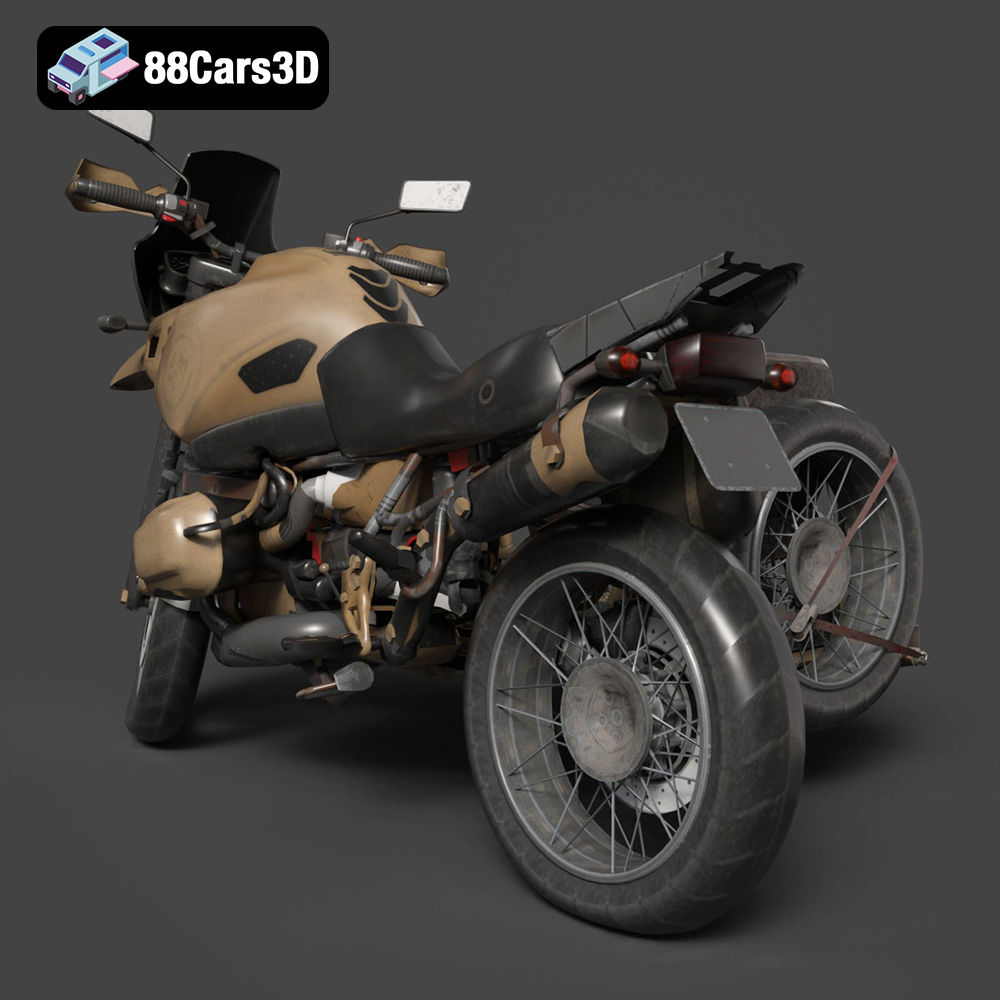
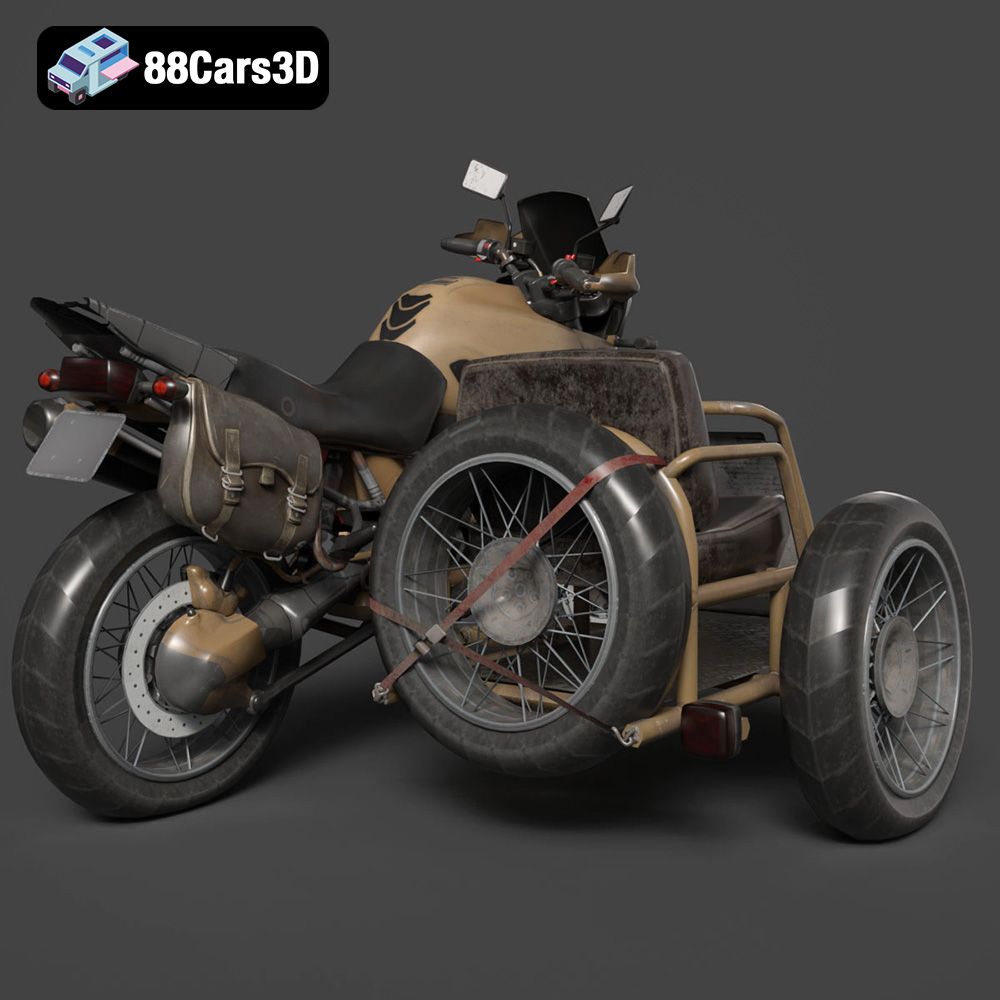
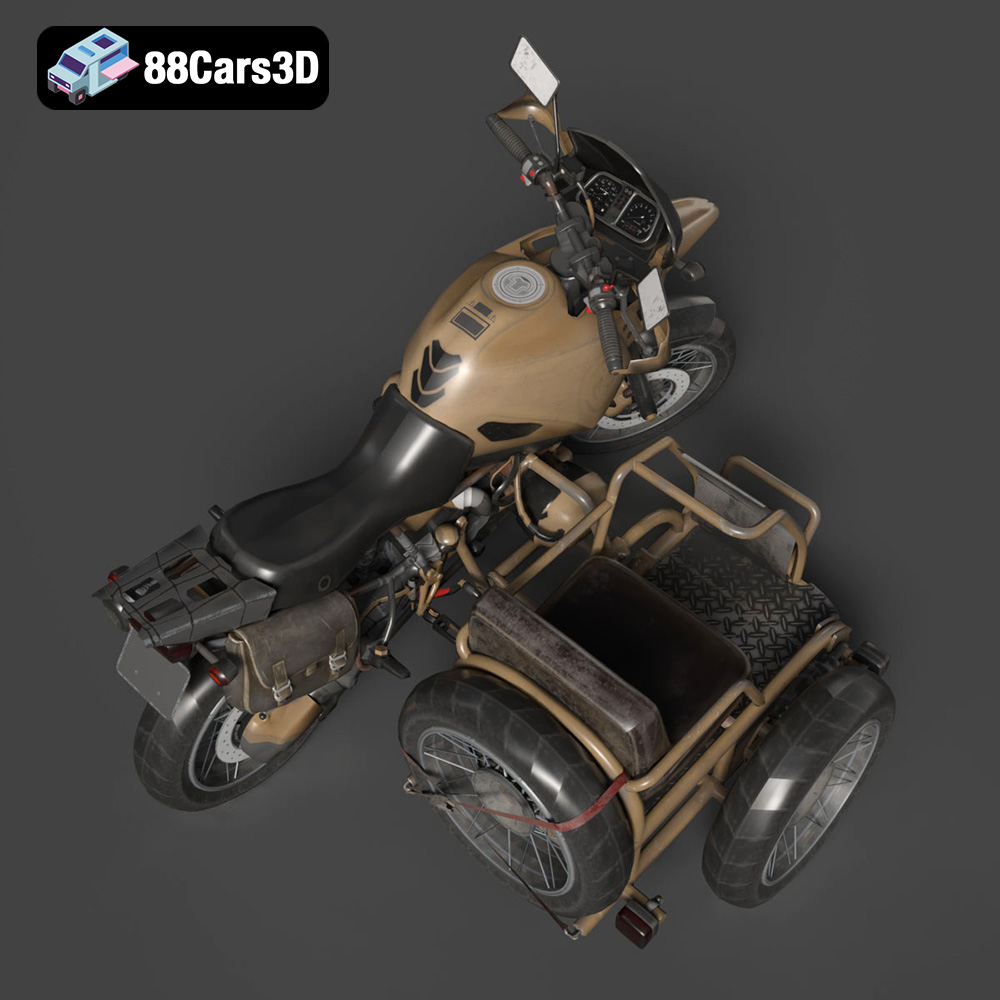
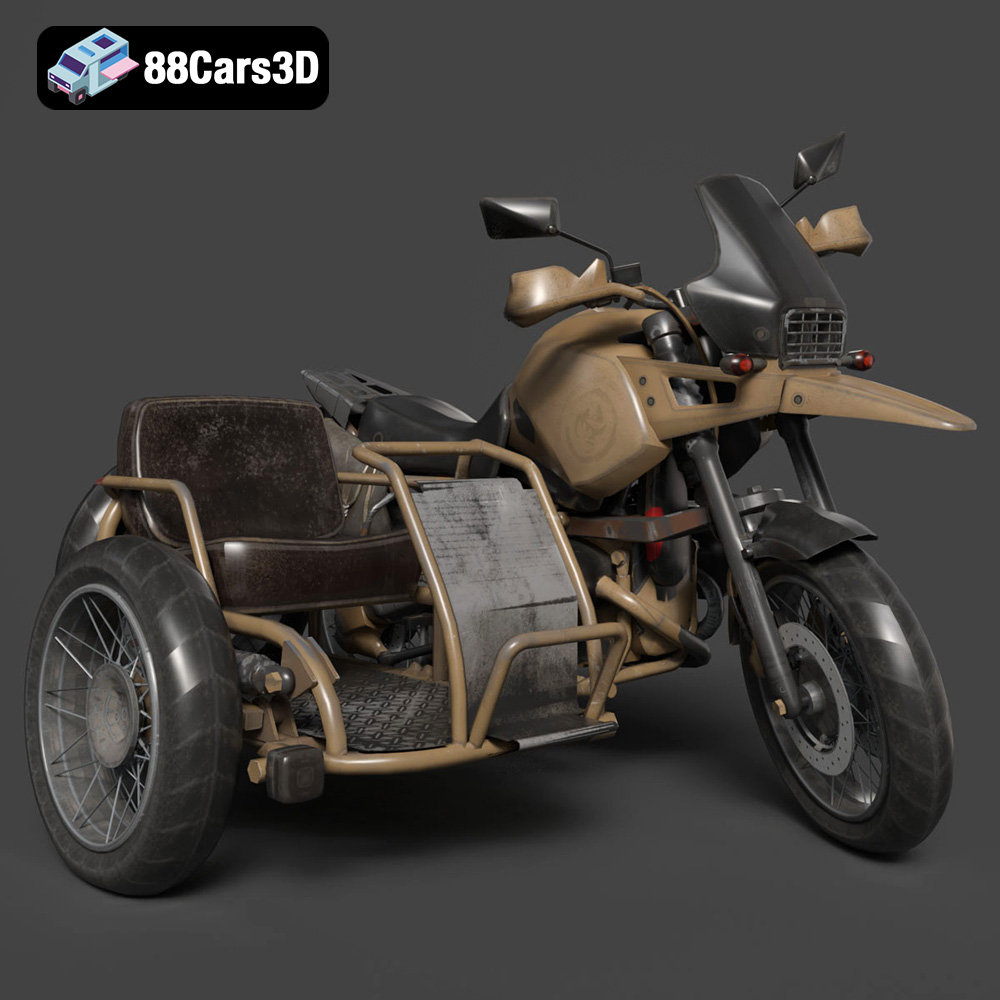
The Custom Off-Road BMW R1150GS Adventure Sidecar 3D model is a fantastic project for any 3D printing enthusiast. Combining the iconic design of the BMW R1150GS with the rugged functionality of a sidecar, this model offers a rewarding challenge and a stunning finished product. Whether you’re a seasoned veteran or relatively new to additive manufacturing, this guide will provide a comprehensive overview of how to successfully 3D print and finish this impressive model. We’ll explore material choices, printer settings, pre- and post-processing techniques, and common troubleshooting tips. Sourced from 88cars3d.com, this high-quality model promises exceptional detail and accuracy, perfect for display or integration into larger dioramas.
Before diving into the printing process, it’s essential to understand the nuances of the Custom Off-Road BMW R1150GS Adventure Sidecar 3D model. Its complex geometry, featuring intricate details like the engine block, exhaust system, and suspension components, requires careful consideration during the slicing and printing phases.
The model’s delicate areas, such as the wire-spoke wheels, handlebars, and sidecar mounting hardware, demand high precision and support structures. The frame, with its angular design, might benefit from a specific printing orientation to maximize structural integrity. It’s crucial to identify these critical areas beforehand to plan the support placement and printing strategy effectively.
The recommended scales (1:12, 1:18, 1:24) significantly impact the level of detail you can achieve. Smaller scales will naturally lose some finer features, while larger scales require more material and printing time. Balancing detail with printability is key to a successful outcome.
Selecting the right file format is crucial for a smooth 3D printing experience. While the Custom Off-Road BMW R1150GS Adventure Sidecar 3D model from 88cars3d.com is available in various formats, including .blend, .fbx, .obj, .glb, .stl, .ply, .unreal, and .max, the .stl format is the cornerstone of most 3D printing workflows. Understanding the strengths and weaknesses of each format will help you make informed decisions.
The .stl (Stereolithography) file format is the de facto standard for 3D printing. It represents the surface geometry of a 3D object as a collection of triangles. This simplicity makes it universally compatible with slicing software. However, it only stores mesh data, lacking information about color, texture, or materials. For the Custom Off-Road BMW R1150GS Adventure Sidecar, the .stl file will accurately represent the shape and form of the motorcycle and sidecar, allowing you to focus on optimizing print settings for the chosen material. Mesh quality is critical here. A poorly generated .stl can result in faceting or missing details. Ensure the .stl you are using has sufficient resolution to capture the model’s intricacies, especially the fine details of the engine and suspension. Most slicing software allows you to import and repair .stl files to address potential issues.
* **.obj (Object):** This is a more universal format that can store color and texture information, but its complexity can sometimes lead to issues with slicing software.
* **.ply (Polygon File Format):** Used to store 3D scanner data, this format excels at capturing high-detail meshes.
* **.blend (Blender):** This is Blender’s native file format. It’s useful if you want to modify the model before exporting to STL.
* **.fbx (Filmbox):** Primarily used for animation and game development, this format retains material information but is less commonly used directly for 3D printing.
* **.glb (GL Transmission Format Binary):** Designed for efficient transmission and loading of 3D models.
* **.max (3ds Max):** Native format for 3ds Max, similar to Blender’s .blend, offering full editing capabilities.
Most slicing software programs (like Cura, PrusaSlicer, Simplify3D) readily accept .stl files. Some may also support .obj, but .fbx and other formats usually require conversion to .stl before slicing. Slicing software takes the .stl file and divides it into thin layers, generating the G-code instructions for your 3D printer.
The material you select significantly impacts the final appearance, strength, and functionality of your 3D printed Custom Off-Road BMW R1150GS Adventure Sidecar. Each material has its own advantages and disadvantages, so consider the intended use of the model when making your decision.
PLA is a biodegradable thermoplastic polymer derived from renewable resources. It’s known for its ease of use, low printing temperature, and minimal warping, making it an excellent choice for beginners. PLA also offers a good balance of strength and detail, suitable for display models. However, PLA is less heat-resistant and can become brittle over time.
PETG offers improved strength, flexibility, and heat resistance compared to PLA. It’s also more impact-resistant, making it a good choice for parts that might experience stress or wear. PETG can be slightly more challenging to print than PLA, requiring higher temperatures and careful bed adhesion.
Resin printing, using technologies like SLA or DLP, offers exceptional detail and smooth surfaces. Resin is ideal for intricate models like the Custom Off-Road BMW R1150GS Adventure Sidecar, where fine features and sharp edges are essential. However, resin prints are often more brittle than FDM prints and require thorough post-processing, including washing and curing. Resin printing also requires more safety precautions due to the potentially harmful nature of the liquid resin.
* **ABS (Acrylonitrile Butadiene Styrene):** Known for its high strength and heat resistance, ABS is a more challenging material to print, requiring a heated bed and enclosure to prevent warping.
* **Nylon:** Offers excellent strength, flexibility, and chemical resistance, but it’s also hygroscopic, meaning it absorbs moisture from the air, which can affect print quality.
* **TPU (Thermoplastic Polyurethane):** A flexible material ideal for tires or other parts requiring elasticity.
Achieving a high-quality 3D print of the Custom Off-Road BMW R1150GS Adventure Sidecar requires careful tuning of your printer settings. The optimal settings will depend on your chosen material, printer type, and desired level of detail.
A smaller layer height results in smoother surfaces and finer details but increases printing time. For resin printing, layer heights of 0.02-0.05 mm are common, while FDM printing typically uses layer heights of 0.08-0.2 mm. Given the model’s intricacy, starting with a layer height of 0.1 mm (or the resin equivalent) is recommended and adjusting based on the results.
Infill density determines the internal structure of the print. A higher infill percentage increases strength and rigidity but also consumes more material and increases printing time. For a display model, an infill density of 20-30% is usually sufficient. However, for parts that need to withstand stress, like the sidecar mounting points, consider increasing the infill density.
Support structures are crucial for printing overhangs and bridging gaps. The Custom Off-Road BMW R1150GS Adventure Sidecar will require supports for areas like the exhaust system, handlebars, and mirrors. Carefully consider the placement and type of supports to minimize their impact on the final surface finish. Tree supports or light supports are recommended for delicate areas.
The orientation in which you print the model can significantly impact its strength and the amount of support required. Experiment with different orientations to find the best balance between structural integrity and ease of printing. For example, printing the frame at an angle can improve its strength along the Z-axis.
Before sending the model to the printer, it’s crucial to prepare it properly using slicing software. This involves importing the .stl file, scaling it to the desired size, generating support structures, and configuring the print settings.
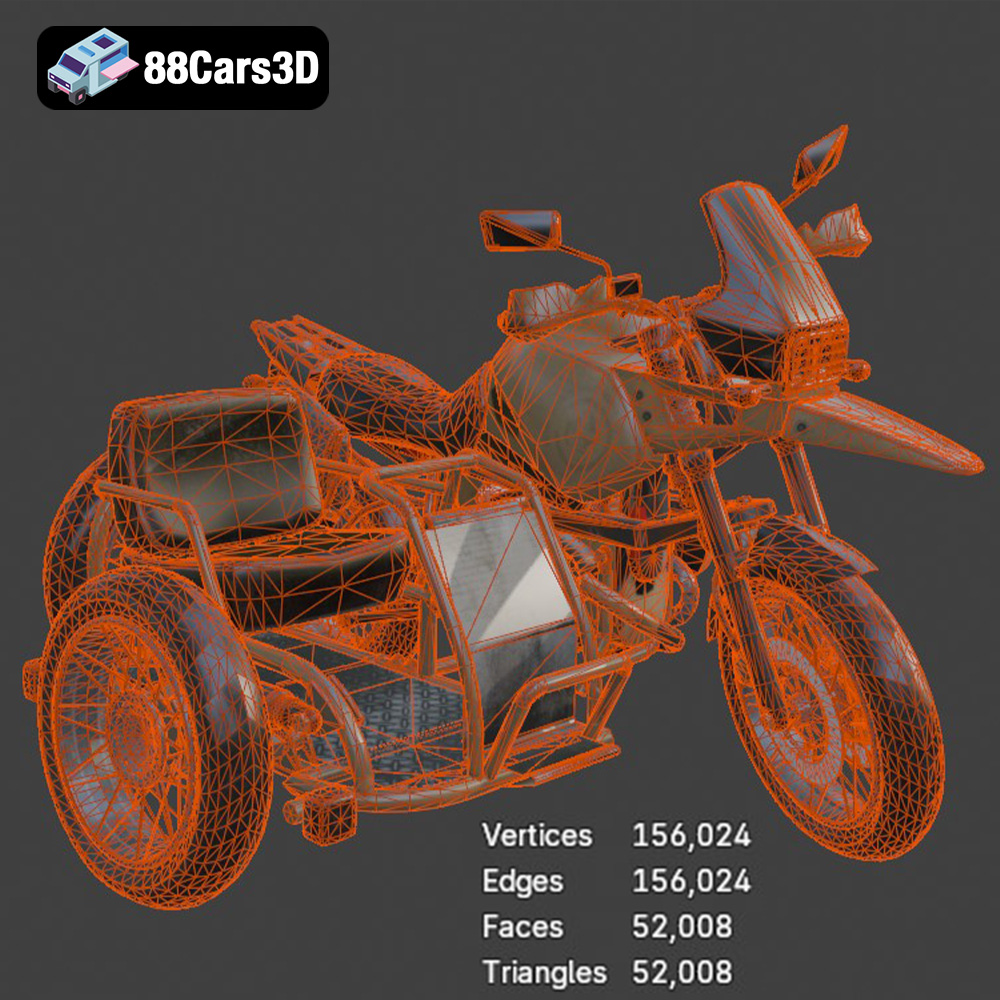
Sometimes, .stl files may contain errors such as non-manifold edges or holes. Most slicing software includes tools to automatically repair these issues. It’s also a good practice to optimize the mesh by reducing the number of polygons without sacrificing detail.
Careful support placement is essential for successful printing. Avoid placing supports on critical surfaces that will be visible in the final model. Experiment with different support types and densities to find the best balance between support and ease of removal.
Once the model is prepared, the slicing software will generate G-code, which is a set of instructions that tell the 3D printer how to move and extrude material. Review the G-code preview to ensure that the print path is correct and that there are no unexpected issues.
Post-processing is an essential step in achieving a professional finish for your 3D printed Custom Off-Road BMW R1150GS Adventure Sidecar. This involves removing support structures, sanding the surface, and applying paint or other finishes.
Carefully remove support structures using pliers or a sharp knife. Be extra cautious when removing supports from delicate areas to avoid damaging the model. Once the supports are removed, sand the surface with progressively finer grits of sandpaper to smooth out any imperfections.
Apply a primer coat to the model to create a smooth surface for painting. Choose a primer that is compatible with your chosen paint. Once the primer is dry, apply multiple thin coats of paint, allowing each coat to dry completely before applying the next. Consider using an airbrush for a more even and professional finish. The Custom Off-Road BMW R1150GS Adventure Sidecar deserves authentic factory colors with metallic finishes, which can be achieved with specialized model paints.
The model may consist of multiple parts that need to be assembled after printing. Use glue or other adhesives to attach the parts together securely. Add fine details such as decals, washes, or dry brushing to enhance the realism of the model.
Even with careful preparation, 3D printing can sometimes present challenges. Here are some common issues and their solutions:
Warping occurs when the printed part lifts off the build plate, often due to temperature differences. Ensure your build plate is properly leveled and heated, and consider using a brim or raft to improve adhesion.
Stringing is caused by molten filament oozing from the nozzle during travel moves. Increase retraction distance and speed, and lower the printing temperature.
Layer delamination occurs when the layers of the print separate. Increase the printing temperature and ensure proper bed adhesion.
Elephant’s foot is a widening of the first layer due to excessive pressure. Lower the bed temperature or increase the distance between the nozzle and the bed.
By carefully considering these factors and applying the techniques described in this guide, you can successfully 3D print a stunning replica of the Custom Off-Road BMW R1150GS Adventure Sidecar from 88cars3d.com. Remember to experiment with different settings and materials to find what works best for your printer and your desired outcome.
The Custom Off-Road BMW R1150GS Adventure Sidecar represents the pinnacle of overland exploration and rugged dual-sport capability. Renowned for its iconic boxer twin engine and indestructible shaft drive, this customized adventure rig integrates a heavy-duty passenger sidecar, transforming it into an ultimate all-terrain expedition vehicle. Key visual elements include the massive dual-sport fuel tank, aggressive knobby tires, robust crash bars, and the distinctive asymmetric headlights that define the GS lineage. Perfect for post-apocalyptic survival games, off-road racing simulators, overland expedition visualizations, and immersive VR garage environments.
$39.99
.adventure
.blend
.bmw
.custom
.fbx
.glb
.max
.obj
.ply
.rendering
.sidecar
.stl
.unreal
game asset
game-ready
low-poly
motorcycle-3d-model
off-road
optimized
r1150gs
VR/AR