Get 20% OFF All Premium 3D & STL Models!

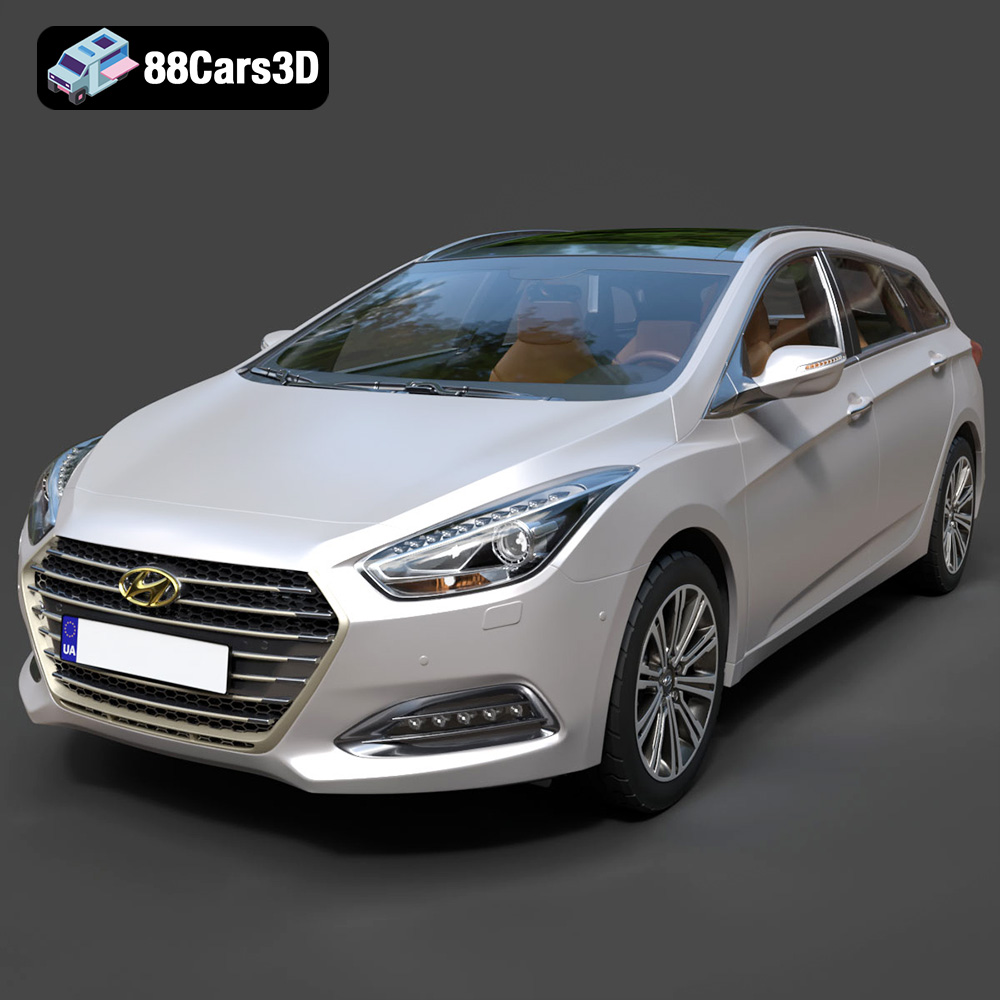
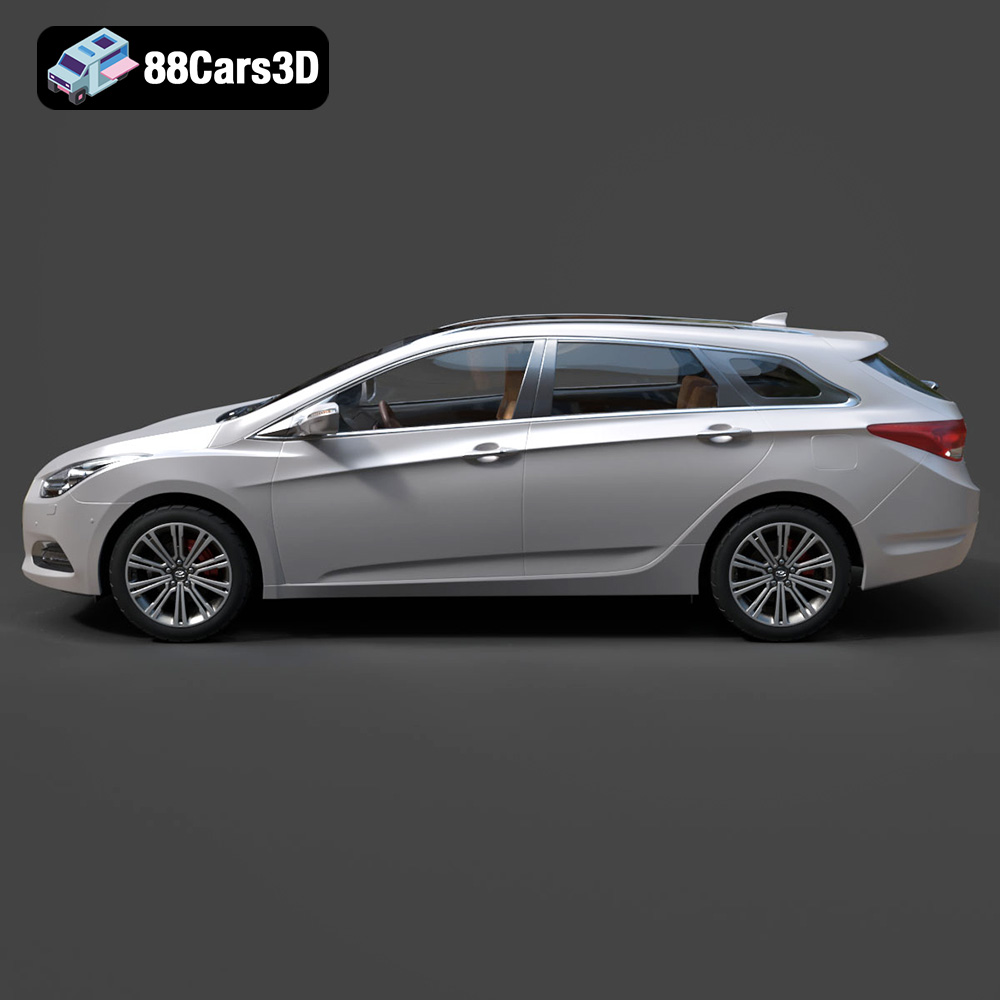
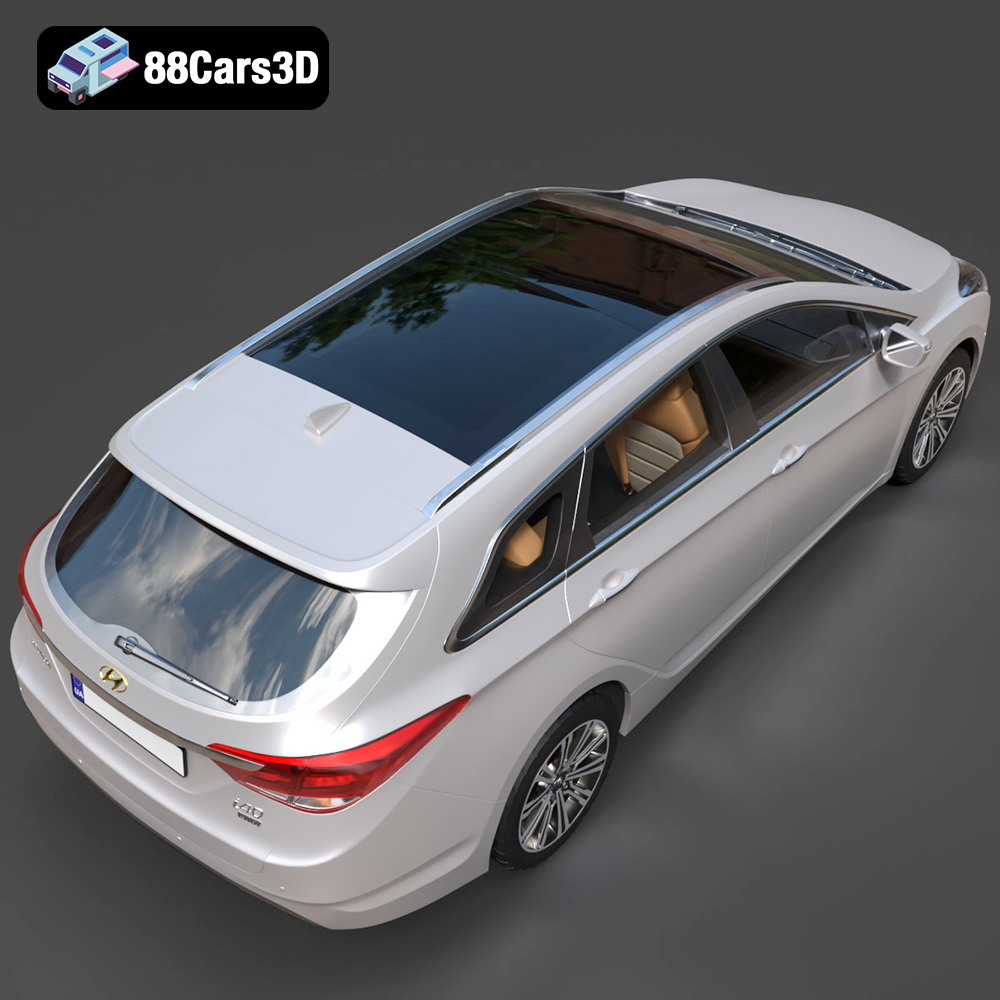
The Hyundai i40 Wagon 2015, a popular estate vehicle known for its sleek design and practicality, is now available as a highly detailed 3D model on 88cars3d.com. This guide will provide you with a comprehensive understanding of how to successfully 3D print this model, covering everything from pre-print preparation and slicing tips to material recommendations and post-processing techniques. Whether you’re a seasoned 3D printing enthusiast or just starting out, this article will equip you with the knowledge to bring this stunning car model to life.
Before diving into the specifics of printing the Hyundai i40 Wagon, it’s essential to understand the different 3D model file formats and their suitability for 3D printing. While the product comes with various formats, some are inherently better suited for additive manufacturing than others.
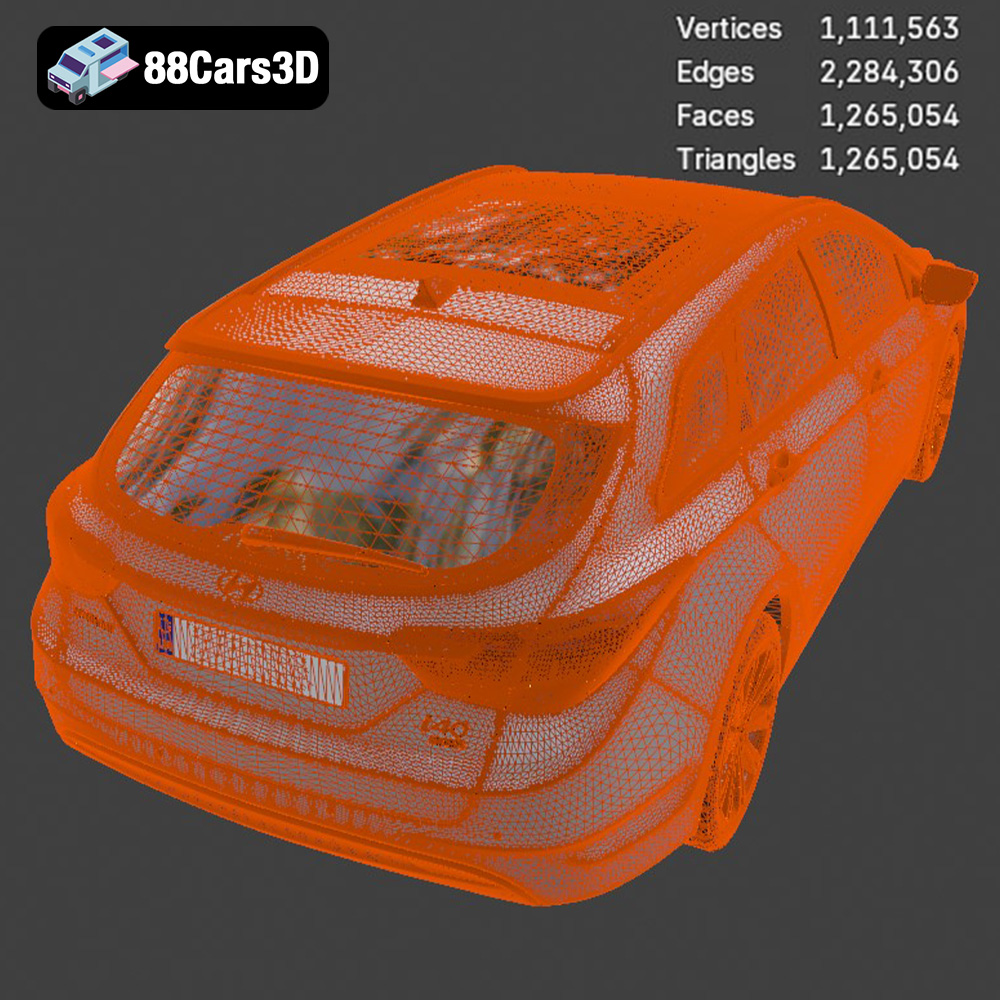
The .stl (Stereolithography) format is the industry standard for 3D printing. It represents the surface geometry of a 3D object as a collection of triangles. It’s a simple format, storing only the surface mesh and lacking information about color, texture, or material properties. This simplicity makes it universally compatible with almost all 3D printing software and hardware. For 3D printing, the .stl format is often the best choice. The quality of the print will directly correlate to the resolution of the mesh. A higher number of triangles results in a smoother surface, but also a larger file size and potentially longer processing times. When preparing an .stl file for printing, ensure that the mesh is watertight (closed and without holes) and that the normals (the direction of the triangles’ faces) are correctly oriented. Incorrect normals can cause slicing errors and printing problems.
The .obj (Wavefront Object) format is another widely used format. Unlike .stl, .obj supports color and texture information, making it suitable for full-color 3D printing, although this feature isn’t currently as common as single-color printing. While it can be used for 3D printing, .stl is typically preferred due to its simplicity and widespread support. Importing .obj files into slicing software is generally straightforward, but you may need to manually adjust the scale and orientation.
The .ply (Polygon File Format) is designed to store 3D data acquired from 3D scanners. It can store not only geometric data but also color, transparency, surface normals, and other properties. It’s suitable for high-detail prints where preserving scanned data fidelity is crucial.
The .blend format is the native file format for Blender, a popular open-source 3D modeling software. It contains the entire Blender scene, including the model’s geometry, materials, textures, lighting, and animation data. While you can’t directly 3D print a .blend file, it’s incredibly valuable for customization. You can modify the Hyundai i40 Wagon model, add details, or even create variations before exporting it to a printable format like .stl. Ensure you have Blender installed if you intend to use this format.
The .fbx (Filmbox) format is a proprietary file format developed by Autodesk. It’s commonly used for exchanging 3D data between different software applications, particularly in game development and animation. The .fbx format supports a wide range of data, including geometry, materials, textures, animation, and rigging. While some slicing software can import .fbx files, it’s generally better to convert them to .stl for 3D printing to ensure compatibility and avoid potential issues.
The .glb (GL Transmission Format Binary) is a relatively new format designed for efficient transmission and loading of 3D models in web-based applications and augmented reality (AR) experiences. It’s a binary format that combines the geometry, textures, and animations into a single file. While primarily intended for real-time rendering, .glb can be useful for previewing the Hyundai i40 Wagon model in AR before printing, allowing you to visualize its size and appearance in a real-world environment.
The .max format is the native file format for 3ds Max, another professional 3D modeling and animation software package developed by Autodesk. Similar to .blend, .max files contain the entire scene setup and are ideal for making modifications to the model before exporting it as an .stl file for 3D printing.
In summary, for 3D printing the Hyundai i40 Wagon, the .stl format is generally the preferred choice due to its simplicity, widespread compatibility, and suitability for representing the model’s geometry. If you intend to customize the model before printing, the .blend or .max formats offer the flexibility to make modifications and then export the result as an .stl file.
Before sending the Hyundai i40 Wagon model to your 3D printer, some essential pre-print preparation steps can significantly improve the final print quality and reduce the risk of printing errors.
* **Mesh Analysis:** Use software like MeshLab, Netfabb, or the built-in repair tools in your slicer (like Cura or PrusaSlicer) to inspect the .stl file for potential issues. Look for non-manifold edges, holes, flipped normals, and intersecting faces. These errors can lead to printing problems, such as missing sections or weak points in the final print.
* **Repair Tools:** Most mesh analysis software offers automatic repair tools that can fix common issues. These tools attempt to close gaps, correct normals, and remove overlapping geometry. However, it’s always a good idea to manually inspect the repaired model to ensure that the automatic fixes haven’t introduced any new problems.
* **Orientation:** The orientation of the model on the print bed significantly impacts print quality, support material usage, and print time. For the Hyundai i40 Wagon, consider printing it with the roof facing upwards. This minimizes the need for supports on the car’s body, which can be difficult to remove cleanly. Orienting the car at an angle (around 45 degrees) can also help reduce the layer lines’ visibility on curved surfaces.
* **Support Structures:** Support structures are necessary for overhanging features and bridges. Use the support generation tools in your slicing software to automatically create supports. Experiment with different support settings, such as support density, support overhang angle, and support placement, to find the optimal balance between support strength and ease of removal. Consider using tree supports or light supports to minimize the impact on the surface finish.
The choice of material significantly impacts the final appearance, strength, and durability of the 3D printed Hyundai i40 Wagon. Here are some recommendations based on different printing goals:
* **Pros:** Easy to print, low warping, wide range of colors, biodegradable. PLA is an excellent choice for beginners due to its ease of use and minimal printing requirements.
* **Cons:** Lower heat resistance, less durable than other materials. PLA is not ideal for parts that will be exposed to high temperatures or stress.
* **Recommendation:** PLA is suitable for printing the Hyundai i40 Wagon if you prioritize ease of printing and visual appeal. It’s great for display models that won’t be subjected to harsh conditions.
* **Pros:** Good balance of strength and flexibility, higher heat resistance than PLA, relatively easy to print. PETG offers a good compromise between PLA and ABS, making it a versatile choice for a variety of applications.
* **Cons:** More prone to stringing than PLA, requires slightly higher printing temperatures.
* **Recommendation:** PETG is a good option if you want a more durable print that can withstand slightly higher temperatures. It’s suitable for models that may be handled frequently or used in environments where PLA might not be robust enough.
* **Pros:** Exceptional detail, smooth surface finish, high precision. Resin printing is ideal for producing highly detailed models with intricate features.
* **Cons:** More expensive than filament printing, requires post-processing (washing and curing), resins can be brittle and require careful handling.
* **Recommendation:** If you want the highest possible detail and a smooth surface finish for the Hyundai i40 Wagon, resin printing is the way to go. However, be prepared for the additional steps and costs associated with resin printing.
The slicing settings you choose will greatly influence the final print quality, print time, and material usage. Here are some recommended settings for printing the Hyundai i40 Wagon:
* **Recommendation:** 0.1mm – 0.2mm. A lower layer height (e.g., 0.1mm) will result in a smoother surface finish and finer details, but it will also increase the print time. A higher layer height (e.g., 0.2mm) will print faster but may result in more visible layer lines.
* **Considerations:** For resin printing, layer heights can be even lower (e.g., 0.05mm or even 0.025mm) to achieve extremely high detail.
* **Recommendation:** 10% – 20%. Infill density determines the amount of material used inside the model. A higher infill density will make the print stronger but will also increase the print time and material usage. For a display model, a lower infill density is usually sufficient.
* **Considerations:** Use a higher infill density (e.g., 50% or more) if you need a more robust print that can withstand stress or impact.
* **Recommendation:** 40mm/s – 60mm/s. A slower print speed will generally result in better print quality, especially for intricate details and overhangs. A faster print speed will reduce the print time but may compromise print quality.
* **Considerations:** Experiment with different print speeds to find the optimal balance between speed and quality.
* **Recommendation:** Use tree supports or light supports to minimize the impact on the surface finish. Adjust the support density and overhang angle to find the optimal balance between support strength and ease of removal.
* **Considerations:** Ensure that the supports are properly attached to the model and the build plate to prevent them from detaching during printing.
After the print is complete, some post-processing steps can enhance the appearance and durability of the Hyundai i40 Wagon model.
* **Techniques:** Carefully remove the support structures using pliers, cutters, or a sharp knife. Take your time and avoid damaging the model’s surface.
* **Tips:** Soaking the model in warm water can help soften the support structures and make them easier to remove. For resin prints, isopropyl alcohol can be used to clean and soften the supports.
* **Techniques:** Use sandpaper with progressively finer grits (e.g., 220, 400, 600, 800) to smooth out any imperfections and layer lines on the surface of the model.
* **Tips:** Wet sanding (using sandpaper with water) can help reduce dust and improve the sanding results.
* **Techniques:** Apply a primer coat to the model to prepare it for painting. Use acrylic paints or spray paints to add color and detail. Apply multiple thin coats of paint rather than one thick coat to avoid drips and runs.
* **Tips:** Use masking tape to protect areas that you don’t want to paint. Consider using an airbrush for a more professional finish.
* **Techniques:** If the Hyundai i40 Wagon model consists of multiple parts, carefully assemble them using glue or other adhesives.
* **Tips:** Use clamps or weights to hold the parts together while the glue dries.
Even with careful preparation, you may encounter some common 3D printing issues. Here are some troubleshooting tips:
* **Causes:** Warping occurs when the printed part cools unevenly, causing it to detach from the build plate.
* **Solutions:** Use a heated bed, increase the bed adhesion (e.g., using glue stick or hairspray), reduce the printing speed, and enclose the printer to maintain a more consistent temperature.
* **Causes:** Stringing occurs when molten plastic oozes from the nozzle while the printer is moving between different parts of the model.
* **Solutions:** Reduce the printing temperature, increase the retraction distance and speed, and enable the “avoid crossing perimeters” setting in your slicing software.
* **Causes:** Layer shifting occurs when the printer’s axes lose their position during printing.
* **Solutions:** Check the belts and pulleys for tightness, reduce the printing speed, and ensure that the printer is placed on a stable surface.
Experience true-to-life automotive design with the Hyundai i40 Wagon 2015 3D Model. Carefully crafted to represent the sleek contours and practical elegance of this popular estate vehicle, this digital asset delivers exceptional realism for any demanding project.
$39.99
3D printing the Hyundai i40 Wagon 2015 from 88cars3d.com is a rewarding project that allows you to bring a detailed replica of this popular vehicle to life. By carefully preparing the model, choosing the right materials and slicing settings, and applying post-processing techniques, you can achieve a professional-looking print that you’ll be proud to display. Remember to troubleshoot any issues that may arise and experiment with different settings to find what works best for your printer and materials. With a bit of patience and attention to detail, you can create a stunning 3D printed model of the Hyundai i40 Wagon that captures its sleek design and practical elegance.
.arvr
.blend
.car3dmodel
.estate
.familycar
.fbx
.gameasset
.glb
.hyundai
.i40
.max
.obj
.ply
.rendering
.simulation
.stationwagon
.stl
.unreal
.wagon