Get 20% OFF All Premium 3D & STL Models!

The 1993 Volkswagen Passat Mk4, also known as the B4, holds a special place in automotive history. Its blend of practicality, reliability, and understated design made it a popular choice for families and enthusiasts alike. Now, thanks to the advancements in 3D printing technology, you can own a miniature version of this iconic sedan. This guide will walk you through the process of 3D printing the Volkswagen Passat Mk4 B4 Sedan 1993 3D model, covering everything from pre-print preparation to post-processing techniques, ensuring a successful and rewarding project. The high-quality 3D models available at 88cars3d.com provide a great starting point.
Choosing the right file format is crucial for a successful 3D printing experience. While numerous formats exist, some are better suited for additive manufacturing than others. Understanding the strengths and weaknesses of each will help you optimize your workflow.
The STL (Stereolithography) file format is the undisputed king of 3D printing. It represents the surface geometry of a 3D object as a collection of triangles. This simplicity is its strength, making it universally compatible with almost all slicing software and 3D printers. However, this simplicity also means that STL files only store information about the shape of the object, lacking color, texture, or material properties.
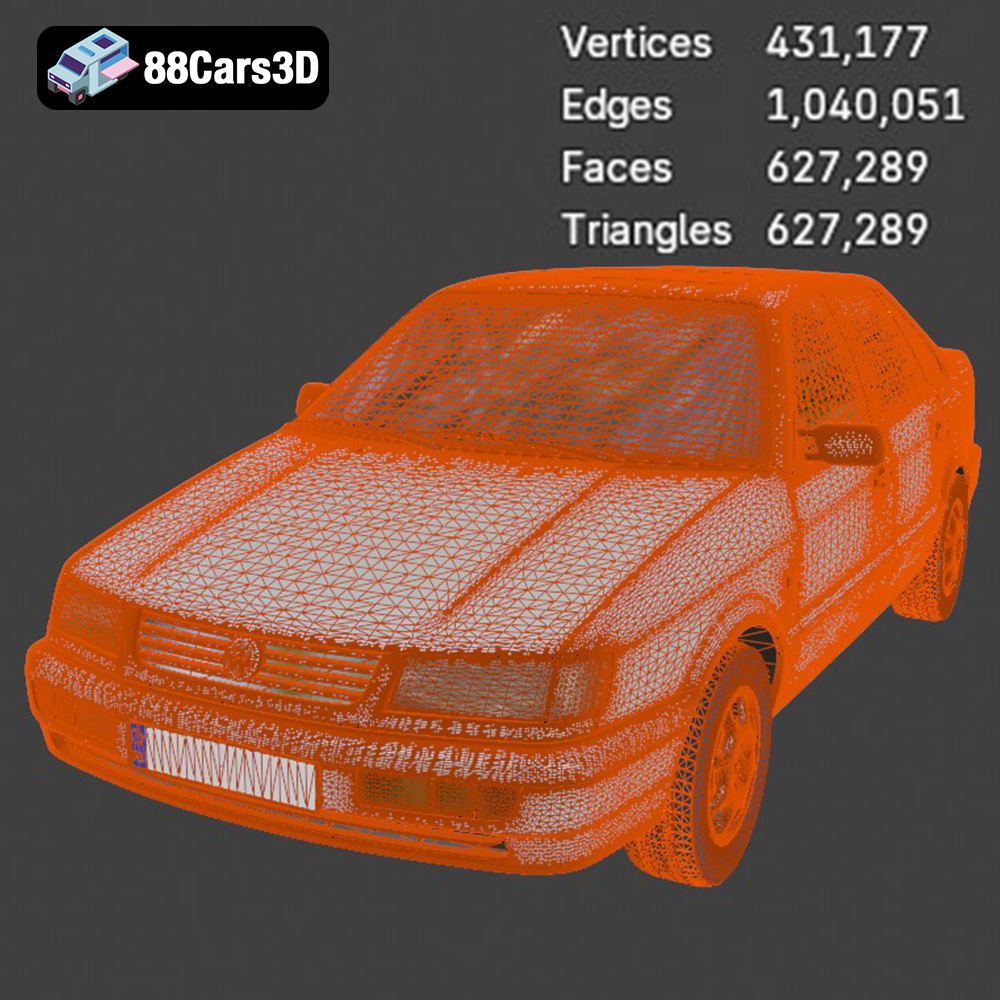
When working with STL files, mesh quality is paramount. A low-resolution STL will result in a faceted, blocky print, while an excessively high-resolution STL can create unnecessarily large files that are slow to process. The ideal resolution depends on the complexity of the model and the desired level of detail. Slicing software allows you to adjust the tessellation parameters, controlling the number of triangles used to represent the surface. For the Volkswagen Passat Mk4 B4 Sedan 1993 3D model, a medium-resolution STL with well-defined edges and smooth curves will generally produce excellent results. 88cars3d.com provides optimized STL files that strike a great balance between detail and printability.
OBJ files are more versatile than STL files, as they can store color and texture information in addition to geometry. This makes them suitable for 3D printing in full color, although this requires a specialized printer capable of handling multiple materials. OBJ files are also widely supported by 3D modeling software and slicing programs.
PLY (Polygon File Format) is designed for storing data from 3D scanners and is capable of capturing highly detailed surface information. While not as universally supported as STL or OBJ, it can be beneficial for printing models with intricate details, provided your slicing software and printer are compatible.
BLEND files are native to Blender, a popular open-source 3D modeling software. This format allows you to directly edit the model before exporting it for 3D printing. If you want to customize the Volkswagen Passat Mk4 B4 Sedan 1993 3D model, for example, by adding custom features or modifying the body kit, using the BLEND file provides the greatest flexibility.
FBX (Filmbox) is a proprietary file format developed by Autodesk. It’s commonly used for exchanging data between different 3D applications, including 3D modeling software, game engines, and slicing programs. FBX files can store geometry, textures, materials, and animation data. While not all slicing programs fully support FBX materials, it can be useful for preserving material assignments when importing the model.
GLB is a binary file format representing 3D models, which is mainly used in AR/VR applications and is suitable for fast loading. It is increasingly used for previewing models before 3D printing, especially in online marketplaces.
MAX files are the native format for Autodesk 3ds Max, a professional 3D modeling and animation software. Similar to BLEND files, MAX files provide full access to the model’s structure and properties, allowing for extensive customization before exporting for 3D printing.
For 3D printing the Volkswagen Passat Mk4 B4 Sedan 1993 3D model, the STL format is the recommended choice due to its widespread compatibility and suitability for representing the car’s geometry. Ensure that the STL file is properly scaled and oriented before slicing.
Before sending the Volkswagen Passat Mk4 B4 Sedan 1993 3D model to your printer, several crucial steps need to be taken. Proper preparation significantly impacts the final print quality and reduces the risk of errors.
Slicing software is the bridge between your 3D model and your printer. It converts the 3D model into a series of instructions (G-code) that the printer can understand. Popular slicing software options include Cura, PrusaSlicer, Simplify3D, and others. Each offers a range of settings that can be tailored to your specific printer and material.
Key settings to configure include:
* **Layer Height:** Smaller layer heights (e.g., 0.1mm) produce smoother surfaces but increase print time. Larger layer heights (e.g., 0.2mm) are faster but result in more visible layers. For detailed models like the Passat, a layer height between 0.08mm and 0.12mm is recommended.
* **Infill Density:** Infill is the internal structure of the print. Higher infill densities (e.g., 50%) increase strength but also increase material usage and print time. For a display model, a moderate infill density of 20-30% is usually sufficient.
* **Print Speed:** Slower print speeds generally improve print quality, especially for intricate details. Start with a conservative speed of 40-50 mm/s and adjust as needed.
* **Support Structures:** Support structures are necessary for overhanging features like the exhaust, mirrors, and bumpers. Choose a support pattern (e.g., tree supports, linear supports) that is easy to remove and minimizes scarring on the model surface.
Occasionally, 3D models may contain errors such as non-manifold geometry, holes, or intersecting faces. These errors can cause problems during slicing and printing. Most slicing software includes basic repair tools, but dedicated mesh editing software like MeshLab or Netfabb can provide more advanced repair capabilities. Before slicing, inspect the model for any visible errors and use the repair tools to correct them. Properly repaired models lead to more reliable 3D printing results.
The Volkswagen Passat Mk4 B4 Sedan 1993 3D model can be scaled to your desired size. Common scales for model cars are 1:12, 1:18, and 1:24. Choose a scale that balances detail and printability. Larger scales allow for finer details but require more material and print time. Correct orientation is also crucial. Orient the model to minimize the need for support structures and to optimize the strength of the printed parts. For the Passat, printing the frame angled can improve structural integrity. Wheels and smaller components should be printed separately for better detail and ease of assembly.
The choice of material greatly influences the appearance, strength, and durability of your 3D printed Volkswagen Passat Mk4 B4 Sedan 1993 3D model. Different materials offer varying properties, and the best choice depends on your specific requirements.
PLA (Polylactic Acid) is a popular thermoplastic known for its ease of use, low odor, and biodegradability. It’s an excellent choice for beginners and for models where strength is not a primary concern. PLA prints at relatively low temperatures (180-220°C) and doesn’t require a heated bed in most cases. It also comes in a wide variety of colors and finishes. For the Passat, PLA is suitable for printing the body and interior parts. However, PLA can be brittle and may not be the best choice for parts that will experience stress or impact.
PETG (Polyethylene Terephthalate Glycol-modified) offers a good balance of strength, durability, and ease of printing. It’s more flexible and impact-resistant than PLA, making it a better choice for parts that need to withstand some stress. PETG also has good temperature resistance. It prints at slightly higher temperatures than PLA (220-250°C) and typically requires a heated bed (70-80°C). PETG can be used for the chassis and other structural components of the Passat.
Resin printing is ideal for producing highly detailed parts with smooth surfaces. It uses liquid resin that is cured by UV light. Resin printers are capable of achieving much finer resolutions than FDM printers, making them suitable for small, intricate parts like the wheels, mirrors, and dashboard details of the Passat. However, resin prints can be brittle and may require post-curing to achieve optimal strength. They also require careful handling due to the toxicity of the resin. The 88cars3d.com product description recommends resin printing for fine details.
Achieving optimal print quality requires fine-tuning your printer settings based on the chosen material and the specific characteristics of the Volkswagen Passat Mk4 B4 Sedan 1993 3D model.
As previously mentioned, layer height directly impacts surface smoothness and print time. For PLA or PETG, a layer height of 0.08-0.12mm is recommended for a good balance of detail and speed. For resin printing, even finer layer heights (e.g., 0.025-0.05mm) can be used to achieve exceptional detail.
Refer to the filament manufacturer’s recommendations for optimal printing temperatures. In general, PLA prints well at 190-210°C with good cooling, while PETG requires slightly higher temperatures (220-240°C) and less cooling. Proper cooling is essential to prevent warping and ensure good layer adhesion.
The Volkswagen Passat Mk4 B4 Sedan 1993 3D model requires support structures for overhanging features. Experiment with different support patterns and densities to find the best balance between support strength and ease of removal. Tree supports are often a good choice as they minimize contact with the model surface.
Slower print speeds generally improve print quality, especially for intricate details. Start with a speed of 40-50 mm/s and adjust as needed. Retraction settings control how the printer retracts the filament when moving between different parts of the model. Proper retraction settings are essential to prevent stringing and blobs.
Once the print is complete, post-processing is necessary to remove support structures, smooth the surface, and add the finishing touches that bring the Volkswagen Passat Mk4 B4 Sedan 1993 3D model to life.
Carefully remove support structures using pliers or a sharp knife. Be patient and avoid damaging the model surface. Once the supports are removed, use sandpaper to smooth any rough edges or blemishes. Start with a coarse grit sandpaper (e.g., 220 grit) and gradually move to finer grits (e.g., 400, 600, 800 grit) to achieve a smooth, polished surface. Wet sanding can also help to minimize dust and improve the finish.
Apply a primer coat to the model to create a uniform surface for painting. Primer also helps to fill in any remaining imperfections. Once the primer is dry, you can apply the paint. Use high-quality model paints for the best results. Multiple thin coats are better than one thick coat. Consider using an airbrush for a more even and professional finish.
Assemble the various parts of the Volkswagen Passat Mk4 B4 Sedan 1993 3D model, such as the wheels, mirrors, and interior components. Use glue or adhesive to secure the parts in place. Add any final details, such as decals, trim, or weathering effects, to enhance the realism of the model.
Even with careful preparation and optimized settings, 3D printing can sometimes present challenges. Here are some common issues and their solutions:
* **Warping:** Warping occurs when the corners of the print lift off the build plate. This is often caused by poor bed adhesion or uneven cooling. Ensure that your build plate is clean and level, and use a bed adhesive like glue stick or hairspray. Adjust cooling settings to prevent warping.
* **Stringing:** Stringing is the formation of thin strands of filament between different parts of the model. This is usually caused by improper retraction settings. Increase the retraction distance or speed to eliminate stringing.
* **Layer Shifting:** Layer shifting occurs when the print head suddenly shifts position during printing. This can be caused by loose belts, stepper motor issues, or vibrations. Tighten belts, check stepper motor connections, and stabilize the printer to prevent layer shifting.
* **Elephant’s Foot:** Elephant’s foot is the expansion of the first few layers of the print. This is usually caused by the build plate being too close to the nozzle. Adjust the Z-offset to create a small gap between the nozzle and the build plate.
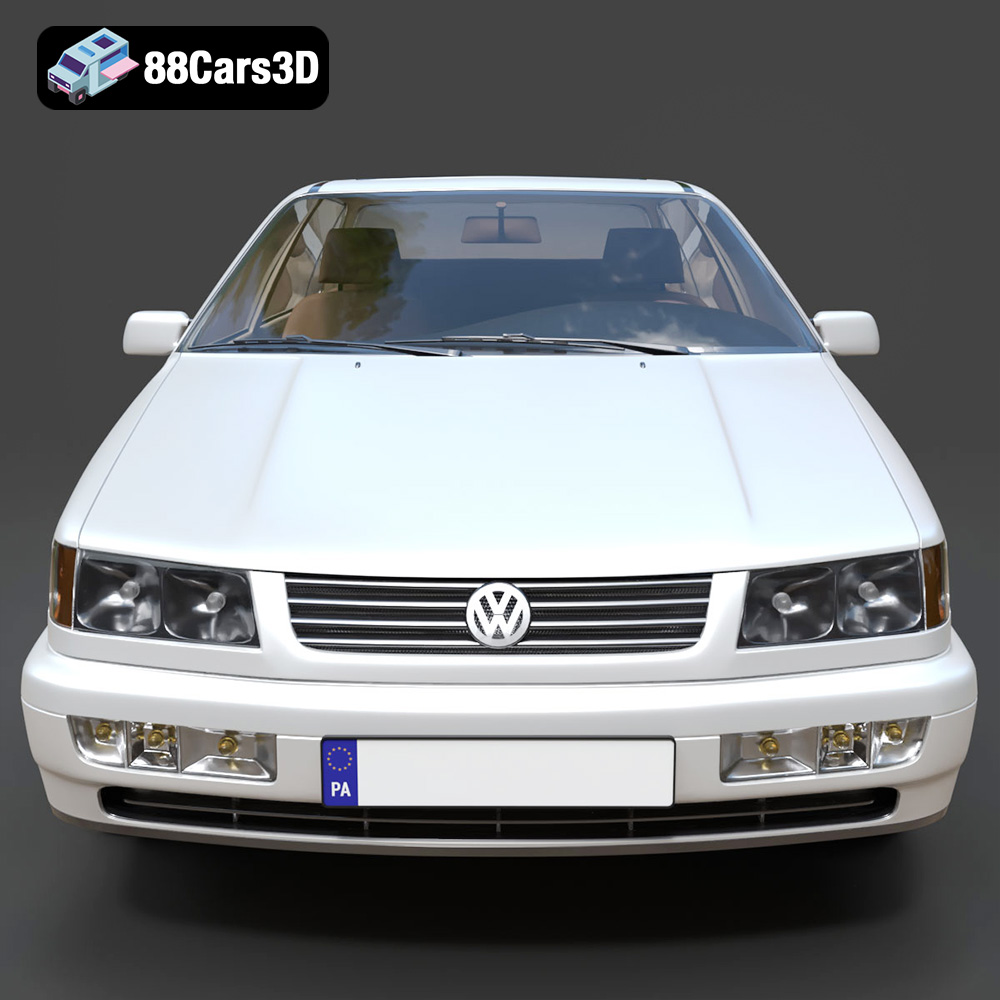
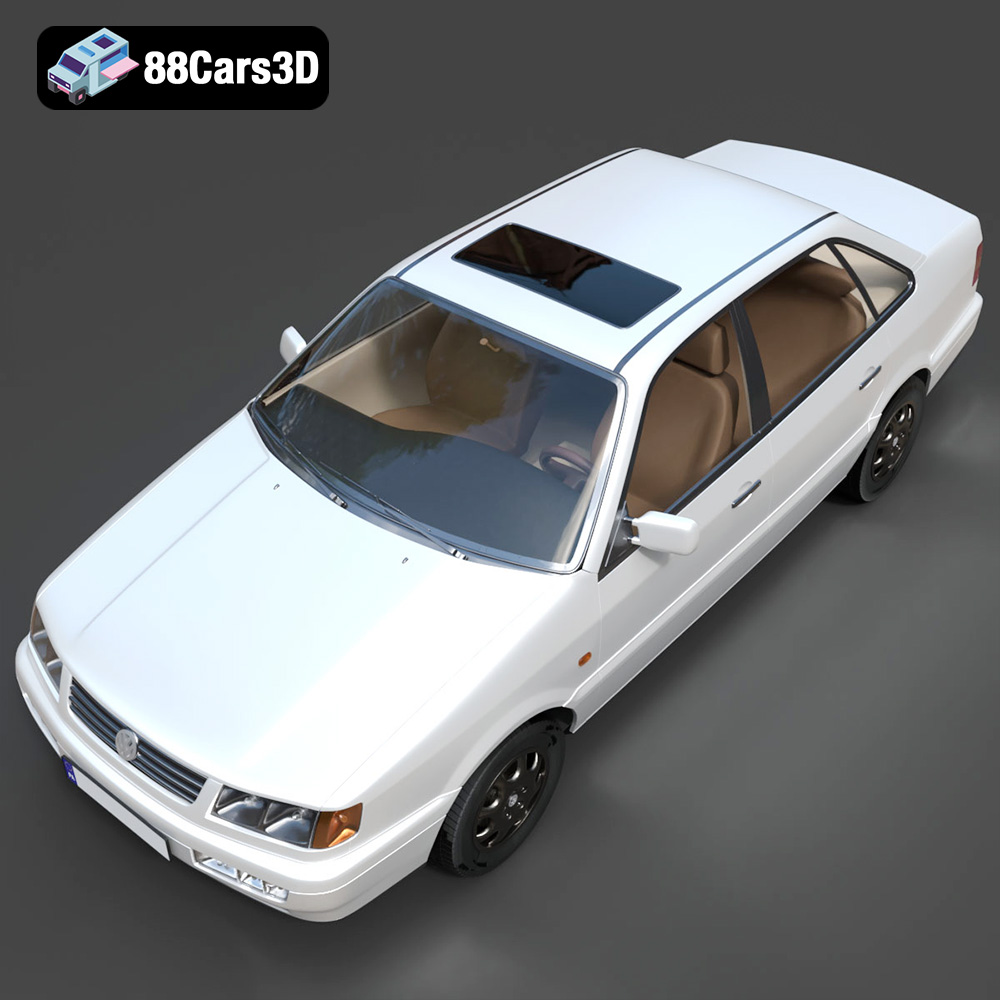
The 1993 Volkswagen Passat Mk4 (B4) Sedan represents a pivotal moment in German automotive design, blending practical family hauling capabilities with robust, reliable engineering. Known for its clean, understated aesthetic and the distinct introduction of a traditional front grille compared to its B3 predecessor, this classic sedan has cemented its legacy as an icon of 90s European motoring. The model captures the quintessential utilitarian charm, featuring the accurate sedan roofline, distinctive halogen headlight housings, and classic factory wheel options that defined mid-90s Volkswagen styling.
$39.99
3D printing the Volkswagen Passat Mk4 B4 Sedan 1993 3D model is a rewarding project that combines technology and nostalgia. By carefully preparing the model, selecting the right materials, and optimizing your printer settings, you can create a stunning replica of this classic car. Remember to take your time, experiment with different techniques, and don’t be afraid to learn from your mistakes. With a little patience and perseverance, you’ll be cruising down memory lane with your very own 3D printed Passat. Start your project today with a high-quality 3D model from 88cars3d.com and experience the joy of additive manufacturing!
.blend
.fbx
.glb
.max
.obj
.passat
.ply
.rendering
.sedan
.stl
.unreal
.volkswagen
1993
b4
car-3d-model
classic-car
family-car
game asset
game-ready
low-poly
mk4
optimized
VR/AR