Get 20% OFF All Premium 3D & STL Models!

In the dynamic world of 3D visualization, the demand for high-quality, meticulously crafted automotive models is ever-present. Whether you’re a game developer striving for photorealism, an architect integrating vehicles into sprawling visualizations, a brand seeking immersive AR/VR experiences, or a designer bringing concepts to life through 3D printing, the foundational asset remains the same: a precisely engineered 3D car model. These digital masterpieces are more than just polygons; they are the heart of virtual automotive experiences, embodying both artistic vision and technical prowess.
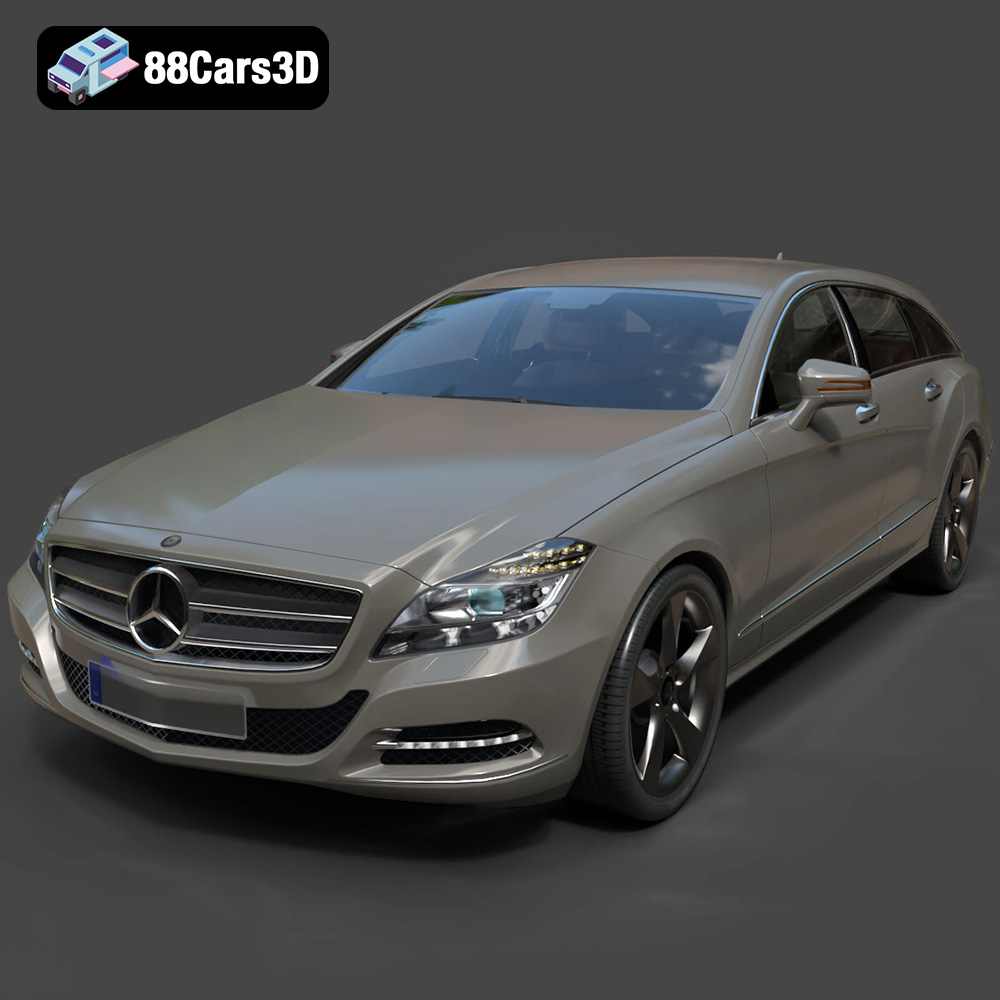
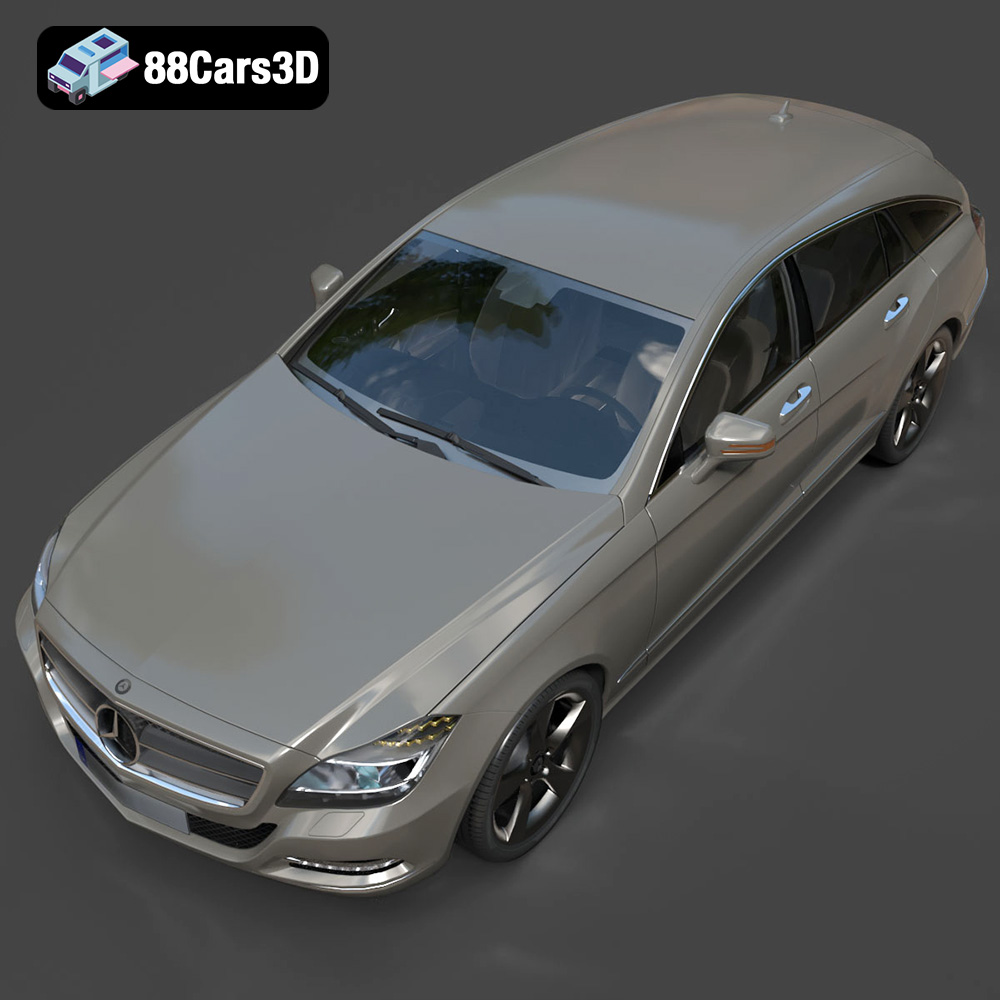
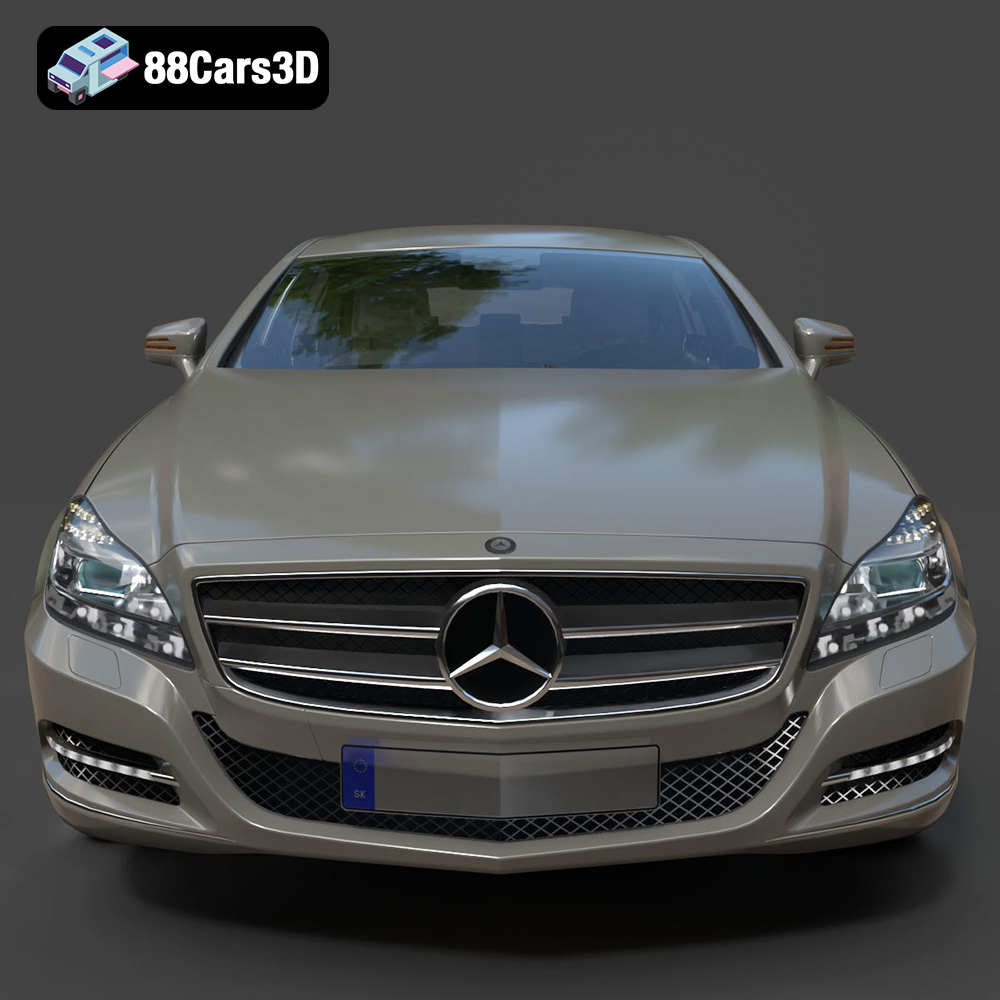
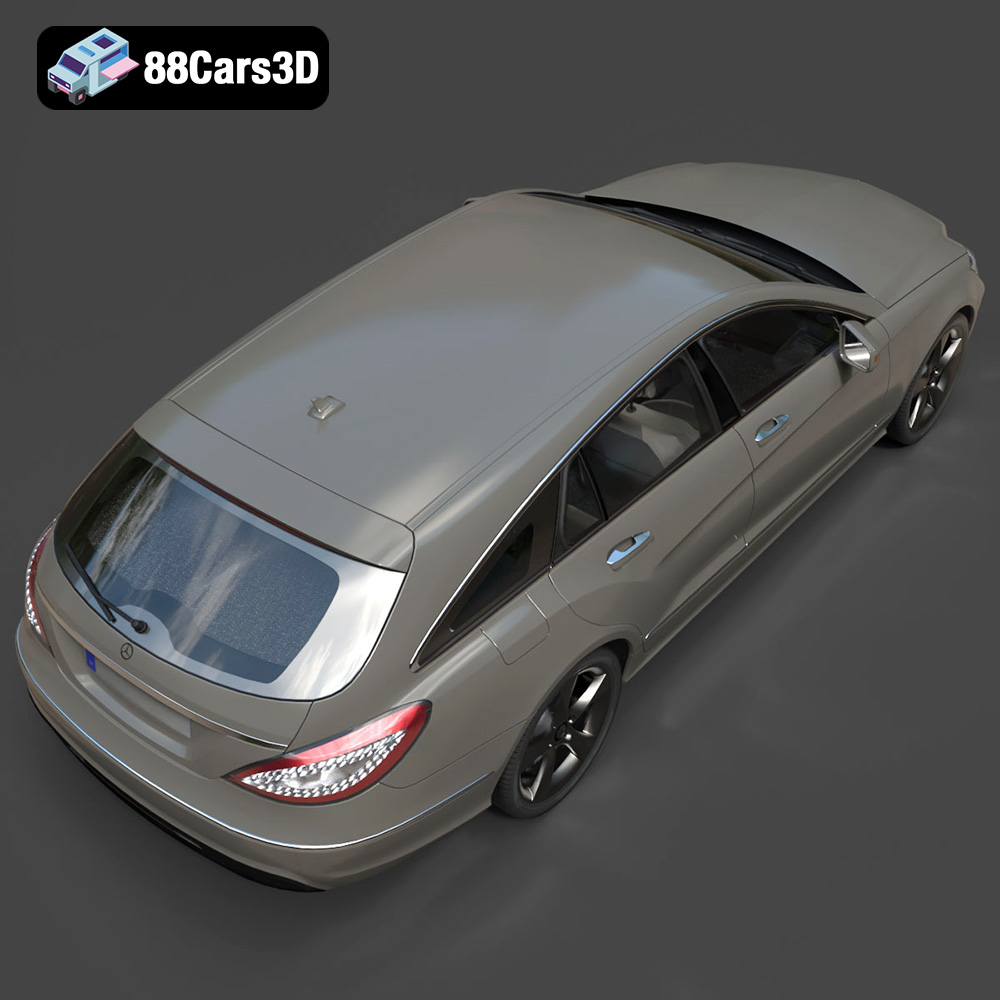
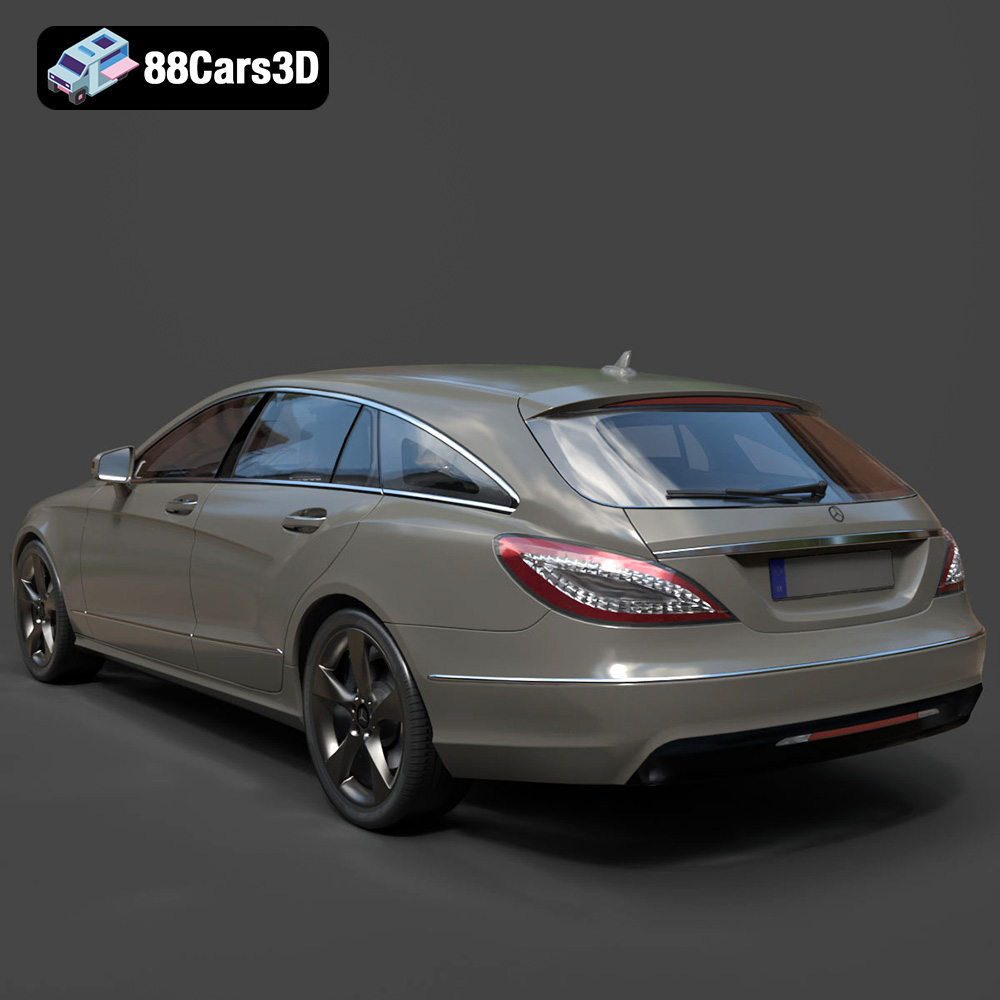
The Mercedes Benz CLS Shooting Brake stands as a masterclass in automotive design, seamlessly blending the sleek, sweeping roofline of a four-door coupe with the versatile cargo space of a luxury estate. Renowned for its elegant profile and commanding road presence, this vehicle features an aggressive front fascia with the iconic star grille, striking LED lighting signatures, and dual exhaust elements that highlight its dynamic performance pedigree. Capturing such an iconic vehicle in 3D requires an expert touch, balancing intricate detail with optimization for various demanding applications. A premium 3D model, such as the Mercedes Benz CLS Shooting Brake 3D Model available at 88cars3d.com, exemplifies this balance, offering a game-ready asset that doesn’t compromise on visual fidelity. This blog post will delve into the critical aspects of professional 3D car modeling, exploring the technical intricacies, diverse applications, and workflow considerations that define excellence in the field, all while showcasing how a high-caliber asset like the CLS Shooting Brake model fits seamlessly into these advanced pipelines.
The versatility of a professional 3D car model hinges significantly on the range and quality of its supported file formats. Each format caters to specific software ecosystems, use cases, and technical requirements, making it crucial for users to understand their strengths and limitations. The Mercedes Benz CLS Shooting Brake 3D Model, for instance, comes in an extensive array of formats, providing unparalleled flexibility for various projects.
The .blend format is native to Blender, one of the most powerful and widely used open-source 3D creation suites. When a model is provided in .blend, it signifies a complete Blender scene, including the mesh geometry, materials, textures, lighting setups, and sometimes even animations or rigs. This format offers maximum editability, allowing users to deeply customize every aspect of the model within Blender. It’s ideal for artists who want to tweak shaders, modify geometry, or prepare the asset for rendering with Cycles or Eevee, leveraging Blender’s robust toolset. For those deeply embedded in the Blender ecosystem, this is often the preferred starting point for any significant project.
.fbx (Filmbox) is an industry-standard proprietary file format developed by Autodesk for 3D content exchange. It’s incredibly versatile, supporting not just mesh data but also animations, rigs, cameras, and lights. Its widespread adoption makes it the go-to format for interoperability between various 3D applications and, critically, for import into game engines like Unreal Engine and Unity. The .fbx format is highly optimized for real-time applications, often preserving scene hierarchy and material assignments effectively, though texture paths might need re-linking upon import. For game developers using the Mercedes Benz CLS Shooting Brake 3D Model, .fbx offers a streamlined path into their engine of choice.
The .obj (Wavefront OBJ) format is one of the oldest and most universally supported 3D file formats. It’s a simple, text-based format that primarily stores geometry (vertices, normals, texture coordinates, and faces) and references external .mtl (material) files for basic material properties. While it doesn’t support advanced features like animation or rigging, its ubiquitous compatibility makes it an excellent choice for straightforward mesh exchange between virtually any 3D software. For simple scene imports or when working across different platforms where .fbx might encounter issues, .obj serves as a reliable fallback.
.glb (GL Transmission Format Binary) is the binary version of glTF, an open-standard 3D file format designed for efficient transmission and loading of 3D scenes and models by applications. It’s rapidly becoming the “JPEG of 3D” due to its optimization for web, AR, and VR applications. A .glb file encapsulates everything—geometry, materials, textures, animations—into a single, compact file, making it perfect for rapid deployment in virtual showrooms, augmented reality apps, or interactive web experiences. Its efficiency and comprehensive nature are invaluable for projects utilizing the Mercedes Benz CLS Shooting Brake 3D Model in emerging immersive technologies.
The .stl (Stereolithography) format is the standard file type for 3D printing. It describes only the surface geometry of a 3D object using a mesh of interconnected triangles, without any color, texture, or material information. While simple, its universal acceptance by 3D printers and slicer software makes it essential for physical prototyping. When converting a detailed automotive model like the CLS Shooting Brake for 3D printing, careful consideration of scale, wall thickness, and support structures is paramount, as highlighted in the product’s 3D print settings.
.ply (Polygon File Format or Stanford Triangle Format) is another format for storing 3D data, particularly point clouds and polygon meshes, along with properties like color, transparency, and normals. It’s often used in scientific and CAD applications for scan data or precise geometric analysis due to its flexibility in storing various data types per vertex or face. While less common for general 3D asset exchange than .fbx or .obj, it offers a robust alternative for specific engineering or analysis-driven workflows.
The inclusion of a dedicated .unreal file (often a .uasset or specific Unreal project file with the asset pre-configured) indicates that the model has been specifically prepared and optimized for direct integration into Unreal Engine. This often means textures are correctly linked, materials are set up with Unreal’s Physically Based Rendering (PBR) pipeline, and collisions may already be defined. This format dramatically reduces setup time for game developers and real-time visualization artists, ensuring that the Mercedes Benz CLS Shooting Brake 3D Model is truly “plug-and-play” within the Unreal ecosystem.
The .max format is the native file type for Autodesk 3ds Max, a powerful 3D modeling, animation, rendering, and compositing software. Similar to .blend, a .max file contains the complete scene data, including geometry, materials (with V-Ray, Corona, or Arnold specific setups), lighting, cameras, and animation keyframes. It offers the highest level of editability and compatibility for users operating within the 3ds Max environment, allowing them to leverage its extensive toolset for high-end rendering, complex rigging, or integration into architectural visualization scenes.
Understanding these formats empowers professionals to select the right tool for the job, ensuring seamless integration and optimal performance for their projects. The comprehensive file format support offered by the Mercedes Benz CLS Shooting Brake 3D Model ensures its utility across the broadest spectrum of 3D applications.
Creating a truly exceptional 3D car model is a blend of artistic vision and rigorous technical execution. It requires a deep understanding of automotive design principles, meticulous attention to detail, and a mastery of 3D software to translate real-world elegance into a digital asset. The Mercedes Benz CLS Shooting Brake 3D Model exemplifies this synthesis, offering a sophisticated representation optimized for various pipelines.
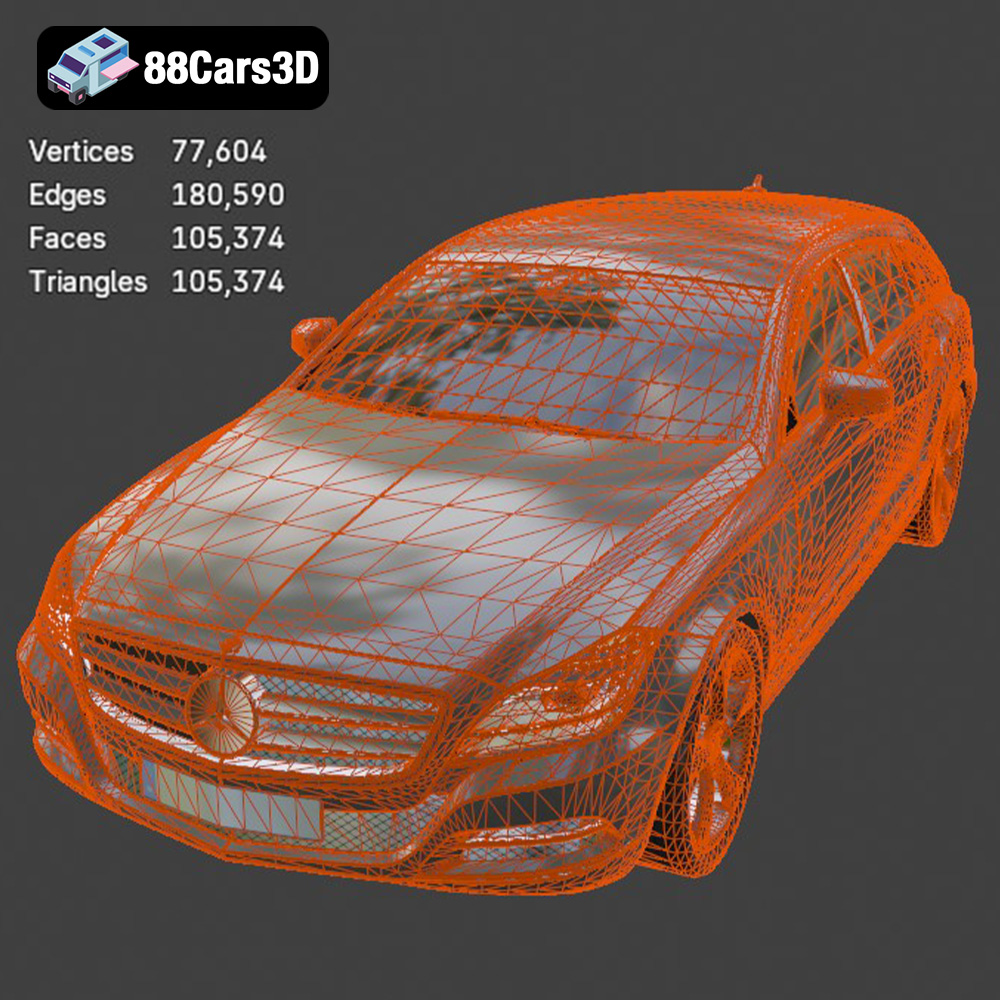
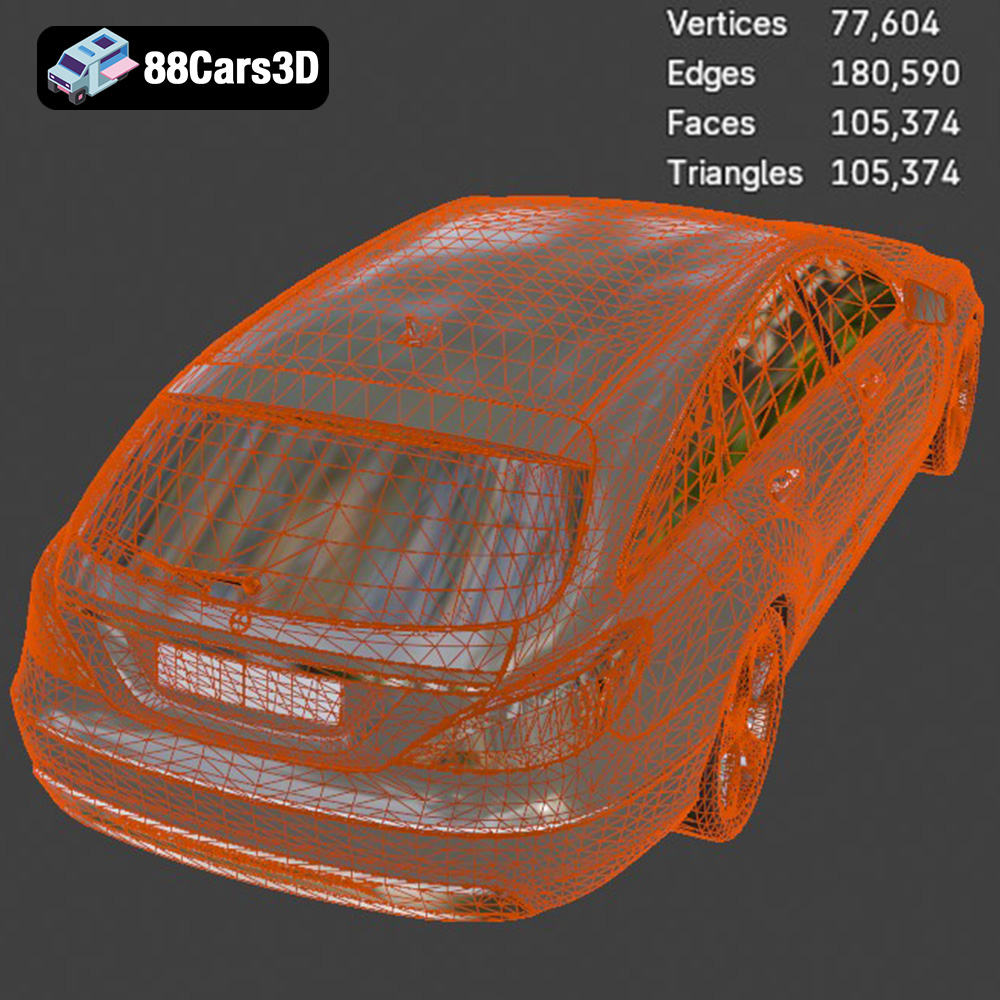
The foundation of any high-quality 3D model is its geometry and topology. For automotive subjects, this means accurately capturing complex curves, sharp creases, and subtle reflections that define a vehicle’s character. Professional models utilize clean, quad-based topology, which facilitates smooth subdivision, deformation, and UV unwrapping. An optimized triangle count, such as the ~350,000 triangles for the CLS Shooting Brake model, strikes a perfect balance: detailed enough for close-up renders and animations, yet lean enough for real-time game engines. Every panel, from the sweeping roofline to the aggressive front fascia and dual exhaust, must align with the vehicle’s authentic proportions, ensuring visual integrity.
Detailed exterior features are paramount. The CLS Shooting Brake model boasts accurate frame geometry, intricate signature LED headlights, and high-fidelity premium alloy wheels with low-profile performance tires. Even details like suspension and brake caliper components are precisely modeled, contributing to overall realism. This level of detail isn’t just for static renders; separate components like wheels, suspension, and steering are designed for independent animation, crucial for interactive experiences and dynamic simulations.
While the exterior often grabs immediate attention, a truly comprehensive automotive 3D model extends its quality to the interior. For applications like virtual showrooms, AR/VR experiences, or first-person game perspectives, a detailed cockpit is indispensable. The CLS Shooting Brake model excels here, featuring luxurious modeled leather seating, accurate door panel contours, a multi-function steering wheel with authentic badging, and a high-resolution instrument cluster and central infotainment display. These elements, combined with accurately recreated center console controls, a shifter, and pedals, create an immersive environment. Optimized geometry for first-person POV ensures that even in demanding real-time scenarios, the interior maintains visual fidelity without overburdening system resources.
A critical advantage of professionally developed 3D car models is their “game-ready” optimization. This means the model is specifically designed to perform efficiently within real-time rendering environments like Unreal Engine or Unity. Key aspects include a balanced polycount (around 350,000 triangles for the CLS Shooting Brake model being an excellent sweet spot), efficient UV mapping to maximize texture clarity and minimize draw calls, and a clean scene hierarchy. Real-world scale accuracy is also crucial, ensuring the model behaves correctly in physics simulations and integrates seamlessly with other assets in a virtual environment. Furthermore, proper pivot setups for steering, wheel rotation, and suspension travel are pre-configured, significantly reducing the setup time for animators and developers.
In the fast-paced world of game development, the efficiency and quality of assets are paramount. A meticulously crafted 3D car model, like the Mercedes Benz CLS Shooting Brake 3D Model from 88cars3d.com, can significantly accelerate development and elevate the visual standards of any racing title, open-world adventure, or simulator.
The pipeline from a DCC (Digital Content Creation) tool like 3ds Max or Blender to a game engine is a well-trodden path. For a model like the CLS Shooting Brake, which includes .max, .blend, and .fbx formats, the initial import process is straightforward. When using .fbx, developers typically export the model with embedded media or ensure textures are correctly packed. Upon import into Unreal Engine or Unity, the engine’s material system takes over. Unreal’s .uasset or specific .unreal file types included with the CLS Shooting Brake model offer a “ready-to-use” asset, often pre-configured with PBR materials and basic collision meshes. This vastly reduces setup time, allowing developers to immediately focus on gameplay mechanics and visual refinement rather than asset preparation.
In 3ds Max or Blender, artists can apply their final material passes, focusing on PBR workflows (metallic-roughness or specular-glossiness) to ensure realism. Exporting to .fbx generally preserves the mesh, UVs, and basic material assignments, though complex shader networks will need to be recreated in the game engine. The key is consistent UV mapping for optimal texture application across all surfaces, ensuring no stretching or visible seams on the vehicle’s polished exterior and detailed interior.
While the Mercedes Benz CLS Shooting Brake 3D Model is optimized for game readiness at ~350,000 triangles, further optimization may be necessary depending on the target platform and specific game requirements. Strategies include Level of Detail (LOD) generation, where lower-polygon versions of the model are automatically swapped in when the car is further away from the camera. This drastically reduces the polycount rendering in a scene without a noticeable drop in quality for the player. Texture atlasing and packing can consolidate multiple smaller textures into larger ones, reducing draw calls and improving rendering performance. For the interior, careful culling of unseen geometry when the camera is outside the vehicle further boosts efficiency.
Collision meshes are another critical aspect. Instead of using the high-detail visual mesh for physics, a simplified collision mesh (often convex hulls or simple box primitives) is created. This allows for accurate vehicle physics simulation without the performance overhead of calculating collisions against the detailed visual model. The model’s “proper pivot setup for steering, wheel rotation, and suspension travel” is a direct benefit for implementing realistic vehicle physics and animation within the game engine.
For a car in a game, animation extends beyond just wheel rotation. Suspension travel, steering, door opening, and even subtle body roll contribute to a believable driving experience. The CLS Shooting Brake model addresses this by having “separate wheels, suspension, and steering components for animation.” This modularity is key for rigging the vehicle. A common approach involves creating a skeletal rig in the DCC software, with bones linked to these separate components. This allows for realistic suspension compression and rebound, dynamic steering, and even crash deformations if desired. Physics-based animation can further enhance realism, with wheel rotation and suspension reacting to the terrain and vehicle speed. The accurate pivot points provided within the model’s structure simplify this complex rigging process, allowing developers to quickly integrate the vehicle into their game’s animation and physics systems.
Beyond interactive experiences, high-fidelity 3D car models are indispensable tools for producing breathtaking still renders and animations in marketing, advertising, and architectural visualization. The Mercedes Benz CLS Shooting Brake 3D Model offers the detail and optimization necessary for these demanding applications.
Achieving photorealistic automotive renders is an art form. It begins with a high-quality model, like the CLS Shooting Brake, that boasts clean geometry and accurate proportions. In software like 3ds Max (with V-Ray or Corona Renderer) or Blender (with Cycles), the focus shifts to material definition, lighting, and camera work. Using PBR textures (base color, metallic, roughness, normal maps) specifically tailored for car paint, glass, rubber, and chrome is crucial. The ability to “change body colors (e.g., factory colors, custom finishes)” and “adjust material finishes (matte, gloss, metallic)” directly from the model’s setup allows for incredible customization to match specific brand guidelines or creative visions. Studio lighting setups, often involving large softboxes and rim lights, are crafted to highlight the vehicle’s curves and reflections, emphasizing its form and luxurious appeal. Backplate integration and HDRIs (High Dynamic Range Images) are used to place the car convincingly in any environment, whether a pristine studio or an urban street scene.
In architectural visualization, vehicles serve multiple purposes: adding scale, injecting life, and enhancing the overall narrative of a scene. A luxury vehicle like the Mercedes Benz CLS Shooting Brake can instantly elevate the perceived value and lifestyle associated with a rendered building or urban development. The model’s “real-world scale accuracy” ensures it fits seamlessly into architectural environments without appearing oversized or undersized. For these applications, the detail of the model is critical, as it needs to hold up to medium and sometimes close-up shots within a larger scene. Efficient asset management becomes important here; architects often populate scenes with multiple vehicles, and having an optimized, yet detailed, model ensures manageable render times without sacrificing visual quality. The various file formats, particularly .max and .fbx, facilitate easy import into popular ArchViz software packages.
The realism of a 3D car model largely depends on its materials and how it interacts with light. For car paint, complex multi-layered shaders are often employed, mimicking metallic flakes, clear coat reflections, and underlying diffuse colors. Glass materials require accurate refraction and reflection properties. For the interior, luxurious leather and polished trim need carefully crafted PBR textures. The CLS Shooting Brake model’s “luxurious modeled leather seating” and “high-fidelity premium alloy wheels” directly translate into rich material definition opportunities. Lighting is equally vital; understanding how light bounces off reflective surfaces, creates shadows, and defines form is key. Using physically accurate light sources, global illumination, and ambient occlusion helps ground the vehicle in the scene. The option to “adapt lighting for different environments” further enhances its versatility, allowing artists to match the car’s appearance to daylight, sunset, or artificial indoor lighting conditions.
The utility of a high-quality 3D car model extends far beyond traditional rendering and game development, venturing into the cutting-edge realms of Augmented Reality (AR), Virtual Reality (VR), and even physical 3D printing. The Mercedes Benz CLS Shooting Brake 3D Model, with its optimized geometry and diverse file format support, is perfectly poised for these innovative applications.
AR and VR are transforming how we interact with products, especially high-value items like luxury automobiles. For manufacturers, virtual showrooms and interactive configurators offer unparalleled opportunities for customer engagement. The CLS Shooting Brake 3D Model is “perfect for immersive virtual showrooms, configurators, and mobile AR experiences.” Its optimized polycount and “game-ready” nature ensure smooth performance in real-time AR/VR environments, where frame rates are critical for preventing motion sickness and maintaining immersion. The .glb file format, specifically, is a game-changer for these applications. Its efficiency in packaging all necessary data (geometry, textures, materials, animations) into a single, compact file makes it ideal for quick loading in web-based AR viewers or mobile VR apps. Imagine placing a virtual Mercedes Benz CLS Shooting Brake in your driveway via your smartphone, customizing its color and wheels, and walking around it as if it were truly there—this is the power of a well-prepared 3D asset in AR. In VR, users can sit inside the “luxurious modeled leather seating,” interact with the “high-resolution instrument cluster,” and get a true sense of scale and interior design.
The journey of a 3D model from digital to physical is fascinating, enabled by 3D printing. For enthusiasts or designers looking to create physical prototypes or display models, the Mercedes Benz CLS Shooting Brake 3D Model offers .stl compatibility. However, converting a model designed for rendering or games into a printable format requires specific considerations. The product description provides excellent guidance: “Recommended scale: 1:12 / 1:18 / 1:24,” “Layer height: 0.04–0.12 mm (Resin printing recommended for fine details),” “Wall thickness: 1.2–2.0 mm,” and crucial advice on supports and print orientation.
The conversion process typically involves ensuring the model is manifold (watertight), free of non-manifold edges, and has sufficient wall thickness to withstand the printing process. For highly detailed automotive models, resin printing is often preferred over FDM due to its ability to capture intricate details like “exhaust, side mirrors, and wheel spokes” with greater fidelity. Post-processing, including sanding, priming, and painting with “authentic factory colors with metallic finishes,” can elevate a raw 3D print to a collector’s item. The ability to take a virtual asset and hold a tangible representation of it highlights the incredible versatility of high-quality 3D car models.
The world of 3D visualization is a complex tapestry woven from artistry, technical precision, and diverse applications. At its heart lies the need for exceptional 3D assets, particularly in the demanding realm of automotive design. A truly professional 3D car model, such as the Mercedes Benz CLS Shooting Brake 3D Model, is a testament to meticulous craftsmanship and intelligent optimization. It transcends a mere collection of polygons, becoming a versatile tool capable of powering everything from cutting-edge video games and cinematic renders to immersive AR/VR experiences and tangible 3D prints.
We’ve explored the critical importance of understanding various file formats, each serving a unique purpose in the professional workflow. We delved into the intricacies of modeling for realism and performance, highlighting the balance between detailed geometry, interior fidelity, and game-readiness. From the complex pipelines of game development, requiring careful optimization and animation setup, to the artistic demands of high-end rendering and architectural visualization, where materials and lighting dictate realism, the foundation remains a high-quality model. Furthermore, we’ve seen how these digital assets push boundaries into interactive AR/VR and the physical world of 3D printing.
Whether you’re crafting the next big racing title, visualizing a luxury showroom, or simply appreciating the beauty of automotive design in a digital medium, the quality of your 3D car models is paramount. The Mercedes Benz CLS Shooting Brake 3D Model exemplifies the standards required by today’s professionals, offering exceptional topology, game-ready optimization, and comprehensive file format support. For those seeking premium assets that deliver both aesthetic excellence and technical robustness, 88cars3d.com offers a curated selection designed to meet the highest demands of any 3D project. Investing in such a model is investing in efficiency, quality, and the limitless potential of your creative endeavors.
The Mercedes Benz CLS Shooting Brake stands as a masterclass in automotive design, seamlessly blending the sleek, sweeping roofline of a four-door coupe with the versatile cargo space of a luxury estate. Renowned for its elegant profile and commanding road presence, this vehicle features an aggressive front fascia with the iconic star grille, striking LED lighting signatures, and dual exhaust elements that highlight its dynamic performance pedigree.
This 3D model boasts exceptional topology and an optimized triangle count, ensuring it is fully game-ready without sacrificing visual fidelity. The clean geometry captures the vehicle’s complex curves and reflections perfectly, making it an ideal asset for real-time game engines, immersive AR/VR experiences, high-end animation, and architectural visualization projects.
Perfect for luxury virtual showrooms, open-world driving games, high-end lifestyle rendering, and architectural visual integrations.
.blend, .fbx, .obj, .glb, .stl, .ply, .unreal, .max
Tags:
mercedes-benz, cls-shooting-brake, luxury-estate, station-wagon, sports-car, game-ready, low-poly, optimized, car-3d-model, game-asset, rendering, vr-ar, blend, fbx, obj, glb, stl, ply, unreal, max
$19.99
.blend
.fbx
.glb
.max
.obj
.ply
.rendering
.sports car
.stl
.unreal
car-3d-model
cls-shooting-brake
game asset
game-ready
low-poly
luxury-estate
mercedes-benz
optimized
station-wagon
VR/AR