Get 20% OFF All Premium 3D & STL Models!

In the dynamic worlds of game development, architectural visualization, industrial design, and cinematic rendering, the demand for highly detailed and technically accurate 3D assets is ever-present. From the subtle glint on a car’s paintwork to the robust mechanics of heavy machinery, realism is paramount. Creating these complex models from scratch is a time-consuming endeavor, often requiring specialized skills and extensive hours. This is where pre-made, professional-grade 3D assets become invaluable, accelerating workflows and elevating visual quality.
Today, we’re going to explore the intricate world of heavy machinery 3D modeling through the lens of a truly exceptional asset: the Wheel Excavator 3D Model. This particular model, available on 88cars3d.com, exemplifies the blend of aesthetic fidelity and technical optimization required for today’s diverse digital projects. Whether you’re building an immersive construction simulator, crafting a compelling visualization for an industrial client, or even looking to 3D print a detailed replica, understanding the nuances of such an asset is key to unlocking its full potential.
When acquiring a 3D model, especially one as complex and versatile as the Wheel Excavator, understanding the various file formats it comes in is crucial. Each format serves a specific purpose, offering different levels of compatibility, editability, and optimization for various stages of a professional workflow. The Wheel Excavator 3D Model comes with a comprehensive suite of formats, ensuring maximum utility across all major platforms.
The .blend file format is the native format for Blender, a powerful and widely used open-source 3D creation suite. When you download a .blend file, you’re getting a fully editable Blender scene. This typically includes the mesh geometry, materials, textures, lighting setups, and even animation rigs, if present. For artists and studios primarily working within Blender, this format offers the most flexibility. You can dissect the model, understand its construction, modify topology, tweak shaders, or adapt animations directly within its native environment. It’s the equivalent of receiving the original project file, allowing for deep customization and learning.
Autodesk’s .fbx (Filmbox) format is arguably the most widely adopted interchange format in the 3D industry. Its strength lies in its ability to encapsulate a vast array of 3D data, including geometry, materials, textures, bone rigs, animations, cameras, and lights, all within a single file. This makes .fbx indispensable for transferring assets between different digital content creation (DCC) tools like 3ds Max, Maya, and Blender, and especially into game engines such as Unreal Engine and Unity. For the Wheel Excavator, an .fbx file ensures seamless integration into real-time pipelines, preserving pivot points, rigging, and animation data critical for interactive experiences.
The Wavefront .obj format is a universal standard, highly compatible across almost all 3D software. It primarily stores geometric data: vertices, faces, UV coordinates, and normals. While it doesn’t typically store advanced material properties, animation, or scene data, it often comes paired with an associated .mtl (Material Template Library) file that defines basic material properties like color and texture map references. .obj is excellent for static models where core geometry is the priority, offering reliability for cross-software compatibility when the focus is on the mesh itself.
The .glb (GL Transmission Format Binary) format is a relatively newer standard specifically designed for the efficient transmission and loading of 3D scenes and models in web browsers, augmented reality (AR), and virtual reality (VR) applications. What makes .glb unique is that it bundles the model, textures, and animations into a single, compact binary file. This optimization allows for faster loading times and reduced file sizes, making it ideal for interactive experiences on the web, mobile AR apps, or standalone VR headsets where performance is critical. For displaying the Wheel Excavator in a virtual showroom or an AR experience, .glb is the go-to.
The .stl (Stereolithography) format is the ubiquitous standard for 3D printing. It represents the surface geometry of a 3D object as a collection of unconnected triangles, or a triangulated mesh. Crucially, .stl files do not contain color, texture, or material information – they focus purely on the form and structure. When you’re ready to bring the Wheel Excavator into the physical world, the .stl file is what your slicer software will use to prepare the model for additive manufacturing, layer by layer.
The .ply (Polygon File Format) is another popular format, often used for storing 3D data from scanners and for scientific or engineering applications. While similar to .obj, .ply can store a wider range of properties, including color, transparency, normals, texture coordinates, and even confidence values for each vertex or face. This makes it particularly useful for models derived from 3D scans or when high precision and additional mesh attributes are required for CAD analysis or reverse engineering, offering more detailed geometric information than a basic .obj.
The inclusion of an .unreal file (or a file specifically prepared for Unreal Engine) signifies that the asset is designed for direct integration into Unreal Engine projects. While .fbx is often the conduit for importing assets, an .unreal asset implies a further level of optimization and preparation within the engine’s ecosystem. This might mean pre-configured materials, collision meshes, LODs (Levels of Detail), and blueprint setups, saving significant development time for game designers and simulation creators. It ensures the Wheel Excavator is not just a model, but a fully functional, engine-ready asset.
Finally, the .max file format is the native project file for Autodesk 3ds Max, one of the leading software packages for 3D modeling, animation, and rendering. Similar to the .blend file for Blender, the .max file contains the complete scene information, including geometry, complex material setups (like V-Ray or Corona materials), lighting, cameras, modifiers, and animation data specific to 3ds Max. For professionals leveraging 3ds Max for high-fidelity renders or complex animation sequences, the .max file provides unparalleled control and flexibility.
Understanding these formats allows you to make informed decisions about which file to use for your specific project needs, ensuring a smooth and efficient workflow with a versatile asset like the Wheel Excavator 3D model from 88cars3d.com.
The Wheel Excavator 3D Model is more than just a collection of polygons; it’s a meticulously engineered digital twin designed for peak performance and visual fidelity across multiple platforms. Its detailed product description highlights a careful balance between complex realism and real-time optimization, a critical consideration for modern 3D artists and developers.
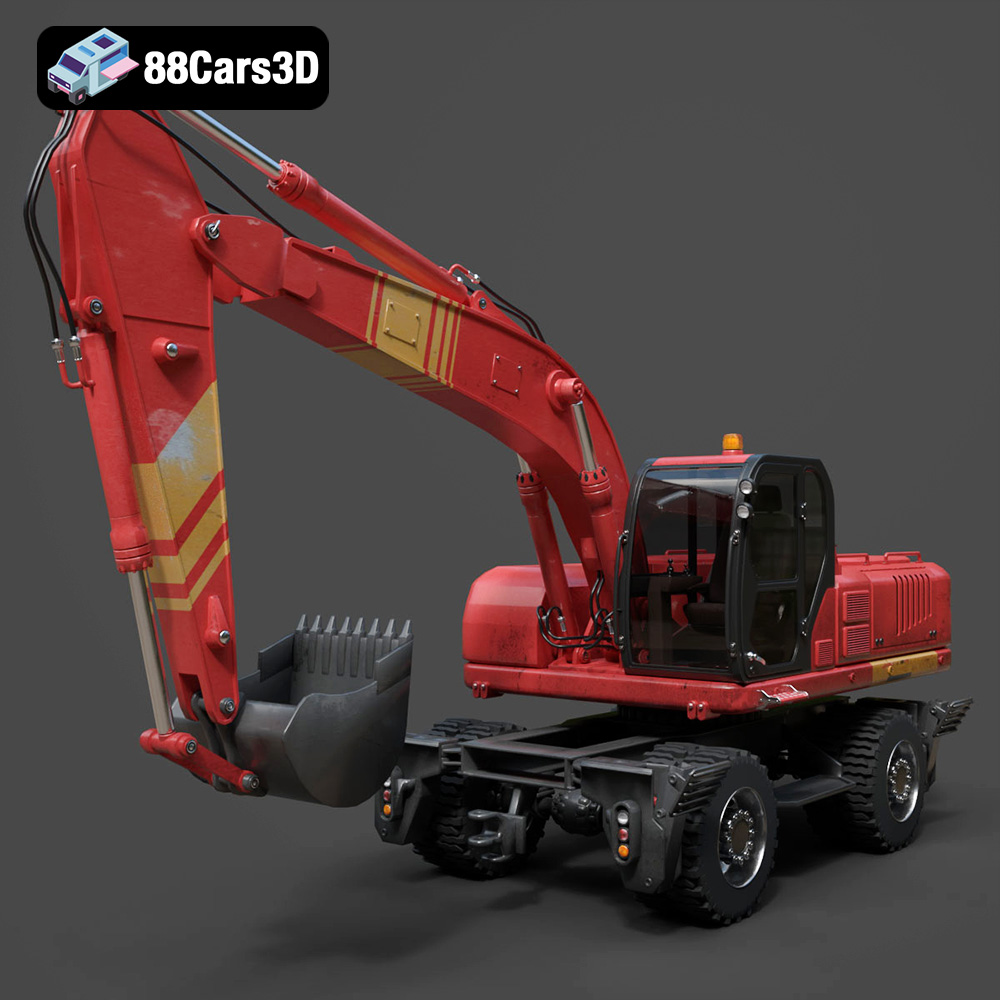
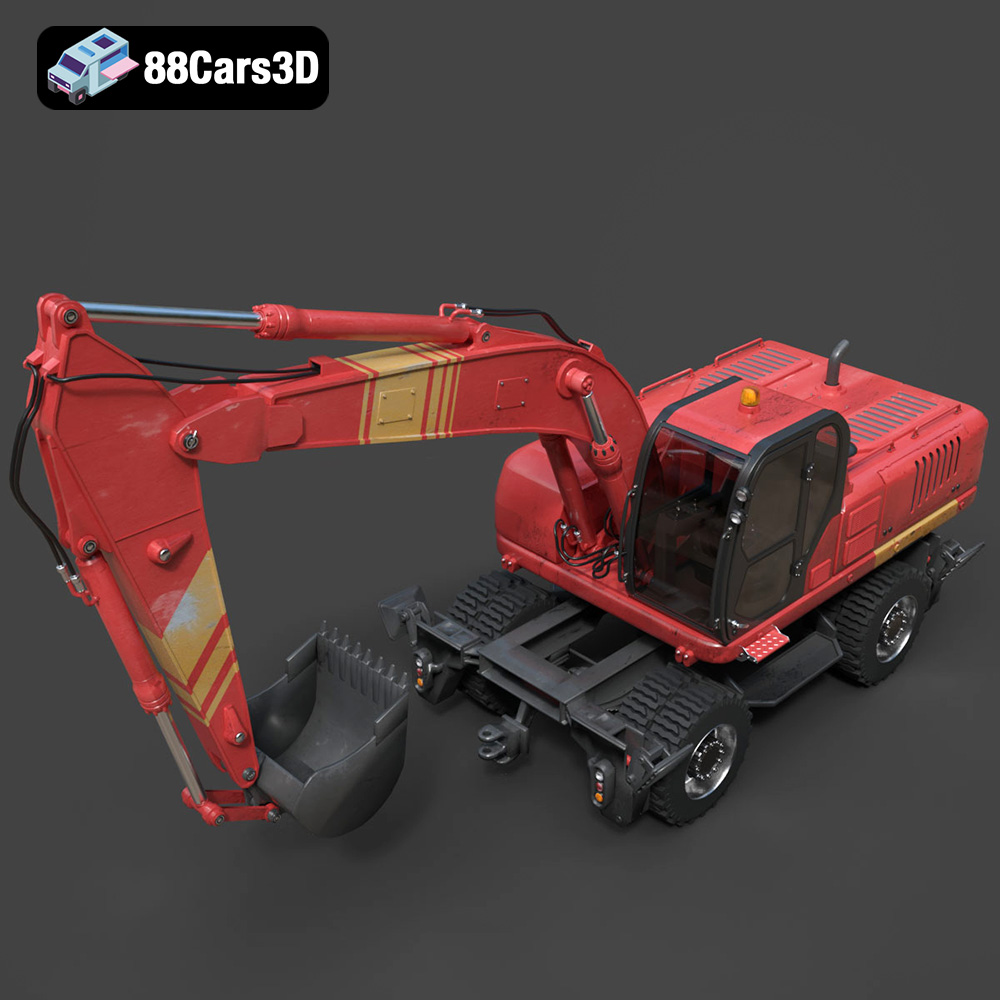
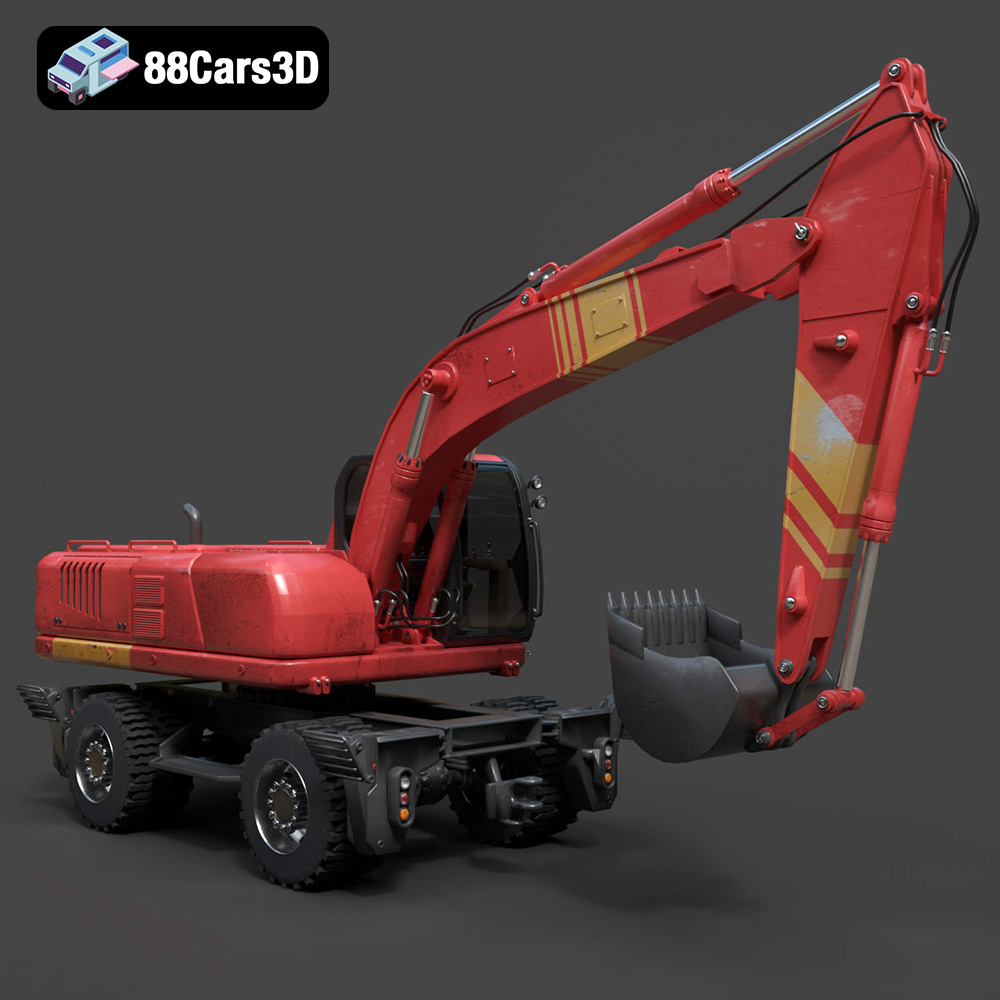
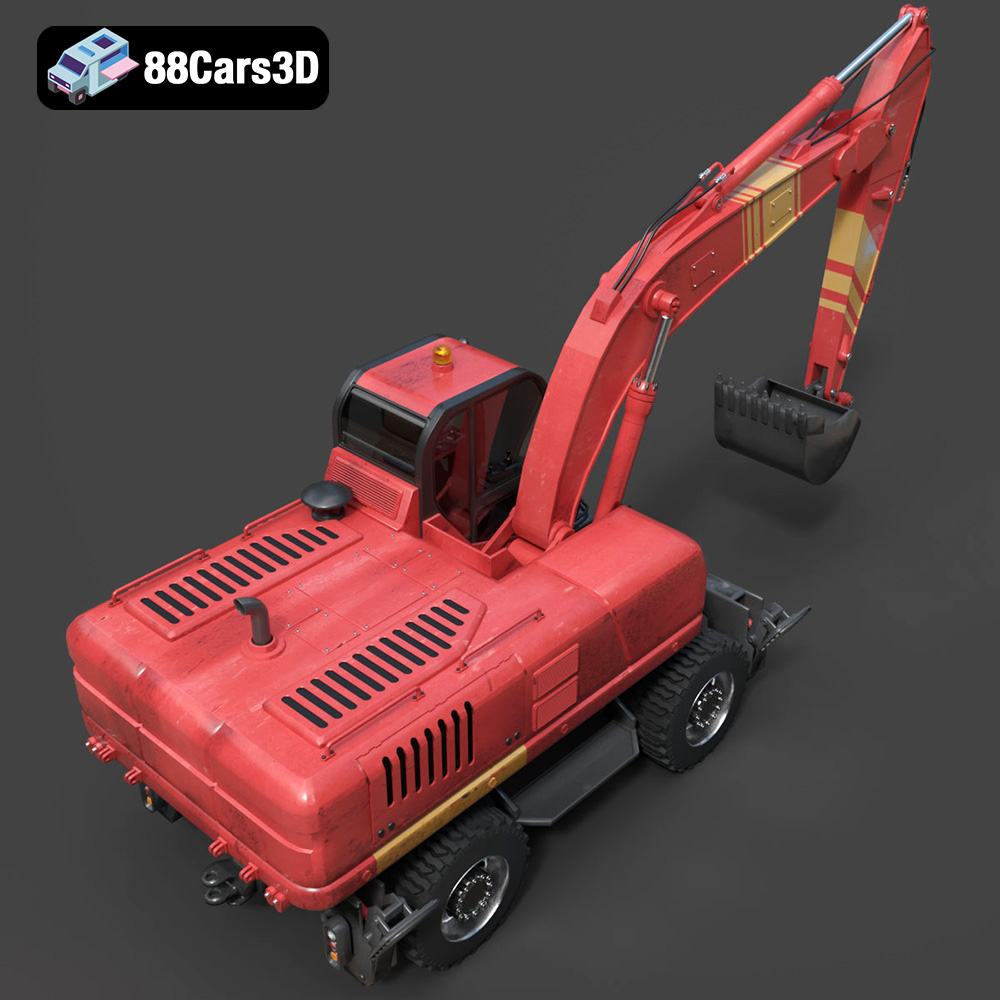
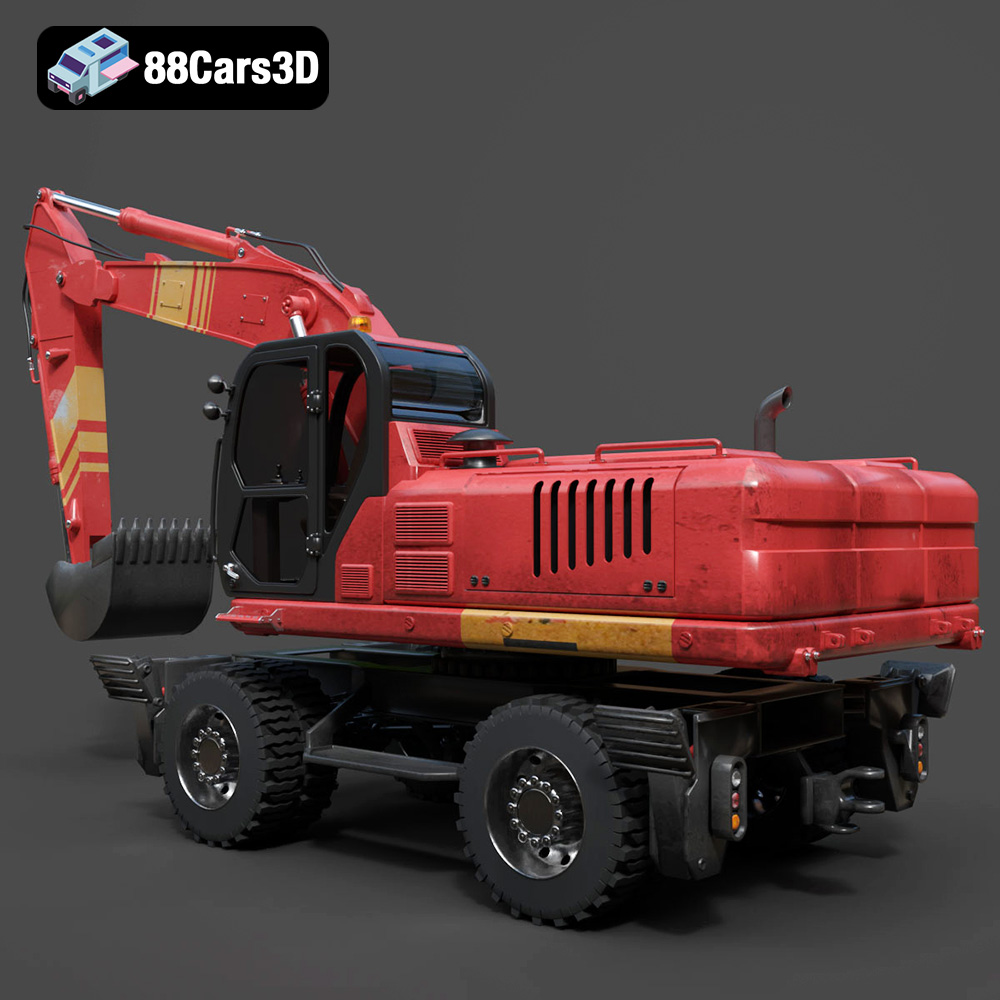
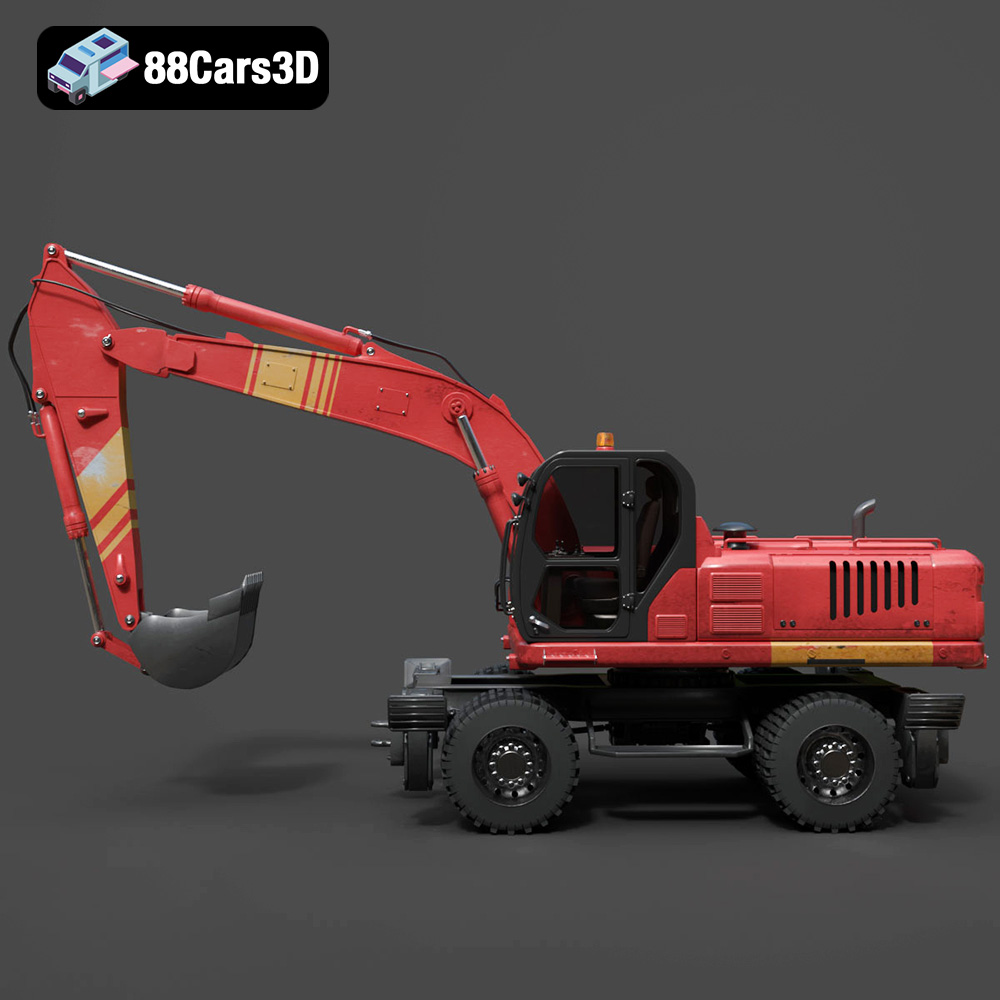
The model’s exterior features are a testament to its high level of detail. It boasts accurate frame geometry and proportions, mirroring real-world counterparts. This isn’t just about looking good from a distance; details like the engine block, robust industrial housing, complex hydraulic cylinders, rams, and heavy-duty hose routing are all faithfully recreated. These elements are crucial for close-up renders, VR training modules, or even intricate animations where every mechanical joint needs to function believably. Industrial-grade work lights, safety beacons, and pneumatic tires with deep off-road tread patterns add to its authenticity, ensuring it stands up to scrutiny in any scene. The inclusion of functional stabilizer outriggers and dozer blade assemblies further enhances its utility and realism, allowing for dynamic scene setups.
The attention to detail extends into the operator’s cabin, which is often overlooked in lesser models but is paramount for first-person perspective applications like games and VR simulations. The authentic operator seat, ergonomic contours, and armrests contribute to a believable environment. More importantly, the detailed dual joystick controls, safety levers, accurate instrument cluster, and digital display panels are all modeled to provide an immersive experience. Floor-mounted foot pedals for travel and auxiliary control round out the interior, making this model ideal for simulation environments where user interaction and a sense of presence are key.
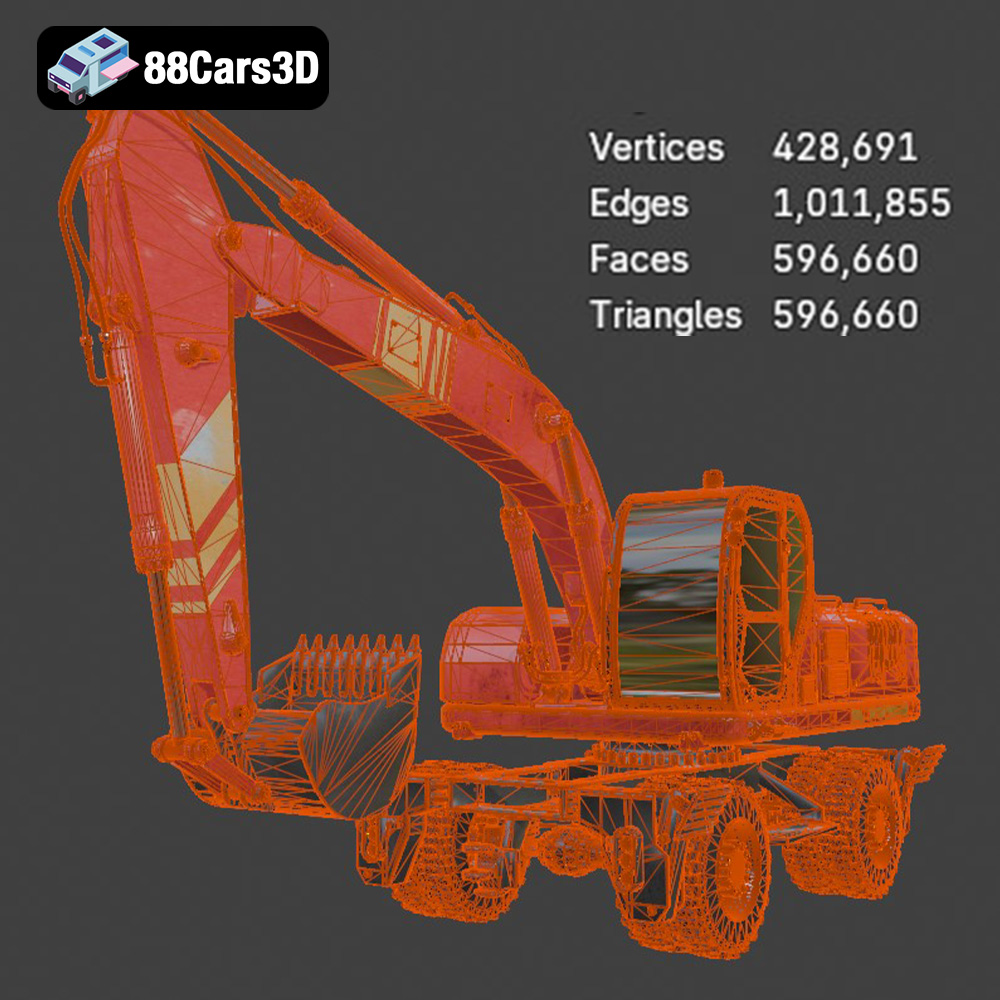
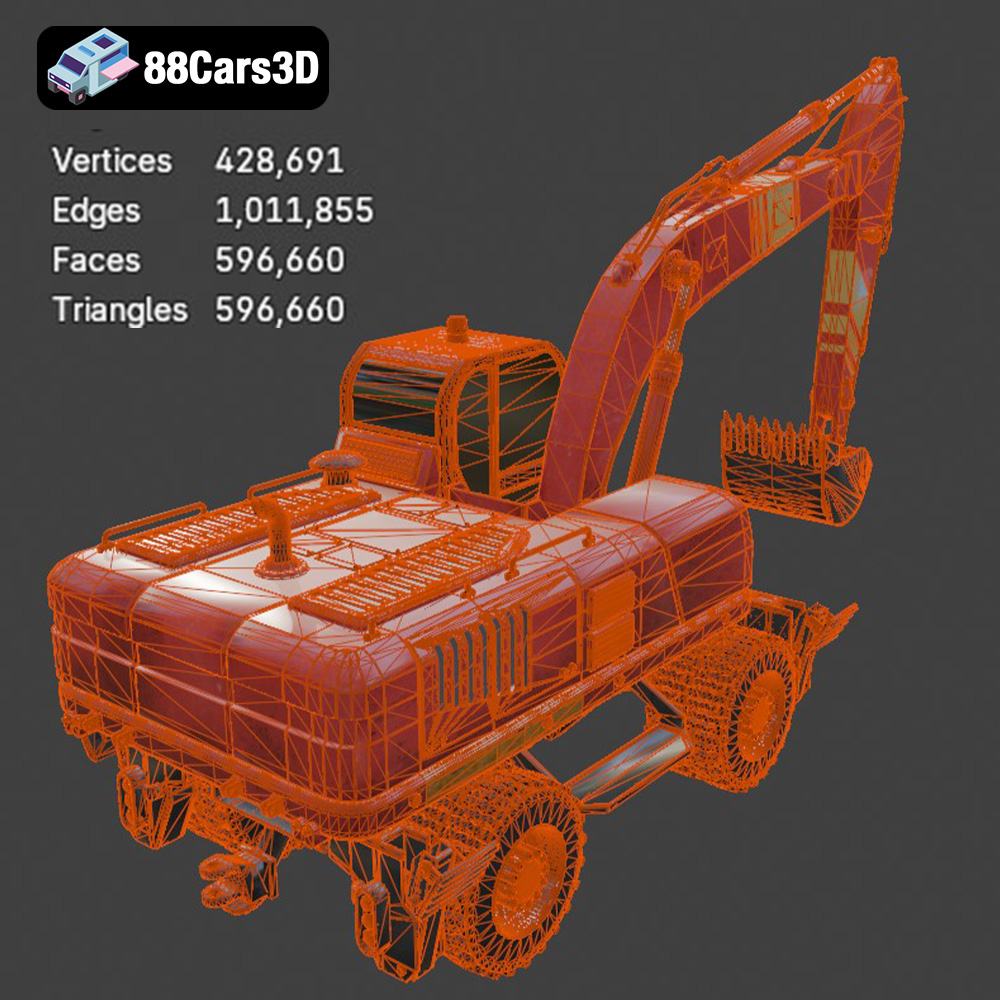
At the heart of this model’s versatility are its technical specifications. With 596,660 triangles, it strikes an optimal balance. This polycount is sufficiently high to maintain high-end visual realism for cinematic renders and detailed visualizations, yet it remains perfectly optimized as a game-ready asset for real-time engines like Unreal and Unity. This careful optimization means developers don’t have to spend valuable time reducing polycounts or simplifying geometry, allowing for smoother integration and better performance. The real-world scale accuracy, based on actual vehicle chassis, ensures that the Wheel Excavator will fit perfectly into any scene without requiring manual scaling adjustments. Furthermore, the proper pivot setup for steering, wheel rotation, turntable rotation, and suspension travel is critical for animation, enabling realistic movement and interaction within game engines or animation software.
The Wheel Excavator 3D Model’s robust design and extensive file format support make it a powerful asset for a wide array of professional applications. Its game-ready optimization and high fidelity allow it to seamlessly integrate into demanding pipelines, from interactive experiences to stunning static renders.
For game developers, finding a high-quality, optimized heavy machinery asset can significantly reduce development time and enhance realism. The Wheel Excavator, with its 596,660 triangles, is engineered to be “game-ready.” This means its topology is clean, its UVs are likely efficient (though not explicitly stated, this is standard for game-ready assets), and its pivot points are correctly set up. In open-world games, construction simulators, or even racing titles featuring demolition or heavy lifting, this model can be directly imported into engines like Unreal or Unity via the .fbx or .unreal formats. The properly configured pivots allow for realistic wheel rotation, steering, and boom articulation with minimal effort from animators or programmers. Developers can create compelling gameplay mechanics around its functions, from digging trenches to loading materials, making the game world feel truly interactive and authentic.
Augmented Reality (AR) and Virtual Reality (VR) applications demand highly optimized assets that can run smoothly on a variety of hardware, from powerful PC VR setups to mobile AR experiences. The Wheel Excavator’s balance of detail and performance makes it perfect for such scenarios. Using the .glb format, it can be efficiently loaded into web-based AR experiences or mobile VR applications, enabling virtual showrooms where potential buyers can inspect the machinery up close. For industrial training, the detailed cockpit and functional components allow for immersive VR training modules where operators can learn controls and procedures in a safe, virtual environment before stepping into a real machine. The accurate real-world scale enhances the feeling of presence and realism in these immersive settings.
When it comes to high-end rendering and visualization, details truly matter. The Wheel Excavator 3D Model excels here with its meticulously crafted geometry, complex hydraulic routing, and detailed interior. For architectural visualization firms creating industrial site walkthroughs, or marketing agencies producing brand campaigns for heavy equipment manufacturers, this model provides cinematic-quality visuals. Using formats like .max or .blend, artists can leverage the full power of advanced renderers like V-Ray, Corona, or Cycles. They can apply custom PBR (Physically Based Rendering) materials, set up intricate lighting scenarios, and create dynamic camera animations to showcase the machinery in the most flattering and realistic light. Imagine a glossy render highlighting the metallic finishes and precise engineering of the boom, or a moody industrial scene emphasizing the machine’s ruggedness – this model provides the foundation for such visual storytelling.
The utility of a high-quality 3D model extends beyond digital screens. For hobbyists, engineers, or even educational purposes, bringing a virtual model into the physical realm through 3D printing offers a unique tactile experience. The Wheel Excavator 3D Model, thoughtfully provided in .stl format, is well-prepared for this transition.
The .stl file format is the gold standard for 3D printing, representing the model’s surface geometry as a series of triangles. While .stl lacks color or texture information, it provides the essential form that 3D printers understand. The provided recommendations for 3D print settings are invaluable. Scaling the model to 1:12, 1:18, or 1:24 allows for manageable display-scale replicas, perfect for a desk or shelf. The recommended layer heights (0.04–0.12 mm) and the suggestion of resin printing highlight a focus on preserving the fine details that make this model so impressive in its digital form. Resin printers (SLA/DLP) are known for their ability to produce highly intricate and smooth parts compared to filament-based FDM printers.
Wall thickness recommendations (1.2–2.0 mm) and infill percentages (20–30%) are practical considerations for ensuring the printed model is robust without being overly heavy or consuming excessive material. Importantly, the need for supports for detailed parts like the exhaust, mirrors, and handlebars is clearly identified, which is crucial for successful prints. The advice on print orientation, such as printing the frame angled for structural integrity and wheels separately, demonstrates a deep understanding of 3D printing best practices, minimizing warp and maximizing strength. Finally, the mention of post-processing – sanding, priming, and applying authentic factory colors with metallic finishes – guides users towards achieving a professional, display-ready model that truly captures the essence of a real wheel excavator.
Even the most detailed 3D models often require a degree of customization to perfectly fit a specific project’s aesthetic or functional requirements. The Wheel Excavator 3D Model is designed with this flexibility in mind, offering multiple avenues for adaptation.
The ability to change body and tank colors is fundamental. Whether you need a specific company livery, a weathered industrial look, or a vibrant prototype finish, adjusting the material colors is a straightforward process in any major 3D software (using the .max, .blend, or .fbx formats). Furthermore, modifying tire textures allows for situational realism – swapping between deep off-road treads for a construction site or smoother street variants for urban scenarios. Adapting material finishes (matte, gloss, metallic) can dramatically alter the model’s visual impact, from a brand-new showroom finish to a well-used, grime-covered workhorse. For renders, adjusting lighting for different environments (e.g., bright daylight, dusty sunset, dark industrial interior) will further integrate the model into your scene, making it feel like a natural part of its surroundings.
Beyond aesthetics, the model’s robust construction in its native formats (like .blend or .max) allows for functional adaptations. Artists can potentially add or remove accessories, integrate custom warning labels, or even modify parts of the boom assembly for unique animation sequences. For game developers, this could mean creating different wear-and-tear states for the vehicle, or adding specific attachments not included in the base model. The clean topology and proper pivot setups provide an excellent foundation for such modifications, minimizing the risk of geometry issues or animation conflicts.
In the vast landscape of online 3D asset marketplaces, distinguishing high-quality, technically sound models from subpar offerings is essential for any professional. The Wheel Excavator 3D Model, available on 88cars3d.com, stands as a prime example of what discerning artists and developers should look for. The commitment to providing multiple file formats, meticulous detailing, and technical optimization underscores a dedication to professional standards.
Purchasing pre-made 3D models like this Wheel Excavator from a reputable source like 88cars3d.com offers significant advantages. It saves countless hours of modeling, texturing, and optimization that would otherwise be spent creating an asset from scratch. This time can instead be allocated to more creative aspects of a project, such as scene composition, animation, or developing unique gameplay mechanics. The assurance of game-ready optimization, real-world scale accuracy, and proper pivot setups means less troubleshooting and more seamless integration into existing pipelines. For studios working on tight deadlines or independent creators looking to elevate their projects, investing in such a high-quality asset is not just a convenience, but a strategic decision that impacts overall project quality and efficiency. When you choose models from 88cars3d.com, you’re choosing reliability and excellence.
The Wheel Excavator 3D Model represents the pinnacle of modern 3D asset creation, embodying a perfect synergy of visual realism and technical optimization. We’ve explored its rich detail, from the intricate hydraulic systems and robust exterior to the fully articulated boom and immersive operator cabin. We’ve delved into the crucial role of its diverse file formats – .blend, .fbx, .obj, .glb, .stl, .ply, .unreal, and .max – each serving specific professional workflows from game development and AR/VR simulations to high-end cinematic rendering and even tangible 3D printing. This model’s game-ready polycount, real-world scale, and meticulously set up pivots underscore its versatility and value.
For anyone seeking to enrich their digital projects with authentic heavy machinery, this Wheel Excavator 3D Model offers an unparalleled foundation. It’s a testament to how expertly crafted assets can streamline production, enhance realism, and ultimately, elevate the final output. Discover this exceptional model and more high-quality 3D car models and vehicle assets for your next project at 88cars3d.com.
The Wheel Excavator stands as a highly versatile piece of heavy machinery, renowned for its mobility and robust earth-moving capabilities. This meticulously crafted 3D model captures the rugged essence of modern construction equipment, featuring a highly detailed wheeled undercarriage, complex hydraulic routing, a fully articulated boom assembly, and an authentic operator cabin designed for maximum visibility. Every mechanical joint and structural element has been recreated to provide unparalleled realism for industrial and construction scenes. Boasting a highly detailed topology of 596,660 triangles, this 3D model strikes a fantastic balance between close-up visual fidelity and real-time performance. It is perfectly optimized for modern game engines, VR/AR simulations, and high-end cinematic renderings, ensuring smooth integration into any heavy machinery pipeline.
$26.00
.blend
.fbx
.glb
.max
.obj
.ply
.rendering
.stl
.unreal
construction-equipment
game asset
game-ready
heavy-machinery
optimized
vehicle-3d-model
VR/AR
wheel-excavator