Get 20% OFF All Premium 3D & STL Models!

In the dynamic worlds of game development, architectural visualization, industrial simulation, and even advanced 3D printing, the demand for highly detailed and technically accurate 3D models is ever-present. From the subtle nuances of material finishes to the complex mechanics of articulated joints, precision is paramount. Professionals in these fields understand that a truly exceptional 3D asset can elevate a project from good to extraordinary, providing both visual fidelity and functional integrity.
Today, we’re delving into the intricate world of heavy machinery, specifically focusing on how expertly crafted 3D car models and industrial vehicles revolutionize various digital pipelines. Imagine the sheer power and presence of a Wheel Dozer – a colossal machine designed to reshape landscapes. Recreating such a beast in 3D is no small feat, requiring meticulous attention to detail, optimized topology, and versatile file formats. Our featured model, the Wheel Dozer 3D Model, exemplifies this commitment to quality, offering a robust asset ready for demanding professional applications across automotive rendering and complex game environments. Understanding the technical intricacies of such models is crucial for anyone looking to integrate them seamlessly into their projects.
Choosing the correct 3D model file format is a critical decision that impacts workflow efficiency, software compatibility, and ultimately, the final output quality. Each format serves a specific purpose, optimized for different stages of the 3D pipeline, from initial design to real-time rendering and physical fabrication. The Wheel Dozer 3D Model, for instance, provides a comprehensive suite of formats, ensuring maximum versatility for any project.
The .blend format is the native file type for Blender, an immensely popular open-source 3D creation suite. When you download a .blend file, you’re getting a fully editable Blender scene. This includes not just the mesh geometry, but also materials, textures, lighting setups, cameras, animations, modifiers, and even custom scripts. For artists working primarily in Blender, this format offers the highest degree of flexibility for customization, rigging, animation, or simply studying the model’s construction. It’s ideal for projects where deep modification or integration into an existing Blender scene is required, allowing direct access to the model’s foundational structure and all associated data without loss of information.
Autodesk’s .fbx (Filmbox) format has become an unofficial industry standard for exchanging 3D data between different software applications. Its strength lies in its ability to encapsulate a wide range of data, including geometry, materials, textures, animations, skeletons, and blend shapes. This makes it an ideal choice for pipelines involving multiple software packages, such as modeling in 3ds Max, texturing in Substance Painter, and then exporting to game engines like Unreal Engine or Unity. For assets like the Wheel Dozer 3D Model, .fbx is particularly valuable for game development due to its robust support for animation data and optimized mesh structures, ensuring smooth integration into real-time environments.
The .obj (Wavefront Object) format is one of the oldest and most universally supported 3D file formats. It’s renowned for its simplicity and excellent compatibility across almost all 3D software. An .obj file primarily stores geometric data – vertices, normals, UV coordinates, and faces. Material information is typically stored in a companion .mtl (Material Template Library) file, which references textures separately. While it doesn’t support animation or rigging, its widespread acceptance makes it a reliable choice for pure geometry transfer, especially when cross-software compatibility is the primary concern. It serves as a solid base for further texturing or material assignment in your chosen application.
.glb (GL Transmission Format Binary) is a relatively newer format, specifically designed for efficient transmission and loading of 3D scenes and models in web and AR/VR applications. It’s a binary format that encapsulates geometry, materials, textures, and animation into a single file, making it incredibly streamlined for quick deployment. For showcasing 3D car models in online galleries, integrating industrial equipment into AR training apps, or developing interactive virtual tours, .glb offers superior performance and ease of use, making it a powerful tool for modern interactive experiences.
The .stl (Stereolithography) format is synonymous with 3D printing. It represents 3D surfaces as a series of connected triangles, making it a robust, albeit simple, format for defining geometry for additive manufacturing. It does not store color, texture, or material information, focusing purely on the watertight mesh required for physical fabrication. For hobbyists looking to print a scale model of the Wheel Dozer, or engineers needing a physical prototype, an optimized .stl file is indispensable, ensuring the digital model translates accurately to a tangible object.
The .ply (Polygon File Format or Stanford Triangle Format) is often used for storing 3D data from 3D scanners, CAD software, and other precision applications. It can store not only geometric data but also properties like color, transparency, and even properties of faces and vertices, such as normal vectors. While less common for general asset exchange than .fbx or .obj, .ply is particularly useful in scientific visualization, engineering analysis, and situations requiring very accurate, often point cloud-derived, mesh data, offering a more granular level of detail than .obj in some contexts.
The inclusion of a dedicated .unreal file (often a .uasset or an optimized import package) signifies a model that has been specifically prepared and configured for Unreal Engine. This typically means the mesh has been imported, materials set up with appropriate shaders, textures linked, collision meshes generated, and potentially even LODs (Levels of Detail) configured. An Unreal-ready asset dramatically accelerates development time for game developers and simulation engineers, as it minimizes the need for extensive post-import optimization and setup within the engine itself. This format ensures that assets like the Wheel Dozer 3D Model are game-ready right out of the box, optimized for real-time performance and visual fidelity within Unreal’s powerful ecosystem.
Finally, the .max format is the native file type for Autodesk 3ds Max, a leading software for 3D modeling, animation, and rendering. Similar to .blend, a .max file contains the complete scene data, including geometry, lights, cameras, materials, animations, and scene settings. For professionals working within the 3ds Max ecosystem, this format offers the highest level of control and editability. It’s perfect for complex projects requiring extensive customization, rigging, or high-fidelity automotive rendering, allowing artists to fully leverage 3ds Max’s powerful toolset.
Understanding these distinct file formats allows artists and developers to select the most appropriate one for their specific needs, ensuring efficient workflows and optimal project outcomes. The comprehensive offering of these formats with the Wheel Dozer 3D Model from 88cars3d.com underscores its utility across a broad spectrum of professional applications.
Creating a heavy-duty industrial vehicle like a Wheel Dozer in 3D demands a synthesis of artistic skill and engineering precision. It’s not just about aesthetics; it’s about capturing the functional essence of the machine. The Wheel Dozer 3D Model stands as a testament to this philosophy, built with an eye for both visual impact and technical accuracy.
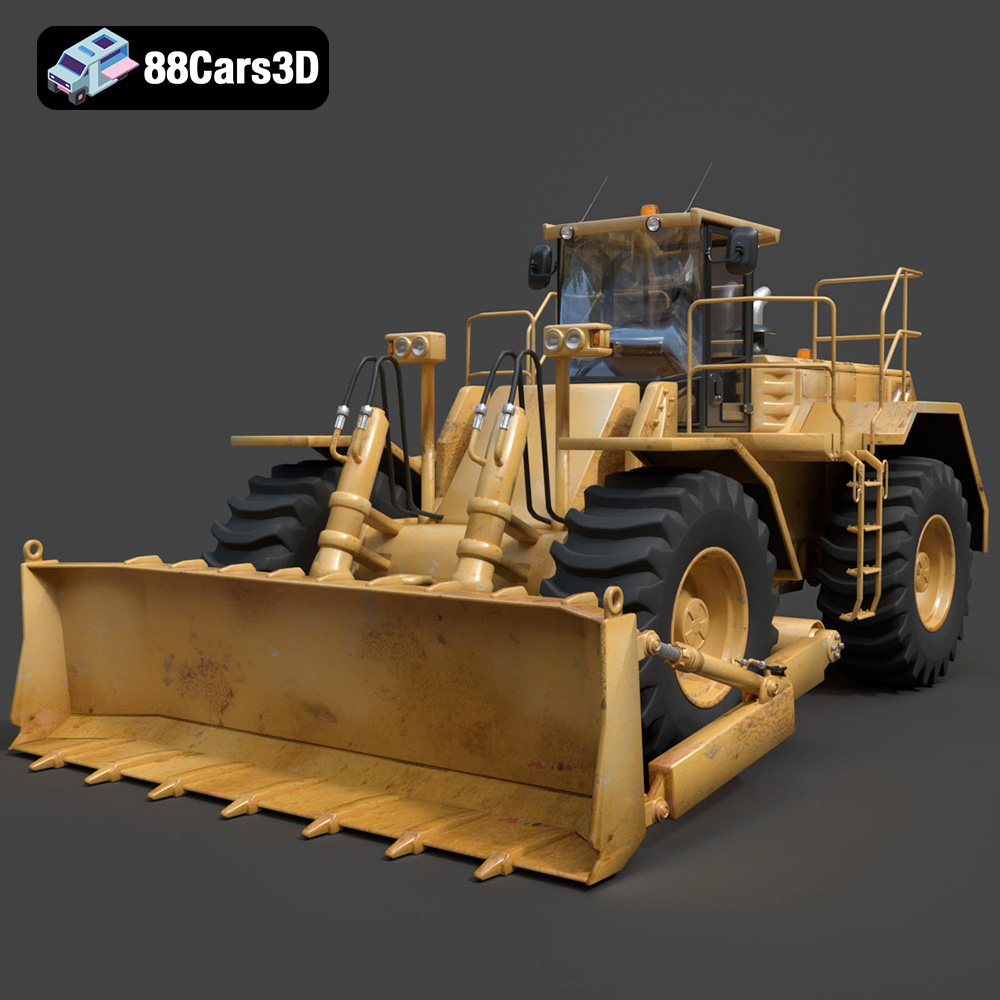
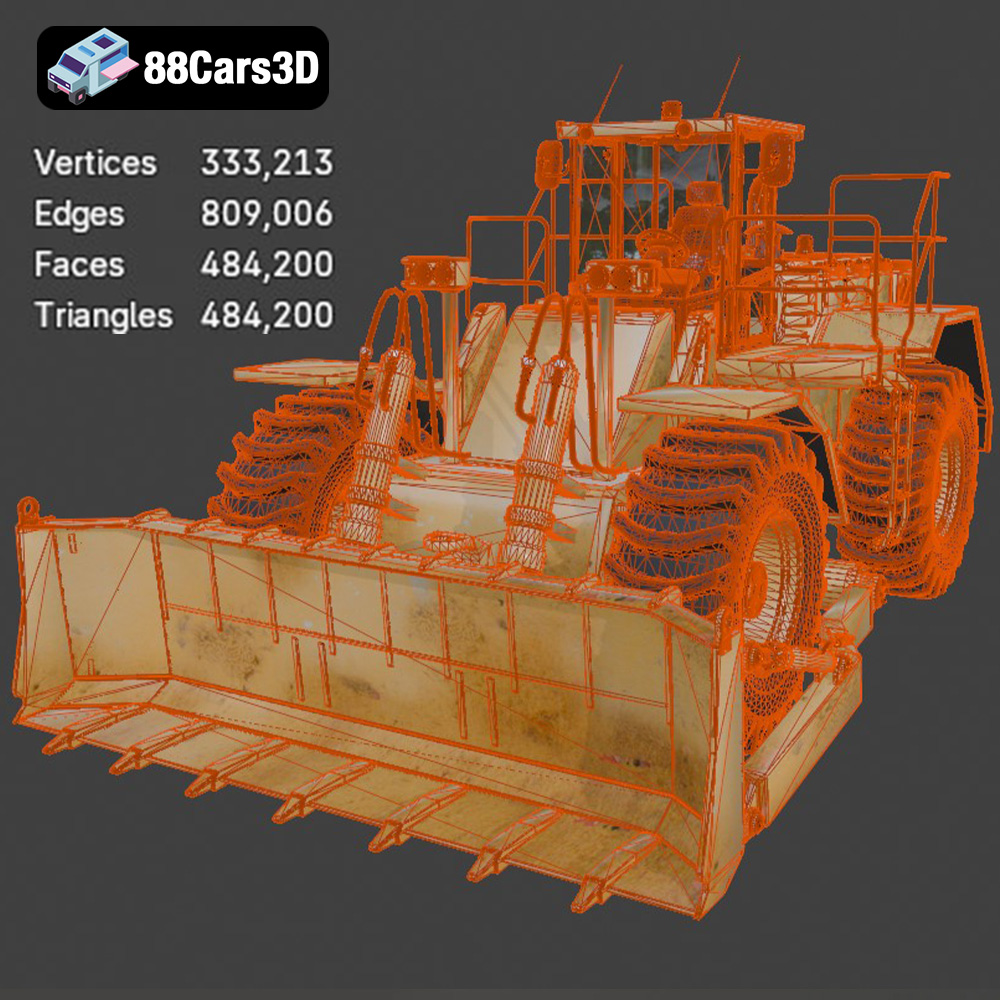
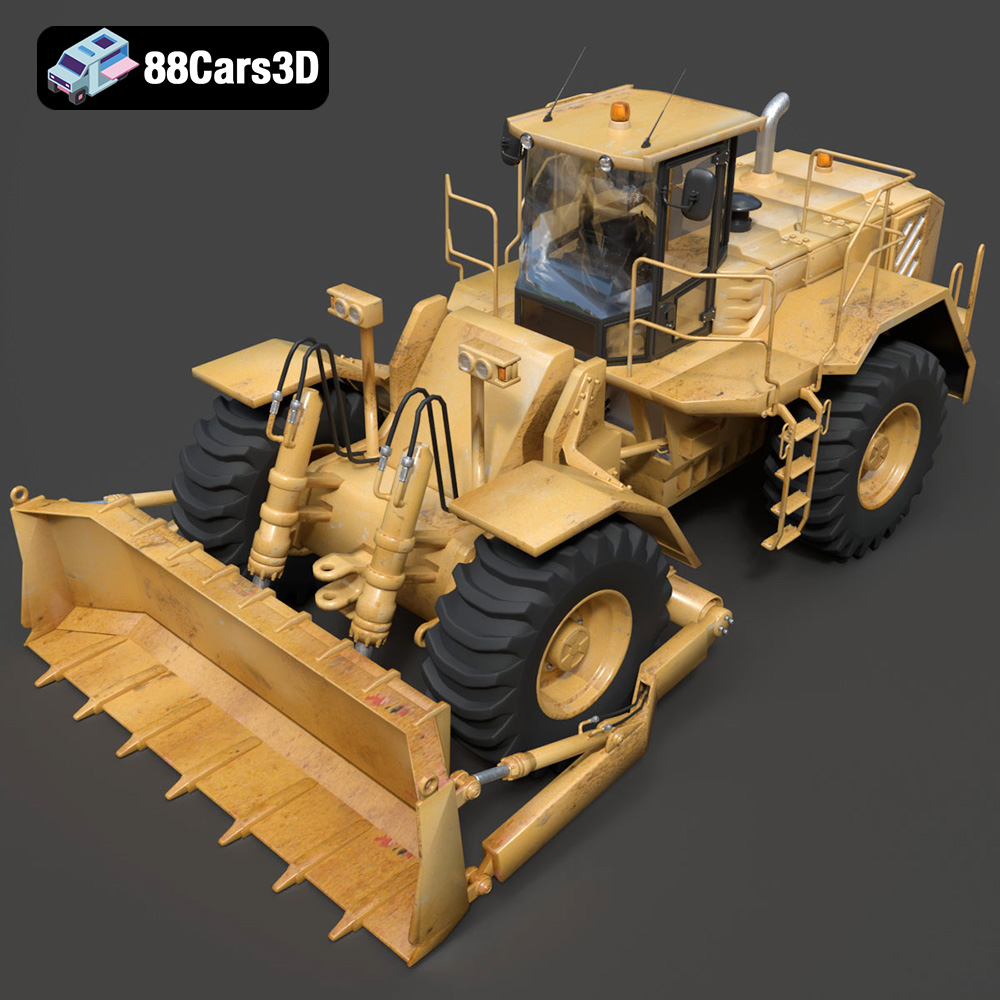
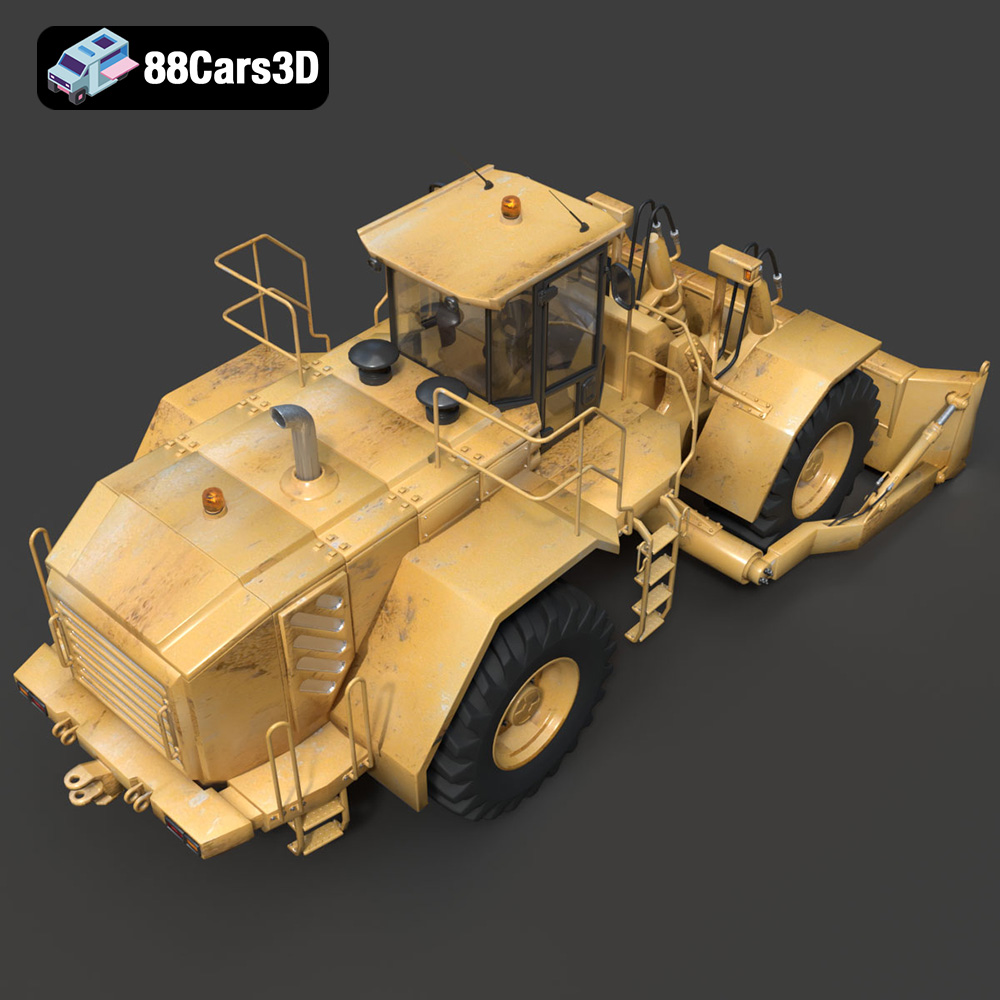
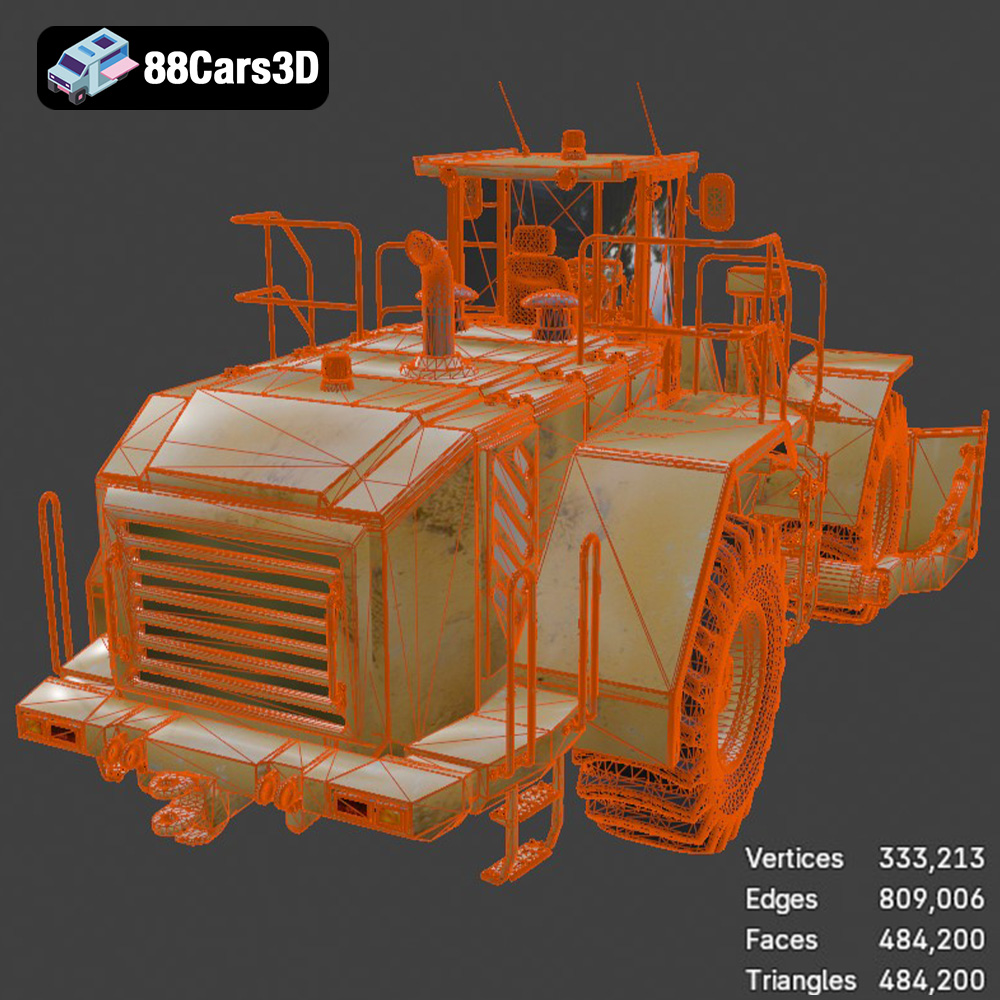
The foundation of any high-quality 3D model lies in its geometry. For a complex machine like a Wheel Dozer, this means replicating every panel, every hydraulic line, and every robust structural component with unwavering accuracy. The model’s impressive 484,200 triangles are a clear indicator of its detailed construction. This poly count strikes a critical balance: high enough to convey exceptional visual realism in renderings and close-up views, yet optimized to perform efficiently in real-time environments. From the massive front push blade with its intricate hydraulic rams and linkages to the articulated center joint, each element is faithfully recreated. This level of detail extends to the industrial lighting setup, including work lights and safety beacons, which are not just textures but actual geometric components, ready for realistic light emission.
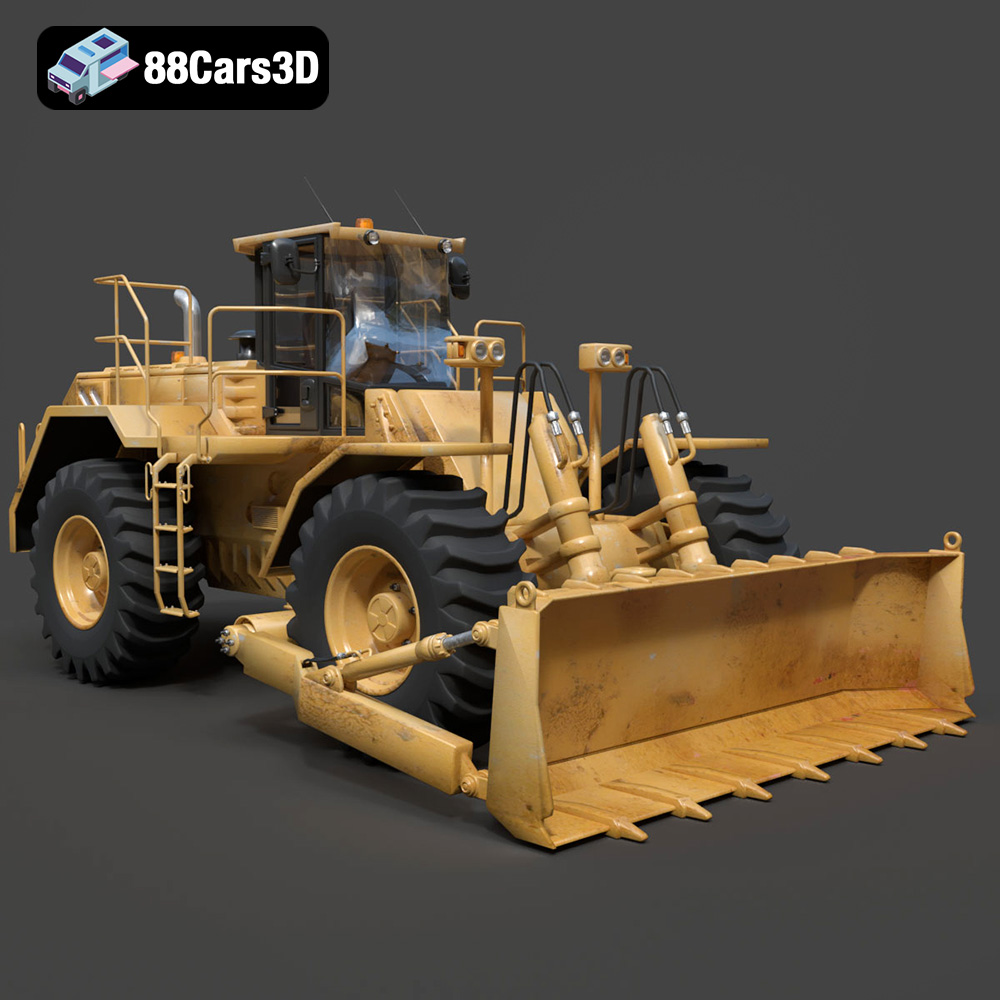
The authenticity of a 3D model is often judged by its consistency, from its outward appearance to its internal features. The Wheel Dozer 3D Model excels here. On the exterior, accurate proportions are married with detailed elements like the heavy-duty diesel engine housing, exhaust stack, and massive off-road tires with deep, realistic tread patterns. These aren’t generic placeholders; they’re designed to reflect the brute strength and durability of actual earthmoving equipment. Inside the enclosed operator cabin, the attention to detail continues. An accurate ROPS/FOPS (Roll-Over/Falling Object Protective Structure) structure is present, alongside a detailed steering column, operational joystick controls, an industrial instrument cluster, and even functional pedal controls. This interior detail is crucial for projects requiring first-person POV, such as heavy machinery simulators, offering an immersive and believable experience.
A static model can be impressive, but a dynamic one unlocks a wealth of possibilities. The Wheel Dozer 3D Model is specifically designed for animation, featuring separate components such as wheels, the blade, individual hydraulic cylinders, and the articulation joint. This modularity means animators can easily rig and articulate the model to simulate real-world movements, whether it’s the pivot of the articulated steering, the rotation of the wheels, or the precise elevation and tilt of the blade. Furthermore, the model adheres to real-world scale accuracy, based on actual heavy machinery chassis. This is not just an aesthetic choice; it’s a functional requirement for accurate simulations, ensuring that the model behaves realistically in virtual environments and integrates correctly into larger scene compositions without scale discrepancies.
In the realm of game development, AR/VR, and real-time simulations, performance is king. A stunning model that brings a system to its knees is ultimately unusable. The Wheel Dozer 3D Model is engineered with this critical balance in mind, making it an exemplary asset for demanding interactive environments.
The “Game-Ready & Optimized” designation is not merely a marketing term; it reflects a deep understanding of real-time rendering constraints. With 484,200 triangles, the Wheel Dozer model strikes an optimal balance for modern game engines like Unreal and Unity. This poly count allows for high-end visual realism, crucial for next-generation titles, while remaining performant enough to be included in complex scenes with multiple other assets. Clean topology, implied by its “optimized” nature, means efficient rendering and easier integration with animation systems, preventing mesh distortions and artifacts. For developers creating construction simulators, open-world games with industrial zones, or even highly detailed tech demos, this model provides a robust foundation, saving countless hours on optimization tasks. The .fbx and .unreal formats further ensure a seamless pipeline into these engines, reducing setup time and potential conversion issues.
Integrating a complex asset like the Wheel Dozer into Unreal Engine or Unity involves more than just importing a mesh. It requires properly configured materials, efficient texture sets, and often, Level of Detail (LOD) groups to manage performance at varying distances. While the product description hints at an Unreal-ready file, it implies that UVs are clean and materials are well-organized, allowing for efficient shader creation. For a real-time environment, this means using PBR (Physically Based Rendering) workflows, where textures for albedo, metallic, roughness, and normal maps accurately represent the industrial surfaces of the dozer. The proper pivot setup for articulation and wheel rotation is crucial for game mechanics, enabling realistic vehicle physics and control schemes. This optimization ensures that players experience smooth frame rates while still enjoying the high-fidelity visuals of the machine, making it a stellar example of specialized game assets.
Consider an industrial training simulator for heavy equipment operators. The fidelity of the 3D models directly impacts the realism and effectiveness of the training. A detailed Wheel Dozer model, with its accurate cockpit and functional controls, provides a virtual environment that closely mimics the real machine. Operators can practice complex maneuvers, learn safety protocols, and gain experience without the risks or costs associated with physical training. The optimized geometry for first-person POV in the cockpit is a critical feature here, making the simulation truly immersive. Furthermore, the model’s adaptability for AR/VR applications means it can be deployed on headsets, offering a truly hands-on virtual experience, improving retention and reducing training time significantly. This highlights the practical, real-world utility of high-quality 3D car models in industrial contexts.
Beyond interactive applications, high-quality automotive rendering serves as a cornerstone for marketing, design reviews, and engineering presentations. The Wheel Dozer 3D Model, with its exceptional detail, provides an excellent canvas for creating stunning photorealistic images and animations.
Achieving photorealism starts with believable materials. For an industrial machine like the Wheel Dozer, this means replicating the specific characteristics of painted metal, rubber, hydraulics, and even the worn textures that signify a life of heavy work. Using PBR workflows in rendering engines like V-Ray, Corona Renderer (for 3ds Max), or Cycles/Eevee (for Blender) allows artists to create materials that react naturally to light. This involves carefully crafted albedo (color), metallic, roughness, normal, and displacement maps. The Wheel Dozer model’s clean topology and detailed geometry are ideal for applying these textures without distortion. Customization options, such as changing body colors (e.g., standard industrial yellow, mining white), modifying tire and blade textures to add mud or wear-and-tear, and adjusting material finishes (matte industrial paint vs. glossy factory finish), provide immense creative control to match any project brief.
Lighting is arguably the most crucial element in rendering. For the Wheel Dozer, simulating realistic outdoor construction or mining environments requires sophisticated lighting setups. This might involve using HDRI (High Dynamic Range Image) maps for ambient illumination, combined with targeted area lights or spotlights to highlight specific details and mimic sunlight. The industrial lighting setup on the model itself – work lights, headlights, and safety beacons – can be rigged to emit actual light, creating dramatic night scenes or atmospheric renders. Techniques like global illumination, ambient occlusion, and subtle depth of field further enhance realism, making the dozer feel grounded in its environment. Artists can adapt lighting for day or night operation, creating compelling visual narratives around the machine’s capabilities and its operational context.
Engineering and design firms frequently utilize 3D models for detailed visualizations of their equipment. The Wheel Dozer 3D Model, with its accurate center articulation joint, heavy-duty axles, and faithfully recreated hydraulic cylinders, is perfect for these applications. Visualization artists can create exploded views to showcase internal mechanisms, produce cinematic animations demonstrating the machine’s articulation and blade movements, or generate high-resolution renders for marketing collateral. These visualizations not only highlight the product’s features but also convey the engineering prowess behind its design. The compatibility with major 3D software platforms like 3ds Max and Blender ensures that artists can leverage their preferred tools for achieving maximum visual impact, creating compelling content for mining site renders, construction planning, and sophisticated engineering presentations.
The transition from a digital 3D model to a tangible physical object is a fascinating application, especially for detailed machinery. The Wheel Dozer 3D Model’s inclusion of an .stl format opens up a world of possibilities for hobbyists and professionals alike, bringing virtual assets into the physical realm.
While the .stl format is fundamental for 3D printing, preparing a complex model like the Wheel Dozer requires careful consideration. The model’s existing clean geometry is an excellent starting point, but ensuring it’s “watertight” (no holes or non-manifold edges) is crucial for successful printing. The recommended scales (1:35, 1:50, 1:64) suggest an understanding of common display scales for dioramas and collectors. For intricate details, resin printing is explicitly recommended, highlighting the need for precision to capture elements like hydraulic rams, handrails, and the exhaust stack. FDM printers can also be used, but fine details might be lost or require higher resolution settings. Understanding these nuances allows users to get the best possible physical output from their digital asset.
The provided 3D print settings are invaluable guidelines. Layer height recommendations (0.04–0.12 mm for resin) speak to achieving fine detail, while wall thickness (1.2–2.0 mm) ensures structural integrity. Infill percentages (20–30%) balance strength with material consumption. Crucially, the advice on supports for detailed parts and print orientation (frame angled, wheels and blade separate) demonstrates an expert understanding of common printing challenges and best practices. These recommendations directly address issues like overhangs and structural stability. Post-processing, involving sanding, primer, and authentic industrial yellow colors with weathering effects, is where the printed model truly comes to life, emulating the rugged appearance of a real Wheel Dozer. This transforms a functional print into a highly realistic display piece.
Beyond hobbyist models, 3D printed versions of the Wheel Dozer can serve educational purposes. Imagine a school project creating a diorama of a construction site. A precisely scaled and printed Wheel Dozer adds unparalleled realism and allows students to interact with a physical representation of the machinery they are learning about. For engineers, 3D printing offers rapid prototyping capabilities. Before committing to expensive manufacturing, a scaled-down printed model can be used to test ergonomic considerations, visual appeal, or assembly processes. The Wheel Dozer 3D Model, with its separate components for animation, can also be printed in parts and then assembled, providing insights into the machine’s modular construction, making it an incredibly versatile asset even in its physical form.
In professional environments, efficiency is key. Leveraging high-quality, pre-made 3D car models and industrial assets can dramatically cut down development time, allowing artists and developers to focus on creativity and project-specific challenges rather than foundational modeling tasks. 88cars3d.com provides such resources, exemplified by the Wheel Dozer 3D Model.
The primary advantage of purchasing a ready-made, professionally crafted 3D model like the Wheel Dozer from 88cars3d.com is the sheer amount of time saved. Creating a complex machine with nearly half a million triangles from scratch, ensuring clean topology, real-world scale, and animation-ready components, can take hundreds of hours for even experienced artists. By acquiring a pre-optimized model, teams can bypass the initial modeling phase entirely, moving directly to texturing, rigging, or scene integration. The wide array of included file formats (.blend, .fbx, .obj, .glb, .stl, .ply, .unreal, .max) further streamlines this process, ensuring compatibility with virtually any professional pipeline, whether it’s for game development, high-end rendering, or AR/VR experiences.
When working on large projects, maintaining visual quality and consistency across all assets is paramount. Sourcing models from reputable marketplaces like 88cars3d.com helps ensure that you receive assets built to professional standards. The detailed product description of the Wheel Dozer, highlighting its accurate geometry, realistic materials, and game-ready optimization, provides confidence in its quality. This consistency extends to technical aspects like proper pivot setups for animation and real-world scale, which are crucial for predictable behavior in simulations and harmonious integration into existing scenes. This reduces the need for extensive cleanup or rework, ensuring that the model seamlessly fits into your existing library of game assets or rendering scenes.
While the Wheel Dozer 3D Model is highly detailed out-of-the-box, its structure allows for extensive customization. Artists aren’t locked into a single look. The ability to change body colors, modify tire and blade textures for wear-and-tear, adjust material finishes, and adapt lighting provides the flexibility needed to match specific project requirements. For instance, a game might require a pristine factory-fresh dozer, while an industrial visualization might need a heavily weathered one from a mining site. This adaptability means the model can serve multiple roles within different projects without necessitating a completely new asset, maximizing its value and utility across various professional applications, from automotive rendering to interactive simulations.
The journey through the intricacies of 3D heavy equipment models reveals a fascinating intersection of art, engineering, and digital technology. From the foundational choice of file formats to the meticulous detailing of components and the critical balance between visual fidelity and performance, every aspect contributes to a model’s utility in professional workflows. The Wheel Dozer 3D Model exemplifies this synergy, offering a robust, versatile, and highly detailed asset ready to tackle the demands of modern digital production.
Whether you are a game developer crafting immersive environments, an architect visualizing a massive construction project, an engineer prototyping a new machine, or a hobbyist bringing a digital design to life through 3D printing, assets like the Wheel Dozer provide the essential building blocks. Its comprehensive suite of file formats, game-ready optimization, and meticulous attention to detail ensure it performs flawlessly across various software and applications. By choosing high-quality 3D car models and industrial vehicles from trusted sources like 88cars3d.com, you empower your projects with the precision and realism needed to stand out, accelerating your workflow and elevating your creative output. Invest in assets that are built to perform, and watch your digital visions take on new life and impact.
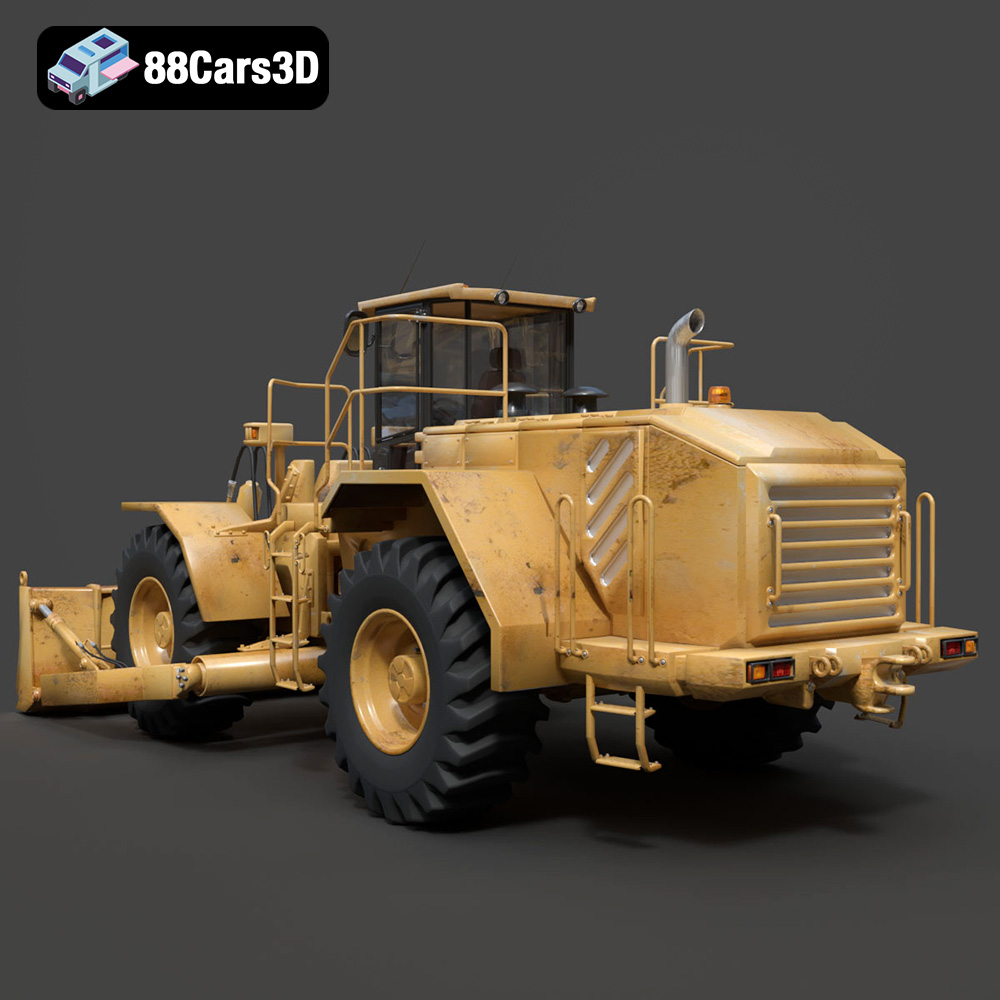
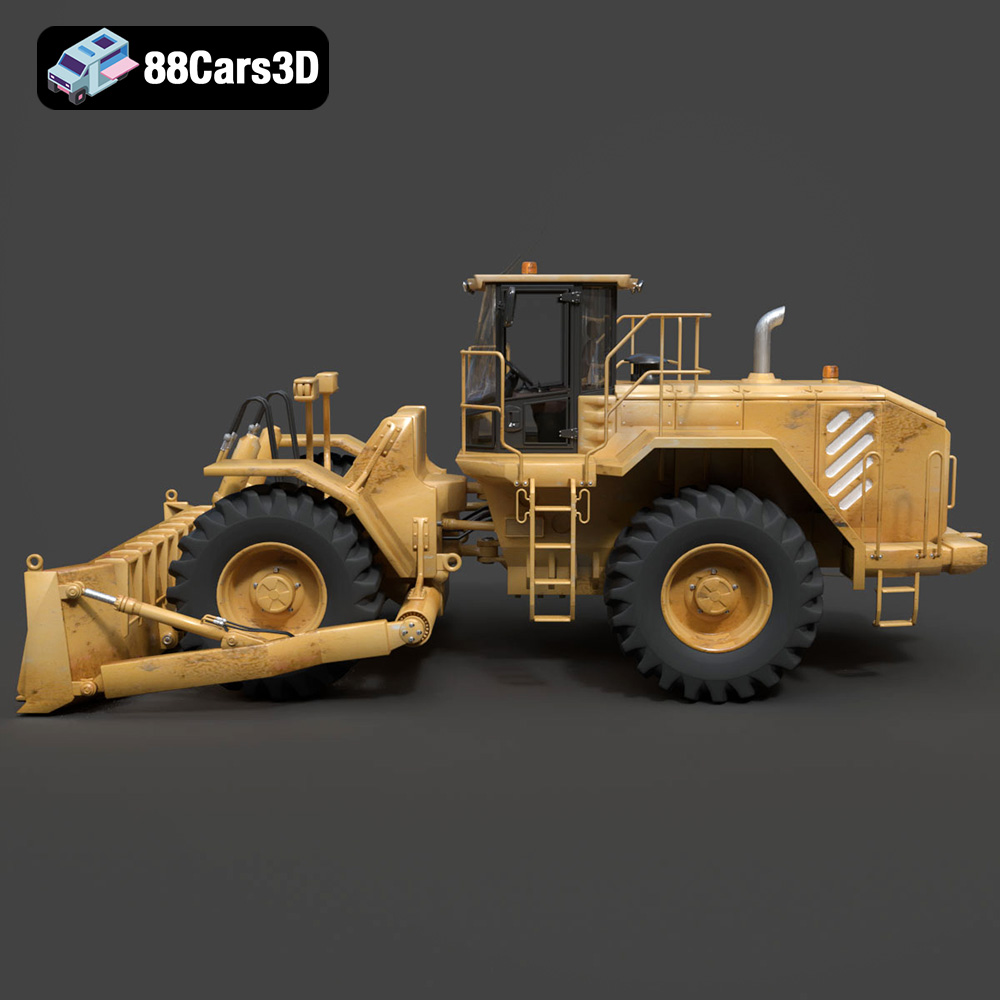
The heavy-duty Wheel Dozer is an essential piece of earthmoving equipment, renowned for its massive front blade, articulated steering, and exceptional mobility on construction and mining sites. Designed to push large volumes of soil, rubble, and debris, this machine features a robust frame, massive off-road tires, and a powerhouse engine housed in a heavy-duty rear compartment. Its iconic industrial design speaks to brute strength and engineering durability.
This premium 3D model boasts an impressive 484,200 triangles, offering an extraordinary level of detail while maintaining clean topology for optimal performance. The model is carefully structured with accurate geometry, making it perfectly suited for high-fidelity rendering, game development, and industrial visualizations. Every element, from the hydraulic cylinders to the operator’s cabin, is faithfully recreated to provide maximum realism.
Perfect for heavy equipment simulators, construction-themed video games, industrial site visualizations, and educational VR environments.
.blend, .fbx, .obj, .glb, .stl, .ply, .unreal, .max
Tags:
wheel-dozer, heavy-equipment, construction-vehicle, earthmover, industrial, game-ready, optimized, vehicle-3d-model, game-asset, rendering, vr-ar, blend, fbx, obj, glb, stl, ply, unreal, max
$26.00
.blend
.fbx
.glb
.heavy-equipment
.industrial
.max
.obj
.ply
.rendering
.stl
.unreal
construction-vehicle
earthmover
game asset
game-ready
optimized
vehicle-3d-model
VR/AR
wheel-dozer