Get 20% OFF All Premium 3D & STL Models!

In the dynamic landscape of 3D visualization, game development, and industrial simulation, the demand for meticulously crafted and highly optimized 3D assets is ever-present. From the subtle glint of a polished surface to the intricate mechanics of heavy machinery, realism is paramount. Creating these assets from scratch is a time-consuming and expertise-intensive endeavor, often requiring hundreds of hours from skilled 3D artists. This is where pre-made, professional-grade models become invaluable, streamlining workflows and empowering creators to focus on innovation.
Today, we’re delving into the sophisticated world of heavy machinery visualization with a spotlight on a particularly versatile asset: the Compact Track Excavator 3D Model. This model, available through marketplaces like 88cars3d.com, is not just a digital representation; it’s a foundation for countless projects, designed to meet the rigorous demands of various professional applications, from high-fidelity renders to interactive real-time environments. Its detailed engineering and thoughtful optimization make it a standout choice for anyone looking to integrate a robust piece of construction equipment into their digital realm.
When working with 3D assets, one of the most fundamental aspects to grasp is the array of file formats available. Each format serves a specific purpose, offering unique advantages in terms of compatibility, feature preservation, and optimization for particular workflows. Understanding these distinctions is crucial for selecting the right asset and ensuring a smooth integration into your project pipeline. The Compact Track Excavator 3D Model, for instance, offers a comprehensive suite of formats, catering to virtually every industry standard.
The .blend format is the native file type for Blender, the widely popular open-source 3D creation suite. When you download a .blend file, you’re not just getting a model; you’re often getting a fully editable Blender scene. This typically includes the model’s geometry, materials, textures, lighting setups, animation data, and even modifiers. For artists and developers primarily working within Blender, this format offers unparalleled flexibility. You can dissect the model, understand its construction, adjust materials, re-rig, or modify any aspect directly within the software without loss of fidelity. It’s the ideal choice for deep customization and leveraging Blender’s powerful toolset.
.fbx (Filmbox) is a proprietary file format owned by Autodesk and has become the de facto standard for exchanging 3D data between different software applications, especially in game development, animation, and VFX. Its strength lies in its ability to store not only mesh data but also animation, rigging, skinning, camera, and lighting information. For real-time engines like Unreal Engine and Unity, .fbx is often the preferred import format due to its robust support for animations and hierarchical data. The Compact Track Excavator model in .fbx ensures seamless transfer into game development pipelines, preserving its multi-stage boom articulation and turret rotation capabilities.
The .obj (Wavefront OBJ) format is one of the oldest and most widely supported 3D file formats. It’s a simple, text-based format that primarily stores mesh geometry (vertices, normals, texture coordinates) and references to external material files (.mtl). While .obj doesn’t typically support animation or rigging directly, its universal compatibility makes it an excellent choice for cross-software transfers where only static mesh data is required. It’s a reliable fallback when other formats present issues, offering a clean, straightforward mesh for sculpting, retopology, or foundational rendering tasks. For the Compact Track Excavator, the .obj provides a solid base for any application.
.glb (GL Transmission Format Binary) is the binary version of glTF, a royalty-free specification for the efficient transmission and loading of 3D scenes and models by applications. .glb packages all assets (geometry, textures, animations) into a single file, making it incredibly convenient for web-based 3D viewers, augmented reality (AR), and virtual reality (VR) experiences. Its optimization for real-time rendering and smaller file sizes ensures quick loading times and smooth performance in browsers and mobile applications. This format is perfect for showcasing the excavator in a virtual showroom or deploying it in an immersive AR training program.
.stl (STereoLithography) is the standard file format for 3D printing. It represents a 3D model as a series of connected triangles, forming the surface geometry of an object. Unlike other formats, .stl contains no color, texture, or material information—just the raw geometric data necessary for a 3D printer to understand the object’s shape. While it’s not ideal for digital rendering, it’s indispensable for transforming digital models into physical objects. The Compact Track Excavator 3D Model, when converted to .stl, becomes ready for fabrication, allowing for tangible prototypes or display models.
.ply (Polygon File Format or Stanford Triangle Format) is another format that stores 3D data, often used for data from 3D scanners. It can store a wider range of properties than .obj or .stl, including color, transparency, and even normal information for each vertex or face. While less common in general 3D asset exchange, it’s valuable for precision modeling, scientific visualization, or applications requiring highly accurate mesh data, often originating from CAD or scan data. For niche industrial applications or detailed analyses of the excavator’s geometry, .ply can be beneficial.
While not a standard file extension in the same vein as .fbx or .obj, “.unreal” typically refers to assets specifically prepared and optimized for Unreal Engine. This often implies an .fbx import with specific naming conventions, pivot setups, material assignments (PBR-ready), and potentially pre-configured blueprints or skeletal meshes. An “engine-ready” asset means much of the heavy lifting for integration has already been done, saving developers significant time. For a complex asset like the Compact Track Excavator, having it “unreal-ready” means it’s likely pre-rigged, with materials set up to leverage Unreal’s physically based rendering (PBR) pipeline, allowing for immediate deployment in simulations or games.
Similar to .blend for Blender, the .max format is the native project file for Autodesk 3ds Max, a powerful 3D modeling, animation, and rendering software widely used in architectural visualization, game development, and film. A .max file contains the complete scene data, including all models, materials, lights, cameras, modifiers, and animation curves. For professionals using 3ds Max, this format offers the highest level of detail and editability, enabling artists to delve into every aspect of the Compact Track Excavator’s construction, from its precise geometry to its complex rigging setup, ensuring full control over the asset.
The availability of such a diverse range of formats for the Compact Track Excavator 3D Model underscores its versatility and the thoughtfulness behind its creation. Whether your project demands deep customization in a native DCC application, seamless integration into a game engine, publication on the web, or even physical manifestation, this model provides the necessary foundation.
The true value of a premium 3D asset lies in its meticulous attention to detail and its fidelity to real-world counterparts. The Compact Track Excavator 3D Model exemplifies this, offering a high-quality representation that goes far beyond a simple block-out. Every element, from the robust track system to the hydraulic boom, has been carefully engineered to reflect modern construction machinery, making it an invaluable addition to any digital scene requiring industrial realism.
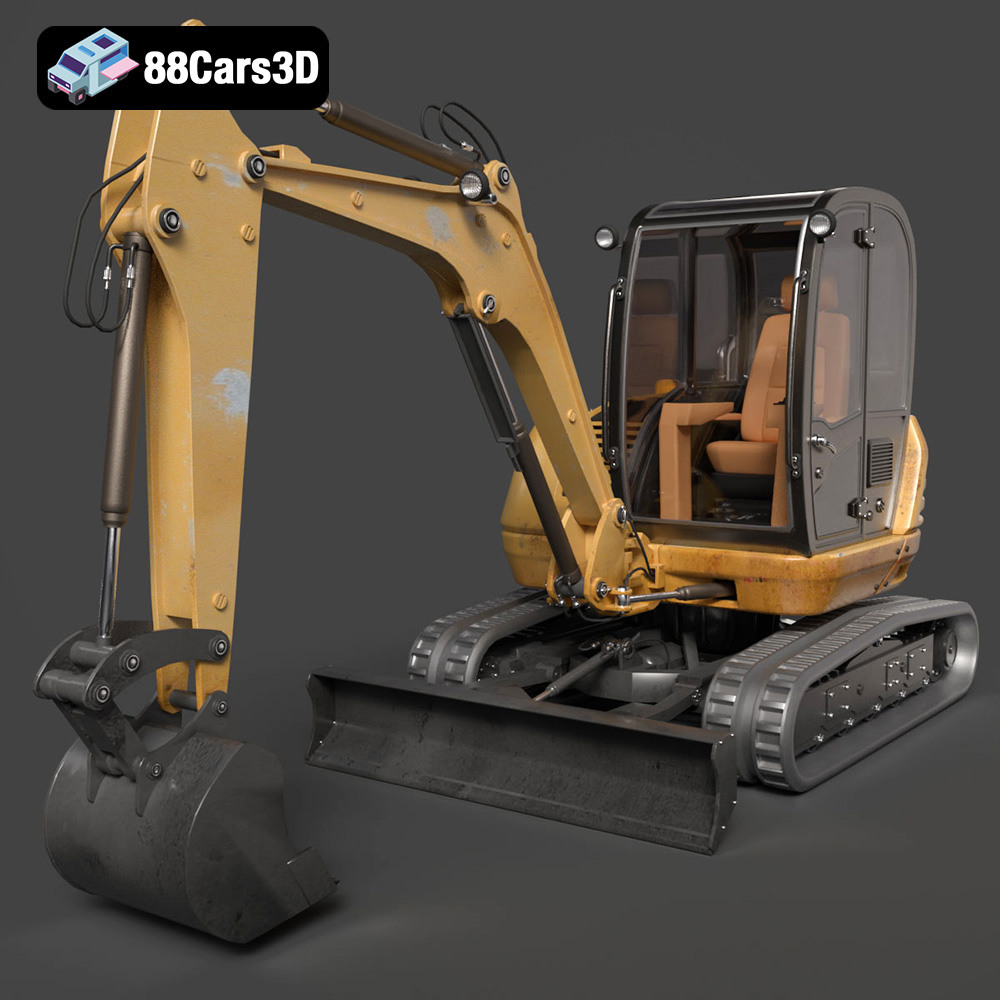
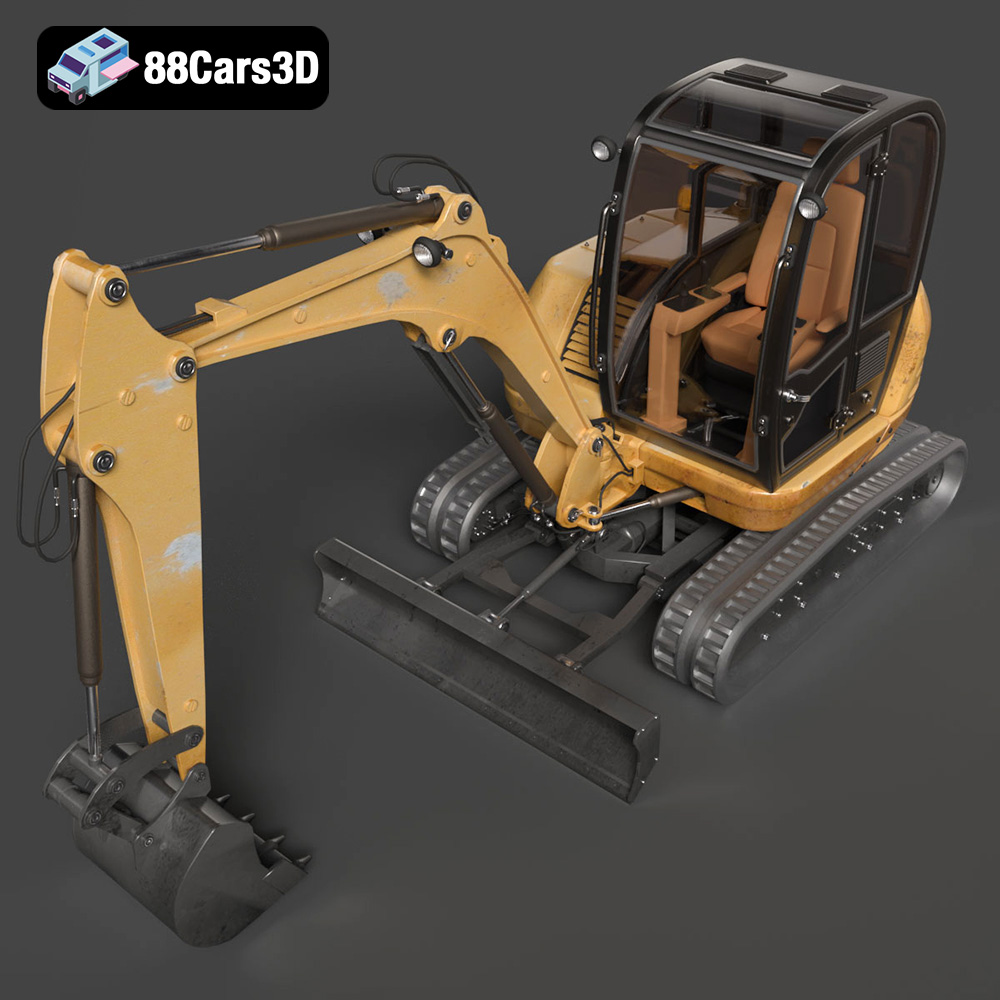
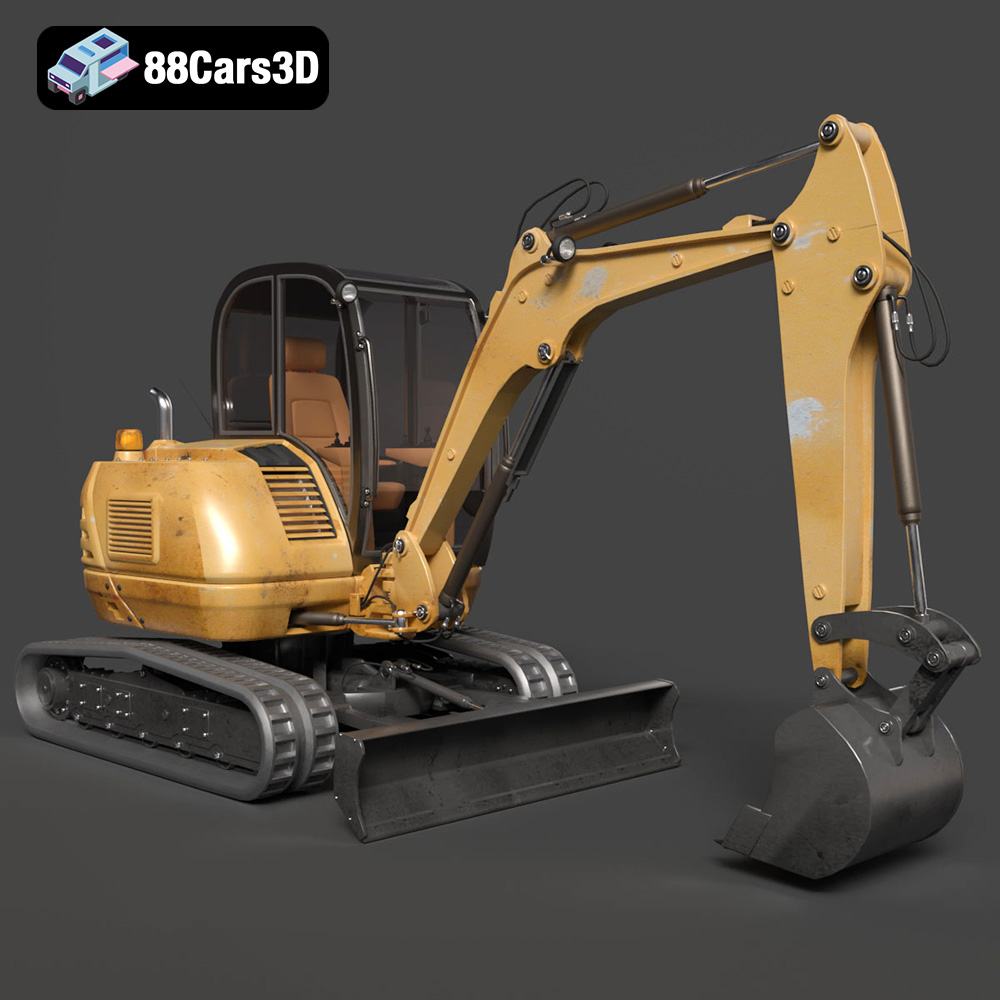
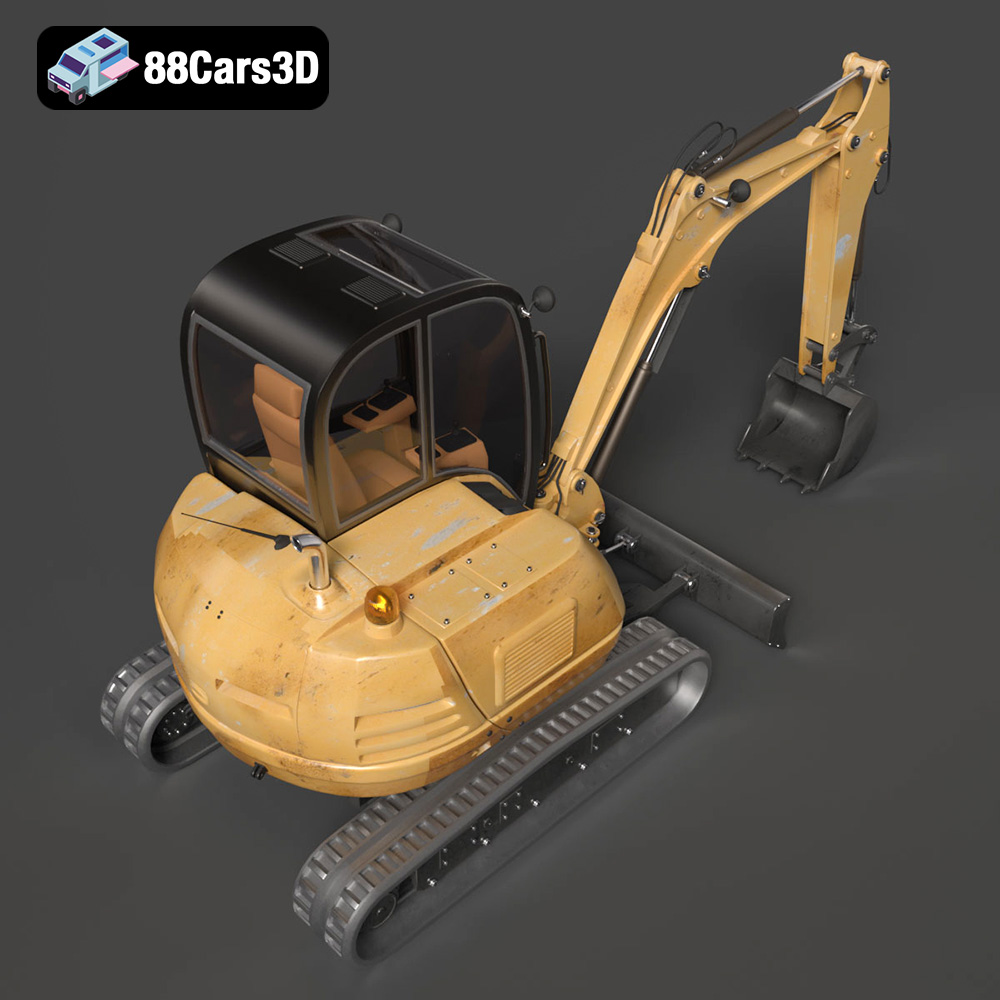
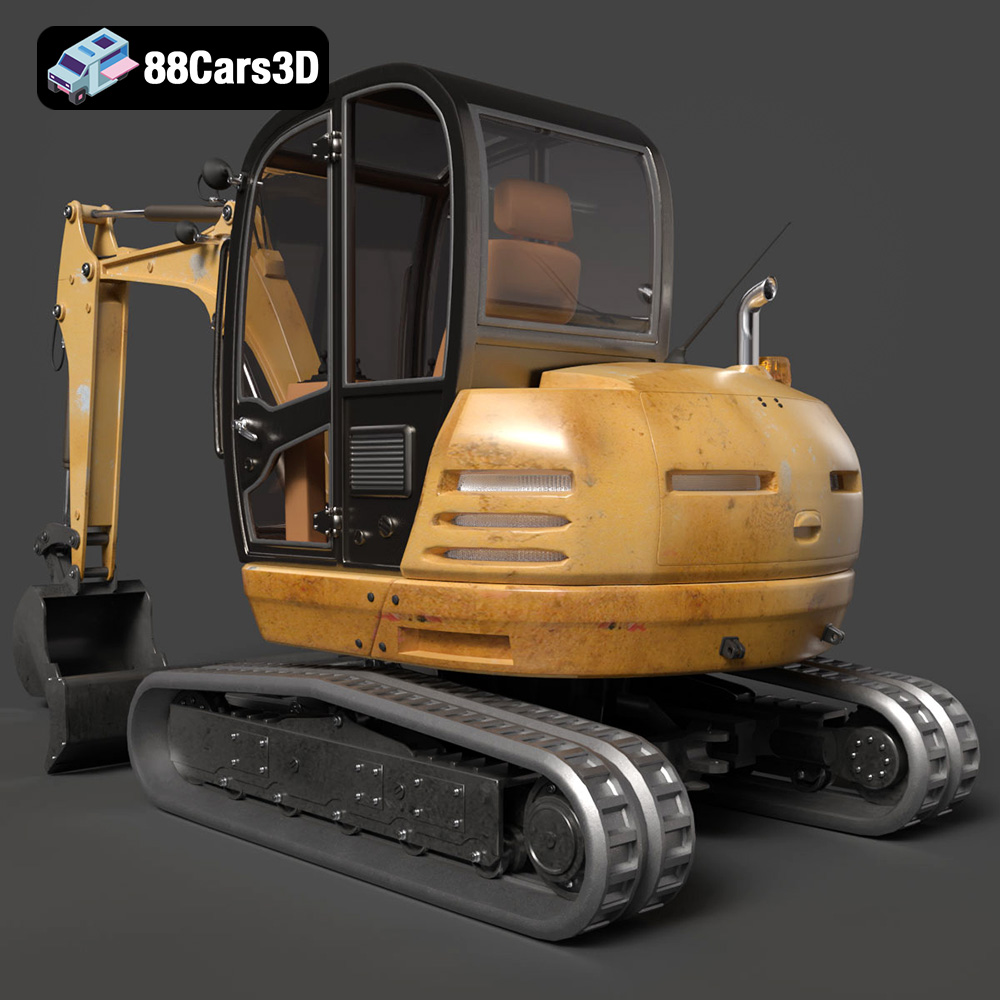
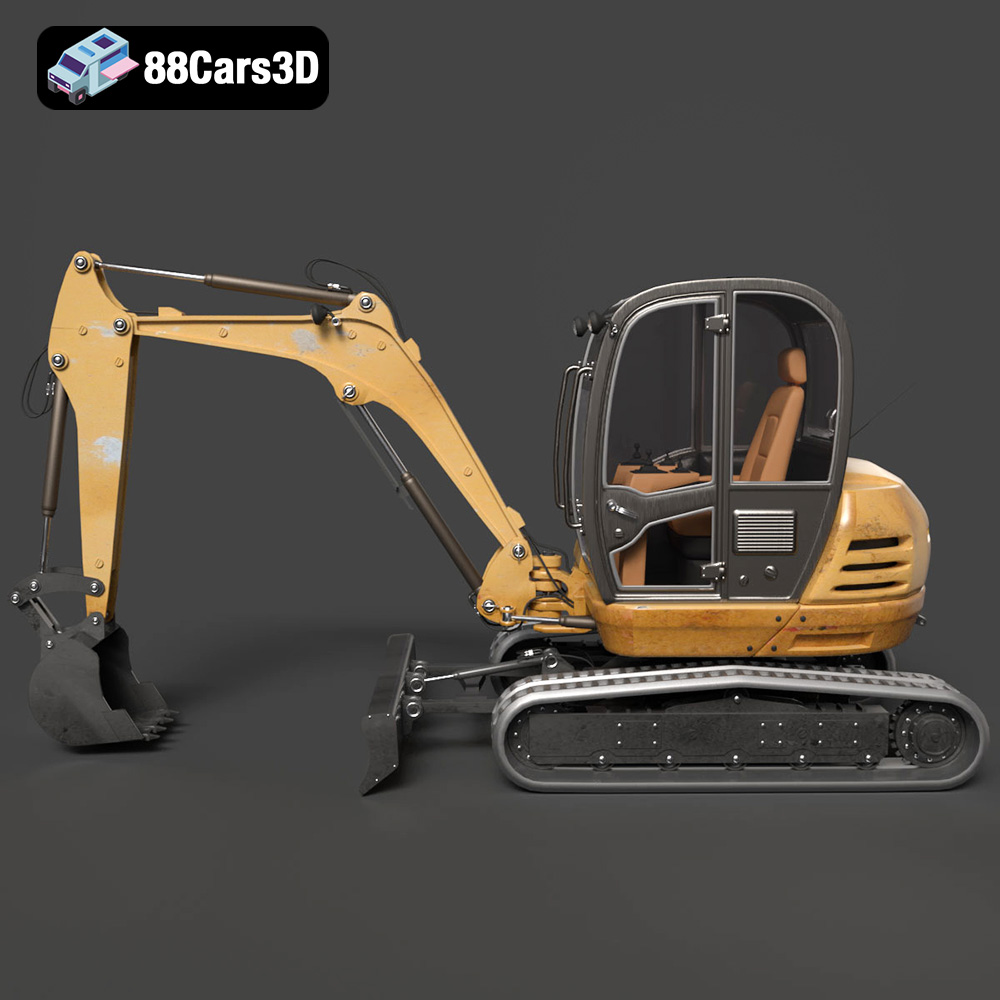
The exterior of this Compact Track Excavator model is a testament to detailed industrial styling. It features accurate frame geometry and proportions, capturing the distinctive aggressive stance of real-world heavy equipment. A key highlight is the detailed hydraulic system, including visible cylinders, pistons, and intricately routed hoses—details often overlooked in less comprehensive models but crucial for visual authenticity and animation realism. The robust undercarriage is another standout, featuring highly detailed continuous tracks and drive sprockets that convey genuine mechanical function. Industrial work lighting and warning beacons add to the functional aesthetic, suggesting the model is ready for any digital construction site, day or night. Furthermore, the heavy-duty digging bucket is equipped with realistic teeth and reinforced plating, designed to look like it can tackle the toughest digital terrain, while the reinforced operator cabin with safety cage detailing emphasizes safety and functionality.
Beyond the impressive exterior, the Compact Track Excavator model offers a fully realized interior, crucial for immersive experiences in game development and AR/VR training. The cockpit features an ergonomic operator suspension seat, detailed dual joystick controls, and driving pedals, all positioned for realistic operation. A digital instrument cluster and operational control panels are integrated, providing a convincing interface for digital operators. Safety levers and a realistic visibility structure complete the interior, ensuring that whether viewed in first-person perspective in a game or navigated in a VR simulator, the experience is authentic and engaging. This level of interior detailing is critical for heavy equipment training programs, allowing users to familiarize themselves with control layouts and operational procedures in a safe, virtual environment.
One of the most significant challenges in 3D asset creation is balancing visual fidelity with performance, especially for real-time applications like video games and interactive simulations. The Compact Track Excavator 3D Model has been expertly optimized to meet this challenge, making it a truly “game-ready” asset without compromising on detail.
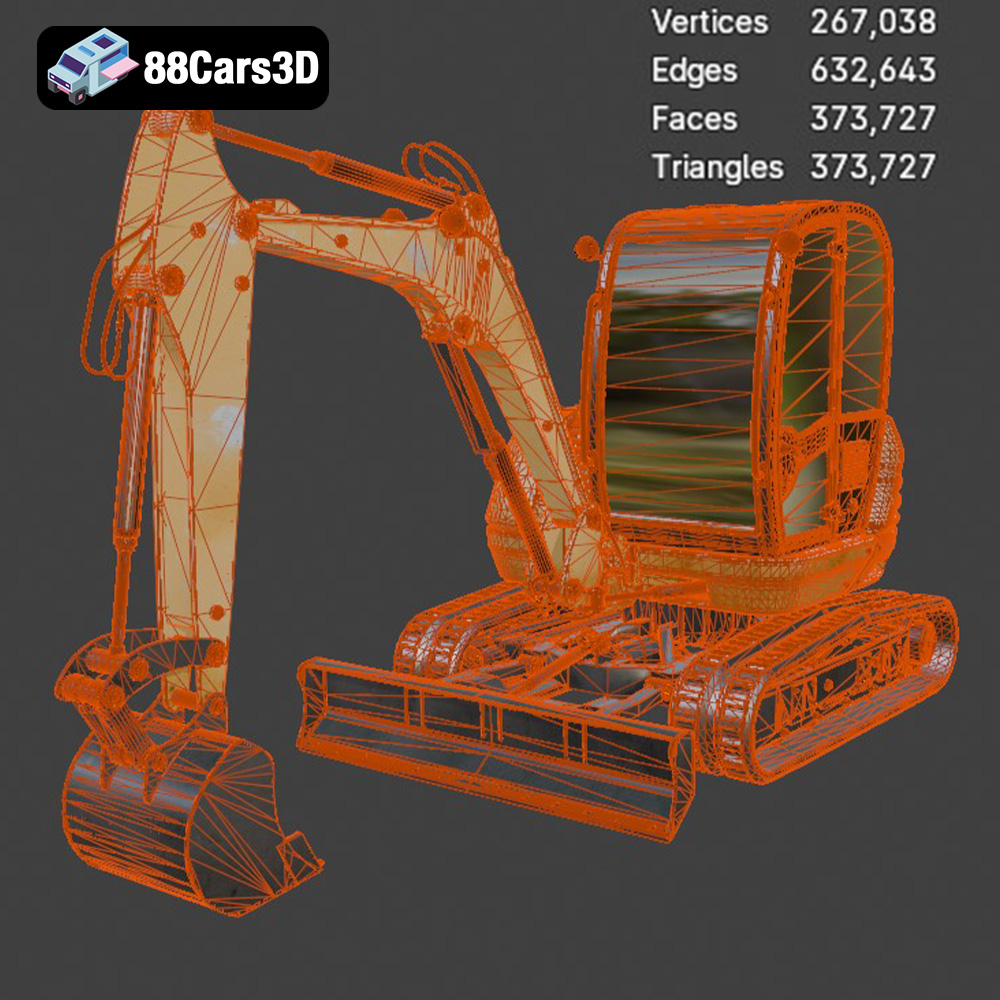
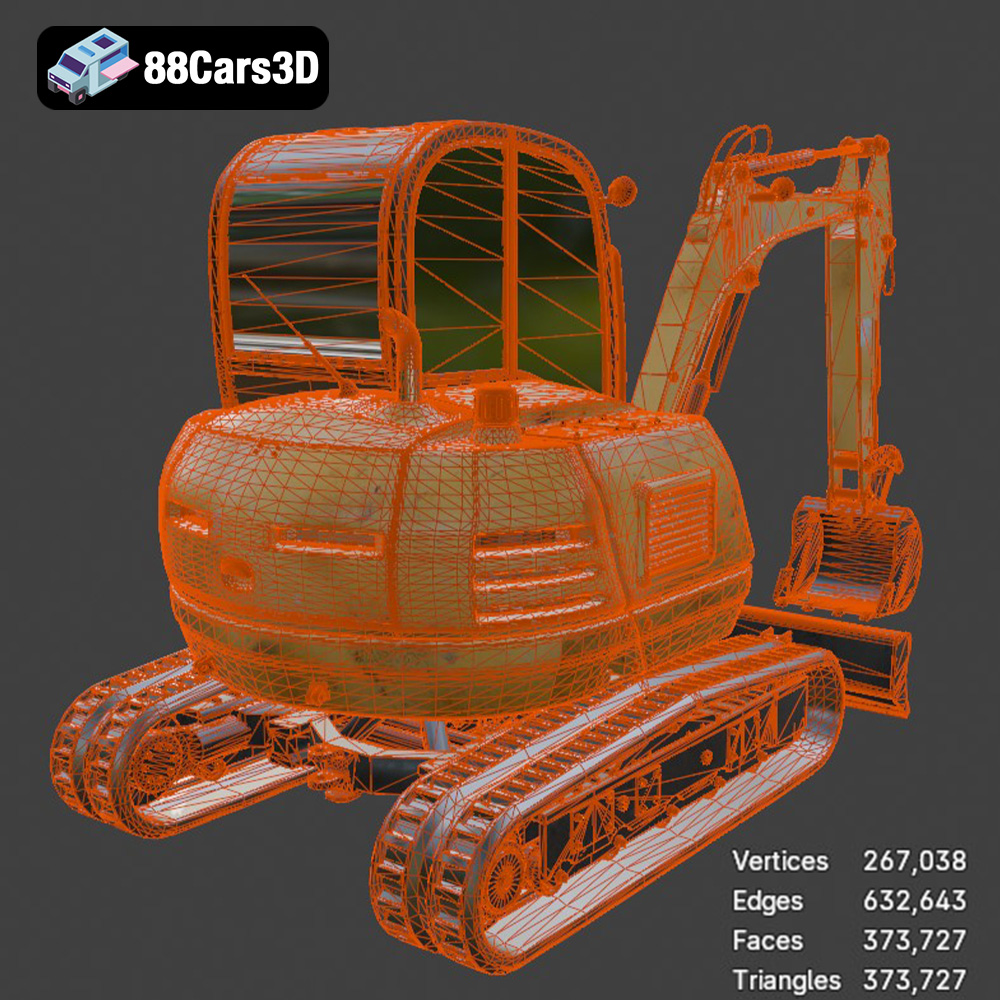
With 373,727 triangles, the Compact Track Excavator strikes an excellent balance for real-time engines such as Unreal Engine and Unity. This polycount is high enough to deliver rich visual realism, capturing the complex curves and mechanical intricacies of heavy machinery, yet optimized to ensure efficient rendering performance. Excessive polycounts can lead to frame rate drops, especially when multiple complex assets are present in a scene. This model’s careful optimization means it can be deployed in expansive open-world environments or detailed construction simulators without bogging down the engine. This makes it an ideal choice for developers looking for high-quality 3D car models and vehicle assets that are also performant.
Integrating the Compact Track Excavator into Unreal Engine is straightforward, especially with the included .fbx and .unreal (engine-ready) formats. For an .fbx import, developers would typically:
This workflow ensures that the excavator isn’t just a static prop but a fully functional, interactive element in an automotive rendering scene or game environment.
For those leveraging Blender, the native .blend file offers the most comprehensive starting point. Artists can utilize Blender’s powerful animation tools to create complex sequences, from subtle hydraulic movements to dynamic digging operations. The model’s optimized topology and proper pivot setups mean that setting up inverse kinematics (IK) for the boom and stick, or path animation for the tracks, is efficient. Blender’s Cycles and Eevee renderers can then be used to produce stunning automotive rendering outputs, showcasing the excavator with realistic lighting, shadows, and material properties. The ability to customize textures and materials directly within Blender allows for unique visual styles, from pristine factory finishes to heavily weathered construction site assets.
The versatility of the Compact Track Excavator 3D Model extends beyond digital screens, offering tangible applications through 3D printing. This capability transforms a virtual asset into a physical object, opening doors for display models, educational tools, and even intricate dioramas.
The inclusion of the .stl file format is crucial for 3D printing. As mentioned, .stl focuses purely on geometry, providing the necessary data for a 3D printer to construct the model layer by layer. The product’s detailed 3D print settings are highly valuable, guiding users through the process:
This detailed guidance makes the 3D printing process accessible, allowing creators to produce high-quality physical replicas of this exceptional 3D car model / vehicle asset.
A truly professional 3D asset provides flexibility for customization, allowing it to seamlessly integrate into diverse projects and meet specific creative visions. The Compact Track Excavator 3D Model excels in this regard, offering numerous avenues for personalization and workflow enhancement.
The model’s design facilitates extensive aesthetic customization. Artists can easily change the main chassis colors, adapting the excavator to match specific company fleet finishes (e.g., standard industrial yellow, white, or custom branding). The ability to apply dirt, mud, and scratch textures is crucial for achieving weathered site realism, transforming a pristine machine into one that has seen heavy use on a construction job. Furthermore, adjusting material finishes—from matte metal and gloss paint to rubber tracks—allows for precise control over how light interacts with the model, enhancing its visual fidelity in any render or real-time environment. Adapting work lighting for nighttime construction environments further broadens its utility, making it suitable for a wider array of scenarios and atmospheric conditions.
The inherent optimization of the Compact Track Excavator 3D Model significantly boosts workflow efficiency. Instead of spending valuable time on modeling, retopology, UV unwrapping, and basic material setup, artists and developers can directly import this asset and immediately begin integrating it into their scenes. This is particularly advantageous in tight production schedules where time is a critical resource. The “game-ready” nature, coupled with proper pivot setups and separate animatable components, means less time spent on technical setup and more time dedicated to creative tasks like scene composition, animation, and dynamic effects. This streamlined approach makes the asset from 88cars3d.com a smart investment for any project.
Acquiring high-quality 3D assets quickly and reliably is essential for modern production pipelines. This is where specialized marketplaces like 88cars3d.com prove invaluable. They curate a selection of professional-grade models, ensuring that creators have access to assets that meet industry standards for quality, optimization, and versatility. The Compact Track Excavator 3D Model is a prime example of the caliber of assets you can find, offering detailed engineering and comprehensive file format support.
Choosing a reputable marketplace like 88cars3d.com for your 3D car models and heavy machinery assets guarantees that you’re investing in assets that are not only visually impressive but also technically sound and ready for integration into a wide array of software and engines. This commitment to quality saves development time and allows artists and developers to focus on the unique aspects of their projects, rather than the foundational asset creation.
The Compact Track Excavator 3D Model stands as a compelling example of a high-quality, versatile asset designed for the modern 3D professional. Its meticulous detailing, from the robust exterior mechanics to the ergonomic cockpit, provides an unparalleled level of realism. The thoughtful optimization, evidenced by its balanced triangle count and proper pivot setups, ensures seamless integration into demanding real-time engines like Unreal Engine and Unity, making it a true game-ready asset. Beyond digital realms, its support for 3D printing through the .stl format, complete with detailed settings, extends its utility into physical prototyping and display.
Whether you’re developing an immersive construction simulator, crafting hyper-realistic architectural visualizations, building an AR/VR training application, or even fabricating a physical model, this Compact Track Excavator offers the technical foundation and creative flexibility required. The comprehensive file format support, including .blend, .fbx, .obj, .glb, .stl, .ply, .unreal, and .max, guarantees compatibility across virtually all professional 3D workflows. By leveraging such expertly crafted 3D assets from platforms like 88cars3d.com, creators can accelerate their projects, maintain high visual standards, and deliver truly impactful experiences.
The Compact Track Excavator represents the pinnacle of modern construction and heavy machinery engineering. Designed for versatility and power in confined spaces, this machine is characterized by its robust track system, highly articulated hydraulic boom, and heavy-duty digging bucket. Its distinctive industrial styling is complemented by exposed hydraulic hoses, a reinforced operator cabin, and an aggressive stance that makes it a staple on any digital construction site. This meticulously crafted 3D model features a well-optimized topology with 373,727 triangles, delivering uncompromising visual fidelity while remaining efficient for real-time applications. Whether deployed in game development, industrial simulations, AR/VR training programs, or high-end architectural visualizations, the asset is structured to provide maximum realism. The meticulously modeled undercarriage and boom pivot points ensure seamless rigging and animation.
$36.50
.blend
.excavator
.fbx
.glb
.max
.obj
.ply
.rendering
.stl
.unreal
compact-track-excavator
construction-equipment
game asset
game-ready
heavy-machinery
low-poly
optimized
vehicle-3d-model
VR/AR