
In the demanding world of 3D automotive design, game asset development, and high-fidelity visualization, efficiency and precision are paramount. Blender, a powerhouse open-source 3D creation suite, has rapidly become a go-to tool for countless artists. While its native capabilities are robust, the true magic often lies in its vast ecosystem of add-ons. For automotive and hard surface artists, these extensions are not just conveniences; they are essential accelerators that transform complex, time-consuming tasks into streamlined workflows, allowing for unparalleled detail and accuracy in their 3D car models.
From sculpting flawless vehicle body panels with perfect curvature to meticulously crafting interior components and intricate mechanical parts, add-ons bridge the gap between imagination and execution. They empower artists to achieve production-ready results faster, whether for photorealistic renders, optimized game assets, or precise models for 3D printing. This comprehensive guide will delve into a curated selection of Blender add-ons that are indispensable for anyone serious about automotive and hard surface modeling, texturing, UV mapping, rendering, and optimization. We’ll explore how these tools integrate into professional workflows, enhance artistic control, and ultimately elevate the quality of your 3D creations, ensuring your projects stand out in a competitive landscape.
Creating believable 3D car models begins with solid, clean topology and precise hard surface modeling. Automotive designs are defined by their smooth, reflective surfaces and sharp, intricate details. Blender’s core modeling tools are powerful, but add-ons significantly boost efficiency and precision, especially when tackling the complex curves and panels of a vehicle. These tools help maintain perfect edge flow, manage boolean operations, and ensure that every surface is pristine, crucial for high-quality automotive rendering.
For hard surface modeling, especially in automotive contexts, tools that offer CAD-like precision are invaluable. Add-ons like Hard Ops and Boxcutter (often used in tandem) revolutionize boolean workflows. Instead of destructive boolean operations leading to messy topology, these tools allow for non-destructive boolean cuts, bevels, and chamfers, maintaining clean mesh data. They provide intuitive pie menus and hotkeys for rapid access to complex operations, letting artists quickly block out shapes, add panel lines, and cut vents with surgical accuracy. This non-destructive approach means you can iterate on designs without constantly rebuilding geometry, a massive time-saver for detailed car bodies.
Furthermore, add-ons like CAD Transform offer precise object transformations, alignments, and snapping functionalities that are often lacking in standard polygonal modeling environments. Imagine aligning multiple components of an engine with pixel-perfect accuracy or ensuring that the gap between car panels is uniform across the entire vehicle. These tools enable such exactness, critical for models intended for visualization, engineering, or 3D printing where dimensional accuracy is paramount. Mastering these add-ons dramatically speeds up the process of creating complex mechanical assemblies and vehicle exteriors with consistent quality.
Maintaining clean, quad-based topology is fundamental for deformation, subdivision surface modifiers, and realistic shading on curved automotive surfaces. Add-ons like MESHmachine are game-changers here. MESHmachine offers incredibly powerful tools for “stashing” and recalling bevels, cleaning up boolean intersections, and adding advanced surface details with ease. Its ability to create perfect chamfers and fillets, especially at intersections, is invaluable for automotive models where hard edges and smooth transitions coexist. It ensures that your topology remains manageable even after complex operations, preventing shading artifacts that can plague highly reflective surfaces.
Another powerful category of tools focuses on retopology. While Blender’s manual retopology tools are robust (see Blender’s official documentation on Retopology), for high-poly scans or sculpts, automated solutions like QuadRemesher (a paid add-on) can save hundreds of hours. This add-on generates clean, all-quad meshes from incredibly dense or triangulated geometry, respecting hard edges and symmetry. For automotive artists working with CAD data or photogrammetry scans, quickly generating a production-ready mesh with good edge flow is a monumental advantage. This ensures the resulting 3D car models are efficient for game engines, smooth for rendering, and pliable for further artistic adjustments.
Beyond meticulous modeling, the realism of a 3D car model hinges on its materials and shading. Achieving photorealistic paint, worn leather interiors, or intricate headlight lenses requires a deep understanding of Physically Based Rendering (PBR) principles and efficient material creation workflows. Blender’s Cycles and Eevee renderers are incredibly capable, but add-ons streamline the process of building complex shader networks and applying detailed textures, transforming raw geometry into lifelike automotive masterpieces.
Creating PBR materials from scratch can be a daunting task, especially for intricate automotive surfaces that demand layered shaders, subtle imperfections, and accurate reflections. Add-ons like Node Wrangler (built into Blender and enabled by default) are indispensable. Node Wrangler dramatically speeds up node-based material creation by providing shortcuts for connecting textures, setting up PBR shaders with a single hotkey (Ctrl+Shift+T), and organizing complex node trees. It allows artists to quickly preview individual texture maps, ensuring that albedo, roughness, metallic, and normal maps are correctly configured for optimal results.
For artists who want to bypass some of the manual node setup, add-ons like Extreme PBR Nexus or asset browsers integrated with PBR libraries offer a vast collection of pre-made, high-quality PBR materials. These can be dragged and dropped onto your 3D car models, providing a solid starting point for automotive paint, carbon fiber, glass, rubber, and various metals. They often include advanced features like dirt, wear, and displacement maps, saving countless hours in material development and ensuring consistency across a project. When sourcing 3D car models from marketplaces such as 88cars3d.com, artists often find PBR materials pre-applied, which can then be further refined using these powerful node-management and material-library add-ons.
Automotive models are rich with decals, badges, warning labels, and intricate patterns that define their brand and realism. Manually UV mapping and texturing each of these elements can be incredibly tedious. Decal Machine is a celebrated add-on that completely revolutionizes this process. It allows artists to non-destructively project decals onto any surface, handling complex curvatures and ensuring perfect adhesion without stretching or distortion. These decals can be baked into texture maps, making them game-engine friendly, or kept as separate objects for high-resolution renders.
The add-on comes with extensive libraries of pre-made decals, ranging from generic industrial labels to specific automotive emblems, and also allows users to create their own. This capability is crucial for adding realistic branding, intricate instrumentation details on dashboards, or racing liveries onto the bodywork of a car. Decal Machine streamlines a process that previously required meticulous UV unwrapping and texture painting, allowing artists to focus on creative design rather than technical hurdles. The ability to quickly iterate on decal placement and design significantly enhances the speed and quality of adding those final, authentic touches to any vehicle model.
UV mapping is often cited as one of the most challenging and time-consuming aspects of 3D modeling, especially for complex, curved surfaces like those found on 3D car models. Accurate UVs are essential for applying textures without distortion, baking details from high-poly meshes, and ensuring efficient texture memory usage in real-time applications. While Blender’s native UV tools are comprehensive (refer to Blender’s official UV documentation), add-ons dramatically accelerate and improve the quality of this critical step.
For artists dealing with numerous individual components or intricate vehicle parts, manual UV unwrapping can be a bottleneck. Tools like UVPackmaster are a godsend. UVPackmaster provides advanced UV packing algorithms that go far beyond Blender’s default options, optimizing texture space utilization with incredible efficiency. It can pack islands tighter, minimize wasted space, and even handle non-uniform scaling, which is incredibly useful for specific texture needs. For game developers, efficient UV packing directly translates to fewer texture atlases and better performance, making this add-on a staple.
While fully automated unwrapping for an entire car is rare due to the need for specific seam placements (e.g., along panel lines), for internal components, engine parts, or accessories, automated unwrapping can be a significant time-saver. Some external software, often integrated via a bridge add-on (like a RizomUV Bridge, if one exists and is stable for your Blender version), specializes in generating optimal UVs with minimal distortion. These solutions allow artists to quickly get a usable UV layout, which can then be refined manually, ensuring textures apply cleanly across all surfaces of their detailed automotive models.
Even with automated solutions, precise manual control over UVs is often necessary for automotive models, particularly for visible panels, dashboards, and areas requiring branding. Add-ons such as TexTools enhance Blender’s UV editor with a suite of incredibly useful functionalities. These include tools for checking UV distortion (crucial for ensuring textures don’t stretch), easily aligning UV islands, scaling them to a consistent texel density, and merging/splitting islands efficiently. Texel density consistency is vital for maintaining uniform texture resolution across different parts of a vehicle, preventing blurry textures on large panels and overly sharp textures on small details.
Other utility add-ons focus on specific UV tasks, such as creating quick selections, mirroring UVs, or even generating basic UVs for simple shapes. For instance, being able to quickly select all faces with a certain UV distortion level allows for rapid identification and correction of problem areas. These tools collectively empower artists to tackle the complex UV mapping challenges presented by a car’s intricate surfaces, ensuring that every curve and panel receives the optimal texture resolution and mapping without introducing visual artifacts. This meticulous approach to UV mapping directly contributes to the photorealism and professional quality of the final 3D car models.
Once a 3D car model is meticulously crafted and textured, the next step is to bring it to life through rendering. Achieving breathtaking automotive renders requires more than just a great model; it demands masterful lighting, environment setup, and camera work. Blender’s Cycles and Eevee renderers are incredibly powerful, but add-ons enhance these capabilities, streamlining the rendering workflow and allowing artists to focus on artistic direction rather than technical minutiae. This is especially true for producing high-quality marketing materials, configurators, or architectural visualizations of vehicles.
The environment surrounding a 3D car model profoundly impacts its appearance, especially the reflections on its glossy surfaces. High Dynamic Range Images (HDRIs) are a standard for realistic lighting, and add-ons like the HDRI Haven/Poly Haven Browser (often a community-driven script or part of a larger asset manager) allow artists to quickly browse, download, and apply HDRIs directly within Blender. This immediate access to a vast library of real-world lighting environments enables rapid iteration and finding the perfect mood for a render without breaking the creative flow.
For even greater control and realism, add-ons like Physical Starlight and Atmosphere simulate an entire sky, sun, and atmospheric system based on physical principles. This means dynamic time-of-day changes, realistic cloud formations, and accurate light scattering, offering a level of flexibility and realism that simple HDRIs alone cannot achieve. For automotive rendering, being able to precisely control the angle of the sun, the cloud cover, and atmospheric haze can dramatically alter the perception of paint reflectivity and overall scene mood. Such tools are crucial for creating varied shots of 3D car models, from sun-drenched showroom floors to dramatic sunset drives.
Professional automotive visualization demands precise camera control and efficient scene organization. Add-ons like Photographer offer advanced camera management tools that mirror real-world photography settings. This includes easy control over ISO, aperture (for depth of field), shutter speed, and white balance, allowing artists to compose cinematic shots with an understanding of photographic principles. It also simplifies managing multiple cameras and quickly switching between them, which is essential when preparing a portfolio or an animation sequence for a client.
Beyond camera controls, scene management add-ons help organize complex projects, especially when dealing with multiple vehicle variants, environments, or lighting setups. These might include tools for quickly hiding/unhiding collections, creating render passes, or setting up render queues. For instance, when showcasing a range of 3D car models or different color options, being able to switch configurations with a few clicks and render them in sequence saves immense time. Platforms like 88cars3d.com benefit from artists providing diverse renders of their models, and these add-ons facilitate the creation of such compelling visuals, ensuring every detail of the automotive design is highlighted beautifully.
The journey of a 3D car model doesn’t end with a beautiful render; many find their ultimate purpose as game assets, requiring meticulous optimization for real-time engines like Unity and Unreal Engine. Developing game-ready vehicles demands a delicate balance between visual fidelity and performance efficiency. Blender add-ons play a pivotal role in streamlining this process, from polygon reduction to ensuring seamless export and compatibility with various game development pipelines.
Game engines require assets with varying levels of detail (LODs) to maintain performance without sacrificing visual quality at close distances. Manually creating multiple LODs for a complex 3D car model can be incredibly labor-intensive. Add-ons like Simple LOD or dedicated mesh decimation tools simplify this process by automatically generating lower-polygon versions of your model while trying to preserve visual integrity. These tools allow artists to define target polygon counts or reduction percentages, creating a set of LODs that can be seamlessly integrated into a game engine. This is crucial for environments with many vehicles or for vehicles that will be viewed from different distances.
Beyond polygon reduction, other optimization techniques include draw call reduction and texture atlasing. While some of these are managed within the game engine, preparing assets efficiently in Blender is key. Add-ons might assist with merging meshes (to reduce draw calls), ensuring consistent material assignments, or preparing textures for atlasing. Understanding the balance between detail and performance is critical for game assets, and these tools help bridge that gap, ensuring that the 3D car models downloaded from places like 88cars3d.com are not only high-quality but also game-engine friendly.
Exporting assets from Blender to various game engines and other 3D applications often comes with its own set of challenges regarding scale, orientation, material conversion, and animation data. While Blender’s native FBX and GLTF exporters are continually improving (see Blender’s FBX exporter documentation), add-ons like Better FBX Exporter (or community-driven scripts that enhance export options) provide more granular control over the export process. These often include presets for specific game engines, options for automatically applying transforms, cleaning up unused data, and correctly embedding textures, reducing post-import cleanup in the target application.
For AR/VR applications, specific file formats like GLB (for glTF) and USDZ are gaining prominence. Ensuring that your 3D car models export correctly with all their materials, animations, and PBR textures is vital. While Blender’s built-in GLTF exporter is excellent, add-ons or scripts might offer specific optimizations or pre-export checks tailored for these immersive platforms. For instance, ensuring proper pivot points, real-world scale, and optimized mesh data directly impacts the performance and visual quality of a vehicle in an AR/VR experience. These export tools are the final step in a meticulous pipeline, ensuring that the high-quality automotive models created in Blender transition flawlessly into their intended real-time environments.
Even with the most specialized modeling and rendering add-ons, a smooth and efficient workflow is often underpinned by general productivity tools. For automotive and hard surface artists, managing a vast library of assets, streamlining repetitive tasks, and customizing the Blender interface to suit their specific needs can significantly impact overall output and creative flow. These add-ons might not directly create geometry, but they indirectly enable artists to work faster and smarter, keeping their focus on artistic vision rather than mundane operations.
Automotive projects often involve a large number of individual components – nuts, bolts, interior elements, tire treads, and more. Manually importing and managing these can quickly become cumbersome. Blender’s built-in Asset Browser (introduced in recent versions) is a fantastic foundation, allowing artists to create their own libraries of reusable assets, materials, and poses. Add-ons like Kit Ops take this a step further, providing a system for rapidly inserting pre-made “Kits” (individual objects or groups of objects) directly into your scene, snapping them into place, and even applying modifiers. This is incredibly powerful for adding common mechanical details, panel inserts, or even entire sub-assemblies to a car model with just a few clicks.
Imagine having a library of different headlight designs, dashboard buttons, or wheel options that you can instantly drop into your vehicle model for rapid prototyping or design variations. These asset management tools significantly cut down on redundant modeling, allowing artists to focus on the unique aspects of each 3D car model. They foster a modular workflow, which is highly efficient for large projects and ensures consistency across multiple assets. For artists selling or using models from marketplaces, organizing downloaded assets into a personal library with these tools makes them much more accessible and reusable.
Blender’s interface is highly customizable, and add-ons further enhance this flexibility, tailoring the workspace to an artist’s specific preferences and common tasks. MACHIN3tools is an example of a popular add-on that offers a collection of general-purpose tools and pie menus designed to speed up common operations. From object alignment and origin manipulation to advanced selection tools and view management, these quality-of-life improvements, while seemingly minor individually, add up to significant time savings over a full project. Their intelligent contextual menus reduce the need to hunt through panels or remember obscure hotkeys.
Similarly, add-ons that allow for advanced Pie Menus customization or custom hotkey assignments can completely transform an artist’s interaction with Blender. Being able to access frequently used modifiers, modeling tools, or rendering settings from a context-sensitive radial menu means fewer mouse movements and clicks, keeping the artist’s hands on the keyboard and their eyes on the viewport. For hard surface and automotive artists who perform many repetitive boolean operations, bevels, and transformations, these interface enhancements create a highly efficient and personalized modeling environment, allowing them to sculpt and refine their 3D car models with unprecedented speed and comfort.
The journey through the world of Blender add-ons reveals a powerful truth: while Blender’s core capabilities are outstanding, its true potential for automotive and hard surface artists is unlocked by this vibrant ecosystem of extensions. From the initial stages of precision modeling and topology cleanup to the intricate processes of PBR material creation, efficient UV mapping, photorealistic rendering, and meticulous game asset optimization, add-ons provide the specialized tools that transform complex tasks into streamlined, enjoyable workflows. They are not merely conveniences but essential accelerators that enable artists to push the boundaries of detail, accuracy, and efficiency in their 3D car models.
Whether you’re crafting a hyper-realistic vehicle for a client’s marketing campaign, developing optimized car assets for a cutting-edge video game, or preparing a detailed model for 3D printing, the right selection of Blender add-ons can dramatically elevate your work. They empower you to achieve professional-grade results faster, iterate on designs with greater flexibility, and ultimately focus more on the artistic vision rather than getting bogged down by technical hurdles. We encourage you to explore these tools, experiment with how they integrate into your unique pipeline, and leverage their power to elevate your 3D automotive creations. The future of 3D modeling is collaborative and community-driven, and Blender’s add-on ecosystem is a shining example of this synergy, continually empowering artists to achieve new levels of excellence.
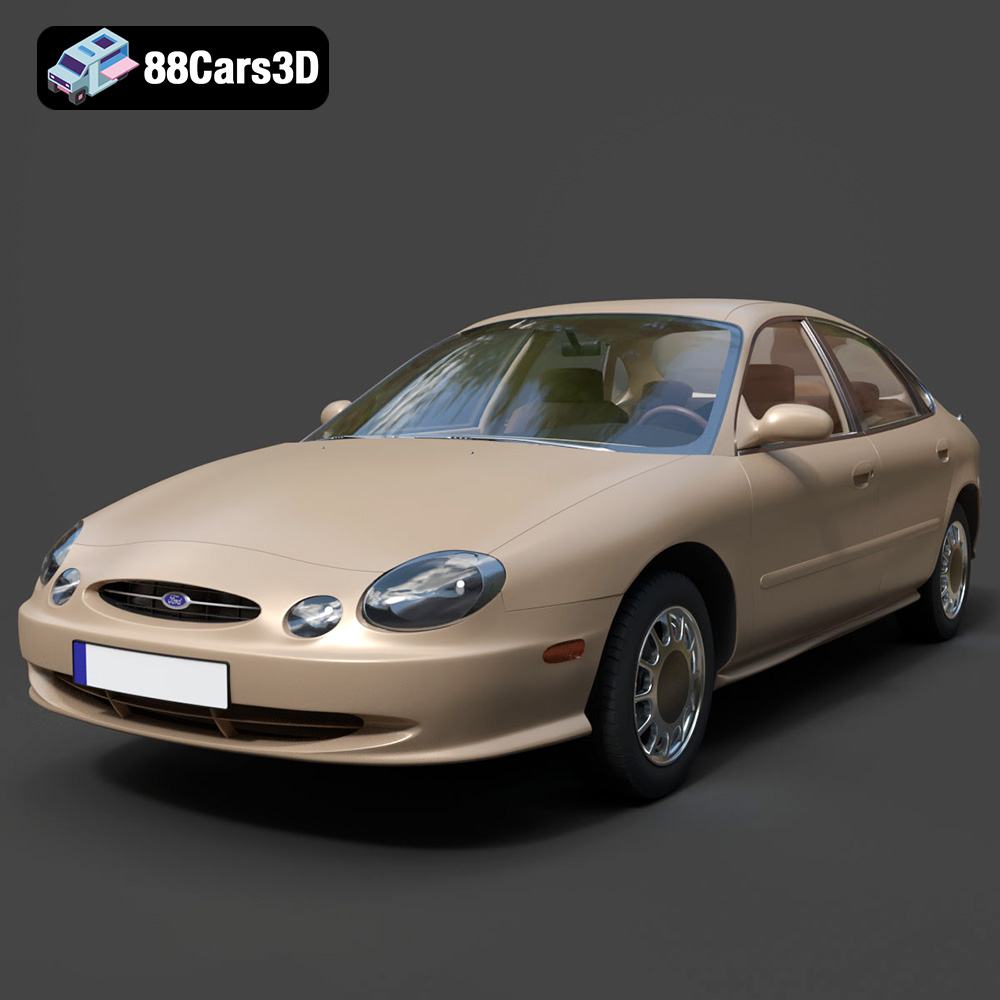
Texture: Yes | Material: Yes
Download the highly detailed, game-ready Ford Taurus 1996 3D Model. Features revolutionary oval exterior styling, detailed interior, and accurate chassis geometry. Includes .blend, .fbx, .obj, .glb, .stl, .ply, .unreal, and .max formats for game development, AR/VR, and rendering.
Price: $161.00
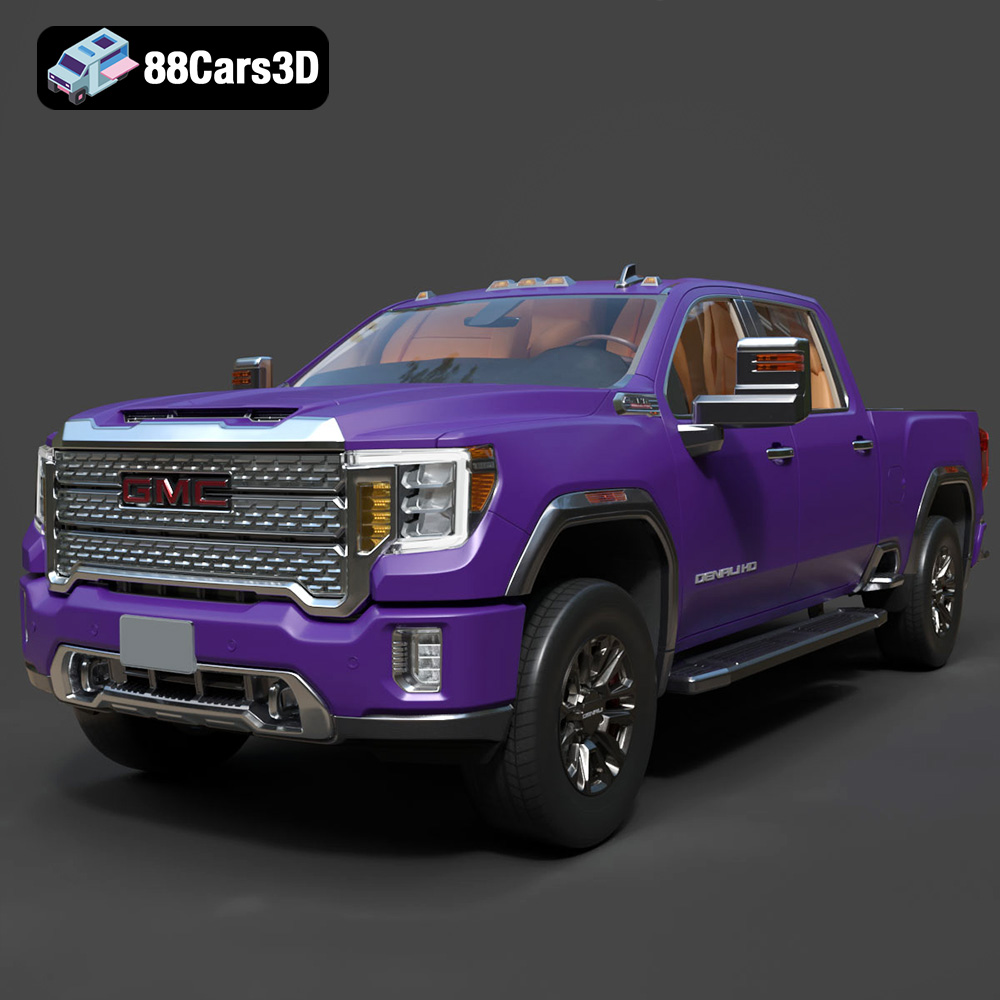
Texture: Yes | Material: Yes
Download the highly detailed, game-ready GMC Sierra HD Denali 2020 3D Model. Features iconic chrome Denali grille, detailed MultiPro tailgate, and heavy-duty chassis styling. Includes .blend, .fbx, .obj, .glb, .stl, .ply, .unreal, and .max formats for game development, AR/VR, and rendering.
Price: $274.50
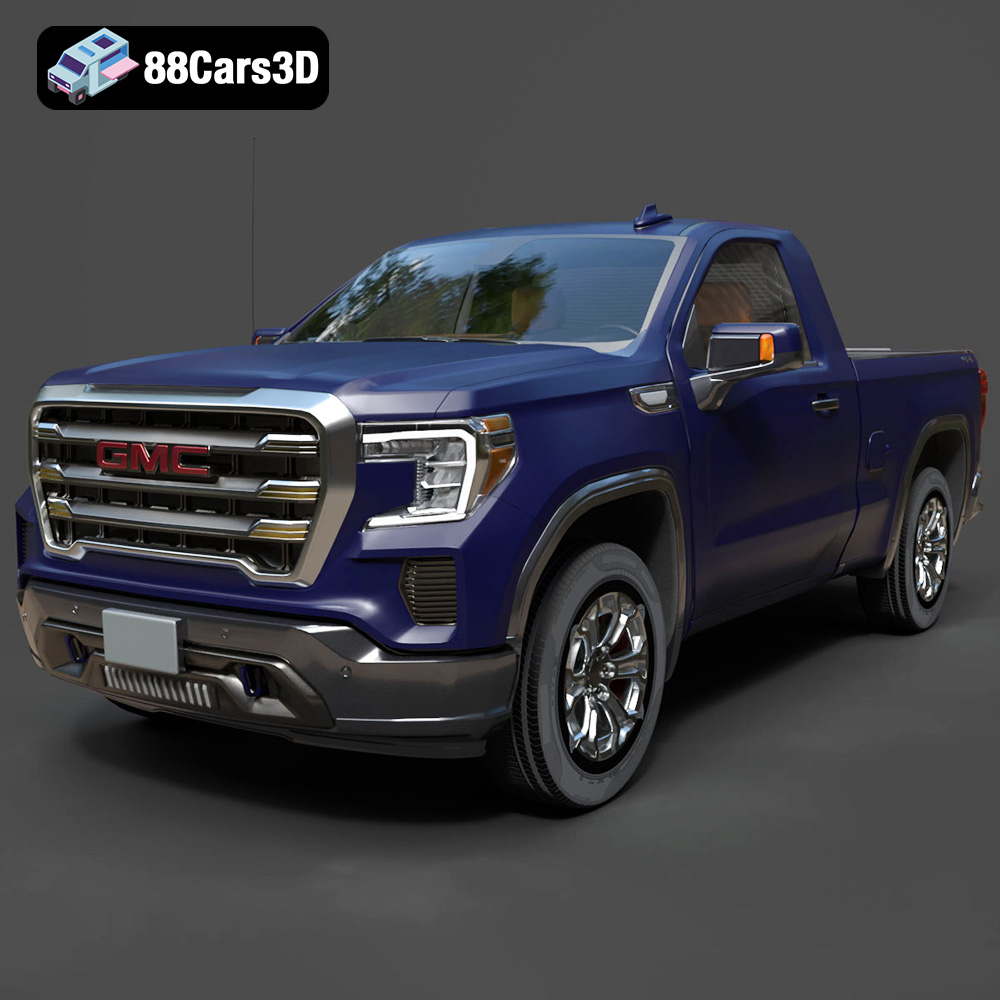
Texture: Yes | Material: Yes
Download the highly detailed, game-ready GMC Sierra Reg SLE 1500 2020 3D Model. Features bold pickup styling, detailed exterior trim, accurate undercarriage, and realistic cabin. Includes .blend, .fbx, .obj, .glb, .stl, .ply, .unreal, and .max formats for game development, AR/VR, and rendering.
Price: $133.50
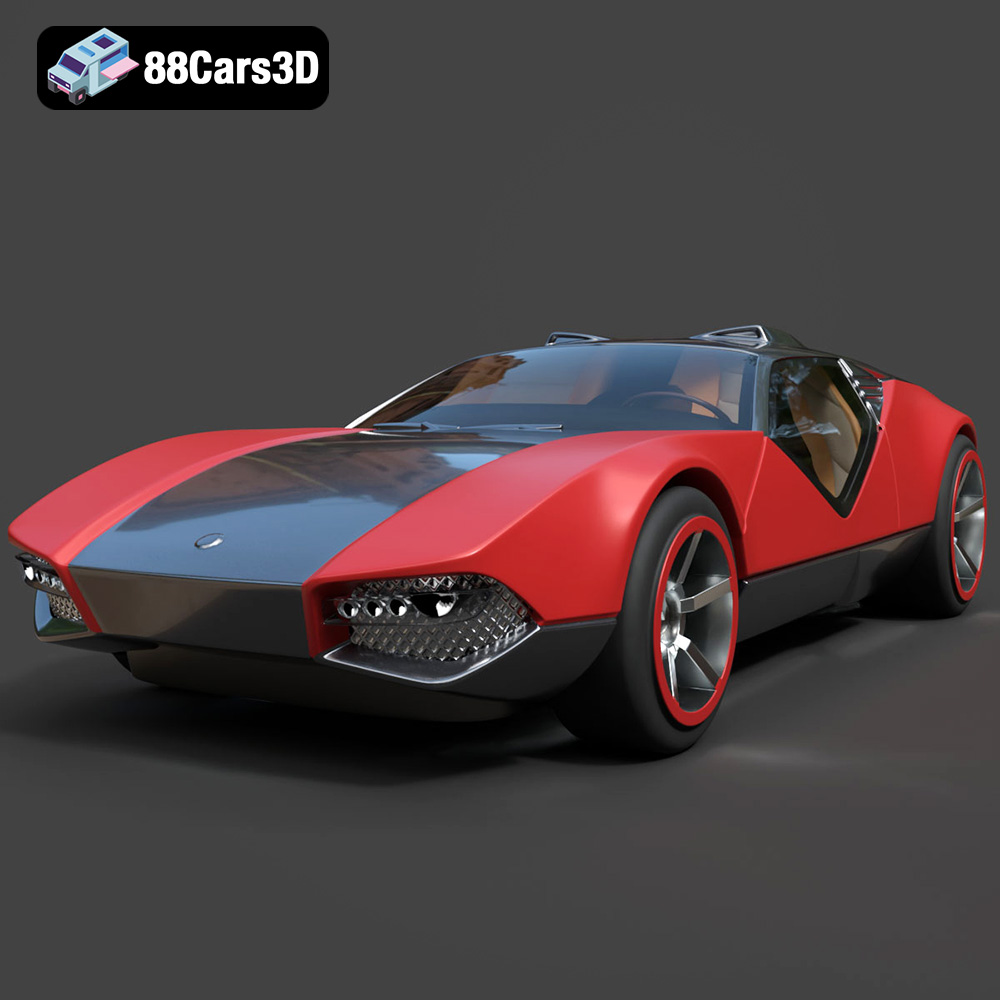
Texture: Yes | Material: Yes
Download the highly detailed, game-ready Hot Wheels La Fasta 3D Model. Features aggressive aerodynamic bodywork, custom racing wheels, and futuristic interior details. Includes .blend, .fbx, .obj, .glb, .stl, .ply, .unreal, and .max formats for game development, AR/VR, and rendering.
Price: $133.00
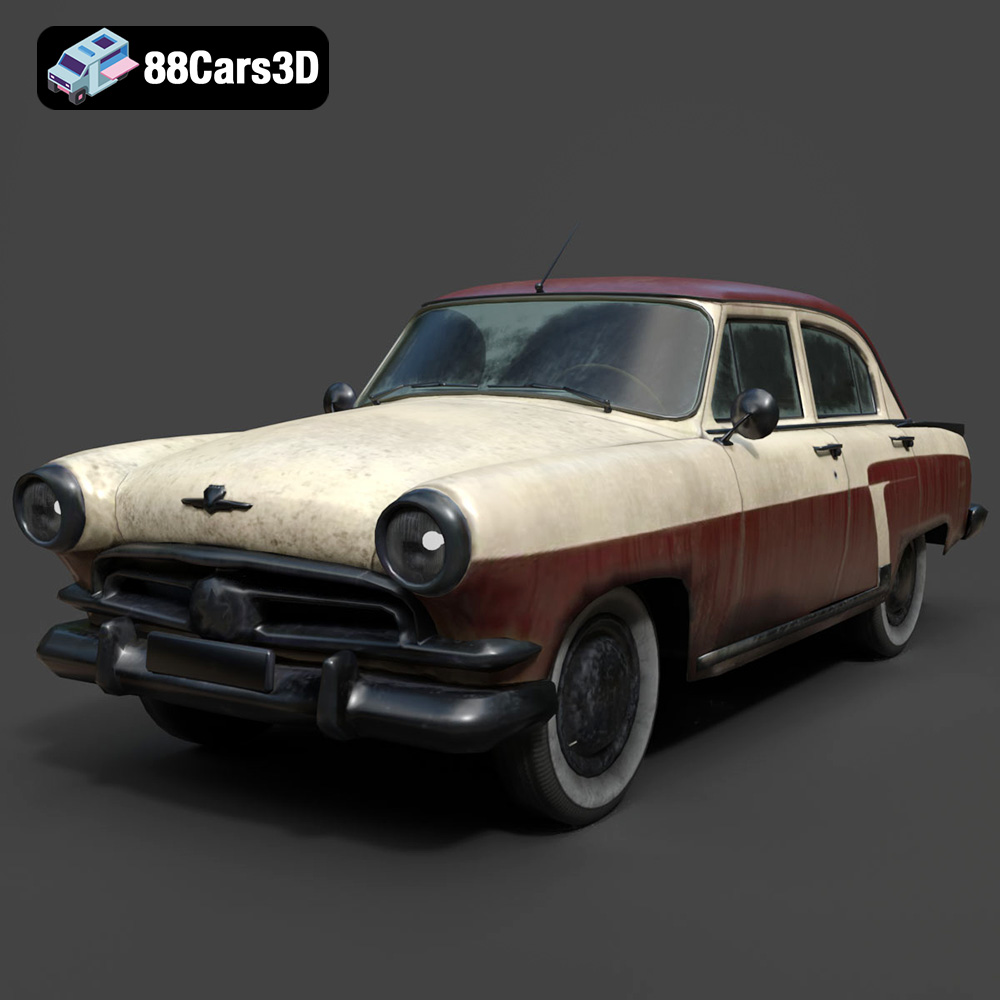
Texture: Yes | Material: Yes
Download the highly detailed, game-ready GAZ-21 Volga 3D Model. Features classic Soviet body geometry, iconic front grille, and detailed exterior chrome accents. Includes .blend, .fbx, .obj, .glb, .stl, .ply, .unreal, and .max formats for game development, AR/VR, and rendering.
Price: $99.99
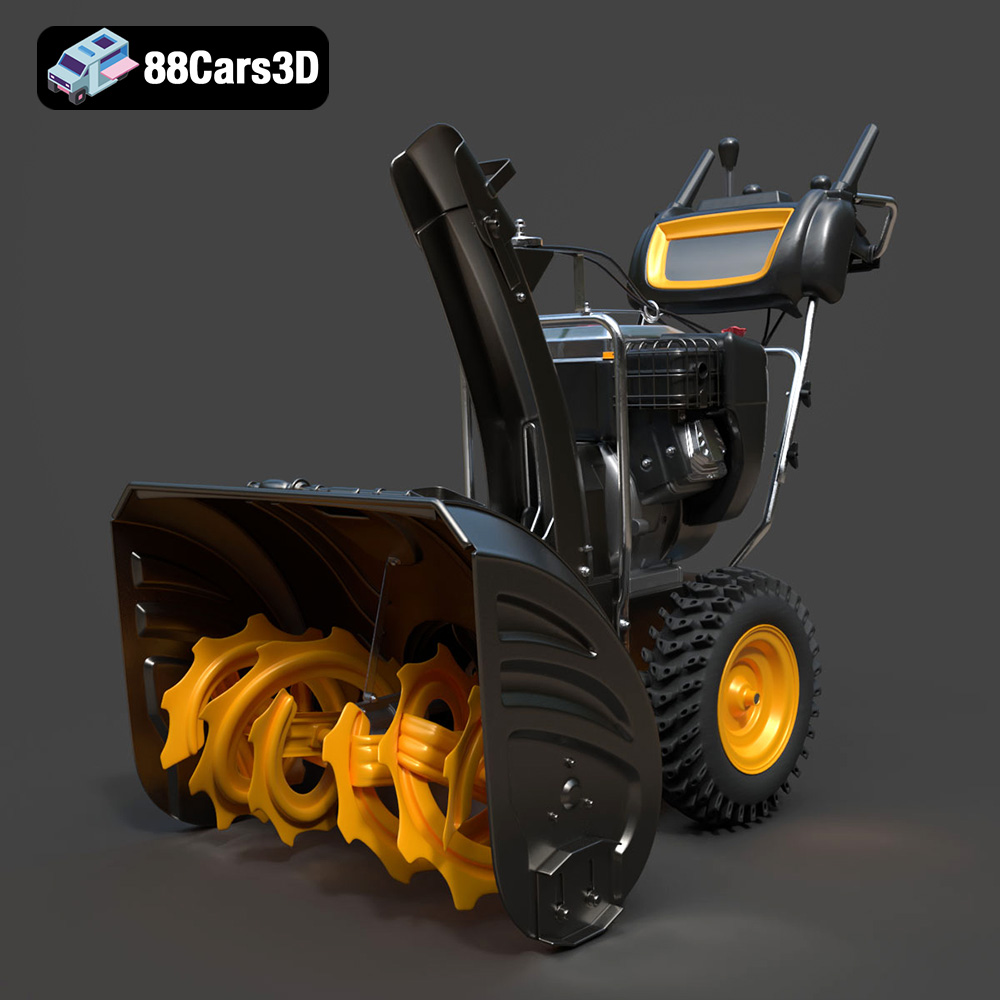
Texture: Yes | Material: Yes
Download the highly detailed, game-ready Husqvarna Snow Plow 3D Model. Features heavy-duty front plow blade, robust chassis, and realistic mechanical controls. Includes .blend, .fbx, .obj, .glb, .stl, .ply, .unreal, and .max formats for game development, AR/VR, and rendering.
Price: $145.50
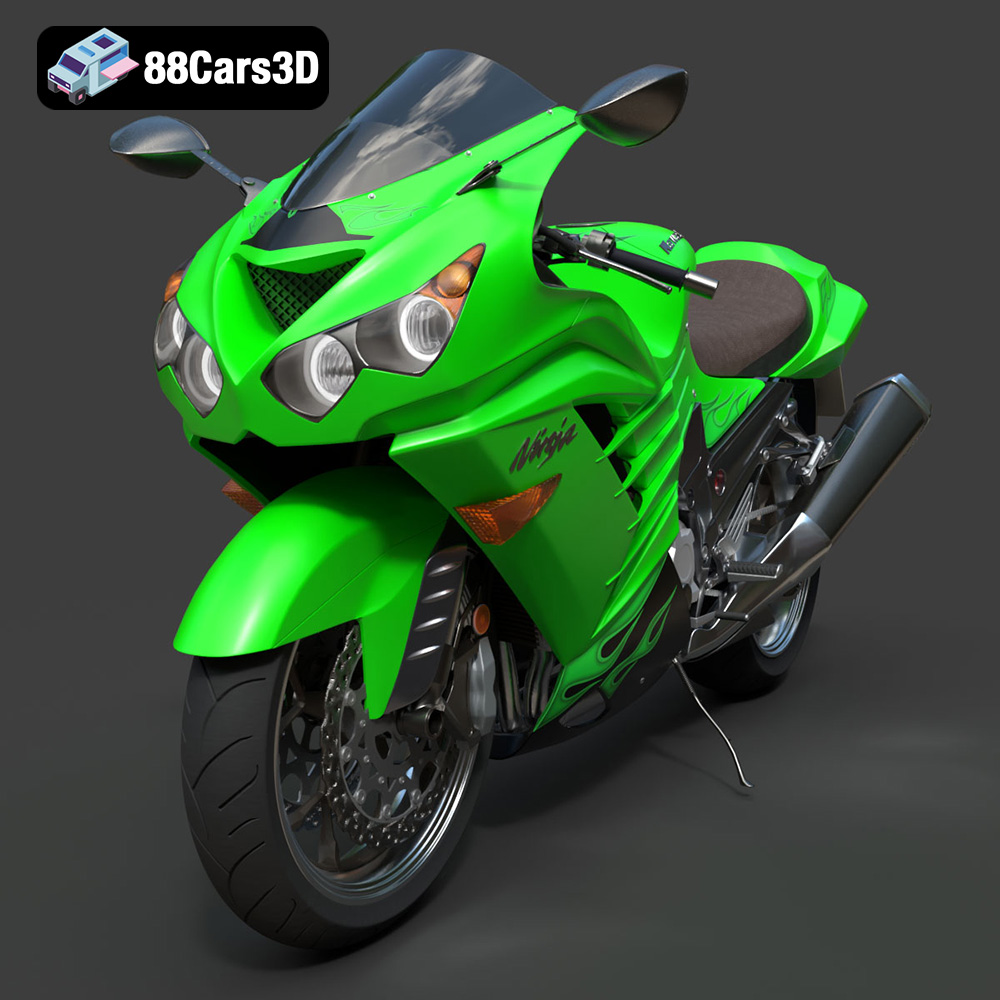
Texture: Yes | Material: Yes
Download the highly detailed, game-ready Kawasaki ZX14R 2012 3D Model. Features aggressive hyper-sport fairings, detailed inline-four engine, and iconic dual exhausts. Includes .blend, .fbx, .obj, .glb, .stl, .ply, .unreal, and .max formats for game development, AR/VR, and rendering.
Price: $170.00
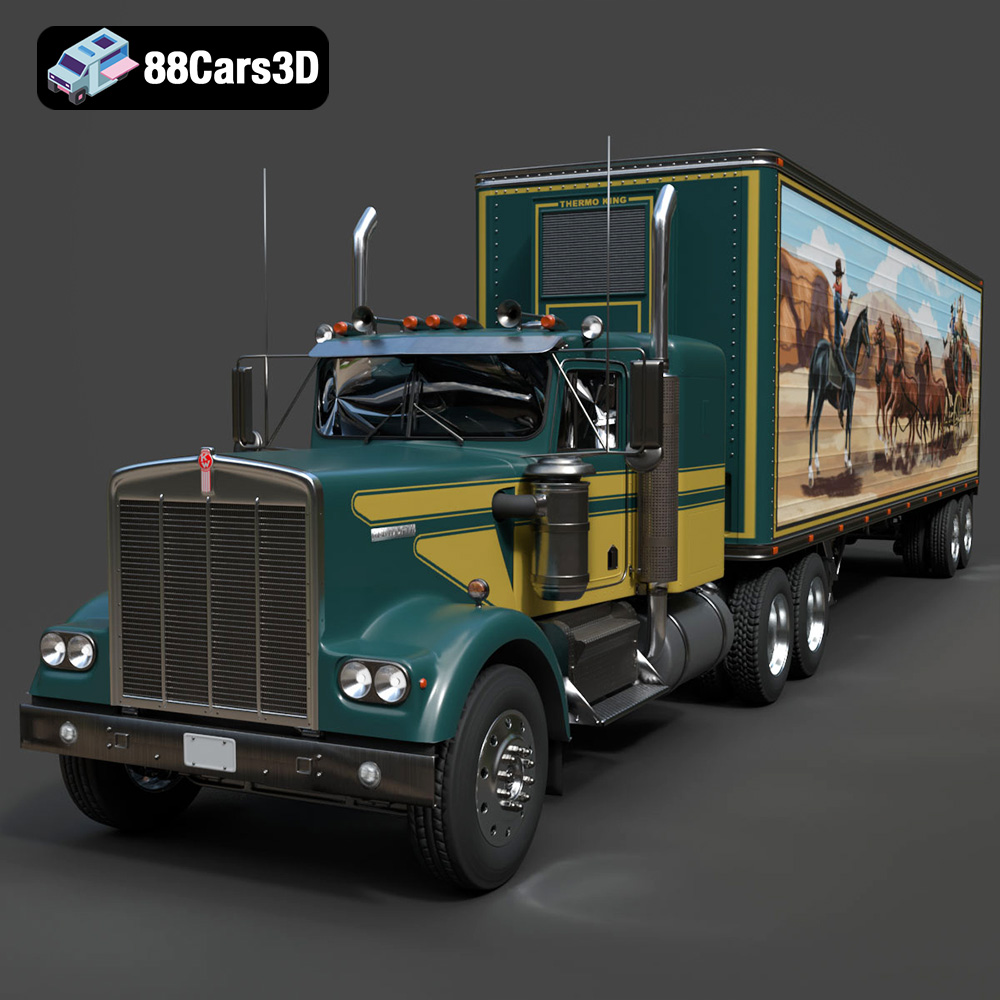
Texture: Yes | Material: Yes
Download the highly detailed, game-ready Kenworth W900 1974 3D Model. Features classic long-nose hood styling, detailed chrome exhaust stacks, and realistic dual tandem axles. Includes .blend, .fbx, .obj, .glb, .stl, .ply, .unreal, and .max formats for game development, AR/VR, and rendering.
Price: $299.50
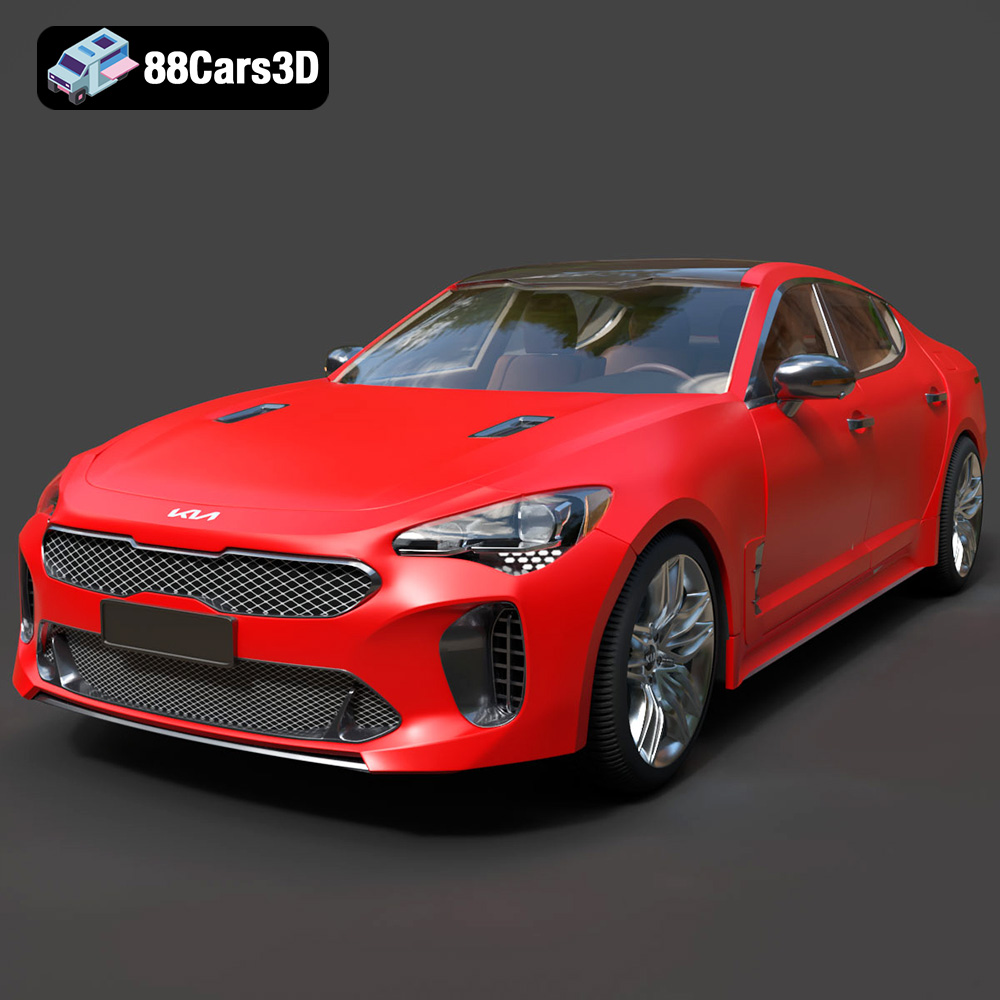
Texture: Yes | Material: Yes
Download the highly detailed, game-ready Kia Stinger 2021 3D Model. Features tiger-nose grille styling, quad exhaust tips, and high-fidelity interior details. Includes .blend, .fbx, .obj, .glb, .stl, .ply, .unreal, and .max formats for game development, AR/VR, and rendering.
Price: $299.50
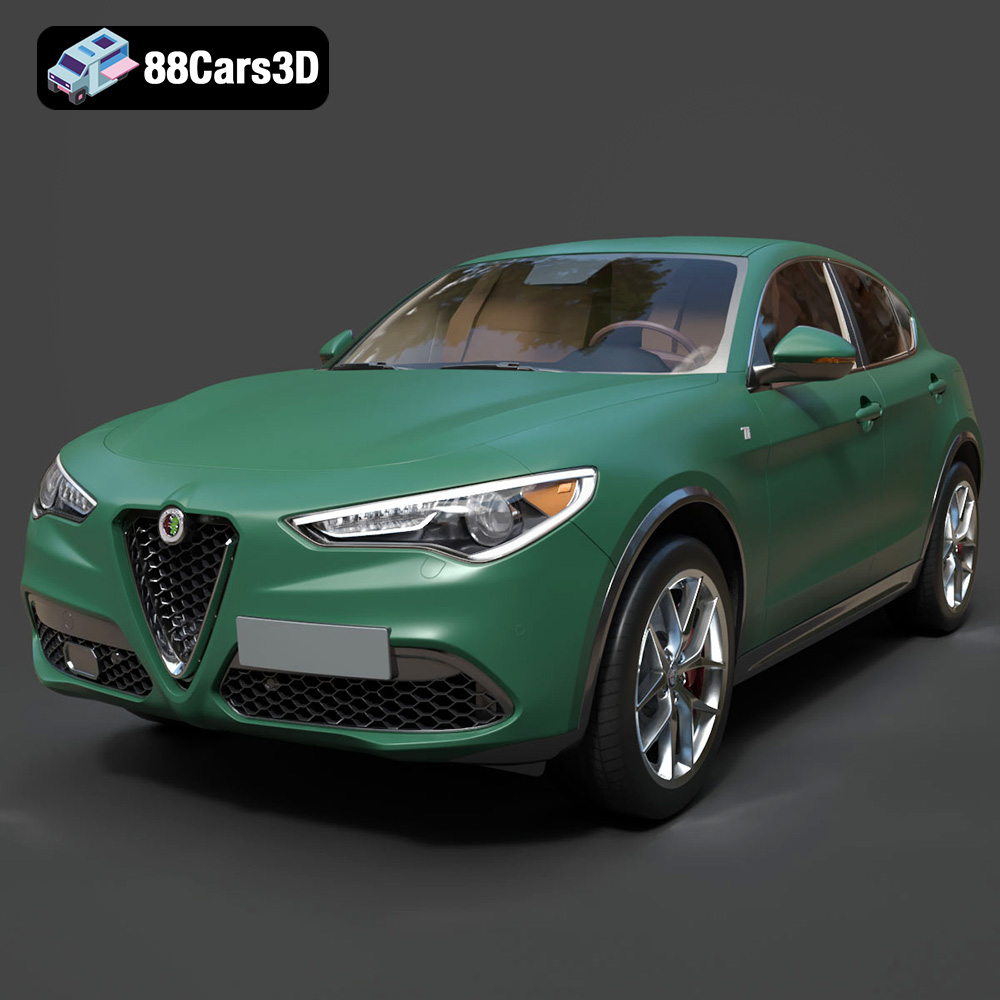
Texture: Yes | Material: Yes
Download the highly detailed, game-ready Alfa Romeo Stelvio Ti 2020 3D Model. Features signature Italian luxury SUV styling, detailed interior, and accurate chassis geometry. Includes .blend, .fbx, .obj, .glb, .stl, .ply, .unreal, and .max formats for game development, AR/VR, and rendering.
Price: $237.99
