
For decades, 3D artists, game developers, and automotive visualization experts faced a persistent technical bottleneck: balancing high-poly geometric detail with real-time performance. In traditional real-time rendering pipelines, importing raw CAD data or high-density subdivision surface models meant spending days—or even weeks—manually retopologizing meshes, baking normal maps, and configuring Level of Detail (LOD) chains. The introduction of Nanite virtualized geometry in Unreal Engine 5 fundamentally transformed this paradigm.
Nanite enables real-time engines to render billions of polygons seamlessly, streaming geometry on the fly and rendering pixel-sized detail without performance degradation. For fields like automotive visualization, where clean curvature, Class-A surfaces, and intricate interior components are paramount, Nanite eliminates the compromises that previously plagued interactive applications. In this comprehensive guide, we will break down how Nanite works under the hood, how to optimize high-poly 3D car models for real-time applications, and how to integrate Nanite into professional automotive configurators, virtual production setups, and game projects.
At its core, Nanite is a virtualized micropolygon geometry system. Much like virtual memory allows an operating system to manage memory beyond physical RAM limits, Nanite virtualizes geometry by streaming only the triangles required to fill the screen at any given frame. This paradigm shift removes traditional geometric constraints, allowing real-time engines to process cinematic-quality assets directly.
In traditional rendering, sending high polygon counts to the GPU creates severe bottlenecks due to draw calls and rasterization overhead. Nanite completely re-engineers this pipeline by dividing static meshes into small clusters of triangles (typically around 128 triangles per cluster). During rendering, Nanite evaluates which clusters are visible to the camera, dynamically streaming and rendering only those required for the current frame view.
Furthermore, Nanite utilizes a custom rendering pipeline based on Visibility Buffer Rendering and compute shaders. Instead of executing traditional pixel shaders for every rasterized triangle, Nanite performs software rasterization for tiny, sub-pixel triangles and switches to hardware rasterization for larger triangles. This hybrid approach keeps render times nearly constant regardless of whether a scene contains millions or billions of input polygons.
Before Nanite, optimizing a high-poly 3D vehicle model meant creating 4 to 6 manual LOD levels and baking detail into 4K or 8K normal maps. This process was prone to several artifacts:
Nanite replaces discrete LOD chains with continuous, dynamic geometric simplification. As the camera moves away from an object, Nanite seamlessly merges clusters without popping visual artifacts. Because Nanite renders true geometric detail directly, specular highlights and reflections on complex car panels remain crisp and physically accurate from any viewing distance.
Rendering high-resolution geometry can quickly exhaust system VRAM if not managed intelligently. Nanite solves this using an efficient disk-to-GPU streaming architecture. Only the specific geometry clusters needed for the current screen pixel density are loaded into graphics memory. Unseen or distant geometric clusters remain on disk or in system memory, maintaining a low, predictable VRAM footprint even in expansive scenes filled with detailed assets.
Automotive design demands absolute precision. Vehicle exteriors feature soft curves and razor-sharp character lines, while interiors contain thousands of intricate sub-assemblies—from stitched leather seats to mechanical engine components. Nanite enables 3D teams to import high-resolution CAD files directly into Unreal Engine without sacrificing geometric integrity.
Traditional automotive visualization required decimating smooth CAD surfaces into low-poly meshes, which often introduced flat spots or visible polygonal edges along wheel arches and headlight lenses. With Nanite, high-density meshes converted from CAD (such as IGES, STEP, or Nurbs converted to high-poly OBJ/FBX) can be used directly in Unreal Engine 5.
Complex mechanical components—such as carbon ceramic brake assemblies, suspension arms, and engine blocks—can retain millions of polygons. Nanite processes these intricate sub-assemblies smoothly, maintaining sub-millimeter visual accuracy in real-time viewports and rendered cinematics.
Reflections on car body panels are exceptionally sensitive to mesh topology. Distorted geometry creates warped reflections, breaking the illusion of photorealism. Traditional normal maps often fail to capture proper highlight transitions along sharp panel gaps and tight bevels.
Because Nanite renders actual micro-triangles rather than simulated normal detail, curvature continuity across Class-A surfaces remains flawless. Specular reflections from studio lights or environment maps flow across car panels smoothly without the pinching or shading artifacts common to low-poly optimized meshes.
To fully leverage Nanite’s capabilities, starting with uncompressed, high-precision geometry is essential. Sourcing high-quality models from specialized marketplaces like 88cars3d.com ensures that your assets feature clean topology, exact real-world dimensions, and separated material IDs tailored for Unreal Engine workflows. Using pre-optimized, production-ready 3D car models allows visualization specialists to bypass tedious modeling and decimation stages, dropping photorealistic vehicles straight into UE5 scenes with Nanite enabled.
Integrating Nanite into your Unreal Engine pipeline requires an understanding of how to configure assets within the editor for maximum efficiency and visual quality.
When importing high-poly vehicle geometry into Unreal Engine 5, follow this workflow to enable and configure Nanite:
To streamline your setup, you can study standard workflows on the official Unreal Engine Learning Portal, which provides full documentation on mesh settings and engine initialization parameters.
In early iterations of Unreal Engine 5, Nanite was strictly limited to opaque, rigid geometry. However, recent updates (UE 5.1 through UE 5.4) expanded Nanite’s feature set dramatically:
Not every part of a car asset should use default settings. Fine-tuning Nanite parameters per mesh component ensures optimal visual fidelity and performance:
| Setting Parameter | Recommended Automotive Value | Purpose & Description |
|---|---|---|
| Position Precision | Auto or Step 0.01 cm (1/10 mm) | Prevents vertex precision artifacts on tiny interior knobs, dials, and seam gaps. |
| Keep Percent Threshold | 1.0 (100%) | Retains maximum detail for exterior body panels to preserve perfect reflection curves. |
| Fallback Mesh Relative Error | 1.0 (Default) | Controls geometric simplification when generating non-Nanite fallback meshes for mobile or lower-end platforms. |
While Nanite handles massive geometric scale, Lumen provides fully dynamic global illumination and reflections. Together, these two technologies form the foundation of next-generation rendering in Unreal Engine 5.
Lumen uses a simplified representation of scene geometry known as the Lumen Surface Cache to calculate indirect lighting and bounce light rapidly. Nanite feeds detailed mesh data directly into Lumen’s pipeline.
For high-end automotive visualization, combining Nanite with Hardware Ray Tracing (HWRT) yields photorealistic results. When HWRT is enabled, Lumen traces rays directly against Nanite’s high-poly geometric representation rather than a low-poly proxy mesh. This eliminates lighting leaks around panel gaps, door handles, and headlight housings.
Vehicles are defined by their reflective properties. Automotive paints feature multi-layer setups including base coat, metallic flake, and high-gloss clear coat layers. Rendering these materials realistically requires accurate ambient lighting and sharp, mirror-like reflections.
With Nanite and Lumen configured together:
While Nanite keeps polycount rendering overhead low, combining high-poly Nanite meshes with heavy Lumen Hardware Ray Tracing requires clear performance budgeting:
Despite Nanite’s power, unoptimized workflows can still introduce bottlenecks. Implementing systematic profiling and optimization routines is essential for maintaining smooth frame rates in demanding real-time applications.
Unreal Engine provides powerful diagnostic tools to monitor Nanite performance. You can execute console commands directly in the editor viewport or packaged builds:
stat Nanite: Displays real-time metrics including total visible triangles, cluster counts, main rasterization times, and streaming memory consumption.r.Nanite.ViewBits 1: Opens a diagnostic visual overlay showing cluster bounds, depth pre-passes, and active LOD levels.In the editor viewport, navigate to View Modes > Nanite Visualization to view diagnostic modes:
Working with complex vehicle assets occasionally presents technical challenges. Here is how to address common issues:
When preparing commercial applications—such as virtual showrooms or video games—file size matters. Raw Nanite mesh data can increase project package sizes if uncompressed.
Nanite’s real-time performance opens up creative possibilities across multiple automotive display channels, moving far beyond pre-rendered CGI videos.
Modern car configurators demand instant visual feedback. Traditional interactive app setups required streaming low-res assets or pre-rendering hundreds of static images for every exterior trim, wheel option, and interior colorway.
Using Nanite in combination with Unreal Engine’s Variant Manager or custom Blueprint Logic, interactive application developers can create real-time 3D configurators running natively at 4K resolution. Customers can switch between intricate alloy wheel designs, carbon fiber packages, and leather seat stitching seamlessly without experiencing dynamic loading lag or frame drops.
In film, commercial, and broadcast production, virtual production using LED volumes (In-Camera VFX) requires pristine asset detail. Because cameras shoot directly at LED screens displaying Unreal Engine environments, low-poly geometry pop-in or low-resolution textures immediately break camera immersion.
Nanite allows film crews to place sub-millimeter accurate vehicle models right in front of camera lenses inside the virtual environment. Parallax shifts across body panels, headlamp reflections, and precise ground shadows respond dynamically to physical tracking cameras without visual pop-in artifacts.
With ongoing engine updates, Nanite performance has expanded to support Stereoscopic 3D Rendering in Virtual Reality (VR) applications. Automotive engineers and interior designers can put on a VR headset and inspect full CAD-level vehicle interiors at a 1:1 scale in real time, inspecting stitch quality, ergonomic button layouts, and material textures with full depth perception.
Unreal Engine 5’s Nanite technology has transformed real-time 3D rendering from a process of compromise and optimization into one of creative freedom. By eliminating manual LOD generation, unlocking CAD-level geometric density, and integrating seamlessly with dynamic lighting engines like Lumen, Nanite allows artists, engineers, and developers to bring film-quality automotive experiences into real-time environments.
Whether you are building high-end interactive car configurators, rendering cinematic car commercials, developing virtual production environments, or building immersive racing games, integrating Nanite into your pipeline elevates visual fidelity while reducing manual optimization workloads.
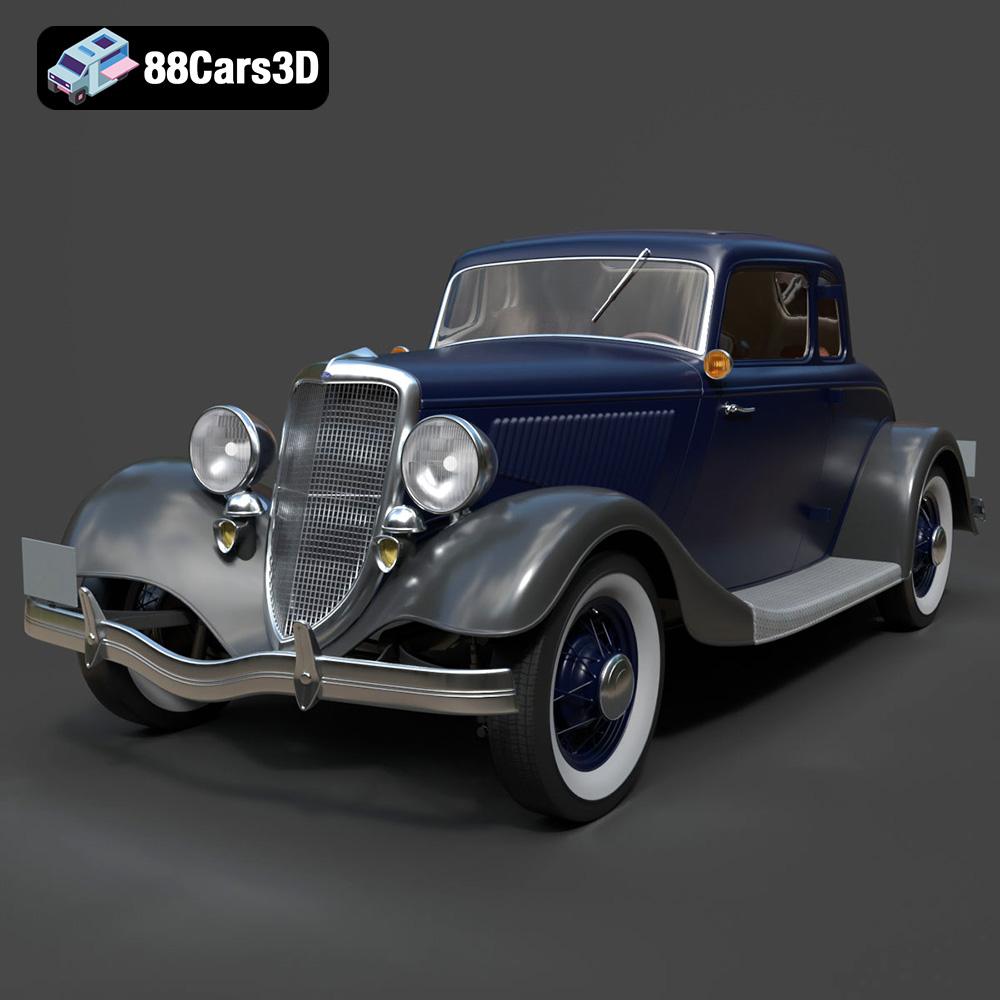
Texture: Yes | Material: Yes
Download the highly detailed, game-ready Ford Coupe 1934 3D Model. Features sweeping fenders, iconic 1930s grille design, and authentic vintage proportions. Includes .blend, .fbx, .obj, .glb, .stl, .ply, .unreal, and .max formats for game development, AR/VR, and rendering.
Price: $203.00
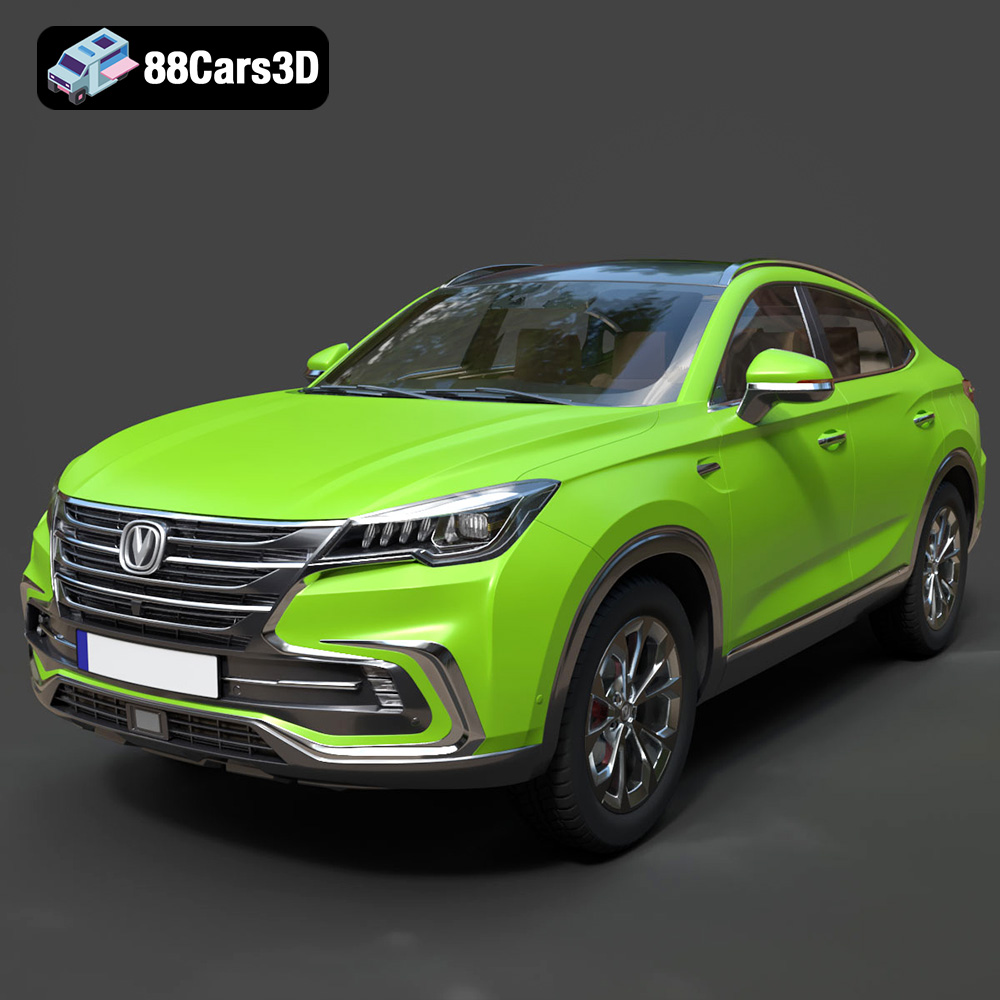
Texture: Yes | Material: Yes
Download the highly detailed, game-ready Changan CS85 Coupe 2019 3D Model. Features sleek fastback SUV styling, detailed front grille, and realistic lighting. Includes .blend, .fbx, .obj, .glb, .stl, .ply, .unreal, and .max formats for game development, AR/VR, and rendering.
Price: $275.00
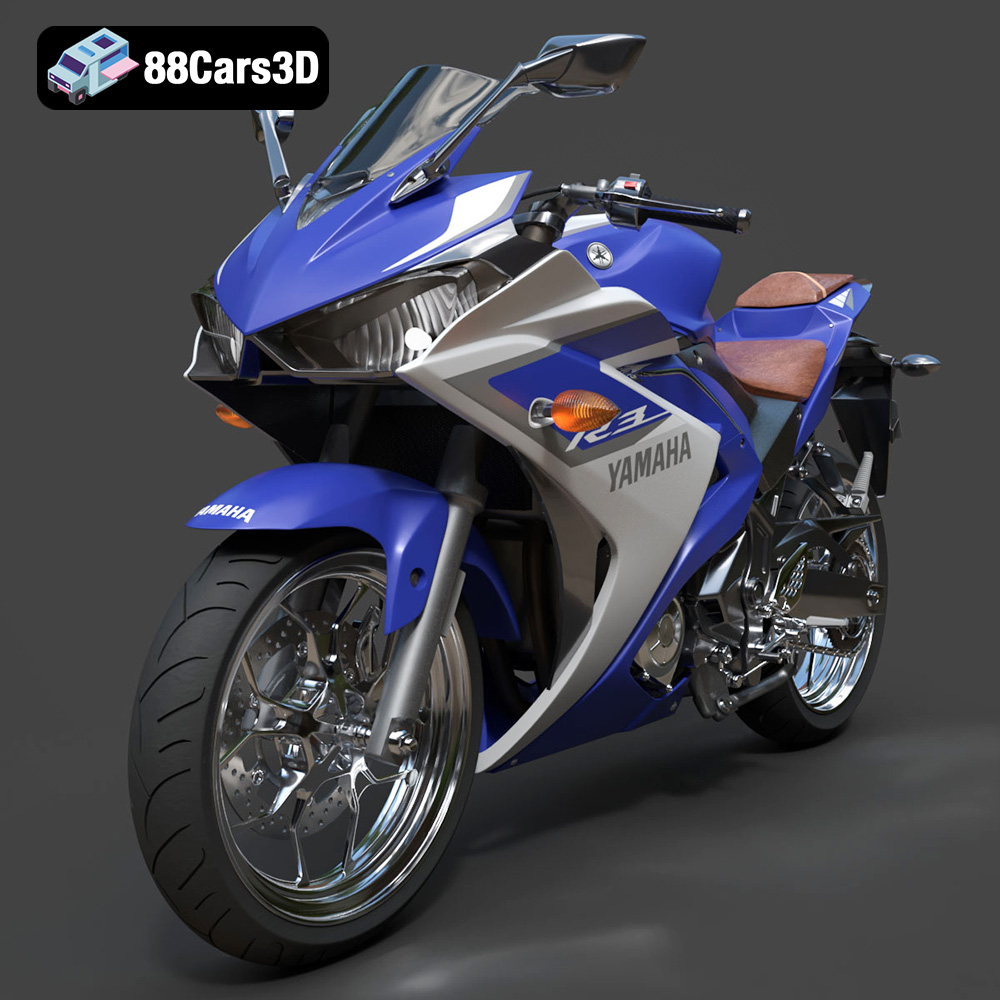
Texture: Yes | Material: Yes
Download the highly detailed, game-ready Yamaha YZF R3 2015 3D Model. Features aerodynamic supersport fairings, detailed parallel-twin engine, and high-fidelity cockpit. Includes .blend, .fbx, .obj, .glb, .stl, .ply, .unreal, and .max formats for game development, AR/VR, and rendering.
Price: $227.00
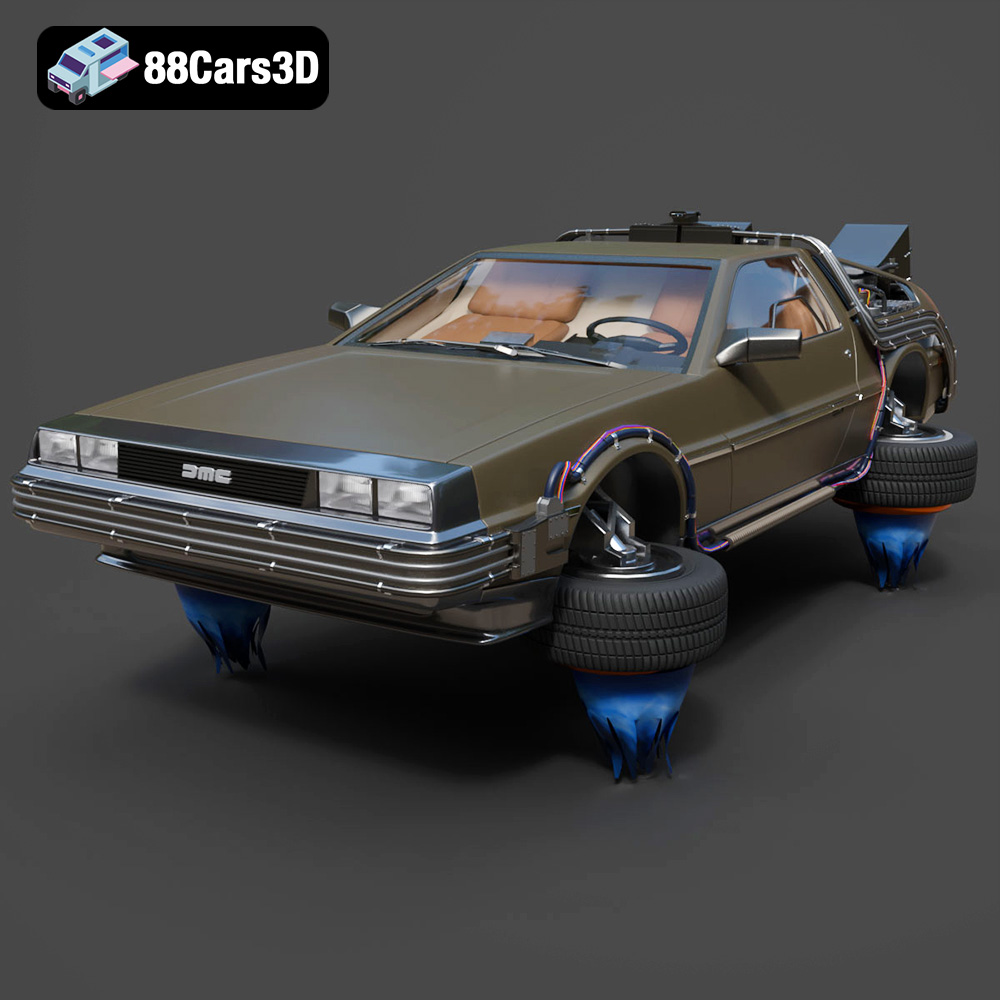
Texture: Yes | Material: Yes
Download the highly detailed, game-ready Back To The Future 2 DeLorean 3D Model. Features Mr. Fusion reactor, hover conversion wheels, and full flux capacitor interior. Includes .blend, .fbx, .obj, .glb, .stl, .ply, .unreal, and .max formats for game development, AR/VR, and rendering.
Price: $211.50
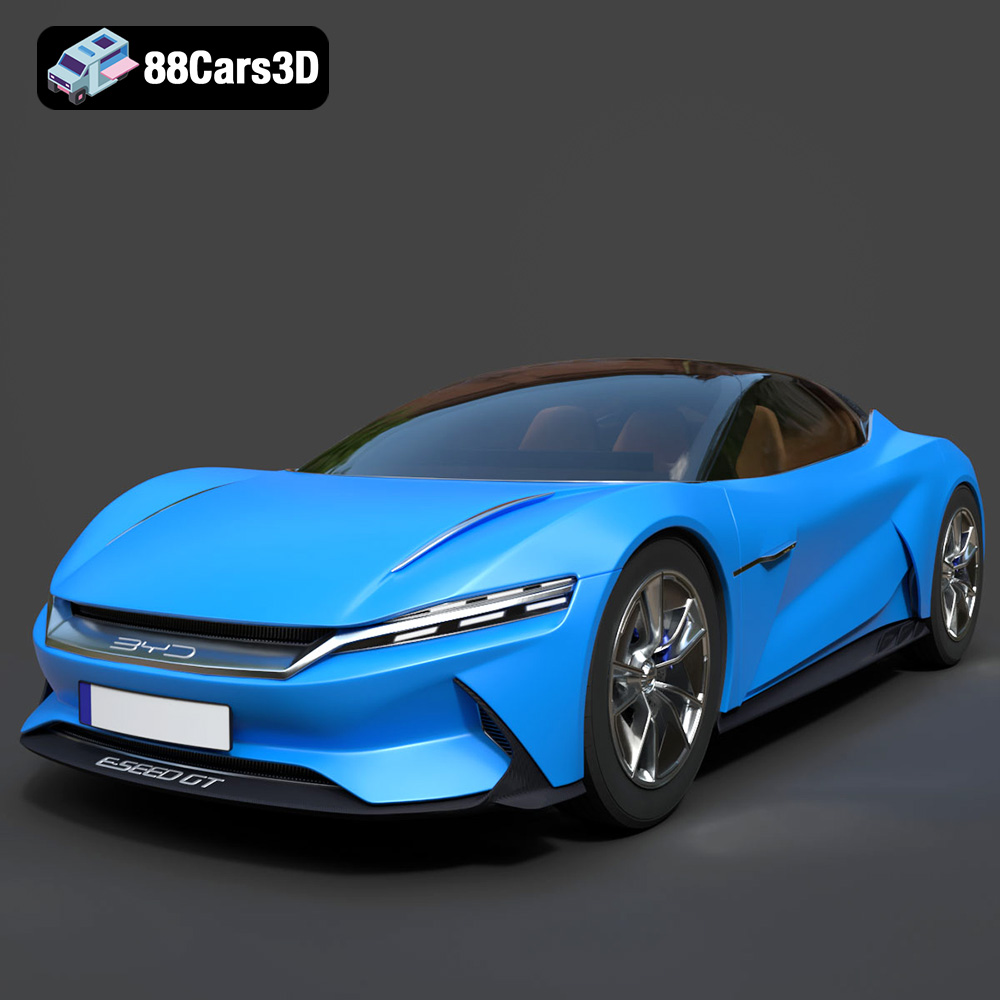
Texture: Yes | Material: Yes
Download the highly detailed, game-ready BYD e-SEED GT 2019 3D Model. Features futuristic gull-wing doors, sleek aerodynamic electric supercar silhouette, and detailed LED light strips. Includes .blend, .fbx, .obj, .glb, .stl, .ply, .unreal, and .max formats for game development, AR/VR, and rendering.
Price: $194.50
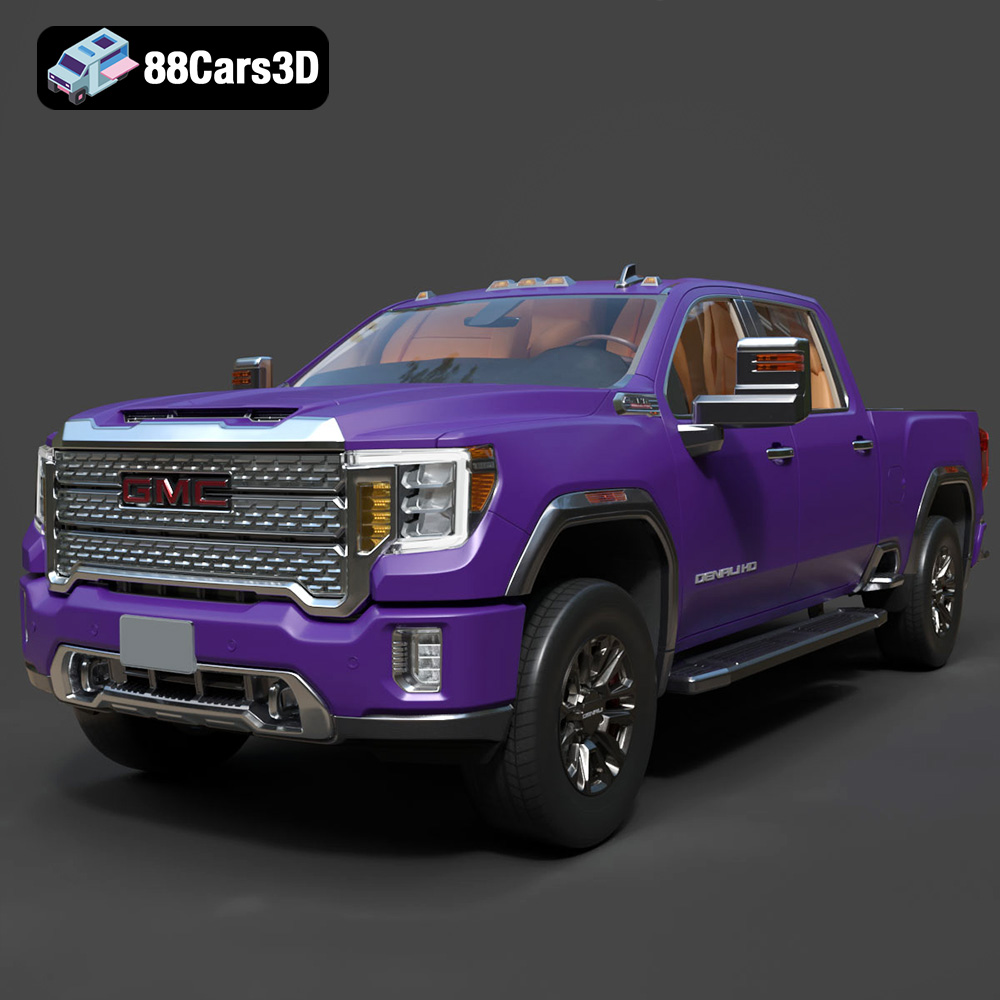
Texture: Yes | Material: Yes
Download the highly detailed, game-ready GMC Sierra HD Denali 2020 3D Model. Features iconic chrome Denali grille, detailed MultiPro tailgate, and heavy-duty chassis styling. Includes .blend, .fbx, .obj, .glb, .stl, .ply, .unreal, and .max formats for game development, AR/VR, and rendering.
Price: $274.50
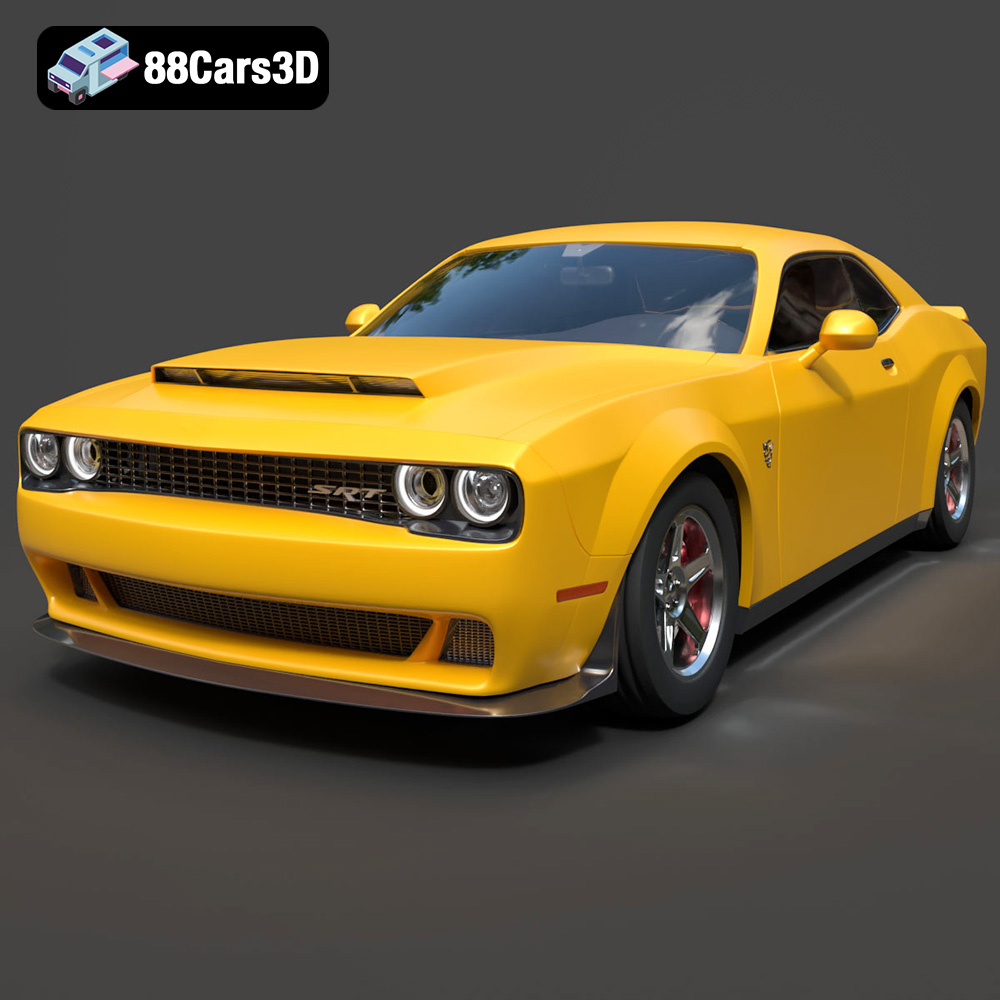
Texture: Yes | Material: Yes
Download the highly detailed, game-ready Dodge Demon SRT 3D Model. Features aggressive widebody styling, supercharged HEMI V8 details, and high-fidelity exterior details. Includes .blend, .fbx, .obj, .glb, .stl, .ply, .unreal, and .max formats for game development, AR/VR, and rendering.
Price: $279.99
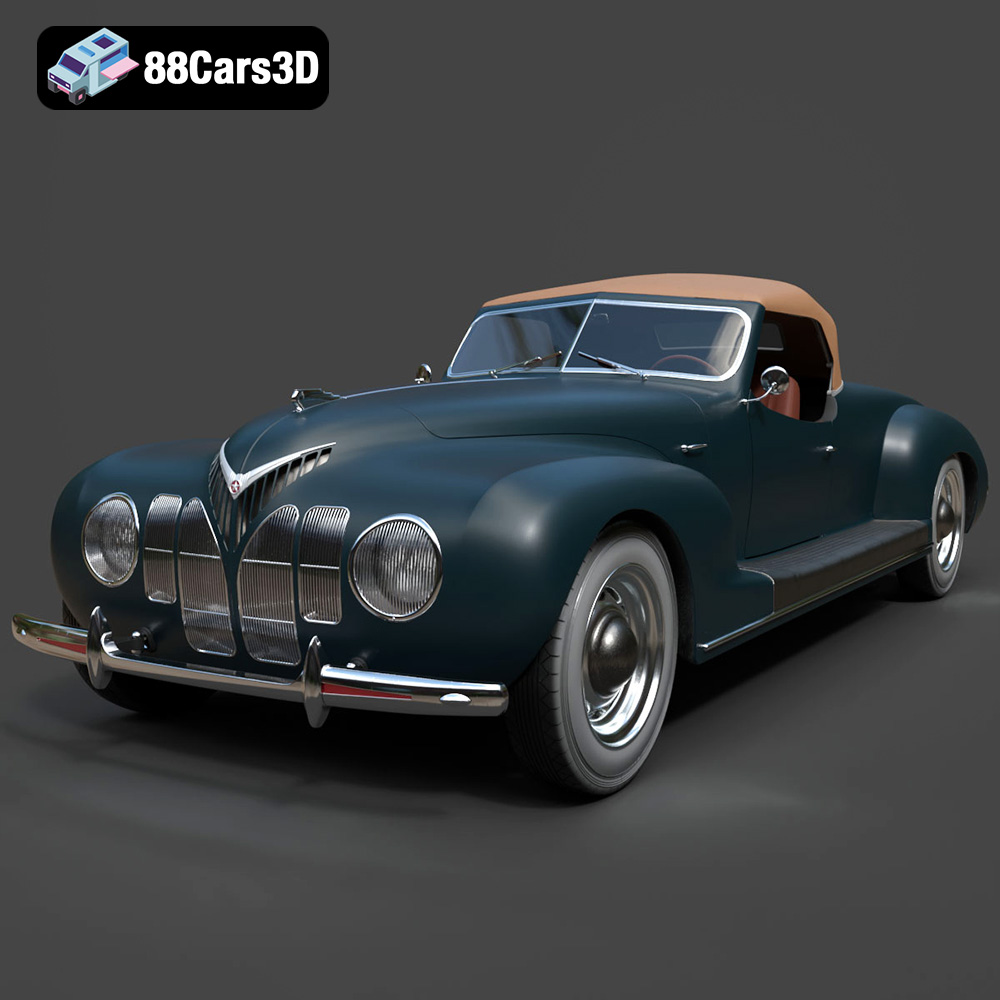
Texture: Yes | Material: Yes
Download the highly detailed, game-ready ZIS 101A Sport 1939 3D Model. Features aerodynamic streamliner bodywork, detailed straight-eight engine bay, and authentic vintage roadster styling. Includes .blend, .fbx, .obj, .glb, .stl, .ply, .unreal, and .max formats for game development, AR/VR, and rendering.
Price: $162.99
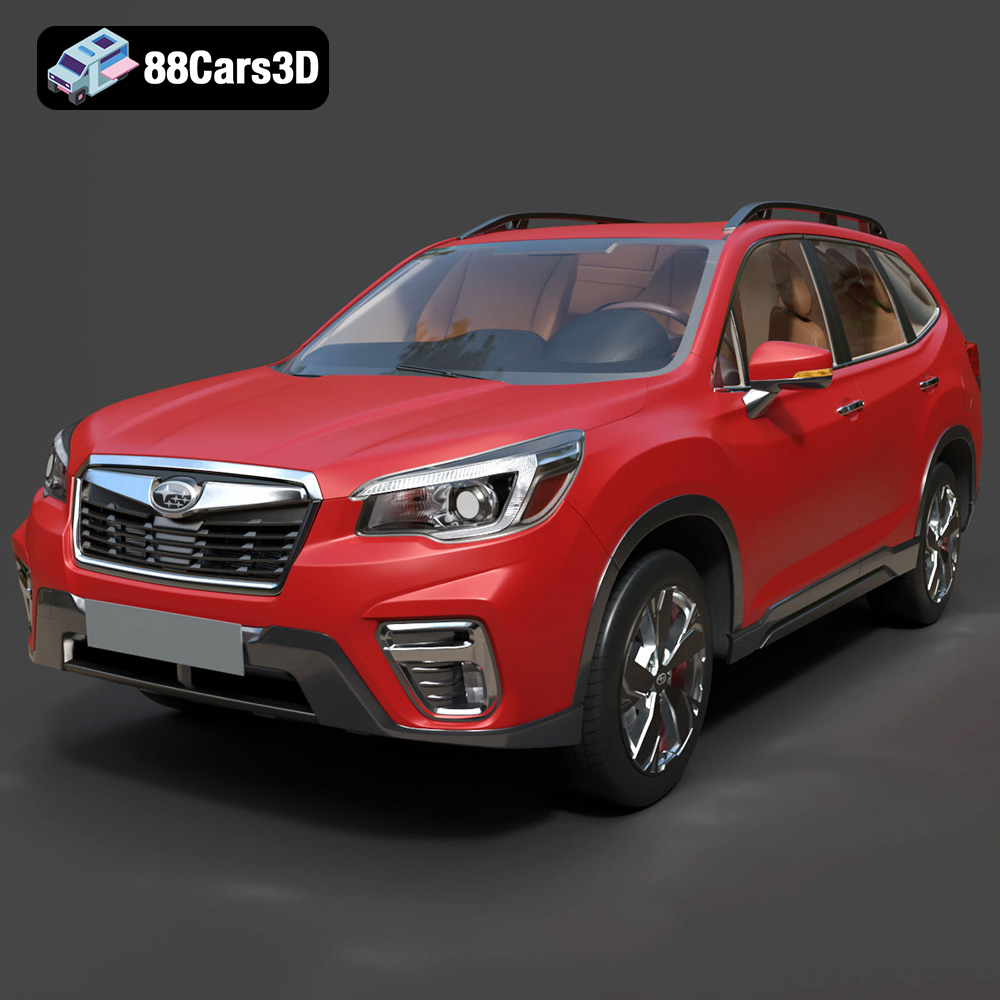
Texture: Yes | Material: Yes
Download the highly detailed, game-ready Subaru Forester 2019 3D Model. Features authentic crossover styling, detailed interior, and accurate exterior geometry. Includes .blend, .fbx, .obj, .glb, .stl, .ply, .unreal, and .max formats for game development, AR/VR, and rendering.
Price: $245.50
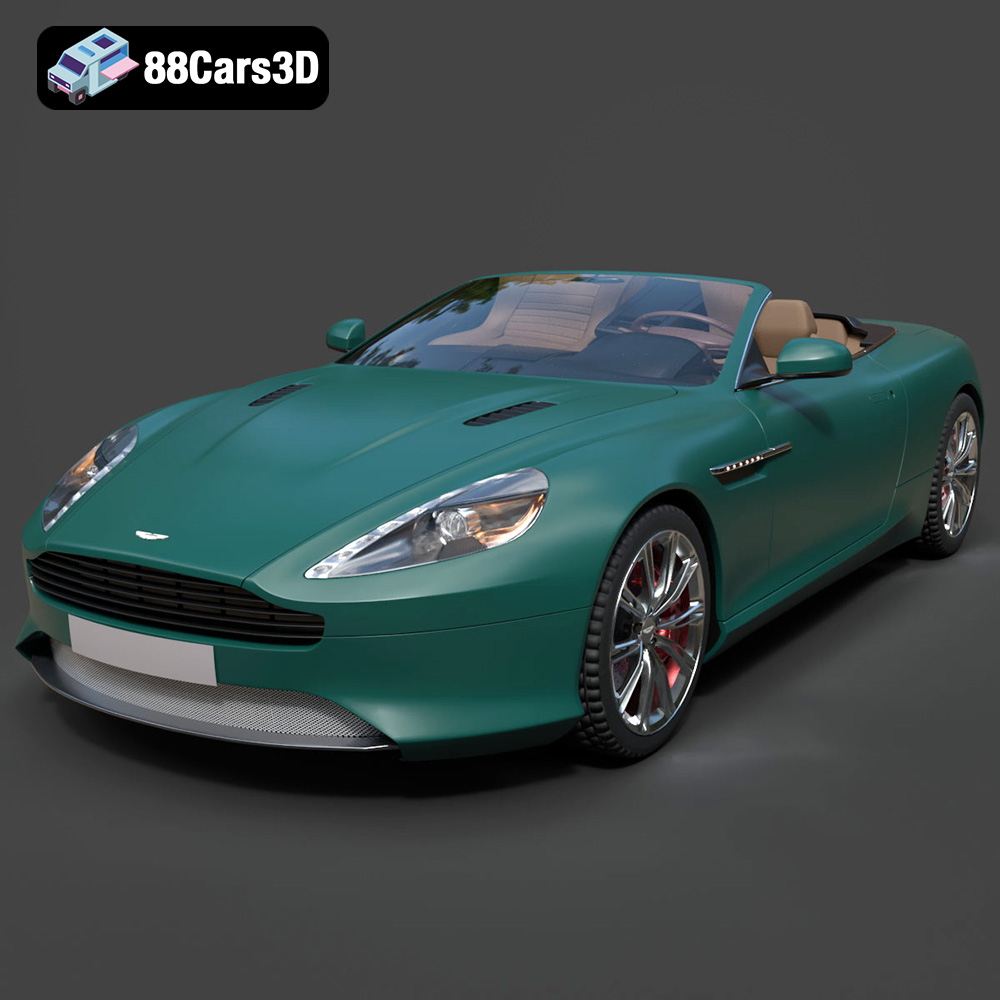
Texture: Yes | Material: Yes
Download the highly detailed, game-ready Aston Martin Virage Volante 2012 3D Model. Features sleek open-top GT design, iconic front grille, and detailed luxury interior trim. Includes .blend, .fbx, .obj, .glb, .stl, .ply, .unreal, and .max formats for game development, AR/VR, and rendering.
Price: $157.00
