
The modern interactive entertainment landscape demands reach. Players expect seamless experiences across high-end PCs, next-gen consoles, mobile devices, and immersive XR platforms. Building a game that performs flawlessly across this diverse hardware spectrum presents significant technical challenges. Developers must balance cutting-edge visuals—such as realistic vehicle dynamics, intricate geometry, and physically based rendering—with strict performance budgets and platform-specific constraints.
Unreal Engine 5 (UE5) provides an unparalleled suite of cross-platform capabilities, allowing studios to author content once and deploy it everywhere. However, true cross-platform success requires a deep understanding of project architecture, target platform scalability, material adaptation, and memory management. Whether you are developing a high-octane racing title or an interactive vehicle showcase, structuring your pipeline for multi-platform support from day one is essential.
In this comprehensive guide, we will examine the complete workflow for building cross-platform games in Unreal Engine. We will cover project setup, device profiling, dynamic scalability, asset optimization for high-fidelity 3D models, input abstraction, cross-play networking, and platform-tailored packaging strategies.
—
A successful cross-platform title starts long before assets are imported or levels are block-built. Establishing a unified project structure that accommodates varying platform specifications prevents costly refactoring late in production.
Target platforms vary drastically in computational power, memory bandwidth, and architectural design. A high-end PC or PlayStation 5 features massive VRAM budgets, dedicated ray tracing hardware, and high multi-core CPU performance. Conversely, mobile platforms (iOS and Android) operate under stringent power envelopes, thermal limits, and unified memory architectures (UMA).
To target this spectrum efficiently, developers must leverage Unreal Engine’s platform abstraction layers. Rather than hardcoding performance parameters, your architecture should rely on dynamic system queries. Configure your project architecture around Platform Extensions and base settings that dynamically scale parameters such as draw distances, shadow map resolutions, texture pool sizes, and physics tick frequencies.
The core mechanism for platform customization in Unreal Engine is the Device Profile system. Configured within DefaultDeviceProfiles.ini, device profiles allow you to override engine settings, console variables (CVars), and rendering pipelines based on the specific device running the application.
Device profiles follow a hierarchical inheritance model. For example, a baseline Mobile profile sets conservative defaults. Platform-specific profiles like iOS or Android inherit from Mobile, while granular profiles such as iPhone14Pro or Android_Adreno660 override specific parameters to utilize available hardware capabilities fully. Key CVars commonly configured per profile include:
r.ScreenPercentage: Controls internal render resolution scaling.r.ShadowQuality: Toggles shadow map filtering, cascades, or virtual shadow maps.r.VolumetricFog: Enables or disables volumetric lighting effects based on GPU bandwidth.r.Streaming.PoolSize: Adjusts VRAM allocations for texture streaming dynamically.Managing controls across diverse hardware requires abstracting player input from hardware-specific logic. Unreal Engine’s Enhanced Input Plugin provides an ideal system for cross-platform control schemes.
Enhanced Input decouples raw physical inputs from logic through Input Actions and Input Mapping Contexts (IMCs). A single action, such as IA_Accelerate, can map to a keyboard key (W), a game controller trigger (Axis Right Trigger), or a virtual touch screen slider on mobile devices. By swapping mapping contexts dynamically based on the active device profile or connected hardware, you ensure seamless cross-platform input without bloating character Blueprints with platform checks.
—
High-fidelity assets, particularly complex mechanical assets like modern vehicles, require precise adaptation pipelines to run smoothly on lower-tier platforms without compromising visual fidelity on high-end hardware.
When sourcing detailed game assets, starting with high-quality, production-ready geometry is paramount. Web platforms like 88cars3d.com offer hyper-realistic 3D car models designed specifically for real-time visualization and game development pipelines, featuring clean topology, organized material IDs, and pre-mapped UV channels. Starting with clean, professional assets minimizes retopology work when preparing assets for multi-platform distribution.
For cross-platform delivery, maintain a dual-pipeline workflow:
Unreal Engine 5’s Nanite virtualized geometry system has fundamentally changed static mesh pipelines by rendering sub-pixel geometry automatically, eliminating manual Level of Detail (LOD) creation for supported platforms. However, Nanite is strictly supported on platforms featuring modern graphics APIs (DirectX 12, Vulkan on desktop/console, Metal 3 on select high-end mobile systems).
For cross-platform games targeting platforms without robust Nanite support (such as low-to-mid tier mobile devices or legacy hardware), developers must implement a fallback LOD strategy:
Nanite Settings on static meshes to automatically generate high-quality fallback meshes. The engine uses these generated LODs when rendering on non-Nanite devices.Physically Based Rendering (PBR) materials must scale gracefully across dynamic shader compilation targets. Modern desktop rendering relies on Shader Model 6 (SM6), while mobile platforms often rely on ES 3.1 or Metal.
To maintain consistency while maximizing performance:
Quality Switch node inside the Unreal Engine Material Editor. This node allows a single material to execute high-cost calculations (such as clear coat reflections, anisotropic highlights, and subsurface scattering) on High quality settings, while falling back to basic Roughness/Metallic PBR calculations on Low quality settings.—
Lighting is often the most resource-intensive subsystem in real-time rendering. Choosing the right lighting technology per platform is vital to achieving target frame rates (30 FPS, 60 FPS, or 120 FPS).
UE5’s signature global illumination system, Lumen, provides real-time infinite diffuse bounces and specular reflections. While Lumen excels on high-end platforms, its compute requirements make it impractical for current mobile hardware.
A dual-lighting strategy ensures optimal performance across targets:
High-End Targets (PC / Console): Enable dynamic Lumen Global Illumination and Lumen Reflections. Combine this with Virtual Shadow Maps (VSMs) for sharp, contact-hardened shadows across sprawling environments.
Mobile & Efficiency Targets: Implement static or hybrid lighting pipelines using CPU/GPU Lightmass. Pre-baked lightmaps store indirect lighting data into high-resolution texture maps, resulting in zero runtime GPU cost for dynamic global illumination. Dynamic objects (such as vehicles) sample lighting from pre-computed Volumetric Lightmaps, ensuring seamless integration into baked environments.
For more detailed step-by-step guides on configuring dynamic versus static lighting, consult the official Unreal Engine Learning Portal.
Unreal Engine includes an auto-benchmarking system that evaluates hardware performance at execution time and sets appropriate quality levels dynamically. Using the Scalability class in C++ or Blueprint, developers can measure execution metrics and adjust rendering subsystems automatically:
// Example Blueprint/C++ Concept for Hardware Auto-Detection
UGameUserSettings* UserSettings = GEngine->GetGameUserSettings();
UserSettings->RunHardwareBenchmark();
UserSettings->ApplyHardwareBenchmarkResults();
The runtime engine scales eight primary categories based on hardware capabilities:
Post-processing effects enhance visual realism but require significant fill-rate and compute overhead. Screen-space reflections (SSR), depth of field, motion blur, and bloom must be tailored strictly to target hardware.
On mobile platforms, broad screen-space passes can cripple GPU performance due to limited memory bandwidth. Utilize simple bloom algorithms, disable depth of field, and replace full-screen SSR with high-quality pre-filtered static Reflection Captures or planed reflections for key surfaces like vehicle paint and glass. When sourcing vehicle models from providers such as 88cars3d.com, materials are mapped cleanly with distinct glass and paint shaders, making it easy to swap reflective properties based on the active target platform.
—
Delivering a game across platforms often means connecting players on different devices within the same game session while maintaining synchronized performance.
Unreal Engine’s native networking framework uses a client-server model built on server-authoritative logic. When building cross-platform multiplayer games (such as online racing games or co-op driving simulators), physics synchronization and latency mitigation are paramount.
CharacterMovementComponent or the modern Network Prediction Plugin for physics-based movement. These systems handle client-side prediction, server reconciliation, and smooth interpolation across varying network latencies.Serialization of game state data must be platform-agnostic. Avoid saving pointers, platform-dependent structures, or native integer widths directly. Instead, serialize data into standardized byte arrays using Unreal’s USaveGame framework, combined with JSON or Protocol Buffers for cloud persistence.
Ensure save data structures use explicit byte sizes (e.g., int32, int64, float) so data written on a 64-bit mobile device parses identically when read by a PC or console platform.
Out-Of-Memory (OOM) crashes are the leading cause of instability on mobile platforms and platforms with constrained RAM budgets. Establishing strict memory budgets early in development is critical:
| Target Platform | Total RAM Budget | VRAM Budget | Target Poly Count (In-Frame) |
|---|---|---|---|
| High-End PC / PS5 | 16 GB+ | 8–16 GB | 10,000,000+ (Nanite) |
| Mid-Tier PC / Xbox Series S | 8–12 GB | 4–8 GB | 2,000,000–5,000,000 |
| Mobile (High-End iOS/Android) | 4–6 GB | Shared (UMA) | 300,000–800,000 |
| Mobile (Low-End / Legacy) | 2–3 GB | Shared (UMA) | 100,000–300,000 |
To identify bottlenecks and stay within budget, leverage Unreal Engine’s diagnostic tools:
stat RHI (to check memory allocation and draw call totals), stat GPU (to pinpoint shader overhead), and stat SceneRendering (to monitor mesh draw times).memreport -full in developer builds to generate detailed diagnostic text files detailing every loaded texture, material, audio buffer, and mesh in memory.—
The final step in cross-platform development is packaging your project into platform-specific binary executables and optimized data archives.
Unreal Engine assets are stored in native .uasset format during editor development. Prior to deployment, these assets must be “cooked” into platform-specific format binaries (e.g., converting textures to ASTC for mobile, DXTC/BC7 for Windows, or proprietary formats for consoles).
To keep initial executable downloads small and manage memory effectively, use the Primary Asset Manager and Asset Chunking:
Manual packaging across five or more platforms is slow and prone to human error. Professional development teams use continuous integration and continuous deployment (CI/CD) pipelines powered by Unreal Engine’s command-line script engine: UnrealAutomationTool (UAT).
Using the RunUAT.bat utility, developers can execute unattended automated builds for targeted platforms using unified scripts:
# Example Command Script for Multi-Platform Build Automation
RunUAT.bat BuildCookRun ^
  -project="C:/Projects/CrossPlatformGame/CrossPlatformGame.uproject" ^
  -noP4 -platform=Win64+Android+iOS ^
  -clientconfig=Shipping -cook -build -stage -pak -archive ^
  -archivedir="C:/Builds/Output"
This automated approach allows nightly builds to be cooked, packaged, and distributed automatically to QA testing groups across PC, mobile, and console test tracks.
—
Building a performant, visually stunning cross-platform title in Unreal Engine requires disciplined workflows and clear optimization standards. Here is a quick reference checklist to guide your multi-platform development pipeline:
memreport and Unreal Insights, and establish strict memory and polygon budgets for each hardware tier.By leveraging Unreal Engine’s flexible scaling features and maintaining an optimized asset pipeline, you can deliver an engaging visual experience to players on virtually any device platform.

Texture: Yes | Material: Yes
Download the highly detailed, game-ready Chevrolet Corvette Stingray 3D Model. Features sculpted bodywork, detailed aggressive front grille, and iconic sport exhaust. Includes .blend, .fbx, .obj, .glb, .stl, .ply, .unreal, and .max formats for game development, AR/VR, and rendering.
Price: $40

Texture: Yes | Material: Yes
Download the highly detailed, game-ready Aurus Komendant 2020 3D Model. Features an imposing front grille, executive full-size SUV silhouette, and detailed luxury interior. Includes .blend, .fbx, .obj, .glb, .stl, .ply, .unreal, and .max formats for game development, AR/VR, and rendering.
Price: $40
Texture: Yes | Material: Yes
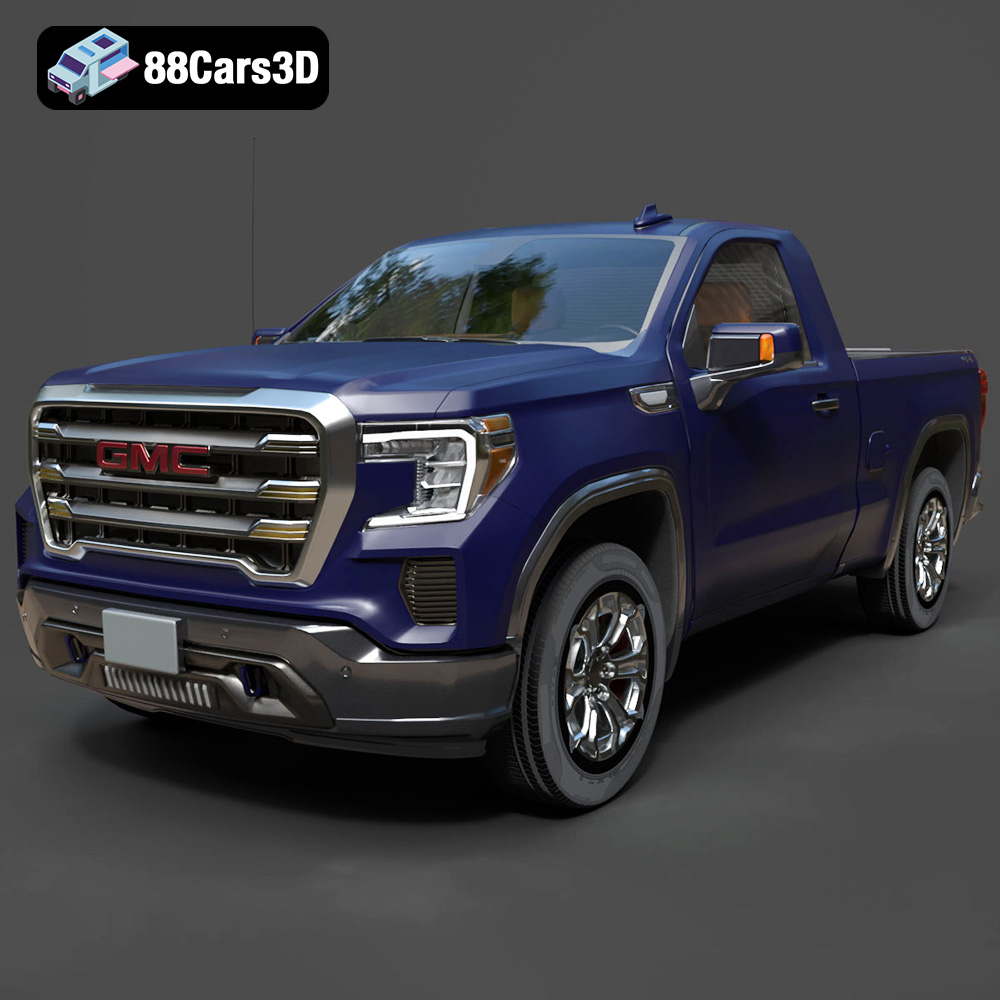
Download the highly detailed, game-ready GMC Sierra Reg SLE 1500 2020 3D Model. Features bold pickup styling, detailed exterior trim, accurate undercarriage, and realistic cabin. Includes .blend, .fbx, .obj, .glb, .stl, .ply, .unreal, and .max formats for game development, AR/VR, and rendering.
Price: $40

Texture: Yes | Material: Yes
Download the highly detailed, game-ready Subaru Forester 2019 3D Model. Features authentic crossover styling, detailed interior, and accurate exterior geometry. Includes .blend, .fbx, .obj, .glb, .stl, .ply, .unreal, and .max formats for game development, AR/VR, and rendering.
Price: $40
Texture: Yes | Material: Yes
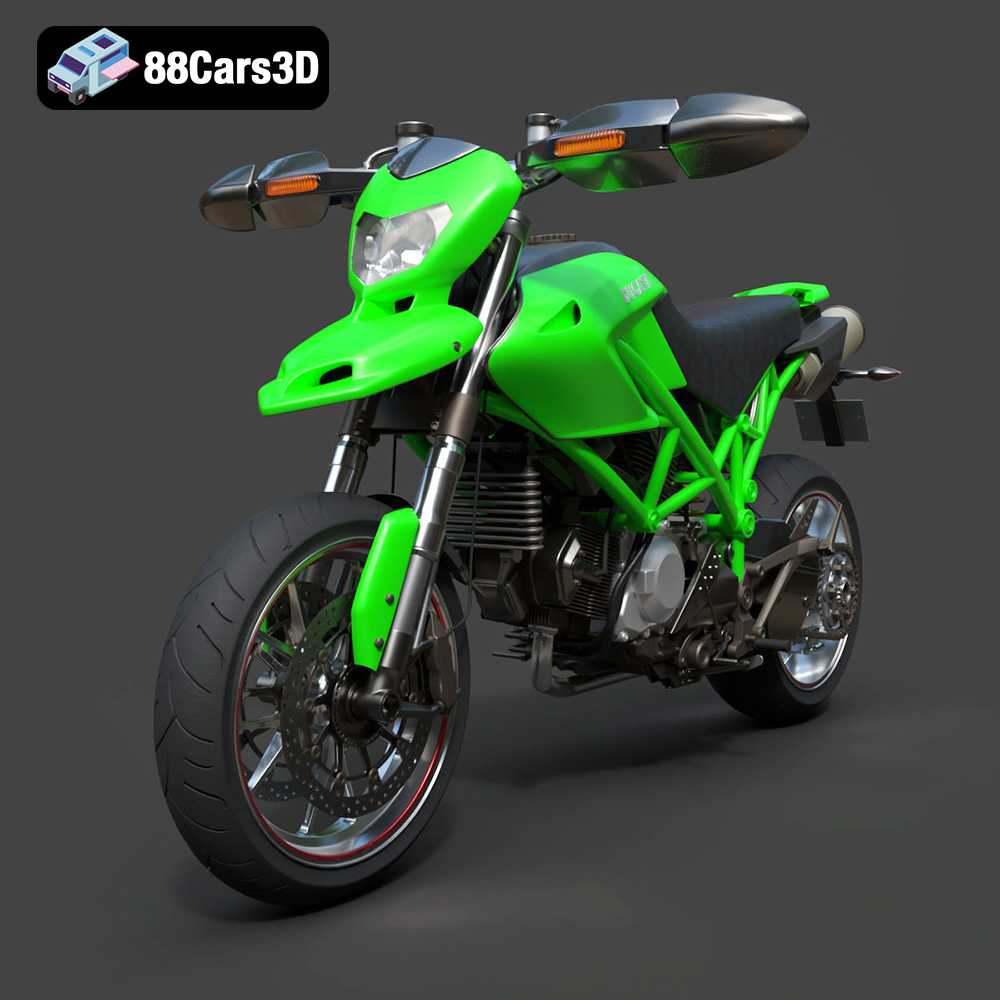
Download the highly detailed, game-ready Ducati Hypermotard 1100 EVO 2011 3D Model. Features an iconic Desmodromic L-twin engine, trellis frame, and signature under-seat exhaust design. Includes .blend, .fbx, .obj, .glb, .stl, .ply, .unreal, and .max formats for game development, AR/VR, and rendering.
Price: $40
Texture: Yes | Material: Yes
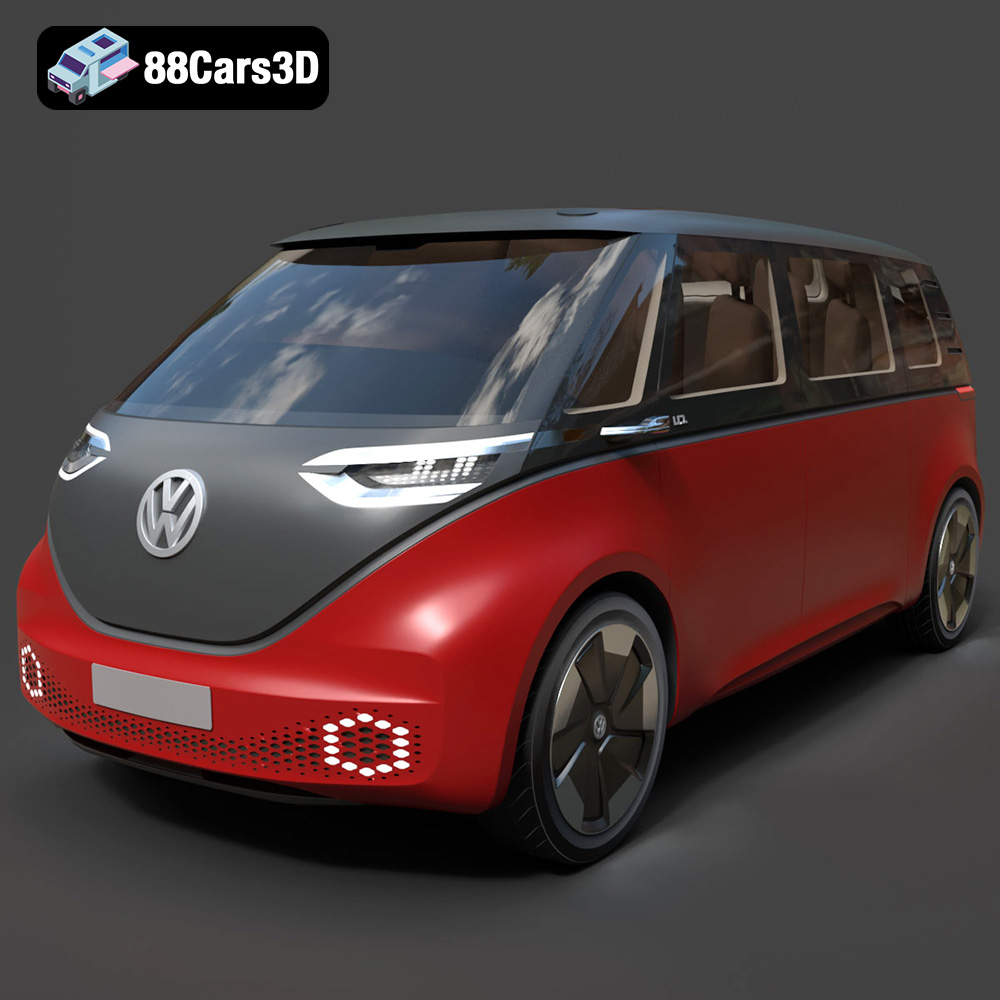
Download the highly detailed, game-ready Volkswagen ID Buzz 2020 3D Model. Features retro-futuristic electric styling, signature full-width LED lighting, and an aerodynamic minivan profile. Includes .blend, .fbx, .obj, .glb, .stl, .ply, .unreal, and .max formats for game development, AR/VR, and rendering.
Price: $40
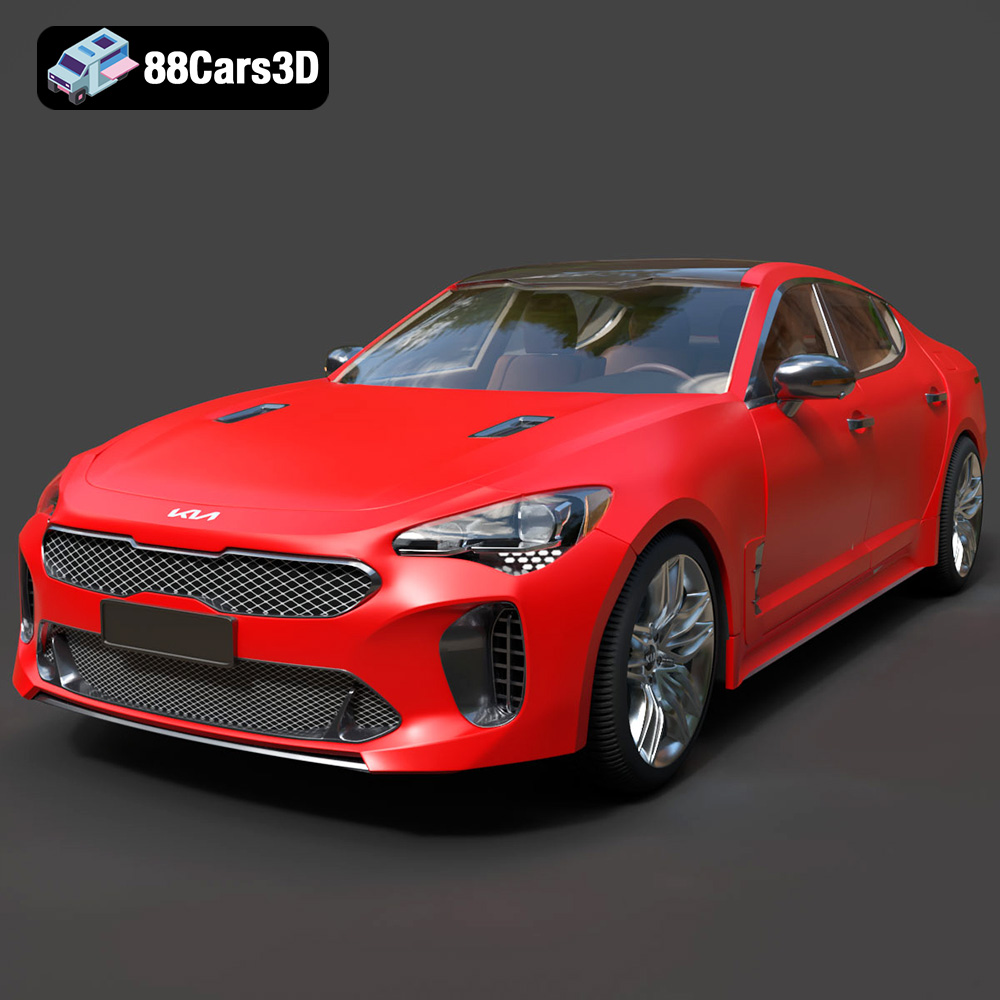
Texture: Yes | Material: Yes
Download the highly detailed, game-ready Kia Stinger 2021 3D Model. Features tiger-nose grille styling, quad exhaust tips, and high-fidelity interior details. Includes .blend, .fbx, .obj, .glb, .stl, .ply, .unreal, and .max formats for game development, AR/VR, and rendering.
Price: $40
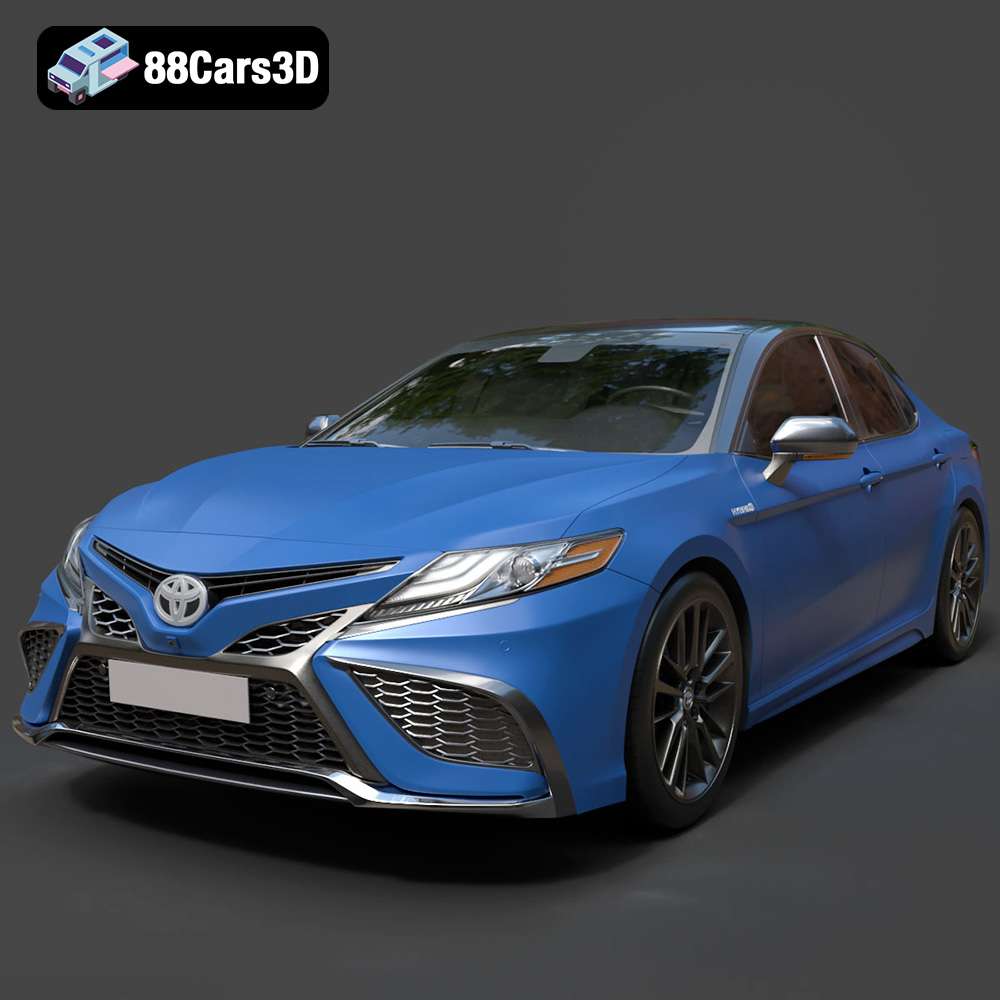
Texture: Yes | Material: Yes
Download the highly detailed, game-ready Toyota Camry XSE 2021 3D Model. Features an aggressive sport mesh grille, sculpted aerodynamic styling, and quad exhaust tips. Includes .blend, .fbx, .obj, .glb, .stl, .ply, .unreal, and .max formats for game development, AR/VR, and rendering.
Price: $40

Texture: Yes | Material: Yes
Download the highly detailed, game-ready Ford S-MAX with HQ Interior 2015 3D Model. Features high-quality interior detailing, sleek MPV body styling, and accurate engine and chassis geometry. Includes .blend, .fbx, .obj, .glb, .stl, .ply, .unreal, and .max formats for game development, AR/VR, and rendering.
Price: $40

Texture: Yes | Material: Yes
Download the highly detailed, game-ready Seat Ateca Cupra 2019 3D Model. Features aggressive sporty styling, quad exhaust outlets, and high-detail interior. Includes .blend, .fbx, .obj, .glb, .stl, .ply, .unreal, and .max formats for game development, AR/VR, and rendering.
Price: $40
