Revolutionizing Automotive Design: From Digital 3D Models to Custom 3D Printed Car Parts
The automotive industry is in a perpetual state of innovation, and at the heart of much of this evolution lies the transformative power of 3D technology. From the meticulous crafting of virtual prototypes to the rapid production of custom components, 3D modeling and 3D printing are accelerating design cycles, enabling unprecedented customization, and opening new frontiers in vehicle development and restoration. Whether you’re an automotive designer visualizing a concept car, a game developer integrating realistic vehicles into a virtual world, or an enthusiast seeking to print a bespoke part for your ride, understanding the intricate journey from a high-quality 3D model to a physical object is crucial.
This comprehensive guide will delve deep into the technical workflows, best practices, and challenges involved in leveraging 3D car models for the exciting realm of 3D printing. We’ll explore everything from ensuring impeccable topology for printability to advanced post-processing techniques that bring your digital creations to life with professional-grade finishes. We’ll also touch upon how the same foundational 3D models can serve diverse needs, from stunning renders to interactive game assets. Join us as we bridge the gap between pixels and plastic, empowering you to create, innovate, and customize with confidence.
The Foundation: High-Quality 3D Car Models and Topology for 3D Printing
The journey to a successful 3D print begins long before you even consider firing up a 3D printer. It starts with the integrity and quality of your original 3D model. For automotive designs, this is especially critical due to the complex curves, intricate details, and often demanding functional requirements of vehicle components. A high-quality 3D car model, such as those found on platforms like 88cars3d.com, provides a robust foundation, ensuring that the digital design translates flawlessly into a physical object.
Topology and Mesh Integrity: The Blueprint for Success
In the context of 3D printing, “topology” refers to the arrangement of vertices, edges, and faces that define the surface of your 3D model. For additive manufacturing, the primary goal is a “manifold” or “watertight” mesh. This means every edge is shared by exactly two faces, and there are no holes, gaps, or internal geometry that could confuse the slicing software. Non-manifold geometry, such as intersecting faces or open edges, often leads to print failures, as the slicer cannot accurately determine what constitutes the “inside” and “outside” of the model. Moreover, inverted normals – where the face direction points inwards instead of outwards – can also cause printing issues, resulting in missing surfaces or incorrect interpretations by the slicer. Ensuring clean topology from the outset, ideally with quads (four-sided polygons) that can be easily converted to triangles for printing, simplifies the preparation process significantly.
Resolution, Detail, and Polygon Counts
The level of detail in your 3D model directly impacts the final 3D print. While extremely high-polygon models might be fantastic for close-up renders, they can present challenges for 3D printing, especially with FDM (Fused Deposition Modeling) printers, which have inherent limitations on how finely they can reproduce detail. Conversely, too few polygons can result in a blocky, low-fidelity print that lacks the smooth curves characteristic of automotive designs. The key is to find a balance. For most FDM prints, models ranging from 100,000 to 500,000 polygons can provide sufficient detail for prototypes or custom parts without overwhelming the printer or slicer. For high-resolution SLA (Stereolithography) or SLS (Selective Laser Sintering) prints, higher polygon counts (e.g., millions) might be acceptable for finer details, given the superior resolution capabilities of these technologies. When sourcing models from marketplaces such as 88cars3d.com, pay attention to the model’s polygon count and ensure it aligns with your printing intentions and the capabilities of your chosen 3D printer.
Preparing Your Automotive 3D Model for Print: Mesh Integrity and Watertightness
Converting a beautiful 3D car model, initially designed for rendering or gaming, into a print-ready file requires a specific set of preparation steps. This phase is critical to ensure that your digital design can be reliably translated into a physical object without errors.
Essential Mesh Repair Techniques
The transition from a render-ready model to a print-ready model often involves fixing common mesh issues. Software like Blender’s 3D Print Toolbox, Autodesk Meshmixer, Netfabb, or Materialise Magics are invaluable tools for this stage. Key tasks include:
- Identifying and Fixing Holes: Open edges or gaps in the mesh are a primary cause of non-manifold geometry. Tools often have “fill holes” functions that automatically bridge these gaps.
- Repairing Non-Manifold Edges/Vertices: These occur when more than two faces share an edge, or multiple faces converge at a single vertex in a way that prevents the mesh from being a closed volume. Specific mesh analysis tools can highlight these areas for manual or automated repair.
- Resolving Self-Intersections: When parts of the mesh pass through themselves, it creates ambiguity for the slicer. This is particularly common with complex, highly detailed models. Dedicated tools can detect and attempt to fix these overlaps.
- Correcting Flipped Normals: As mentioned, inverted normals can cause areas of the model to be interpreted as “inside-out.” Most 3D modeling software includes functions to recalculate or unify normals, ensuring they all point consistently outwards.
The goal is always to achieve a “watertight” mesh – a completely enclosed, solid volume that the slicer can accurately interpret.
Scaling and Orientation for Optimal Printing
Once your mesh is clean, proper scaling and orientation are paramount.
- Scaling: Ensure your model is scaled correctly to its real-world dimensions. Most 3D printing software works with millimeters (mm), so confirm your model’s units match. If you intend to print a 1:24 scale model, make sure the digital model reflects that precise size. Incorrect scaling can lead to prints that are either too small or too large, wasting time and material.
- Orientation: The orientation of your model on the print bed significantly impacts print quality, strength, and the need for support structures. Orienting the model to minimize overhangs can reduce the reliance on supports, saving material and post-processing effort. For strength, consider the anisotropic nature of FDM prints – prints are generally strongest along the XY plane. Orient parts to align critical stress points with these stronger axes. For instance, a suspension arm might be printed on its side to ensure layer lines don’t run perpendicular to the main load.
Wall Thickness Considerations
A frequently overlooked aspect of 3D print preparation is wall thickness. Digital models for rendering often don’t account for the physical constraints of material deposition. Too thin walls (e.g., less than 0.8mm for FDM, or 0.5mm for SLA) can result in fragile prints, missing details, or even print failures where the printer can’t accurately extrude the material. Conversely, excessively thick walls can waste material and increase print time without adding significant strength. Always check your printer’s and material’s minimum recommended wall thickness and adjust your model accordingly using tools like “shell” or “offset” in your 3D software. For detailed automotive parts, ensuring sufficient thickness in areas like mirrors, antennas, or spoilers is vital for their physical integrity.
Slicing, Supports, and Print Parameters: Bringing Digital to Physical
With a pristine, print-ready 3D car model in hand, the next step is to prepare it for your specific 3D printer. This involves using “slicer” software, which translates your 3D model into a series of thin layers and generates the machine code (G-code) that guides your printer’s movements.
Key Slicer Settings for Automotive Parts
Slicer software like Ultimaker Cura, PrusaSlicer, or Simplify3D offers a myriad of settings that can dramatically influence the outcome of your print.
- Layer Height: This is arguably the most impactful setting for visual quality. A smaller layer height (e.g., 0.1mm) produces finer detail and smoother surfaces, ideal for aesthetic automotive models or highly detailed custom parts. However, it significantly increases print time. A larger layer height (e.g., 0.2-0.3mm) is faster but results in more visible layer lines, suitable for prototypes or functional parts where aesthetics are less critical.
- Infill Density and Pattern: Infill determines the internal structure of your print. For aesthetic car models, a low infill (10-20%) is often sufficient. For functional custom car parts requiring strength, a higher infill (50-100%) and stronger patterns (e.g., cubic, gyroid) are recommended.
- Print Speed: Faster speeds can reduce print time but may compromise detail, surface finish, and adhesion, especially for intricate automotive geometries. Finding the sweet spot for your material and printer is crucial.
- Temperatures (Nozzle & Bed): Correct extrusion temperature (for the nozzle) and bed temperature are vital for proper layer adhesion and preventing warping. These settings are material-specific (e.g., PLA typically 200°C nozzle, 60°C bed; ABS 240°C nozzle, 100°C bed).
- Retraction Settings: Essential for preventing “stringing” on complex models with many small details, common in automotive designs. Proper retraction pulls back the filament slightly when the nozzle moves between sections, minimizing unwanted material drips.
Support Structures: When and How to Use Them
Support structures are temporary scaffolds printed alongside your model to prevent overhangs and bridges from collapsing during printing.
- When to Use: Any part of your model that extends outwards without anything beneath it (typically angles greater than 45-60 degrees) will require support. Automotive models, with their complex curves, wing mirrors, or interior details, frequently need supports.
- Types of Supports: Common types include “tree” supports (organic, branch-like structures that are easier to remove) and “linear” supports (dense, grid-like structures providing strong adhesion but potentially harder to remove).
- Optimizing Placement: Slicer software can automatically generate supports, but manual adjustment is often beneficial. Position supports in areas that are less visible or easier to access for post-processing. Adjust support density and interface settings to ensure stability without excessive material use or difficulty in removal. For highly detailed car bodies, strategic support placement minimizes damage to visible surfaces.
Material Selection for Automotive Applications
The choice of filament or resin is paramount, depending on the intended use of your 3D printed car part.
- PLA (Polylactic Acid): Easy to print, great for highly detailed aesthetic models, prototypes, and low-stress parts. Not suitable for high temperatures or outdoor use.
- ABS (Acrylonitrile Butadiene Styrene): Stronger, more durable, and heat-resistant than PLA. Ideal for functional prototypes and internal custom parts. Can be challenging to print due to warping.
- PETG (Polyethylene Terephthalate Glycol): A good balance of strength, flexibility, and ease of printing. Offers good chemical resistance, suitable for some under-the-hood components.
- Nylon: Very strong, flexible, and wear-resistant. Excellent for gears, bushings, or custom brackets where durability is critical. Often requires an enclosure and higher print temperatures.
- Carbon Fiber Composites (e.g., Carbon Fiber PETG/Nylon): These offer significantly increased stiffness, strength, and often a better surface finish, making them excellent for structural automotive components or high-performance aesthetic parts, albeit at a higher cost and requiring wear-resistant nozzles.
- Resins (SLA/DLP): For incredibly fine details and smooth surfaces, resins are superior. Ideal for miniature car models, intricate emblems, or molds for casting automotive parts. Different resins offer varying properties, from rigid to flexible, clear to tough.
Beyond Prototyping: Advanced 3D Printing Applications in Automotive
While 3D printing began as a rapid prototyping tool in the automotive sector, its capabilities have expanded dramatically. Today, it’s driving innovation far beyond initial concept models, enabling tangible, functional solutions that reshape how vehicles are designed, built, and maintained.
Custom Car Parts and Accessories
The era of mass customization is here, and 3D printing is a major enabler for automotive enthusiasts and professionals alike. Imagine a bespoke interior trim panel perfectly tailored to your aesthetic preferences, or a unique phone holder specifically designed for your dashboard’s contours.
- Interior Aesthetics: Custom shifter knobs, dashboard inserts, vent covers, or even personalized emblems can be printed to give a vehicle a unique touch. Materials like PETG or Nylon are excellent choices for their durability and finish quality.
- Functional Brackets and Mounts: Need to mount an aftermarket sensor or a custom LED light bar? 3D printing allows for the creation of precise, strong brackets that fit perfectly into existing vehicle structures. Carbon fiber reinforced filaments provide the necessary rigidity and heat resistance for engine bay components or structural mounts.
- Aerodynamic Enhancements: Small spoilers, vortex generators, or custom diffusers can be prototyped and even produced for track-day use, allowing for rapid iteration and performance tuning without extensive tooling costs.
This level of personalization was once prohibitively expensive but is now accessible through platforms offering high-quality 3D car models for customization and home or professional 3D printing services.
Restoring Classic Cars with 3D Printing
For classic car enthusiasts and restorers, finding original replacement parts can be a monumental challenge, often involving searching salvage yards or paying exorbitant prices for rare components. 3D printing offers a groundbreaking solution.
- Recreating Obscure Parts: From dashboard buttons for a vintage Porsche to a complex headlight housing for an antique Mercedes, 3D scanning allows for reverse engineering existing broken or worn-out parts. The resulting 3D model can then be cleaned up, reinforced if necessary, and 3D printed. For structural components, materials like ABS or Nylon are preferred, while for detailed trim pieces, high-resolution SLA prints can capture intricate textures.
- Custom Fabrication: Beyond direct replacement, 3D printing enables the fabrication of custom tools or jigs specifically designed to aid in the restoration process, ensuring precision and fit for other elements of the vehicle. This application breathes new life into vehicles that might otherwise be deemed irreparable due to parts scarcity.
Tooling, Jigs, and Fixtures in Manufacturing
The benefits of 3D printing extend directly into the automotive manufacturing process itself. Factories utilize additive manufacturing to create specialized tools, jigs, and fixtures that streamline assembly lines and improve efficiency.
- Ergonomic Tools: Custom-fit wrenches, guides, and assembly aids can be designed to improve worker comfort and precision, reducing strain and assembly errors.
- Precision Jigs: For complex welding, drilling, or alignment tasks, 3D printed jigs ensure components are held in exact positions, guaranteeing consistency and quality across production runs. These tools can be rapidly iterated and produced, significantly reducing lead times compared to traditional machining methods.
This application demonstrates 3D printing’s role not just in end-use parts, but in optimizing the entire production ecosystem.
Post-Processing and Finishing: Achieving Professional Results
The journey of a 3D printed car model doesn’t end when it comes off the build plate. For automotive applications, especially those requiring a high aesthetic standard or specific functional properties, post-processing is a crucial phase that elevates a raw print to a professional-grade product.
Support Removal and Surface Smoothing
The first step in post-processing usually involves removing any support structures.
- Manual Support Removal: For FDM prints, supports are typically snapped off, clipped with flush cutters, or sanded down. Care must be taken to avoid damaging the model’s surface. Tweezers and dental picks can be useful for intricate areas.
- Sanding: Starting with a coarse grit (e.g., 180-220) and progressively moving to finer grits (e.g., 400-800, then 1000-2000 wet sanding) is essential to eliminate layer lines and rough patches. This is vital for achieving a smooth, paint-ready surface for detailed car models.
- Chemical Smoothing: For certain materials like ABS, acetone vapor smoothing can effectively melt and smooth the outer layers, eliminating layer lines and creating a glossy finish. This process requires careful control and ventilation due to the hazardous nature of acetone. Similarly, IPA (isopropyl alcohol) can be used for some resin prints.
- Filler Primers: After initial sanding, applying a high-build filler primer specifically designed for plastics can help fill any remaining microscopic layer lines or imperfections, providing an even canvas for painting. Multiple coats and sanding between coats are often required.
Painting, Priming, and Sealing
Achieving an automotive-grade finish on a 3D printed part requires attention to detail in the painting process.
- Priming: A good adhesion primer formulated for plastics is crucial. It ensures subsequent paint layers bond effectively and prevents peeling. For optimal results, use a primer that matches your topcoat type (e.g., automotive-grade primer for automotive paints).
- Painting Techniques: For a smooth, factory-like finish, spray painting is generally preferred over brush painting. Apply multiple thin coats rather than one thick coat to prevent drips and ensure even coverage. Using automotive spray paints or airbrushing techniques with high-quality paints designed for models can yield stunning results, replicating the deep gloss and color vibrancy of real car finishes.
- Clear Coats and Sealing: Once the paint is dry, applying a clear coat (gloss or matte, depending on the desired finish) provides protection against scratches, UV damage, and chemical exposure. It also enhances the depth and luster of the paint. For functional parts, a durable clear coat or sealant is essential for longevity. For detailed scale models, this step adds a layer of realism and a professional sheen.
Assembly and Integration
Many automotive 3D prints are components of a larger assembly.
- Fasteners: Design your 3D models with appropriate tolerances for screws, nuts, bolts, or heat-set inserts. For example, a hole designed for an M3 screw might be printed at 2.8mm to allow for a snug, self-tapping fit, or at 4.5mm for a heat-set insert.
- Adhesives: For joining multiple printed parts or integrating them with existing car components, selecting the right adhesive is key. Super glue (cyanoacrylate) is fast for small bonds, while epoxy is stronger and offers more working time. For flexible parts or those exposed to vibration, specialized plastic adhesives might be necessary.
- Functional Testing: Always test the fit and function of your 3D printed parts before final installation, especially for custom car parts that will undergo stress or specific environmental conditions. This helps identify any areas needing further refinement in your 3D model or print settings.
Optimizing for Other Mediums: From Print to Pixels and Beyond
The power of a high-quality 3D car model, such as those available on 88cars3d.com, lies in its versatility. While this guide focuses on 3D printing, it’s crucial to acknowledge that the same foundational digital asset can be optimized and utilized across a multitude of applications, from stunning cinematic renders to interactive virtual experiences.
High-Fidelity Rendering & Visualization
Before a custom car part is ever printed, or a new vehicle design goes into production, it undergoes extensive visualization. High-quality 3D car models are the bedrock for creating breathtaking renders that showcase a vehicle’s design, materials, and features with photorealistic detail.
- PBR Materials and Shader Networks: For rendering, the 3D model is typically adorned with physically based rendering (PBR) materials. These materials mimic real-world properties like metallic sheen, roughness, and reflectivity, reacting accurately to light. Complex shader networks are built using textures (albedo, normal, roughness, metallic, ambient occlusion) to create everything from the flawless gleam of automotive paint to the subtle texture of leather interiors or the intricate details of engine components.
- Advanced Lighting and Environments: Rendering engines like V-Ray, Corona Renderer (for 3ds Max), Cycles (Blender), or Arnold (Maya) employ sophisticated global illumination and ray tracing techniques. Combined with high dynamic range (HDR) environment maps or precisely placed virtual light sources, these setups simulate real-world lighting conditions, making a 3D car model virtually indistinguishable from a photograph. This visualization phase allows designers to iterate on aesthetics, aerodynamics, and user experience long before physical prototypes are made, informing both print decisions and final production.
Game Development and AR/VR Integration
The demand for realistic vehicle assets is immense in the gaming and immersive technology sectors. A well-constructed 3D car model, initially built with clean topology for general use, can be further optimized for real-time environments.
- Level of Detail (LODs): To maintain high frame rates in game engines (Unity, Unreal Engine), lower-polygon versions of the original model (LODs) are created. These simplified models are swapped in dynamically as the vehicle moves further from the camera, reducing the computational load.
- Efficient UV Mapping and Texture Atlasing: While UVs are crucial for PBR materials in rendering, for games, they are optimized to use texture space efficiently. Texture atlasing combines multiple smaller textures into one larger sheet, minimizing draw calls and improving performance.
- Optimized Mesh Geometry: Game-ready models typically prioritize triangle counts and efficient vertex data. The foundational clean topology from the original model makes this optimization process much smoother. For AR/VR experiences, particularly on mobile devices, even stricter polygon budgets and optimized shaders are necessary to ensure a smooth, immersive experience without motion sickness.
File Format Versatility and Compatibility
The ability to move a 3D car model seamlessly between different software and applications is key to its utility. High-quality marketplaces like 88cars3d.com provide models in various widely compatible formats.
- FBX (Filmbox): A proprietary Autodesk format, widely used for transferring 3D data (models, animations, materials) between different 3D software (Maya, 3ds Max, Blender) and game engines.
- OBJ (Wavefront Object): A universal, open-standard format primarily for geometry. Excellent for static models and widely supported by almost all 3D software.
- GLB/glTF (GL Transmission Format): An open standard, increasingly popular for web-based 3D, AR/VR, and real-time applications. It packages models, materials, and textures into a single, efficient file.
- USDZ (Universal Scene Description Zip): Apple’s format for AR applications, particularly relevant for viewing 3D models in augmented reality on iOS devices.
- STL/3MF: Essential for 3D printing, these formats represent solid geometry as a mesh of triangles. Most 3D models from the above formats can be converted to STL or 3MF for slicing.
This versatility ensures that a single investment in a detailed 3D car model can serve a broad spectrum of creative and functional needs, underpinning projects from advanced visualizations to physical custom parts.
Conclusion: The Future is Built in 3D
The convergence of high-quality 3D car models and advanced 3D printing technologies is not just a trend; it’s a fundamental shift in how we approach automotive design, manufacturing, and personalization. We’ve journeyed from understanding the critical importance of clean topology and mesh integrity to mastering the intricacies of slicer settings, selecting the right materials, and executing professional post-processing. We’ve also explored how these versatile 3D models extend their utility far beyond printing, enabling stunning visualizations and interactive digital experiences.
The ability to rapidly prototype, produce custom car parts, and even restore classic vehicles with unprecedented accuracy and efficiency empowers designers, engineers, and enthusiasts alike. By leveraging robust 3D models as your foundation, you unlock a world of possibilities, transforming abstract concepts into tangible realities. Whether you’re designing the next generation of vehicles or crafting a unique component for your current car, the digital realm offers the tools to bring your automotive visions to life.
Ready to embark on your next 3D printing or visualization project? Explore the extensive library of high-quality 3D car models available at 88cars3d.com. Each model is crafted with precision, featuring clean topology, realistic materials, and multiple file formats, making them ideal starting points for both your digital renders and your physical 3D prints. Dive in, innovate, and drive the future of automotive design with the power of 3D.
Featured 3D Car Models
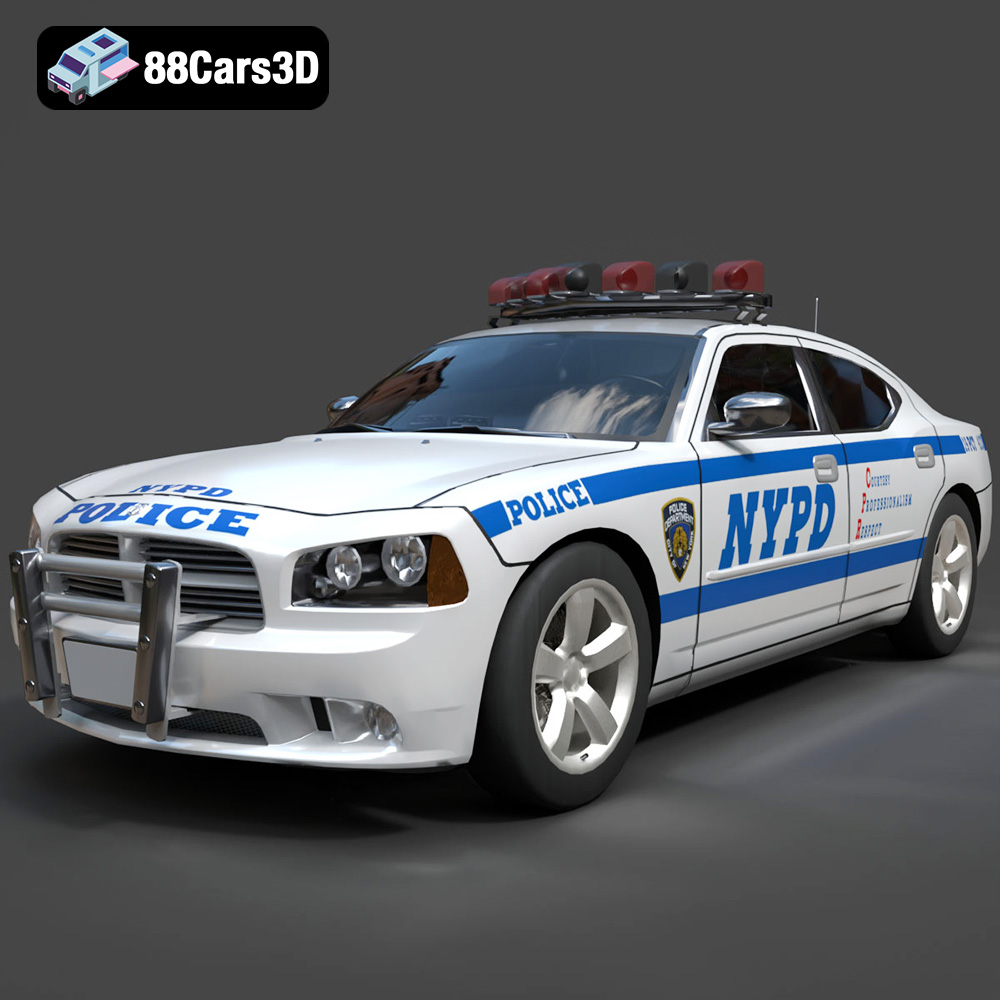
Texture: Yes
Material: Yes
Download the Dodge Charger Police NYPD 3D Model featuring clean geometry, realistic detailing, and a fully modeled interior. Includes .blend, .fbx, .obj, .glb, .stl, .ply, .unreal, and .max formats for rendering, simulation, and game development.
Price: $10
View Product
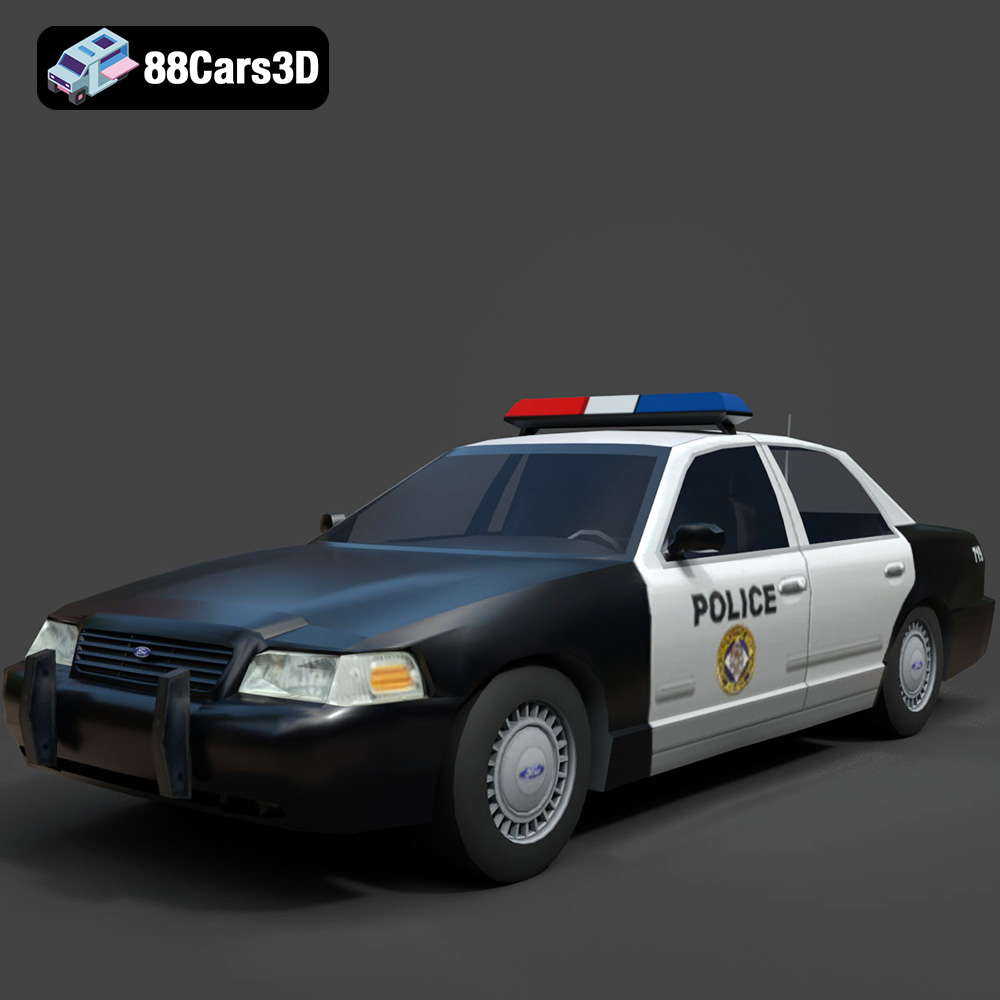
Texture: Yes
Material: Yes
Download the Ford Crown Victoria Police 2011 3D Model featuring clean geometry, realistic detailing, and a fully modeled interior. Includes .blend, .fbx, .obj, .glb, .stl, .ply, .unreal, and .max formats for rendering, simulation, and game development.
Price: $10
View Product
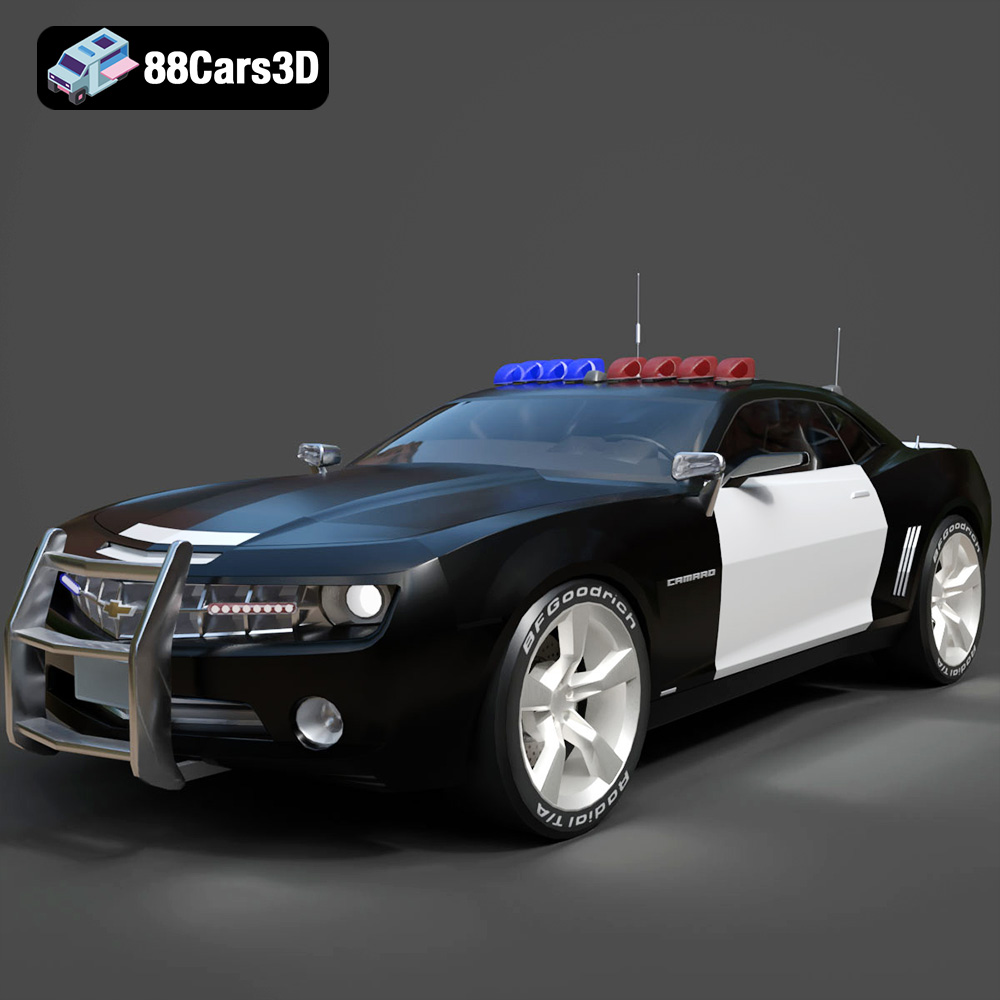
Texture: Yes
Material: Yes
Download the Chevrolet Camaro Patrol SUV 2025 3D Model featuring clean geometry, realistic detailing, and a fully modeled interior. Includes .blend, .fbx, .obj, .glb, .stl, .ply, .unreal, and .max formats for rendering, simulation, and game development.
Price: $10
View Product
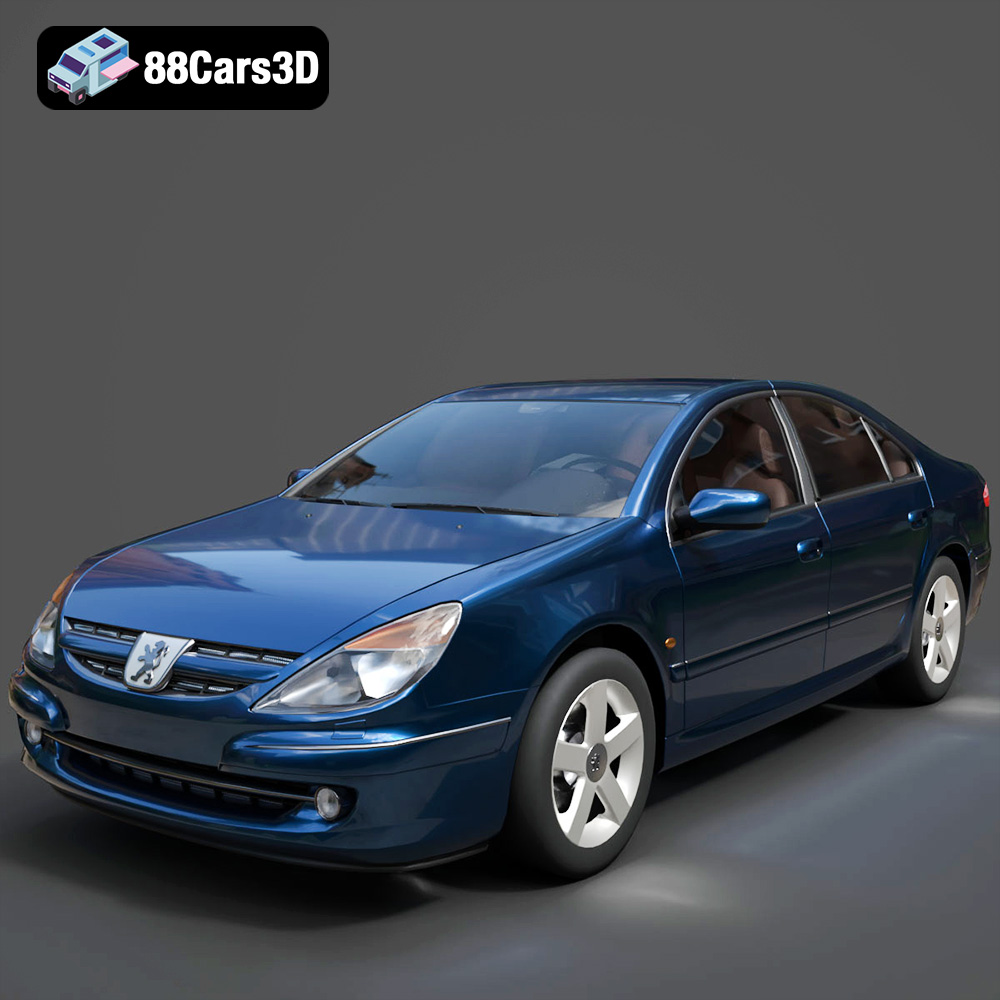
Texture: Yes
Material: Yes
Download the Peugeot 607 3D Model featuring clean geometry, realistic detailing, and a fully modeled interior. Includes .blend, .fbx, .obj, .glb, .stl, .ply, .unreal, and .max formats for rendering, simulation, and game development.
Price: $10
View Product
Texture: Yes
Material: Yes
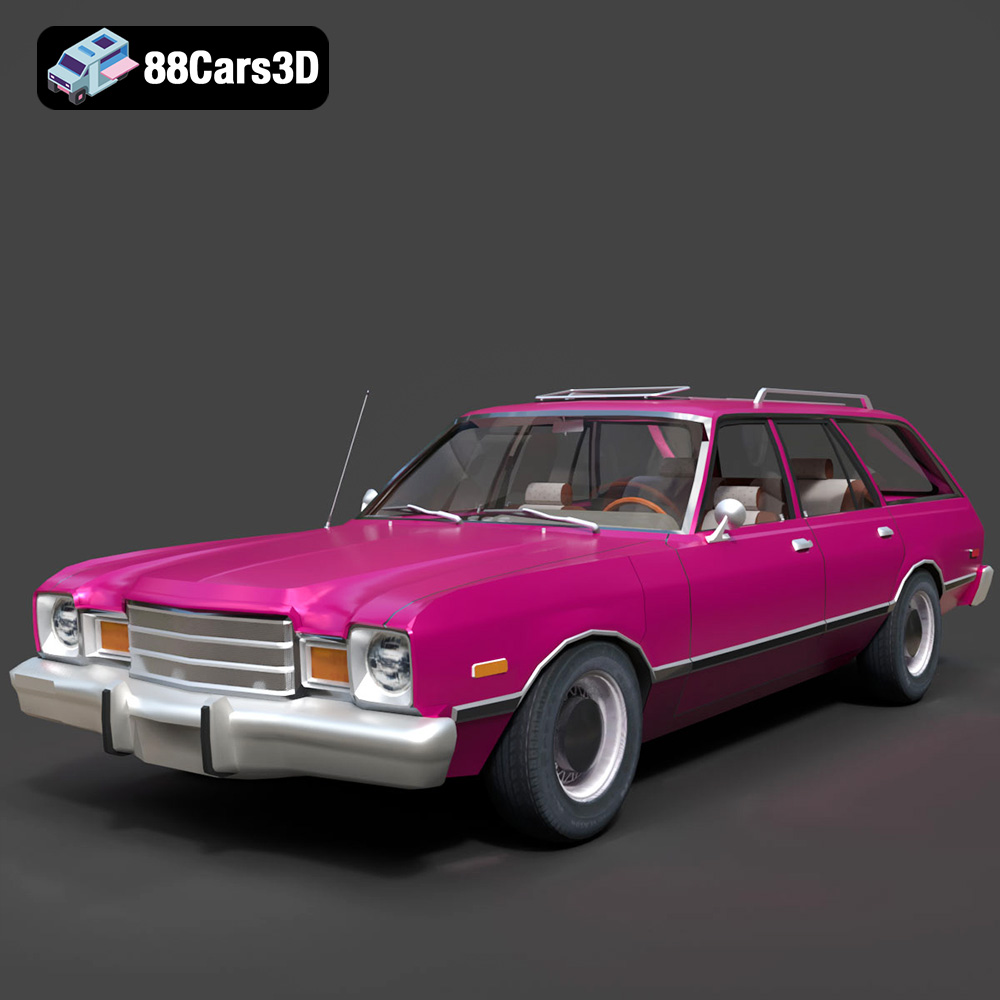
Download the Plymouth Volare 1978 3D Model featuring clean geometry, realistic detailing, and a fully modeled interior. Includes .blend, .fbx, .obj, .glb, .stl, .ply, .unreal, and .max formats for rendering, simulation, and game development.
Price: $10
View Product
Texture: Yes
Material: Yes
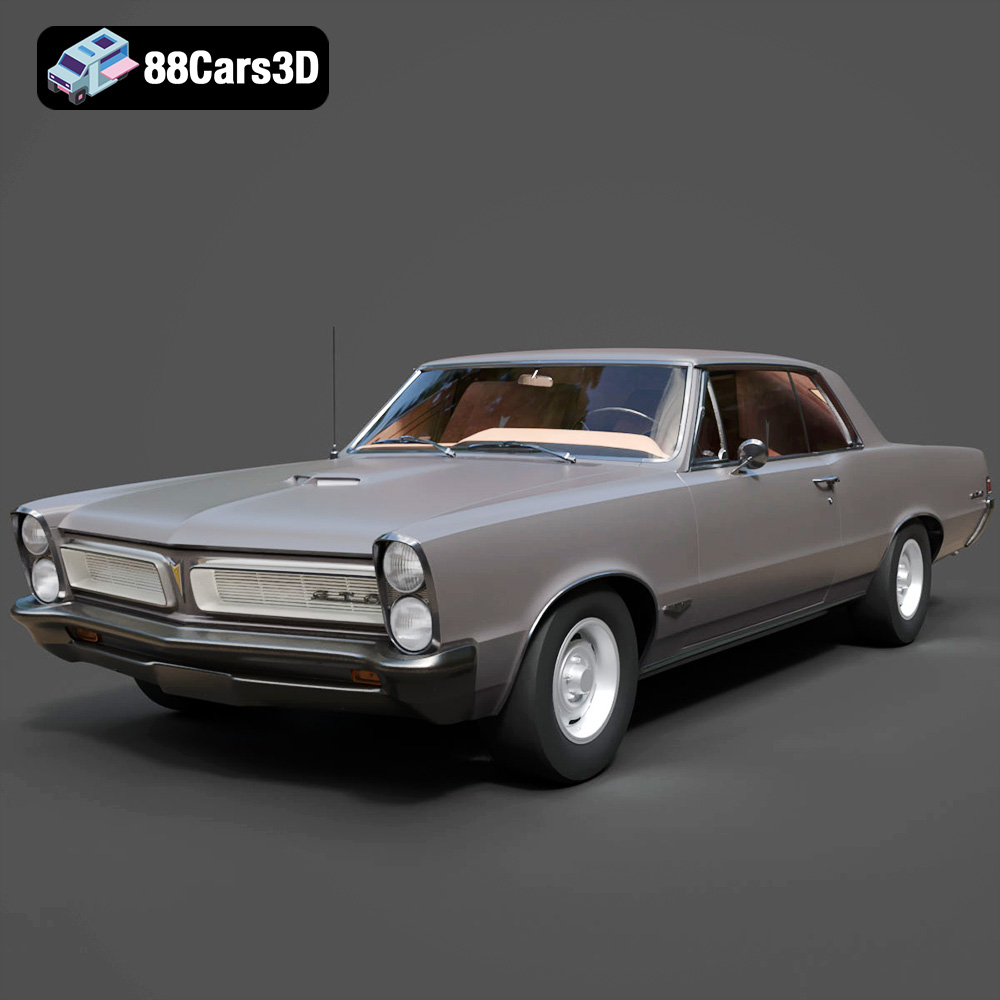
Download the Pontiac GTO 1965 3D Model featuring clean geometry, realistic detailing, and a fully modeled interior. Includes .blend, .fbx, .obj, .glb, .stl, .ply, .unreal, and .max formats for rendering, simulation, and game development.
Price: $10
View Product
Texture: Yes
Material: Yes
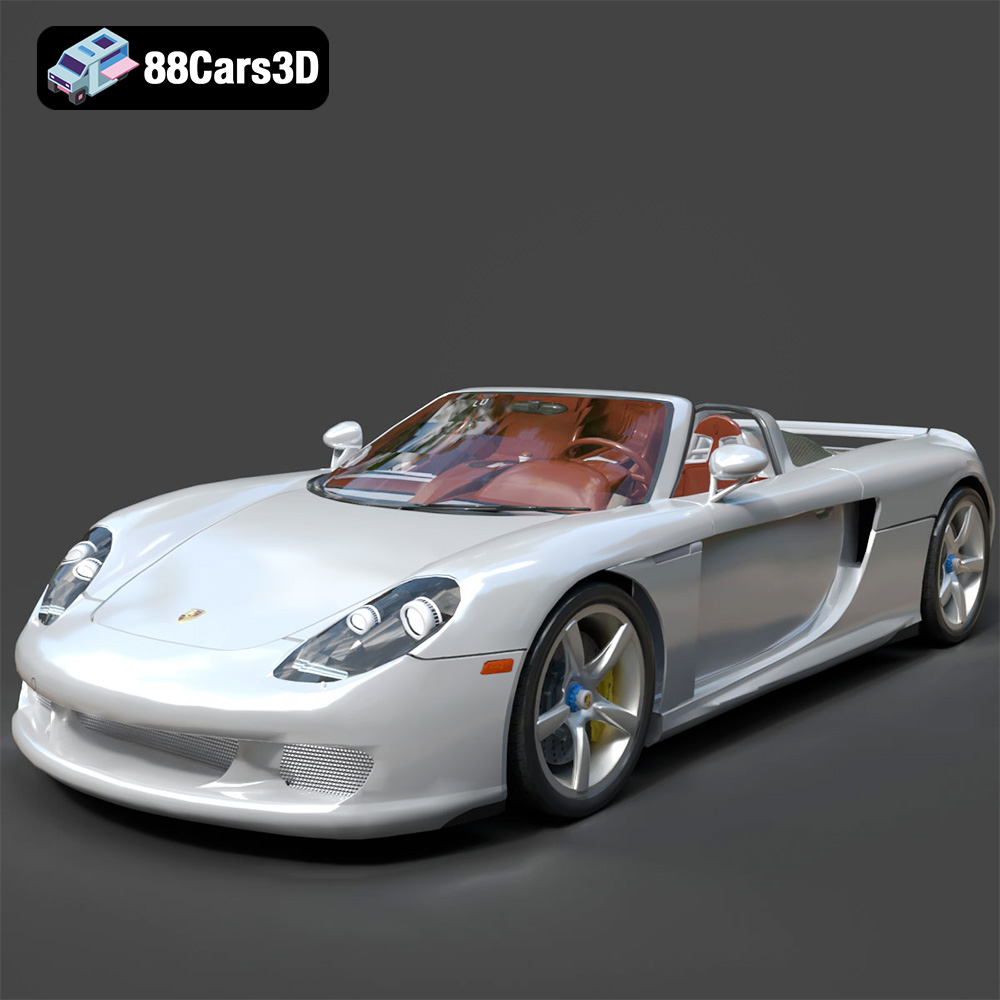
Download the Porsche Carrera GT 3D Model featuring clean geometry, realistic detailing, and a fully modeled interior. Includes .blend, .fbx, .obj, .glb, .stl, .ply, .unreal, and .max formats for rendering, simulation, and game development.
Price: $10
View Product
Texture: Yes
Material: Yes
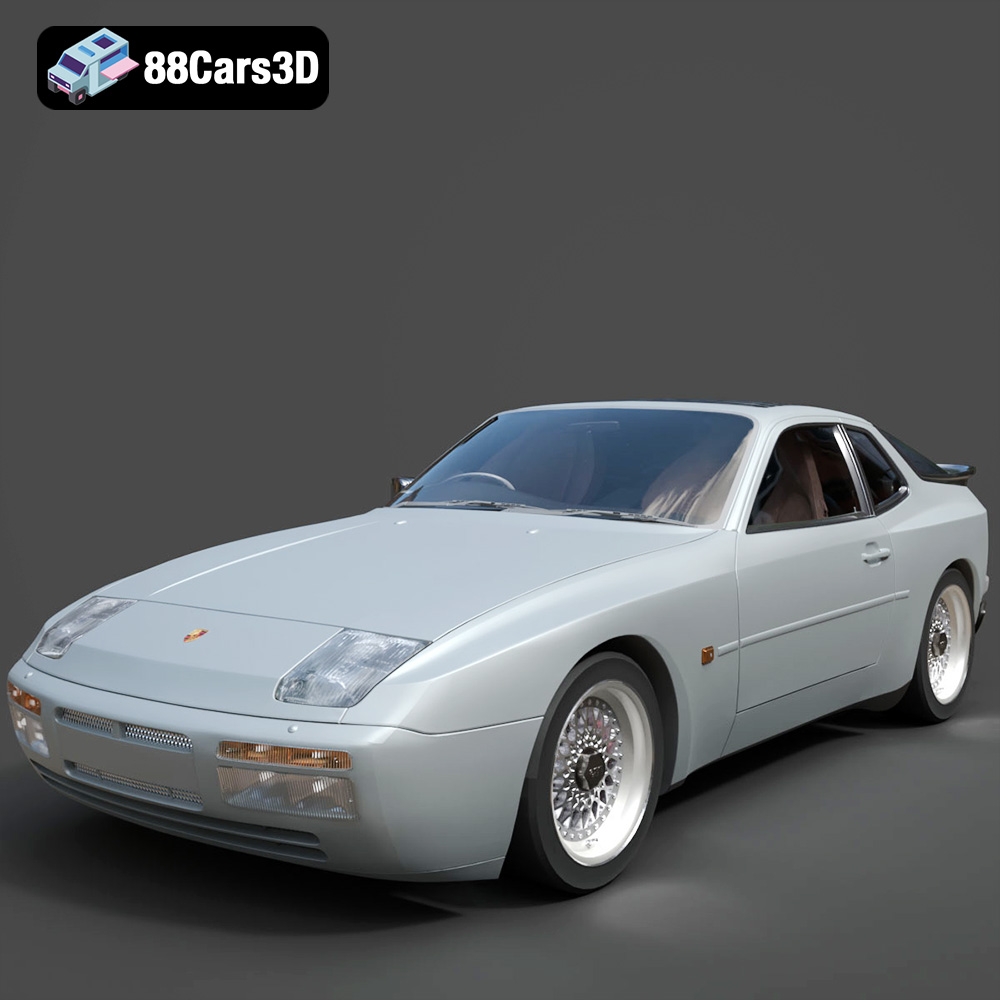
Download the Porsche 944 3D Model featuring clean geometry, realistic detailing, and a fully modeled interior. Includes .blend, .fbx, .obj, .glb, .stl, .ply, .unreal, and .max formats for rendering, simulation, and game development.
Price: $10
View Product
Texture: Yes
Material: Yes
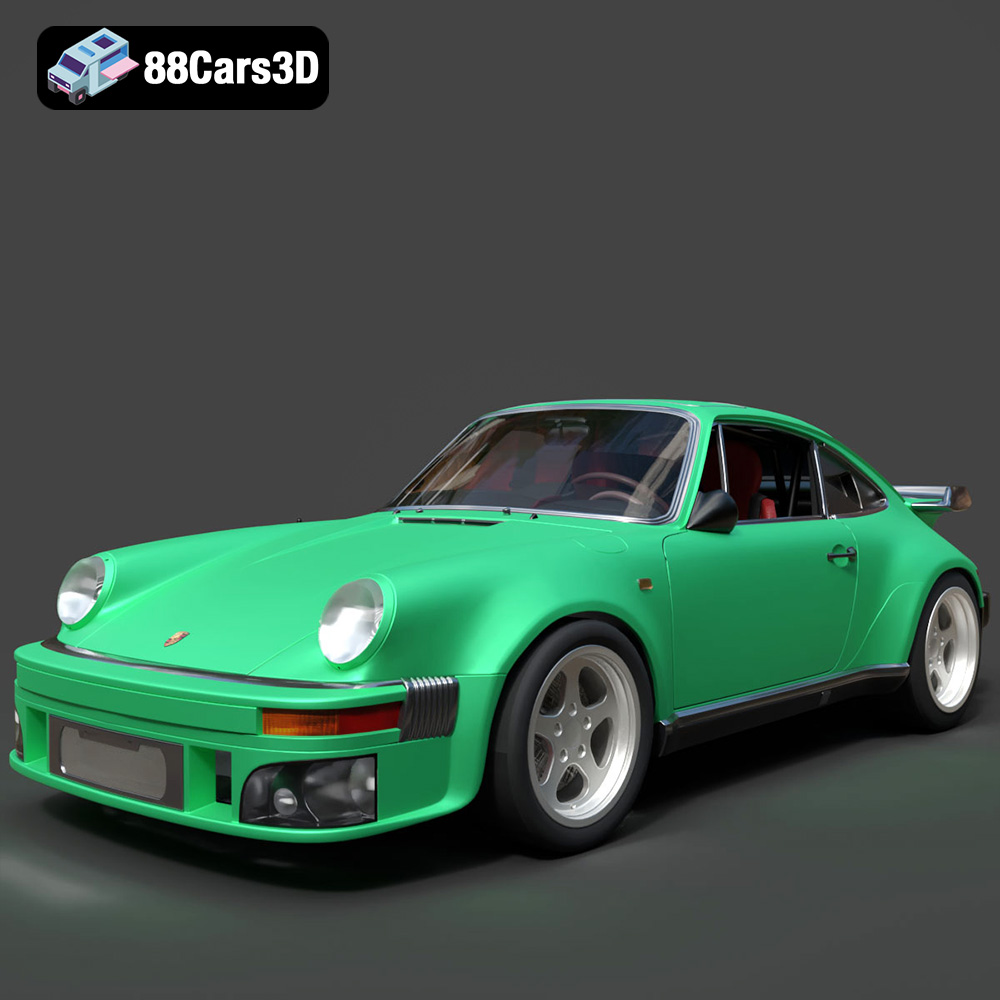
Download the Porsche 964 3D Model featuring clean geometry, realistic detailing, and a fully modeled interior. Includes .blend, .fbx, .obj, .glb, .stl, .ply, .unreal, and .max formats for rendering, simulation, and game development.
Price: $10
View Product

Texture: Yes
Material: Yes
Download the Porsche 911 Carrera S 2012 3D Model featuring clean geometry, realistic detailing, and a fully modeled interior. Includes .blend, .fbx, .obj, .glb, .stl, .ply, .unreal, and .max formats for rendering, simulation, and game development.
Price: $10
View Product


