Get 20% OFF All Premium 3D & STL Models!

The automotive world is undergoing a profound transformation, driven by advancements in digital technology. At the heart of this revolution are 3D car models, which have evolved from simple conceptual sketches into intricate digital twins, serving as the backbone for everything from hyper-realistic visualizations to functional 3D printed parts. For designers, engineers, game developers, and enthusiasts alike, the ability to create, manipulate, and deploy high-quality automotive 3D designs is no longer a luxury but a fundamental necessity.
This comprehensive guide dives deep into the multifaceted universe of automotive 3D modeling, exploring its pivotal role in crafting bespoke designs, producing custom 3D car parts, and facilitating immersive experiences across various industries. We’ll unpack the critical elements that define a superior 3D car model, from meticulous topology to realistic PBR materials, and traverse the workflows that bring these digital creations to life – be it for stunning renders, real-time game environments, or the tangible output of 3D printing. Whether you’re aiming to prototype a revolutionary new component, integrate a classic car into a virtual world, or simply appreciate the artistry behind these digital assets, understanding these concepts is key to unlocking limitless creative potential.
At the core of any successful automotive project, whether it’s a sleek rendering, an interactive game asset, or a meticulously 3D printed part, lies the quality of the 3D car model itself. A premium model isn’t just about visual appeal; it’s about robust underlying data, optimized for diverse applications. This starts with clean topology, extends to precise UV mapping, and culminates in realistic material and shader networks. These elements collectively determine the model’s versatility, performance, and overall utility. Sourcing high-quality assets from platforms like 88cars3d.com ensures you begin with a solid foundation, saving countless hours in cleanup and optimization.
Understanding the anatomy of such a model is crucial. For instance, a model intended for high-fidelity rendering might feature polygon counts upwards of 500,000 to millions, capturing every subtle curve and reflection. In contrast, a game-ready asset might prioritize optimization, aiming for 50,000-150,000 polygons, depending on the detail level and proximity to the camera, while still retaining visual integrity through normal maps and smart texturing. The distinction lies in the intentionality of the model’s construction, ensuring it’s fit for its specific purpose without unnecessary overhead or lacking essential detail.
Topology refers to the arrangement of polygons (faces, edges, vertices) that form the mesh of your 3D model. For automotive models, pristine topology is paramount. It dictates how the model deforms, how subdivision surfaces (like OpenSubdiv in 3ds Max or Blender’s Subdivision Surface modifier) smooth the mesh, and how light reflects off the surface. Ideal automotive topology consists predominantly of quads (four-sided polygons), avoiding ngons (polygons with more than four sides) and triangles in areas requiring smooth deformation or high-detail sculpting. Edge loops should flow logically, following the contours and creases of the car body, allowing for precise control over curvature and the creation of crisp hard edges where needed, such as door seams or panel gaps. A common challenge is achieving sharp creases without introducing excessive geometry; this is often solved using supporting edge loops that run parallel and close to the main edge, effectively “pinching” the surface when subdivided.
UV mapping is the process of flattening the 3D surface of a model into a 2D plane, allowing textures to be applied accurately. For complex automotive surfaces with intricate details like paint, decals, and varying material properties, efficient UV mapping is critical. Best practices involve creating logical UV islands that minimize stretching and distortion, maximizing the use of texture space, and maintaining consistent texel density across different parts of the car. For example, the main body panels might share one large UV island, while smaller components like wheels, lights, and interiors have their own, ensuring that texture resolution (e.g., 4K or 8K) is distributed effectively. Overlapping UVs can be used for mirrored parts to save texture memory, but careful consideration is needed to avoid artifacts if textures are asymmetrical.
Physically Based Rendering (PBR) has become the industry standard for creating materials that react realistically to light, both in offline renderers and real-time game engines. PBR materials use a set of textures – typically Albedo (or Base Color), Metallic, Roughness, Normal, and optionally Ambient Occlusion – to define the surface properties. The Albedo map provides the base color, while the Metallic map dictates whether a surface behaves like a metal (0 for dielectric, 1 for metallic). The Roughness map defines how diffuse or shiny a surface is (0 for perfectly smooth, 1 for completely rough), directly impacting reflections. The Normal map simulates surface detail without adding actual geometry, allowing a low-polygon model to appear highly detailed. These maps work in conjunction with sophisticated shader networks to simulate complex phenomena like clear coat layers on car paint, subsurface scattering for materials like rubber, and anisotropic reflections for brushed metals.
Crafting compelling PBR materials for a car involves meticulous attention to detail. Car paint, for instance, often requires a complex shader setup to accurately represent its metallic flakes, clear coat, and underlying color, along with subtle imperfections like dust or minor scratches. Tire materials need distinct tread patterns, sidewall texturing, and roughness variations to simulate their rubber properties. Interior materials such as leather, fabric, and plastics each require their own PBR texture sets tuned to their specific reflective and diffuse characteristics. Achieving realism demands high-resolution textures (e.g., 4096×4096 or 8192×8192 for hero assets) and a deep understanding of how light interacts with different material types.
The journey from a conceptual sketch to a fully realized automotive 3D design is a multi-stage process that blends artistic vision with technical precision. Modern workflows often begin in CAD software for engineering accuracy, then transition to polygonal modeling packages for aesthetic refinement and optimization, and finally to rendering or game engines for deployment. This iterative process demands a blend of specialized software knowledge, an understanding of industry best practices, and an acute eye for detail. Whether you’re designing a futuristic concept car or reverse-engineering a classic, a structured approach ensures efficiency and high-quality results. The choice of software and methodology often depends on the project’s primary objective – be it manufacturing, photorealistic rendering, or real-time interaction.
Professional automotive 3D artists frequently employ a hybrid modeling approach. Initial blueprints or reference images are brought into a 3D environment, serving as guides. The overall silhouette and major panels are typically blocked out first, often using non-uniform rational B-splines (NURBS) in software like Rhino or SolidWorks for precision, or sub-D modeling in tools like Blender or 3ds Max for organic surfacing. These techniques allow for the iterative refinement of complex curves and surfaces, ensuring design intent is perfectly translated into the digital model. Following the initial block-out, details are added, gaps are refined, and the model is prepared for subsequent stages like UV mapping, texturing, and rendering.
Many automotive designs originate in CAD (Computer-Aided Design) software like SolidWorks, CATIA, or Siemens NX, where engineers create precise, mathematically perfect NURBS models for manufacturing. While ideal for engineering, these NURBS models are not directly suitable for polygonal rendering or real-time applications due to their mathematical nature. The conversion process, often called tessellation, transforms these smooth surfaces into polygon meshes. This step is critical as it determines the polygon count and initial topology. Tools like Autodesk Fusion 360, Rhino, or specialized plugins for Maya/3ds Max can perform this conversion, allowing control over the tessellation density (how many polygons represent a curved surface).
Post-conversion, significant optimization is almost always required. CAD data often results in dense, sometimes triangulated meshes with non-optimal edge flow. Artists use retopology techniques – either manual (e.g., using Blender’s Retopoflow, Maya’s Quad Draw, or 3ds Max’s Graphite Modeling Tools) or semi-automatic (e.g., ZBrush’s ZRemesher, Instant Meshes) – to create a clean, quad-dominant mesh with efficient polygon distribution. The goal is to reduce the polygon count while preserving the original shape and detail, ensuring the mesh is animation-friendly, subdivision-friendly, and lightweight for various applications. For game assets, techniques like baking high-poly details onto low-poly normal maps are standard to achieve visual fidelity without performance penalties.
The choice of software largely depends on the artist’s specific role and workflow. Each application offers unique strengths:
Often, artists will use a combination of these tools, leveraging each program’s strengths at different stages of the automotive 3D design process.
The ability to design and create custom 3D car parts has revolutionized automotive modification, prototyping, and even restoration. From bespoke aerodynamic kits to perfectly fitted interior components and intricate engine bay details, 3D modeling empowers enthusiasts and professionals to bring unique visions to life. This capability not only fosters unparalleled creativity but also addresses practical needs, such as replacing obsolete parts for classic cars or developing lightweight, performance-enhancing components for racing vehicles. The digital realm allows for rapid iteration and testing, reducing the time and cost associated with traditional manufacturing methods.
Designing custom parts requires a blend of artistic flair and engineering understanding. It’s not just about making something look good; it’s about making it functional, structurally sound, and compatible with existing vehicle architecture. This often involves precise measurements, reverse engineering existing components, and a thorough understanding of material properties and manufacturing constraints. The process might begin with scanning an existing part to get a precise digital base, then modifying or designing new elements around it. This fusion of digital design and physical realization via 3D printing opens up a new frontier for personalized automotive experiences.
When designing custom 3D car parts, particularly performance-oriented components like aerodynamic kits (spoilers, diffusers, splitters) or intake manifolds, both function and aesthetics must be balanced. Functionality often dictates the form, especially in aerodynamics where every curve and angle influences airflow and downforce. Artists and engineers frequently use Computational Fluid Dynamics (CFD) simulations, often integrated into CAD software or specialized analysis tools, to test and refine designs digitally before physical production. This iterative process allows for optimization of performance characteristics, such as minimizing drag or maximizing cooling efficiency.
Aesthetically, custom parts should complement the vehicle’s existing design language, enhancing its visual appeal without looking out of place. This involves careful consideration of lines, proportions, and surface transitions. For prototyping, rapid iteration is key. A designer might create multiple versions of a spoiler, print them at a smaller scale, and then refine the design based on visual feedback before committing to a full-scale functional prototype. This agile approach significantly reduces development cycles and costs, making customized automotive solutions more accessible than ever before. For complex components, parametric modeling within software like Grasshopper for Rhino or Fusion 360 can be invaluable for generating variations and adapting designs quickly.
The creation of a custom 3D car part follows a rigorous iterative design process. It typically begins with a concept sketch or a detailed brief outlining the part’s purpose, dimensions, and desired aesthetics. This concept is then translated into a 3D digital model using modeling software. Initial models might be block-outs to establish proportions, followed by more detailed modeling to refine surfaces and incorporate specific features. Throughout this stage, constant cross-referencing with the vehicle’s actual dimensions (often obtained through laser scanning or precise measurements) is crucial to ensure perfect fitment.
Once a preliminary digital model is complete, it enters a validation phase. This can include virtual fitment checks within the 3D environment, ensuring clearances and mounting points are correct. For critical parts, stress analysis (FEA – Finite Element Analysis) might be performed digitally to predict how the part will behave under various loads and identify potential weak points, especially when designing for 3D printing with specific material properties. Feedback from these analyses leads to refinements in the 3D model, and the cycle repeats until the design meets all functional and aesthetic requirements. This digital twin approach ensures that the final physical part, whether a prototype or an end-use component, performs exactly as intended, minimizing costly errors and maximizing efficiency.
3D printing has emerged as a transformative technology in the automotive industry, extending far beyond simple prototyping. It enables the rapid production of custom 3D car parts, complex geometries impossible with traditional manufacturing, and on-demand fabrication of rare or obsolete components. From creating concept models and functional prototypes to manufacturing tooling, jigs, and even end-use parts, additive manufacturing offers unprecedented flexibility and speed. This technology empowers designers and engineers to iterate faster, test more thoroughly, and bring highly customized solutions to market with greater agility, often leveraging models sourced from or adapted from high-quality marketplaces like 88cars3d.com.
The benefits are numerous: reduced lead times, lower tooling costs, design freedom, and the ability to produce lightweight, optimized structures. For instance, using generative design coupled with 3D printing, engineers can create parts with internal lattice structures that are significantly lighter yet stronger than traditionally manufactured counterparts. This is particularly valuable in motorsports, where weight reduction directly translates to performance gains. Furthermore, the ability to print parts on demand means less inventory, more sustainable manufacturing practices, and the potential for hyper-personalization in consumer vehicles.
Converting a 3D model into a printable file (typically STL or OBJ) requires meticulous preparation to ensure successful physical output. The primary concern is mesh integrity. For 3D printing, a model must be “watertight” – meaning it has no open edges, intersecting faces, non-manifold geometry, or inverted normals. These issues, common in models built for rendering, can cause printing errors, gaps, or failed prints. Software tools like Netfabb, Meshmixer, or even built-in repair functions in slicers (like PrusaSlicer, Cura) are essential for identifying and automatically/manually fixing these mesh errors. It’s often a good practice to export a cleaned, triangulated mesh from your modeling software (e.g., Blender, 3ds Max) specifically for 3D printing, ensuring it’s a single, solid object.
Another critical factor is wall thickness. Every 3D printing technology and material has minimum wall thickness requirements. Too thin, and the part will be fragile or fail to print; too thick, and it wastes material or adds unnecessary weight. For example, consumer FDM printers might require a minimum wall thickness of 0.8mm-1.2mm for structural integrity, while industrial SLA printers can achieve finer details with wall thicknesses down to 0.5mm. Design considerations must also include clearances for moving parts (e.g., 0.2mm-0.4mm for interlocking components), ensuring parts don’t fuse together during printing. Overhangs, support structures, and part orientation during printing are also vital considerations to prevent failures and achieve desired surface quality.
The choice of 3D printing technology and material is dictated by the part’s intended application, required precision, mechanical properties, and budget:
Prototyping: This is where 3D printing began its journey in automotive. Designers can quickly print multiple iterations of a dashboard, a headlight assembly, or an exterior panel, allowing for tactile evaluation of ergonomics, fitment, and aesthetics long before committing to expensive tooling. This dramatically accelerates the design validation phase.
Tooling, Jigs, and Fixtures: Automotive assembly lines are increasingly using 3D printed tools. Custom jigs and fixtures, often made from robust FDM or SLS materials, can be produced on demand to perfectly hold components during assembly, ensuring precision and reducing worker fatigue. This significantly cuts manufacturing lead times and costs compared to traditionally machined tooling.
Custom & End-Use Parts: This is where 3D printing truly shines for personalization and niche applications. Examples include:
The impact of 3D printing on automotive manufacturing is profound, fostering innovation and making previously impossible designs a reality.
While 3D printing offers tangible output, the digital 3D car model extends its utility into breathtaking visualizations, immersive game environments, and interactive AR/VR experiences. These applications leverage the same foundational high-quality models but demand different optimization strategies and technical considerations. The goal shifts from physical integrity to visual fidelity and real-time performance. Platforms like 88cars3d.com provide versatile 3D car models that are often already optimized or easily adaptable for these diverse digital applications, catering to everyone from cinematic render artists to indie game developers.
Achieving photorealism in renders requires a deep understanding of lighting, materials, and camera optics, while real-time environments prioritize efficient asset management and performance optimization. For interactive experiences, the models need to be lightweight enough to run smoothly on various devices while still conveying the intricate details of automotive design. This section delves into the specialized techniques required to maximize the impact of your automotive 3D designs in these dynamic digital realms, highlighting the interplay between artistic vision and technical execution.
Automotive rendering is the art of creating photorealistic images or animations of vehicles. It’s crucial for marketing, design reviews, and cinematic productions. The choice of rendering engine significantly impacts workflow and output quality:
Regardless of the renderer, achieving realism involves meticulous lighting (HDRI environments, physical lights), camera settings (depth of field, motion blur), and post-processing (color grading, lens effects) to emulate real-world photography.
For game engines (Unity, Unreal Engine) and AR/VR platforms, raw, high-poly models are often too demanding. Optimization is paramount to ensure smooth frame rates and efficient resource utilization.
For AR/VR, maintaining a consistent frame rate (e.g., 90 FPS for VR) is vital to prevent motion sickness. This means even more aggressive optimization and careful management of rendering budget, including light baking, occlusion culling, and reducing dynamic lights. Real-time shaders are also often simplified compared to their offline rendering counterparts to maximize performance.
The world of 3D modeling involves a multitude of file formats, each with specific strengths and applications. Understanding these formats and when to use them is paramount for seamless workflows, effective collaboration, and ensuring your 3D car models are compatible across different software and platforms. Whether you’re exchanging data between modeling software, preparing assets for a game engine, or sending a design to a 3D printer, selecting the correct format is a critical technical decision. This section will demystify the most common formats and offer practical tips for maintaining a professional and efficient workflow.
Beyond file formats, adopting industry best practices ensures that your 3D assets are not only high-quality but also manageable, scalable, and reusable. This includes adhering to naming conventions, structuring your project files logically, and documenting your work. These practices are especially important when working in teams or when creating assets for marketplaces like 88cars3d.com, where models need to meet certain standards for widespread applicability and ease of use by diverse professionals.
Each 3D file format serves a distinct purpose:
Other notable formats include CAD formats like STEP or IGES (for engineering precision), ABC (Alembic) for complex cached geometry and animation data, and native software formats (e.g., .max, .blend, .ma) for ongoing project work.
Maximizing efficiency and ensuring smooth collaboration requires adhering to certain best practices:
Car_Body_HighPoly, Tire_Material_PBR, Wheel_Front_Left_LOD1). This makes scenes easy to navigate, especially in large projects or when assets are shared.By integrating these practices into your workflow, you create a robust and reliable pipeline for developing, sharing, and deploying automotive 3D designs, regardless of their final application.
The journey through the intricate world of 3D car models reveals a dynamic landscape where creativity meets cutting-edge technology. From the foundational principles of clean topology and realistic PBR materials to the specialized demands of 3D printing, game engine optimization, and high-fidelity rendering, the power of digital automotive design is truly transformative. We’ve seen how quality models serve as the cornerstone for bespoke custom 3D car parts, how various software ecosystems empower artists, and how judicious selection of file formats ensures seamless integration across diverse applications.
The ability to harness these techniques empowers designers, engineers, and enthusiasts to push boundaries, whether by rapidly prototyping an innovative new component, bringing a classic car to life in a virtual environment, or creating stunning marketing visualizations. Platforms like 88cars3d.com stand at the forefront, providing access to meticulously crafted 3D car models that are ready for these challenges, accelerating projects and inspiring new possibilities. Embrace these powerful tools and methodologies, continue to learn and experiment, and let your automotive visions move from concept to stunning reality.
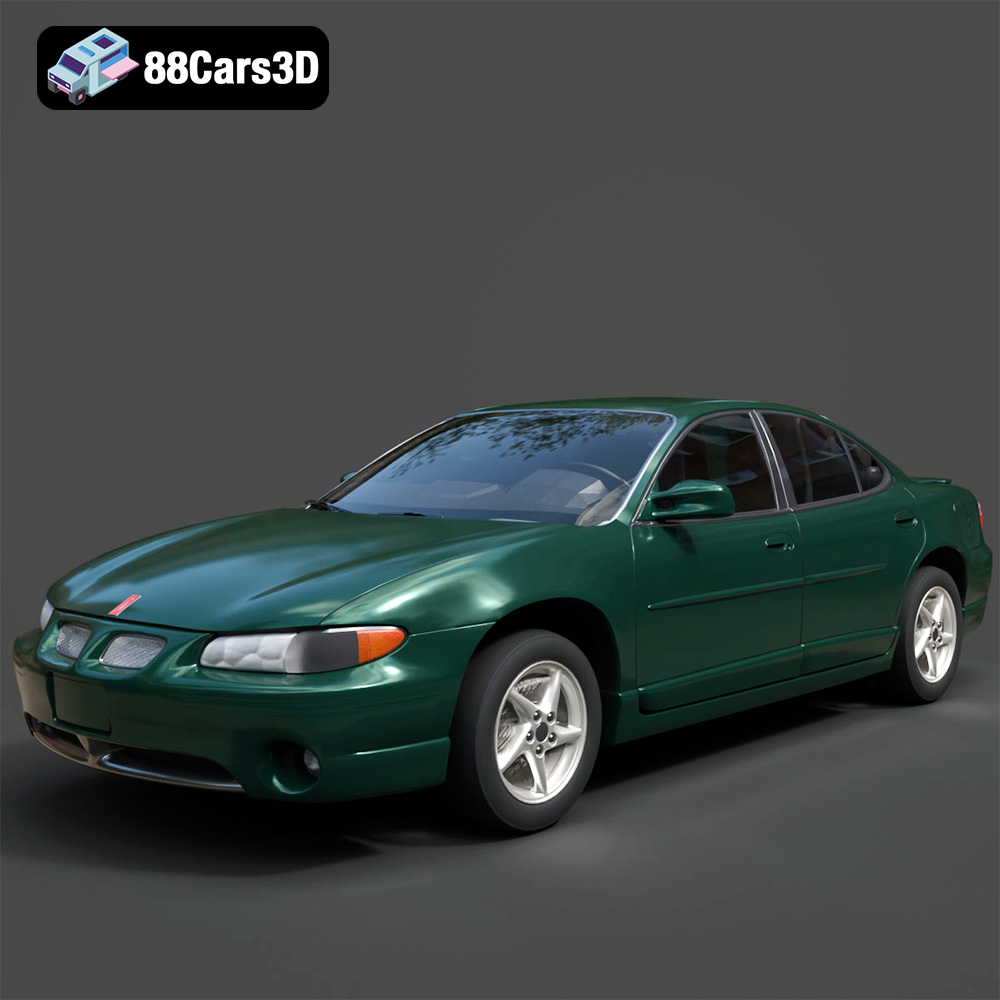
Texture: Yes
Material: Yes
Download the Pontiac Grand Prix GT-001 3D Model featuring clean geometry, realistic detailing, and a fully modeled interior. Includes .blend, .fbx, .obj, .glb, .stl, .ply, .unreal, and .max formats for rendering, simulation, and game development.
Price: $10
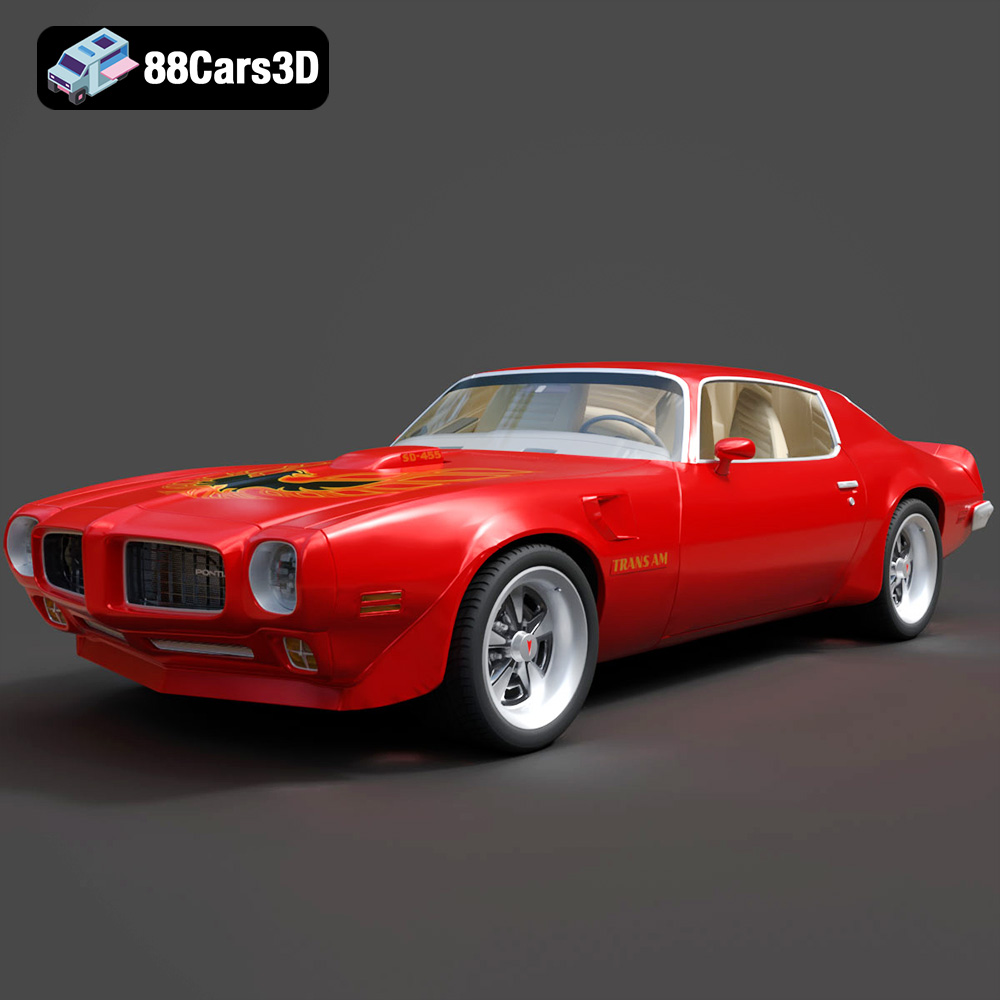
Texture: Yes
Material: Yes
Download the Pontiac Firebird Trans Am SD-455 3D Model featuring clean geometry, realistic detailing, and a fully modeled interior. Includes .blend, .fbx, .obj, .glb, .stl, .ply, .unreal, and .max formats for rendering, simulation, and game development.
Price: $10
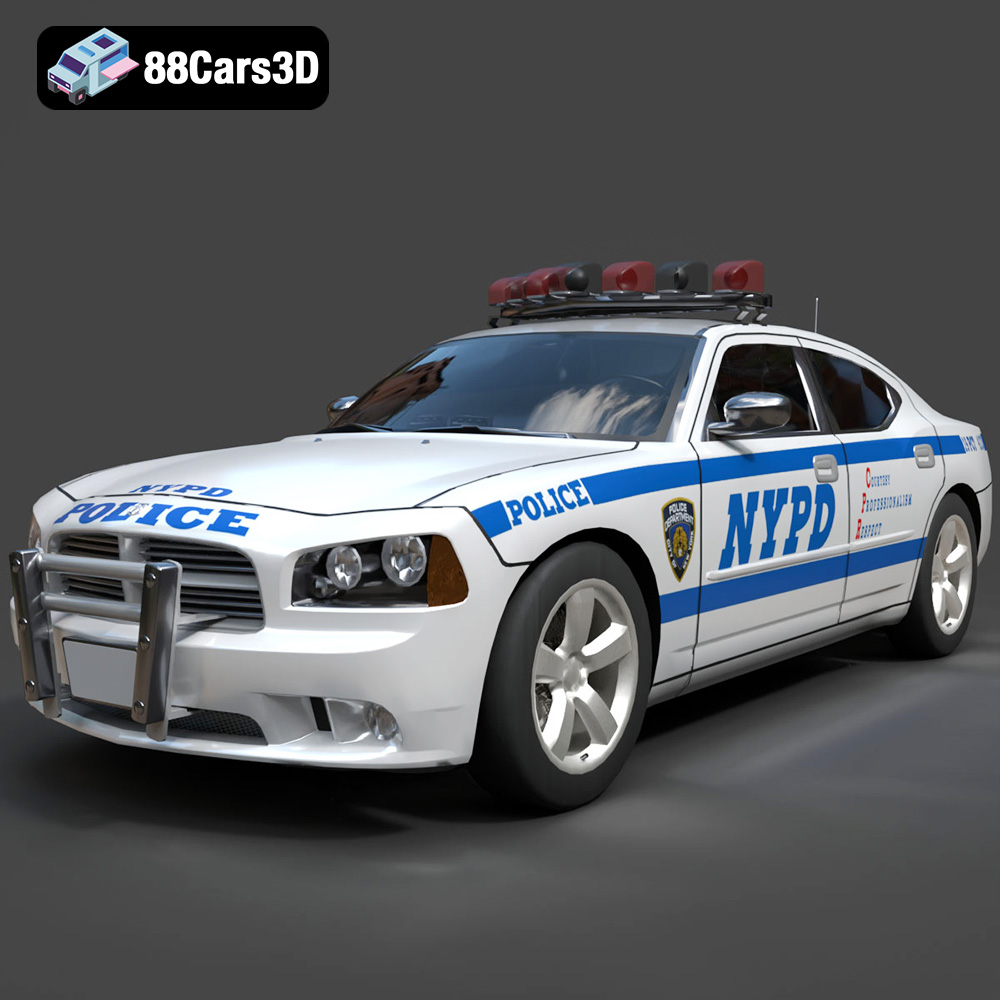
Texture: Yes
Material: Yes
Download the Dodge Charger Police NYPD 3D Model featuring clean geometry, realistic detailing, and a fully modeled interior. Includes .blend, .fbx, .obj, .glb, .stl, .ply, .unreal, and .max formats for rendering, simulation, and game development.
Price: $10
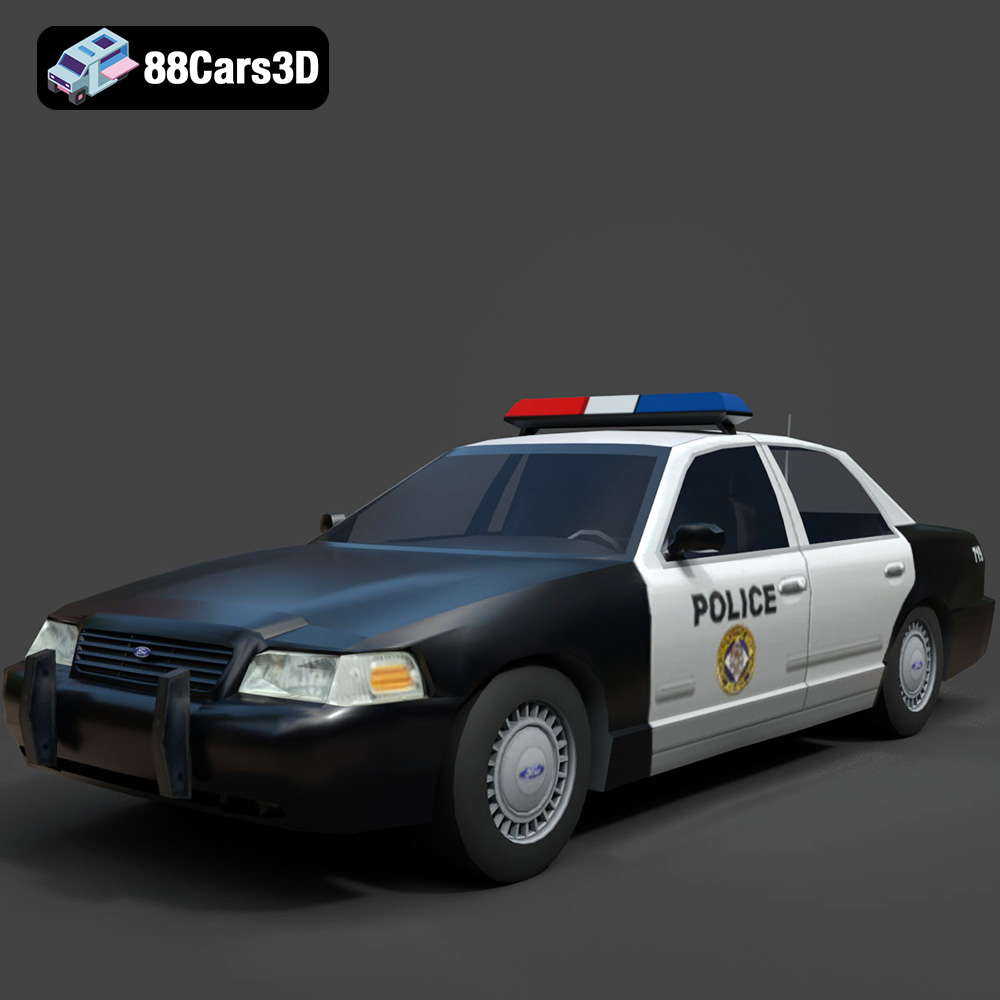
Texture: Yes
Material: Yes
Download the Ford Crown Victoria Police 2011 3D Model featuring clean geometry, realistic detailing, and a fully modeled interior. Includes .blend, .fbx, .obj, .glb, .stl, .ply, .unreal, and .max formats for rendering, simulation, and game development.
Price: $10
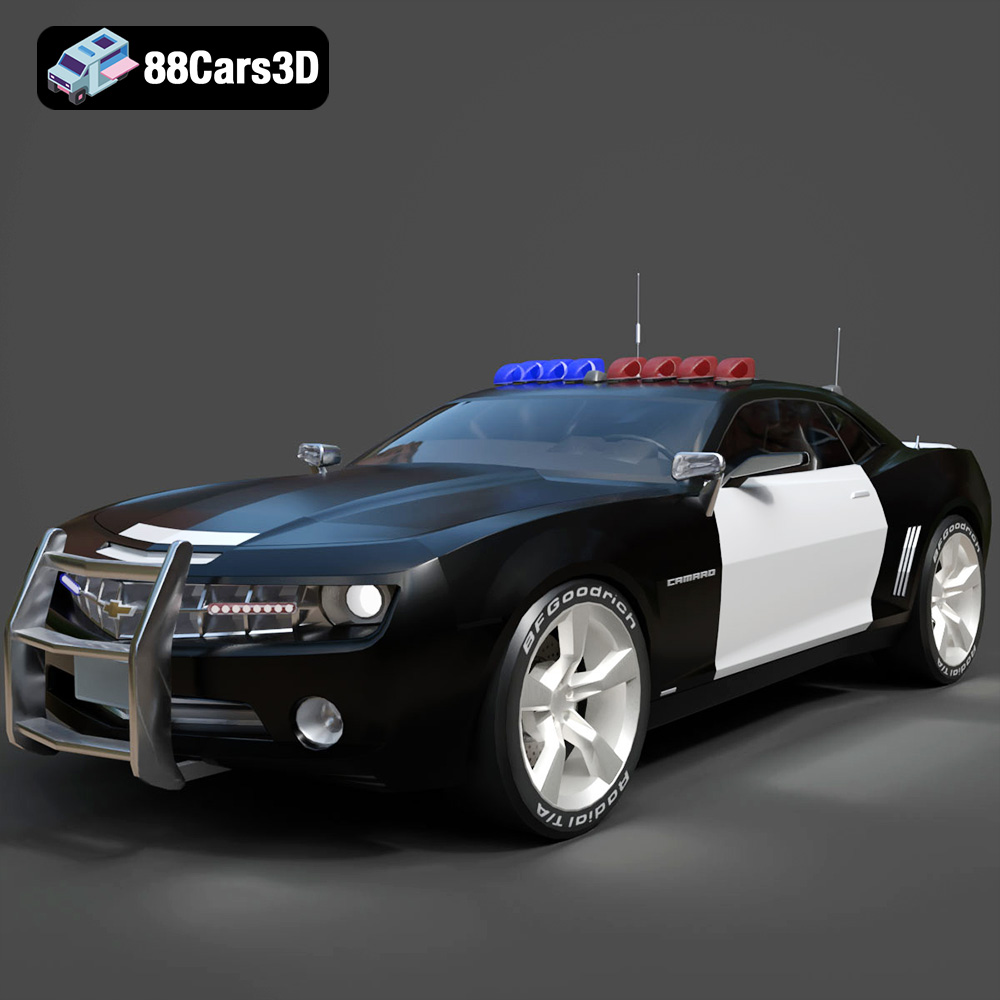
Texture: Yes
Material: Yes
Download the Chevrolet Camaro Patrol SUV 2025 3D Model featuring clean geometry, realistic detailing, and a fully modeled interior. Includes .blend, .fbx, .obj, .glb, .stl, .ply, .unreal, and .max formats for rendering, simulation, and game development.
Price: $10
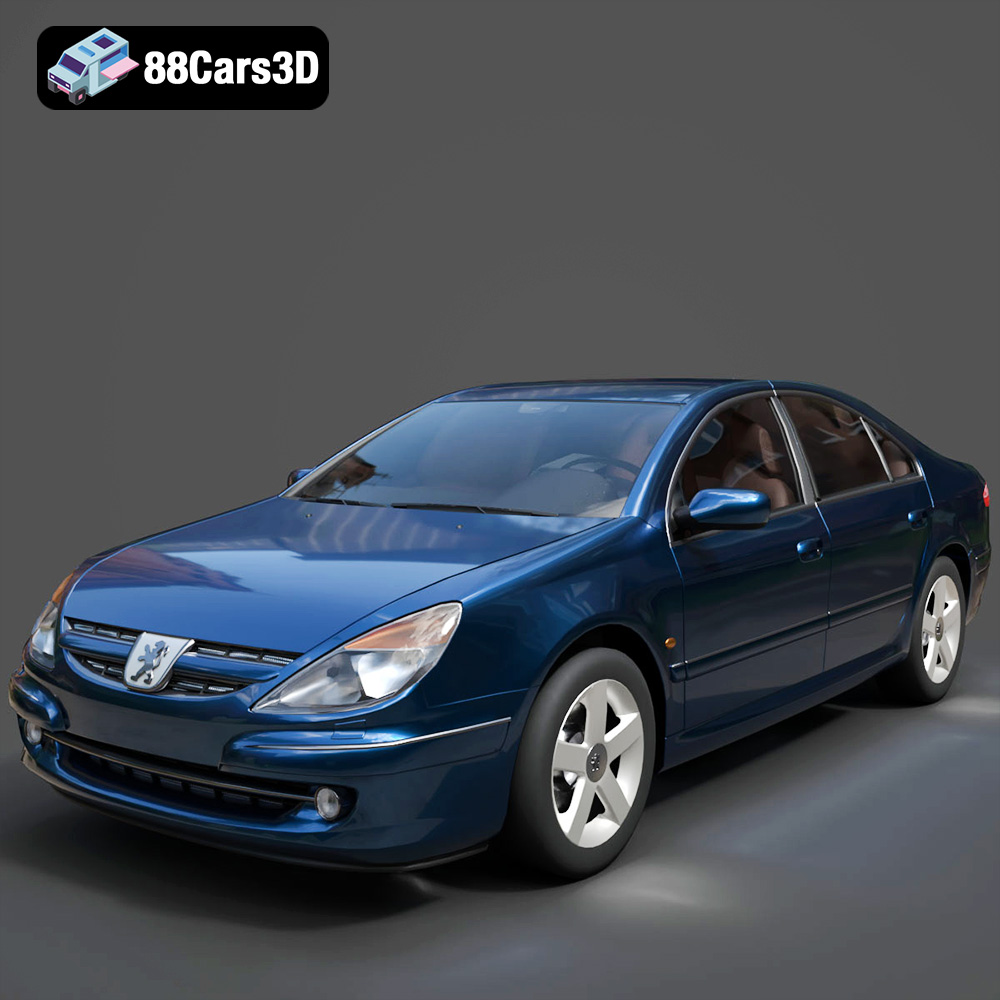
Texture: Yes
Material: Yes
Download the Peugeot 607 3D Model featuring clean geometry, realistic detailing, and a fully modeled interior. Includes .blend, .fbx, .obj, .glb, .stl, .ply, .unreal, and .max formats for rendering, simulation, and game development.
Price: $10
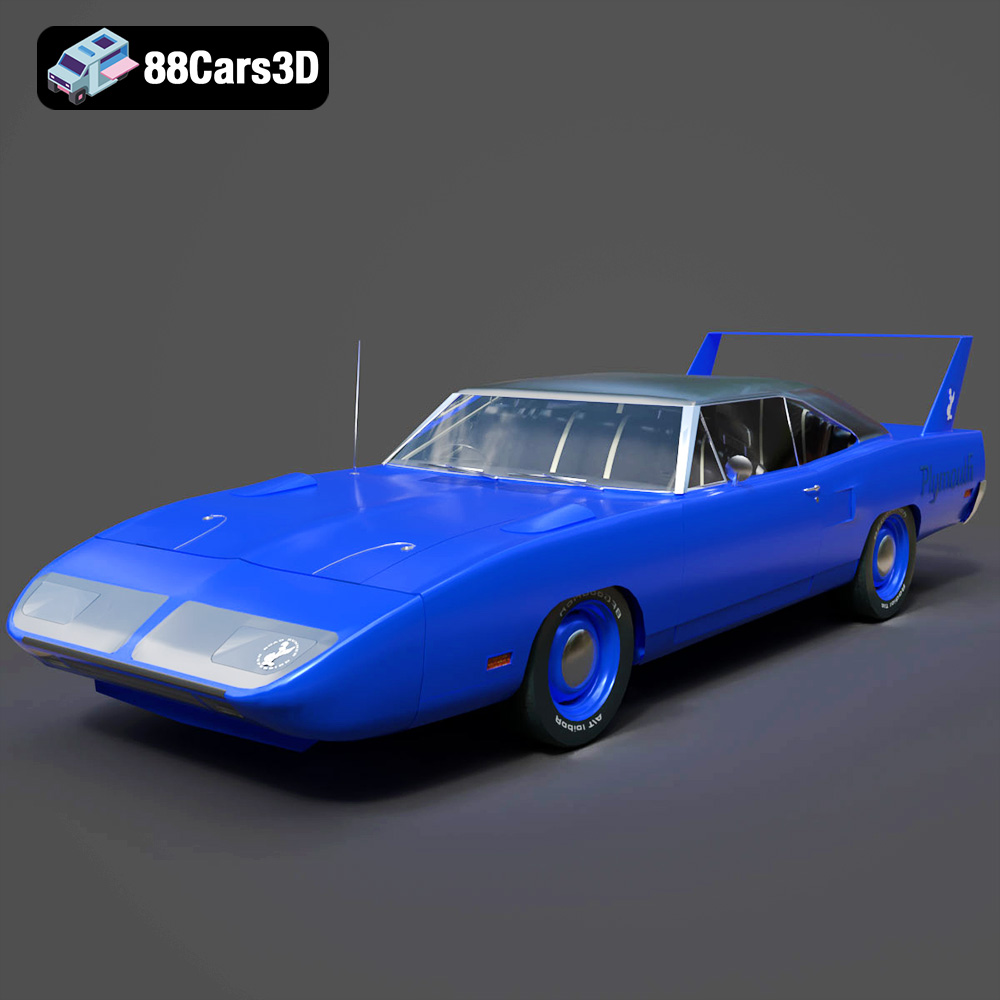
Texture: Yes
Material: Yes
Download the Plymouth Roadrunner Superbird 1970 3D Model featuring clean geometry, realistic detailing, and a fully modeled interior. Includes .blend, .fbx, .obj, .glb, .stl, .ply, .unreal, and .max formats for rendering, simulation, and game development.
Price: $10
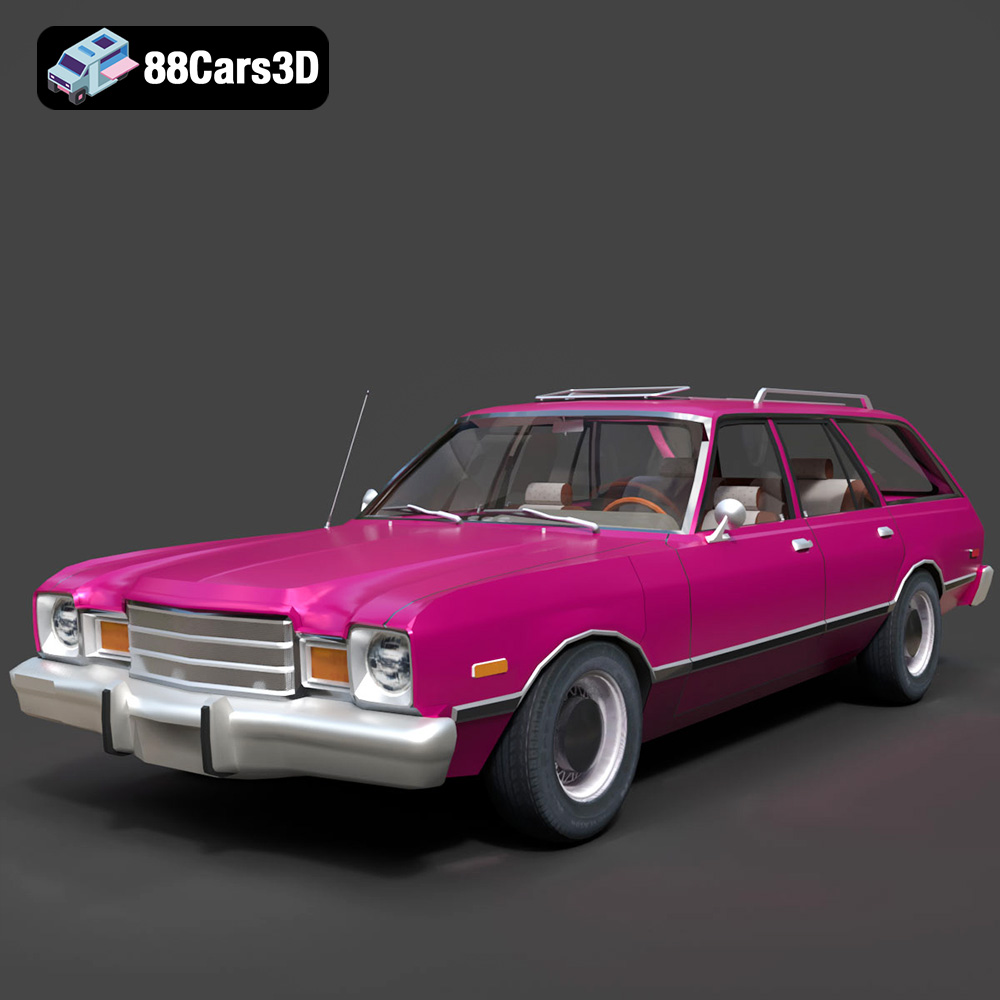
Texture: Yes
Material: Yes
Download the Plymouth Volare 1978 3D Model featuring clean geometry, realistic detailing, and a fully modeled interior. Includes .blend, .fbx, .obj, .glb, .stl, .ply, .unreal, and .max formats for rendering, simulation, and game development.
Price: $10
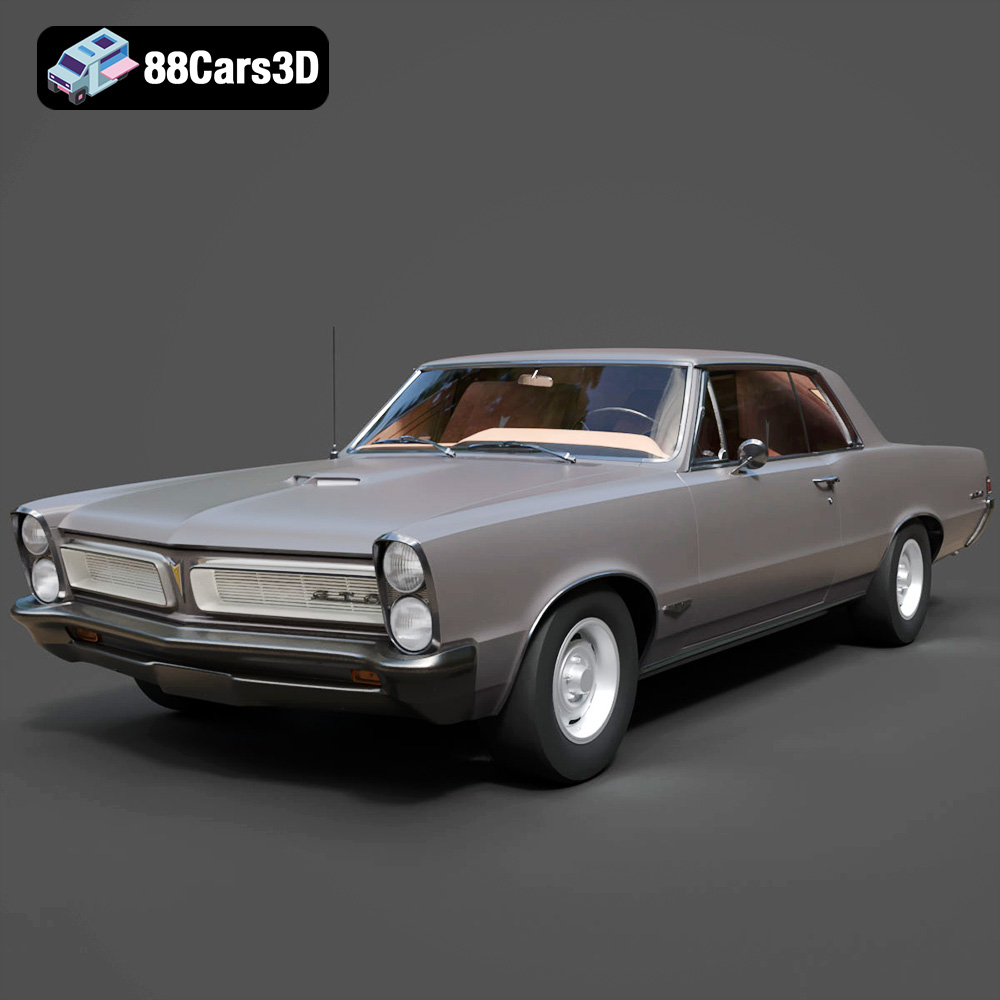
Texture: Yes
Material: Yes
Download the Pontiac GTO 1965 3D Model featuring clean geometry, realistic detailing, and a fully modeled interior. Includes .blend, .fbx, .obj, .glb, .stl, .ply, .unreal, and .max formats for rendering, simulation, and game development.
Price: $10
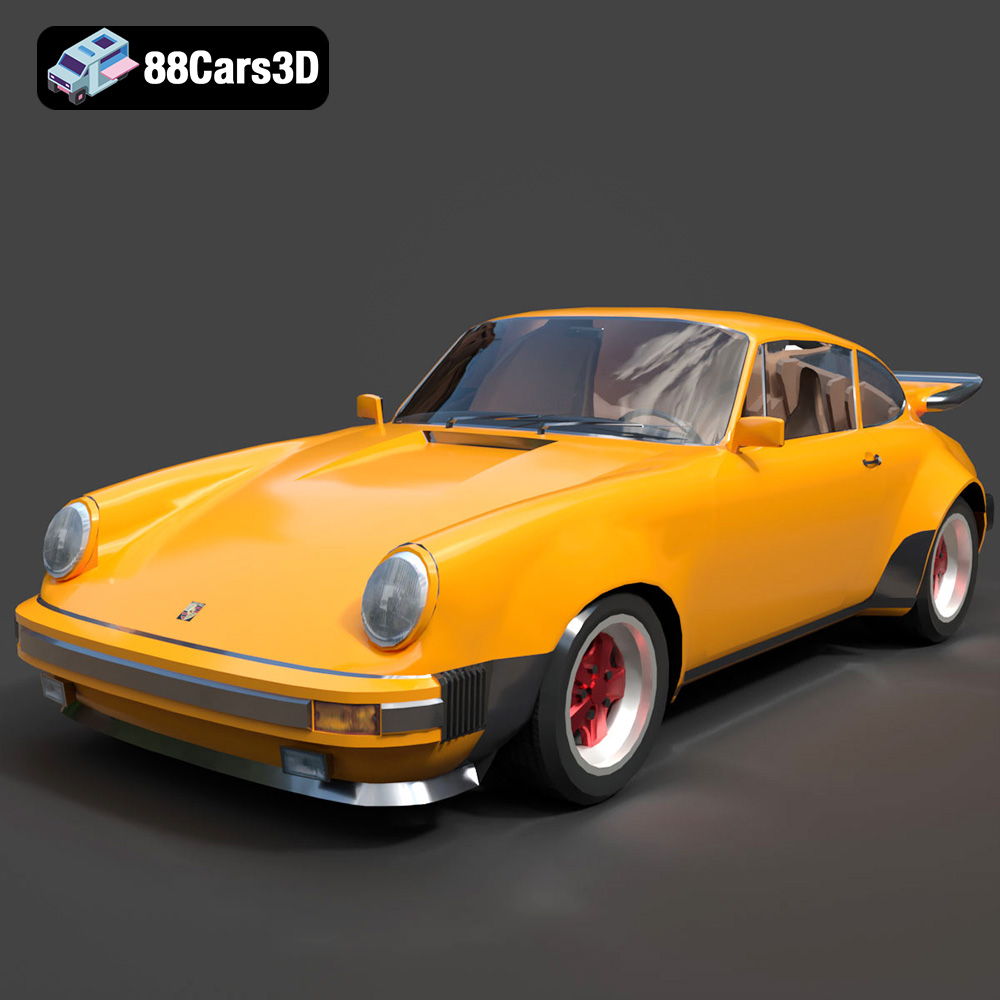
Texture: Yes
Material: Yes
Download the Porsche 911 Turbo 930 3D Model featuring clean geometry, realistic detailing, and a fully modeled interior. Includes .blend, .fbx, .obj, .glb, .stl, .ply, .unreal, and .max formats for rendering, simulation, and game development.
Price: $10

