Get 20% OFF All Premium 3D & STL Models!

The world of 3D automotive design is a vibrant intersection of art, engineering, and digital wizardry. From crafting breathtaking renders that grace magazine covers to developing interactive experiences in cutting-edge games and exploring the tactile reality of 3D printed custom parts, the demand for high-quality 3D car models is constantly accelerating. Whether you’re a seasoned 3D artist, a game developer pushing performance boundaries, an automotive designer visualizing future concepts, or an enthusiast bringing bespoke components to life, understanding the intricate technicalities behind creating and utilizing these digital assets is paramount.
This comprehensive guide delves deep into the essential workflows and advanced techniques required to master automotive 3D models. We’ll explore everything from the foundational principles of clean topology and intricate UV mapping to the nuances of physically based rendering (PBR), game engine optimization, and the practicalities of preparing models for stunning visualizations and even physical 3D printing. Join us as we demystify the processes that transform polygons into photorealistic vehicles and functional custom parts, equipping you with the knowledge to elevate your projects and leverage the full potential of high-fidelity 3D car models available on platforms like 88cars3d.com.
At the heart of any exceptional 3D car model lies impeccable topology. This isn’t merely about having enough polygons; it’s about how those polygons are arranged, dictating everything from how smoothly a surface reflects light to how easily it can be deformed or animated. For automotive models, precision is non-negotiable. Every curve, panel gap, and hard edge must be meticulously defined to capture the vehicle’s true essence. Poor topology can lead to artifacts, unsightly pinching, and difficulties in UV mapping or animation, ultimately compromising the visual quality and usability of the model.
Professional 3D artists adhere to strict guidelines, prioritizing quad-based geometry, especially for organic or smoothly curving surfaces. While triangles can exist, particularly in optimized game assets, a clean, quad-dominant mesh with well-planned edge loops is crucial for maintaining surface integrity and facilitating future modifications. This methodical approach ensures that the digital representation accurately mirrors the sophisticated engineering of a real car, a standard upheld by premium assets found on marketplaces like 88cars3d.com.
Clean topology for automotive models primarily revolves around maintaining an optimal poly count and meticulous edge flow. For high-fidelity renders, models often range from hundreds of thousands to several million polygons, ensuring every subtle curvature and detail is captured. The goal is to distribute polygons evenly, especially in areas of high curvature, to avoid faceting and maintain smooth reflections. Good edge flow means that edges follow the natural contours and creases of the car’s body panels, directing the flow of subdivisions and enabling flawless deformation if the model is ever rigged for animation (e.g., opening doors, suspension compression).
Specific techniques include using holding edges or “crease lines” to define sharp panel gaps without needing excessive subdivisions across the entire mesh. Artists also utilize careful triangulation in flat, non-deforming areas to save poly count, while reserving quad-dominant meshes for areas that require smooth reflections or potential deformation. Tools like the “Retopology” tools in Blender or ZBrush’s ZRemesher can assist in creating optimized, clean meshes from scanned data or high-sculpted forms, ensuring efficiency without sacrificing detail. Attention to these details prevents rendering artifacts like “pinching” or “bumps” that can ruin an otherwise perfect automotive render.
True automotive realism often requires intricate detailing that goes beyond the primary body panels. This includes interior components, engine bay elements, undercarriage details, and complex wheel assemblies. High-poly detailing involves modeling these components with a level of accuracy that allows for close-up renders, often incorporating boolean operations, intricate bevels, and specific material assignments for each part. Many professional workflows begin with CAD data, which offers unparalleled precision for hard-surface modeling. Software like Fusion 360, SolidWorks, or Rhino generates NURBS (Non-Uniform Rational B-Splines) geometry, which is mathematically precise and resolution-independent.
Converting CAD data to polygon meshes for rendering or game engines is a critical step. This conversion requires careful control over tessellation settings to balance fidelity with polygon count. Too few polygons, and the smooth NURBS curves become faceted; too many, and the mesh becomes unwieldy. Specialized plugins or features within 3ds Max, Maya, or Blender allow artists to import CAD formats like STEP or IGES and control the mesh density, ensuring the integrity of the original design is maintained. This integration of engineering precision with artistic refinement is what elevates a good 3D car model to an exceptional one, ready for any demanding visualization task.
Once a 3D car model boasts impeccable topology, the next crucial step is to give it a realistic surface. This is where materials and textures come into play, transforming a gray mesh into a gleaming automotive masterpiece. The industry standard for achieving photorealistic results is Physically Based Rendering (PBR). PBR materials simulate how light interacts with real-world surfaces, taking into account properties like reflectivity, roughness, and color in a physically accurate manner. This ensures that a material will look correct under any lighting condition, a critical factor for automotive rendering where reflections and specular highlights are paramount.
A well-executed PBR material system, combined with expert UV mapping, is what allows a digital car to appear as if it’s made of actual painted metal, rubber, glass, or leather. This involves creating a suite of texture maps (Albedo, Normal, Roughness, Metallic, Ambient Occlusion, etc.) that define these properties across the model’s surface. Without this meticulous attention to texturing, even the most perfectly modeled car would lack the visual punch required for high-end visualization or immersive interactive experiences.
UV mapping is the process of flattening the 3D surface of a model into a 2D space, allowing a 2D image (texture) to be wrapped around it. For complex automotive surfaces, this is a highly skilled task. The goal is to create UV layouts that minimize stretching and distortion, efficiently utilize texture space, and allow for easy texture painting. Automotive models often require multiple UV sets: one for the main body paint, another for interior details, and separate maps for wheels, tires, glass, and intricate emblems.
For large, continuous surfaces like a car’s body, techniques like “seam placement” are vital. Seams should be hidden in natural panel gaps or inconspicuous areas to prevent visible breaks in the texture. Texel density – the resolution of the texture per unit of surface area – must be consistent across the model to avoid blurriness or pixelation on different parts. Advanced workflows often utilize UDIMs (UV Dimension tiles), which allow artists to use multiple 2D texture maps across different UV tiles, effectively breaking a single model’s texture into manageable, higher-resolution sections. This is particularly useful for vehicles with immense detail or very high-resolution textures (e.g., 8K or 16K per UDIM tile), allowing for incredible clarity even in extreme close-ups. Software like 3ds Max, Maya, or Blender provide robust UV editing tools, including automatic unwrapping, projection mapping, and manual manipulation for precision.
PBR is the backbone of modern photorealistic rendering. It comes in two primary workflows: Metallic/Roughness and Specular/Glossiness. The Metallic/Roughness workflow, prevalent in game engines and many rendering packages, uses a ‘Metallic’ map to define what parts are metal (typically 0 or 1, black or white) and a ‘Roughness’ map to define how rough or smooth a surface is (0 for perfectly smooth/reflective, 1 for diffuse/matte). The ‘Albedo’ (or Base Color) map defines the base color of dielectric materials and the diffuse color of metallic materials. For automotive paint, a complex shader often layers clear coat effects, flake details, and metallic properties to accurately simulate real car finishes.
Beyond these core maps, ‘Normal’ maps add crucial surface detail (like subtle imperfections, scratches, or fabric weaves) without increasing polygon count. ‘Ambient Occlusion’ (AO) maps simulate soft shadows where surfaces are close together, adding depth. Other maps might include ‘Emissive’ for lights, ‘Opacity’ for transparent elements, or ‘Displacement’ maps for actual geometric changes (though less common for main car bodies due to high poly demands). Creating these maps often involves a combination of procedural generation, hand-painting in software like Substance Painter or Mari, and baking details from high-poly sculpts onto lower-poly game meshes. Understanding how each map contributes to the final material is key to creating believable automotive surfaces that respond accurately to light, bringing 3D car models to life.
Modeling and texturing are the foundations, but rendering is where the 3D car model truly comes alive. This stage is about translating all the geometric and material data into a final, photorealistic image or animation. Automotive rendering is an art form in itself, requiring a keen eye for composition, lighting, and environmental context. It’s the process that transforms a digital asset into a compelling visual, whether for marketing, design review, or cinematic sequences. The choice of rendering engine, coupled with expert lighting and post-processing, can dramatically influence the mood, realism, and overall impact of the final visualization.
From the subtle reflections on a polished fender to the intricate details of an interior, every element must contribute to the overall realism. This stage also demands a deep understanding of render settings, optimization techniques, and the capabilities of various software packages. The goal is to produce images that are indistinguishable from real-world photography, showcasing the automotive design in its best possible light.
The choice of rendering engine significantly impacts the quality and workflow of automotive visualizations. Each engine offers a unique blend of features, speed, and integration with 3D software.
Each of these engines provides the tools necessary to achieve cinema-quality automotive renders, with specific settings for global illumination, reflections, refractions, and depth of field, all contributing to the ultimate visual fidelity.
Effective lighting is arguably the most critical element in automotive rendering. It defines the mood, highlights the design’s features, and brings out the nuances of the materials.
Mastering these techniques transforms a good render into an exceptional, publication-ready visualization.
While high-fidelity rendering aims for photographic realism with no immediate constraints on poly count or texture resolution, interactive experiences like video games and AR/VR demand a different approach: real-time performance. Here, every polygon, every draw call, and every texture kilobyte counts. The goal is to maintain visual quality while ensuring smooth frame rates, responsive interactions, and efficient resource utilization across various hardware. This shift requires a deep understanding of optimization strategies tailored for game engines like Unity and Unreal Engine, and the unique challenges presented by augmented and virtual reality platforms.
Converting a high-poly automotive model built for rendering into a game-ready asset is a complex task involving significant poly reduction, UV reorganization, and specific texture workflows. The models available on 88cars3d.com often come pre-optimized for various applications, saving developers crucial time and effort in this demanding process.
Efficient game asset creation for 3D car models revolves around several key strategies:
Game engines automatically swap between these LODs based on the camera’s distance, dramatically reducing the poly count rendered at any given time.
AR/VR development imposes even stricter performance budgets than traditional games due to the need for extremely high and stable frame rates (typically 75-90+ FPS per eye) to prevent motion sickness.
Achieving real-time responsiveness in AR/VR with complex automotive models requires a highly disciplined approach to asset creation and a deep understanding of platform-specific limitations and best practices.
The journey of a 3D car model doesn’t always end on a screen. With the advent of accessible and advanced 3D printing technologies, these digital assets can be transformed into tangible, physical objects. This opens up an exciting realm for automotive enthusiasts, designers, and engineers: from creating scale models of their dream cars to fabricating custom replacement parts, accessories, or functional prototypes. However, preparing a 3D model for 3D printing requires a distinct set of considerations, differing significantly from the requirements for rendering or game engines.
Successful 3D printing hinges on a “watertight” mesh, appropriate wall thickness, and careful attention to scale and detail. Understanding these requirements is crucial for anyone looking to bridge the gap between their digital automotive designs and the physical world. Leveraging high-quality 3D car models as a starting point, perhaps from a platform like 88cars3d.com, can significantly streamline the process, as many aspects of the initial modeling are already professionally handled.
Preparing a 3D model for printing involves a technical translation from a potentially “visual-only” mesh to a “physically manufacturable” one:
3D printing empowers automotive enthusiasts and professionals to create unique, functional, or aesthetic custom car parts:
The ability to transition a digital automotive design into a physical custom part opens up endless possibilities for innovation and personalization, making 3D modeling skills even more valuable.
In the diverse ecosystem of 3D software and applications, file formats act as the universal language. However, not all formats are created equal, and understanding their strengths, weaknesses, and intended uses is crucial for seamless workflows, especially when exchanging complex 3D car models between different programs or for various purposes (rendering, gaming, AR/VR, 3D printing). Misunderstandings or improper conversions can lead to lost data, broken UVs, incorrect scaling, or missing materials, turning a smooth workflow into a frustrating ordeal. Knowing which format to use for which task is a cornerstone of professional 3D asset management.
When you acquire 3D car models from platforms like 88cars3d.com, they typically offer a selection of widely compatible formats to ensure you can integrate them directly into your preferred pipeline without unnecessary headaches. This cross-platform compatibility is a significant time-saver and a hallmark of high-quality assets.
Here’s a breakdown of the most common and critical 3D file formats encountered in automotive design:
Achieving a smooth workflow when moving 3D car models between different software and platforms requires vigilance:
By understanding these file formats and conversion best practices, you can ensure your 3D car models transition smoothly across any stage of the digital and physical production pipeline.
The journey through the intricate world of 3D automotive modeling reveals a fascinating blend of artistic skill, technical prowess, and meticulous attention to detail. From establishing a flawless foundation with clean topology and expert UV mapping to crafting photorealistic surfaces with advanced PBR materials, every step contributes to the creation of truly captivating digital vehicles. We’ve explored how these 3D car models come alive through sophisticated rendering workflows, are optimized for peak performance in game engines and immersive AR/VR experiences, and even transcend the digital realm to become tangible custom parts through 3D printing.
Mastering these concepts—whether it’s understanding the nuances of different file formats or implementing performance optimization strategies—is essential for any professional navigating the evolving landscape of 3D design. The demand for high-quality 3D assets continues to grow across industries, driving innovation in automotive design, gaming, visualization, and beyond. By applying the knowledge and techniques discussed, you are well-equipped to tackle complex projects and produce stunning results.
For those seeking a head start, platforms like 88cars3d.com offer a curated selection of premium 3D car models, meticulously crafted with clean topology, realistic materials, and various formats, ready to be integrated into your next project. Investing in high-quality base assets allows you to focus your expertise on customization, optimization, and bringing your unique vision to life. Dive in, experiment, and continue pushing the boundaries of what’s possible with 3D automotive design.
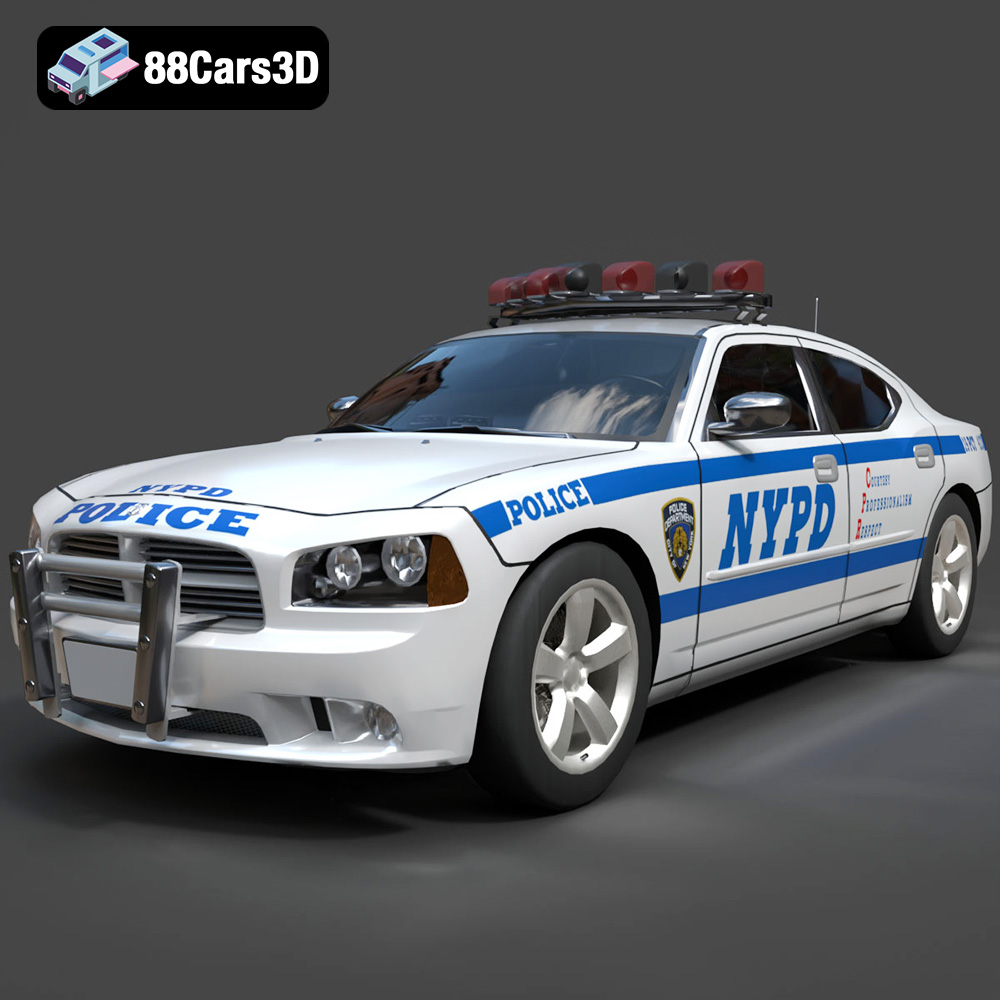
Texture: Yes
Material: Yes
Download the Dodge Charger Police NYPD 3D Model featuring clean geometry, realistic detailing, and a fully modeled interior. Includes .blend, .fbx, .obj, .glb, .stl, .ply, .unreal, and .max formats for rendering, simulation, and game development.
Price: $10
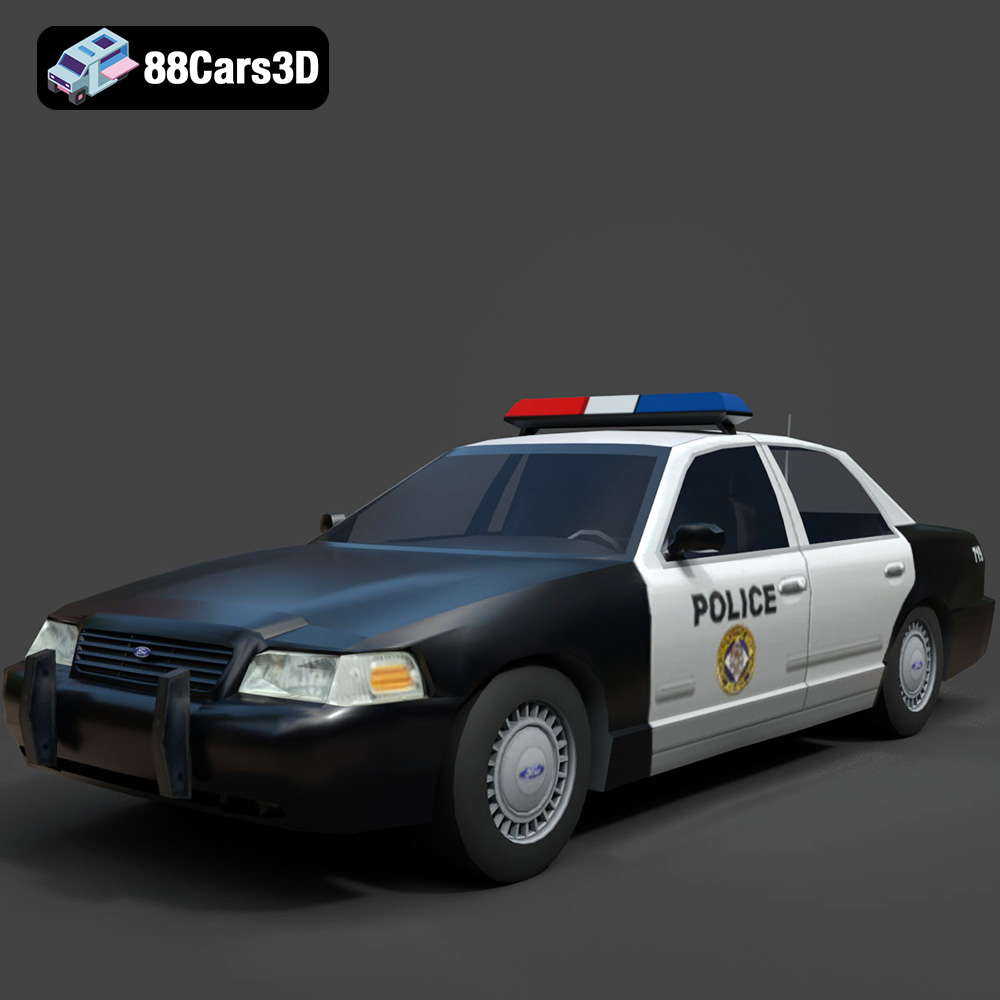
Texture: Yes
Material: Yes
Download the Ford Crown Victoria Police 2011 3D Model featuring clean geometry, realistic detailing, and a fully modeled interior. Includes .blend, .fbx, .obj, .glb, .stl, .ply, .unreal, and .max formats for rendering, simulation, and game development.
Price: $10
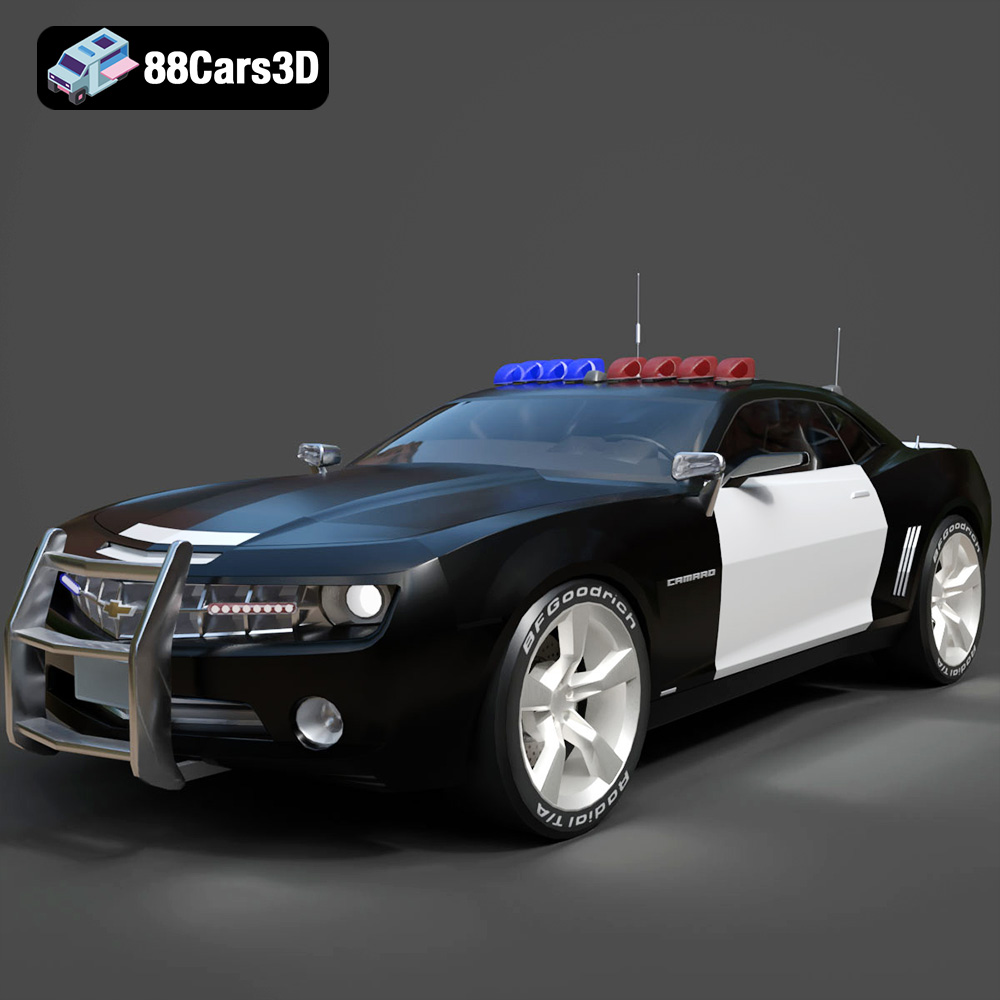
Texture: Yes
Material: Yes
Download the Chevrolet Camaro Patrol SUV 2025 3D Model featuring clean geometry, realistic detailing, and a fully modeled interior. Includes .blend, .fbx, .obj, .glb, .stl, .ply, .unreal, and .max formats for rendering, simulation, and game development.
Price: $10
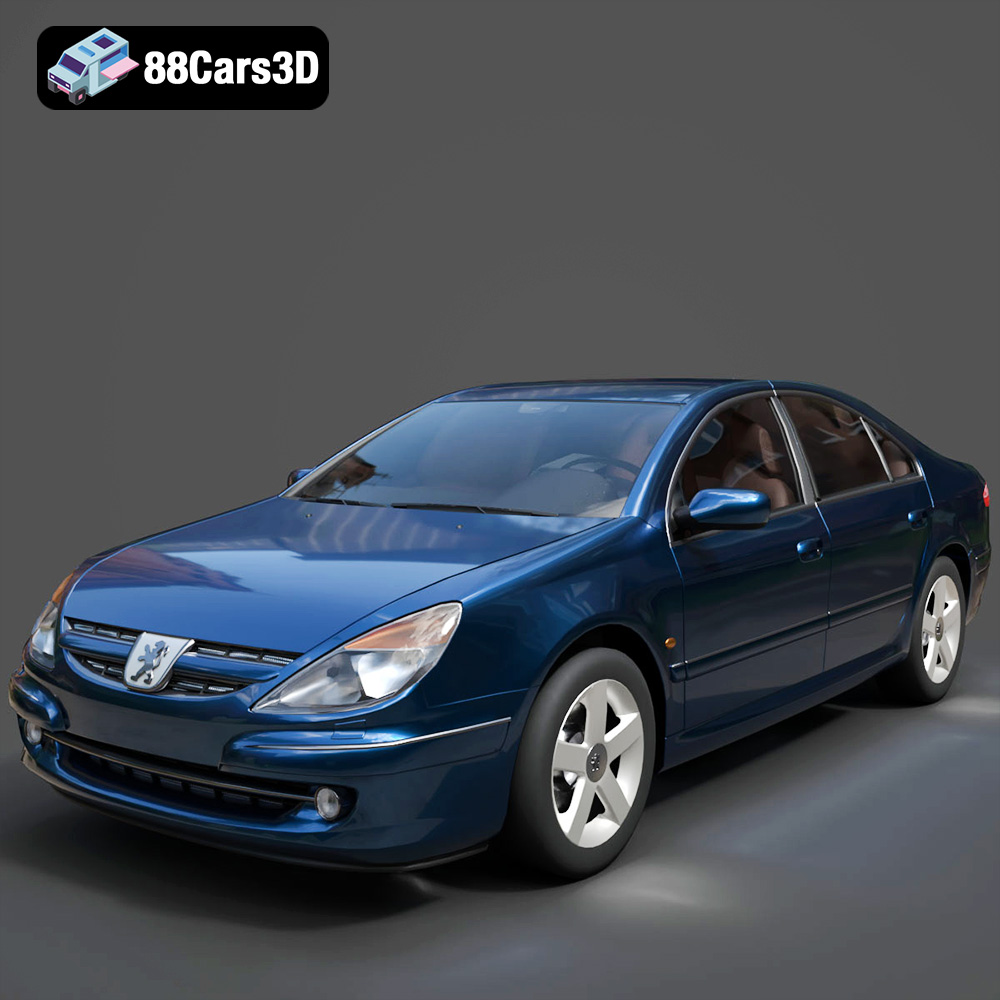
Texture: Yes
Material: Yes
Download the Peugeot 607 3D Model featuring clean geometry, realistic detailing, and a fully modeled interior. Includes .blend, .fbx, .obj, .glb, .stl, .ply, .unreal, and .max formats for rendering, simulation, and game development.
Price: $10
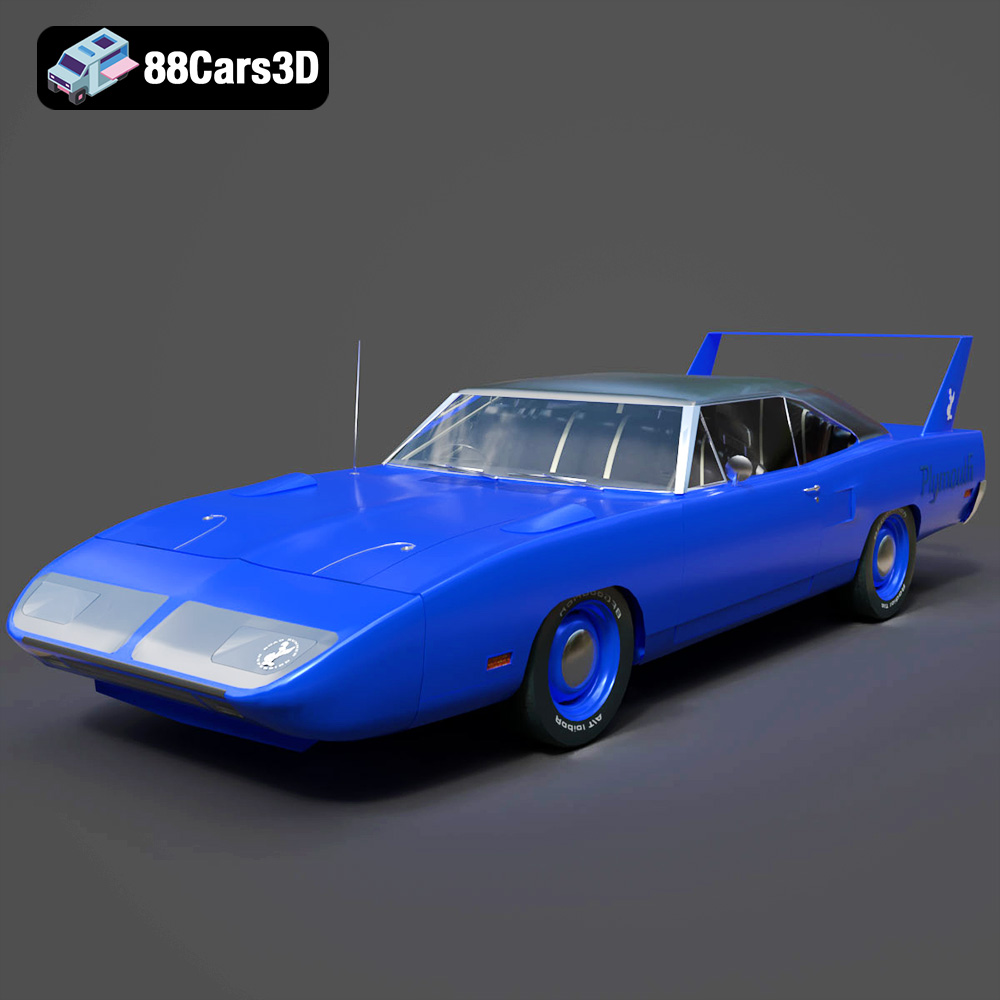
Texture: Yes
Material: Yes
Download the Plymouth Roadrunner Superbird 1970 3D Model featuring clean geometry, realistic detailing, and a fully modeled interior. Includes .blend, .fbx, .obj, .glb, .stl, .ply, .unreal, and .max formats for rendering, simulation, and game development.
Price: $10
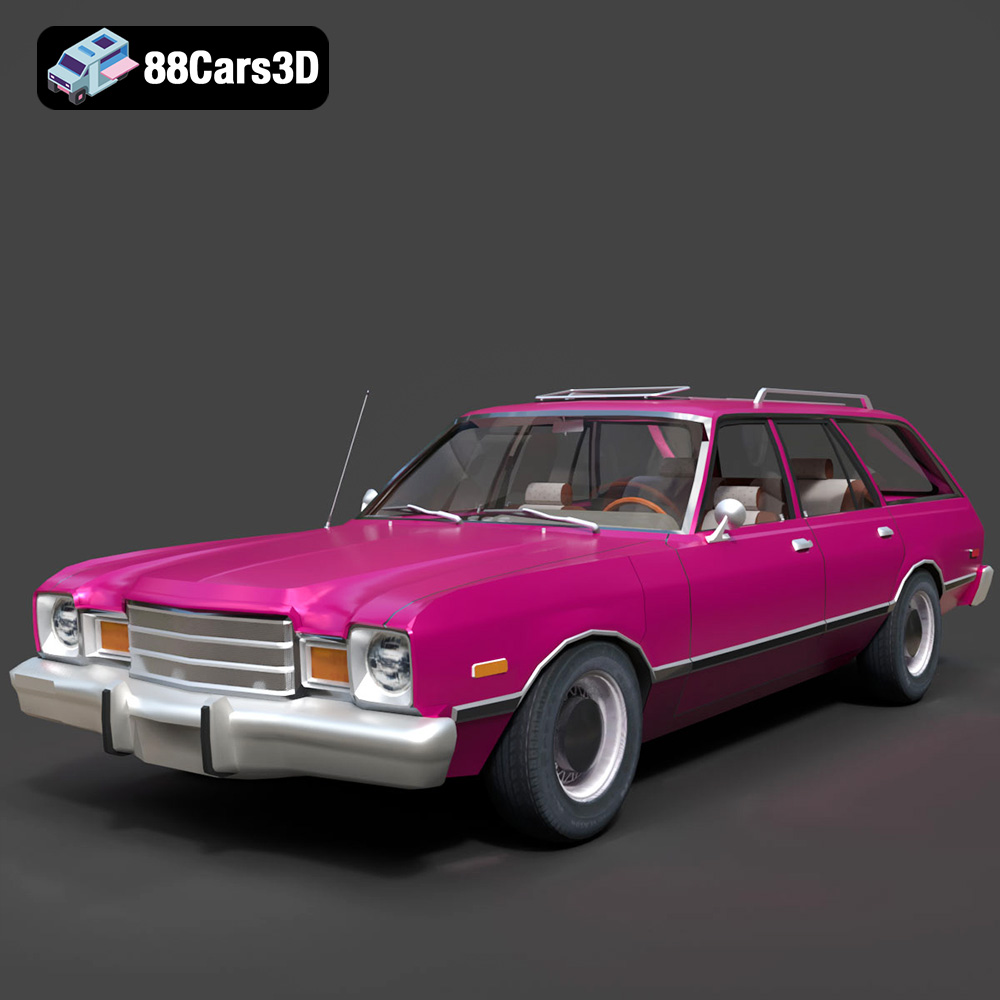
Texture: Yes
Material: Yes
Download the Plymouth Volare 1978 3D Model featuring clean geometry, realistic detailing, and a fully modeled interior. Includes .blend, .fbx, .obj, .glb, .stl, .ply, .unreal, and .max formats for rendering, simulation, and game development.
Price: $10
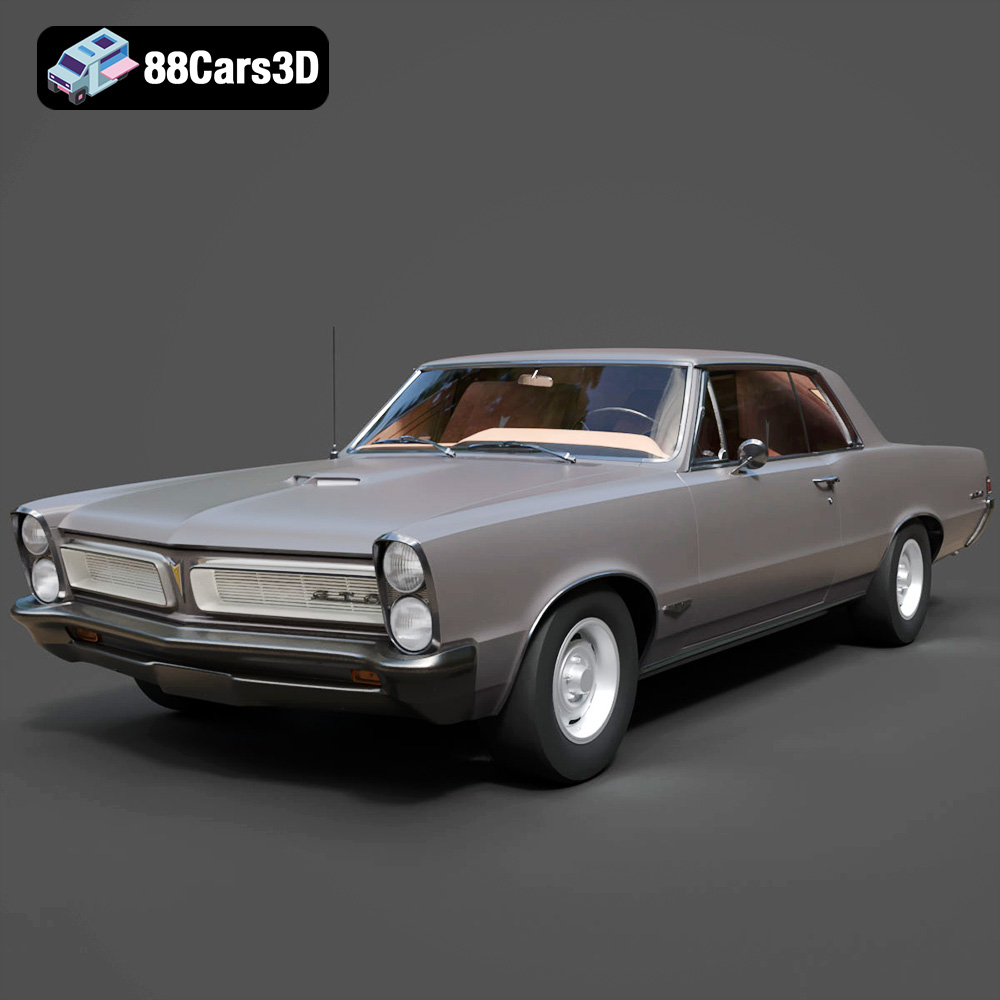
Texture: Yes
Material: Yes
Download the Pontiac GTO 1965 3D Model featuring clean geometry, realistic detailing, and a fully modeled interior. Includes .blend, .fbx, .obj, .glb, .stl, .ply, .unreal, and .max formats for rendering, simulation, and game development.
Price: $10
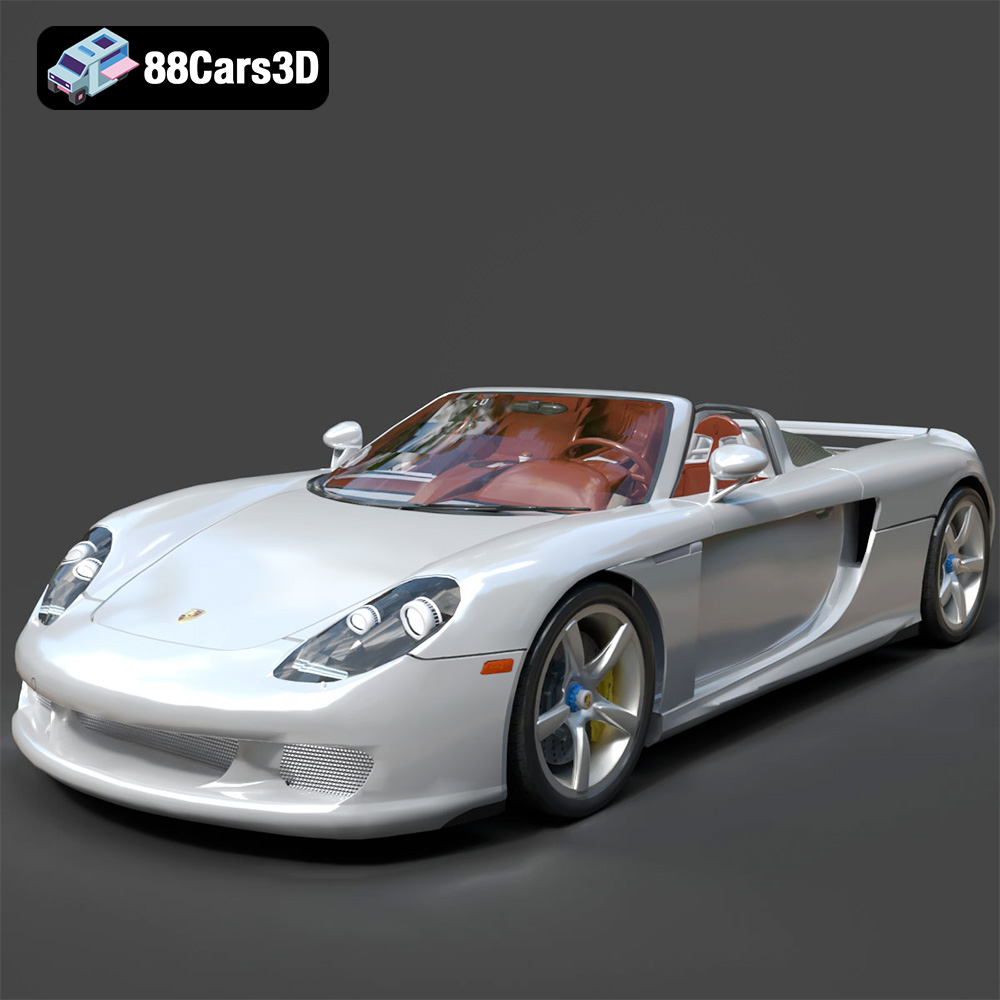
Texture: Yes
Material: Yes
Download the Porsche Carrera GT 3D Model featuring clean geometry, realistic detailing, and a fully modeled interior. Includes .blend, .fbx, .obj, .glb, .stl, .ply, .unreal, and .max formats for rendering, simulation, and game development.
Price: $10
Texture: Yes
Material: Yes
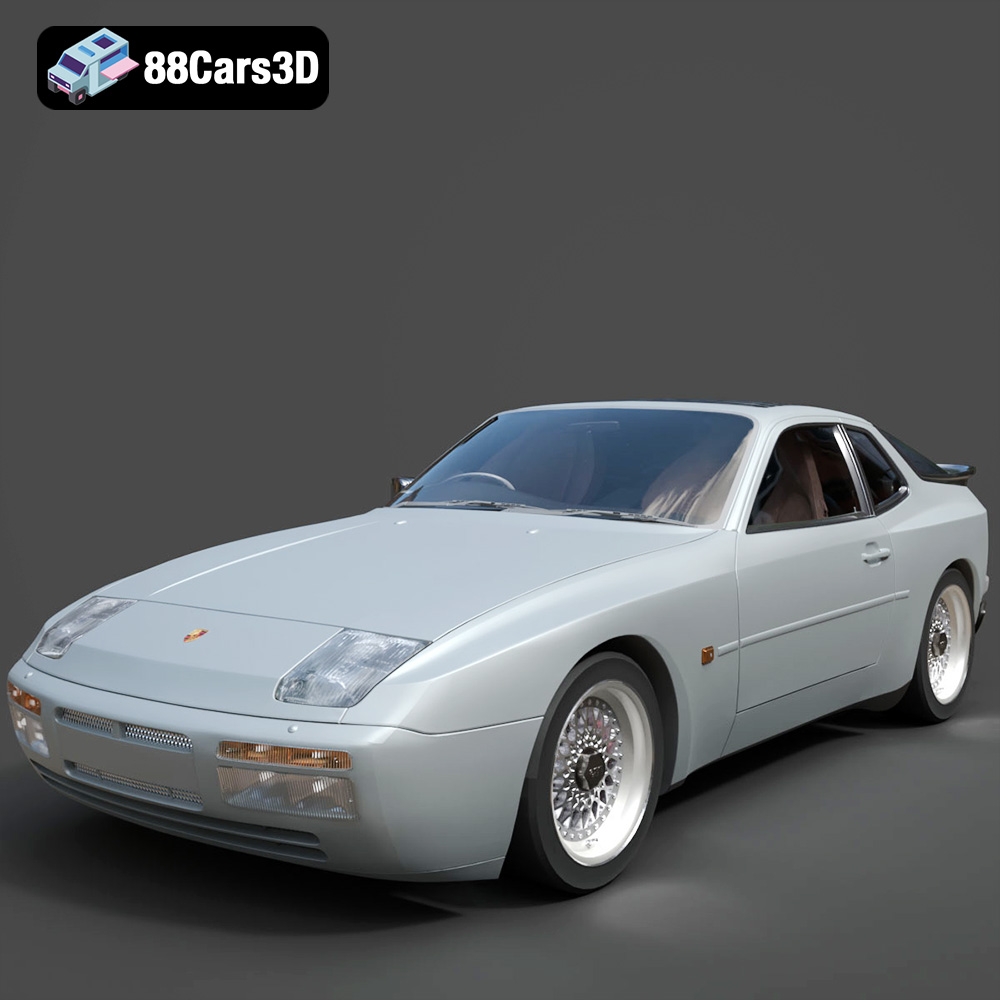
Download the Porsche 944 3D Model featuring clean geometry, realistic detailing, and a fully modeled interior. Includes .blend, .fbx, .obj, .glb, .stl, .ply, .unreal, and .max formats for rendering, simulation, and game development.
Price: $10
Texture: Yes
Material: Yes
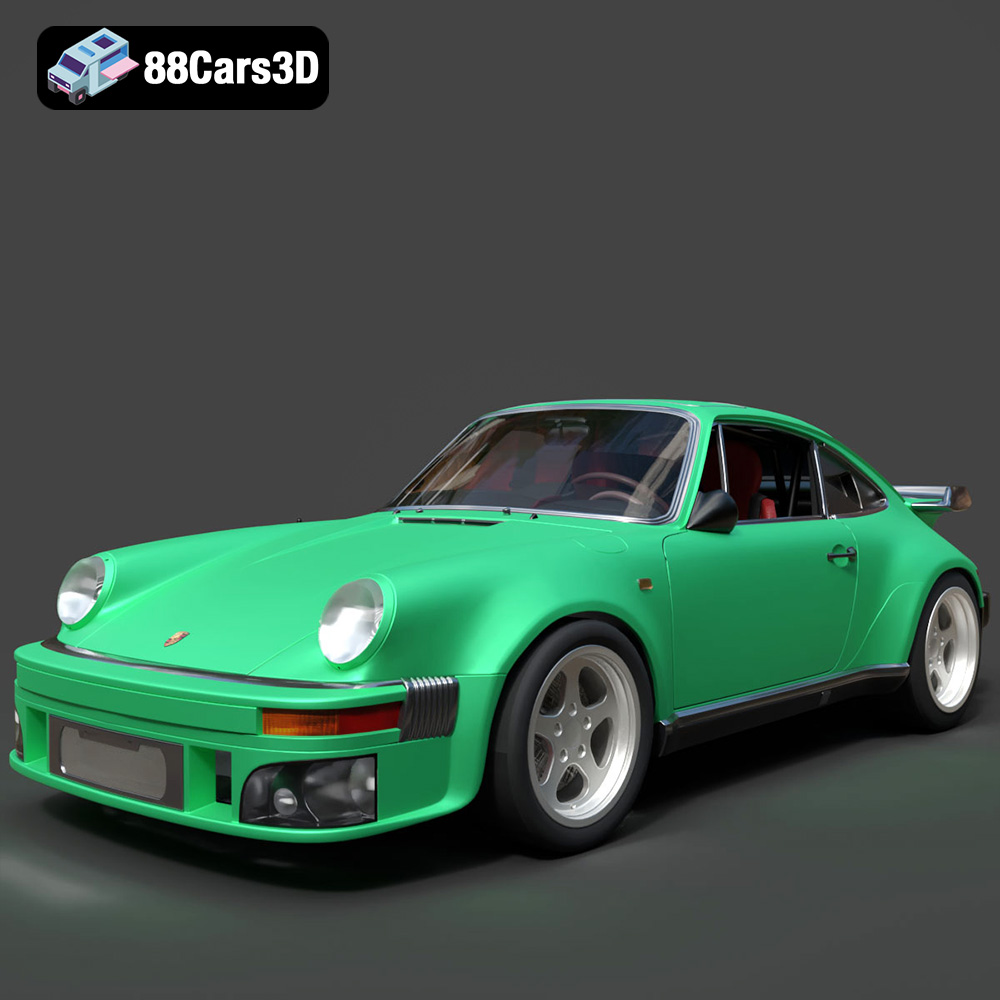
Download the Porsche 964 3D Model featuring clean geometry, realistic detailing, and a fully modeled interior. Includes .blend, .fbx, .obj, .glb, .stl, .ply, .unreal, and .max formats for rendering, simulation, and game development.
Price: $10

