Get 20% OFF All Premium 3D & STL Models!

In the dynamic world of automotive design and visualization, the creation of accurate, high-quality 3D car models has become an indispensable foundation. From concept ideation to hyper-realistic renders, interactive game environments, and even the fabrication of tangible *custom 3D car parts*, digital modeling fuels innovation at every turn. The precision and flexibility offered by 3D technology empower designers, engineers, and enthusiasts alike to push the boundaries of what’s possible.
This comprehensive guide delves deep into the intricate workflows and technical considerations behind creating, optimizing, and deploying exceptional 3D car models. We’ll explore the critical aspects of topology, UV mapping, PBR material creation, advanced rendering techniques, and game engine optimization. Crucially, we’ll also shine a spotlight on the burgeoning field of 3D printing custom automotive parts, detailing the steps from digital model to physical component. Whether you’re an aspiring 3D artist, a seasoned game developer, an automotive engineer, or simply curious about the synergy between digital design and manufacturing, prepare to unlock a wealth of technical insights that will elevate your projects. Platforms like 88cars3d.com provide an excellent starting point, offering a vast library of meticulously crafted 3D car models that serve as perfect assets for any of these applications.
The foundation of any superior 3D car model lies in its topology – the arrangement of vertices, edges, and faces that define its mesh. For automotive design, where smooth, flowing curves and intricate details are paramount, clean and efficient topology is not just an aesthetic choice; it’s a technical imperative. Poor topology can lead to pinching, unsightly shading artifacts, difficult UV unwrapping, and issues with animation or deformation. A well-constructed mesh utilizes predominantly quad-based polygons, ensuring predictable subdivision behavior and seamless integration with various software workflows. Understanding edge flow – how edges guide the mesh’s curvature and define contours – is crucial for capturing the distinct lines and subtle surfaces of a vehicle. This attention to detail is what separates a basic model from a professional-grade asset ready for high-fidelity automotive rendering or even manufacturing.
Most professional 3D car models are built with subdivision surface modeling in mind. This technique involves creating a relatively low-polygon base mesh that can be smoothly subdivided at render time or export, adding detail without manual effort. Key best practices include:
1. **Quad Dominance:** Aim for 95%+ quads. Triangles can cause unpredictable pinching and are generally avoided in subdivision surfaces unless absolutely necessary for specific detailing, and even then, their placement is strategic.
2. **Controlled Edge Flow:** Ensure edge loops follow the natural contours and hard edges of the car. This is vital for maintaining crisp panel lines, door seams, and fender flares. Use supporting edge loops (crease edges) near hard angles to prevent excessive smoothing when subdivided.
3. **Pole Management:** Poles (vertices where more or less than four edges meet) are inevitable but should be strategically placed in flatter, less visible areas. Avoid placing 5-edge poles on highly curved surfaces, as they can cause visible distortion. 3-edge poles are generally less problematic but still require careful placement.
4. **Uniform Density:** Strive for an even distribution of polygons across the surface. Avoid areas with overly dense or sparse geometry, which can lead to rendering issues or inefficient use of polygons.
While a high-quality, subdivision-ready mesh is ideal for automotive rendering and visualization, different applications demand different levels of optimization:
* **High-Poly Rendering/Film:** These models can afford very dense meshes, often with millions of polygons after subdivision. The focus is on capturing every minute detail for ultimate realism.
* **Game Assets:** Requires significant optimization. Multiple Levels of Detail (LODs) are essential (e.g., LOD0: 50k-150k triangles; LOD1: 20k-50k; LOD2: 5k-20k). Topology must be clean for real-time deformation and efficient rendering. Normal maps bake high-poly details onto low-poly meshes.
* **AR/VR:** Similar to game assets but with even stricter performance budgets. Models need to be extremely lightweight (e.g., <50k triangles for an entire car) to maintain high frame rates.
* **3D Printing:** While topology doesn't strictly need to be quad-based, the mesh must be "watertight" (no holes or non-manifold geometry) and have sufficient wall thickness. Triangulated meshes are common for 3D printing, but clean original quad topology aids in preparation.
Once the geometric form of your 3D car model is perfected, the next crucial step is dressing it with realistic textures and materials. This is achieved through meticulous UV mapping and the creation of Physically Based Render (PBR) materials. UV mapping is the process of flattening the 3D surface of your model into a 2D space, allowing a 2D image (texture) to be wrapped around it. Without proper UVs, textures will appear distorted, stretched, or misaligned, completely breaking the illusion of realism. PBR materials, on the other hand, define how light interacts with the surface, simulating real-world physical properties to achieve accurate and consistent lighting across different rendering environments. This combination is essential for delivering the visual fidelity expected in modern automotive rendering and interactive applications.
Unwrapping a complex object like a car requires a strategic approach to minimize seams, prevent stretching, and maximize texture resolution.
1. **Seam Placement:** Strategically place UV seams along natural breaks in the geometry (e.g., panel gaps, underside edges, hidden areas) to make them less noticeable.
2. **Projection Methods:** Utilize a combination of projection methods:
* **Planar Mapping:** Ideal for flat or slightly curved surfaces (e.g., windows, license plates).
* **Cylindrical/Spherical Mapping:** Useful for tires or curved body panels, though often refined with manual cuts.
* **Box Mapping:** A quick start for complex objects but requires significant cleanup.
* **Automated Tools:** Software like 3ds Max, Blender, or Maya offer robust unwrapping tools (e.g., Pelt Mapping, LSCM) that intelligently cut and flatten meshes.
3. **UDIM Workflow:** For extremely high-resolution 3D car models (common in film or arch-viz), UDIMs (U-Dimension) allow you to use multiple UV tiles (separate 2D spaces) for different parts of the model, bypassing the 0-1 UV space limitation. This enables incredibly detailed textures without resolution loss, typically used with software like Mari or Substance Painter.
4. **Checking for Distortion:** Always use a checker map during unwrapping to visually inspect for stretching or compression in your UVs. The checker pattern should appear uniform across the model.
5. **Texture Density:** Ensure a consistent texel density across the entire model. This means that a given area on your model corresponds to a similar number of pixels in your texture map, preventing some parts from looking blurry while others are sharp.
PBR is the industry standard for creating realistic materials. Instead of trying to simulate light interaction, PBR materials describe the physical properties of a surface that dictate how it reflects and absorbs light. Key PBR maps include:
* **Albedo/Base Color:** Represents the diffuse color of the surface (without lighting information). For metallic surfaces, this is typically black, with the metallic map defining the color.
* **Metallic:** A grayscale map (0 to 1) indicating how metallic a surface is. 0 (black) is dielectric (non-metal), 1 (white) is metal.
* **Roughness/Glossiness:** A grayscale map indicating the microsurface imperfections. Roughness (0=smooth, 1=rough) or Glossiness (0=rough, 1=smooth) determines the spread and intensity of reflections. Car paint often features varying levels of roughness.
* **Normal Map:** Adds surface detail (bumps, scratches, engravings) without adding actual geometry. Crucial for baking high-poly details onto low-poly game assets.
* **Ambient Occlusion (AO):** Simulates self-shadowing in crevices and corners, adding depth and realism. Usually blended into the Albedo or directly into the shader network.
These maps are typically generated in dedicated texturing software like Adobe Substance Painter or Quixel Mixer. For instance, to create realistic car paint, one might layer a base metallic material, add a clear coat layer with specific roughness and normal map details for orange peel effect, and then introduce fine dirt or dust layers using masks generated from curvature or ambient occlusion. Sourcing high-quality PBR textures or creating them with these tools ensures your 3D car models look impeccable under any lighting condition.
Bringing a 3D car model to life often culminates in rendering – the process of generating a 2D image from your 3D scene. For automotive visualization, photorealism is the ultimate goal, requiring a deep understanding of lighting, camera properties, material interactions, and render engine capabilities. Professional automotive rendering workflows leverage advanced techniques to simulate light paths, reflection, refraction, and subsurface scattering, transforming raw geometry and textures into breathtaking visuals that are indistinguishable from real-world photography. Whether for marketing, design reviews, or artistic showcases, a masterful render elevates a model from a digital asset to a compelling narrative.
Lighting is arguably the most critical element in a photorealistic car render. It defines form, highlights materials, and sets the mood.
1. **HDRI (High Dynamic Range Image) Lighting:** The cornerstone of modern realistic lighting. HDRIs capture real-world lighting environments, providing accurate global illumination, reflections, and ambient light. Using HDRIs from studios, outdoor scenes, or custom environments can instantly ground your car in a believable space. Software like 3ds Max (with Corona or V-Ray), Blender (Cycles), or Maya (Arnold) seamlessly integrate HDRI setups.
2. **Studio Lighting:** For clean, controlled, and dramatic shots, a studio setup with virtual area lights, softboxes, and reflectors is preferred.
* **Key Light:** The primary light source, defining the main shape and shadows.
* **Fill Light:** Softens shadows created by the key light.
* **Rim/Back Light:** Creates a highlight along the edges, separating the car from the background and enhancing its silhouette.
* **Caustics:** Especially important for headlights and taillights. Simulating how light passes through transparent and refractive elements requires advanced settings in render engines to capture the intricate light patterns.
3. **Physical Camera Settings:** Mimic a real-world camera for authenticity. Adjust f-stop (aperture), shutter speed, ISO, and focal length. A shallow depth of field (low f-stop) can isolate the car from the background, while specific focal lengths (e.g., 85mm-135mm for portraits) can capture flattering perspectives.
Different render engines offer unique strengths and workflows.
* **Corona Renderer (3ds Max):** Known for its ease of use, physically accurate light simulation, and excellent unbiased rendering quality. Its interactive renderer is fantastic for quick adjustments. Optimize by using adaptive image sampling, denoisers, and efficient material setups.
* **V-Ray (3ds Max, Maya, SketchUp):** A industry stalwart, offering immense control and speed for biased and unbiased rendering. Features like GPU rendering, light cache, and irradiance maps accelerate complex scenes. V-Ray Car Paint material shaders are highly advanced.
* **Cycles (Blender):** Blender’s built-in physically based renderer. It offers both CPU and GPU rendering (CUDA, OptiX, Metal). Excellent for physically accurate results. Optimization involves reducing light bounces, using portals for interior scenes, and leveraging built-in denoisers (OptiX, OIDN).
* **Arnold (Maya, 3ds Max, Houdini):** Renowned for its robustness in film and animation, Arnold is an unbiased, CPU-based renderer (with experimental GPU support). Its nodal material system allows for complex shader networks, perfect for intricate car paint effects or layered materials. Optimize with adaptive sampling and efficient lighting.
Regardless of the engine, always utilize render passes (e.g., Diffuse, Reflection, Refraction, Z-Depth, Alpha, Normals) to gain maximum control during **post-processing and compositing** in software like Adobe Photoshop or Affinity Photo. This non-destructive workflow allows for fine-tuning colors, contrast, highlights, and adding effects without re-rendering the entire image, saving significant time and providing artistic flexibility.
The world of interactive media – video games, simulations, and real-time configurators – demands a different approach to 3D car models than static renders. Here, performance is paramount. Every polygon, texture, and shader instruction contributes to the overall frame rate, and exceeding budgets can lead to a choppy, unplayable experience. Integrating 3D car models into game engines like Unity or Unreal Engine requires meticulous optimization, balancing visual fidelity with real-time performance. The goal is to make the models look as good as possible while running smoothly on a wide range of hardware. This involves specific techniques to reduce computational load without sacrificing the immersive quality expected from modern **game assets**.
One of the most critical optimization techniques for game assets is the implementation of Levels of Detail (LODs).
1. **LOD Generation:** Create multiple versions of your 3D car model, each with a progressively lower polygon count.
* **LOD0 (High Detail):** Visible up close (e.g., 50,000 – 150,000 triangles for the exterior). This version typically uses the full set of textures and materials.
* **LOD1 (Medium Detail):** Visible at mid-range distances (e.g., 20,000 – 50,000 triangles). Textures might be slightly lower resolution, or fewer material layers.
* **LOD2 (Low Detail):** Visible from afar (e.g., 5,000 – 20,000 triangles). Simplistic geometry, reduced texture sets.
* **LOD3 (Billboards/Proxy):** For very distant objects, a simple billboard (2D image) or a very low-poly proxy (100-500 triangles) might suffice.
2. **Automatic vs. Manual LODs:** While game engines offer automatic LOD generation, manually creating or refining LODs often yields better visual results and greater control over polygon reduction, ensuring important details are preserved.
3. **Draw Call Reduction:** Each material or mesh rendered individually by the CPU constitutes a “draw call,” which can quickly become a bottleneck.
* **Combine Meshes:** Merge smaller, static meshes into larger ones where possible (e.g., interior elements) to reduce draw calls.
* **Material Instancing:** Use instanced materials whenever possible. This allows multiple objects to share the same base material, but with unique parameter overrides (e.g., different car colors using the same paint shader).
* **Texture Atlasing:** Combine multiple small textures into one larger texture atlas. This means the engine only needs to load one texture for several different components, reducing memory overhead and draw calls. For a car, this could mean headlights, taillights, badges, and interior buttons all sharing one atlas.
Textures and materials significantly impact real-time performance and memory usage.
1. **Texture Resolution and Compression:** Use appropriate texture resolutions (e.g., 2048×2048, 1024×1024) and optimize their file sizes using engine-specific compression settings (e.g., DXT for diffuse, BC5 for normal maps in Unreal Engine). Reduce resolutions for LODs.
2. **Material Complexity:** Keep shader networks as simple as possible. Avoid complex math operations or excessive texture lookups unless absolutely necessary. Use cheaper alternatives where visual impact is minimal. For instance, sometimes a simple flat color with a tint is sufficient instead of a full PBR material for very distant objects.
3. **Shader Instancing:** As mentioned above, this is crucial. Instead of having unique materials for every variation (e.g., red car, blue car, green car), create a master material and then instanced materials that only change color parameters. This reduces shader permutations and memory.
4. **Vertex Colors:** For subtle variations or dirt/wear effects, vertex colors can sometimes be a more performance-friendly alternative to complex texture masks, especially for less prominent parts of the model.
5. **Culling Techniques:** Implement frustum culling (objects outside the camera’s view are not rendered) and occlusion culling (objects hidden behind other objects are not rendered) to further optimize rendering. Most modern game engines handle these automatically, but understanding their principles can aid scene setup.
Beyond visualization and interactive experiences, 3D car models are increasingly bridging the gap to the physical world through 3D printing. This transformative technology allows for the rapid prototyping, design validation, and even final production of *custom 3D car parts*. From bespoke interior trim pieces and aerodynamic components to specialized tooling and classic car restoration parts, 3D printing offers unprecedented design freedom, cost-effectiveness for low-volume production, and speed. It has democratized manufacturing, empowering individuals and small businesses to create components that would be prohibitively expensive or impossible with traditional methods. Leveraging a high-quality digital foundation, such as the detailed *3D car models* available on platforms like 88cars3d.com, is the first step towards realizing these tangible innovations.
Converting a visual 3D model into a printable file requires specific technical considerations to ensure a successful physical output.
1. **Watertight Mesh (Manifold Geometry):** This is the most critical requirement. A 3D printable model must be a “solid” object with no holes, gaps, intersecting faces, or internal geometry. Every edge must be connected to exactly two faces. Non-manifold geometry (e.g., an edge connected to more than two faces) will cause issues with slicing software. Tools like Blender’s 3D Print Toolbox, Autodesk Meshmixer, or Netfabb are invaluable for checking and repairing mesh errors.
2. **Wall Thickness:** Ensure that all surfaces have a sufficient wall thickness for the chosen 3D printing technology and material. Too thin, and parts will be fragile or fail to print. Typical minimums range from 0.8mm to 2mm, depending on scale and material.
3. **Scale and Units:** Verify the model’s scale is correct in your 3D software before exporting. Exporting in real-world units (mm, cm, inches) prevents scaling errors during the printing process.
4. **Mesh Resolution (Triangle Count):** While a visually smooth model might have millions of polygons, for 3D printing, a mesh with 100,000 to 500,000 triangles is usually sufficient to capture fine details without creating excessively large files. Overly dense meshes can overwhelm slicers.
5. **File Formats:** The most common file formats for 3D printing are:
* **STL (STereoLithography):** The industry standard, representing a model as a series of connected triangles. It lacks color information but is universally supported.
* **OBJ (Object):** Can store color and texture information (though not typically used for simple 3D prints), and supports quads/triangles.
* **3MF (3D Manufacturing Format):** A newer, more robust format that includes material, color, and internal structure information, aiming to replace STL.
The versatility of 3D printing technology has opened numerous avenues for automotive applications:
* **Rapid Prototyping:** Quickly produce physical prototypes of concept designs for form, fit, and aesthetic evaluation, dramatically accelerating design iterations. This could be anything from a dashboard component to an exterior aerodynamic fin.
* **Custom Interior/Exterior Components:** Manufacture bespoke parts for personalization, restoration, or specialized needs. This includes custom shifter knobs, gauge pods, trim pieces, air vents, or even unique body kit elements.
* **Jigs, Fixtures, and Tooling:** Create custom tools for assembly lines, measurement guides, or repair jigs, streamlining manufacturing processes and reducing costs.
* **Classic Car Restoration:** Fabricate hard-to-find or obsolete parts (e.g., specific clips, brackets, vent grilles) for vintage vehicles, breathing new life into classic automobiles.
* **Functional Components (Limited):** With advanced materials and processes (like metal 3D printing), functional components for performance applications are becoming feasible, though still largely in R&D stages for critical load-bearing parts.
Common 3D printing materials and technologies:
* **FDM (Fused Deposition Modeling):** Uses thermoplastic filaments (PLA, ABS, PETG, Nylon). Affordable, versatile, good for prototypes and functional parts with specific material properties.
* **SLA (Stereolithography) / DLP (Digital Light Processing):** Uses photopolymer resins cured by UV light. Excellent for high detail, smooth finishes, and intricate designs. Ideal for aesthetic prototypes and precise fitment.
* **SLS (Selective Laser Sintering):** Uses powdered polymers (Nylon PA12). Produces strong, durable parts with good surface finish, often used for functional prototypes and end-use parts. No support structures needed, allowing for complex geometries.
* **Metal 3D Printing (DMLS, SLM):** Uses metal powders (aluminum, titanium, steel alloys) fused by a laser. Produces incredibly strong, dense metal parts, suitable for high-performance or lightweight functional components, though very expensive and complex.
The utility of high-quality 3D car models extends far beyond traditional rendering and manufacturing. Augmented Reality (AR) and Virtual Reality (VR) are revolutionizing how we interact with digital content, offering immersive experiences for design review, sales, and entertainment. From visualizing a new car in your driveway via AR to test-driving a concept vehicle in a VR simulator, these technologies demand specialized optimization strategies. Furthermore, the interoperability of 3D car models across various software platforms and ecosystems is crucial, making an understanding of different file formats and their specific applications a vital skill for any 3D professional.
AR/VR applications have stringent performance requirements to ensure a smooth, comfortable user experience, demanding an even greater focus on efficiency than standard game development.
1. **Extreme Poly Count Reduction:** Target significantly lower polygon counts than typical game assets. For mobile AR, an entire car might need to be under 20,000-50,000 triangles, potentially even lower for complex scenes with multiple objects. Utilize aggressive LODs and decimation.
2. **Minimal Draw Calls:** Batching and instancing are paramount. Aim for as few materials and texture sets as possible. A single texture atlas for the entire vehicle is often ideal.
3. **Baked Lighting:** Instead of real-time dynamic lighting, which is computationally expensive, bake lighting and shadows directly into the model’s textures (lightmaps). This provides realistic lighting at almost no real-time performance cost.
4. **Simplified Shaders:** Use basic, highly optimized PBR shaders. Avoid complex post-processing effects or physically demanding materials (e.g., highly refractive glass, layered car paint with multiple clear coats) unless absolutely necessary and performance budgets allow.
5. **Efficient Collision Meshes:** If interaction is required, use simple convex hull collision meshes rather than the high-detail visual mesh.
6. **Specific Formats:**
* **glTF/GLB:** The “JPEG of 3D.” An open-standard, royalty-free format for efficient transmission and loading of 3D scenes and models by engines and applications. Widely supported in AR/VR (e.g., WebXR, Google’s Scene Viewer). GLB is the binary version, containing all assets in a single file.
* **USDZ:** Apple’s proprietary format for AR, built on Pixar’s Universal Scene Description (USD). Optimized for iOS devices and applications like AR Quick Look.
The ability to move 3D car models seamlessly between different software packages and engines is critical for modern pipelines. Understanding the nuances of various file formats is key to successful asset transfer.
* **FBX (Filmbox):** Developed by Autodesk, FBX is arguably the most widely used interchange format in 3D. It supports geometry, animation, skinning, blend shapes, cameras, lights, and PBR materials. It’s excellent for transferring models between DCC tools (3ds Max, Maya, Blender) and game engines (Unity, Unreal Engine). Its robustness makes it a go-to for complex assets.
* **OBJ (Object):** A simpler, older format. It stores geometry (vertices, normals, UVs) and references external material files (.MTL). While widely supported, it doesn’t support animation or advanced scene data. Good for static meshes but less ideal for full scene transfers.
* **glTF/GLB (GL Transmission Format):** As mentioned for AR/VR, glTF is becoming the standard for real-time 3D due to its efficiency and PBR material support. It’s designed for runtime asset delivery, making it perfect for web 3D, AR, VR, and rapidly loading assets.
* **USD/USDZ (Universal Scene Description):** Pixar’s robust, extensible framework for interchanging and collaborating on 3D data. USD can represent complex scene graphs, animation, materials, and variants. USDZ is its single-file, optimized version for AR. While complex to implement, USD is emerging as a powerful standard for large-scale production pipelines and collaborative workflows, potentially allowing an entire digital car model with multiple configurations and components to exist within a single, highly optimized, and adaptable file.
* **Conversion Tools:** Software like Autodesk FBX Converter, Blender’s import/export functions, and online converters are essential for ensuring compatibility. However, always check the converted model for scale, orientation, material assignment, and geometry integrity, as some data loss or transformation issues can occur.
The journey of a 3D car model, from its initial conceptualization in a digital canvas to its deployment across diverse platforms, is a testament to the power of modern 3D technology. We’ve explored the meticulous processes of creating clean, render-ready topology, the artistry behind realistic UV mapping and PBR materials, and the advanced workflows for achieving stunning automotive rendering. We’ve also delved into the rigorous optimization required for seamless integration into real-time environments like game engines and the burgeoning world of AR/VR. Most importantly, we’ve highlighted how this digital craftsmanship translates into tangible innovation through 3D printing custom automotive parts, transforming virtual designs into physical realities.
The confluence of these disciplines offers unprecedented opportunities for creativity, efficiency, and groundbreaking product development. Whether you’re aiming for a hyper-realistic visualization, an interactive driving experience, or a unique physical component, the demand for high-quality 3D car models remains constant. By understanding and applying the technical insights shared here, you are well-equipped to navigate this exciting landscape. For those looking to kickstart their projects with professional-grade assets, remember that resources like 88cars3d.com provide an exceptional foundation of meticulously crafted 3D car models, ready to be customized, rendered, optimized, or even 3D printed into your next masterpiece. Embrace the tools, hone your skills, and drive the future of automotive design.
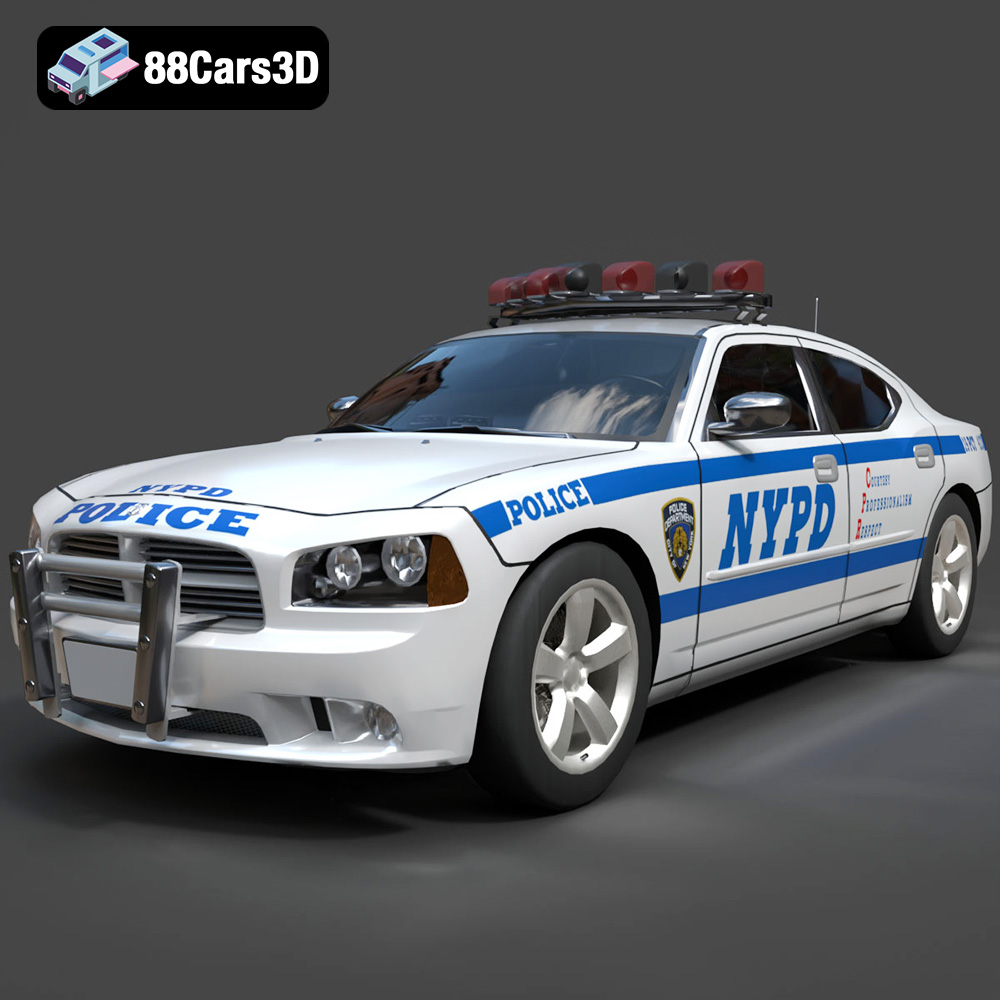
Texture: Yes
Material: Yes
Download the Dodge Charger Police NYPD 3D Model featuring clean geometry, realistic detailing, and a fully modeled interior. Includes .blend, .fbx, .obj, .glb, .stl, .ply, .unreal, and .max formats for rendering, simulation, and game development.
Price: $10
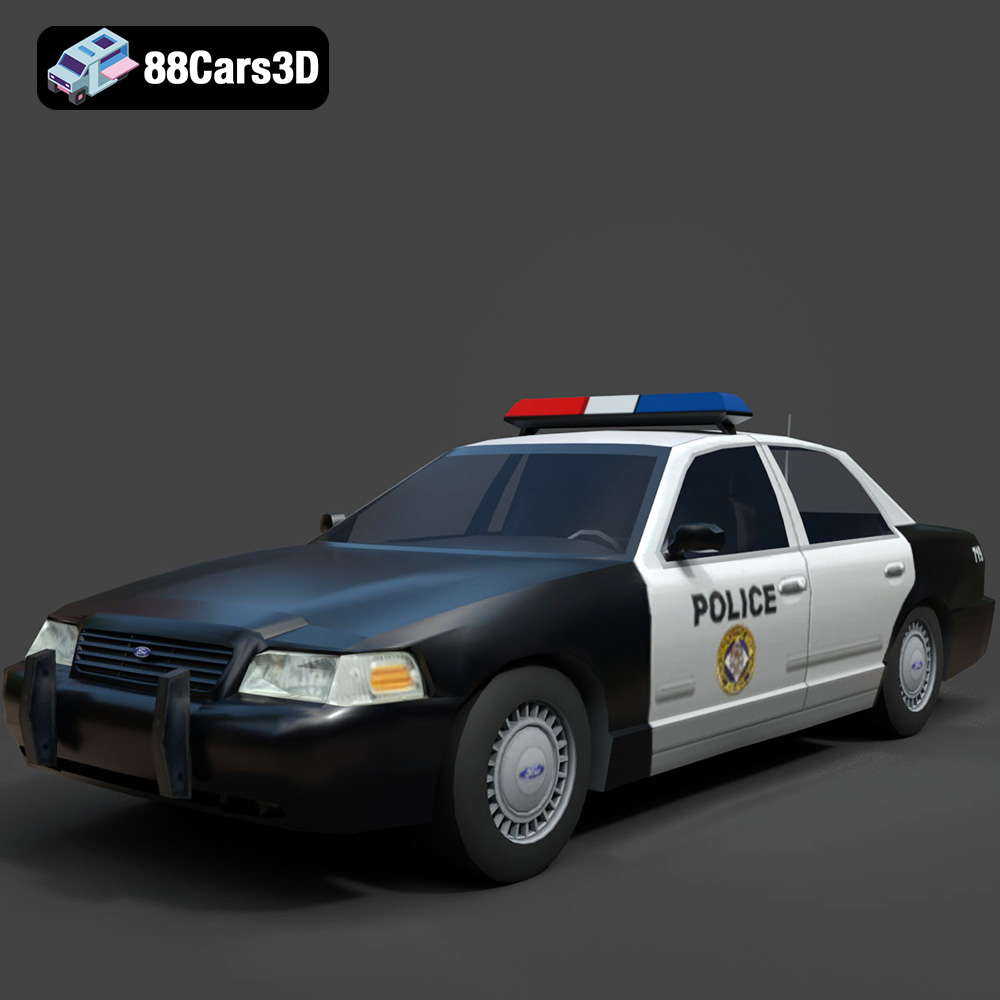
Texture: Yes
Material: Yes
Download the Ford Crown Victoria Police 2011 3D Model featuring clean geometry, realistic detailing, and a fully modeled interior. Includes .blend, .fbx, .obj, .glb, .stl, .ply, .unreal, and .max formats for rendering, simulation, and game development.
Price: $10
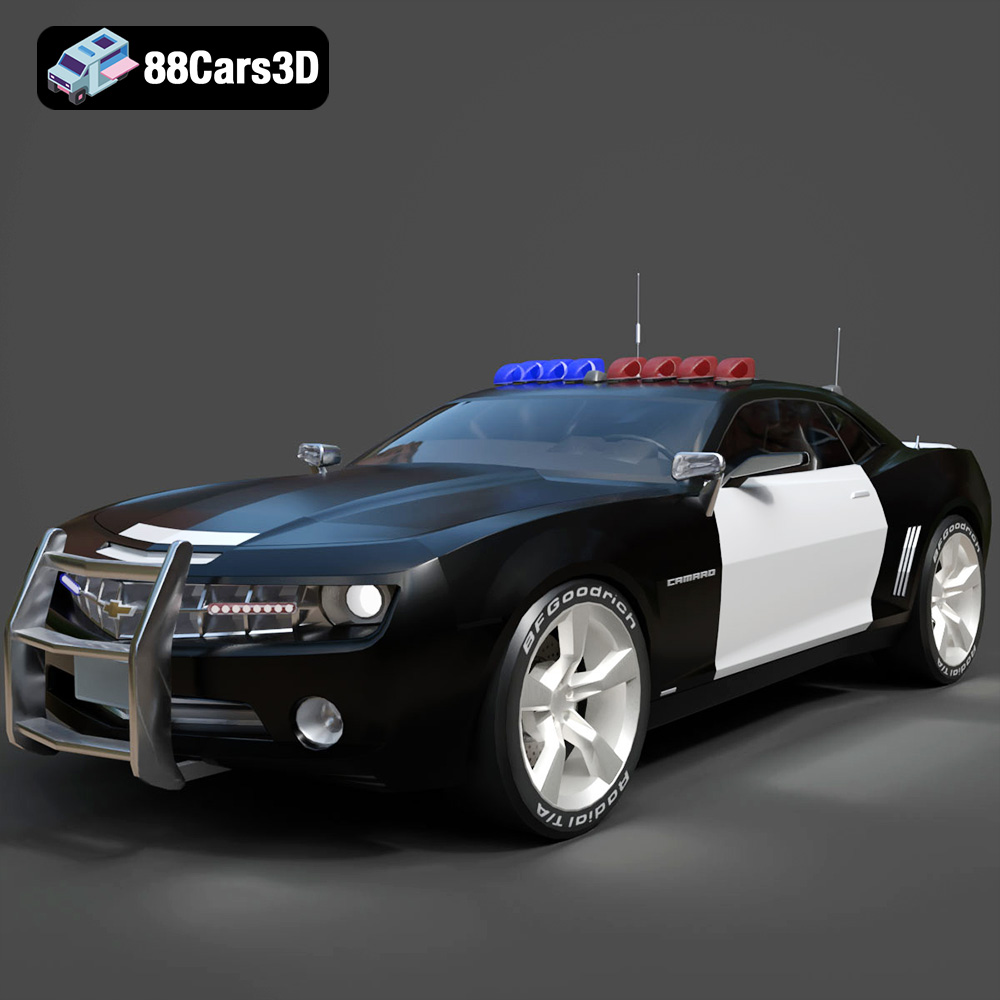
Texture: Yes
Material: Yes
Download the Chevrolet Camaro Patrol SUV 2025 3D Model featuring clean geometry, realistic detailing, and a fully modeled interior. Includes .blend, .fbx, .obj, .glb, .stl, .ply, .unreal, and .max formats for rendering, simulation, and game development.
Price: $10
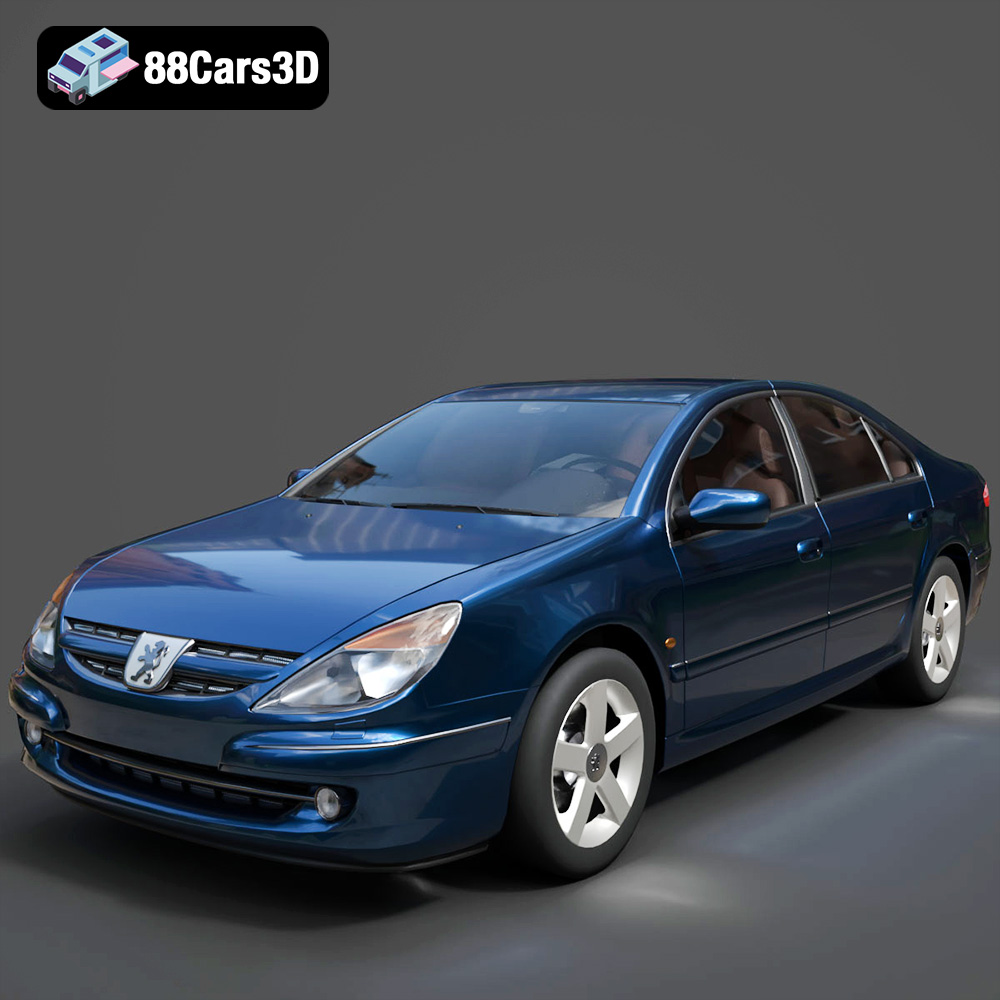
Texture: Yes
Material: Yes
Download the Peugeot 607 3D Model featuring clean geometry, realistic detailing, and a fully modeled interior. Includes .blend, .fbx, .obj, .glb, .stl, .ply, .unreal, and .max formats for rendering, simulation, and game development.
Price: $10
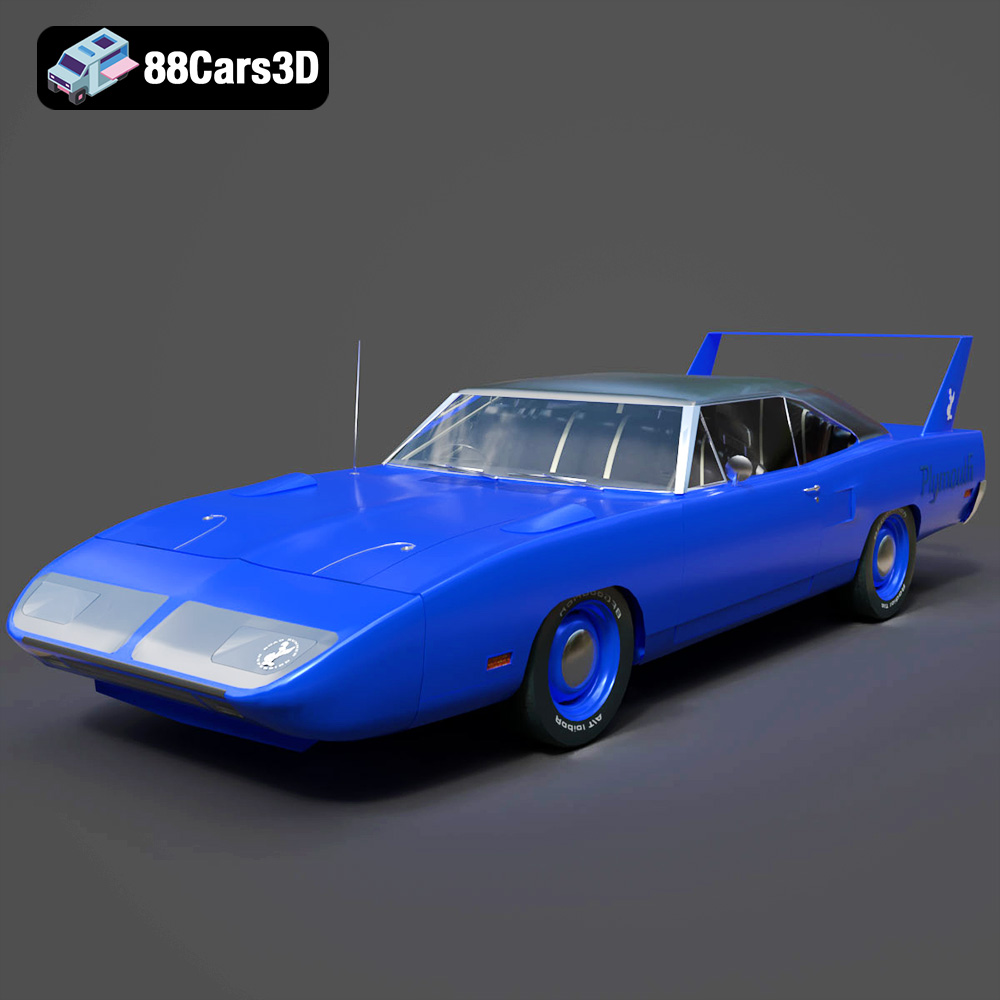
Texture: Yes
Material: Yes
Download the Plymouth Roadrunner Superbird 1970 3D Model featuring clean geometry, realistic detailing, and a fully modeled interior. Includes .blend, .fbx, .obj, .glb, .stl, .ply, .unreal, and .max formats for rendering, simulation, and game development.
Price: $10
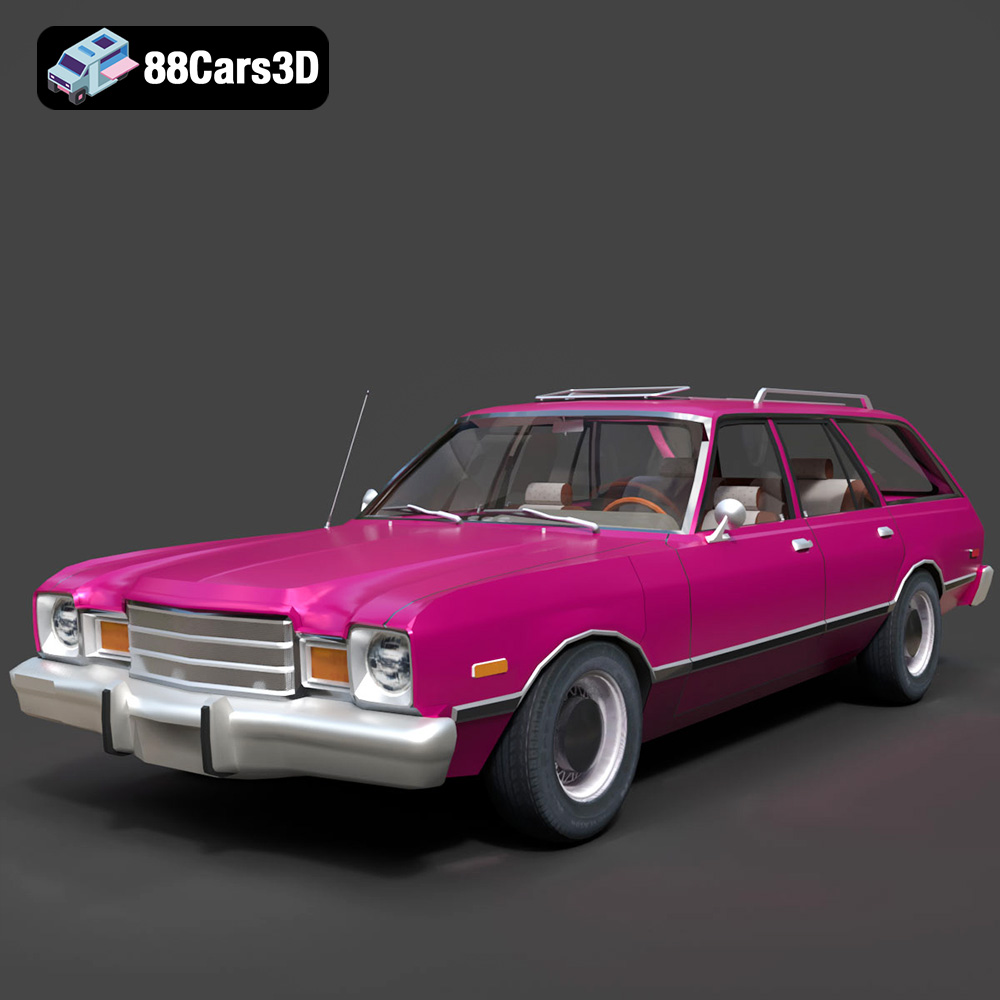
Texture: Yes
Material: Yes
Download the Plymouth Volare 1978 3D Model featuring clean geometry, realistic detailing, and a fully modeled interior. Includes .blend, .fbx, .obj, .glb, .stl, .ply, .unreal, and .max formats for rendering, simulation, and game development.
Price: $10
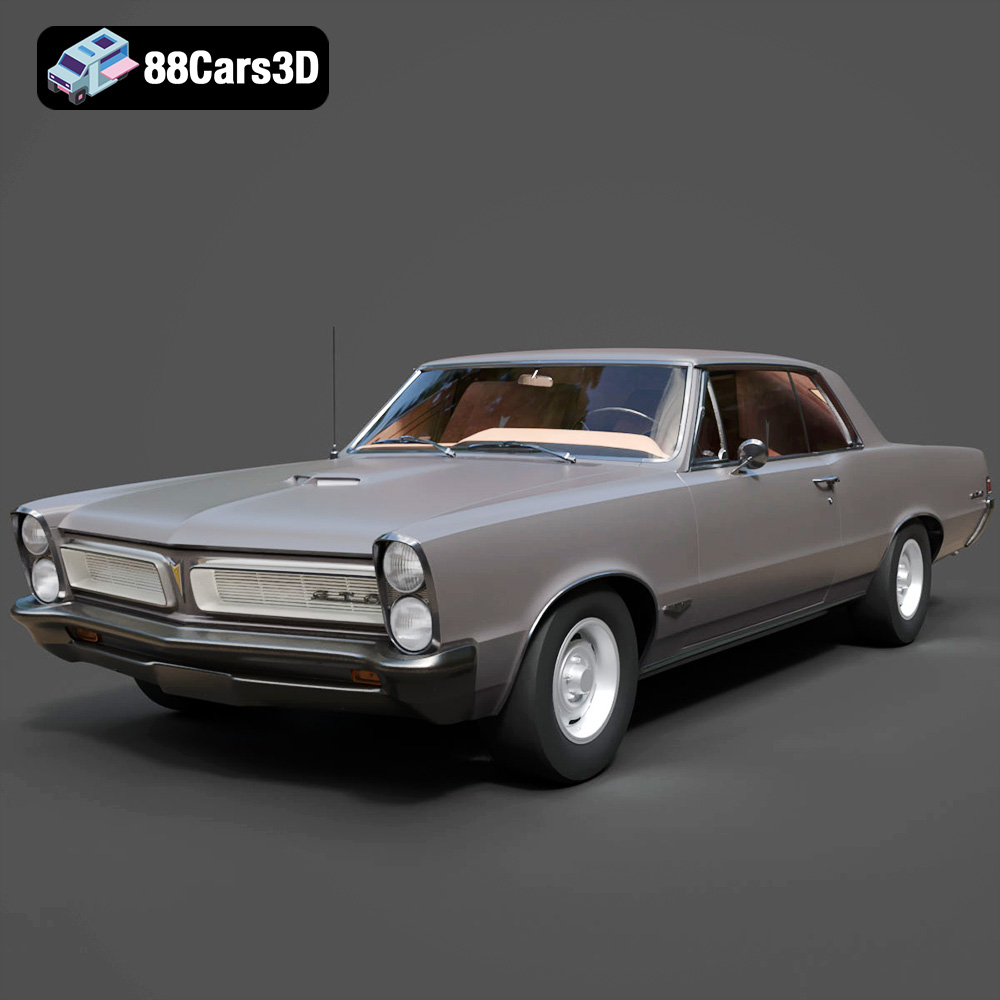
Texture: Yes
Material: Yes
Download the Pontiac GTO 1965 3D Model featuring clean geometry, realistic detailing, and a fully modeled interior. Includes .blend, .fbx, .obj, .glb, .stl, .ply, .unreal, and .max formats for rendering, simulation, and game development.
Price: $10
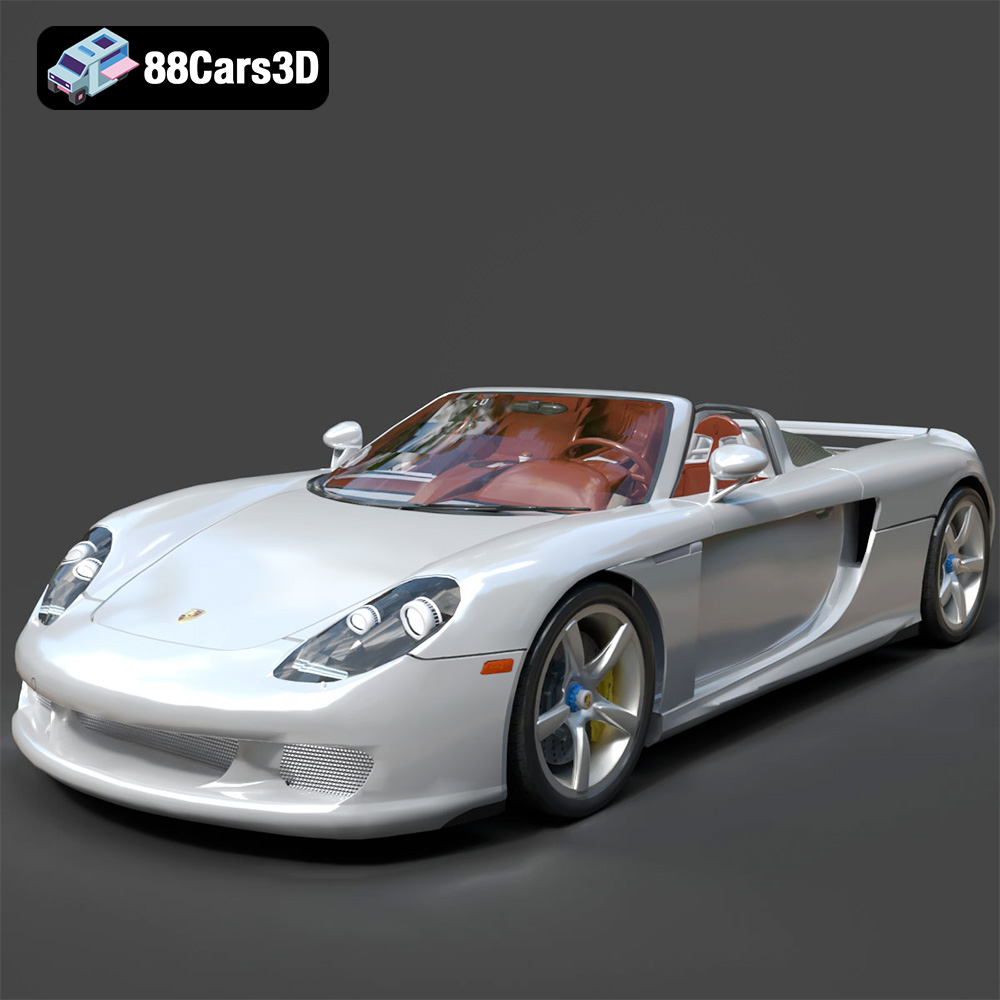
Texture: Yes
Material: Yes
Download the Porsche Carrera GT 3D Model featuring clean geometry, realistic detailing, and a fully modeled interior. Includes .blend, .fbx, .obj, .glb, .stl, .ply, .unreal, and .max formats for rendering, simulation, and game development.
Price: $10
Texture: Yes
Material: Yes
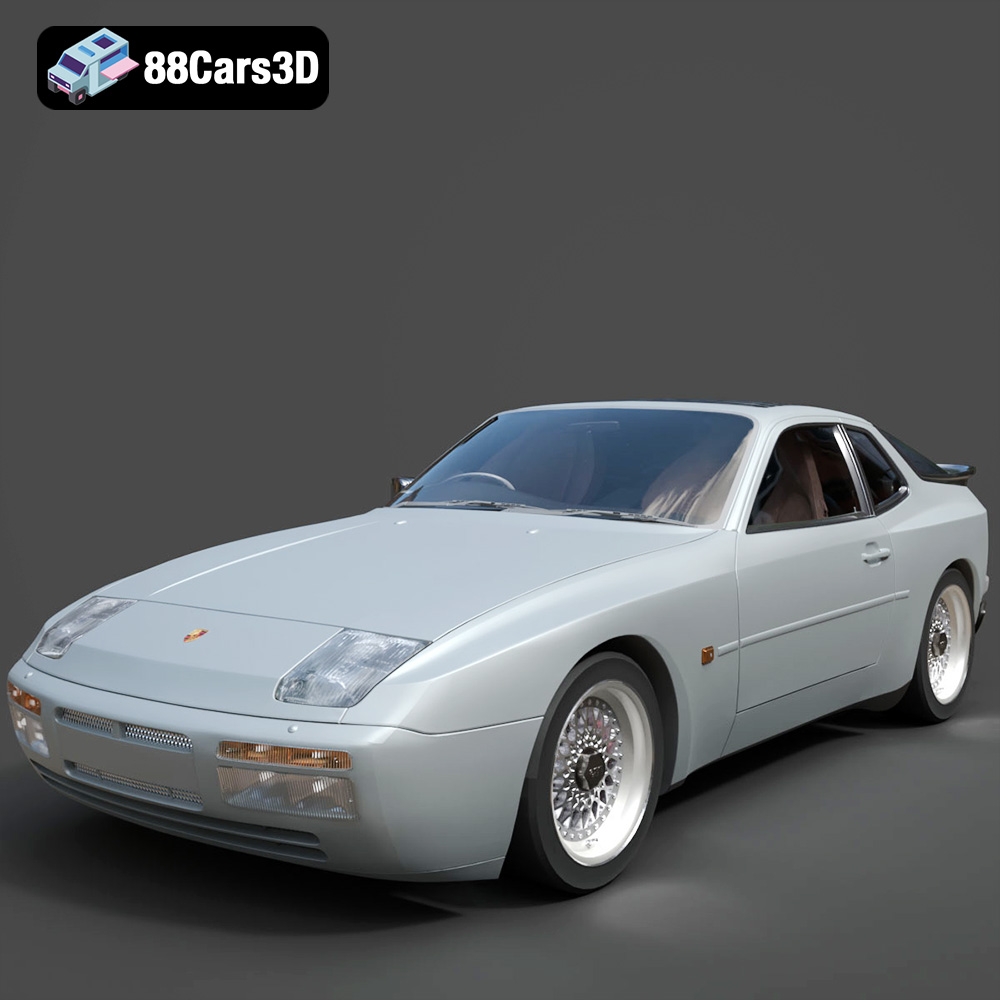
Download the Porsche 944 3D Model featuring clean geometry, realistic detailing, and a fully modeled interior. Includes .blend, .fbx, .obj, .glb, .stl, .ply, .unreal, and .max formats for rendering, simulation, and game development.
Price: $10
Texture: Yes
Material: Yes
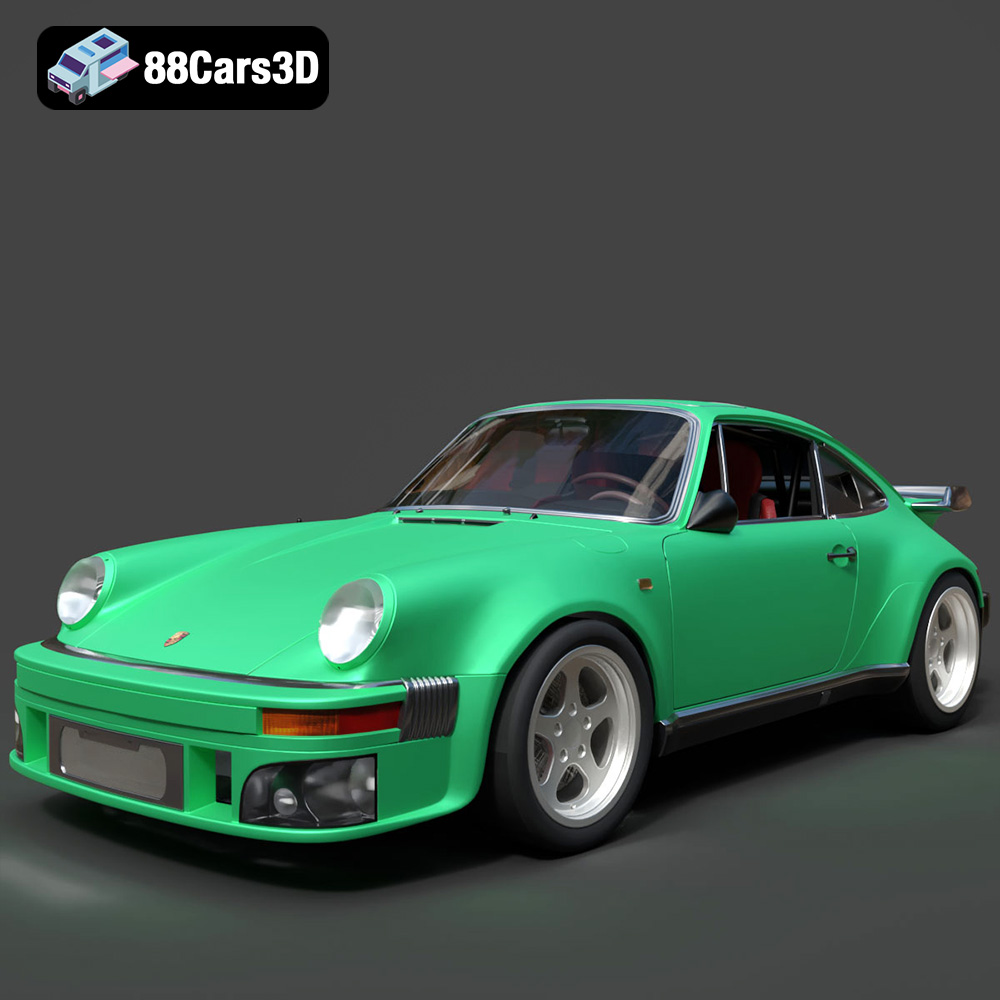
Download the Porsche 964 3D Model featuring clean geometry, realistic detailing, and a fully modeled interior. Includes .blend, .fbx, .obj, .glb, .stl, .ply, .unreal, and .max formats for rendering, simulation, and game development.
Price: $10

